 ✕
✕
✕
✕
By Justin SabrinaUpdated on March 24, 2026
Music downloads from streaming platforms like Spotify, Apple Music come with DRM protection. These music tracks will expire when your subscription ends and can only be played within the official streaming music apps. For music lovers who want to bypass DRM on streaming music services, the best way is to convert and download streaming music to MP3. Some third-party tools like ViWizard Streaming Audio Recorder promise a solution.
In this in-depth ViWizard Streaming Audio Recorder review, we'll explore its features, performance, pricing, and whether it truly meets your needs. Now, keep reading this review to get a full understanding of ViWizard Streaming Audio Recorder and discover its best alternative - UkeySoft All-in-One Music Converter.
CONTENTS
ViWizard Streaming Audio Recorder is a desktop software designed to capture and convert streaming audio from popular music platforms. Unlike streaming music apps store music in encrypted file formats, ViWizard helps you convert and save songs, playlists, albums, and even podcasts into common MP3, FLAC, WAV, or AIFF formats. This enables users to enjoy the output music freely without relying on the streaming platforms.
The tool supports a wide range of platforms, including Spotify, Apple Music, Amazon Music, Tidal, Deezer, Pandora, and more. With its built-in browser, users can access streaming services directly within the software and start recording instantly.
It's important to note that the software is restricted to personal, non-commercial use. In the following sections of this ViWizard Streaming Audio Recorder review, we'll explore its features in detail.
# Download Streaming Music for Offline Playback
Available for both Windows and Mac, ViWizard Streaming Audio Recorder has ability to download singles, albums, playlists, and podcasts from multiple platforms such as Spotify, Apple Music, Tidal, Deezer, Amazon Music, Pandora, SoundCloud, Qobuz, and LINE MUSIC.
However, for most premium streaming platforms like Apple Music, Amazon Music, Tidal, Qobuz, and LINE MUSIC, users must log in with a paid subscription to access full tracks. Once recorded, the music can be saved locally and played without restrictions.
# Convert Streaming Music to Multiple Formats
In addition, ViWizard Streaming Audio Recorder allows to convert recorded music tracks into multiple formats, including MP3, WAV, FLAC, and AIFF. For example, Spotify users can use it to convert Spotify music to MP3 for offline listening. This flexible output formats enables users to put and transfer the output music tracks to various devices and media players.
# 5X Speed to Download Music Tracks
ViWizard claims to offer up to 5X faster speed when recording and converting music. Compared to real-time recording tools, this can save some time, especially when processing multiple tracks. However, since it still relies on recording technology, the speed may vary depending on system performance and network conditions. During the test, it took 15 minutes to convert 5 songs from Apple Music.
# Built-in Browser for Seamless Music Selection
Unlike traditional audio recorder, ViWizard Streaming Audio Recorder features a built-in web browser that allows you to access streaming platforms directly within the application. You can log in to your streaming accounts, browse playlists, and select tracks for recording all from a single interface. This user-friendly design also simplifies the process and improves efficiency.
Everything has two sides, so does ViWizard Streaming Audio Recorder. Having explored ViWizard Streaming Audio Recorder in detail, here's a quick summary of its key pros and cons.
Pros:
Cons:
Step 1. Customize Output Settings
Open the software and click on Menu icon > Preference. Then configure output format, bitrate, and sample rate and other settings.
Step 2. Select a Platform and Sign In to Account
Turn back to the main interface, choose your preferred streaming service and log into your account through the built-in browser.
Step 3. Add Music Tracks to Convert
Browse and select songs, albums, or playlists you want to record and convert. Click "+" button to add them.
Step 4. Record and Convert Streaming Music
Click the"Convert" button to start the process. ViWizard will begin playing and capturing the audio in real-time.
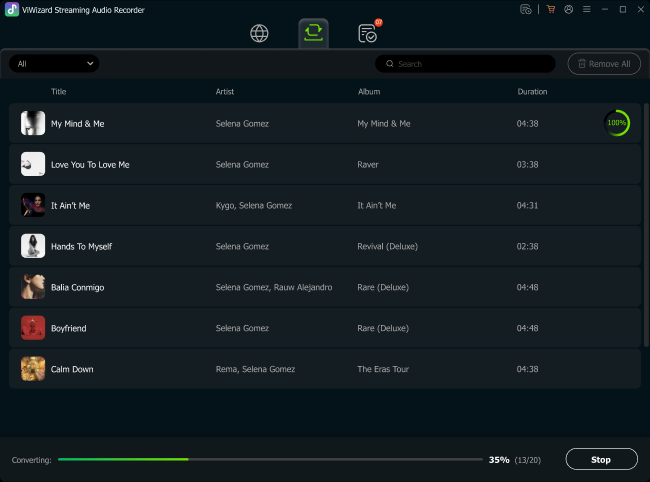
ViWizard Streaming Audio Recorder is a paid software. It offers different pricing options for users, including monthly, yearly, and lifetime plans. A free trial is available, but it may restrict recording duration or functionality.
| 1 Month Subscription | 1 Year Subscription | Single Lifetime Plan |
|
US$26.95 for 1 device |
US$79.95 for 1 device |
US$159.95 for 1 device |
Although ViWizard Streaming Audio Recorder offers useful features, it has several drawbacks. Its recording-based approach can be slower, and may result in lower audio quality compared to original streaming sources. Additionally, users often unstable performance and less responsive customer support. Overall, ViWizard Streaming Audio Recorder has a rating of 3.8 out of 5. If you're not completely satisfied with this software's performance, you can turn to its best alternative - UkeySoft All-in-One Music Converter.
Highlights of UkeySoft All-in-One Music Converter
UkeySoft All-in-One Music Converter, also named UkeySoft MusicOne Converter, allows you to download streaming music for free in common audio formats, including MP3, M4A, AAC, WAV, FLAC and AIFF. The software supports multiple streaming platforms, including Spotify, Apple Music, Amazon Music, YouTube Music, Tidal, Deezer, and Pandora Music. Like ViWizard, UkeySoft also comes with a built-in browser, allowing you to access, browse, stream, choose and download any music content without switching to other platforms.
What sets UkeySoft apart is that it downloads the music content in native lossless audio (selectable 320kbps, 512kbps, or 640kbps) at a blazing fast 16X speed. It also enables batch downloads of entire playlists, albums, or podcasts, so, you can get the best quality without waiting long. In addition, this tool also preserves ID3 tags such as artist, album, and artwork, and lets you organize output file name by ID3 tags, making it quite easy to organize your music library.
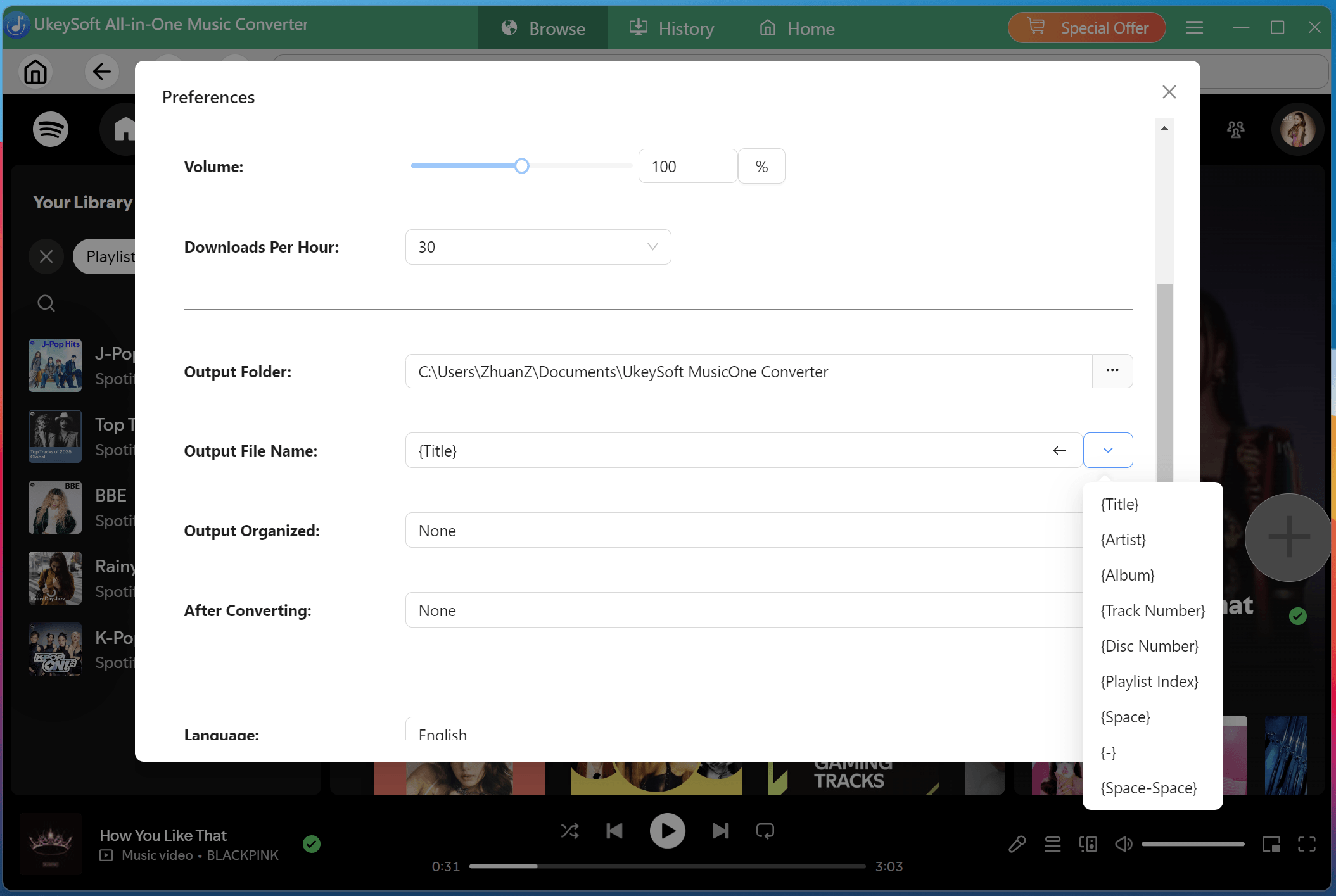
Other Convenient Feature: UkeySoft All-in-One Music Converter comes with a built-in music player so you can listen to converted songs directly, no need for streaming apps. The built-in music manager also lets you automatically classify output music files by date, album, or artist for effortless library management.
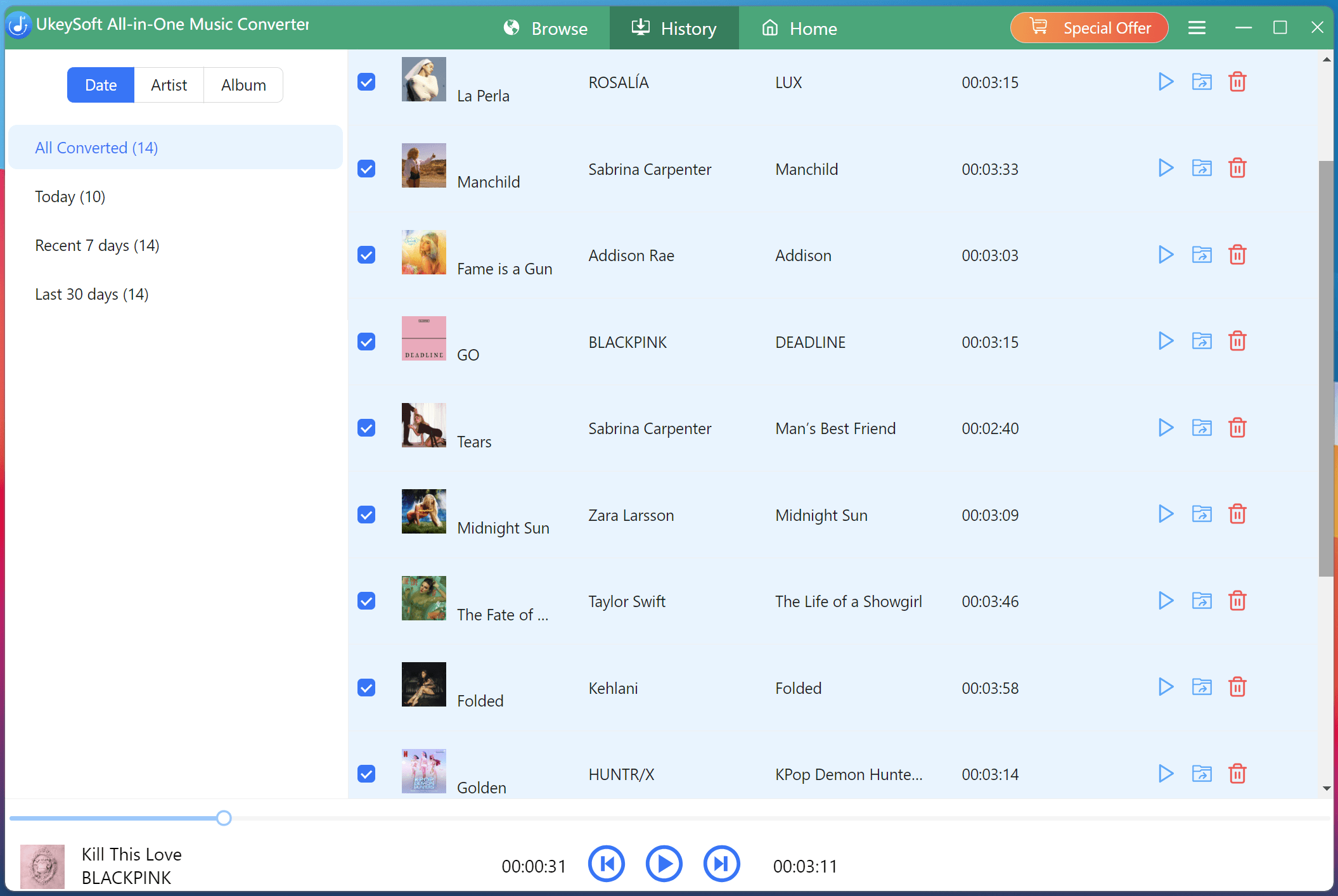
How UkeySoft All-in-One Music Converter Works
Step 1: Download and open UkeySoft, select a platform and log into your account.
Step 2: Go to Menu bar to select output format and quality settings.
Step 3: Search and add songs or playlists by cliking "+" icon.
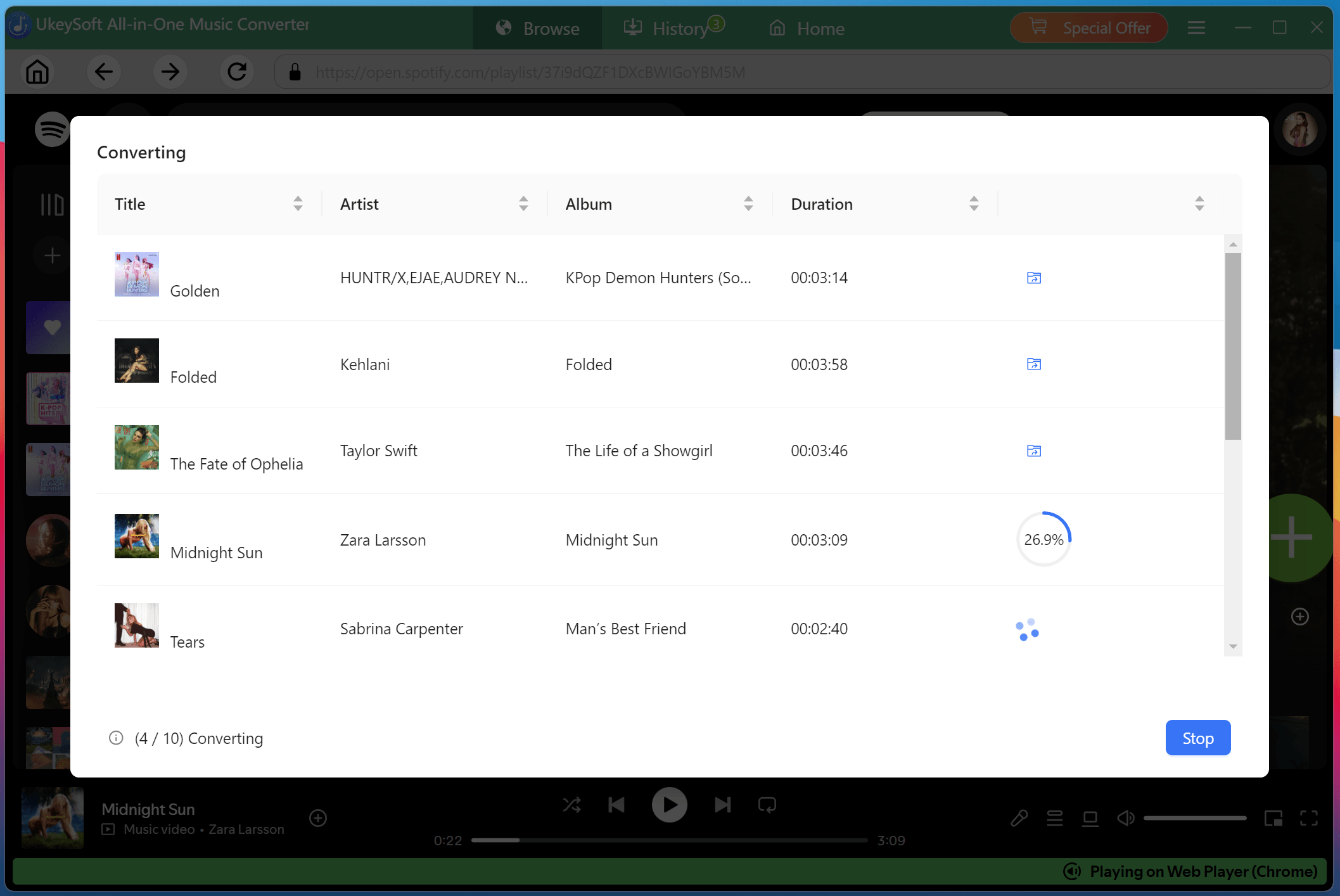
Step 4: Click "Convert" button to convert streaming music to MP3.
| Feature | ViWizard Streaming Audio Recorder | UkeySoft All-in-One Music Converter |
| Platform Support | 9 services (recording-based) | 7 services (direct download) |
| Output Formats | MP3, FLAC, WAV, AIFF | MP3, AAC, M4A, WAV, FLAC, AIFF |
| Download Speed | 5X (recording-based) | 16X (direct download) |
| Audio Quality | Medium, up to 320kbps | High, up to 640kbps |
| Batch Download | Yes | Yes |
| ID3 Tags | Yes | Yes |
| Built-in Web Browser | Yes | Yes |
| Built-in Music Player | No | Yes |
| Built-in Music Manager | No | Yes |
| Stability | Unstable, frequent crashes | Highly stable, reliable |
| Price | ● $26.95/month ● $79.95/year ● $159.95/lifetime |
● $14.95/month: for 1 service ● $65.95/month: all-in-one tool ● $99.95/year: all-in-one tool ● $159.95/lifetime: all-in-one tool |
| Customer Support | Poor, slow response | 24/7, responsive |
| Rating (5.0) | 3.8 | 4.8 |
In this post, we have provides a comprehensive review of ViWizard Streaming Audio Recorder. We found that it is a functional tool for users who want to convert streaming music to MP3 for offline playback, but its recording-based method limits speed, quality, and efficiency.
For users seeking better performance, higher audio quality, and faster downloads, choosing a reliable alternative, UkeySoft All-in-One Music Converter is the smarter option. The software performs exceptionall well in downloading streaming music to MP3 seamlessly and building a high-quality offline music library. If you're interested, feel free to download it!

Sorry the comment has been closed.

Convert Apple Music, iTunes M4P Songs, and Audiobook to MP3, M4A, AAC, WAV, FLAC, etc.
Porducts
Solution
Copyright © 2026 UkeySoft Software Inc. All rights reserved.


 English
 Arabic
 Chinese (Simplified)
 Chinese (Traditional)
 Croatian
 Czech
Czech Danish
 Dutch
Dutch Estonian
 Finnish
 French
 German
 Greek
Greek Hebrew
 Hindi
Hindi Hungarian
 Indonesian
 Italian
 Japanese
 Kazakh
 Korean
 Malay
Malay Norwegian
 Polish
 Portuguese
 Romanian
 Russian
 Slovenian
 Spanish
 Swedish
 Thai
Thai Turkish
 Ukrainian
 Vietnamese











![7 Best FREE Apple Music Converters [2025 Updated]](https://www.ukeysoft.com/wp-content/uploads/2019/04/best-apple-music-converter.jpg)












































![Free Download Top 10 Christmas Songs to MP3 from Spotify [2026 Updated]](https://www.ukeysoft.com/wp-content/uploads/2023/01/christmas-songs-to-mp3.jpg)


































































































































Comments are off!