By
Justin SabrinaUpdated on August 07, 2026
Summary
Looking for a way to convert Apple Music for free? Here you will get the details, pros and cons of the top 7 free Apple Music converters here. With it, you can effortlessly convert Apple Music songs, albums and playlist to MP3, AAC, M4A, FLAC, WAV and other formats for offline listening and backup!
To help you play Apple Music on other devices without restrictions, recently, there are more and more free Apple Music converter tools provides on the market. It may be difficult or time-consuming to test and choose which Apple Music converter is the best one for you.
Typically, an outstanding Apple Music converter should have the basic feature of converting Apple Music to MP3, but it should also deliver a neat interface, high-quality conversion, fast speed, as well as stable performance. Based o these factors, we've listed out the 7 Best Free Apple Music Converters to help you find the best one.
CONTENTS
Why Do You Need a Free Apple Music Converter?
In fact, Apple has added FairPlay DRM to its all streaming content, including Apple Music. When you download songs on Apple Music app or iTunes, they will be stored in M4P file format. M4P is a specific audio format, a type of AAC, created by Apple. It can only be played on Apple-approval devices. Therefore, you will fail to transfer Apple Music downloads to unauthorized devices such as MP3 player, iPod Nano, USB disk, etc.
If you cancel the subscription of Apple Music, all that streaming music can't be played on your devices. Whether you wish to keep your Apple Music forever or play the Apple Music on any device, you'd better convert Apple Music to MP3 or other common audio formats. Therefore, an Apple Music converter can be a great helper. In this review, we've compiled the top 7 best free Apple Music Converters for Windows, Mac and Online. Keep reading to find out your suitable one!
Top 7 FREE Apple Music Converters in 2026
By using a suitable Apple Music converter, you can easily enjoy Apple Music songs offline outside the official app, which brings you a lot of convenience and flexibility. In this section, we will show you the 7 best Apple Music converters with a detailed introduction for you. Scroll down to read and choose the best one.
Top 1. UkeySoft Apple Music Converter - Best & Fast Lossless Music Converter
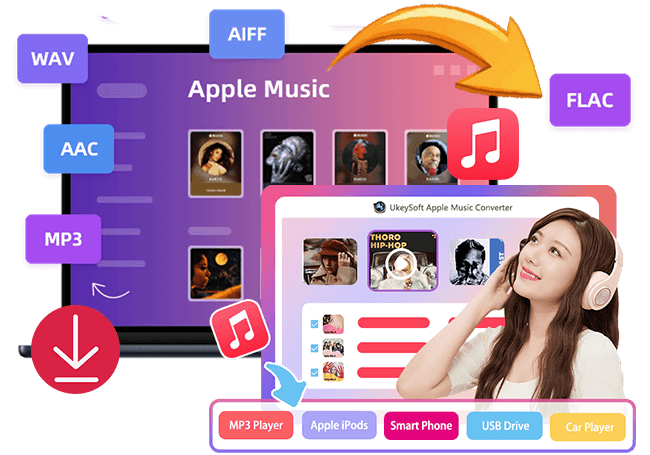
🔎Verdict: UkeySoft Apple Music Converter is widely considered the best Apple Music Converter in 2026. With its intuitive interface and robust feature set, it offers an efficient way to convert Apple Music to MP3, AAC, FLAC, WAV, etc.
The top-ranking Apple Music converter for Mac and Windows on this review refers to UkeySoft Apple Music Converter. The software has embedded an Apple Music web player to boost music conversion quickly. It allows you to access the full library of Apple Music content by logging in to your Apple ID. Don't worry, it's 100% safe and reliable. UkeySoft Apple Music Converter is recognized and recommended by many popular software download platforms, such as SoftPedia, CNET Download, Softonic, etc.
The software enables you to quickly download and convert songs/albums/playlists from Apple Music web player. The default output format is M4A. Of course, if you want to make changes, you may also set the output format to MP3, WAV, FLAC, AAC, AIFF and WAV. It retains original sound quality and metadata while offering 16X faster conversion. In addition, UkeySoft also enable users to customize output settings such as output quality (up to 640Kbps), output file and more.
Tip: System Requirements:
Windows 7 or later on 64bit required
Here is a simple guide of UkeySoft Apple Music Converter.
Step 1. Launch UkeySoft Apple Music Converter, login your Apple ID on the converter.
Step 2. Click "Gear" icon to choose output format, output quality and more settings.
Step 3. Add any songs/playlists/albums and select target Apple Music songs.
Step 4. Press "Convert" to start the conversion of Apple Music to MP3.
|
👍 Pros
|
● Built-in Apple Music web player to boost music downloading efficiency.
● Offers various formats like MP3, AIFF, AAC, M4A, WAV, and FLAC.
● Preserve original ID tags and metadata and allow to organize output files.
● Built-in Music Manager and Music Player, no need to install Apple Music app or iTunes.
● Ability to customize output settings freely and remain original quality.
|
|
👎 Cons
|
● The free version only lets you convert the first three minute of each song.
● Requires a subscription or license to unlock full features.
|
|
💰 Price
|
Free trial; US$14.95 for Monthly subscripton, US$59.95 for Yearly subscription, US$89.95 for Lifetime Plan
|
|
🖥️ Platforms
|
Windows, Mac
|
|
🆓 Free Trial
|
|
Top 2. ConvertAppleMusic - Free Online Apple Music Converter
ConvertAppleMusic is a browser-based Apple Music converter that allows users to convert Apple Music songs to MP3 online for free. Without installing any software, you can simply paste an Apple Music track, album, or playlist URL into the tool and download music directly from your browser. During our testing, it successfully parsed most Apple Music links and displayed track details accurately, making the download process straightforward for individual songs.
While it's a convenient option for occasional downloads, its performance may become less consistent when processing large playlists, and the output quality can vary depending on the source. If you only need to convert a few Apple Music tracks, it is still a considerable option.
|
👍 Pros
|
● Requires no software installation.
● UI is very user friendly and ad-free.
● Convert Apple Music to MP3 for free.
● No account registration required.
● Works on Windows, Mac, Android, and iOS devices.
|
|
👎 Cons
|
● Batch conversion is not supported.
● Slower link analysis and conversion compared to desktop software.
● Performance may be inconsistent when processing large playlists.
● Supports fewer output formats and quality options.
|
|
💰 Price
|
Free
|
|
🖥️ Platforms
|
Windows, Mac, iOS, Android web browser
|
Top 3. NoteBurner Apple Music Converter
Let's move on to NoteBurner Apple Music Converter, another popular Apple Music converter designed to help convert Apple Music to different audio formats, such as MP3, WAV, FLAC, AIFF, AAC, or ALAC. The dedicated software is compatible with most Apple Music content, and users only need to paste the URLs to process the music conversion in a few clicks. Additionally, it also supports to add and convert Apple Music tracks based on the web player. Plus, it is possible for users to personalize the sound quality and ID3 tags with the built-in features.
Note:
The official website said the program supports to burn Apple Music files to CDs. When I tried to burn it, it started and the progress bar moved quickly, then at about 40% it started to slow down, then I left it for over an hour and it was still stuck at 50%. So, its burning function is not recommended. To burn Apple Music to CD quickly, I advise you to convert Apple Music to WAV first, then burn the WAV files onto CD by using a professional CD burning software.
![Best FREE Apple Music Converter - NoteBurner Apple Music Converter]()
|
👍 Pros
|
● It has a clean and intuitive interface.
● Multiple output formats supported.
● Keep all ID tags and metadata on the output files.
● Batch convert Apple Music songs, playlists, albums.
● Built-in CD burning and editing features.
|
|
👎 Cons
|
● The free trial version only supports 3-minute conversion per song.
● It requires you to install the iTunes app to ensure a smooth Apple Music conversion process.
● Its conversion speed is not as fast as UkeySoft Apple Music Converter.
|
|
💰 Price
|
Free trial; US$14.95 for Monthly subscripton, US$59.95 for Yearly subscription, US$129.9 for Lifetime Plan
|
|
🖥️ Platforms
|
Windows, Mac
|
Top 4. ViWizard Audio Converter
Another reliable free Apple Music converter that helps you convert Apple Music to MP3 should be ViWizard Audio Converter. It is a one-stop audio converter that supports to convert Apple Music, iTunes M4P and Audible audiobooks on your computer. By installing it, you are able to drag and drop the protected music files to the Converter. Therefore, you need to download the Apple Music tracks in iTunes or Music app before using the Converter.
However, it would take your much time to process the music conversion at it use traditional recording technology to rip music from Apple Music. If you want an efficient Apple Music converter, considering using the UkeySoft Apple Music Converter, which works at up to 16X faster speed with lossless output. Moreover, it also has an in-built Apple Music web player to simplify and boost conversion process.
![Best FREE Apple Music Converter - ViWizard Audio Converter]()
|
👍 Pros
|
● User-friendly for beginners.
● The interface is quite simple, with a black design.
● Ability to convert Apple Music, iTunes M4P and Audible audiobooks.
● Batch conversion and playlist support.
● Supports multiple formats (MP3, AAC, WAV, FLAC, etc).
|
|
👎 Cons
|
● Not free, full version required for a purchase.
● You need to install the iTunes or Music app in extra.
● Need to download Apple Music songs to the iTunes Library first.
● Slow conversion speed than other brands.
● The output quality is not good enough considering that it use a recording technology.
|
|
💰 Price
|
Free trial; US$14.95 for Monthly subscripton, US$49.95 for Yearly subscription, US$89.95 for Lifetime Plan
|
|
🖥️ Platforms
|
Windows, Mac
|
Top 5. Macsome iTunes Music Converter
With the ability to convert Apple Music streaming content such as tracks, albums, and playlists, Macsome iTunes Music Converter is also as the rational option when you want to process Apple Music conversion. What's more, it also supports converting other streaming audio content such as iTunes music, and Audible audiobooks, and export the audios as to MP3, AAC, FLAC, WAV, AIFF, or ALAC files. The software allows you to add the music tracks in two modes, one is to sync with Apple Music app, another is to login your account to enter the web player.
Remember that this Apple Music converter is only available to convert 1 minute of each song for free. If you want to enjoy the full features, you need to upgrade to a paid version. To get a more affordable free Apple Music converter, please turn to UkeySoft Apple Music Converter.
|
👍 Pros
|
● Support Apple Music songs, iTunes M4P songs and Audible audiobooks.
● Offers two modes to add music tracks for conversion.
● It will preserve original ID3 tags for the converted songs.
● Supports multiple formats to export Apple Music songs.
● Allows to customize the output audio parameters freely.
|
|
👎 Cons
|
● The software interface is relatively small.
● It requires you to add songs and playlist manually.
● Need to download songs or playlist to the iTunes Library first.
● The free version only lets you convert the first minute of each song.
|
|
💰 Price
|
Free trial; US$14.95 for Monthly subscripton, US$59.95 for Yearly subscription, US$129.95 for Lifetime Plan
|
|
🖥️ Platforms
|
Windows, Mac
|
Top 6. UkeySoft iTunes Music Converter
UkeySoft iTunes Music Converter is the older version of UkeySoft Apple Music Converter. It is a versatile and easy-to-use free Apple Music Converter, iTunes music converter and audiobook converter. Unlike the new version, the UkeySoft Apple Music Converter V6.9.3 requires iTunes to be installed on your computer and syncs with your iTunes library during process.
Related Article: UkeySoft Apple Music Converter (V.6.9.3) VS. UkeySoft Apple Music Converter (Latest Version)
It provides a great solution for users who want to convert iTunes library to MP3 quickly and efficiently. This full-featured converter is capable of converting Apple Music M4P songs, iTunes purchased songs, iTunes M4B audiobooks, Audible AA/AAX audiobooks, iTunes music videos and movies, as well as all audio files that can be played in iTunes!
This tool supports formats like MP3, M4A, AC3, AAC, AIFF, AU, FLAC, M4R, and MKA, etc. It retains original sound quality and metadata while offering 16X faster conversion on Windows and 5X speed on Mac. Even better, it not only keeps all ID tags of the music tracks, but also allows to edit the metadata freely, including the song title, artist name, album name, genre or album artwork.
Here is how to convert Apple Music with UkeySoft iTunes Music Converter.
Step 1. When you open the UkeySoft Apple Music Converter V6.9.3 (Older Version), it will load all your iTunes library automatically.
Step 2.Select the Apple Music songs/albums/playlists/podcasts you want to convert.
Step 3. Define the output formats, file name, bitrate and sample rate.
Step 4. Hit on "Convert" button to batch convert Apple Music songs to MP3 or other formats you set!
|
👍 Pros
|
● Easy to use, iTunes-liked interface.
● Convert all audios and videos in iTunes library.
● Preserves ID3 tags and edit metadata freely.
● Delivers a fast conversion speed to export music files.
● The Windows version supports crop the length of the music for ringtone.
|
|
👎 Cons
|
● It works based on iTunes/Music app.
● You need to add music to iTunes library first.
● Not free, limited function on the free version.
|
|
💰 Price
|
Free trial; US$14.95 for Monthly subscripton, US$59.95 for Yearly subscription, US$89.95 for Lifetime Plan
|
|
🖥️ Platforms
|
Windows, Mac
|
|
🆓 Free Trial
|
|
Top 7. Apple Music Downloader (Online)
AAPLmusicDownloader is an online free Apple Music downloader that works directly in your browser. It's simple and lightweight. This online tool allows users to paste Apple Music track URLs and effortlessly download Apple Music to MP3 for free. Better yet, the website will maintain the sound quality as the original, from 128 Kbps to 320 Kbps. But the sound quality can not be customized.After that, you can then transfer the downloaded MP3 files to an MP3 player, iPod, mobile phone and USB Flash Drive, etc.
![online Apple Music downloader]()
But it should be noted that this online Apple Music downloader only supports MP3 as the output format, and it's hard to retain full metadata of the downloaded music tracks. And it's a pity that not all songs from Apple Music Album/Playlist can be downloaded at once. When you add an Album/Playlist URL to its search bar, all songs will be packed in a ZIP file, and you need to log in to unlock the full music potential of ZIP. So it's hard to guarantee that it's 100% reliable. To better protect your personal information and improve your user experience, we recommend you use a professional desktop software as an alternative, such as UkeySoft Apple Music Converter.
|
👍 Pros
|
● Free and accessible.
● 100% online - no software needed
● Works on any browser/device.
● Easy to operate, no skills is required.
● Download Apple Music songs to MP3.
|
|
👎 Cons
|
● Only MP3 format output.
● May not keep full metadata.
● Can be affected by internet speed.
● Batch download is not supported.
● Can't download entire album or playlist at once.
|
|
💰 Price
|
Free
|
|
🖥️ Platforms
|
Web-based
|
FAQs About Free Apple Music Converter
Is it legal to use an Apple Music Converter?
Keep in mind that always use free Apple Music Converters for personal backup or offline playback only. Distributing converted files may violate copyright laws.
Is it safe to use an Apple Music Converter?
Yes, as long as you use trusted software. The best Apple Music Converters in 2025 listed here are from reputable developers and are free from malware or spyware. Always download from official websites.
Is the Apple Music converter free?
There are some free Apple Music Converters that provide free conversion but with ads. But if you want to convert Apple Music in a safe and efficient way, you'd better to utilize a professionl programs. Many Apple Music Converter programs offer free versions, though they may limit features or output length. To unlock full functionality, you can upgrade a Premium version.
What is the best Apple Music Converter?
If you want high-speed conversion and full metadata preservation, UkeySoft Apple Music Converter is the best Apple Music Converter in 2025. For occasional use, the online Apple Music Downloader is a convenient option.
Conclusion
Up till now, you have learned about the top 7 free Apple Music converters. No matter the quality, effectiveness, or stability in convert Apple Music library, UkeySoft Apple Music Converter stands on the top. By using it, users can quickly convert Apple Music to MP3 or other formats for offline listening or back up music library freely! Now download it for free and have a test! By using it, users can quickly convert Apple Music to MP3 or other formats for offline listening or back up music library freely! Now download it for free and have a test!
Best FREE Apple Music Converters

Justin Sabrina has always had great enthusiasm for writing, programming and web development. He likes writing about software and technology, his works are featured on some tech blogs or forums like Tom's Hardware, CNET, etc.
 English
 Arabic
 Chinese (Simplified)
 Chinese (Traditional)
 Croatian
 Czech
Czech Danish
 Dutch
Dutch Estonian
 Finnish
 French
 German
 Greek
Greek Hebrew
 Hindi
Hindi Hungarian
 Indonesian
 Italian
 Japanese
 Kazakh
 Korean
 Malay
Malay Norwegian
 Polish
 Portuguese
 Romanian
 Russian
 Slovenian
 Spanish
 Swedish
 Thai
Thai Turkish
 Ukrainian
 Vietnamese








No comment yet. Say something...