By
Justin SabrinaUpdated on September 16, 2026
Summary
Looking for a reliable way to download streaming music to MP3 and enjoy your favorite tracks offline without limitations? In this detailed UkeySoft All-in-One Music Converter review, we'll explore whether this powerful All-in-One streaming Music Converter is worth your time in 2026.
When listening to music on streaming platforms, users face a frustrating paradox: they pay monthly subscriptions for access to millions of songs, yet they never truly own any of it. Thankfully, there are many third-party streaming music converter tools that can help you download and convert streaming music to MP3 for flexible offline playback and saving. Among them, UkeySoft All-in-One Music Converter is a versatile solution tailored to download streaming music for offline listening.
You might be curious about how UkeySoft All-in-One Music Converter performs and whether it offers any unique features that set it apart from other streaming music downloader tools. In this hands-on review, we'll delve into its features, pricing, specs, guideline, and overall performance. Let's go!
CONTENTS
Part 1. UkeySoft All-in-One Music Converter Overview
Streaming music services have revolutionized how we listen, bringing convenience and color to our digital lives. But they also impose strict DRM protection that limits how users can access and store their favorite tracks. Even if you download songs within apps like Spotify or Apple Music, they remain encrypted, meaning you cannot transfer Spotify music to MP3 player, keep Apple Music songs forever, use your downloaded music as ringtone or BGM, and so on. That's why UkeySoft All-in-One Music Converter comes into handy.
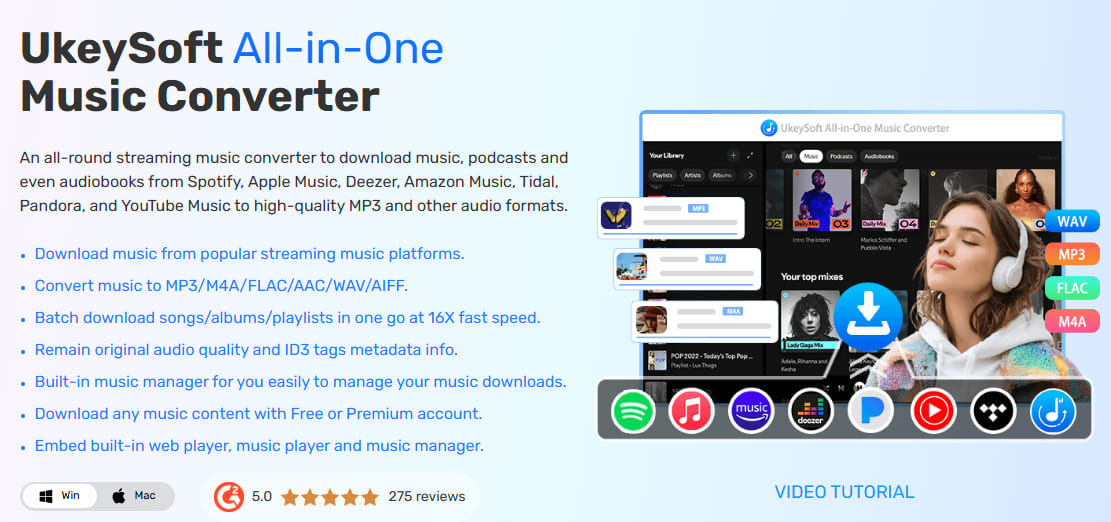
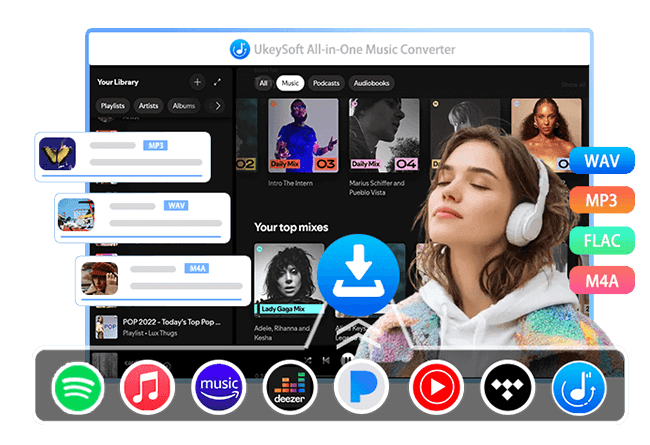
UkeySoft MusicOne Converter is an all-in-one music converter, available for Windows and Mac. This professional tool can bypass DRM and help you download streaming music from multiple popular platforms to local MP3 files. It has integrated with official streaming platforms, including Spotify, Apple Music, YouTube Music, Amazon Music, Pandora, Deezer, SoundCloud, and Tidal. Simply choose a platform, log in to your account to access the whole music library, and you can download and convert any music content online. The software offers a seamless experience for users who want to build an offline music library and enjoy music offline without restrictions.
Part 2. Outstanding Features of UkeySoft All-in-One Music Converter
Thanks to its advanced music download technology, UkeySoft All-in-One Music Converter is shining through in the market and wins unanimous praise from millions of users worldwide. Now, let's drill down and explore more highlights and features.
1# Support 8 Popular Music Streaming Services
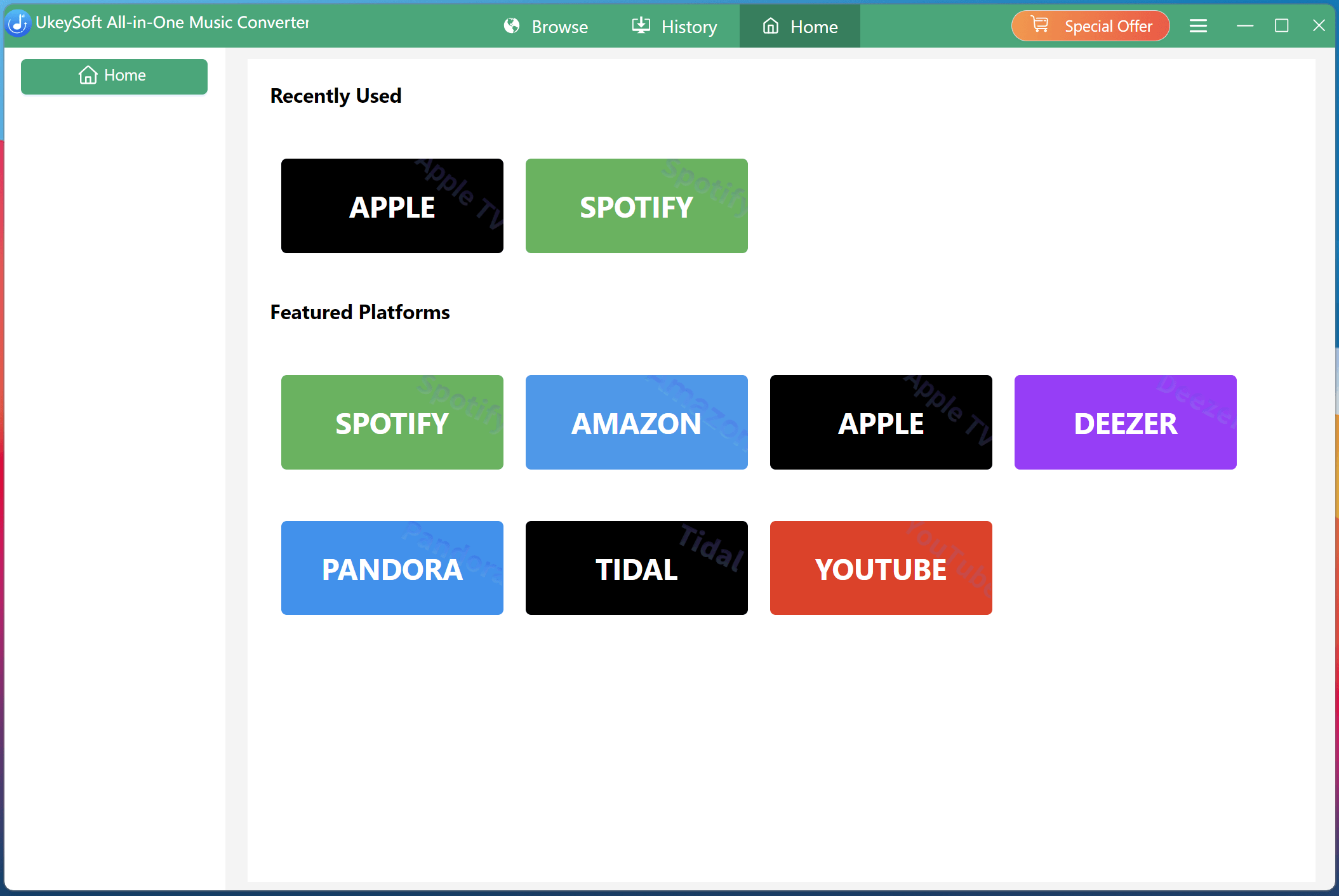
One of UkeySoft's biggest selling points is its impressive platform coverage. Unlike competitors that focus on a single service, UkeySoft MusicOne Converter integrates with popular services including Spotify, Apple Music, Amazon Music, YouTube Music, Pandora, Deezer, SoundCloud, and Tidal. This means you no longer need to switch between multiple downloaders or install separate apps for each service. With this all-in-one streaming Music Converter, users can manage and convert music from different platforms within one interface. Easily download your favorite music tracks into MP3 audios!
2# Download Music For Free and Remove Ads
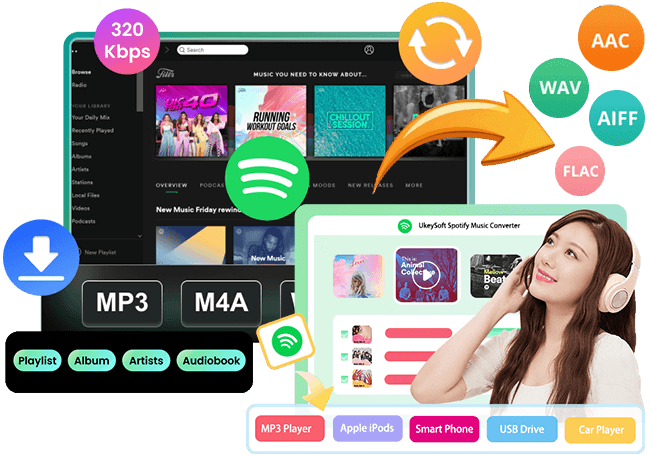
UkeySoft All-in-One Music Converter lets you download music from Spotify, Deezer, YouTube Music, Amazon Music, SoundCloud, and Pandora without a premium subscription. For Spotify Free users, you can download Spotify music for free, and convert Spotify music to MP3 at 320kbps high quality! Better still, it removes ads completely and enables smooth, offline playback. This allows you to enjoy your favorite music anytime with ads interruptions and full control over your listening experience.
3# Convert Streaming Music to Multiple Audio Formats
Another standout feature in this UkeySoft All-in-One Music Converter review is its support for multiple output formats. By removing DRM restrictions, it allows users to download and convert streaming music tracks, albums, artists, playlists, audiobooks, and podcasts in universally compatible formats like MP3, AAC, M4A, WAV, FLAC, or AIFF. This ensures that you can transfer and play your favorite music content on any device or player offline without worrying about compatibility issues or internet connectivity.
4# Customizable Settings and Lossless Music Quality Ensured
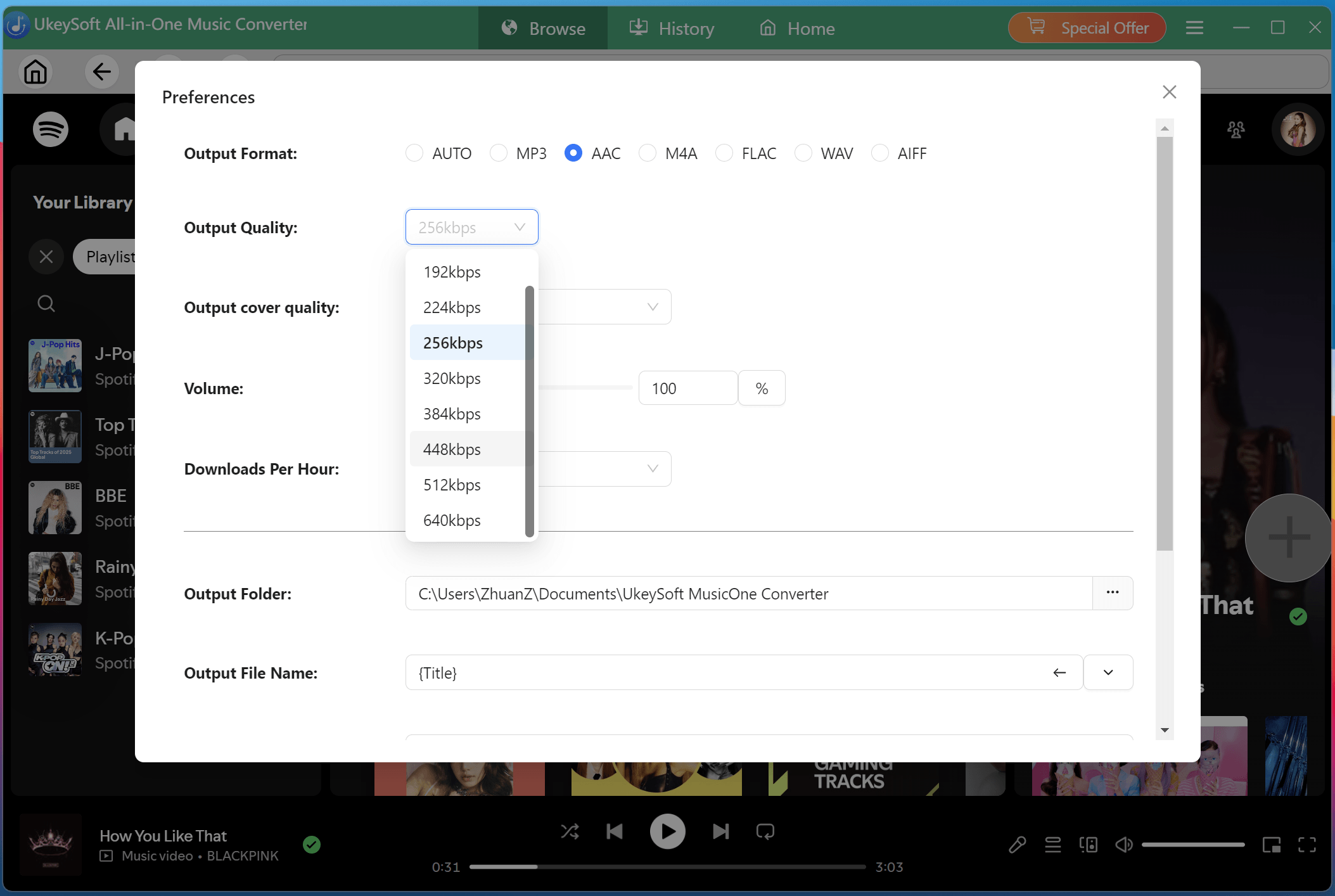
For users who want to freely configure audio parameters like output format, output quality, output cover quality, and more, UkeySoft All-in-One Music Converter is definitely a good option. More importantly, it ensures you get the best music quality in original 256kbps, 320kbps, or even higher 512kbps and 640kbps bitrates, just like when streaming on platforms like Apple Music, Spotify, Deezer, YouTube Music, and more.
5# 16X Ultra-Fast Download Speed and Batch Mode Supported
Unlike online music downloader tools with unstable and slow performance, this software utilizes advanced hardware acceleration technology to significantly reduce music download times. It boasts up to 16X faster conversion speeds compared to real-time playback, and supports batch mode. Simply add multiple songs, albums, or entire playlists to the queue, and UkeySoft processes them all simultaneously. Just a cup of tea, you can save thousands of high-quality songs on your local folder!
6# Preserve ID3 Tags and Customize Output File Name
When converting streaming music to MP3, UkeySoft All-in-One Music Converter automatically preserves ID3 tags such as cover, title, artist, album, genre, and artwork. What's more, it lets you download high-quality cover art from Spotify and other platforms.
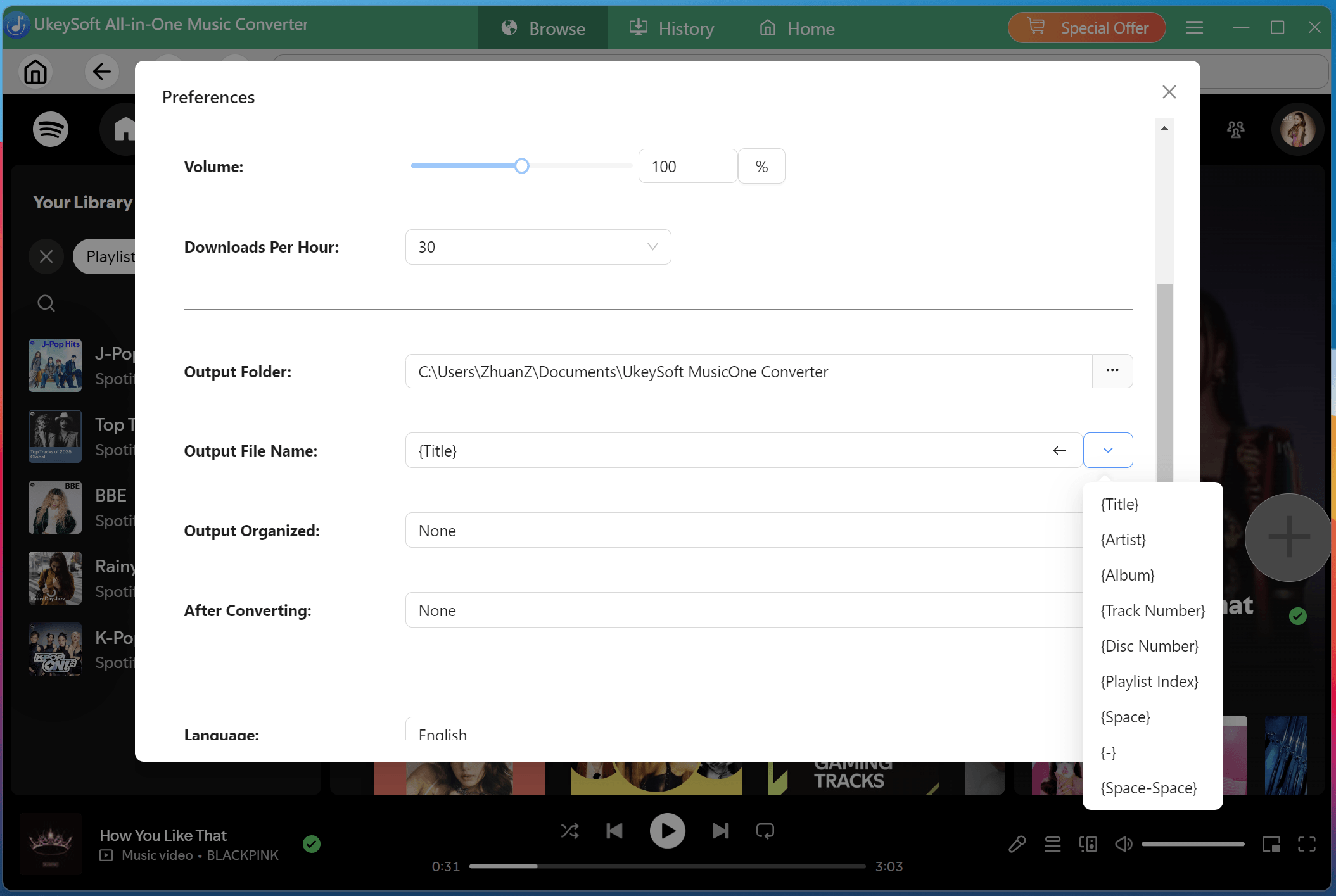
Additionally, it allows you to customize output file names and organize files based on artist, album, track & number, disc number, or playlist index to match your personal organization preferences, making it easy to find and manage your music collection.
7# Built-in Music Player and Music Manager
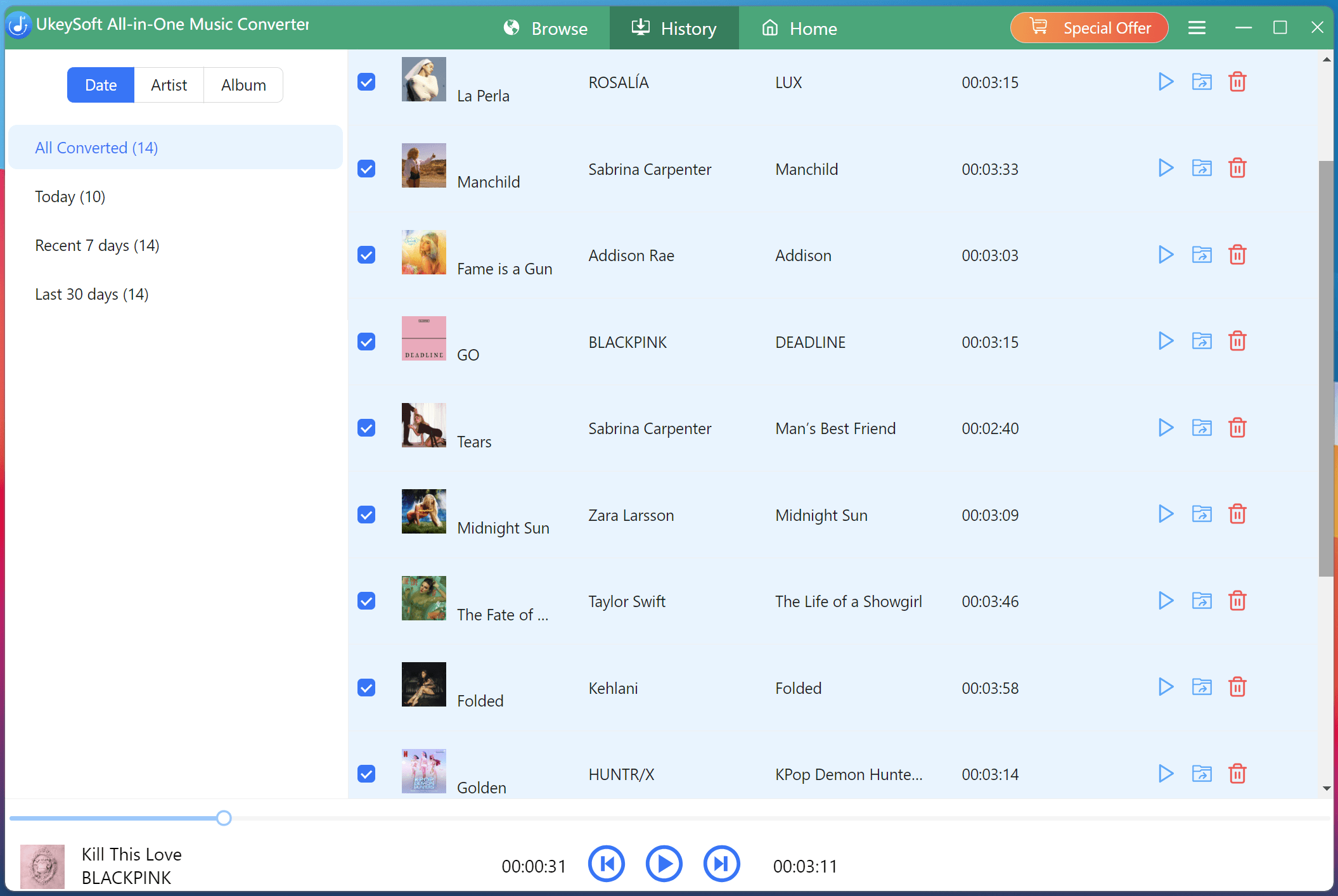
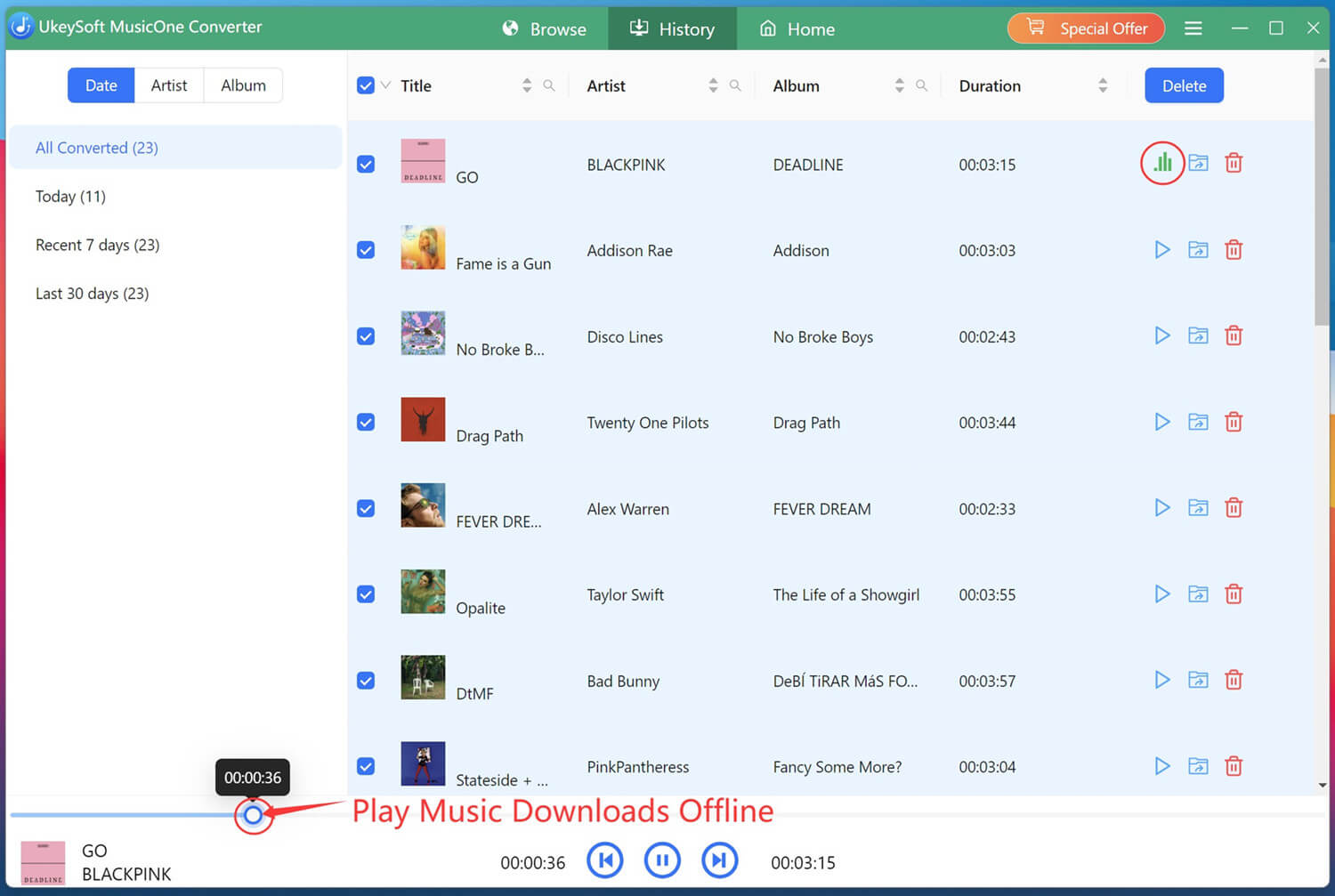
One highlights is the built-in music player and manager. After you download streaming music to MP3, you can directly play these offline music on the software without relying on the streaming platforms!
For another, you may also preview tracks directly within the software. It also allows you to organize your music files into folders by artist, album, or date. In short, UkeySoft All-in-One Music Converter is not just a music converter, but a complete music management solution.
Part 3. Specs of UkeySoft All-in-One Music Converter
UkeySoft All-in-One Music Converter is compatible with both Windows and macOS systems. It requires minimal system resources, ensuring smooth performance even when processing multiple files.
Key specifications include:
- Operating Systems: Windows 11/10/8.1/8/7 (32 bit or 64 bit), Mac OS X 10.9 or higher
- Supported platforms: Spotify, Apple Music, YouTube Music, Amazon Music, Tidal, Deezer, Pandora Music, SoundCloud
- Output formats: MP3, M4A, AAC, WAV, FLAC, AIFF
- Conversion speed: Up to 16X
- Batch processing support: Yes, convert entire album, playlist or artist
- Supported Languages: English, German, French, Japanese, Spanish, Deutsch, Danish, Indonesian, Malay, Turkish, Português and Simplified Chinese
Part 4. Pricing of UkeySoft All-in-One Music Converter
When choosing a third-party software, pricing also plays an important role. Similar to streaming music services, UkeySoft All-in-One Music Converter not only offers 30-day free trial, but also provides flexible plans, including monthly, yearly, and lifetime subscriptions.
- 1-month subscription: US$65.95 for 1 PC/Mac
- 1-year subscription: US$99.95 for 1 PC/Mac
- Single lifetime plan: US$159.95 for 1 PC/Mac
- 30-day free trial: Download and convert the first three minute of each song for free
Meanwhile, UkeySoft also provides single music converter for each platform, starting at US$14.95. For more details, you can go to UkeySoft All-in-One Music Converter online store and check.
Part 5. How UkeySoft All-in-One Music Converter Works
Step 1. Select a Platform and Log In
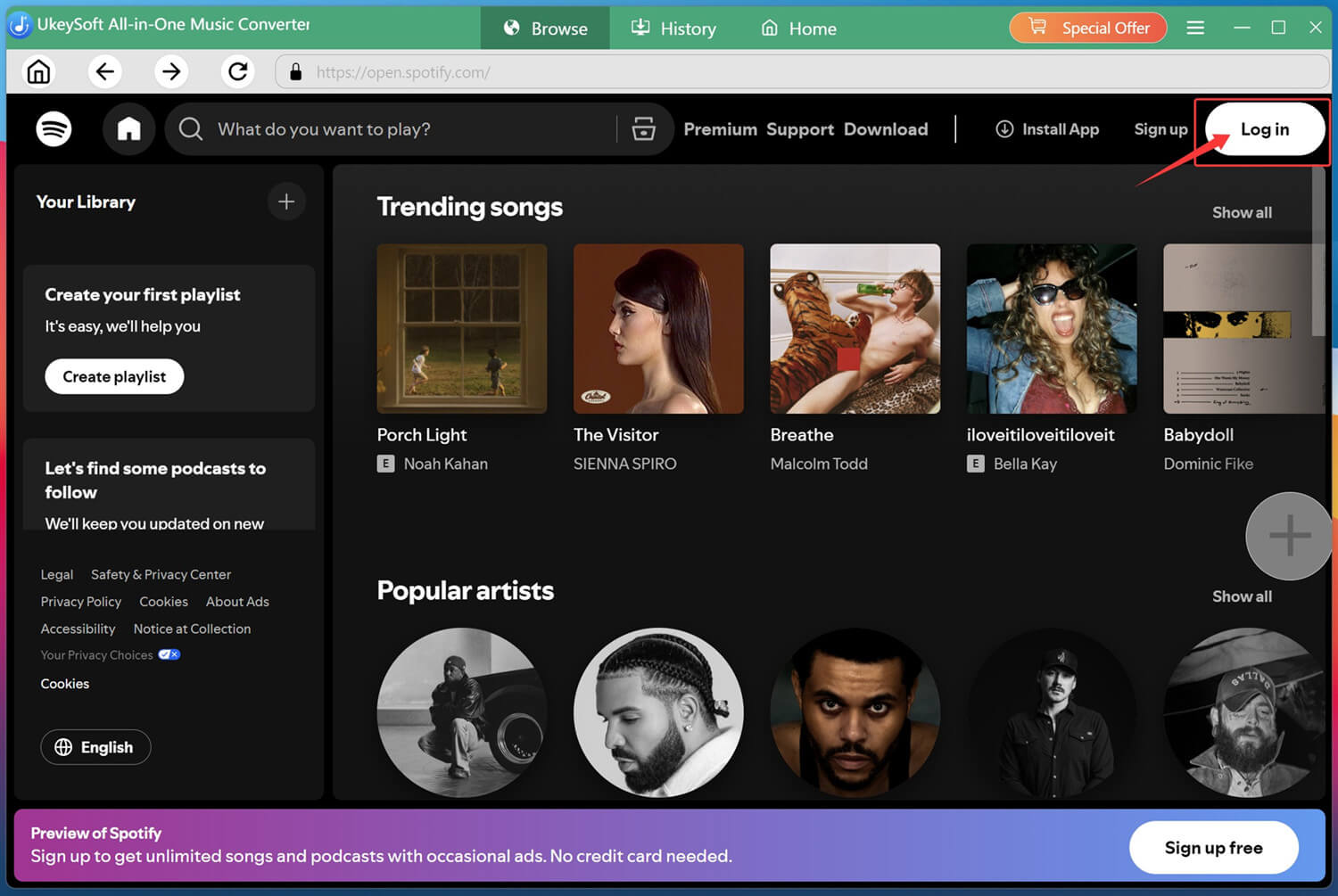
First of all, download and install UkeySoft All-in-One Music Converter on your Windows PC or Mac. Then launch the program, select a music service from the main interface. For instance, here we click on the Spotify icon to enter the UkeySoft Spotify Music Converter.
Next, log into your Spotify free account through the built-in web player.
Step 2. Adjust Output Settings
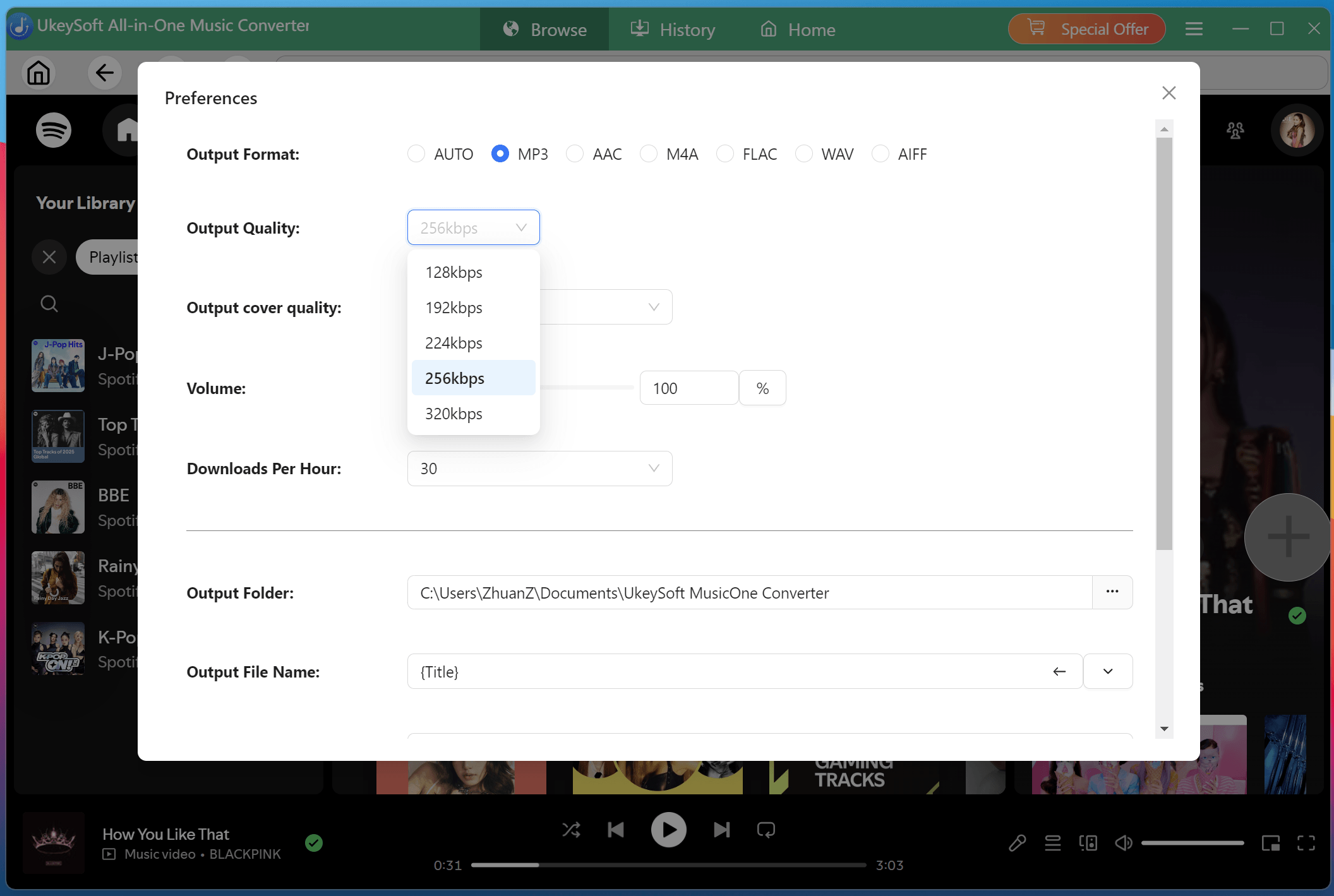
Click the Menu (three horizontal lines) and then Preference. In the pop-up window, you are able to customize your preferences. Select your desired output format (MP3 is recommended for universal compatibility), output quality (up to 640kbps), and output folder. You can also configure file naming conventions and organizational preferences and more.
Step 3. Add Spotify Songs/Playlist/Albums
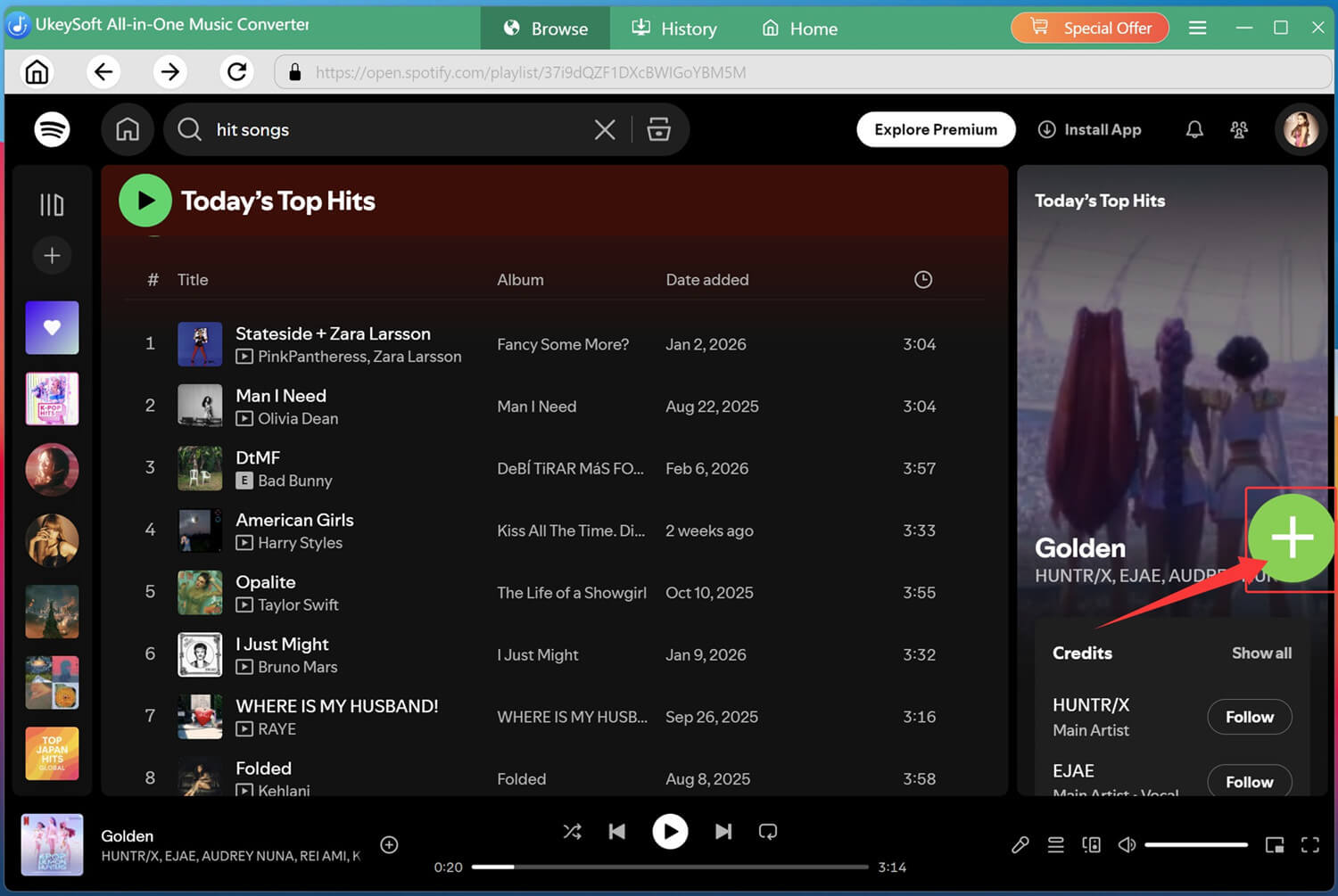
Navigate through your Spotify library using the built-in browser. Find the playlist, album, podcasts, or individual tracks you want to convert. Simply click the green "+" icon to load them into the conversion queue.
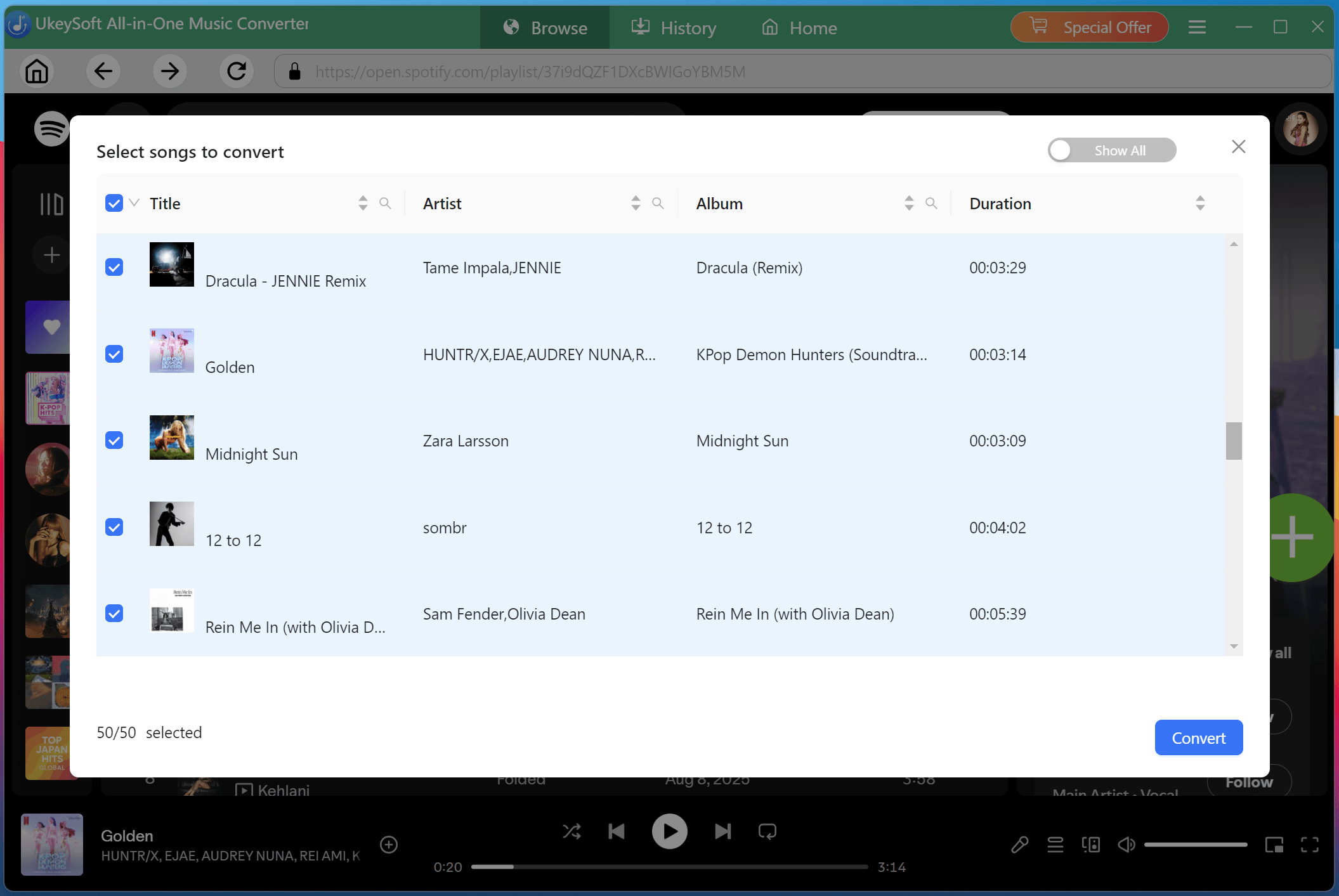
A list of tracks will appear in the conversion queue. By default, all songs are selected. You can uncheck any tracks you don't want to convert.
Step 4. Start to Convert Spotify Music to MP3
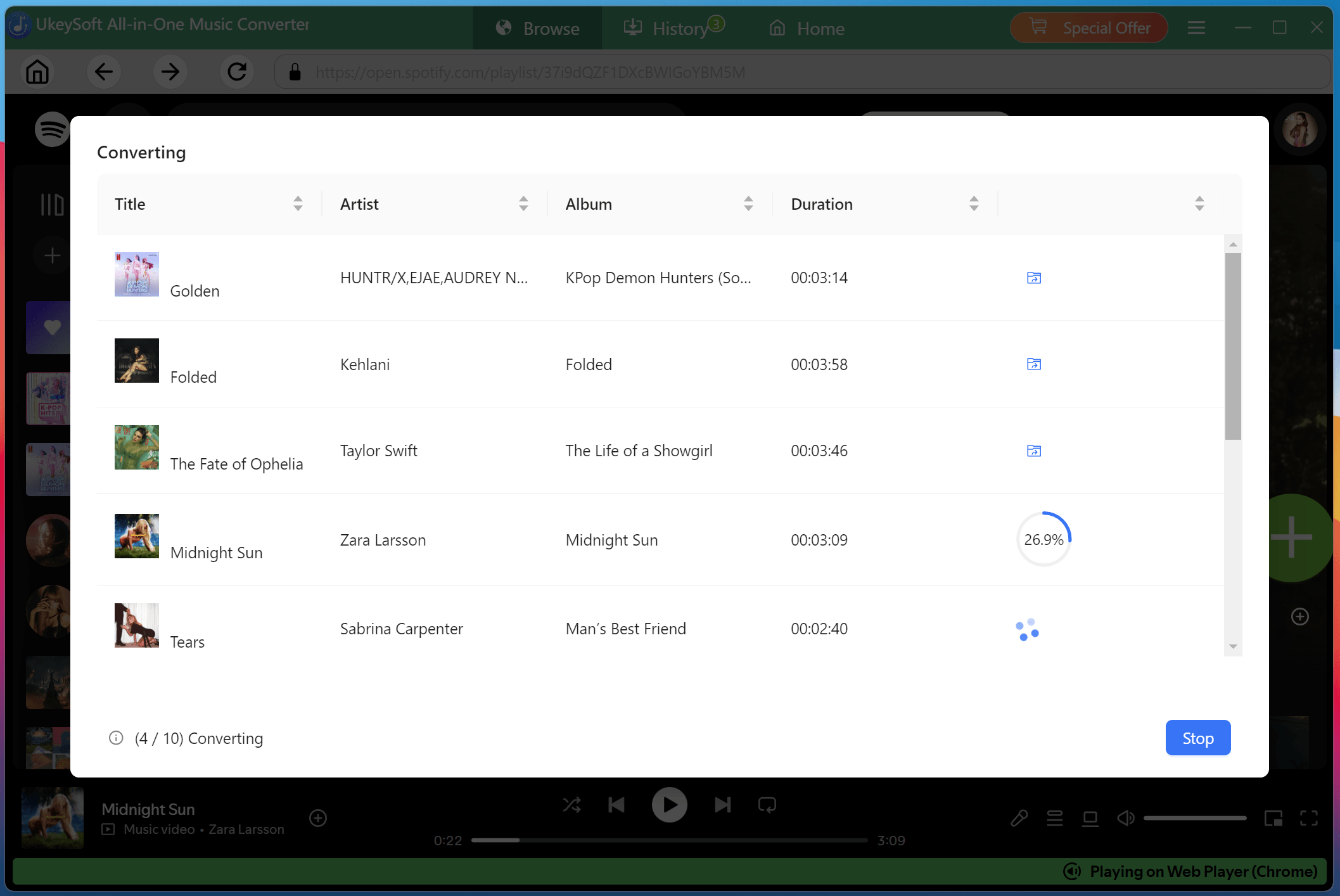
Click the "Convert" button to start downloading and converting Spotify music to MP3 with 16x high speed and stable performance.
Step 5. Get Downloaded Spotify Songs
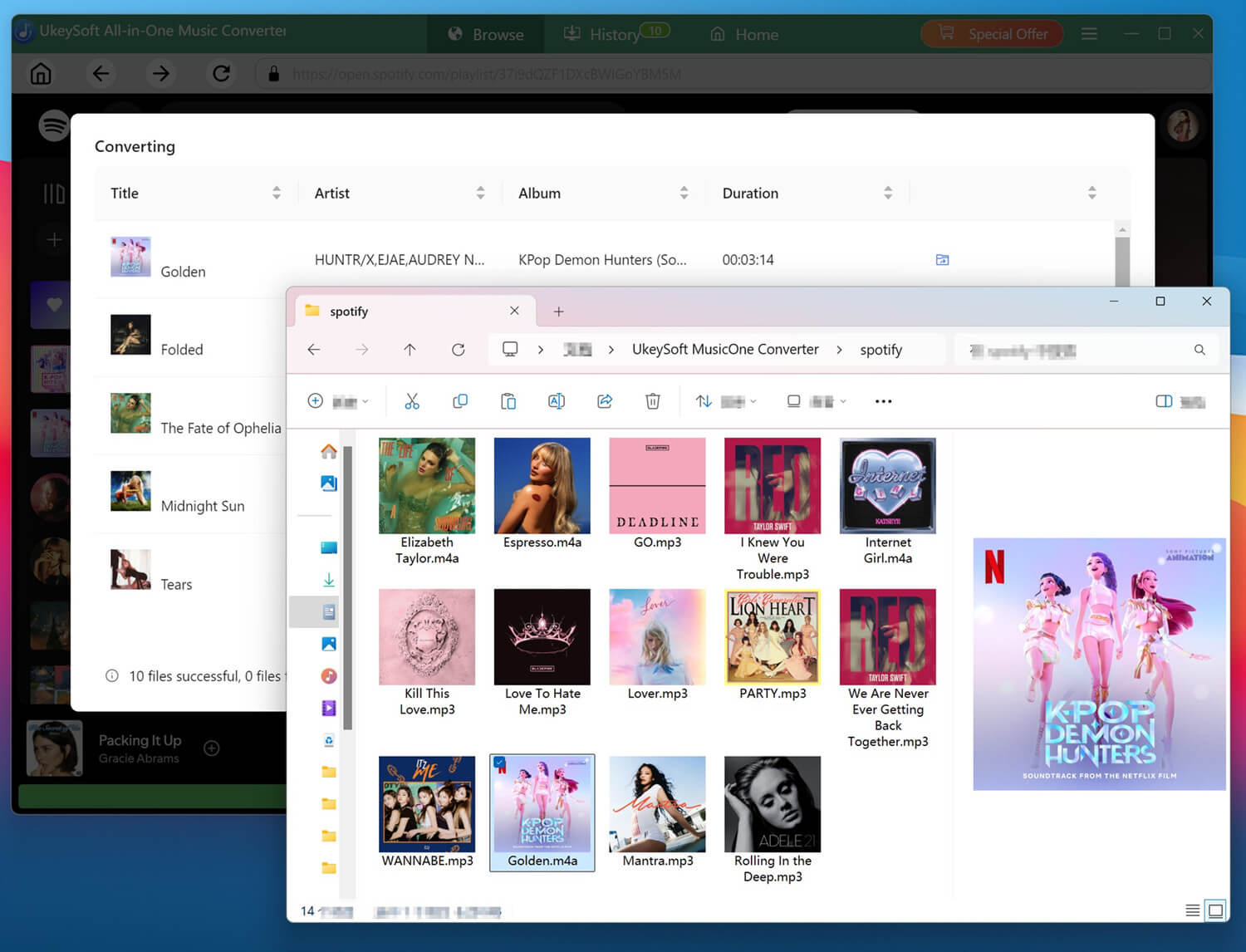
Once conversion completes, click the blue folder icon next to any track to open the output folder on your computer. You can now listen to Spotify music offline within the built-in music player!
As you can see, all your Spotify music is now saved as permanent MP3 files. This means you can transfer them to any device, play Spotify songs in any media player, or add them to your personal library.
Part 6. Pros and Cons of UkeySoft All-in-One Music Converter
Pros:
- Supports multiple streaming platforms in one tool (Spotify, Apple Music, etc.)
- Offers wide output audio formats for better compatibility.
- Preserves ID3 tags and metadata for easy library management.
- Fast batch conversion for playlists, albums, and multiple tracks (up to 16X speed).
- Automatically classifies and organizes output songs by artist, album, or date.
- User-friendly interface with built-in web players for seamless downloading experience.
- Built-on music player for direct playback without streaming apps.
Cons:
- Free trial has limitations, requires a paid license for full functions.
- Desktop-only, no mobile version, requires an installation.
Part 7. Users Reviews for UkeySoft All-In-One Music Converter
UkeySoft All-in-One Music Converter is a great all-in-one solution for streaming music downloading and conversion. The interface is clean, and user's didn't need to spend much time to handle it. Users also deeply appreciate the software, describing the programs as clean, intuitive, and extremely easy to navigate right from the very start. People find these streaming music converter entirely reliable for downloading streaming music smoothly on computer(Windows & Mac), and quickly convert music to high-quality 320kbps MP3 format and more common lossless formats. Users regularly share that the software applications perform efficiently, making daily music workflows effortless and dependable over many years of continuous personal use.
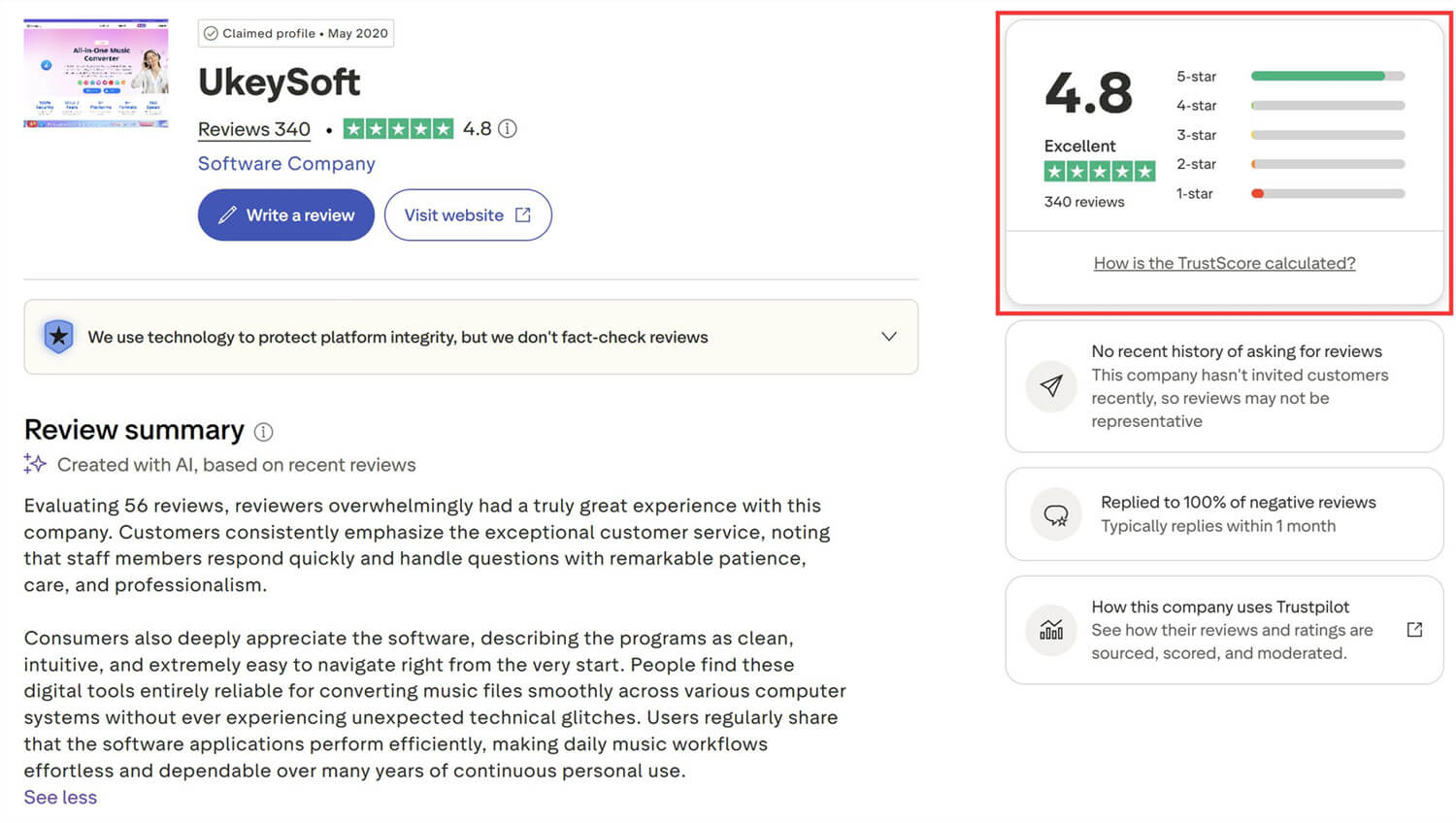
Compared to TuneFab All-in-One Music Converter and MuConvert All-in-One Music Converter, UkeySoft All-in-One Music Converter is more popular among users. UkeySoft provides excellent customer service, with a customer service team that responds quickly, patiently handles customer issues, and demonstrates meticulousness and professionalism. So, UkeySoft has got 4.8 high score in 5 from TrustPilot.
Part 8. Conclusion
UkeySoft is solid and has been around for over 8 years. In 2026, UkeySoft company has released UkeySoft All-In-One Music Converter for music lovers easily to download music from Spotify, Apple Music, Amazon Music, YouTube Music, Tidal, Pandora Music, SoundCloud Music, etc. What's more, this tool can convert most streaming music to 320 Kpbs MP3, lossless WAV/FLAC, up to 16X-36X conversion speed, this program handles whole playlists, keeps metadata and cover art, and isn't full of ads.
Overall, UkeySoft All-in-One Music Converter is reliable and trustworthy. With support for multiple platforms, high-quality output, fast speeds, and powerful features, it stands out as one of the best All-in-One streaming Music Converter tools in 2026. It effectively meets all music lovers' needs for converting and downloading streaming music to MP3 without requiring a subscription. Apart from this, it is safe to use and offers a clean interface with simple operation. Now hit on the Download button to have a free try!
UkeySoft All-in-One Music Converter

Justin Sabrina has always had great enthusiasm for writing, programming and web development. He likes writing about software and technology, his works are featured on some tech blogs or forums like Tom's Hardware, CNET, etc.
 English
 Arabic
 Chinese (Simplified)
 Chinese (Traditional)
 Croatian
 Czech
Czech Danish
 Dutch
Dutch Estonian
 Finnish
 French
 German
 Greek
Greek Hebrew
 Hindi
Hindi Hungarian
 Indonesian
 Italian
 Japanese
 Kazakh
 Korean
 Malay
Malay Norwegian
 Polish
 Portuguese
 Romanian
 Russian
 Slovenian
 Spanish
 Swedish
 Thai
Thai Turkish
 Ukrainian
 Vietnamese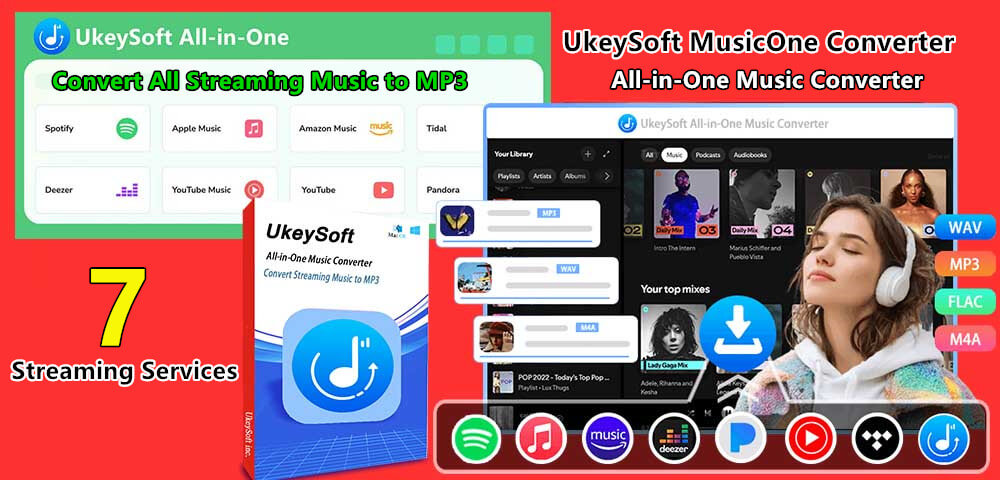








Comments are off!