 ✕
✕
✕
✕
By Justin SabrinaUpdated on December 16, 2022
"How do I convert audible AA to M4A format so that I can put it to my old iPod Shuffle? Any suggestion?"
"I want to copy the downloaded AA Audible files from laptop to my iPod Nano 7th. Is there any way to convert Audible Audiobooks to M4A format without losing any quality?"
Audible is one of the largest audiobook libraries, right here we can hear any audio files we want, such as new albums, best-selling novels, audio versions of magazines and newspapers, etc. Thus, whatever you like, you will definitely find the right one.
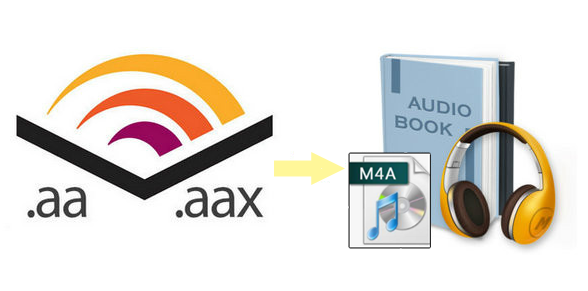
Although Audible has various types of audios, most audiobooks are encoded in the AA or AAX format with DRM protection. This is a proprietary audio format developed by Audible to prevent users from copying downloaded audios to unauthorized devices for offline playback. In order to play Audible audiobook on non-audible-approved devices, such as MP3 players, Sony Walkman, SanDisk, iPod Nano, etc. you need to unlock DRM protection and convert Audible AA or AAX audiobooks to M4A or other popular formats. But how to convert Audible AA or AAX to M4A files? How to convert DRM protected audiobooks to M4A with chapters kept? To achieve this goal, UkeySoft Audible Audiobook Converter can help.
UkeySoft Audible Audiobook Converter is an all-in-one Audible DRM Removal and Audible Audiobook Converter. It not only can break Audible DRM protection without iTunes and Audible account authorization, but also convert Audible AA/AAX Audiobooks to lossless M4A, MP3, M4B, FLAC, AC3, AAC, OGG, AIFF and WAV format. To get high-quality M4A files from Audible audiobooks, you can set bit rate as 320 Kbps and sample rate as 48,000 Hz. What’s more, the conversion speed can be up to 700X faster, which means you can convert an 8-hour audiobook to M4A only in 5 seconds. Amazingly, it supports you to cut the large audiobook into small clips by chapters or time frame. In addition, the ID3 tags and chapters information will be well saved in M4A files, including title, artist, author, date, etc. After conversion, you can play Audible audiobooks on MP3 players, iPod, iPhone, iPad, Sony Walkman, PSP, etc.
Key Features of UkeySoft Audible Audiobook Converter:
UkeySoft Audiobook Converter is highly compatible with Mac and Windows PC. Here, we take the Mac version as an example to guide you convert Audible AA/AAX audiobooks to M4A on Mac.
Step 1. Add Downloaded AA/AAX Audiobook to UkeySoft
Open UkeySoft Audiobook Converter on Mac. Click the "Add" button to add the Audible AA/AAX audiobooks from the local folder.
Or just drag and drop the local Audible AA/AAX files into the converter.
Step 2. Select Lossless M4A as Output Format
Click "Options" > "Advanced", here you can select output format, the default output format is lossless M4A, which means you can get 100% original quality of Audible audiobooks. In addition, the complete ID3 tags and chapters info will be saved in the output M4A files.
Step 3. Start to Convert Audible AA/AAX Audiobooks to M4A
Click the "Convert" to start Convert Audible AA/AAX Audiobooks to M4A.
Step 4. Get the Lossless M4A Audiobooks
After the conversion is done, click "History" to find the high quality audio files.
Click the blue folder icon to open the output folder, you will get high quality audiobooks. Now, you can listen to lossless audiobooks without Audible authorization.
Conclusion
Audible audiobooks are in DRM-protected which limits people can only play them on authorize device. To play Audible audiobook on non-audible-approved devices, you can use UkeySoft Audiobook Converter to convert the AA/AAX Audible audiobooks to M4A format, so you can transfer them to portable devices such as MP3 players, Sony Walkman, SanDisk, iRiver, Kindle, etc. for offline playing.

Prompt: you need to log in before you can comment.
No account yet. Please click here to register.






















Porducts
Solution
Copyright © 2026 UkeySoft Software Inc. All rights reserved.


 English
 Arabic
 Chinese (Simplified)
 Chinese (Traditional)
 Croatian
 Czech
Czech Danish
 Dutch
Dutch Estonian
 Finnish
 French
 German
 Greek
Greek Hebrew
 Hindi
Hindi Hungarian
 Indonesian
 Italian
 Japanese
 Kazakh
 Korean
 Malay
Malay Norwegian
 Polish
 Portuguese
 Romanian
 Russian
 Slovenian
 Spanish
 Swedish
 Thai
Thai Turkish
 Ukrainian
 Vietnamese











![7 Best FREE Apple Music Converters [2026 Updated]](https://www.ukeysoft.com/wp-content/uploads/2019/04/best-apple-music-converter.jpg)












































![Top 10 Christmas Songs to MP3 Download [Spotify]](https://www.ukeysoft.com/wp-content/uploads/2023/01/christmas-songs-to-mp3.jpg)













































































































No comment yet. Say something...