 ✕
✕
✕
✕
By Justin SabrinaUpdated on December 16, 2022
“I’ve been a loyal user of Apple Music for years. This service is an essential part of my travel, recommending songs on the go and turning them into cherished travel memories. I want to know what happened to the music that I owned after canceling subscription. Particularly worried about the music Apple Music songs as I paid a lot for that.”
Apple Music is one of the largest streaming music services. By subscribing to the service, you will need to pay $9.99 per month and up to 45,000 tracks for you to choose from and enjoy. You can also play the songs and download the songs for offline listening. If you unsubscribe and cancel the Apple Music service, the music you download will be grayed out and unplayable for 30 days. If you re-register within 30 days, they will be active again. Once 30 days expire, all the songs and playlists will disappear.
Why are you subject to such restrictions? It is known that iTunes contents including Apple Music songs are protected by Apple’s FairPlay DRM copyright, which prevents users from simply registering and downloading a bunch of songs for offline listening, then unsubscribing and fleeing. That’s to say, if you want to keep downloaded Apple Music songs forever on your computer or iPhone, iPad, Mac and other devices, you should remove DRM protection from Apple Music songs. And UkeySoft Apple Music Converter is the best tool to keep the Apple Music playable forever on your devices.
Keep Downloaded Songs Playable after You Cancel Apple Music Service
UkeySoft Apple Music Converter, a professional DRM removal to remove DRM from Apple Music songs and convert Apple Music M4P to DRM-free MP3, AAC, FLAC or WAV at super-fast speed with 100% lossless quality. This tool is available for both Mac & Windows. You can free download the UkeySoft Apple Music Converter to your applicable computer version. And follow the steps guide to strip off DRM from Apple Music tracks so that you can save your favorite music for playable forever even though you are no longer a member of Apple Music.
Step 1. Add the Songs to the iTunes Library
Before starting, you need to add songs, albums or playlists to your iTunes library.
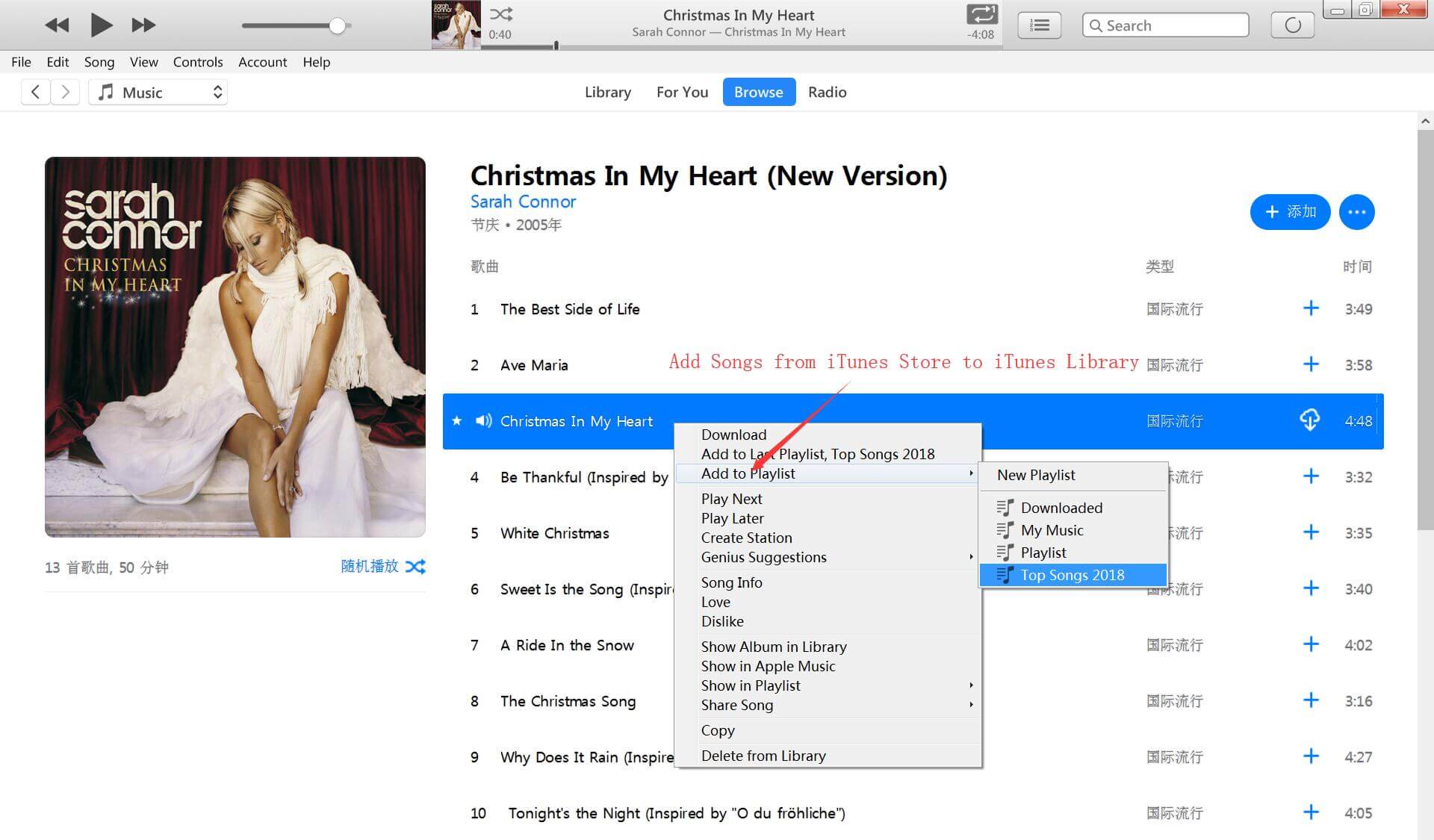
Step 2. Launch UkeySoft Apple Music Converter
Install and launch UkeySoft Apple Music Converter after downloading. Once UkeySoft Apple Music Converter is launched, iTunes will also automatically open and load all iTunes media together.
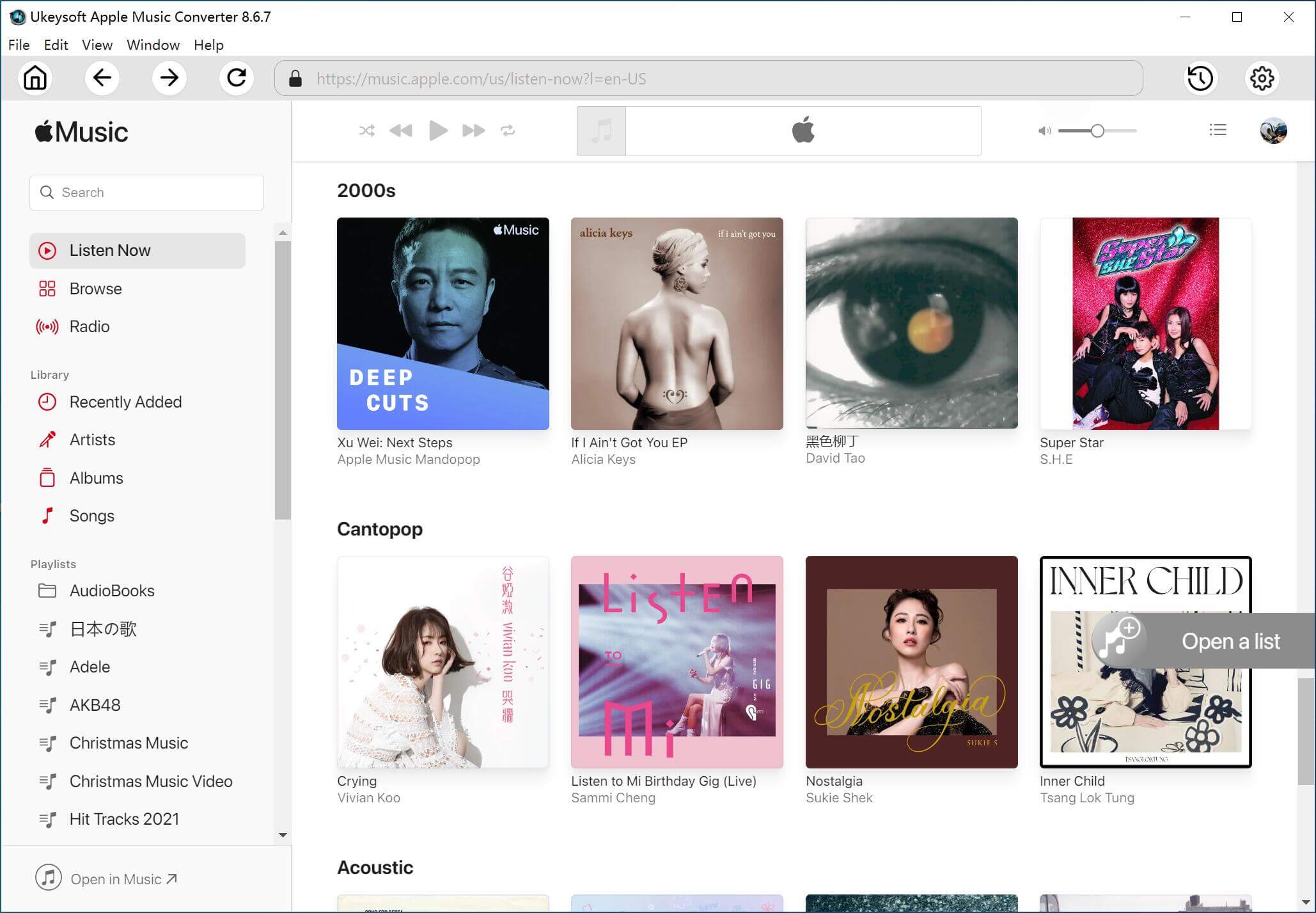
Step 3. Select Apple Music Tracks
Now you will see all iTunes playlists on the left panel. Click on "Library" or "Music" or other playlists you want, and select the Apple Music tracks that you want to keep forever.
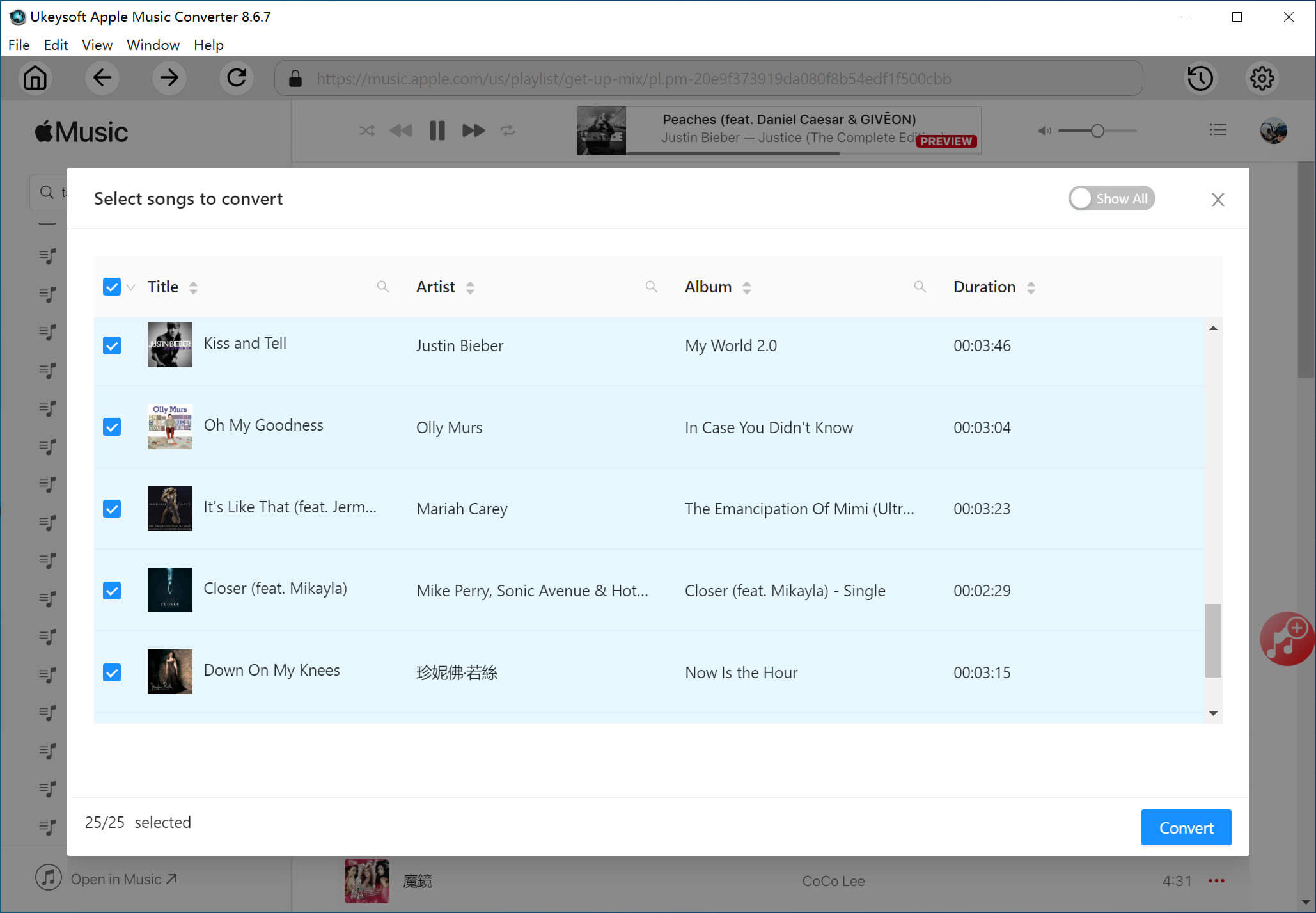
Step 4. Setup Your Output Format
UkeySoft Apple Music Converter supports MP3, M4A, AC3, AIFF, AU, FLAC, M4R and MKA as output format. MP3 is its default output format.
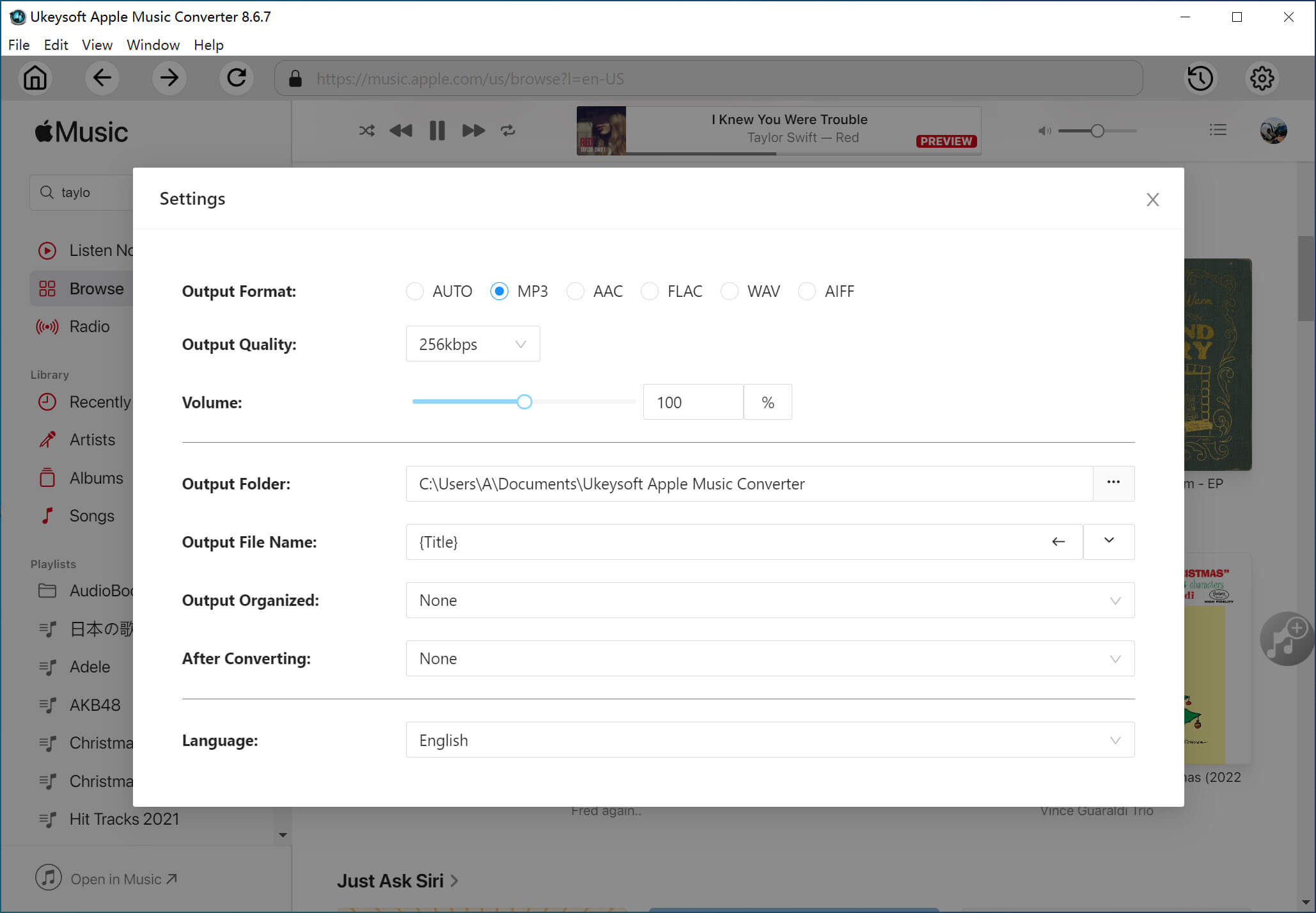
Optional: You can adjust conversion speed from 1X to up to 16X faster by clicking on "Options" > "General" > "Convert" to adjust the conversion speed.
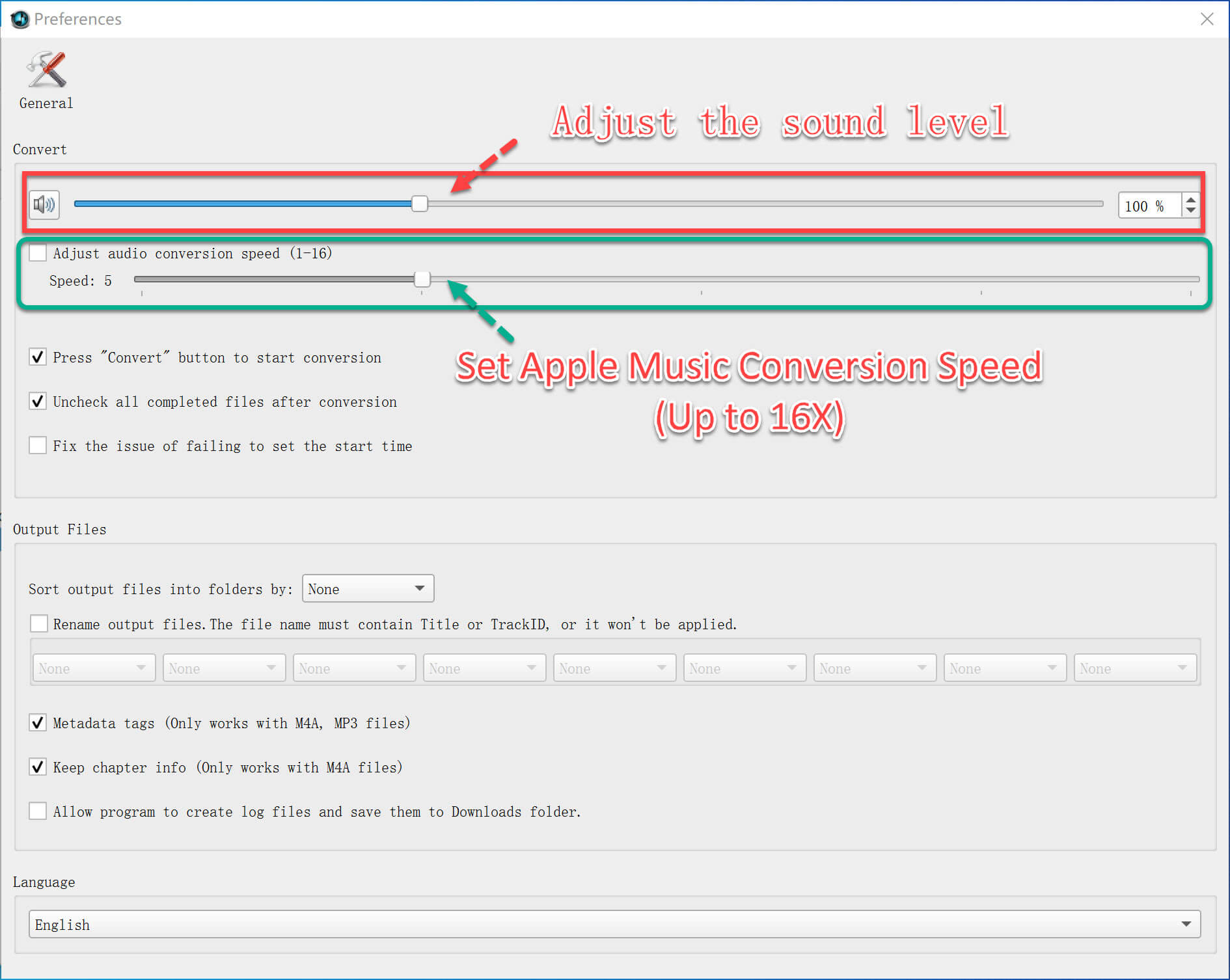
Step 5. Convert Apple Music to MP3 for Keeping Forever
Finally, click on "Convert" button to start removing DRM from Apple Music songs and converting to plain MP3.
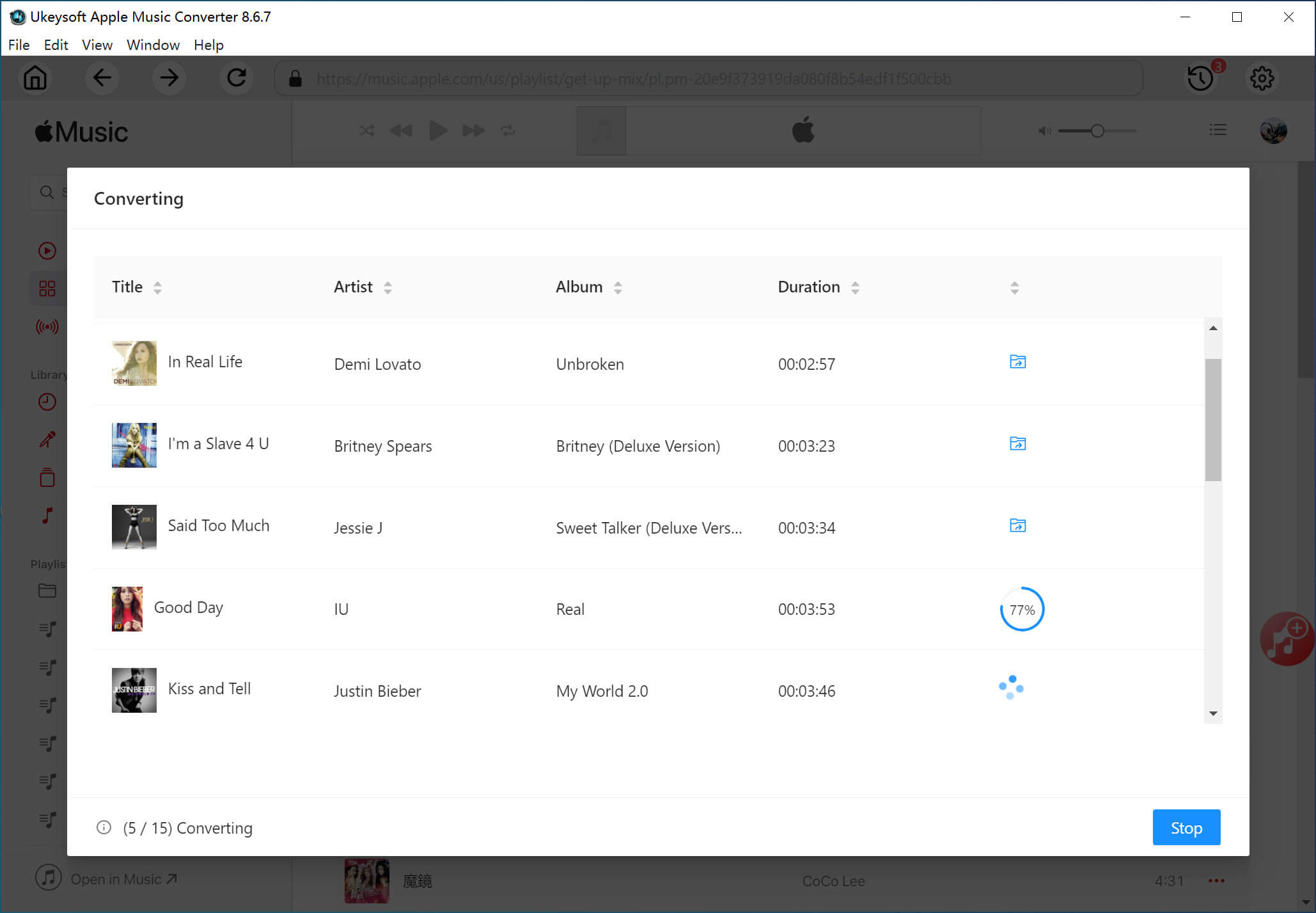
After that, you will find the converted audio files by clicking on the "Open Output Folder" button.
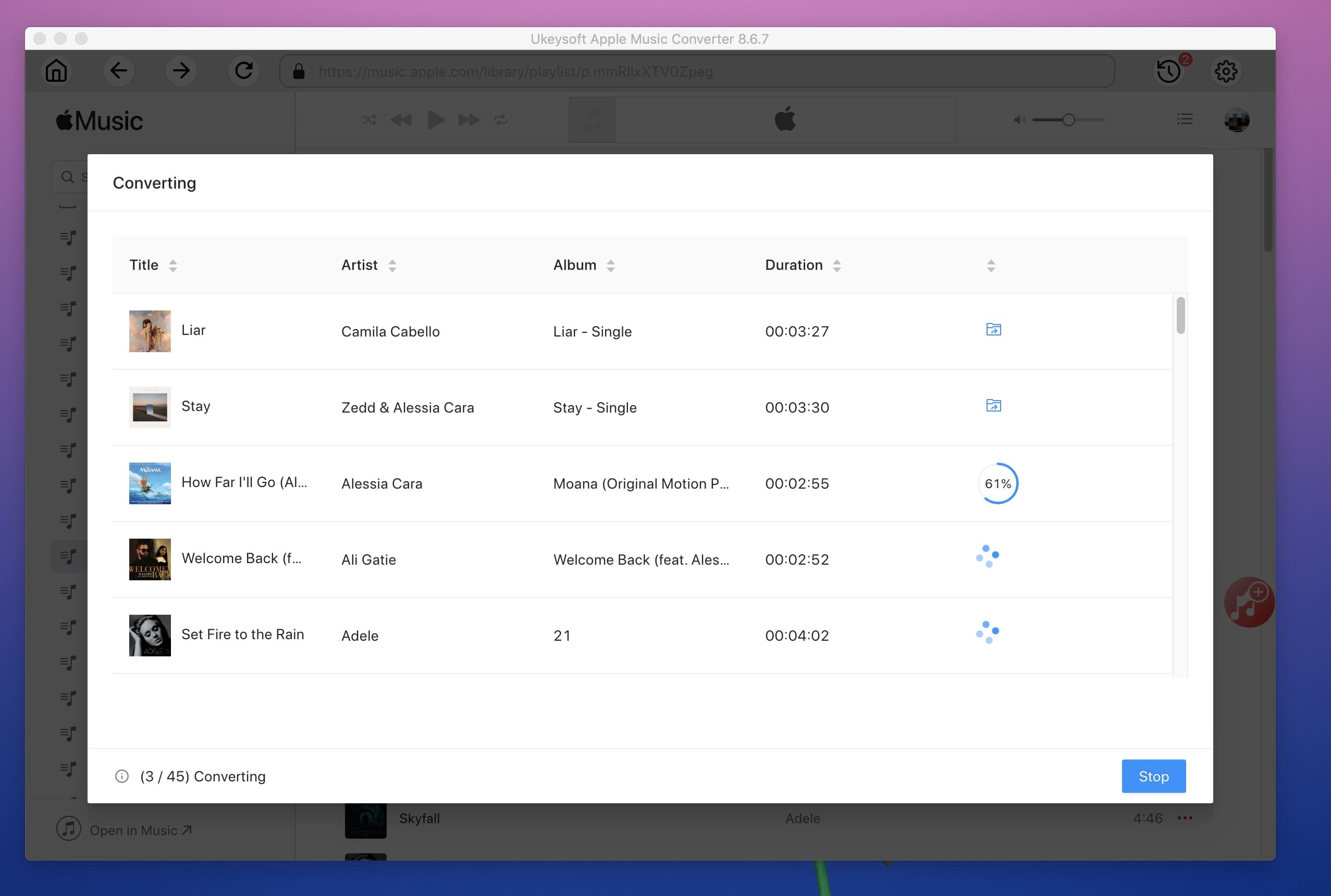
After converting the Apple Music M4P files to MP3, you can now transfer them to iPhone, iPod or iPad, Samsung Galaxy phones, Sony phones, PSP, BalckBerry PlayBook, Kindle Fire, HTC phones, iPod Nano and other devices or MP3 players for offline playing. Now you can keep the downloaded Apple Music songs forever even if you cancel the Apple Music subscription.

Prompt: you need to log in before you can comment.
No account yet. Please click here to register.










![7 Best FREE Apple Music Converters [2025 Updated]](https://www.ukeysoft.com/wp-content/uploads/2019/04/best-apple-music-converter.jpg)



















Porducts
Solution
Copyright © 2026 UkeySoft Software Inc. All rights reserved.


 English
 Arabic
 Chinese (Simplified)
 Chinese (Traditional)
 Croatian
 Czech
Czech Danish
 Dutch
Dutch Estonian
 Finnish
 French
 German
 Greek
Greek Hebrew
 Hindi
Hindi Hungarian
 Indonesian
 Italian
 Japanese
 Kazakh
 Korean
 Malay
Malay Norwegian
 Polish
 Portuguese
 Romanian
 Russian
 Slovenian
 Spanish
 Swedish
 Thai
Thai Turkish
 Ukrainian
 Vietnamese



























![Free Download Top 10 Christmas Songs to MP3 from Spotify [2026 Updated]](https://www.ukeysoft.com/wp-content/uploads/2023/01/christmas-songs-to-mp3.jpg)


































































































































No comment yet. Say something...