 ✕
✕
✕
✕
By ChesterUpdated on February 10, 2026
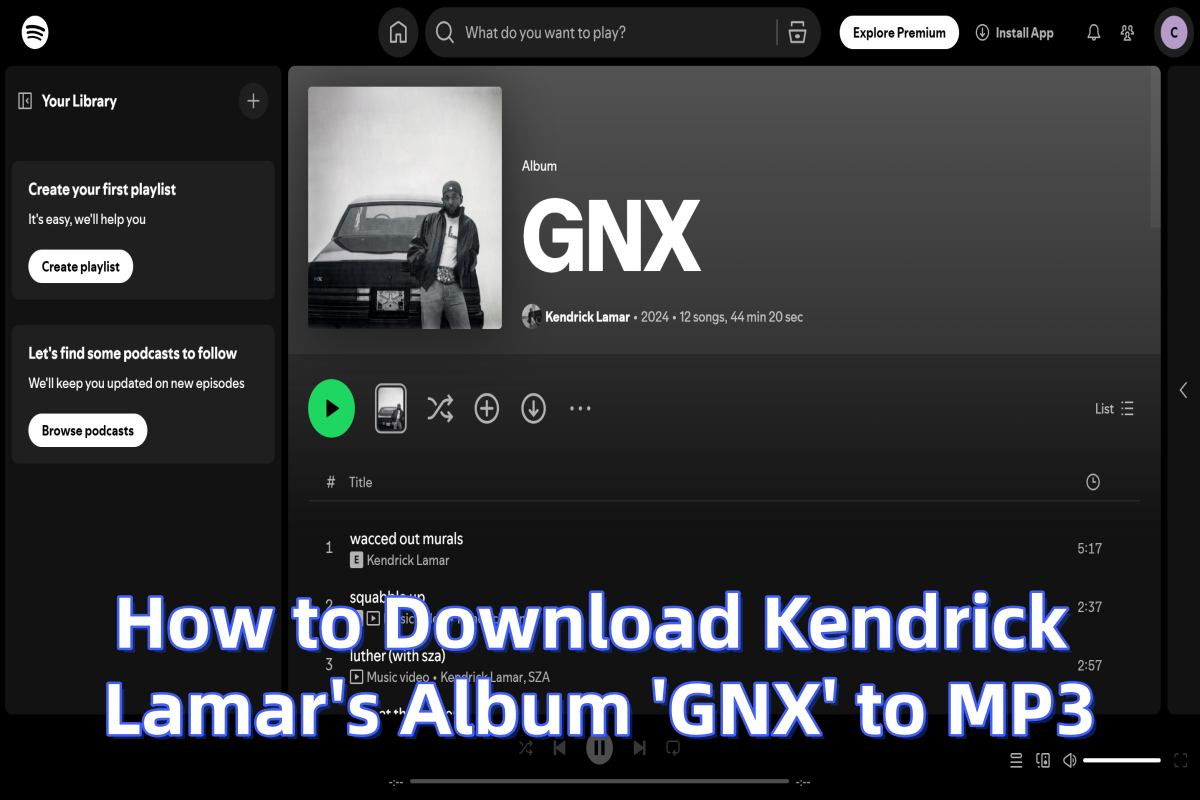
Kendrick Lamar is one of the most influential hip hop artists of his generation, widely praised for his deep lyrics, powerful storytelling, and genre defining albums. Each new release from him quickly becomes a hot topic among music fans. When his latest album, GNX, arrived, listeners around the world rushed to streaming platforms like Spotify, Apple Music, Tidal, and YouTube Music to hear it right away.
Streaming is convenient, but it also comes with limits such as app restrictions, internet requirements, and playback controls. Because of this, many fans are looking for a way to download Kendrick Lamar's Album GNX to MP3 so they can listen offline, keep permanent copies, and play the songs on any device they like. In this comprehensive guide, we'll walk you through two essential parts and show you the best listening and downloading options.
CONTENTS
Streaming Kendrick Lamar's latest album GNX on Spotify is one of the easiest ways to listen to the music legally. If you already have a Spotify account, here's how to reach the album and enjoy it:
Step 1. Launch Spotify on your phone, tablet, or computer. Make sure you're signed in with your account.
Step 2. Tap the search bar and type: Kendrick Lamar GNX, Spotify will show you the album in the search results.
Step 3. Click or tap on the GNX album cover to open it.
Step 3. Choose any song you want to play, or press the main play button to stream the entire album from start to finish.
Step 4. You can save your favorite songs from GNX into a personal playlist for easier access later.
Benefits of Streaming on Spotify
Restrictions of Streaming on Spotify
While streaming is convenient, there are some limitations you should be aware of:
⚠️Requires Internet Access
You must be online to stream the album unless you're a Spotify Premium subscriber who has downloaded tracks within the app.
⚠️No True File Ownership
Streaming doesn't give you music files — you can only play the songs inside the Spotify app.
⚠️Limited Offline Playback
Even with Premium, offline listening is tied to your account. If you cancel your Premium subscription, downloaded tracks become unplayable.
⚠️No MP3 Files for External Use
You cannot get standard MP3 files from Spotify. This means you cannot transfer GNX to devices or players outside the Spotify ecosystem in MP3 format.
These restrictions are why many fans choose to convert and download the album to MP3 for personal use.
If you want to enjoy Kendrick Lamar's Album GNX on any device, with offline playback and full control over your music files, converting the tracks to MP3 is one of the most effective methods. Many users choose to download Kendrick Lamar's Album GNX to MP3 so they can keep permanent copies, move the songs between different devices, and play them with any media player they prefer. For this purpose, UkeySoft All-in-One Music Converter One is a strong and reliable choice. It is a professional music converter that can download songs and albums from popular streaming platforms and convert them to MP3, M4A, AAC, FLAC, WAV, AIFF with high audio quality, so you can store, transfer, and play the tracks freely across your devices.
👍 Great Features of UkeySoft All-in-One Music Converter
✅ Multiple Output Format
In addition to MP3, the software supports several other audio formats such as M4A, AAC, FLAC, WAV, and AIFF. You can choose the best format based on your needs. For example, FLAC is good for higher audio fidelity, while M4A offers smaller file sizes. This flexibility makes the tool compatible with more devices and playback apps.
✅Fast Conversion Speeds
UkeySoft uses advanced acceleration technology to process tracks much faster than normal recording methods up to 16X. You can convert full albums or large playlists in batches, which saves a lot of time. Even long tracks can be processed quickly, making it efficient for building an offline music library.
✅Supports Multiple Platforms
The tool works with many popular streaming services such as Spotify, Apple Music, Amazon Music, YouTube Music, and Tidal. You can download songs from different platforms inside the same program. This reduces the need to switch between multiple apps and keeps your music workflow simple and organized.
✅No Need for Extra Protection Removal Tools
UkeySoft processes protected streaming tracks directly during conversion. You do not need to install additional utilities or go through complex steps. There is no need to manage separate protection handling tools or split media files, which makes the whole process easier for beginners and advanced users alike.
✅Preserves ID3 Tags and Metadata
All important song information is saved after conversion, including artist name, album title, track number, genre, year, and cover artwork. This helps keep your music collection well organized. When you import the MP3 files into music players, all details appear correctly for easy browsing.
✅Built in Web Player
UkeySoft includes a built in web player for supported music services. You can log in, search artists, open albums, and select playlists directly inside the software. There is no need to open a separate browser or music app. This built in interface makes it easier to find and select songs for conversion in one place.
Here is an easy step by step guide showing how to download Kendrick Lamar's GNX to MP3 with UkeySoft All-in-One Music Converter. In this example, we will use Spotify as the source platform.
Step 1. Open the Spotify Converter and Sign In to Your Spotify Account
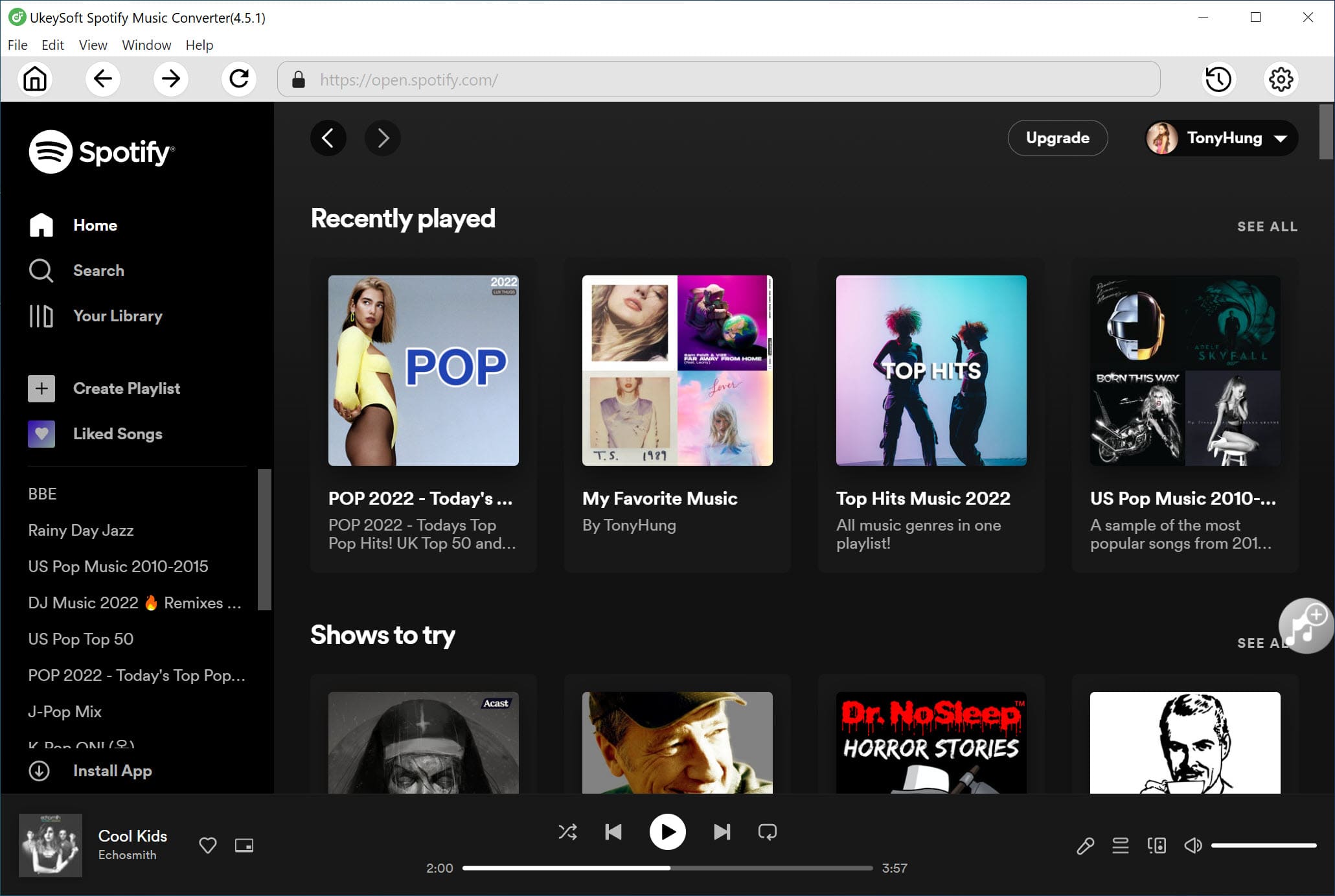
UkeySoft Spotify Music Converter works on Windows and Mac. First download the correct version for your computer and complete the installation. After setup is finished, open the program and sign in with your Spotify account inside the app.
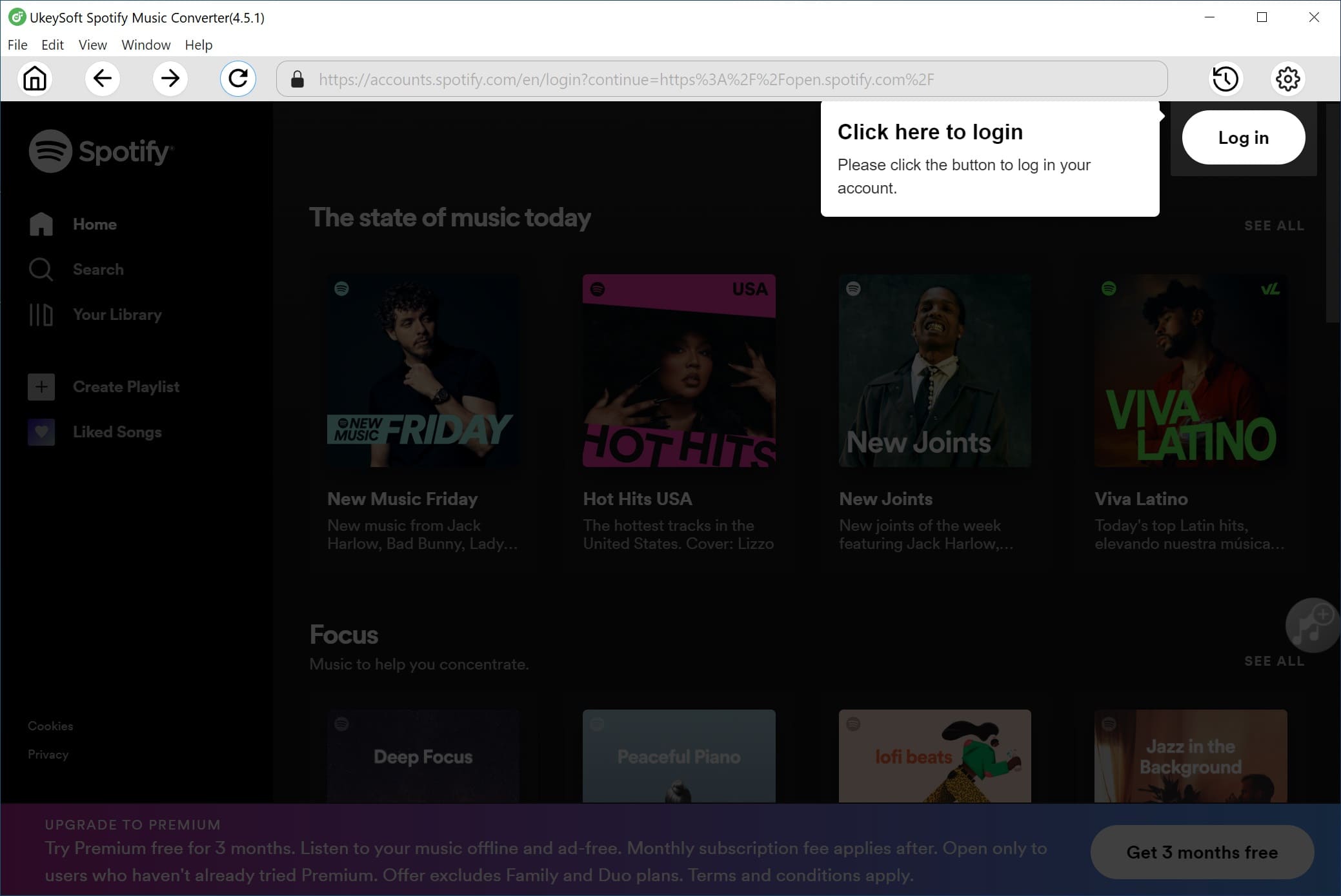
Once logged in, you can search, browse, and play any songs or albums directly through the built in Spotify web player.
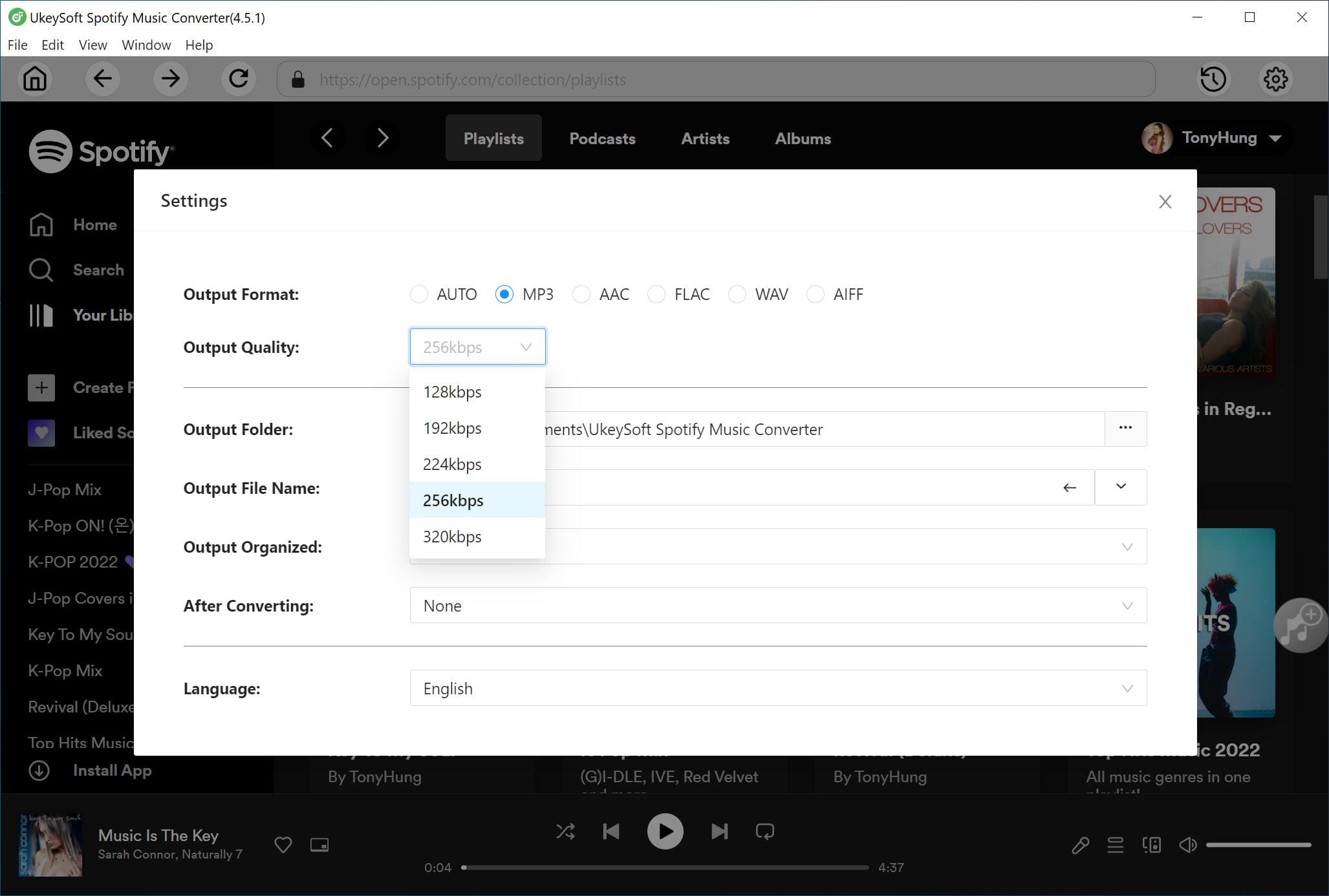
Step 2. Set MP3 as the Output Format
Click the Settings icon in the top right corner of the interface. You will see several output format options available, including MP3, M4A, WAV, FLAC, AIFF, and AAC. Select MP3 as your desired output format and adjust quality settings if needed.
Step 3. Add Kendrick Lamar's GNX Album from Spotify
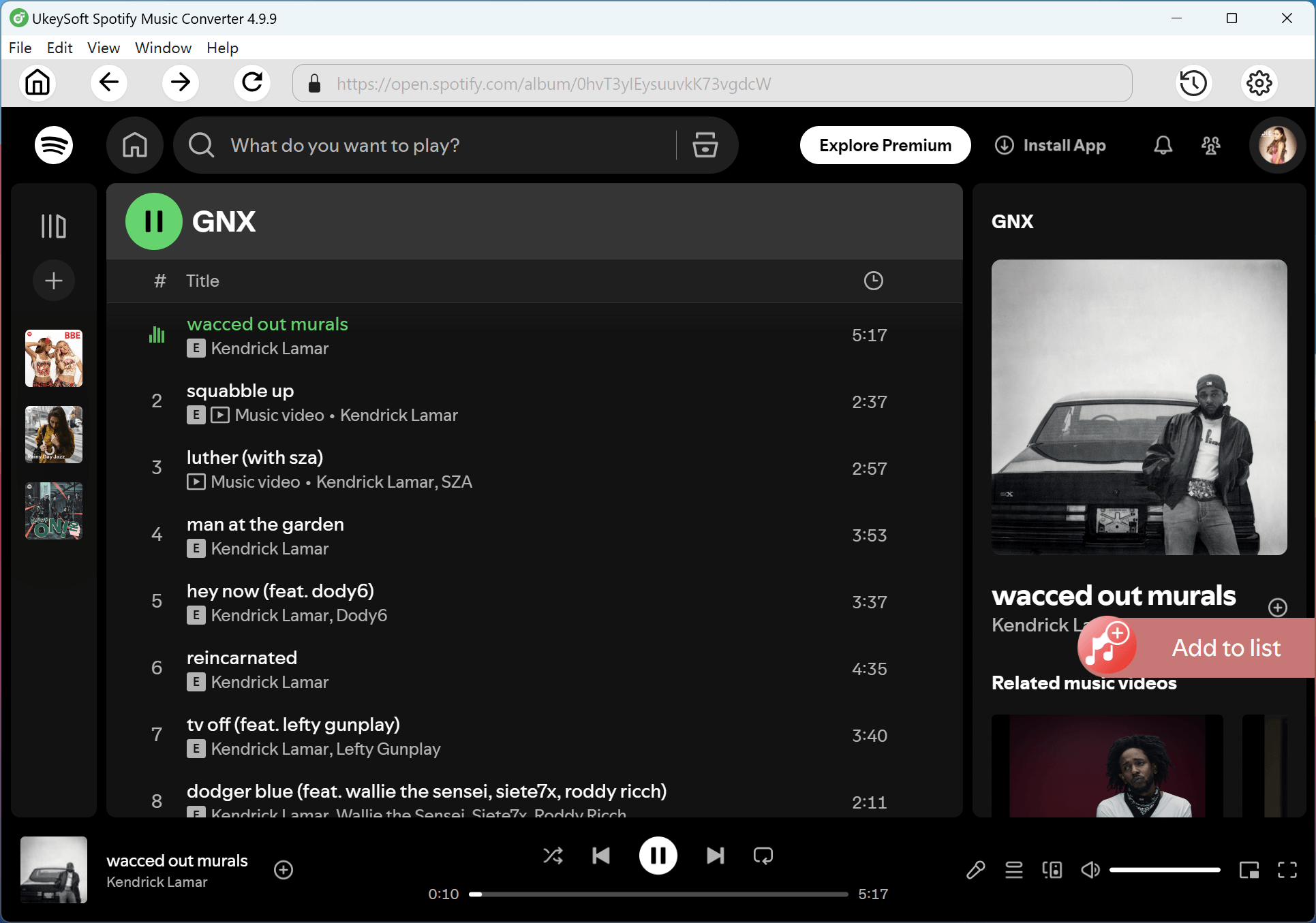
Use the built in Spotify player to search for and open Kendrick Lamar's GNX album. Click the plus button to add the album to the conversion list. The software will automatically scan the album and load all tracks into the pending list.
All songs are selected by default. You can manually uncheck any tracks you do not want to download.
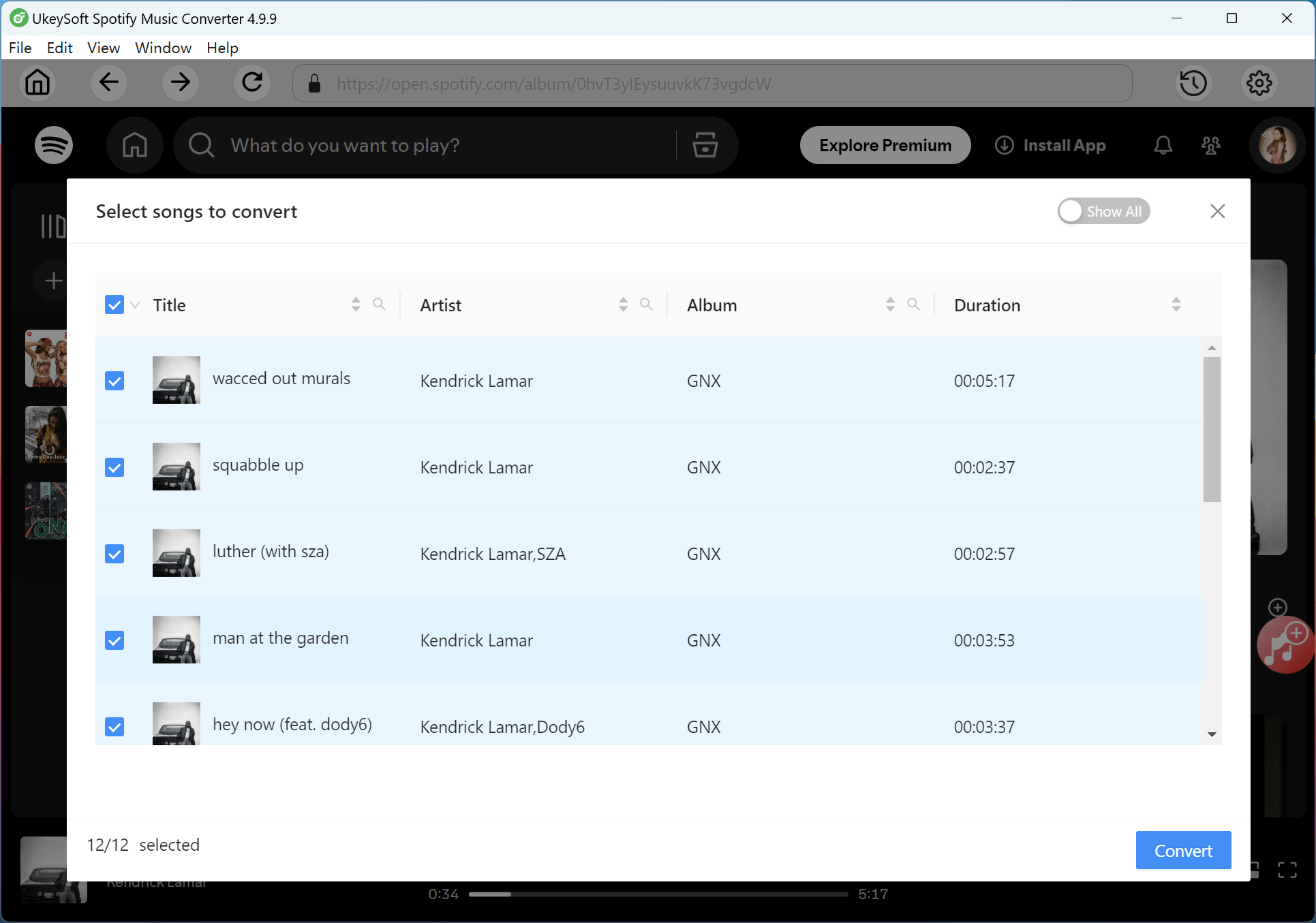
Step 4. Convert Kendrick Lamar's GNX to MP3
Click the Convert button to begin converting the selected songs to MP3. The program supports high speed batch conversion, so the full album can be processed much faster than real time playback.
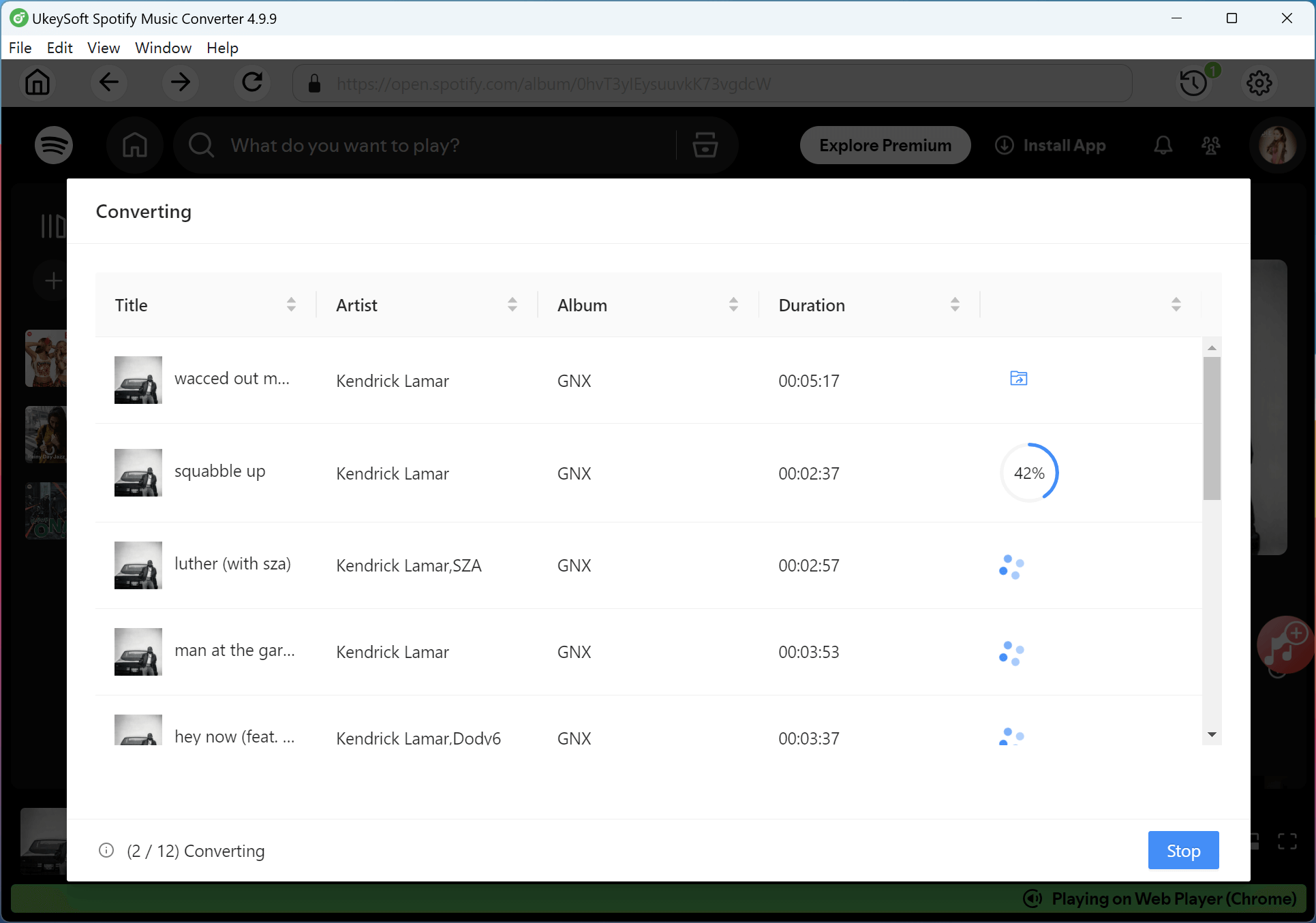
Step 5. Check Your Converted MP3 Files
After the conversion is complete, click Output Folder to open the save location. You will find all GNX tracks saved as MP3 files. You can now move them to your phone, MP3 player, car audio system, or any device that supports MP3 playback.
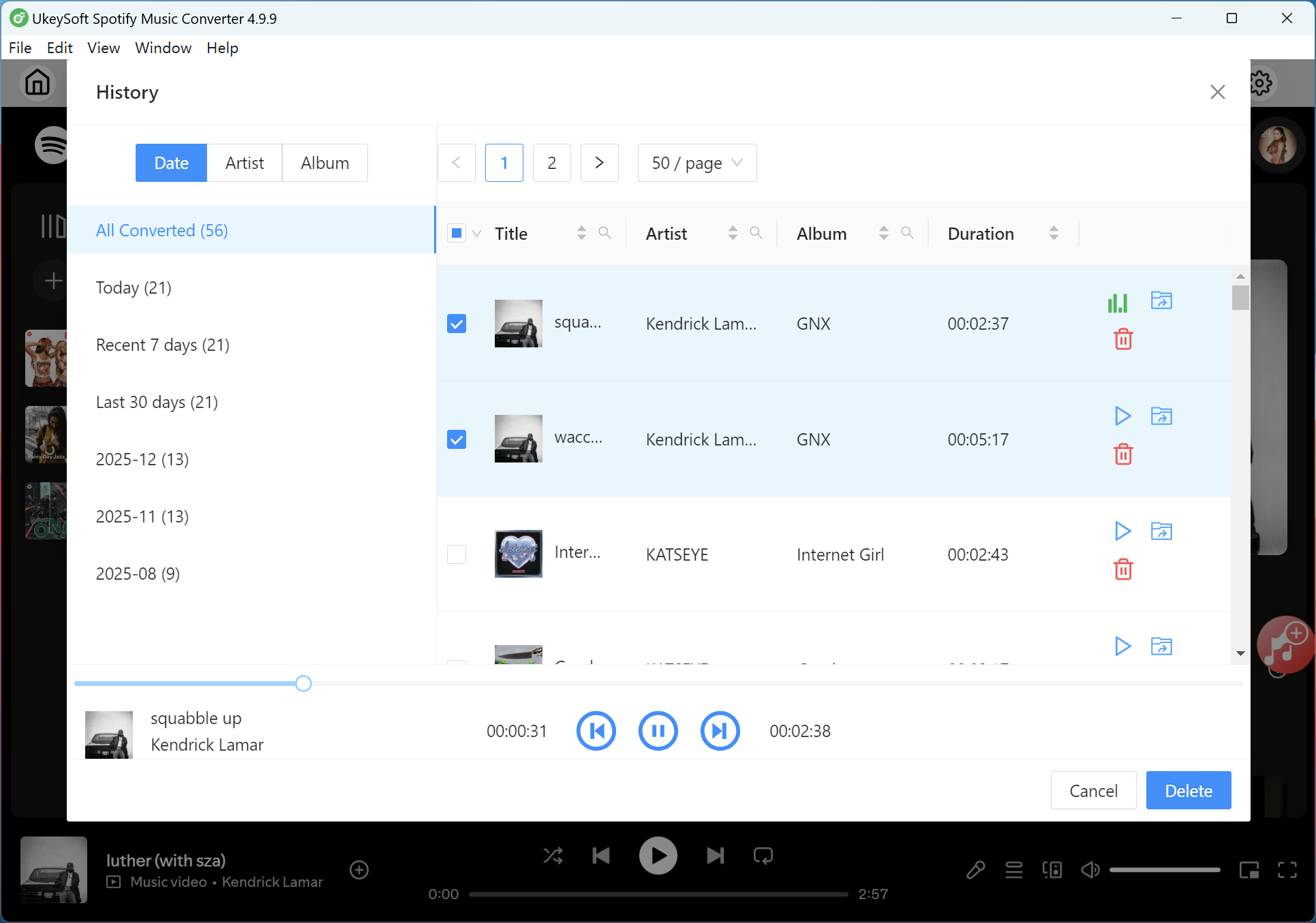
You can quickly listen to Kendrick Lamar's Album GNX on Spotify or any music streaming app you like. It is easy to use and only takes a few clicks to start playing. But streaming also has some limits. You cannot get MP3 files, you often need an internet connection, and offline listening usually works only inside the app.
If you want more freedom, it is better to download Kendrick Lamar's Album GNX to MP3 for offline playback. UkeySoft All-in-One Music Converter gives you a simple way to convert the album to high quality MP3 files that you can save and use on any device. The process is straightforward and fast, so you can build your own offline music library without any complicated steps.

Sorry the comment has been closed.

Convert Apple Music, iTunes M4P Songs, and Audiobook to MP3, M4A, AAC, WAV, FLAC, etc.
Porducts
Solution
Copyright © 2025 UkeySoft Software Inc. All rights reserved.


 English
 Arabic
 Chinese (Simplified)
 Chinese (Traditional)
 Croatian
 Czech
Czech Danish
 Dutch
Dutch Estonian
 Finnish
 French
 German
 Greek
Greek Hebrew
 Hindi
Hindi Hungarian
 Indonesian
 Italian
 Japanese
 Kazakh
 Korean
 Malay
Malay Norwegian
 Polish
 Portuguese
 Romanian
 Russian
 Slovenian
 Spanish
 Swedish
 Thai
Thai Turkish
 Ukrainian
 Vietnamese











![7 Best FREE Apple Music Converters [2025 Updated]](https://www.ukeysoft.com/wp-content/uploads/2019/04/best-apple-music-converter.jpg)



























































































































































Comments are off!