 ✕
✕
✕
✕
By ChesterUpdated on February 06, 2026
BlackPink's first full studio album The Album represents an important moment in the group's career. It brings together some of their most popular songs, including How You Like That, Ice Cream, Lovesick Girls, and other fan favorites. Whether you have supported BlackPink for years or just started listening, many fans want to download BlackPink's Album 'The Album' to MP3 so they can listen freely on their phone, car audio system, MP3 player, or any device without relying on an internet connection or a paid subscription.
In this complete guide, we will walk you through how to download BlackPink's Album 'The Album' to MP3 using a professional music downloader and converter. With this tool, you can save streaming songs as high quality MP3 files, making it easy to enjoy BlackPink's music offline anytime you want.
CONTENTS
The Album was released on October 2, 2020 and is BlackPink's first full studio album. It gained worldwide attention and shows the group's musical variety by blending K pop, pop, hip hop, and dance sounds. The album includes eight songs, featuring popular singles, exciting collaborations, and fan favorites:
Overall, the album offers a good mix of powerful performances and melodic pop songs, making The Album a great choice for any BlackPink fan's music collection.
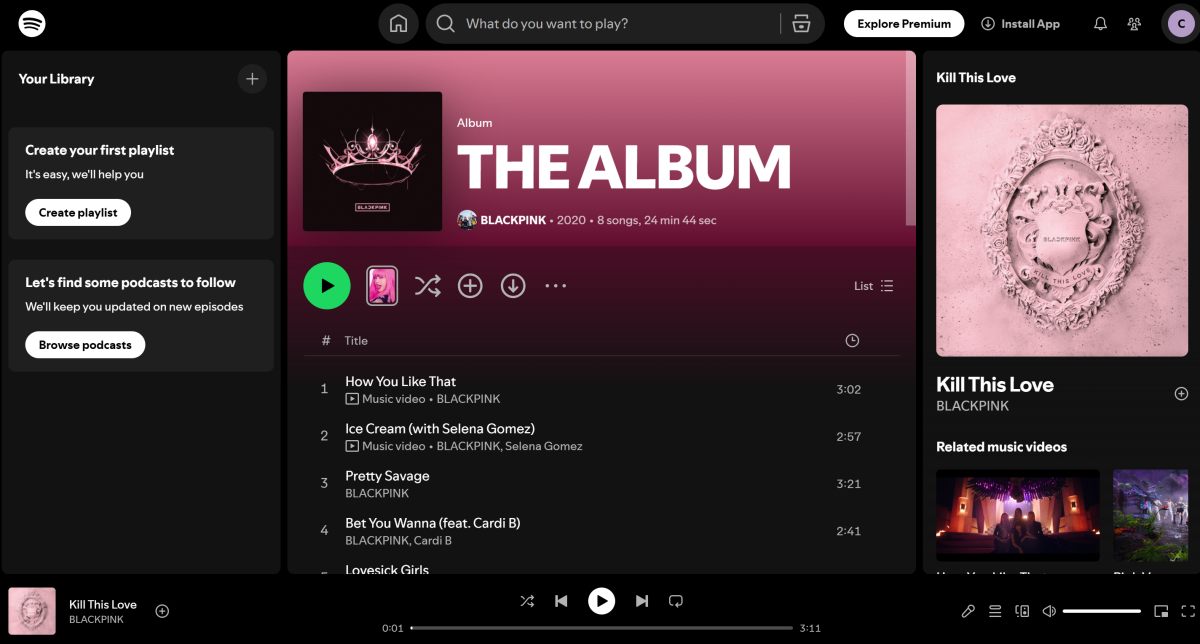
Before choosing to download BlackPink's Album 'The Album' to MP3 for offline listening on any device, many fans prefer to listen to the album on Spotify first. Spotify is a widely used music streaming service that provides access to BlackPink's complete music library, including The Album, with good sound quality, lyrics display, and personalized playlists.
Below is a simple guide on how to stream BlackPink's Album The Album on Spotify.
Step 1. Open the Spotify app on your Windows or Mac computer and sign in to your account. If you do not have an account, you can create one for free.
Step 2. Enter BlackPink The Album in the search bar at the top.
Step 3. Select the album named The Album from the search results.
Step 4. Click the Play button to listen to the full album, or choose a specific song to play.
Step 5. Click Save or Add to Library so you can find the album easily later.
Step 1. Open the Spotify app on your Android or iPhone and log in.
Step 2. Tap the Search option and type BlackPink The Album.
Step 3. Open the album page from the results.
Step 4. Tap Play to start streaming, or tap the Heart icon to save it to Your Library.
Is Offline Listening Available on Spotify?
Spotify Premium allows users to download albums and playlists for offline listening within the app. However, these files can only be played on Spotify and cannot be transferred to other devices or used with other music players. Playback access also depends on your active subscription.
Because of these limits, many users choose a dedicated music converter to download BlackPink's Album 'The Album' to MP3 for long term offline listening and easy transfer across different devices. In the next part, we will show you how to do this using UkeySoft All in One Music Converter.
To download BlackPink's Album The Album to MP3, a reliable choice is UkeySoft All-in-One Music Converter. It is a professional music downloader and converter designed to work with many popular music streaming platforms. Instead of using simple recording methods or unstable online MP3 download sites, this tool uses advanced decoding technology to read and convert songs directly from the streaming source. This process helps keep the original audio quality and complete song information such as title, artist, album name, genre, and cover artwork.
UkeySoft All-in-One Music Converter also gives you flexible format options. You are not limited to MP3 only. It can convert streaming songs to multiple common audio formats, including MP3, M4A, AAC, FLAC, WAV, and AIFF. This makes it easy to choose the best format for different devices and players. For example, MP3 works well on almost all devices, FLAC is ideal for high quality listening, and M4A or AAC are good choices for mobile use with smaller file sizes.
With batch conversion support and adjustable output quality settings, you can download full albums or playlists at once and save them as standard audio files for offline playback and long term storage, without restrictions on where or how you play them.
👍 Key Features of UkeySoft All-in-One Music Converter
✔ Supports All Major Platforms
UkeySoft All in One Music Converter works with many popular music streaming services in one place. You can use Spotify, Apple Music, Amazon Music, YouTube Music, TIDAL, Deezer, Pandora, and more inside the built-in web player. You do not need to install different tools for each platform. Just pick your service, sign in, and add songs or albums to start converting. It is simple and saves time.
✔ Download and Convert to MP3 and Other Formats
This tool can change streaming songs into common audio formats such as MP3, M4A, AAC, FLAC, WAV, and AIFF. You can choose the format that fits your device and needs. MP3 works on almost everything, while FLAC is good for higher sound quality. You can also set the output quality and bitrate up to 320 kbps for better listening.
✔ Preserve Metadata
The program keeps the song details automatically when converting. This includes title, artist, album name, cover image, track number, and genre. With this information saved, your music library stays clean and organized, and songs show correctly in your music players.
✔ Fast Batch Conversion
You can download and convert many songs at the same time. Just add a full album or playlist instead of selecting tracks one by one. The software converts them in batches at 16x faster speed, which is helpful when downloading large collections.
✔ Offline Playback Everywhere
After conversion, songs are saved as regular audio files on your computer. You can move them to your phone, tablet, USB drive, or MP3 player and listen offline. They work with most music apps and players, so you can play your songs anytime without needing the streaming app open.
Below is the full step by step guide on how to use UkeySoft All in One Music Converter to download BlackPink’s Album The Album to MP3 format from Spotify. First, download and install UkeySoft Spotify Music Converter on your Windows or Mac computer.
Step 1. Open the Spotify Converter and Sign In
After installation, open the program. You will be asked to sign in to your Spotify account. You can log in with either a free or premium Spotify account.
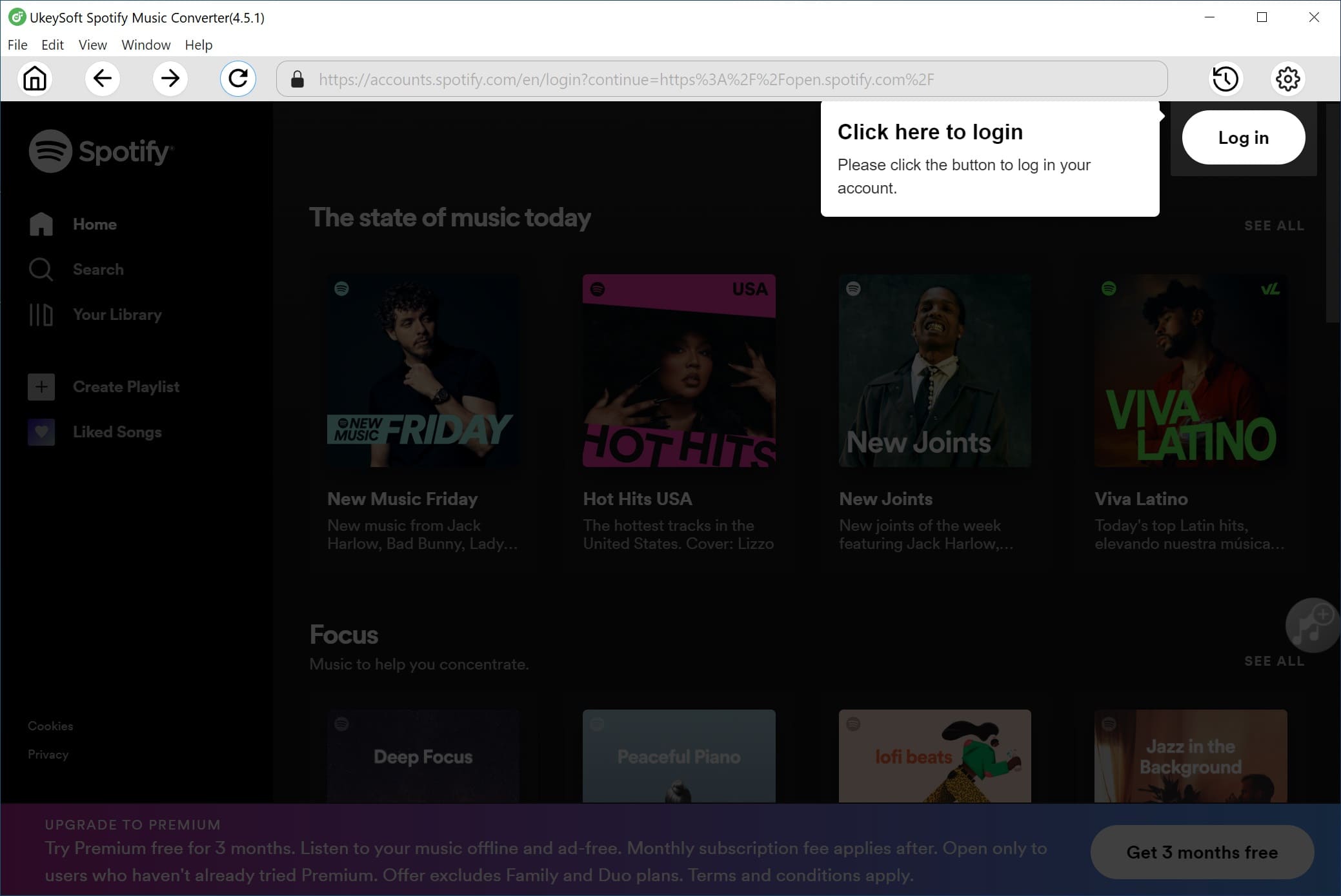
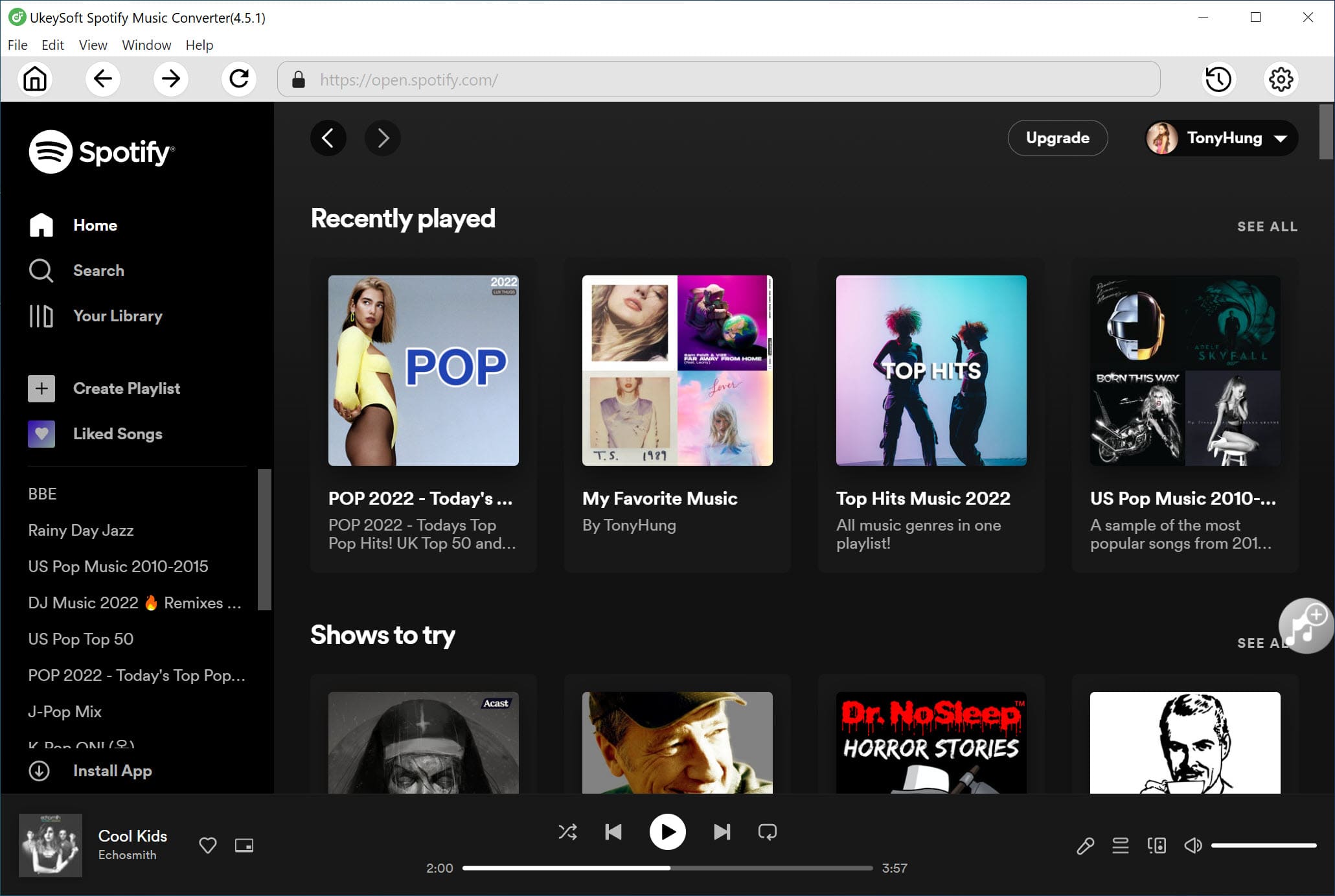
Once logged in, you can use the built-in Spotify web player inside the software to search, browse, and play any songs, albums, or playlists you like.
Step 2. Set MP3 as the Output Format
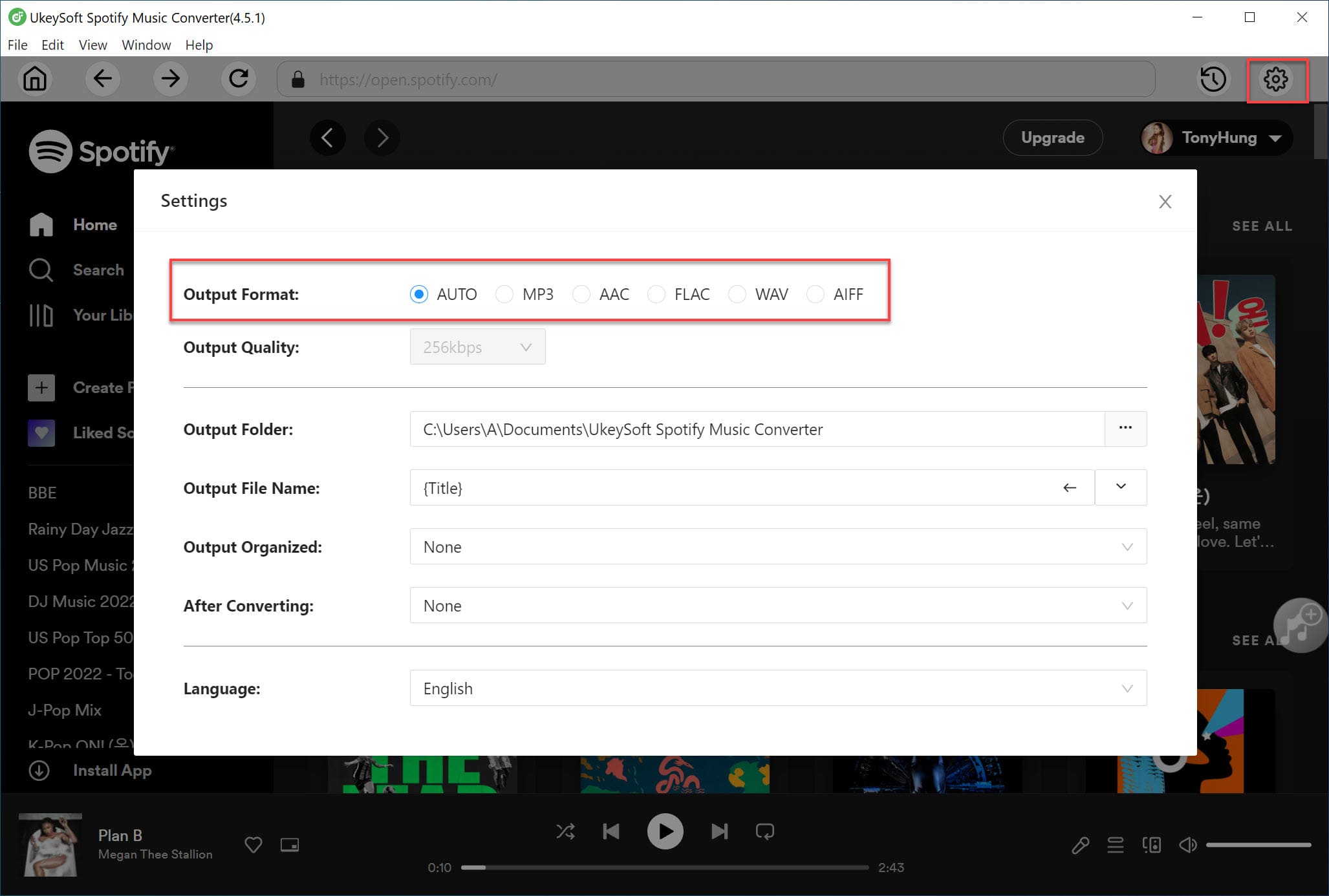
Click the Settings icon in the upper right corner of the program window. You will see several output format options, including MP3, M4A, WAV, FLAC, AIFF, and AAC. Choose MP3 as the output format. You can also adjust quality settings like bitrate if needed.
Step 3. Add BlackPink' Album 'The Album' from Spotify
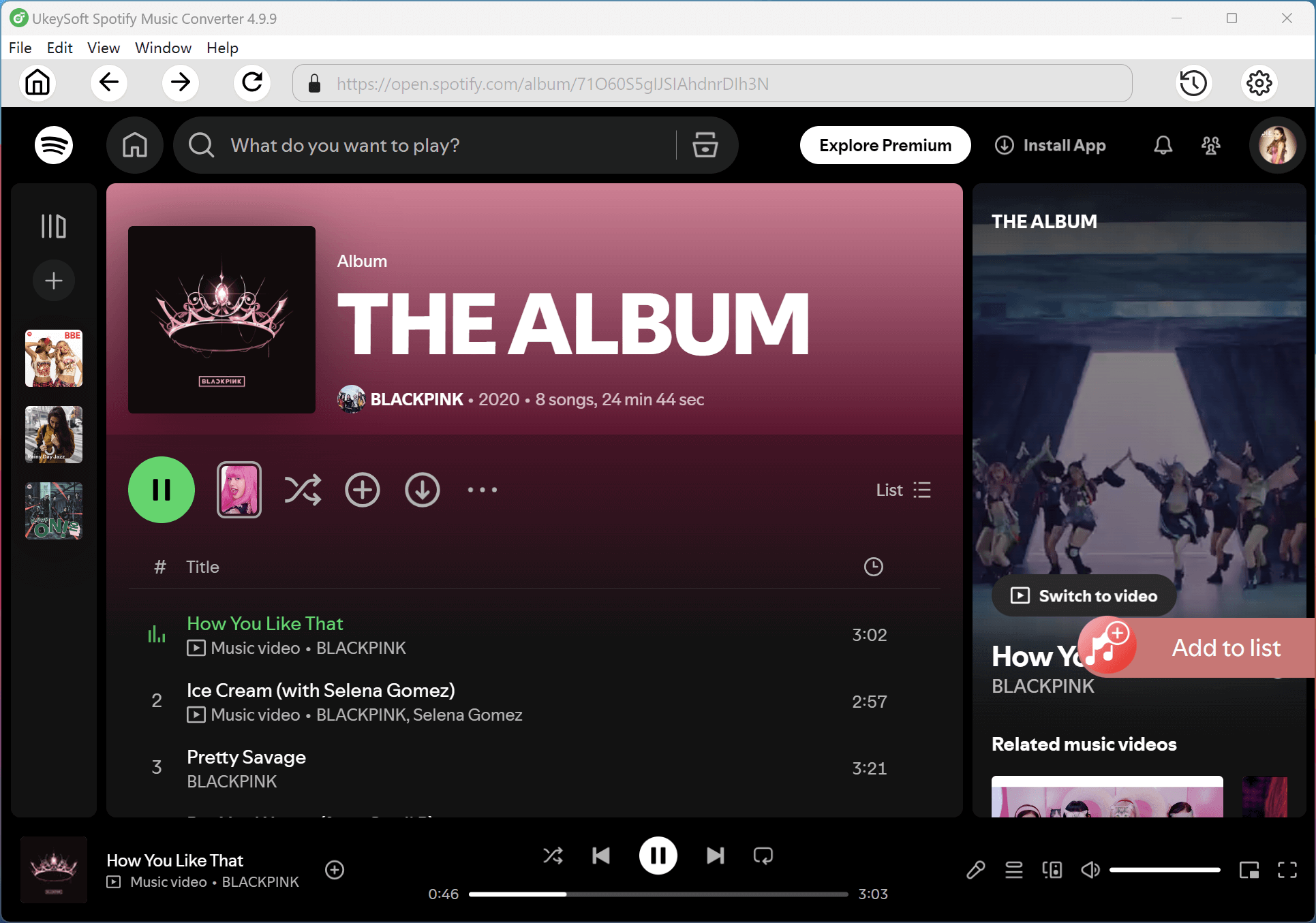
Use the built in Spotify web player to find and open BlackPink’s Album The Album. Click the plus icon to add the album to the conversion list. The software will scan the album automatically and load all tracks into the pending list.
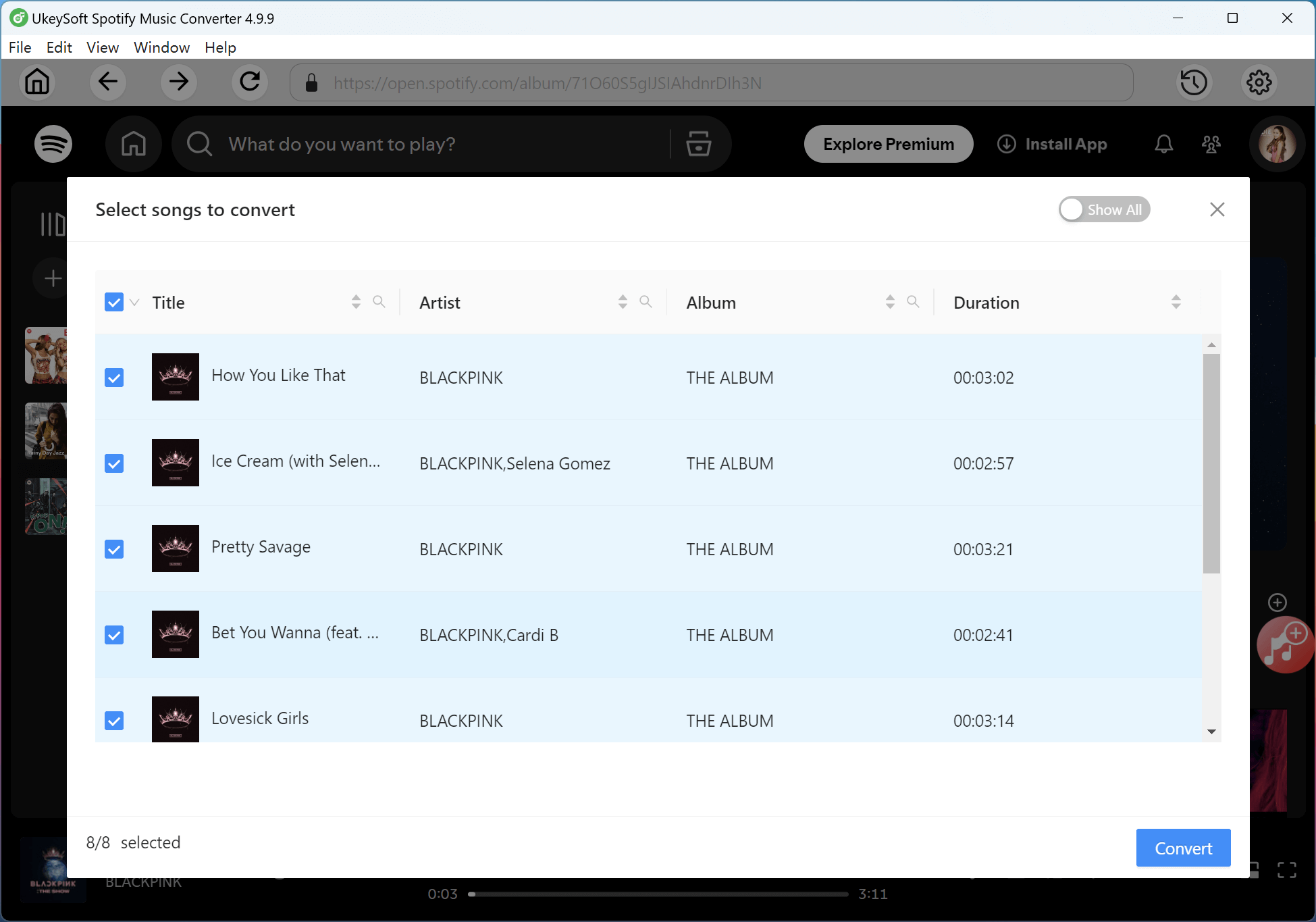
All songs are selected by default. If there are any tracks you do not want, you can uncheck them before converting.
Step 4. Start Converting the Album to MP3
Click the Convert button to begin. The program will download and convert all selected songs to MP3 at high speed, up to 16 times faster depending on your system.
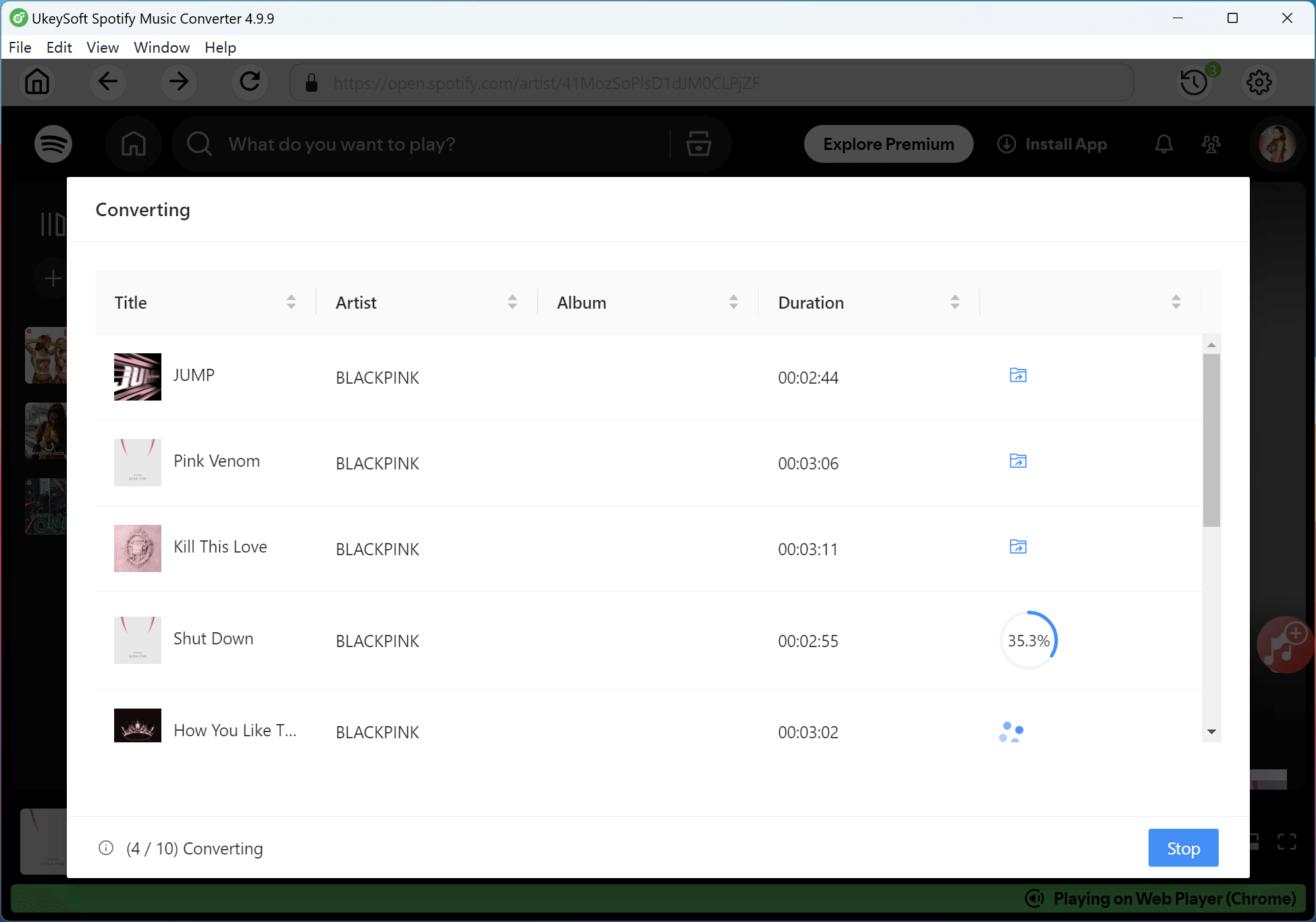
Step 5. Check Your Converted Songs
When the conversion is complete, click Output Folder to open the save location. You will see all the converted songs in MP3 format ready for playback.
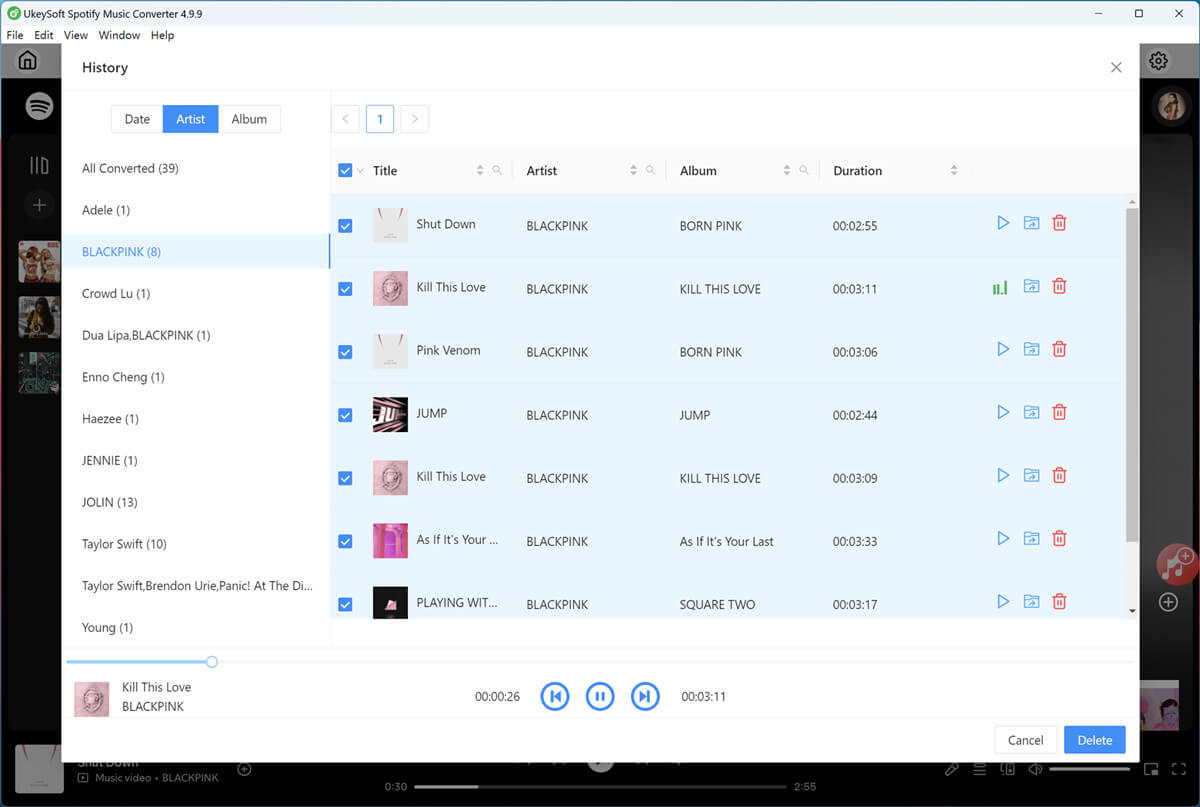
You can now listen to the album offline without opening the Spotify app, or move the MP3 files to other devices such as an MP3 player, iPhone, iPad, Android phone, game console, or other supported players.
If you are a dedicated BLINK and want to download BlackPink's Album 'The Album' to MP3, UkeySoft All in One Music Converter is a practical and dependable solution. It allows you to save songs from your preferred streaming platforms in high quality MP3 format while keeping important details like album artwork and song information neatly organized. You are not limited by subscription rules or in app offline playback. By following the steps above, you can listen to The Album anytime you like, on any device, and enjoy complete freedom in how and where you play your music.

Sorry the comment has been closed.

Convert Apple Music, iTunes M4P Songs, and Audiobook to MP3, M4A, AAC, WAV, FLAC, etc.
Porducts
Solution
Copyright © 2025 UkeySoft Software Inc. All rights reserved.


 English
 Arabic
 Chinese (Simplified)
 Chinese (Traditional)
 Croatian
 Czech
Czech Danish
 Dutch
Dutch Estonian
 Finnish
 French
 German
 Greek
Greek Hebrew
 Hindi
Hindi Hungarian
 Indonesian
 Italian
 Japanese
 Kazakh
 Korean
 Malay
Malay Norwegian
 Polish
 Portuguese
 Romanian
 Russian
 Slovenian
 Spanish
 Swedish
 Thai
Thai Turkish
 Ukrainian
 Vietnamese











![7 Best FREE Apple Music Converters [2025 Updated]](https://www.ukeysoft.com/wp-content/uploads/2019/04/best-apple-music-converter.jpg)



























































































































































Comments are off!