 ✕
✕
✕
✕
By Justin SabrinaUpdated on June 24, 2026
Apple Music is one of the most popular streaming music platforms worldwide. People love its seamless integration across Apple devices, well-structured music library management, expertly curated playlists and karaoke Sing feature. However, as Apple Music's FairPlay DRM protections that limit playback and storage flexibility, many users want to to switch over from Apple Music to another music service.
If you're searching for the best Apple Music alternatives, you'd better put your eyes on this article. Whether you want a free alternative to Apple Music or a premium service with high-fidelity audio, this article covers all you need. Here we'll explore the top 7 Apple Music alternatives, comparing features, pricing, sound quality, and user experience.
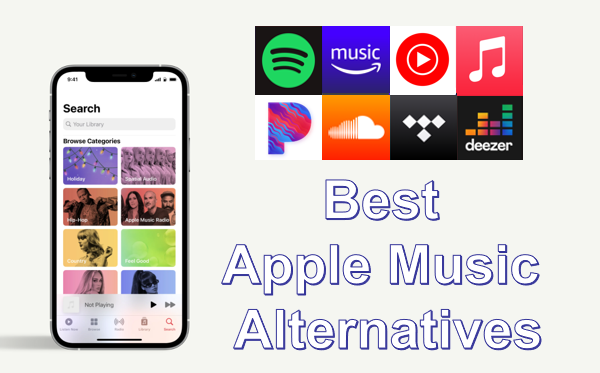
⭐ Tip: To conveniently access multiple music streaming platforms and enjoy a smooth and flexible playback experience, UkeySoft MusicOne Converter delivers you an all-around solution to help! It supports download MP3 music from Apple Music and most Apple Music alternatives all in one place!
Wherever you want to transfer your music, you can keep your playlists and songs locally and permanently, and transfer them to any other platforms, apps, players, and devices without restrictions! Freely install the program and start its free trial from today!
CONTENTS
What Are the Alternatives to Apple Music? (Quick Look)
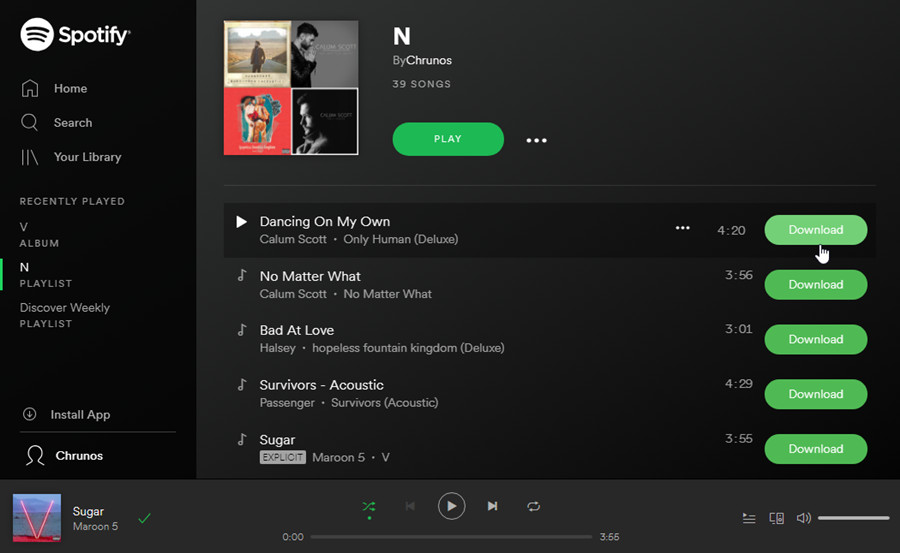
Since its launched in Sweden in October 2008, Spotify has become the king of streaming music service. As of the first quarter of 2026, it has over 761 million monthly active users (MAUs) and 293 million premium subscribers worldwide. As the top 1 alternative to Apple Music, Spotify offers a massive music library, advanced recommendation algorithms, and cross-platform compatibility. Unlike Apple Music, which requires a paid subscription, Spotify allows you to stream over 100 million tracks, 7 million podcast titles, and 700,000 audiobooks (with ad support) for free!
It also stands out due to its intuitive interface and personalized playlists like Discover Weekly and Daily Mix. Whether you're a casual listener or a music enthusiast, Spotify delivers a seamless listening experience across devices. New to Spotify? You can definitely get Spotify Premium free for 1 month!
💰 Subscription Price:
⭐ Free Trial: 30-day free trial for new users
🎧 Sound Quality:
👍 Pros:
👎 Cons:
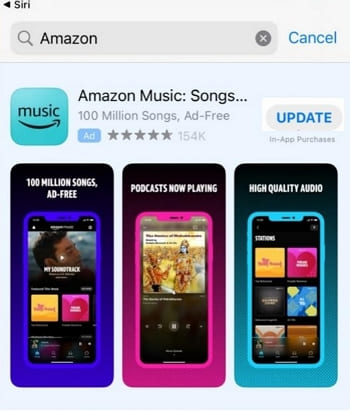
If Spotify doesn't quite hit the mark on Amazon devices, Amazon Music is a strong Apple Music alternative. It's highly compatible with Amazon devices such as Fire tablets, Fire TV, and Alexa-enabled smart speakers, etc, delivering a smooth and high-quality streaming experience. If you're already an Amazon Prime subscriber, you can access to over 100 million ad-free songs and podcasts, and download Amazon Prime Music for free on your authorized devices.
Alternatively, you can subscribe to a standalone Amazon Music Unlimited, and HD (850 kbps), Ultra HD (3730 kbps), spatial audio streaming, unlimited skips, and offline listening. If you don't want to pay for it, you can either join up a free tier, or get a 30-day free trial of Amazon Prime or Amazon Music Unlimited!
💰 Subscription Price:
⭐ Free Trial: 30-day free trial of Amazon Prime or Music Unlimited for new users
🎧 Sound Quality:
👍 Pros:
👎 Cons:
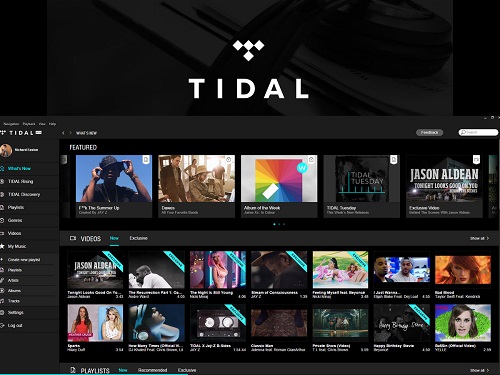
Tidal is widely recognized as one of the best alternatives to Apple Music for audiophiles. It is famous for its artist-centric approach and high-fidelity audio up to 24-bit/192kHz (Master Quality Authenticated - MQA), offering a premium listening experience. The catalog includes over 110 million tracks, plus 650,000 music videos and concert films. It also offers a rubust selection of curated playlists by music experts and artists. The interface is sleek but less intuitive than Spotify.
The main drawback is the subscription price. Since April 2024, Tidal has stopped offering free, ad-supported versions. New users can sign up for a 30-day free trial on Tidal official website or app. After that, you need to pay $10.99 per month. Moreover, you are not able to download Tidal music to computer, as the download function is only available for mobile devices.
💰 Subscription Price:
⭐ Free Trial: Yes, typically 30 days
🎧 Sound Quality:
👍 Pros:
👎 Cons:
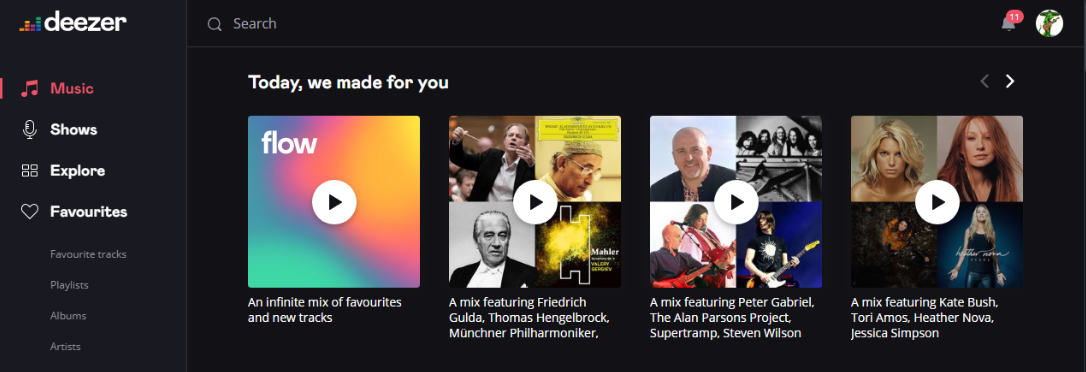
Another great streaming alternative to Apple Music refers to Deezer. Founded in France, Deezer is particularly strong in Europe, Latin America, and Africa. What makes Deezer stand out? Its large music catalog (over 90 million tracks) and unique features like Flow (a personalized music stream), SongCatcher (identifies songs playing around you, like Shazam built-in). Its interface is clean and intuitive across mobile, desktop, and web.
As a solid Apple Music alternative, Deezer provides a free ad-supported plan, while its Premium subscribers enjoy CD-quality lossless audio (16-bit/44.1kHz) and offline listening mode. But sometimes the Deezer app is buggy when you are connecting to an unstable nework. Don't worry, you can refer to this full guide to fix Deezer not working.
💰 Subscription Price:
⭐ Free Trial: Yes, 1 month free trial
🎧 Sound Quality:
👍 Pros:
👎 Cons:
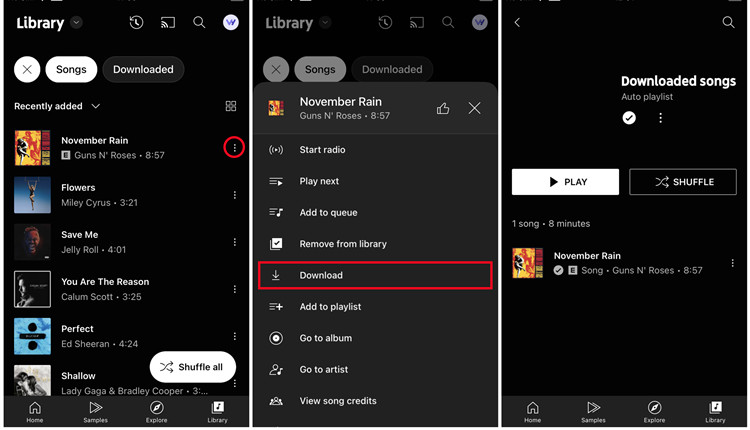
YouTube Music is a free alternative to Apple Music that you can direct access to its music library via your Google account. It combines official tracks, covers, music videos, remixes, live performances, and user-uploaded content not available on Apple Music or Spotify. Discovery is powered by Google's AI, which can be eerily good when you use the "mixed for you" playlists.
While the free version is ad-supported and restricted background play on mobile, YouTube Music Premium and YouTube Premium lets you enjoy background play, ad-free streaming, and offline downloads. Replacing to subscribe to Premium tier, you may also utilize a powerful YouTube music downloader to download YouTube music to MP3 for free!
💰 Subscription Price:
⭐ Free Trial: 1 month free trial for YouTube Music Premium or YouTube Premium
🎧 Sound Quality:
👍 Pros:
👎 Cons:
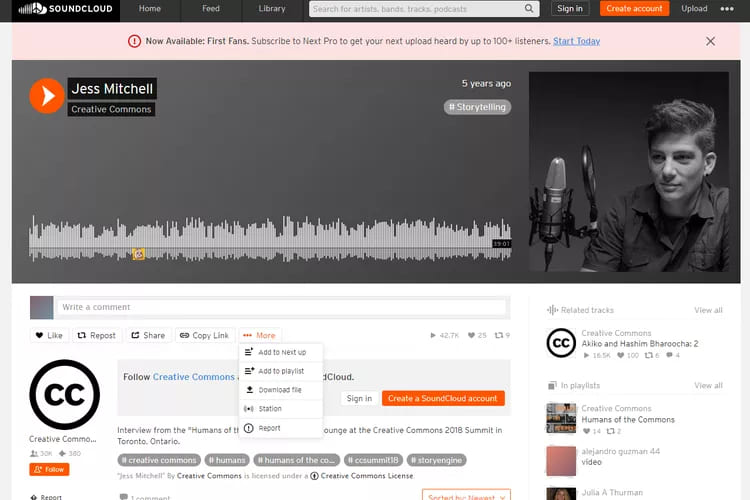
SoundCloud is not only a free Apple Music alternative, but also one of the best MP3 music downloaders for PC and phone. Unlike above streaming music platforms, SoundCloud focuses on emerging artists, DJ sets, remixes, and underground tracks. The platform boasts over 320 million tracks, many of which are exclusive to SoundCloud.
The free version of SoundCloud lets users stream most tracks with ads, and some songs can even be downloaded as MP3 files if enabled by the uploader. For ad-free listening and offline playback, you can upgrade to SoundCloud Go or SoundCloud Go+ (the latter unlocks the full catalog, including major artists like Drake, Taylor Swift, and The Weeknd). It's perfect for discovering new talent and underground music.
💰 Subscription Price:
⭐ Free Trial: 7-day for Go, or 30-day for Go+
🎧 Sound Quality:
👍 Pros:
👎 Cons:
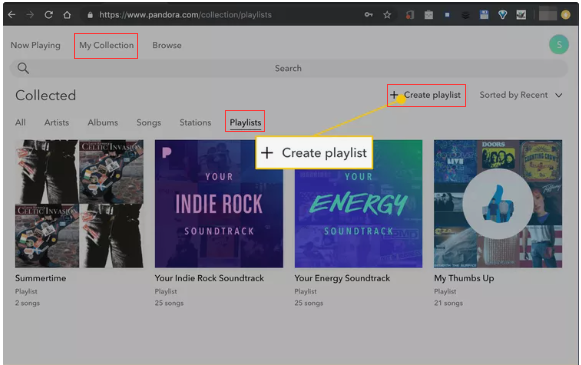
Pandora Music is another good option to replace Apple Music. Founded in 2000, Pandora is known for its radio-style listening experience and smart music recommendation system. This platform focuses on lean-back listening: you start a station based on an artist, song, or genre, and Pandora plays a continuous stream of similar tracks.
Similar to Spotify, Pandora Music is a freemium service. The free tier includes ads and limited skips; Pandora Plus removes ads and allows offline radio stations; Pandora Premium adds full on-demand search, playlists, and unlimited skips. However, Pandora Music is only available in the US, Australia, and New Zealand. Moreover, it lacks Hi-Res audio, the Pandora Premium subscribers can receive 192kbps on their mobile devices. Even with a Premium subscription, you cannot directly download Pandora music to computer, unless you use a third-party Pandora music downloader.
💰 Subscription Price:
⭐ Free Trial: 30-day for Plus, or 60-day for Premium
🎧 Sound Quality:
👍 Pros:
👎 Cons:
Streaming music services are convenient, but they come with limitations. Even with a paid subscription, all your downloaded songs are actually cached files that can only be played within the official app. Once your subscription ends, your downloads disappear. To keep the music permanently and enjoy a flexible offline playback experience, you need a professional third-party streaming music downloader tool.
UkeySoft MusicOne Converter is an all-in-one music converter, downloader, player, and manager for Windows and Mac. It supports downloading music from 7 major platforms, including Apple Music, Spotify, Amazon Music, Tidal, Deezer, YouTube Music, and Pandora Music. It helps you unlock DRM protection and converts streaming music tracks, playlists, albums, podcasts, audibooks to common MP3, AAC, M4A, FLAC, or WAV formats. For ad-supported users, this great tool also assists you to remove ads on music tracks. Once converted, you can keep the music files forever and enjoy them on any device or player without internet or official app, even without a subscription.
With 16X faster conversion speed, high-quality output (up to 320kbps MP3 or 640kbps AAC/M4A), and preserved ID3 tags, it ensures an excellent offline listening experience. Additionally, UkeySoft organizes music files automatically and includes a built-in music player, making it easier to play and manage your downloaded library.
🔥 Main Features of UkeySoft All-in-One Music Converter:
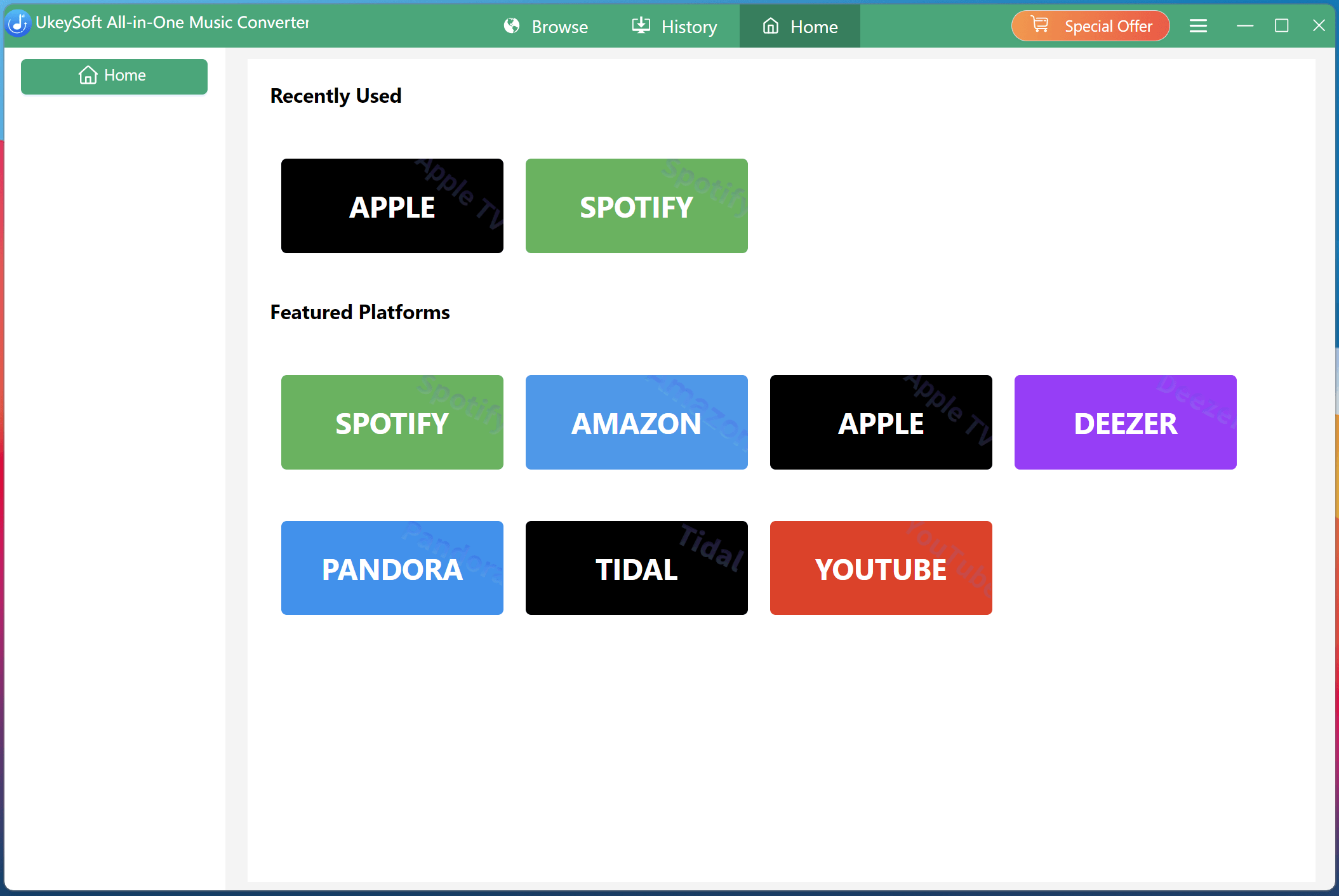
Step 1. Choose a Platform and Log In Account
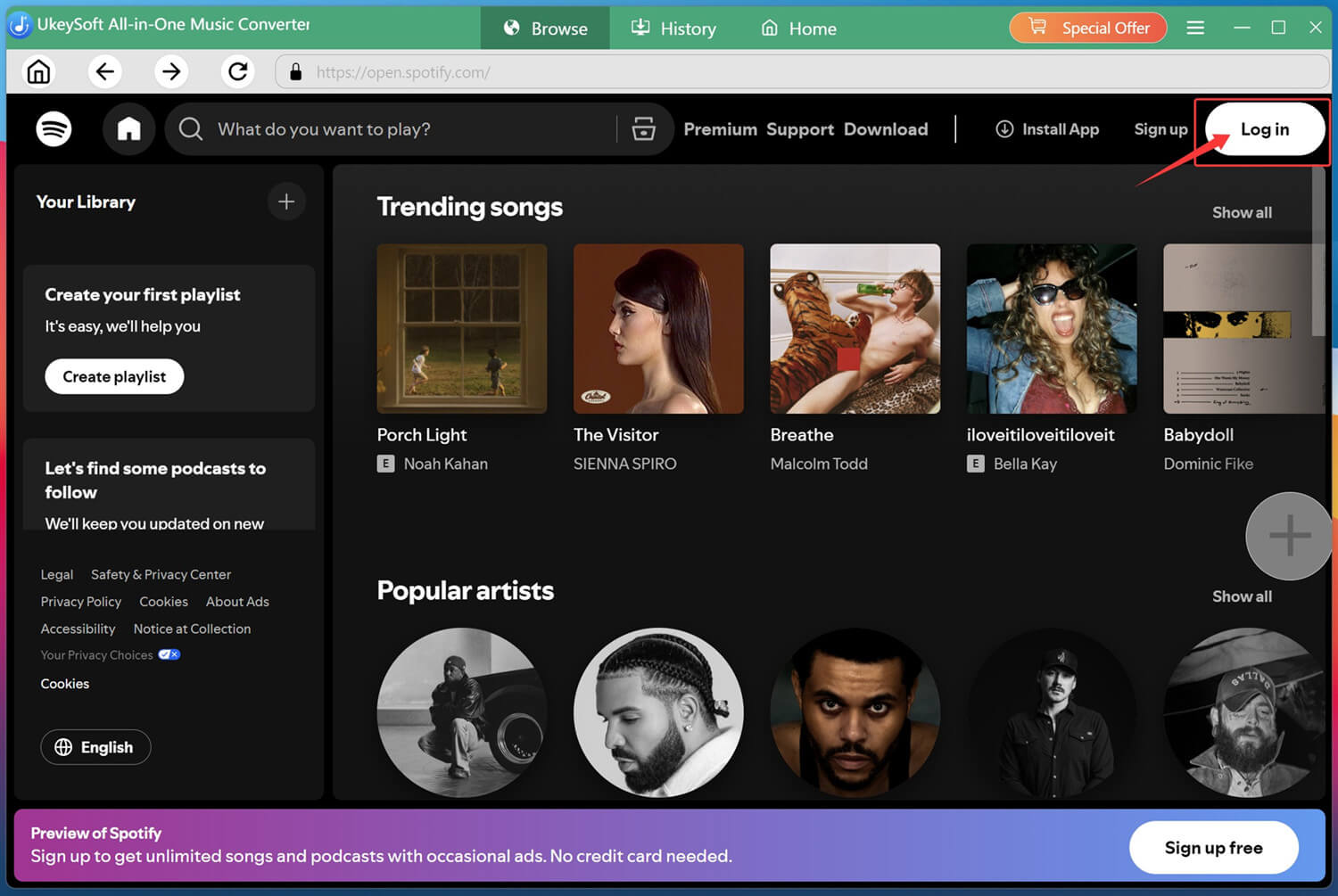
After installation, open UkeySoft All-in-One Music Converter, choose your preferred streaming platform, and log into your account via the built-in web player to access your music library.
For example, here we select Spotify platform and sign in a free account.
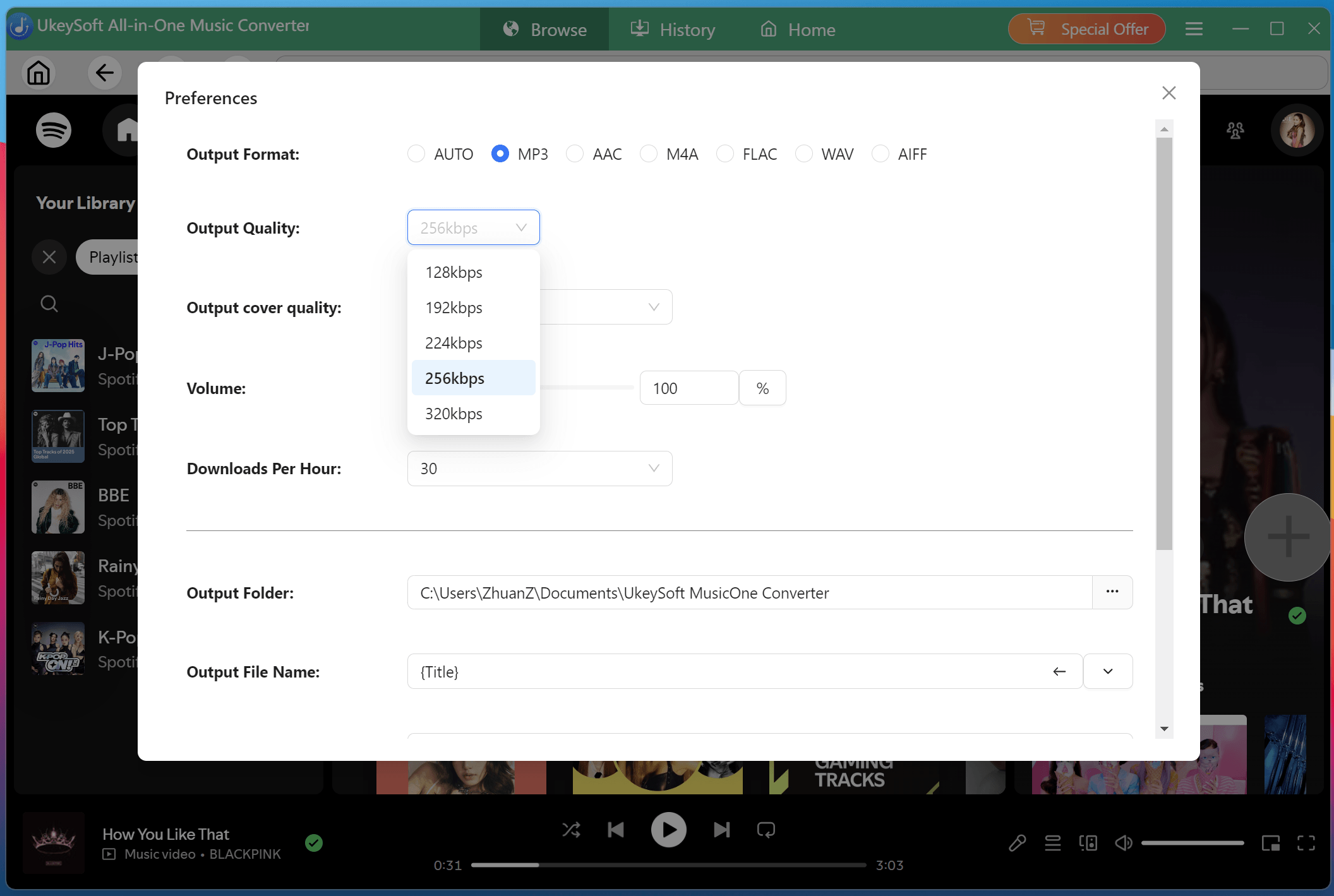
Step 2. Modify Output Settings
Access the settings window by clicking the "Menu" and then "Preference". From where you can customize output format, output quality, and output folder. You can also organize output files by artist or album for easier management.
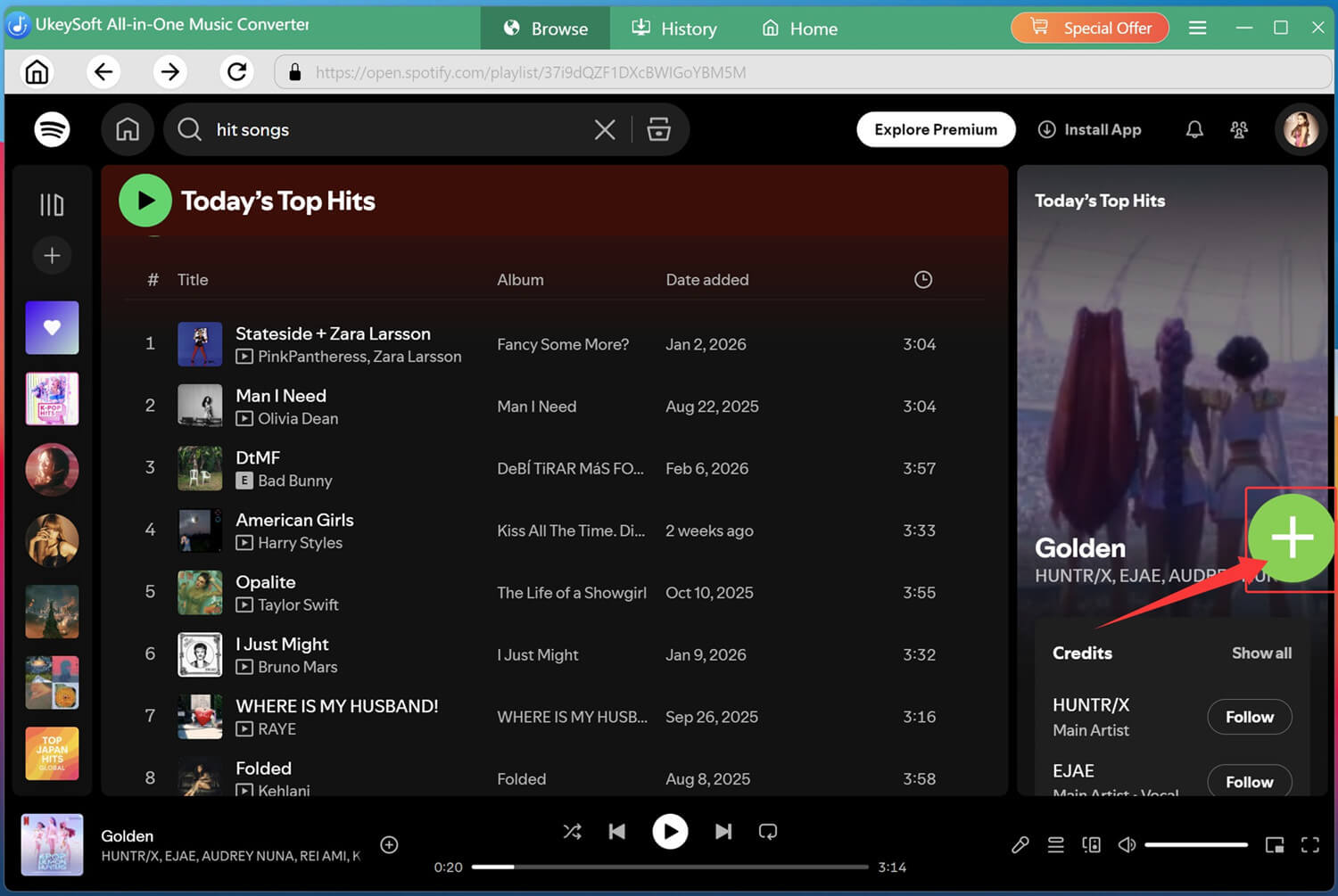
Step 3. Add Songs/Albums/Playlists
Browse or search for songs, albums, podcasts, or playlists within the app, then click the green "+" icon to add them into the conversion list with a single click.
Review the queue. Choose specific tracks or entire playlists for conversion.
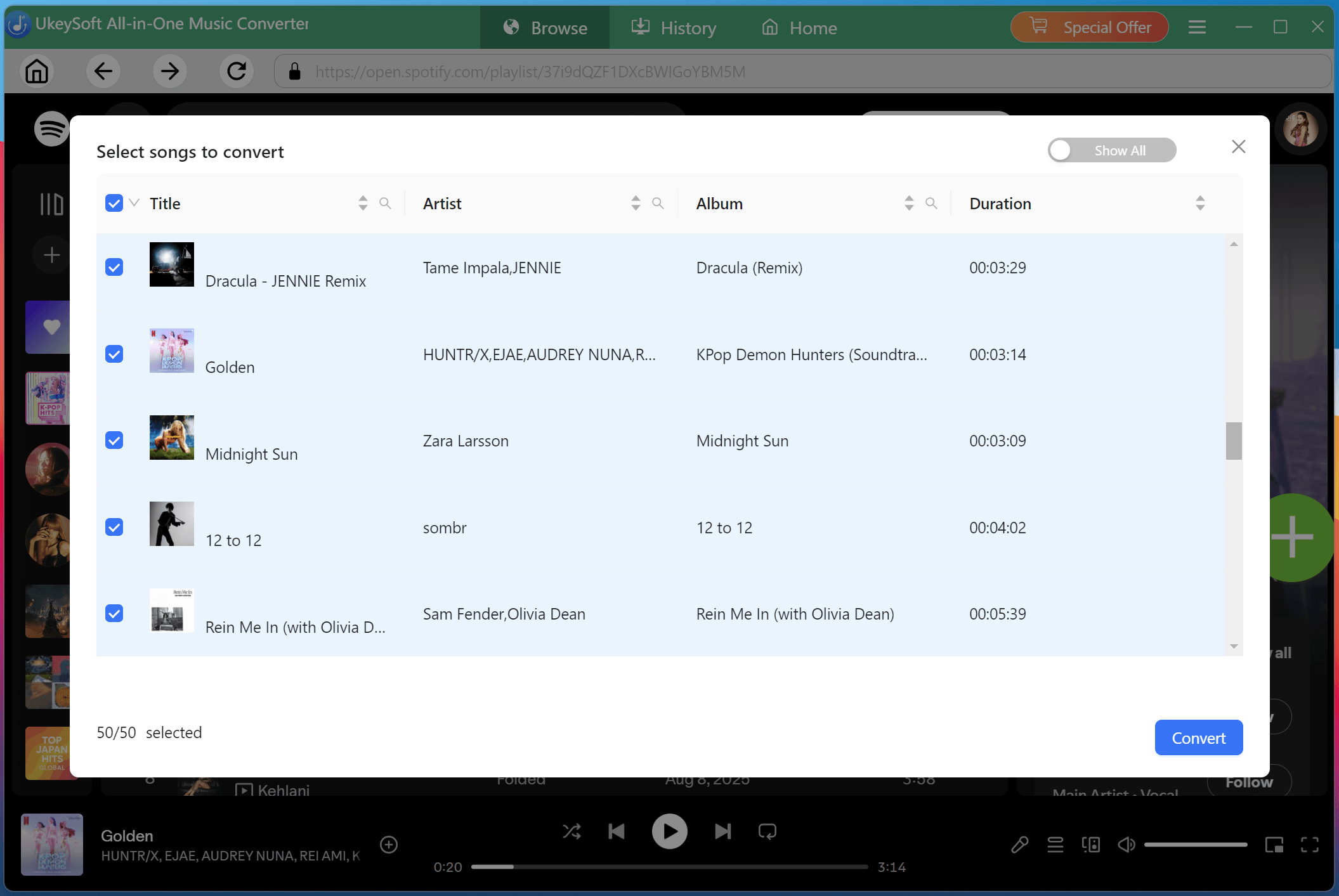
Step 4. Start to Convert Spotify Music to MP3
Click "Convert" button to start downloading and converting your selected music to MP3 320kbps at high speed. During the process, do not use the Spotify app or web player at the same time.
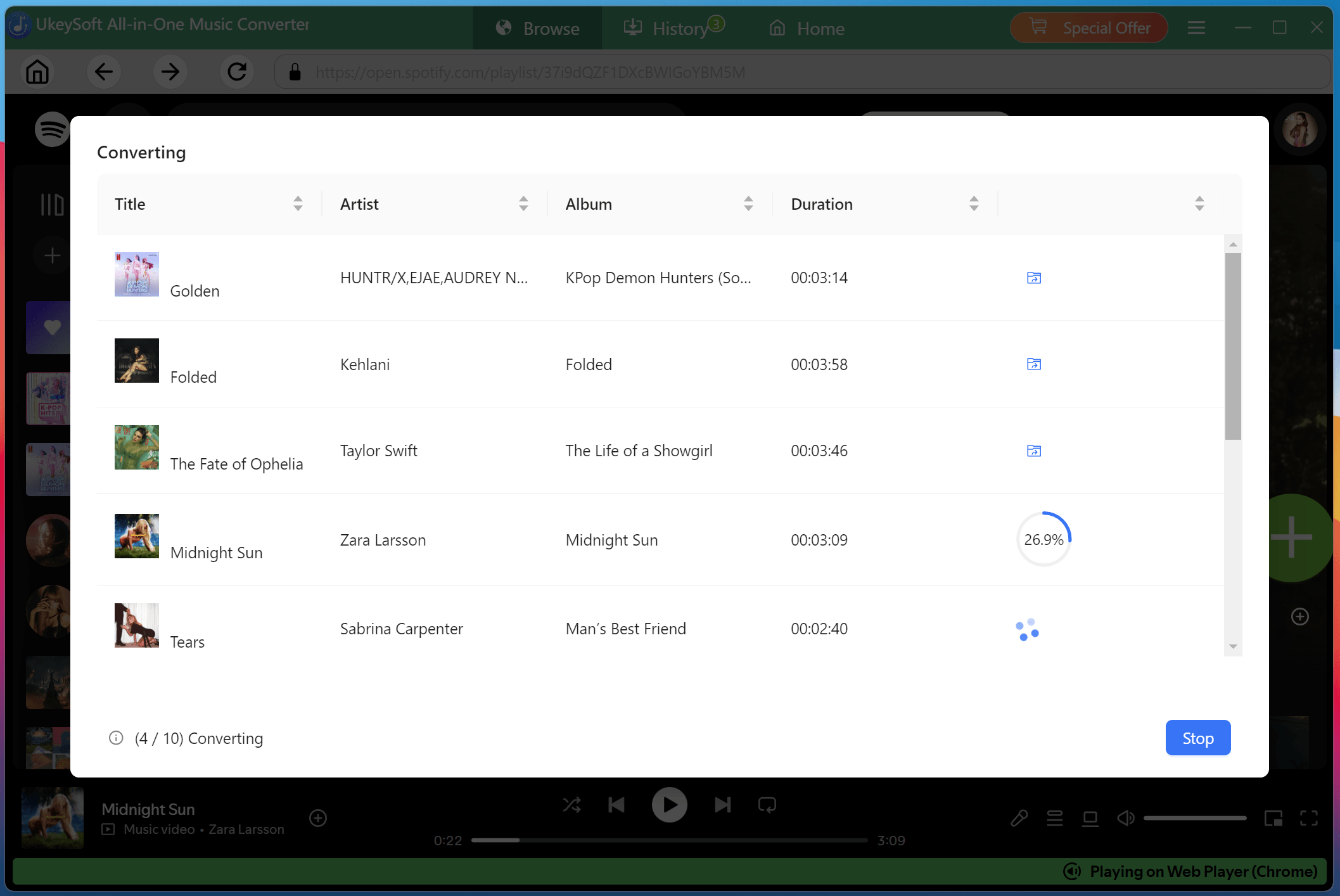
Step 5. Get Output Spotify Songs
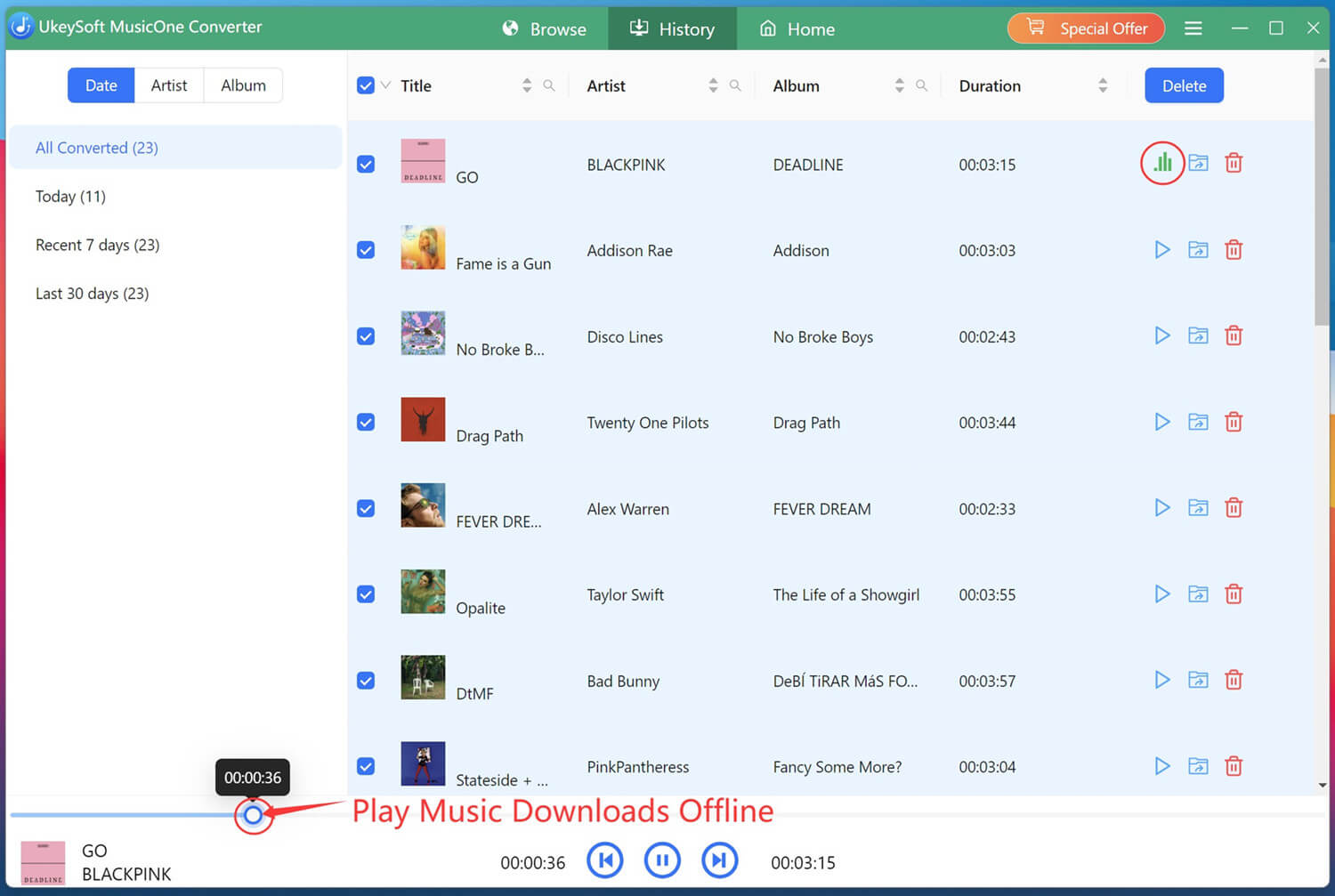
Once finished, click the "History" tab to check the conversion history. You can listen to these high-quality Spotify songs with the built-in music player directly.
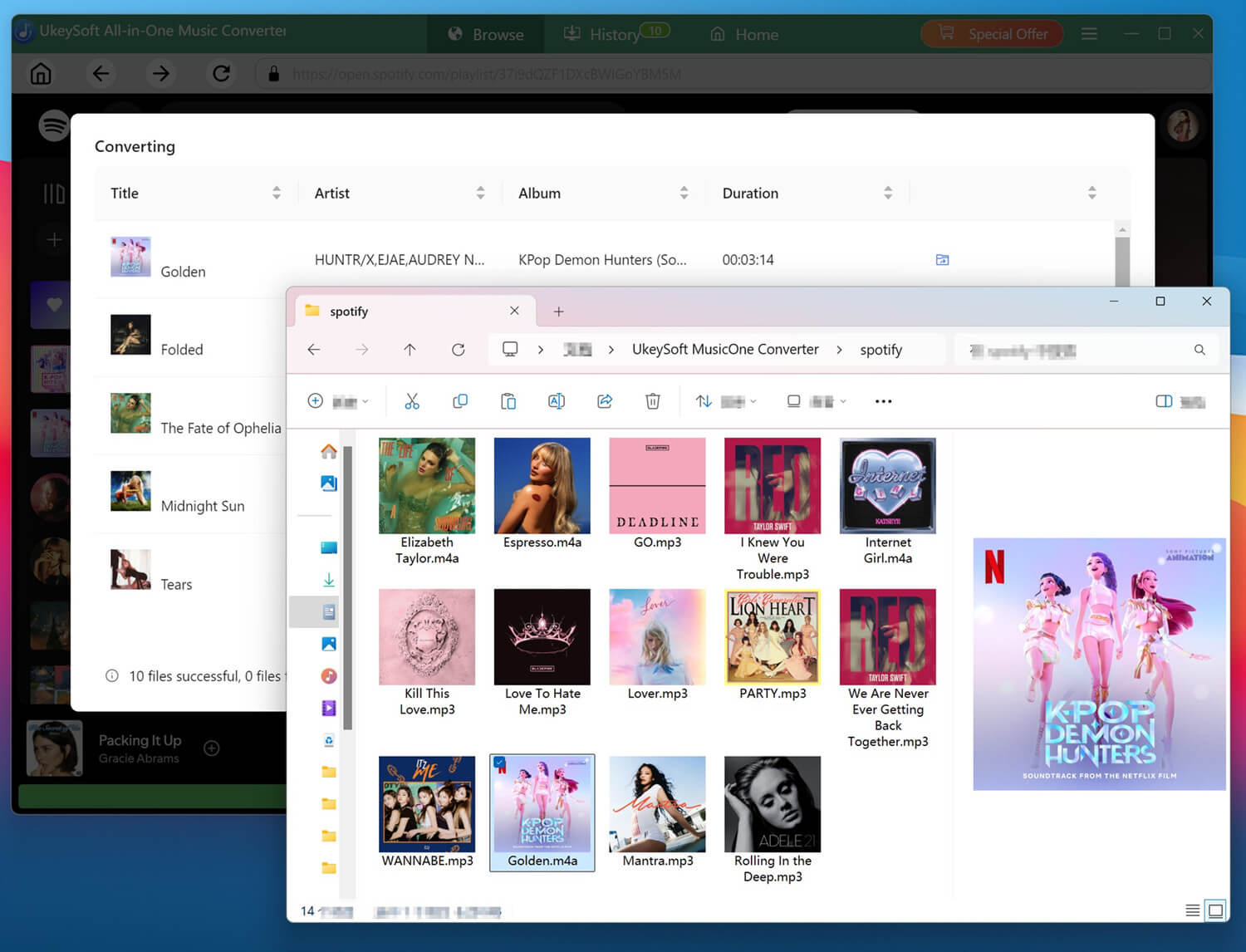
Then, hit on the "Blue Folder" icon to access your downloaded Spotify songs. You are able to transfer them to any device, upload to cloud storage, or burn to a CD!
To sum up, there are the top 7 Apple Music alternatives that each offer unique features and music catalog. You can choose the one based on your listening habits, budget, and preferred features. If you are new to the service, you and even start a free trial before joining its paid version. If you want full control over your music and the ability to keep songs forever, third-party tools like UkeySoft All-in-One Music Converter can enhance your experience even further. It allows you to download high-quality MP3 music from Apple Music and its alternatives to play offline and keep forever. The software offers a free trial, you can download it right now!

Sorry the comment has been closed.










![7 Best FREE Apple Music Converters [2026 Updated]](https://www.ukeysoft.com/wp-content/uploads/2019/04/best-apple-music-converter.jpg)



















Porducts
Solution
Copyright © 2026 UkeySoft Software Inc. All rights reserved.


 English
 Arabic
 Chinese (Simplified)
 Chinese (Traditional)
 Croatian
 Czech
Czech Danish
 Dutch
Dutch Estonian
 Finnish
 French
 German
 Greek
Greek Hebrew
 Hindi
Hindi Hungarian
 Indonesian
 Italian
 Japanese
 Kazakh
 Korean
 Malay
Malay Norwegian
 Polish
 Portuguese
 Romanian
 Russian
 Slovenian
 Spanish
 Swedish
 Thai
Thai Turkish
 Ukrainian
 Vietnamese



























![Top 10 Christmas Songs to MP3 Download [Spotify]](https://www.ukeysoft.com/wp-content/uploads/2023/01/christmas-songs-to-mp3.jpg)


































































































































Comments are off!