How to Keep SoundCoud Music Playable After Canceling Subscription?
-- Use the best SoundCoud Music Downloader to download MP3 music from SoundCloud with Free account, keep SoundCloud music permanently after unsubscribed.
Q:What happens when I cancel my Go subscription? A: Your access typically continues until the exact expiration date listed on your Subscriptions page. But something needs to be kept in mind, all though Go and Go+ subscribers can unlock access to ad-free streaming and offline downloads during that period, they don't actually own the downloaded music. All downloaded music are locked in the SoundCloud mobile app. Many SoundCloud users wondering how they can keep SoundCloud music playable after canceling subscription.
If you are a fan of SoundCloud music, there can be a long list of rare underground tracks, DJ sets, and remixes you wish to enjoy over and over again. In fact, SoundCloud use DRM technology to encode its streaming music content. Don't let SoundCloud Music take back your downloads. To keep SoundCloud music permanently, the only way is to download SoundCloud music to MP3 audio files. Follow this guide to explore the effective method to keep SoundClouds songs forever after unsubscribing.
Tool Required to Keep SoundCloud Songs Playable Forever
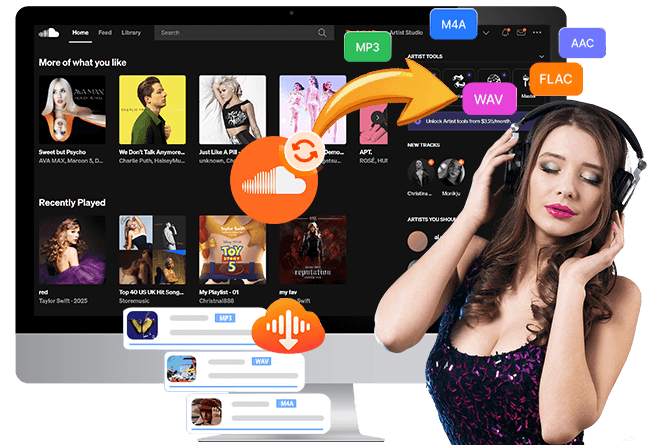
UkeySoft SoundCloud Music Converter ( Windows | Mac ) comes into play. It enables you to download SoundCloud songs, playlists, albums, artists, and podcasts to computer with a SoundCloud Free account. With a built-in web player and easy-to-use interface, UkeySoft allows you to download and convert SoundCloud music to MP3, M4A, FLAC, WAV, AAC, or AIFF formats, making them possible to keep SoundCloud music playable even after subscription ends.
Unlike traditional audio recorder or online SoundCloud downloaders, UkeySoft has the ability to batch download songs from SoundCloud at 16X faster speed by applying hardware acceleration technology. It also preserves lossless audio quality with up to 320kbps, offering superior audio settings to ensure Premium listening experience.
Key Features of UkeySoft SoundCloud Music Converter
Work with SoundCloud Free, Go, and Go+ accounts.
Download SoundCloud songs to high-quality 320kbps MP3s.
Convert SoundCloud music to MP3, M4A, AAC, FLAC, WAV, AIFF.
Batch download multiple SoundCloud playlists and albums.
Keep downloaded SoundCloud music playable permanently.
Customize output quality, output format, output file name.
Provide 16X fast conversion with simple user-friendly controls.
Transfer and play SoundCloud music on any device or player.
Built-in music player and music manager to enhance experience.
You can watch this video to learn how to permanently save your SoundCloud songs without a subscription account!
How to Download SoundCloud Songs to MP3 for Keeping Forever?
Log In to UkeySoft SoundCloud Music Converter
To begin with, download and install UkeySoft SoundCloud Music Converter on a computer running Windows OS or macOS. Then, launch the program and sign in to your SoundCloud account.
Once signed in, you can browse your SoundCloud library and prepare your favorite tracks for downloading.
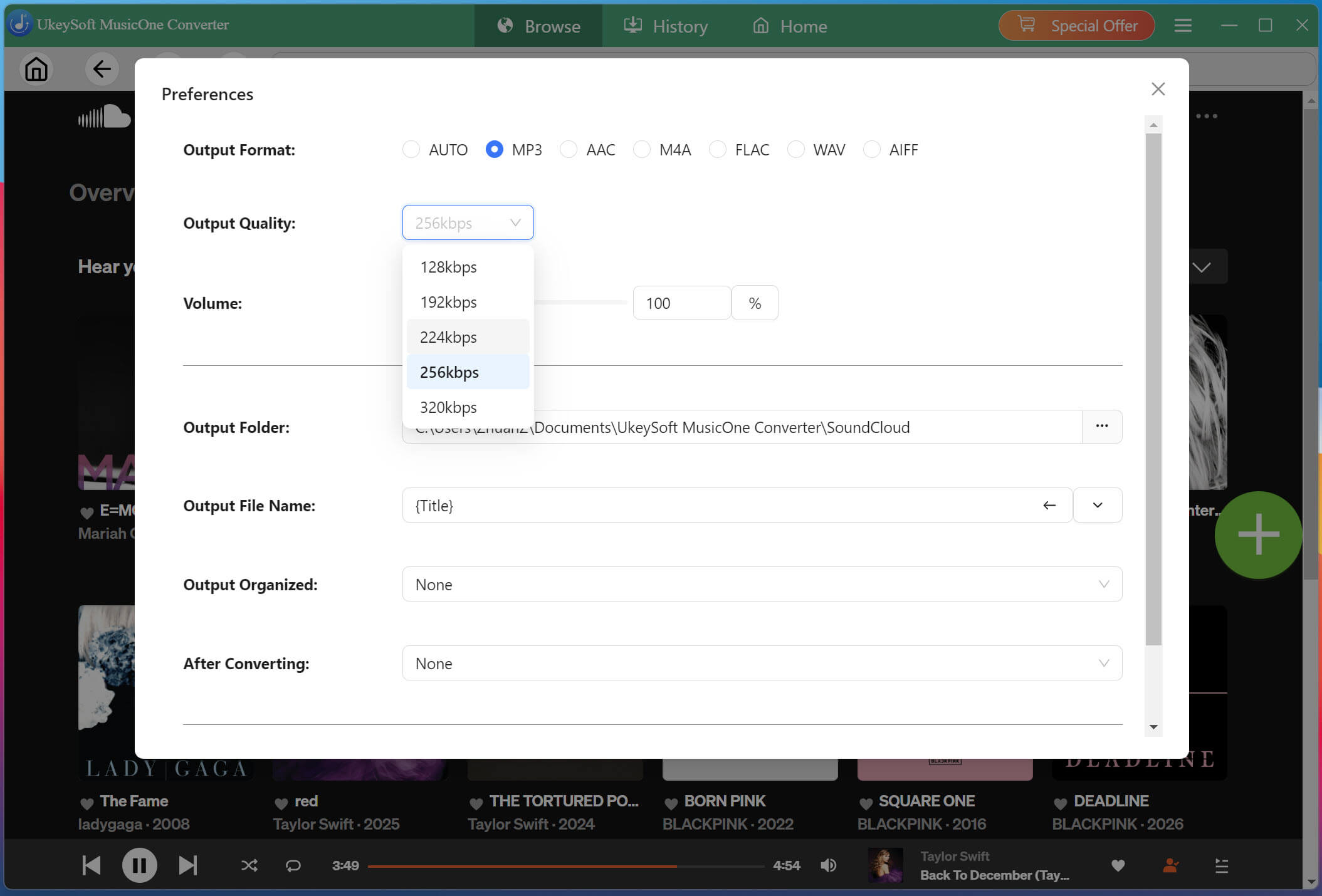
Customize Output Settings
Click "Menu" and select "Preferences" to customize your download settings. You can choose the desired output format (MP3), audio quality (320KBPS), and destination folder before converting SoundCloud tracks for offline playback.
Browse, Open, Add SoundCloud Songs
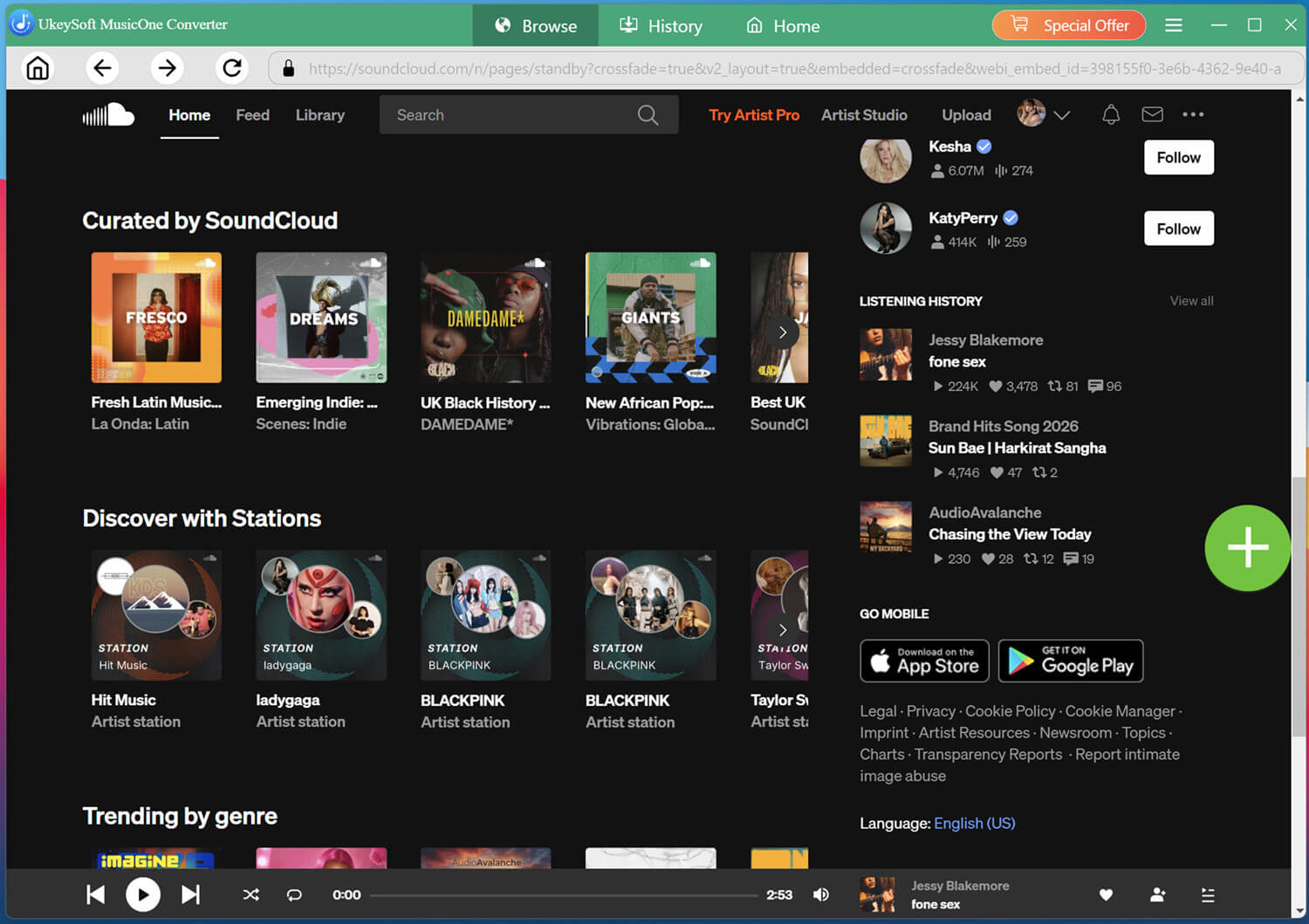
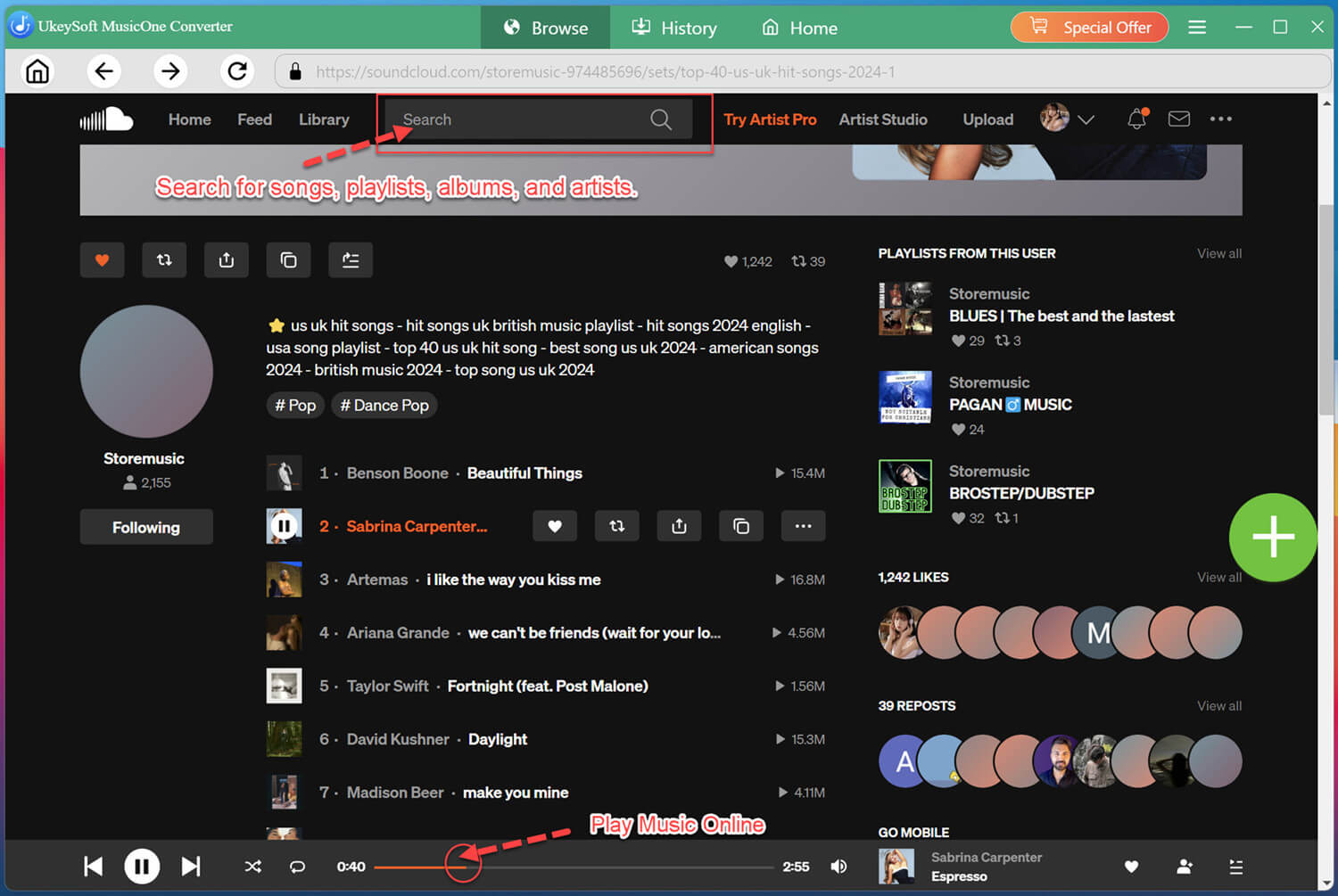
Browse SoundCloud within the converter, you can search for your favorite artist, album, playlist, or song in the search box.
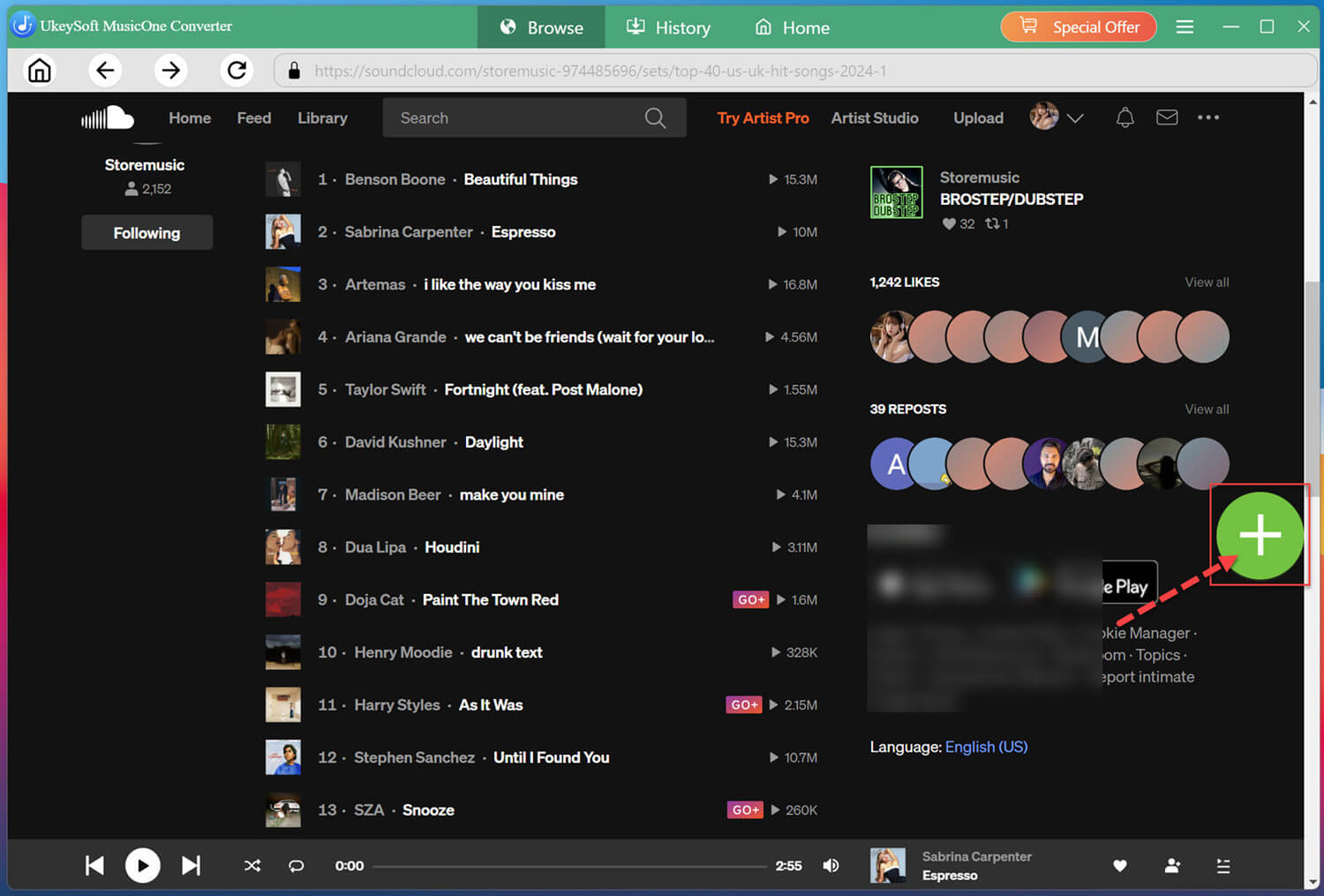
Open your favorite tracks or playlists, and click "+" button to add selected songs to the download list for processing.
Select Target SoundCloud Songs
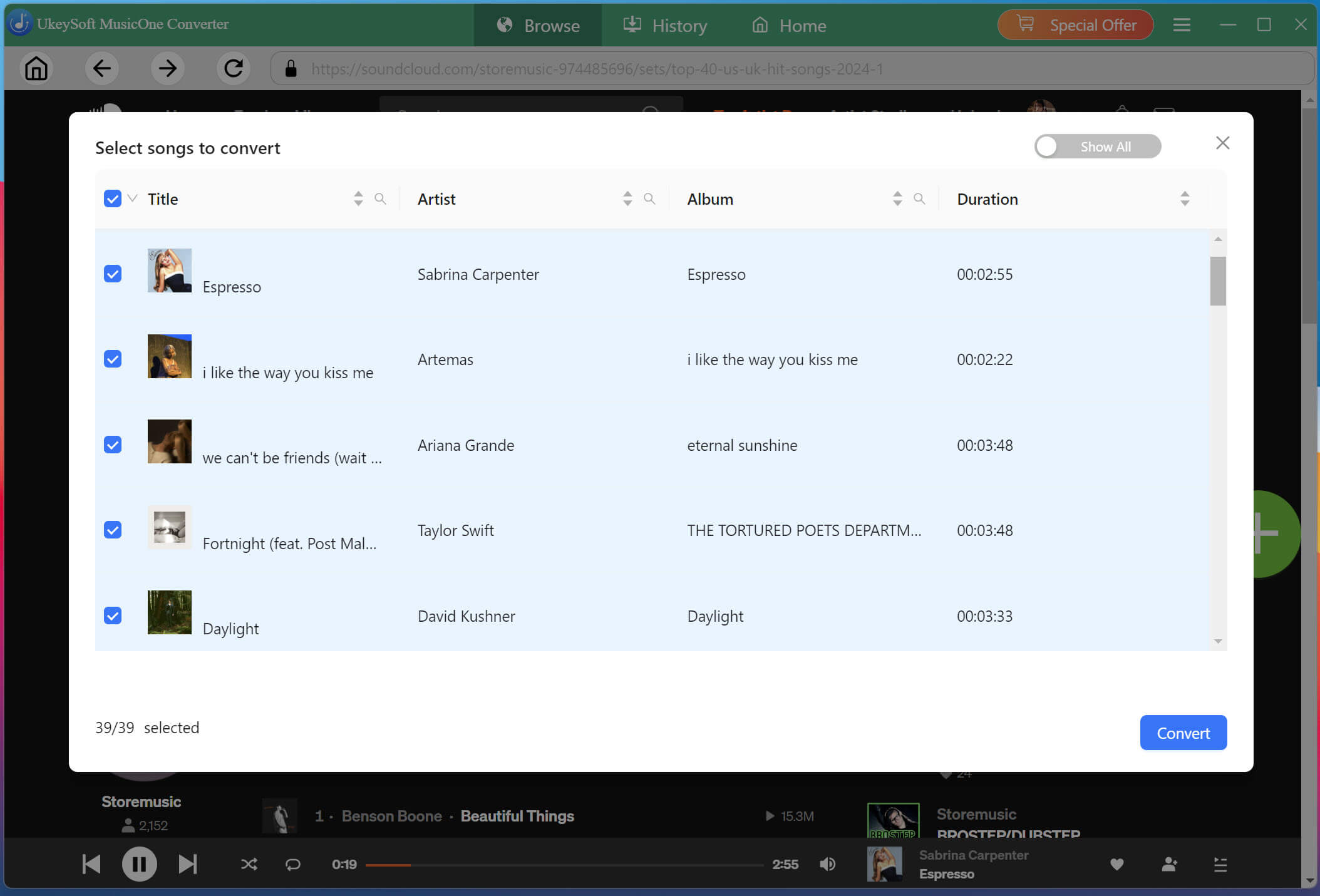
Review the added songs and select the tracks you want to save. You can tick "Select All" for batch downloads at once.
Start Downloading SoundCloud Music to MP3
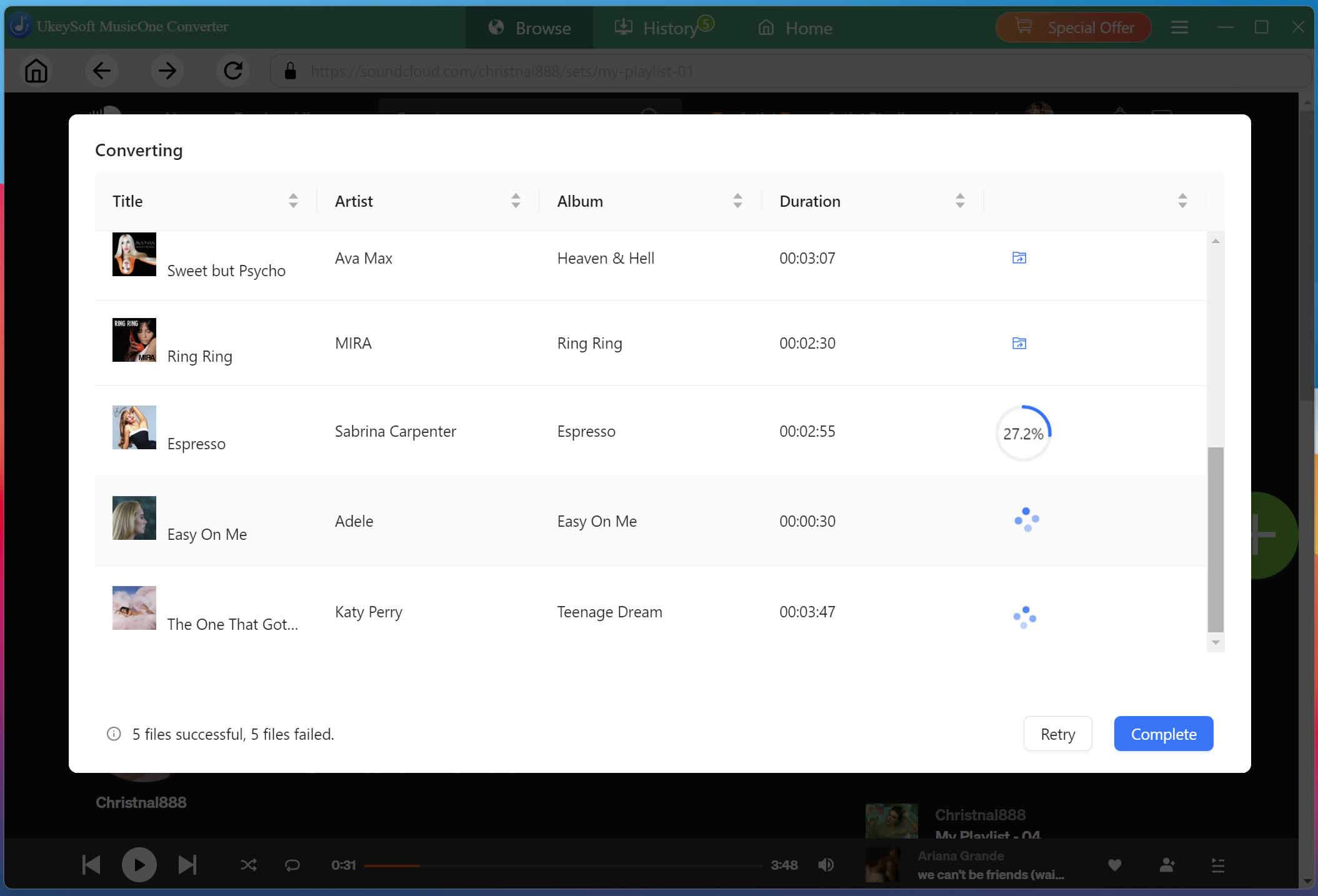
Click "Convert" button to start converting selected SoundCloud songs into MP3 or other format you set. UkeySoft SoundCloud Music Converter will process the tracks and save them as local audio files.
Get and Access Downloaded SoundCloud Songs
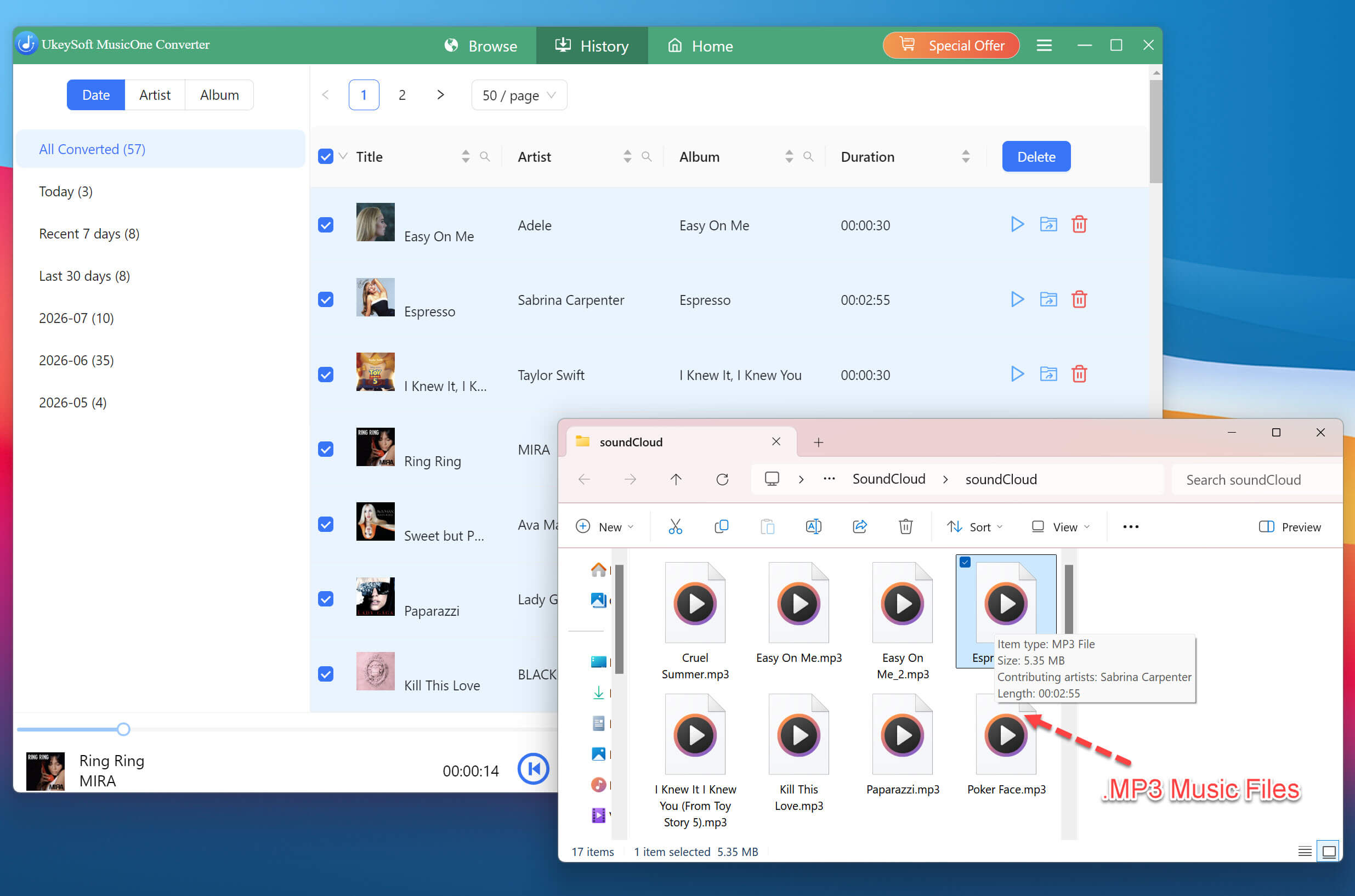
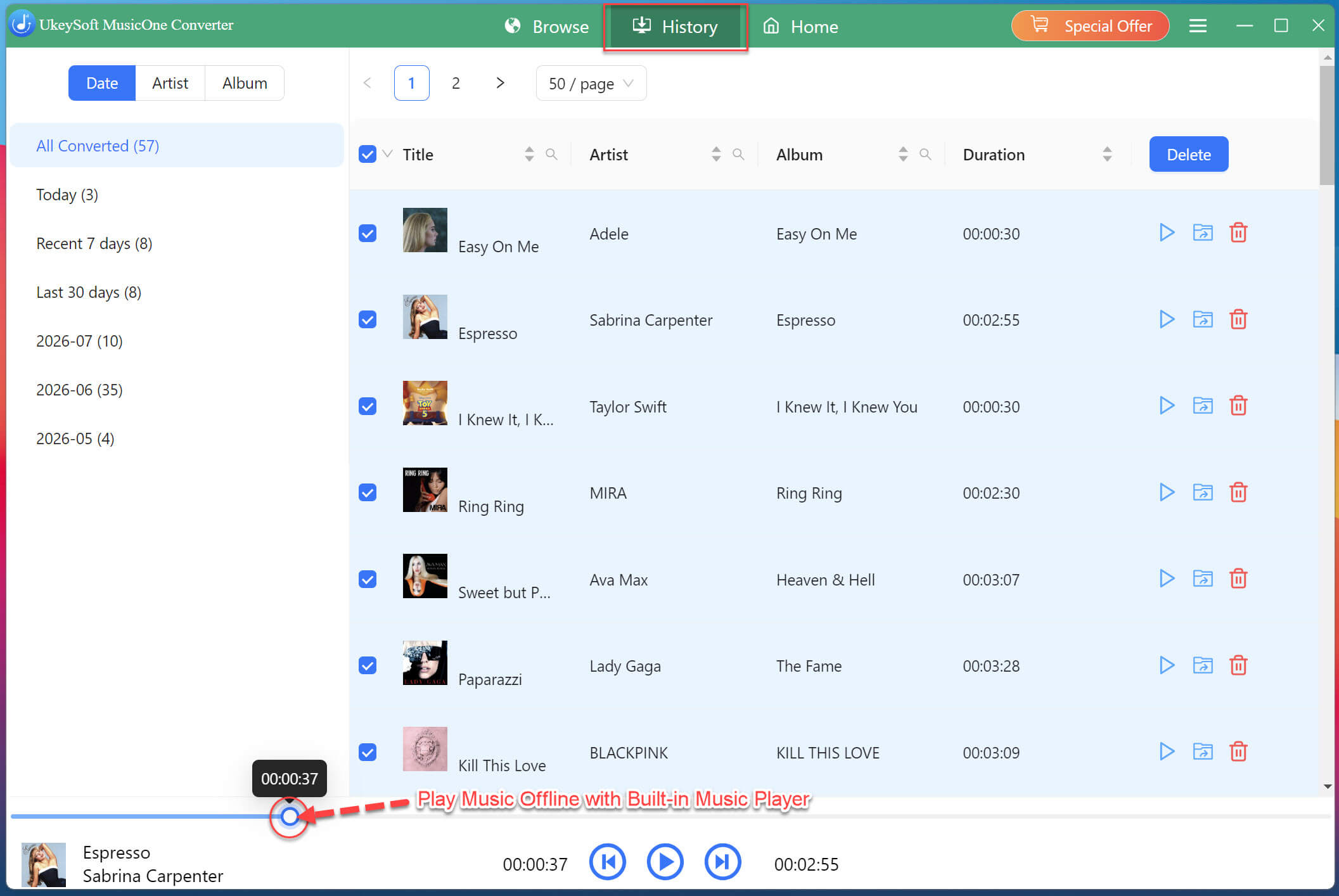
After downloading finishes, move to the "History" section or open the output folder to find your saved SoundCloud music files. You can transfer them to other devices and enjoy playback anytime.
Also, you may directly play these SoundCloud songs with the built-in music player in the converter. Say Goodbye to the SoundCloud app or other media players! UkeySoft makes it easy to download, play and manager your SoundCloud music library!
FAQs About SoundCloud Music Subscription and Downloads
Why can't I cancel my SoundCloud subscription?
Generally, you cannot cancel your SoundCloud Go or Go+ subscription directly through the SoundCloud app, Instead, you must access SoundCloud website using a computer or mobile web browser to complete the cancellation process.
Why did my songs disappear from SoundCloud?
For downloaded songs, they may disappear once your subscription expires. For your uploaded songs, they may disappear from SoundCloud due to upload limits, or copyright flags.
How to listen to SoundCloud offline without SoundCloud Go?
You can utilize a thirt-party SoundCloud music downloader tool or online services. For instance, UkeySoft SoundCloud Music Converter is a desktop software, allowing you to download MP3 music from SoundCloud to computer for offline listening, without a SoundCloud paid subscription account.
Conclusion
This guide explains how to keep SoundCloud music playable after canceling a subscription. Since SoundCloud's official features may limit offline access without subscription, third-party tools like UkeySoft SoundCloud Music Converter provide a convenient alternative. With this software, you can download your favorite SoundCloud tracks to MP3, store them locally, and listen to your music collection whenever you want without relying on an active subscription.
Justin Sabrina has always had great enthusiasm for writing, programming and web development. He likes writing about software and technology, his works are featured on some tech blogs or forums like Tom's Hardware, CNET, etc.
 English
 Arabic
 Chinese (Simplified)
 Chinese (Traditional)
 Croatian
 Czech
Czech Danish
 Dutch
Dutch Estonian
 Finnish
 French
 German
 Greek
Greek Hebrew
 Hindi
Hindi Hungarian
 Indonesian
 Italian
 Japanese
 Kazakh
 Korean
 Malay
Malay Norwegian
 Polish
 Portuguese
 Romanian
 Russian
 Slovenian
 Spanish
 Swedish
 Thai
Thai Turkish
 Ukrainian
 Vietnamese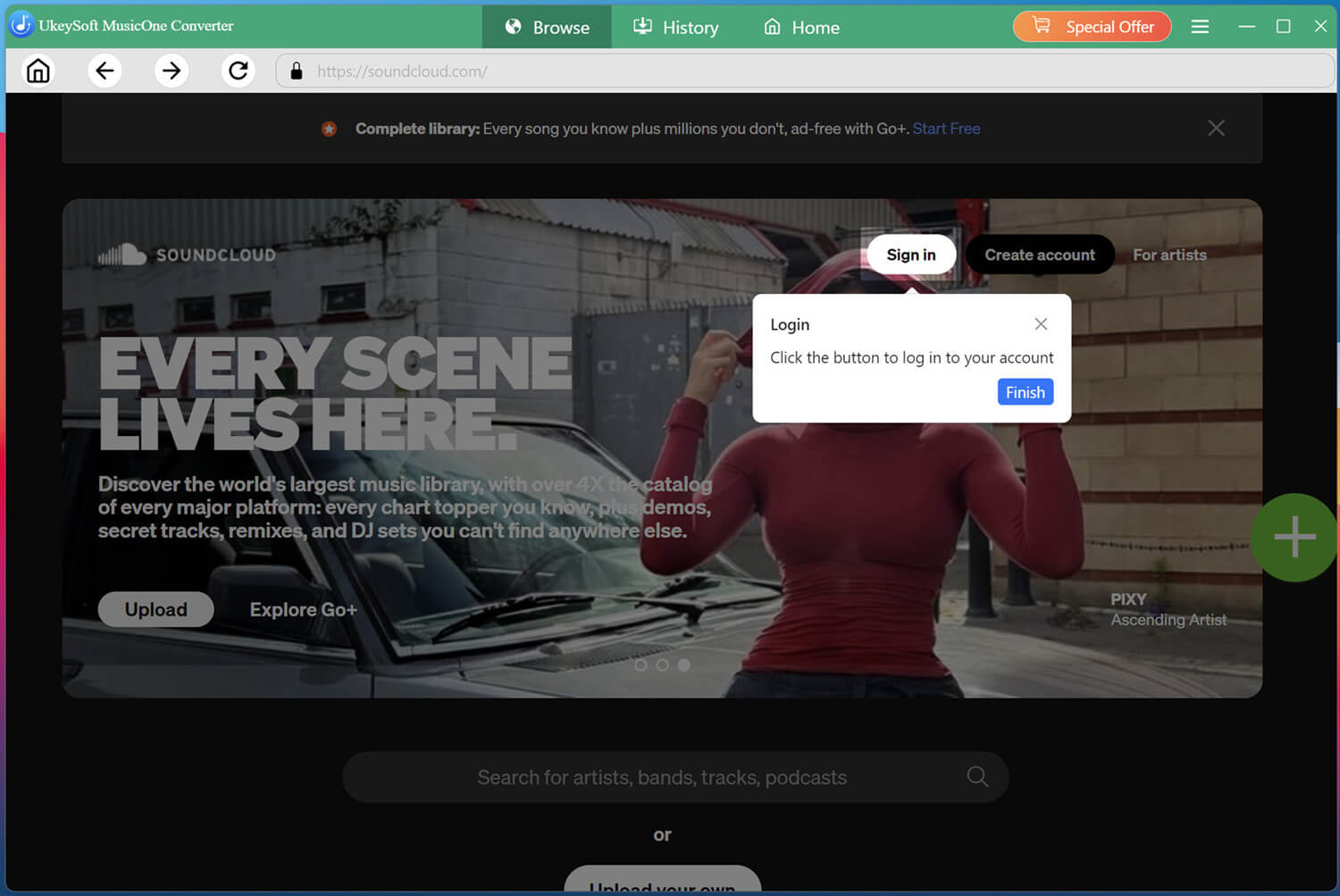








Comments are off!