-- Get the powerful album downloader here and use it to download full albums to computer from Spotify, Apple Music and other platforms with a Free account.
Q:"Can I download full albums directly to my computer and save them as MP3 files? I want to burn BlackPink's album 'Kill This Love' to CD for streaming in my car. Help please!?"
A: Normally, you can download music tracks, albums, and playlists with a paid subscription. You are not allowed to direct download albums to computer, but only to the authorized devices with the official streaming app. While for ad-supported users, you have the option to stream albums online with an Internet connection.
Moreover, offline downloads from any streaming service are DRM-protected cached files, not ordinary audio files. As a result, you need an active subscription to keep your downloads playable. To save Spotify music album to USB drive, burn CDs from Apple Music or other services, the only way out is to download albums to MP3. In this guide, we'll introduce the best album downloader to help you download music album to computer as local audio files.
Part 1. Best Album Downloader - UkeySoft All-in-One Music Converter
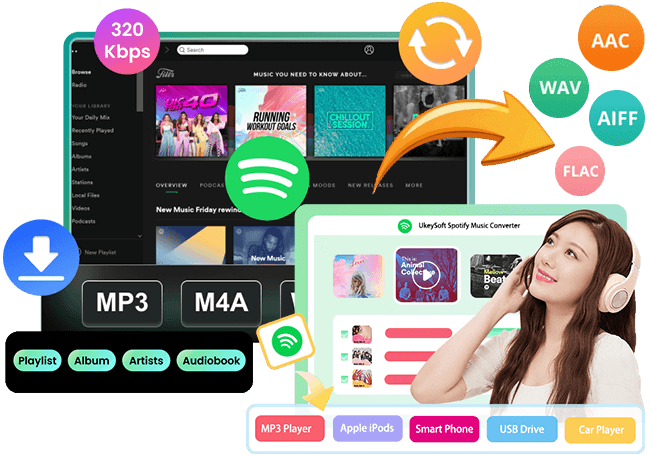
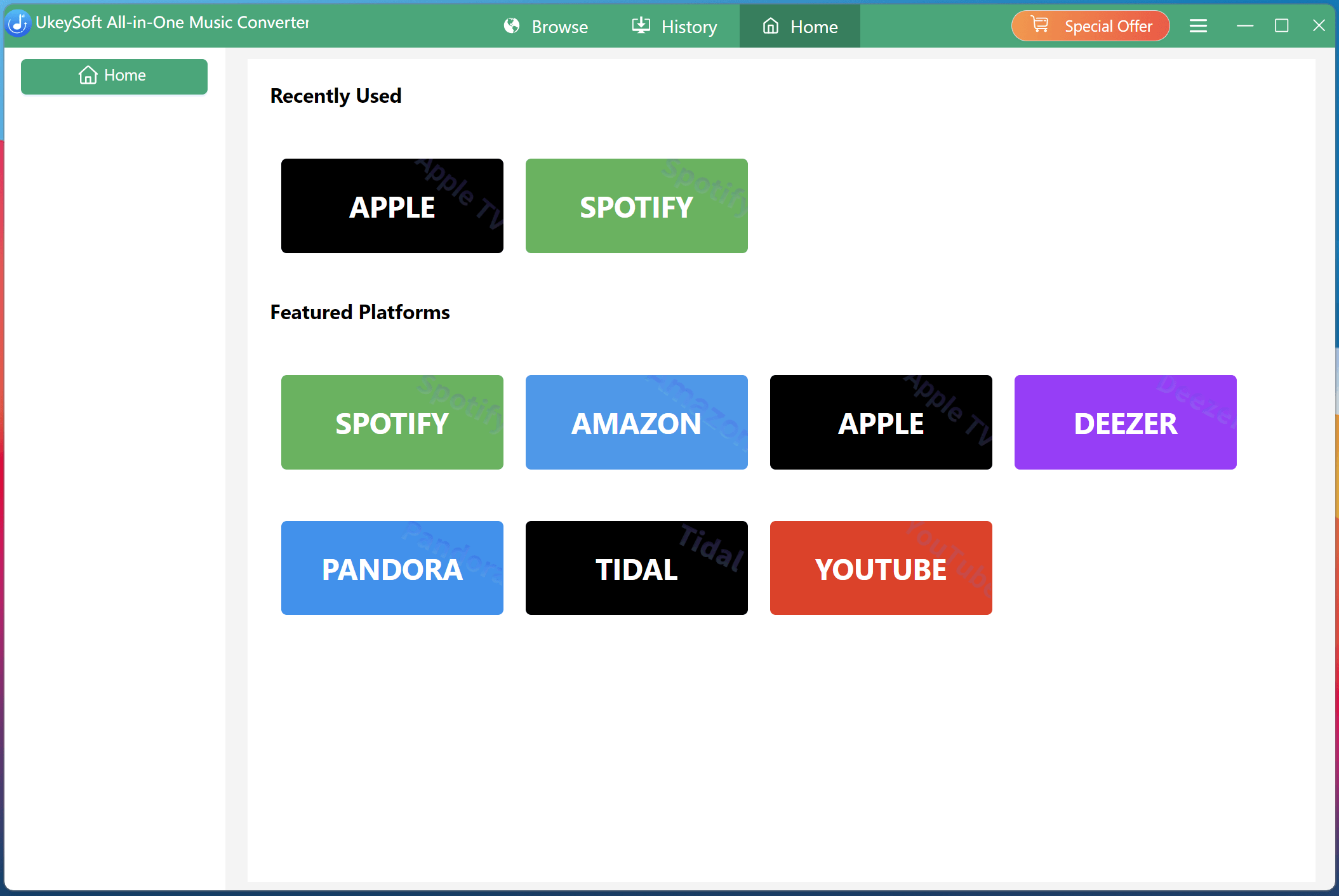
UkeySoft All-in-One Music Converter is an easy-to-use yet powerful album downloader for Windows and Mac computer. It supports multiple music platforms, common audio formats, batch downloads, and high-quality output. Using it, all users can download full albums to computer from Spotify, Apple Music, Amazon Prime Music, Amazon Music Unlimited, Amazon Music Free, Deezer, TIDAL, YouTube Music, and Pandora, even with an ad-supported account!
What's even better? UkeySoft enables you to download a full album to MP3 at 320kbps high quality, ensuring a great listening experience. With its built-in web player, you can open an album, select its tracks, and process them in one click! It also includes a built-in music player for managing and listening to downloaded music albums.
Part 2. How to Download Full Music Albums from Spotify Free to Computer?
UkeySoft All-in-One Music Converter delivers a straightforward process. Now let's look at how to download an entire album on a computer using Spotify Free account. You can download and install the software on your computer in advance.
Choose Spotify and Log In Free Account
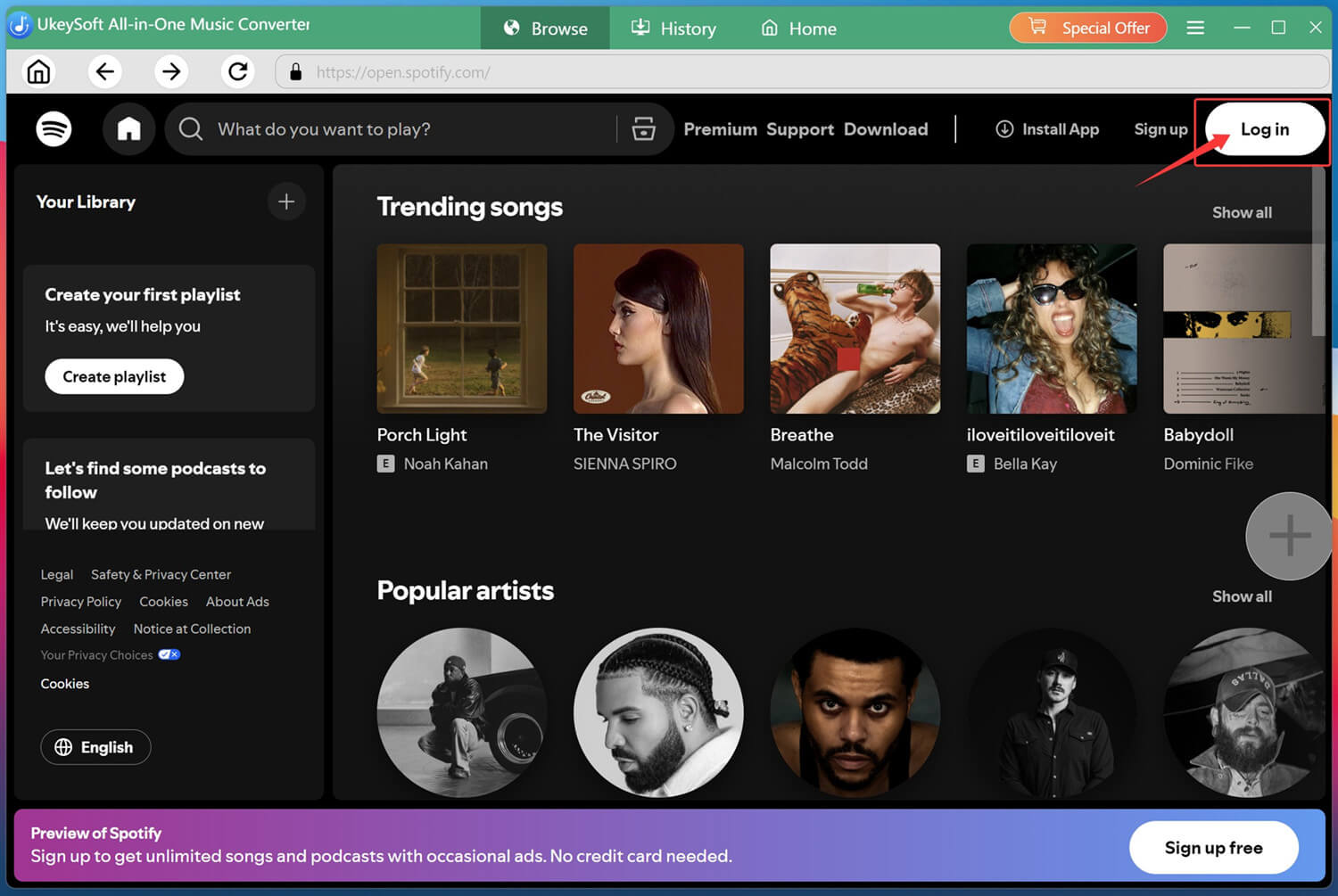
First of all, open UkeySoft All-in-One Music Converter and select Spotify from the available music services.
Log in to your Spotify free account inside the integrated Spotify web player so you can browse your music library and find the album you want to download.
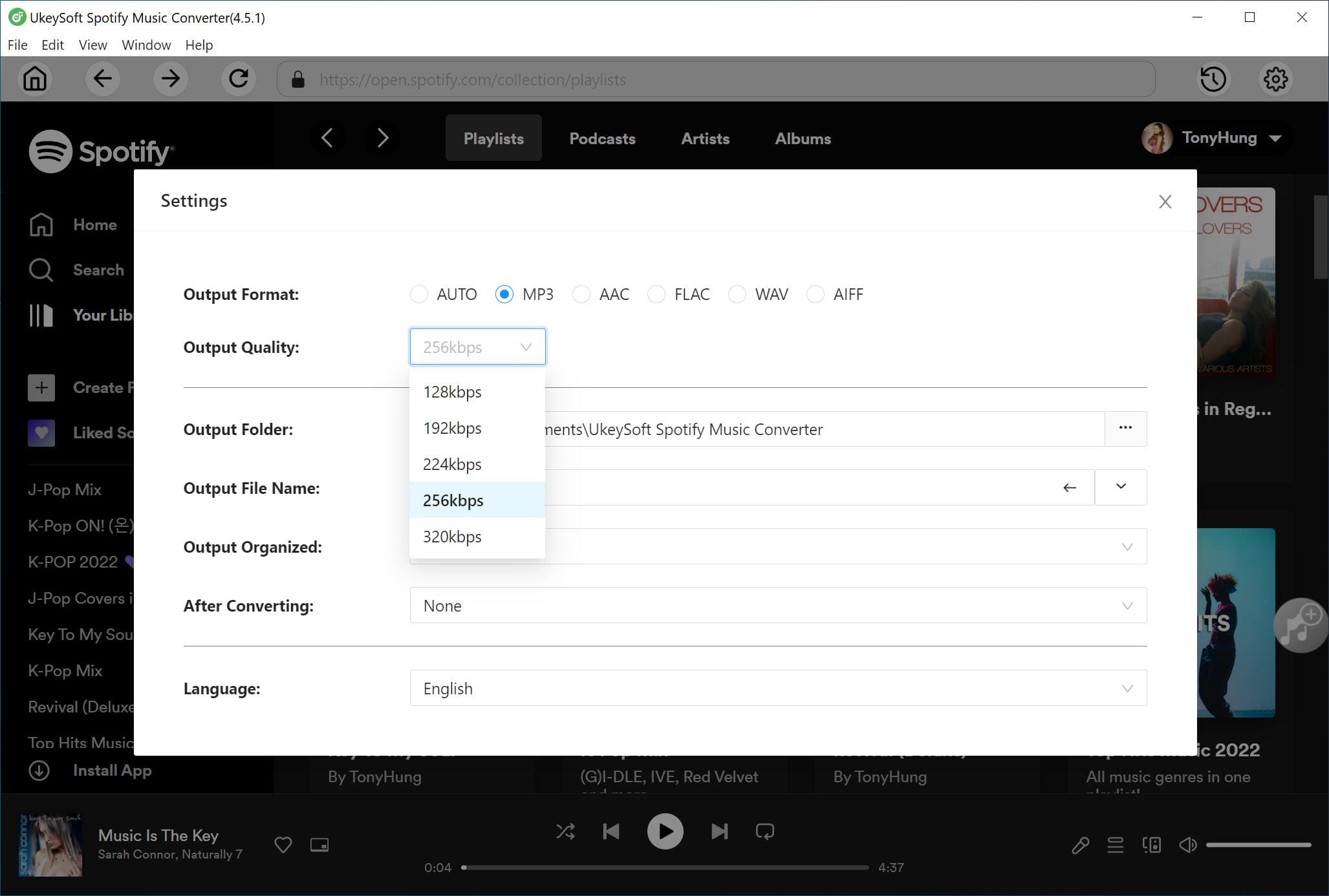
Set the Output Settings
Before you start downloading, configure the output settings. Click "Menu" and select "Preferences". Here, choose the desired output format, output quality, output folder, and other available parameters before processing the album. You can pick MP3 format and 320kbps option.
Open and Add an Album
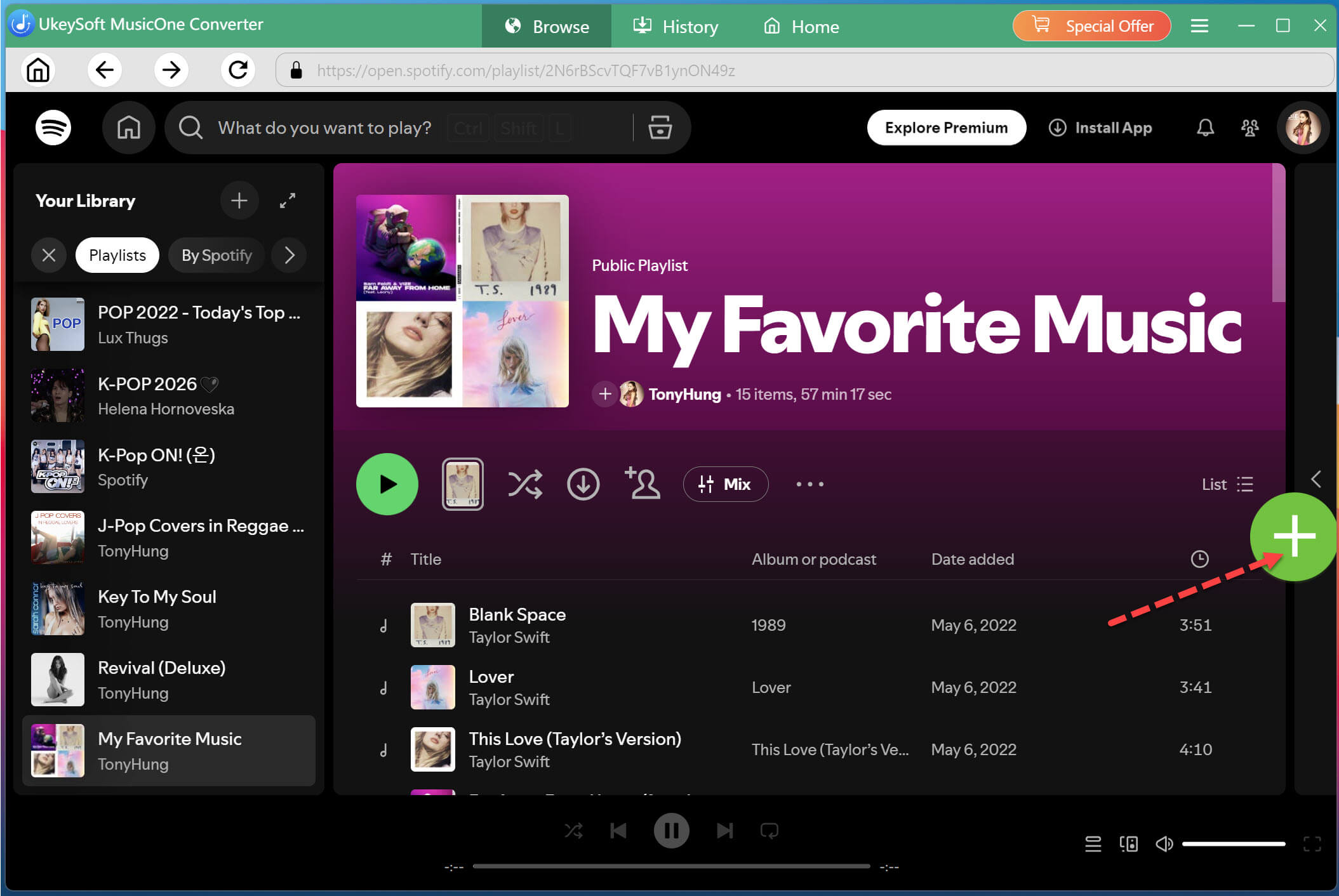
On the main interface, you may browse artists, albums, playlists, and individual songs. Search for the album you want, open its album page, and click the green "+" icon in the right side.
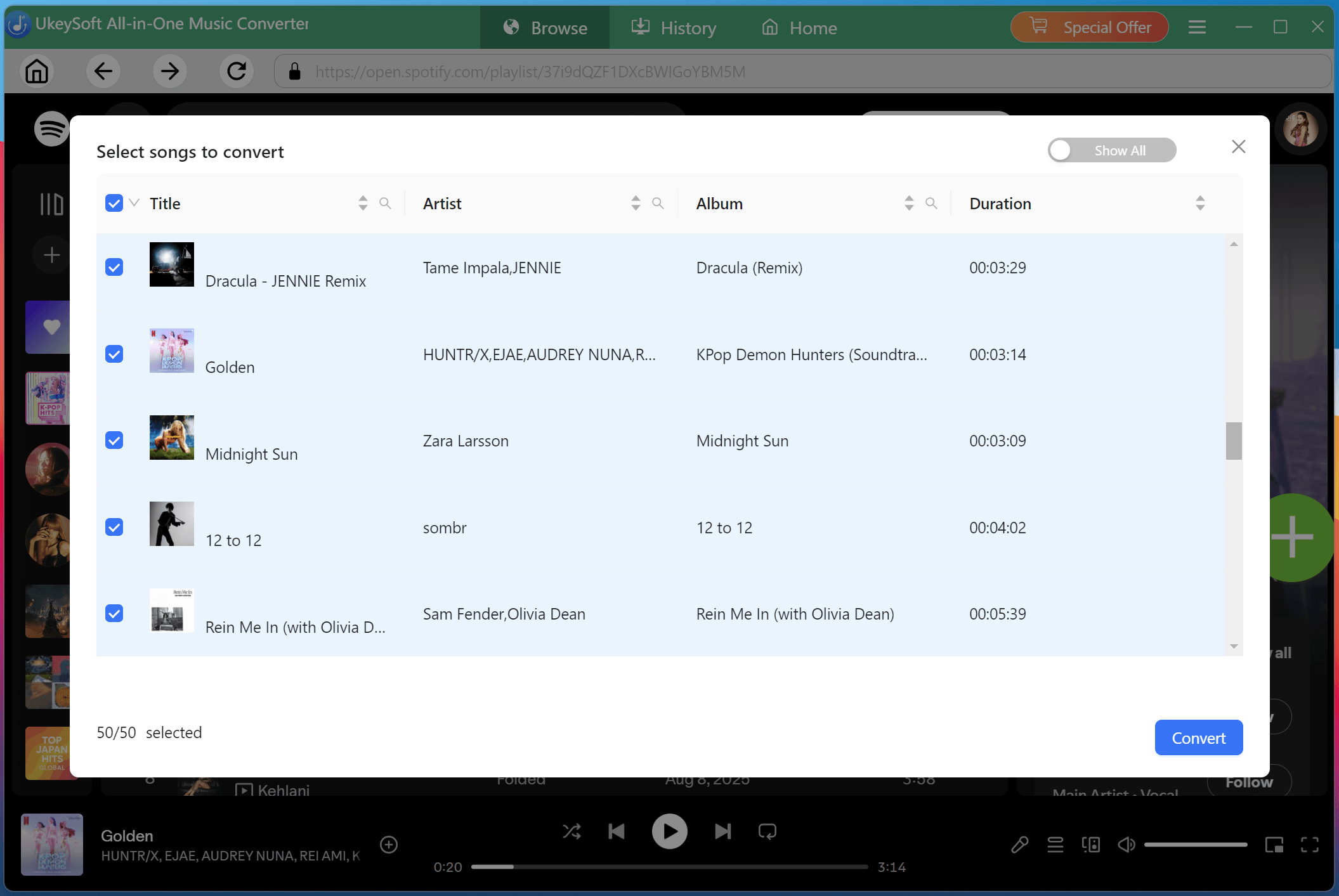
After adding the album, the software will display the tracks available for conversion. Review the song list and select all the tracks you want to save.
Begin Downloading the Spotify Album to MP3
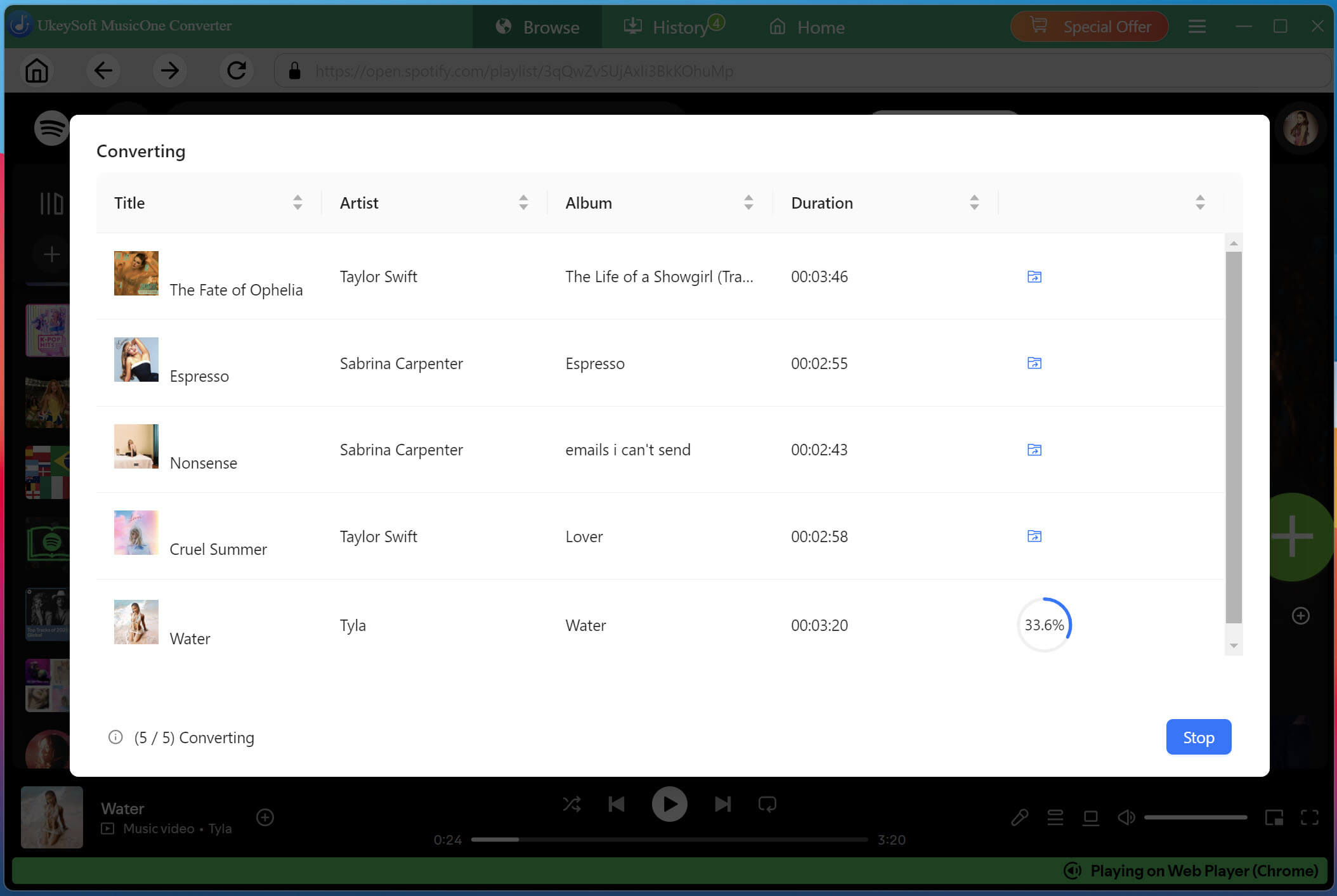
After selecting the songs, click the "Convert" button to begin processing. UkeySoft will batch-convert the selected tracks into MP3 files and save them to the specified folder on your computer.
Get the Downloaded Songs
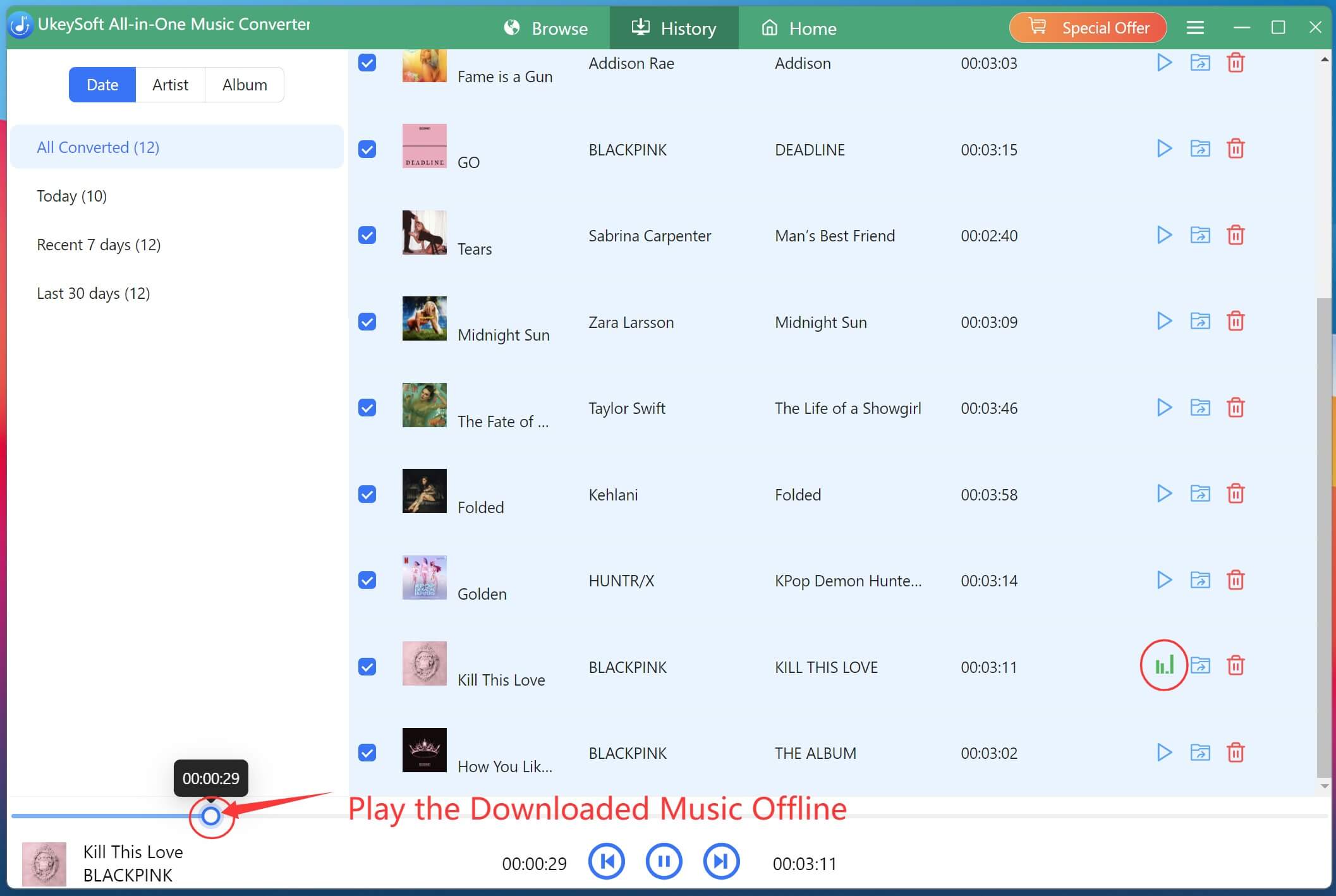
After downloading an album, open "History" section and select the files you want to play. UkeySoft includes a built-in music player, so you can listen to downloaded or local audio files directly within the application.
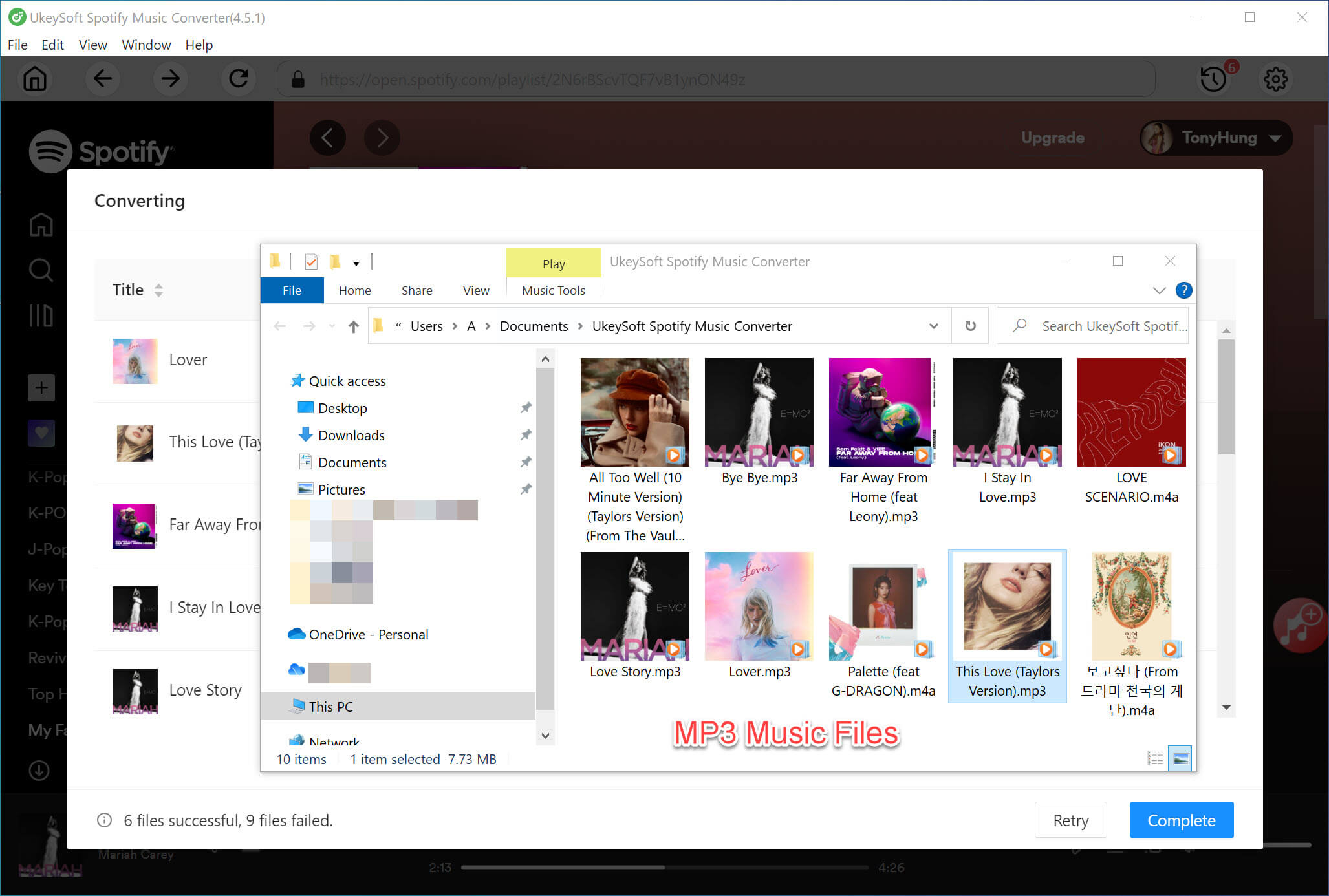
To locate the output MP3 files and get lyrics, you can click the folder icon next to any song title.
Part 3. FAQs About Album Downloads
Where Can I Get Free Album Downloads?
You can find and download full music albums for free using artist-authorized platforms and archive libraries. But these platforms are often insecure and offer a limited free music albums. We recommend that you can sign up for a free trial on Spotify, YouTube Music, Apple Music or other streaming services, and then download music albums to listen to offline.
How Do I Download an Entire Album to MP3?
If you have enough budget, you can purchase an album from Amazon Store or other digital stores, then download the album to you computer in MP3 format. For those who has a wide range of album collection, UkeySoft All-in-One Music Converter is the ultimate choice. It supports to batch-download albums to computer from multiple streaming music platforms, and convert the music albums into MP3 common audio files.
Where Can I Download a Full Music Album for Free?
Some independent music platforms provide free album downloads, but they come with limitations. If you want to download music album from a streaming service without purchasing or subscription, you can rely on the UkeySoft All-in-One Music Converter. It supports both ad-supported and ad-free accounts, allowing to download full music albums from popular streaming music services to your computer as local MP3, AAC, FLAC, WAV, AAC, or AIFF files.
Part 4. Conclusion
This blog introduces an easy way to get free album downloads for offline listening and keeping. UkeySoft All-in-One Music Converter is the best album downloader for most users. This desktop application is easy to operate. You don't need to install the streaming app, and it can help you download full albums from built-in web player to your computer folder. The up to 320kbps bitrate, well-preserved ID3 tags metadata lyrics ensure the best offline listening experience. Try it right now and use it to download music & full albums from popular streaming platforms with a Free account!
Justin Sabrina has always had great enthusiasm for writing, programming and web development. He likes writing about software and technology, his works are featured on some tech blogs or forums like Tom's Hardware, CNET, etc.
 English
 Arabic
 Chinese (Simplified)
 Chinese (Traditional)
 Croatian
 Czech
Czech Danish
 Dutch
Dutch Estonian
 Finnish
 French
 German
 Greek
Greek Hebrew
 Hindi
Hindi Hungarian
 Indonesian
 Italian
 Japanese
 Kazakh
 Korean
 Malay
Malay Norwegian
 Polish
 Portuguese
 Romanian
 Russian
 Slovenian
 Spanish
 Swedish
 Thai
Thai Turkish
 Ukrainian
 Vietnamese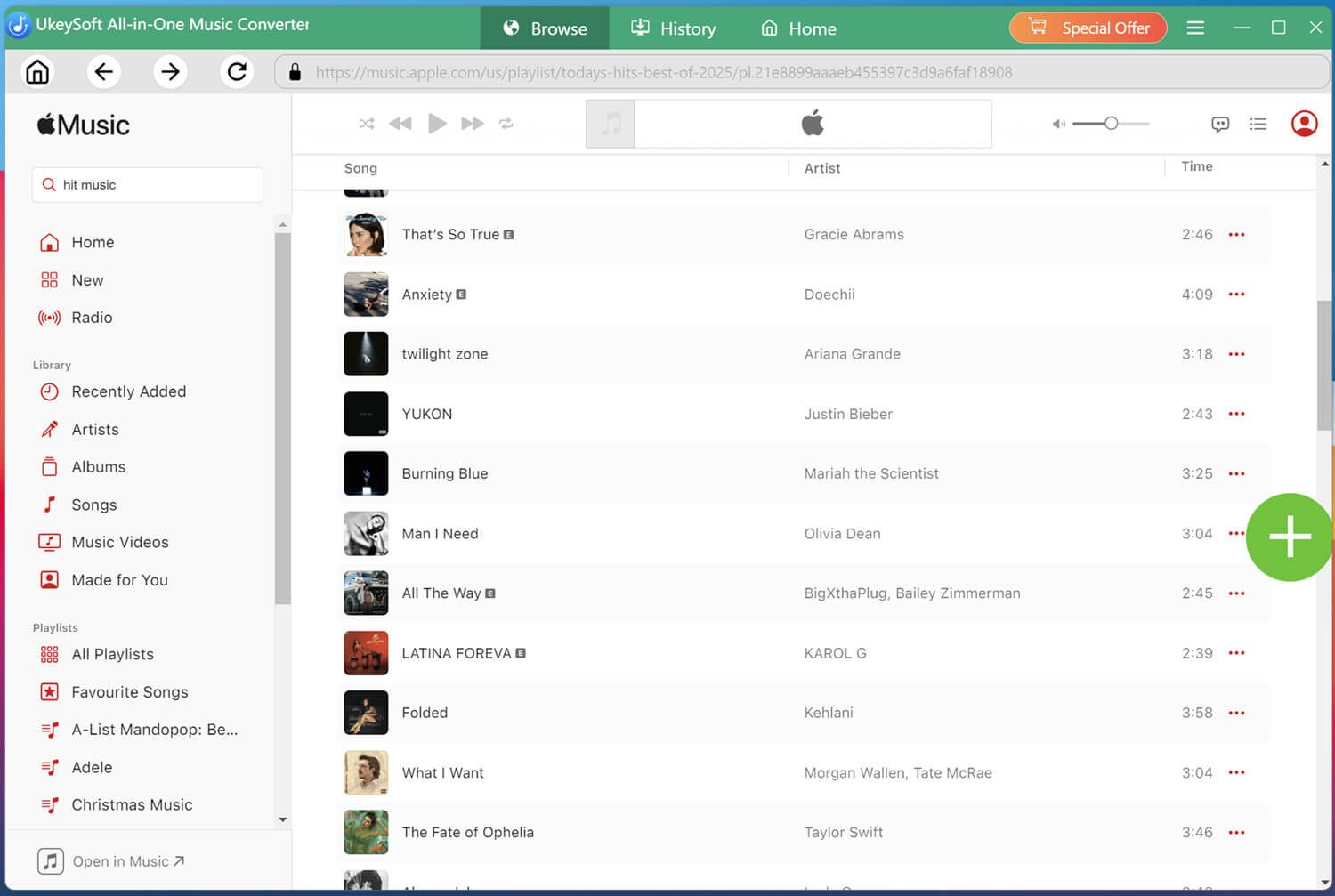










Comments are off!