 ✕
✕
✕
✕
By Justin SabrinaUpdated on September 01, 2021
Waveform Audio (.WAV)
The Waveform Audio File Format (WAV), also known as WAVE, is an audio file format. It is considered a "first-generation" format with no compression except with some manipulations in order to store the sound digitally, resulting in larger sizes compared to formats like MP3 and WMA. It stores raw audio that does not need special encoders/decoders to use, making it a very good standard for exchange with different platforms or operating systems such as Windows, Mac and Unix, Windows Media Player, VLC, iTunes, QuickTime, Microsoft Groove Music, Winamp, Clementine, XMMS, and probably other popular media player apps.
Would you like to convert Apple Music to WAV audio format for sharing with friends who have PC only? Have you ever thought about transferring the downloaded Apple Music files to Windows Media Player for playback? As we all know, Apple Music has a DRM (Digital Rights Management) component, just every other streaming service, which can be cumbersome for anyone who wants to enjoy Apple Music on a high-definition player other than an Apple device.
Thankfully, UkeySoft Apple Music Converter makes things different, it can change Apple Music M4P/AAC to other audio format. UkeySoft Apple Music Converter is a professional DRM removal to help you remove DRM from Apple Music tracks and convert Apple Music songs/playlist/albums to WAV, M4A, AC3, AAC, AIFF, AU, FLAC, M4R or MKA at 16X faster speed with lossless quality. Also, both Windows version and Mac version are available.
Why Choose UkeySoft Apple Music Converter
Step 1. Install UkeySoft Apple Music Converter
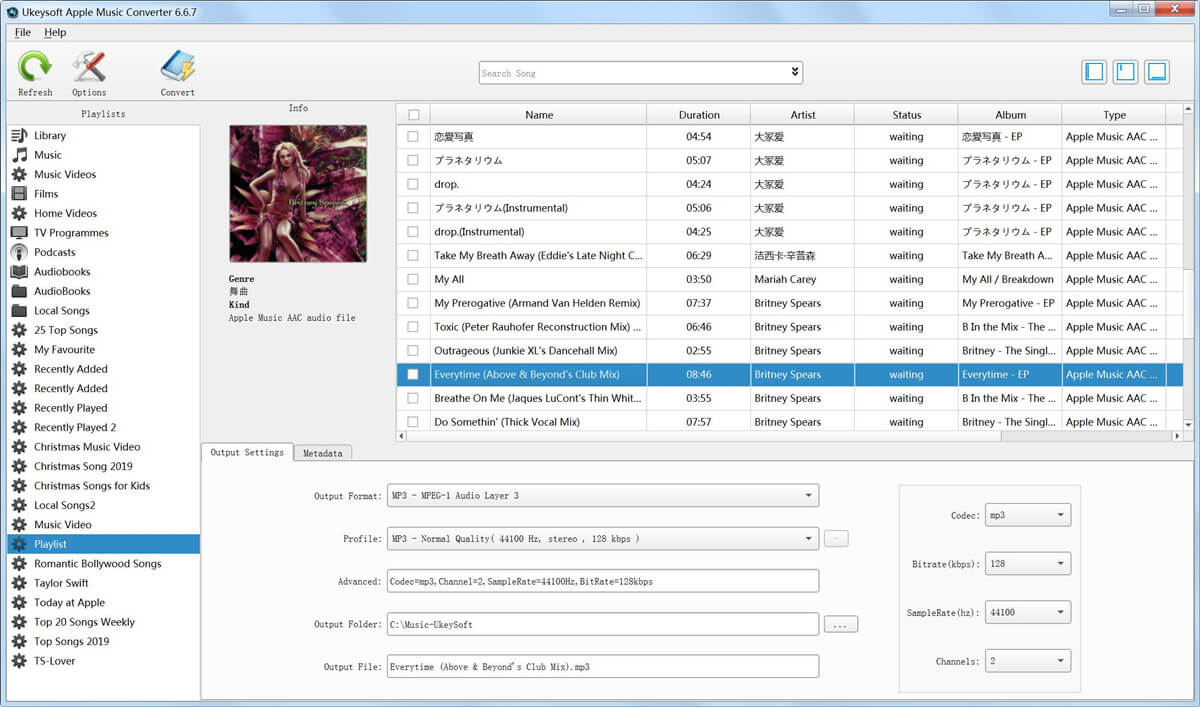
After downloading UkeySoft Apple Music Converter on computer, finish the installation and launch it. iTunes will be automatically launched with the software. You get the main screen as follows.
Step 2. Select Apple Music Tracks
You can select the Apple Music M4P songs you want to convert from the left "Playlist". If you can't find the song, you can use the search function on the top of the screen.
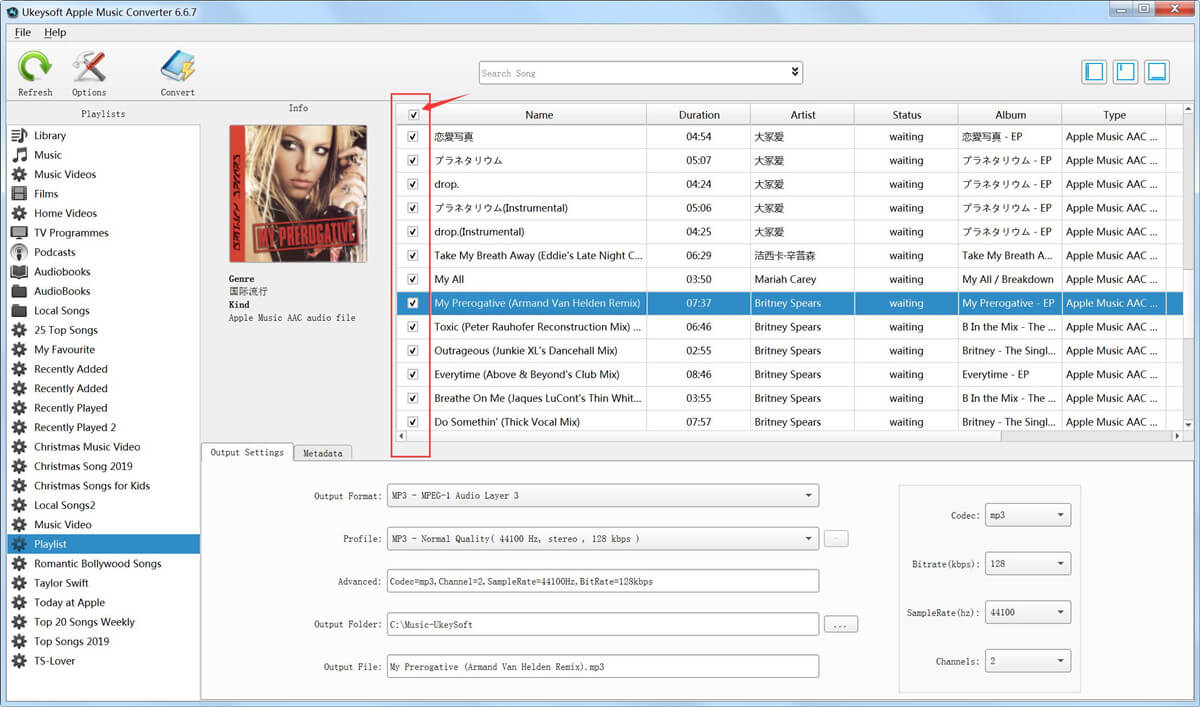
Note: The program has a built-in batch conversion function that allows you to select multiple songs in batches at once.
Step 3. Select WAV as Output Format
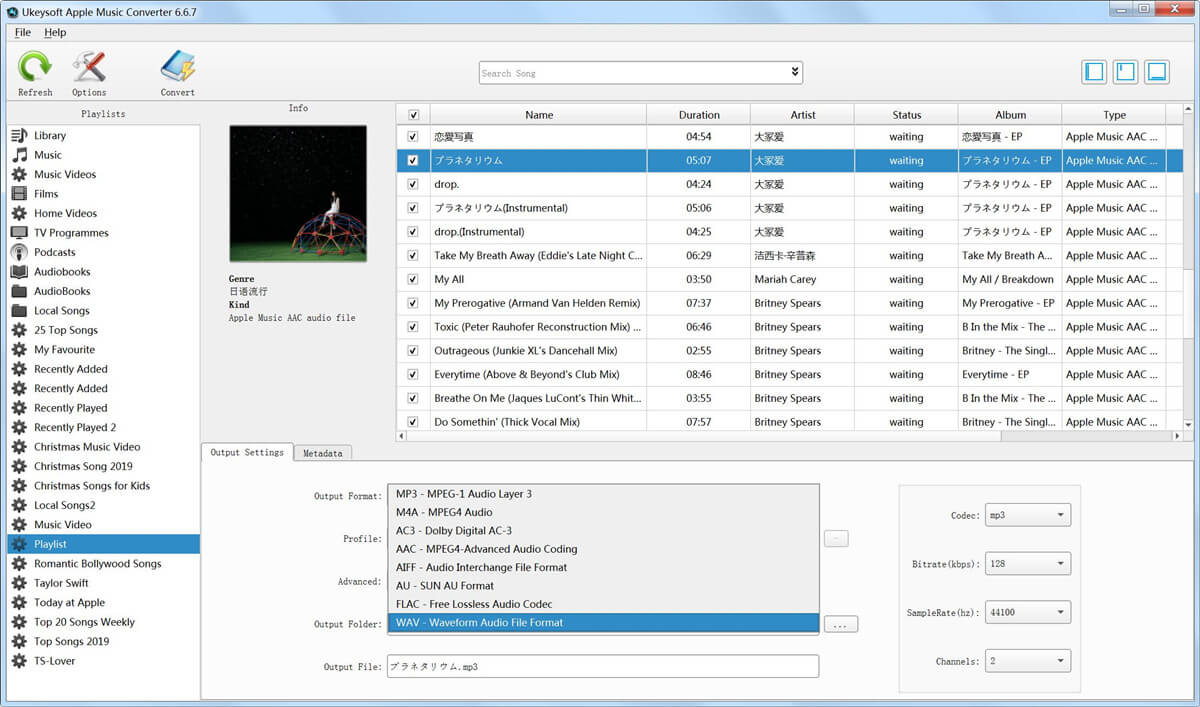
Now move to "Output Settings" section and click the drop-down list of "Output Format". Here, you can set the WAV format as the output format. Besides, you can change the output folder as you like by clicking on the box next to Output Folder option.
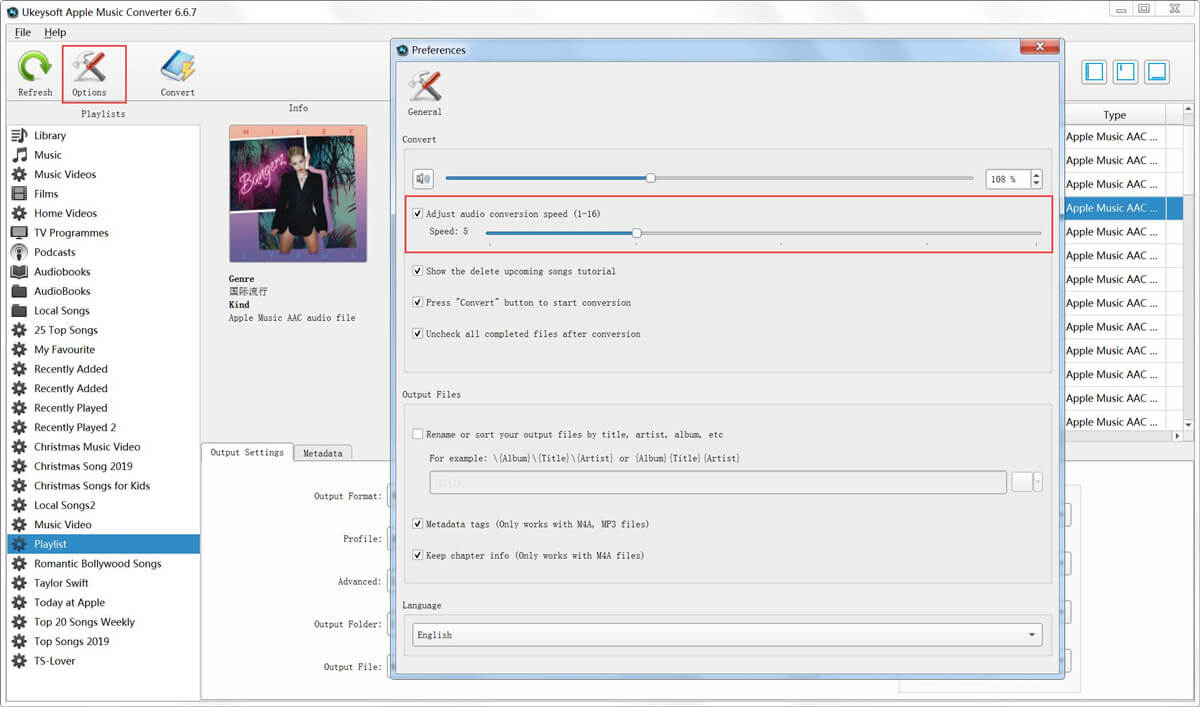
(Optional) If you want to adjust your conversion speed, just click on "Options" button on the menu bar to open the "Preference" window, you are now free to adjust the conversion speed and the conversion speed can reach up to 16X.
Step 4. Convert Apple Music Songs to WAV Format
Simply click on the "Convert" button to start converting Apple Music M4P songs to WAV format. Once the conversion is finished, you can find the DRM-free Apple Music tracks on the output folder.
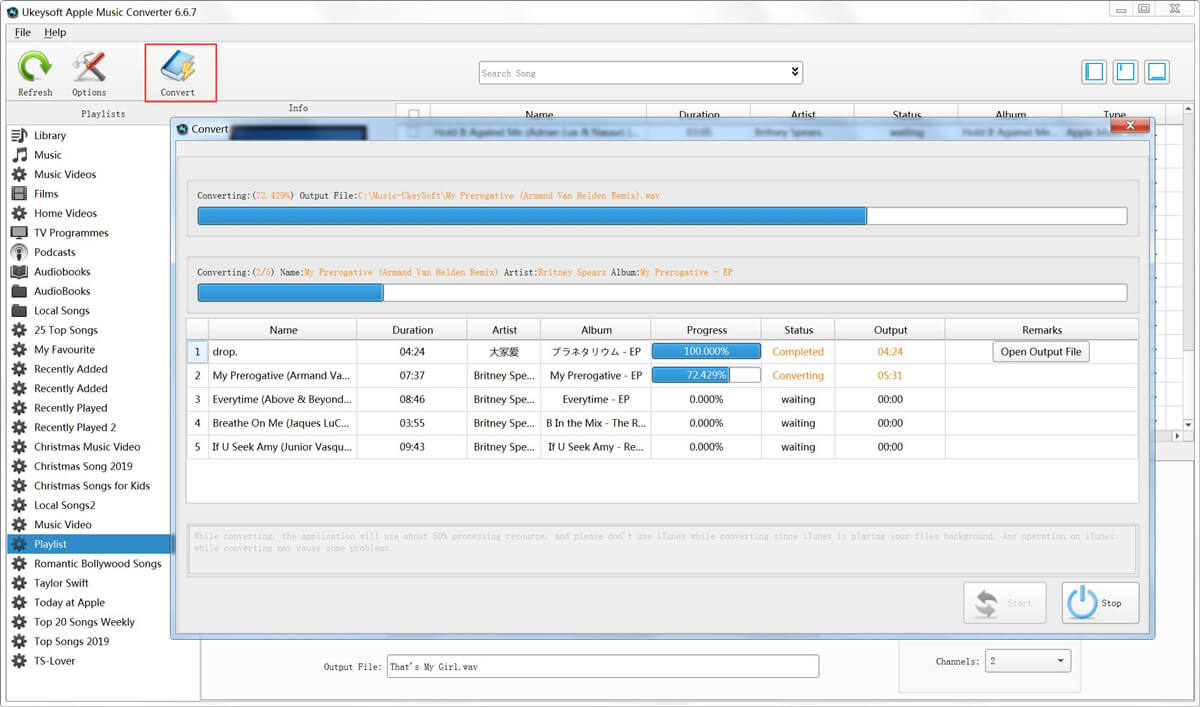
Now you can play the DRM-free Apple Music files in .wav format on Windows Media Player, VLC Media Player, iTunes, QuickTime, Microsoft Groove Music, and other popular media player as well.

Prompt: you need to log in before you can comment.
No account yet. Please click here to register.










![7 Best FREE Apple Music Converters [2026 Updated]](https://www.ukeysoft.com/wp-content/uploads/2019/04/best-apple-music-converter.jpg)



















Porducts
Solution
Copyright © 2026 UkeySoft Software Inc. All rights reserved.


 English
 Arabic
 Chinese (Simplified)
 Chinese (Traditional)
 Croatian
 Czech
Czech Danish
 Dutch
Dutch Estonian
 Finnish
 French
 German
 Greek
Greek Hebrew
 Hindi
Hindi Hungarian
 Indonesian
 Italian
 Japanese
 Kazakh
 Korean
 Malay
Malay Norwegian
 Polish
 Portuguese
 Romanian
 Russian
 Slovenian
 Spanish
 Swedish
 Thai
Thai Turkish
 Ukrainian
 Vietnamese



























![Top 10 Christmas Songs to MP3 Download [Spotify]](https://www.ukeysoft.com/wp-content/uploads/2023/01/christmas-songs-to-mp3.jpg)


































































































































No comment yet. Say something...