 ✕
✕
✕
✕
By Justin SabrinaUpdated on May 07, 2026
For music lovers, attending a music festival is a great way to enjoy live performances with family and friends in an exciting, shared atmosphere. A music festival brings together thousands of fans to celebrate their favorite artists. Whether you want to familiarize yourself with the music festival songs in advance or can't attend in person to hear your idols perform, you can easily enjoy curated festival playlists on streaming platforms like Spotify.
With Spotify Music Festival features, you can create your own personalized festival lineup, discover new artists, and build the ultimate playlist. What's more, you can even download your favorite music festival playlist on Spotify to enjoy a smooth and excellent listening experience. In this article, we'll introduce the top 5 music festival playlists on Spotify, show you how to create your own viral lineup, and share simple methods to download Spotify music festival playlists, even without a Premium account!

CONTENTS
If you plan to attend a music festival with your family or friends but are unfamiliar with the scene, you can check out some of the most popular festivals on Spotify before you head out.
#1. ACL Music Fest 2026
Austin City Limits (short for ACL) Music Festival returns in 2026 with over 100 acts across eight stages in Zilker Park. Known for its eclectic mix of rock, indie, hip‑hop, and country, ACL's official Spotify playlist is updated weekly leading up to the event. It's perfect for discovering headliners and hidden gems alike.
#2. Ultra Music Festival 2026 Playlist
If you're a fan of EDM, the Ultra Music Festival 2026 playlist from Miami is a must-listen. Packed with high-energy tracks from top DJs and producers like Martin Garrix, Carl Cox, and Charlotte de Witte, it delivers the electrifying vibe of one of the world's biggest electronic music events.
#3. Wild Blueberry Festival
Held in Paradise, Michigan (Aug 14-16, 2026), the Wild Blueberry Festival playlist offers a more relaxed and indie-focused experience. Featuring folk, acoustic, and alternative tracks, it's perfect for listeners who want a chill yet immersive way to enjoy the music festival mood.
#4. SUMMER SONIC 2026
Japan's biggest urban festival, SUMMER SONIC, takes place in Tokyo and Osaka in August 14-16, 2026. It brings together international rock, punk, and electronic acts alongside J-pop and anime music. The playlist is a gateway to Eastern and Western fusion, perfect for adventurous listeners.
#5. Harvest Music Festival 2026
The Harvest Music Festival happens in Fredericton, New Brunswick from September 15-20, 2026. It features a mix of indie, folk, and rock artists in a relaxed seasonal setting. Its Spotify playlist captures the warm festival vibe, ideal for sunset listening and laid‑back crowds.
Step 1. Visit a lineup generator tool like Instafest website, or open its app. Click "Sign in with Spotify".
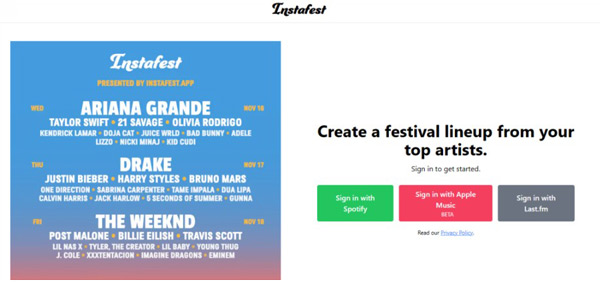
Step 2. Log in using your Spotify account to allow the tool to access your listening history.
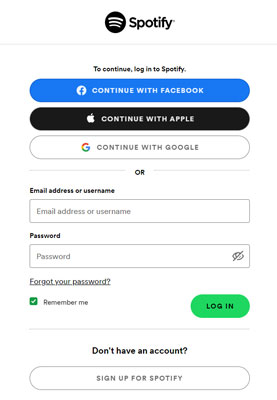
Step 2. Select a time frame for your listening data:
● Last 4 weeks
● Last 6 months
● All-time favorites
This determines which artists appear in your festival lineup.
Step 3. You can personalize your Spotify Music Festival poster by:
● Choosing festival name
● Selecting poster style
● Adjusting lineup size
● Setting background themes
Then click the "Create" or "Generate" button.
Step 4. Simply click the "Save and Share" button. Then download the poster and share it on Instagram, TikTok, or Twitter.
While streaming is convenient, many users want to download music festival playlist on Spotify for offline listening, especially when traveling or saving data. If you've upgraded to Spotify Premium you can skip ads, enjoy lossless audio and download Spotify playlists for offline playback. Follow below steps to download music festival playlists on Spotify app.
Step 1. Open Spotify app on your mobile device or desktop.
Step 2. Sign in with your Premium account.
Step 3. Enter the name to find your festival playlist.
Step 4. Toggle the "Download" button to save all songs in the playlist offline.
Step 5. Go to "Your Library", locate your downloaded playlist and enjoy it offline.
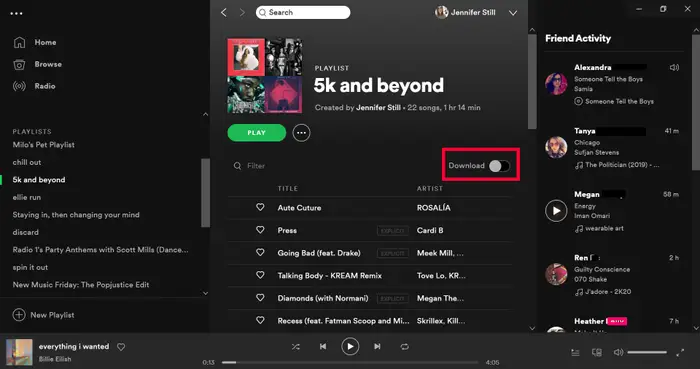
Typically, the downloaded Spotify playlists and songs are protected with DRM, and these songs can only be opened and played on the Spotify app. Once your will disappear. Therefore, downloading Spotify playlists to MP3 can be a more flexible and helpful choice.
UkeySoft Spotify Music Converter is a powerful tool designed for both Free and Premium users. It allows you to download Spotify songs, albums, podcasts, audiobooks, and and playlists (including festival playlists) as 320kbps MP3 files for local storage. It also lets you download and convert Spotify music to M4A, FLAC, WAV, AAC, or AIFF audio formats losslessly.
With its built-in web player, you can browse, search, add and download music directly without needing the Spotify app. The software supports batch downloading, enabling you to save entire festival playlists at once with up to 16X faster speed. More importantly, all downloaded Spotify songs are stored locally, so you can keep them forever and enjoy the music festival offline on any device, anytime.
More Features of UkeySoft Spotify Music Converter:
Step 1. Run Software and Sign In Account
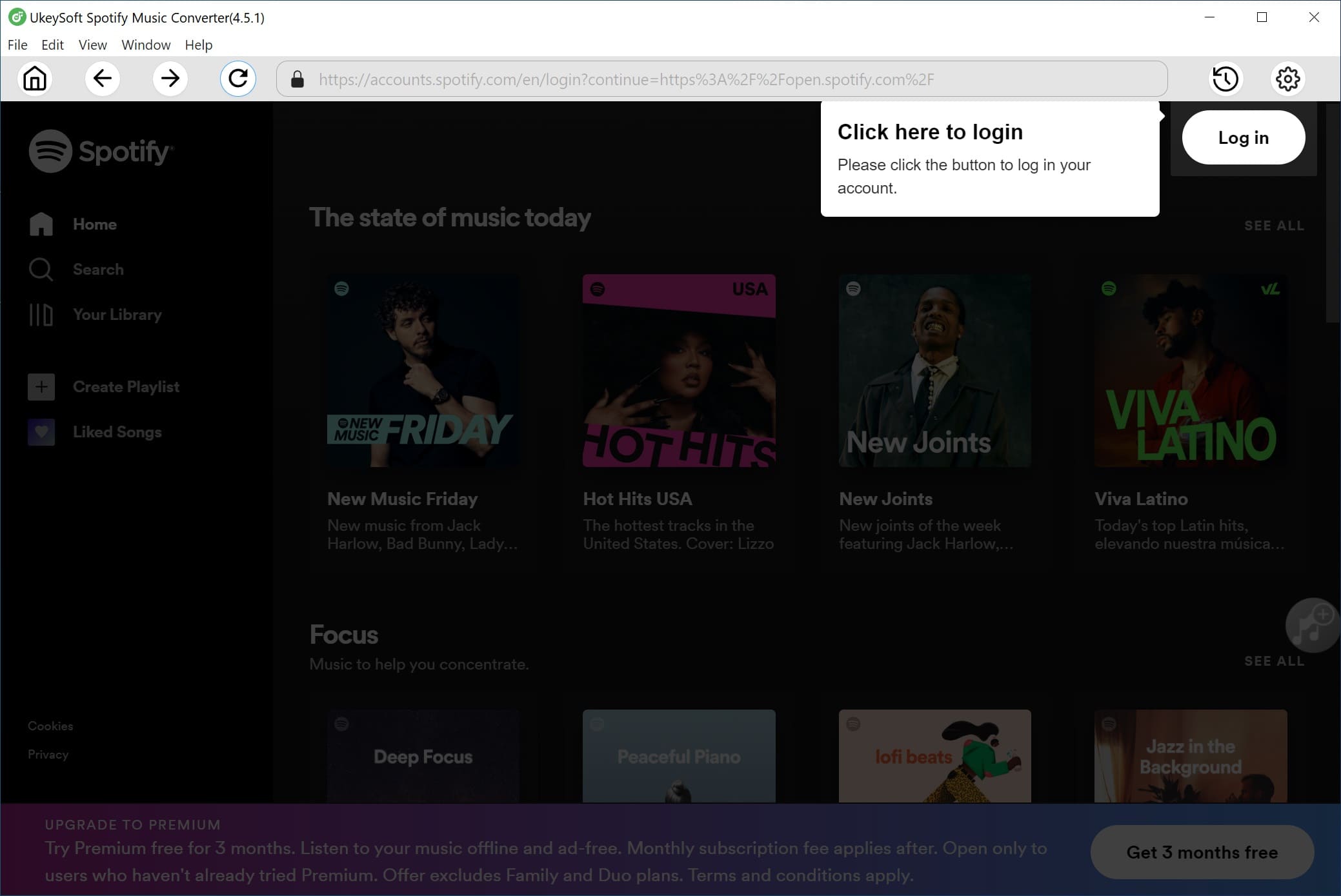
After installation, launch UkeySoft Spotify Music Converter on desktop or laptop, and log into your Free or Premium account through the built-in web player to access your playlists and personalized Spotify Music Festival lineup.
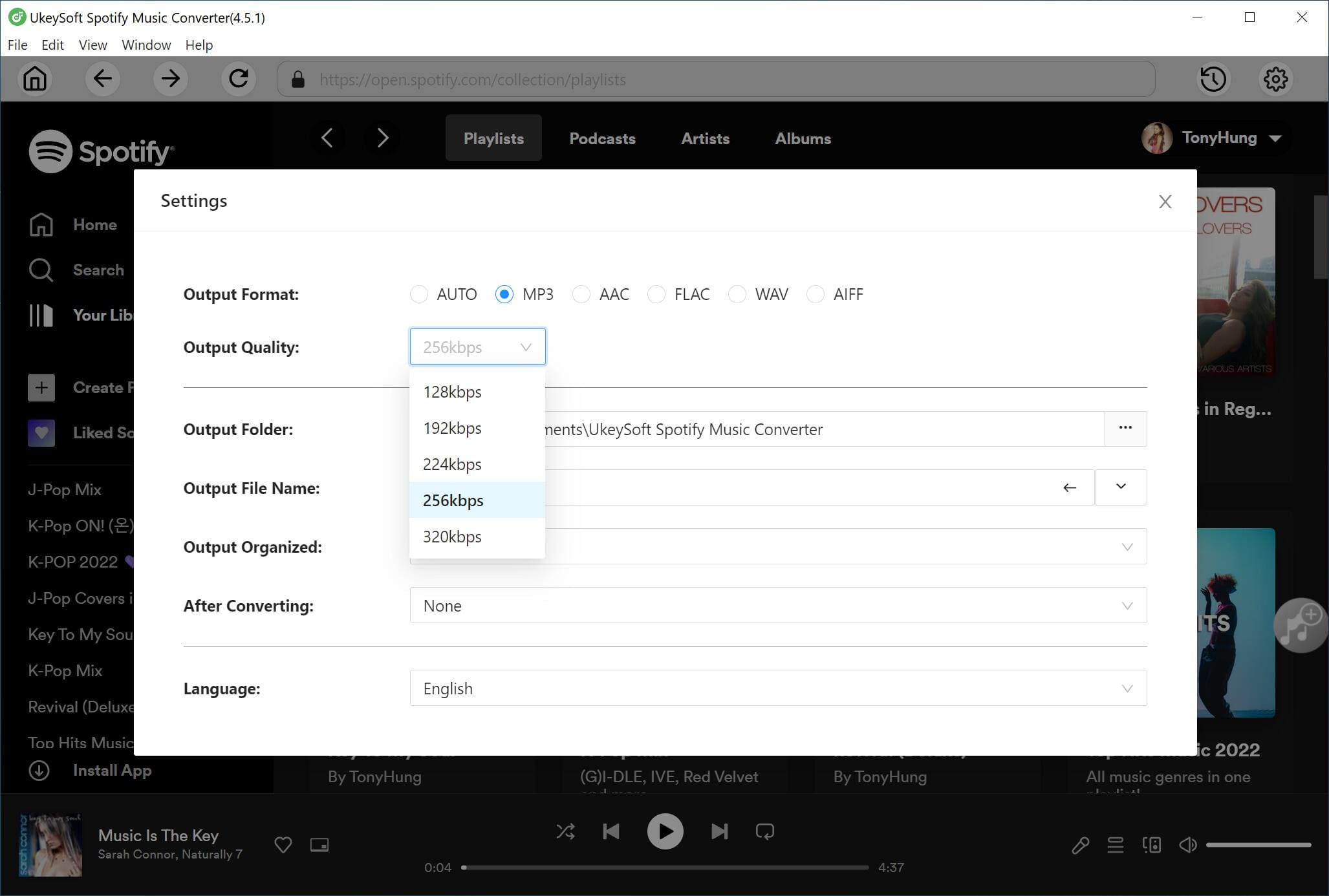
Step 2. Choose MP3 & 320kbps Options
Click the "Settings" (a gear icon) to customize output format (MP3), output quality (up to 320kbps), output folder, and file organization preferences to ensure high-quality playback and easy management.
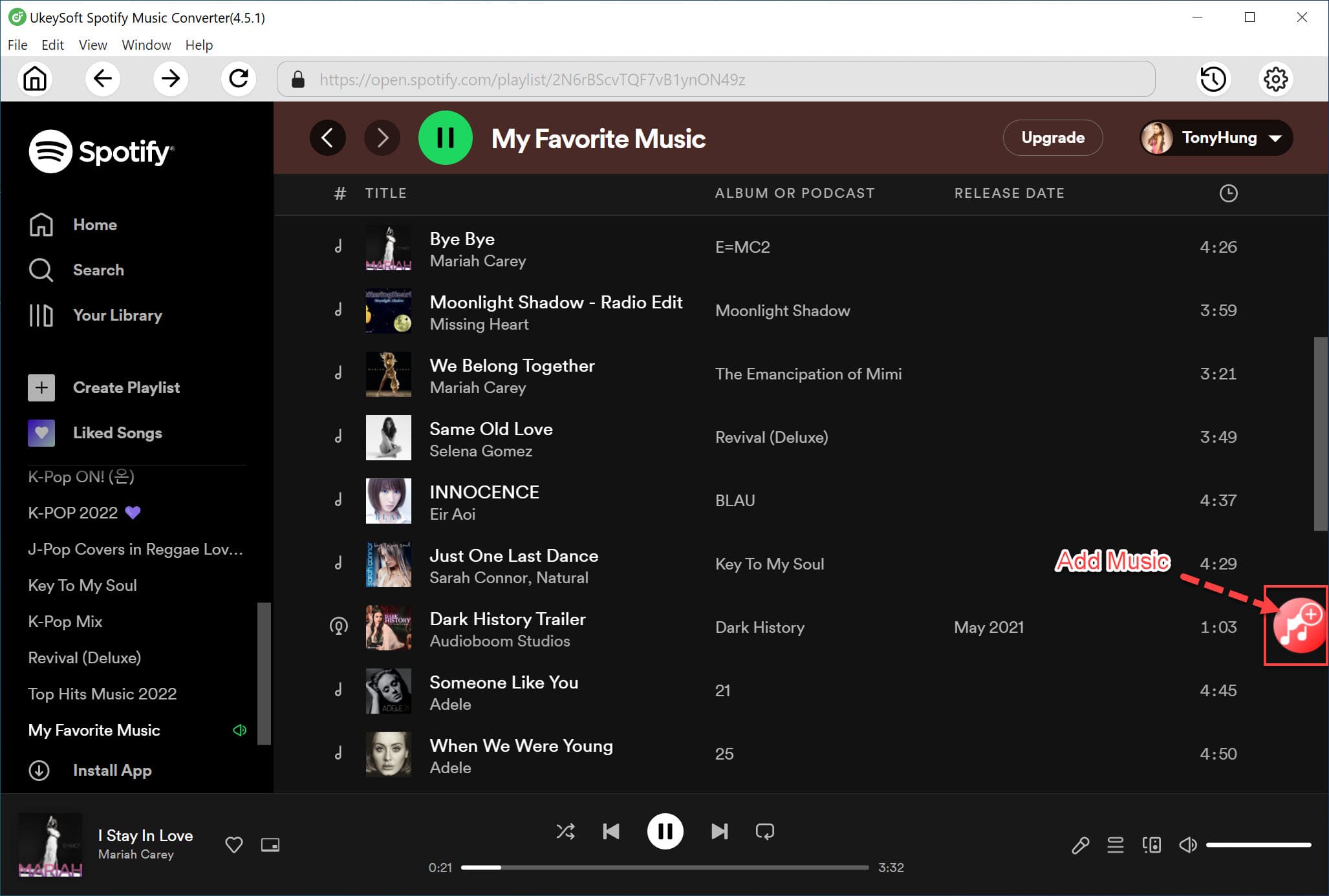
Step 3. Add Spotify Music Festival Playlist
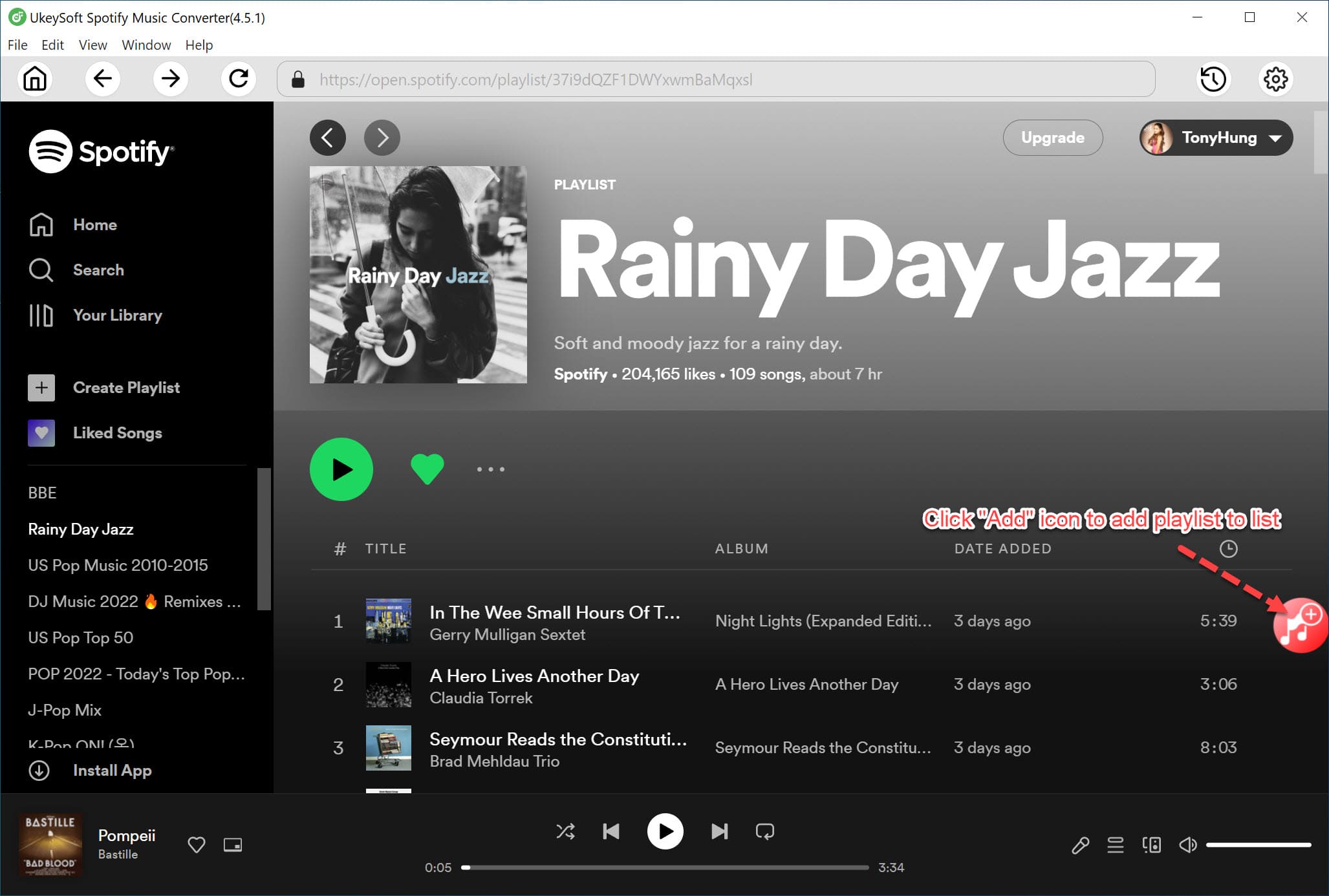
Browse your desired Spotify Music Festival playlist, then click the red "+" icon to add it to the conversion list with a single click.
Next, confirm and choose specific tracks or select the entire playlist for batch downloading.
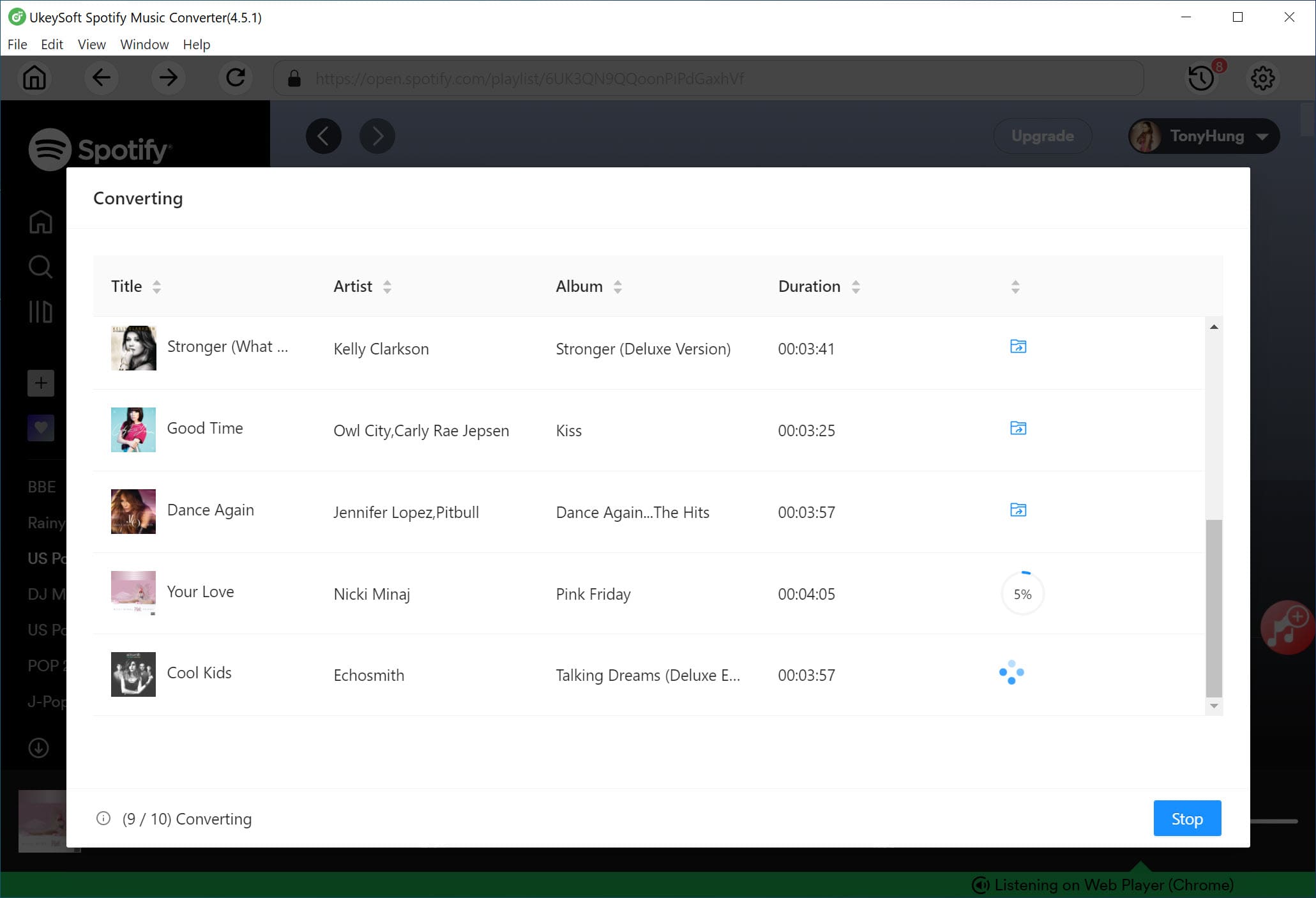
Step 4. Convert Spotify Music Festival Playlist to MP3
Hit on the "Convert" button to start downloading your selected songs. The tool will process and convert tracks to MP3 at high speed while maintaining original audio quality.
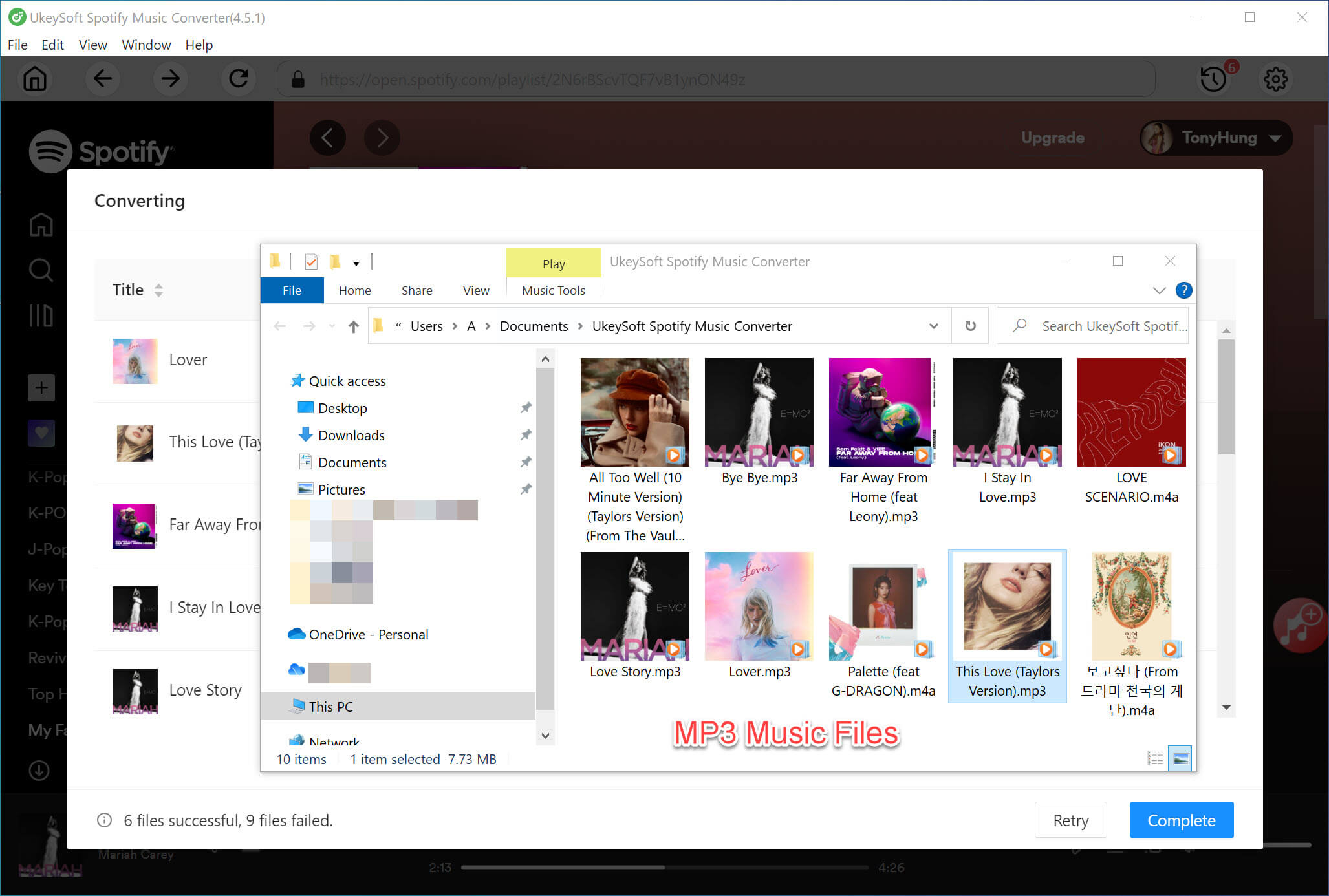
Step 5. Get Output Spotify MP3 Files
Once finished, tap the "History" icon, and click the folder icon to access your downloaded Spotify music files in the output folder. You can now transfer them to any device and enjoy the music festival offline without limits.
Building your own Spotify Music Festival lineup is a fun, creative way to to showcase your favorite music and share it with others. From ACL to Ultra, popular music festivals on Spotify provide endless inspiration. By following the methods above, you can easily download music festival playlist on Spotify with, or without a Premium. If your want a great listening experience, UkeySoft Spotify Music Converter is ideal. It helps you download music festival playlist from Spotify to your PC or Mac folder and convert them into MP3 320kbps, AAC/M4A 640kbps, or lossless WAV/FLAV/AIFF audio files. Building your own Spotify Music Festival lineup! Enjoy your favorite music festival playlists and artists anytime!

Sorry the comment has been closed.










![7 Best FREE Apple Music Converters [2026 Updated]](https://www.ukeysoft.com/wp-content/uploads/2019/04/best-apple-music-converter.jpg)



















Porducts
Solution
Copyright © 2026 UkeySoft Software Inc. All rights reserved.


 English
 Arabic
 Chinese (Simplified)
 Chinese (Traditional)
 Croatian
 Czech
Czech Danish
 Dutch
Dutch Estonian
 Finnish
 French
 German
 Greek
Greek Hebrew
 Hindi
Hindi Hungarian
 Indonesian
 Italian
 Japanese
 Kazakh
 Korean
 Malay
Malay Norwegian
 Polish
 Portuguese
 Romanian
 Russian
 Slovenian
 Spanish
 Swedish
 Thai
Thai Turkish
 Ukrainian
 Vietnamese



























![Top 10 Christmas Songs to MP3 Download [Spotify]](https://www.ukeysoft.com/wp-content/uploads/2023/01/christmas-songs-to-mp3.jpg)


































































































































Comments are off!