By
ChesterUpdated on July 24, 2026
Summary
Looking for the best free online Spotify playlist downloader? In this guide, we introduce 10+ free online Spotify playlist to MP3 downloaders and provide a detailed comparison of different Spotify playlist downloaders to help you choose the right option.
Spotify does not allow users to download music files directly for local storage. However, there is no need to worry. Many Spotify playlist downloaders can help you save playlists as MP3 files. In this post, we will introduce the best free online Spotify playlist downloaders that are still working in 2026. If you want higher audio quality and faster batch conversion, we will also share a professional tool to improve your downloading experience. Keep reading to discover the most reliable, safe, and effective way to download Spotify songs to MP3.
CONTENTS
Part 1. Best Recommended Tools: UkeySoft Spotify Music Converter
#1. UkeySoft Spotify Music Converter
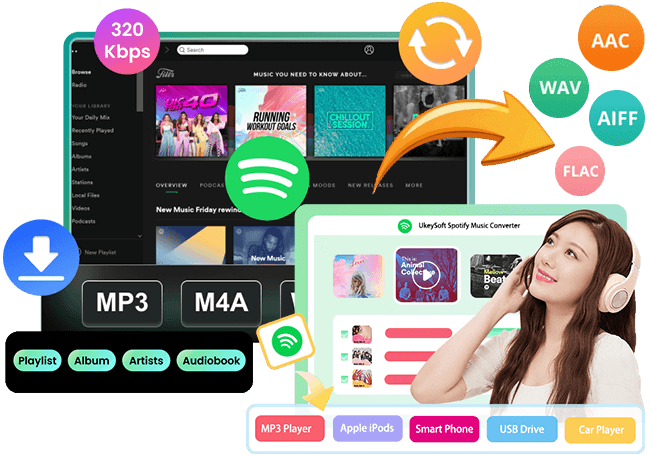
As one of the most reliable Spotify playlist downloaders, UkeySoft Spotify Music Converter enables you to download Spotify tracks, albums, and playlists to your computer without difficulty. It supports multiple output formats such as MP3, M4A, AAC, FLAC, WAV, and AIFF, and keeps lossless 320kbps audio quality for an improved listening experience. The 16x conversion speed allows you to download entire playlists in a short time. In addition, all ID3 tags are preserved, making music management simple and organized. Powerful yet easy to use, UkeySoft Spotify Music Converter is suitable for both Spotify Free and Premium users.
👍Great Features of UkeySoft Spotify Music Converter
- Download playlists/tracks/albums from Spotify.
- Support Spotify Free and Premium users.
- Convert Spotify playlists to MP3, M4A, AAC, FLAC, WAV, AIFF.
- Preserve lossless music quality and ID3 tags after conversion.
- Download Spotify playlists/albums at 16x faster speed in batch.
- Keep Spotify playlists permanently for offline listening on any device.
- Built-in Spotify web player, no need to install Spotify app.
- Fully compatible with Windows & Mac.
Video Guide: How to Download Spotify Playlist to MP3
Guide: How to Download Entire Spotify Playlist to MP3 with UkeySoft
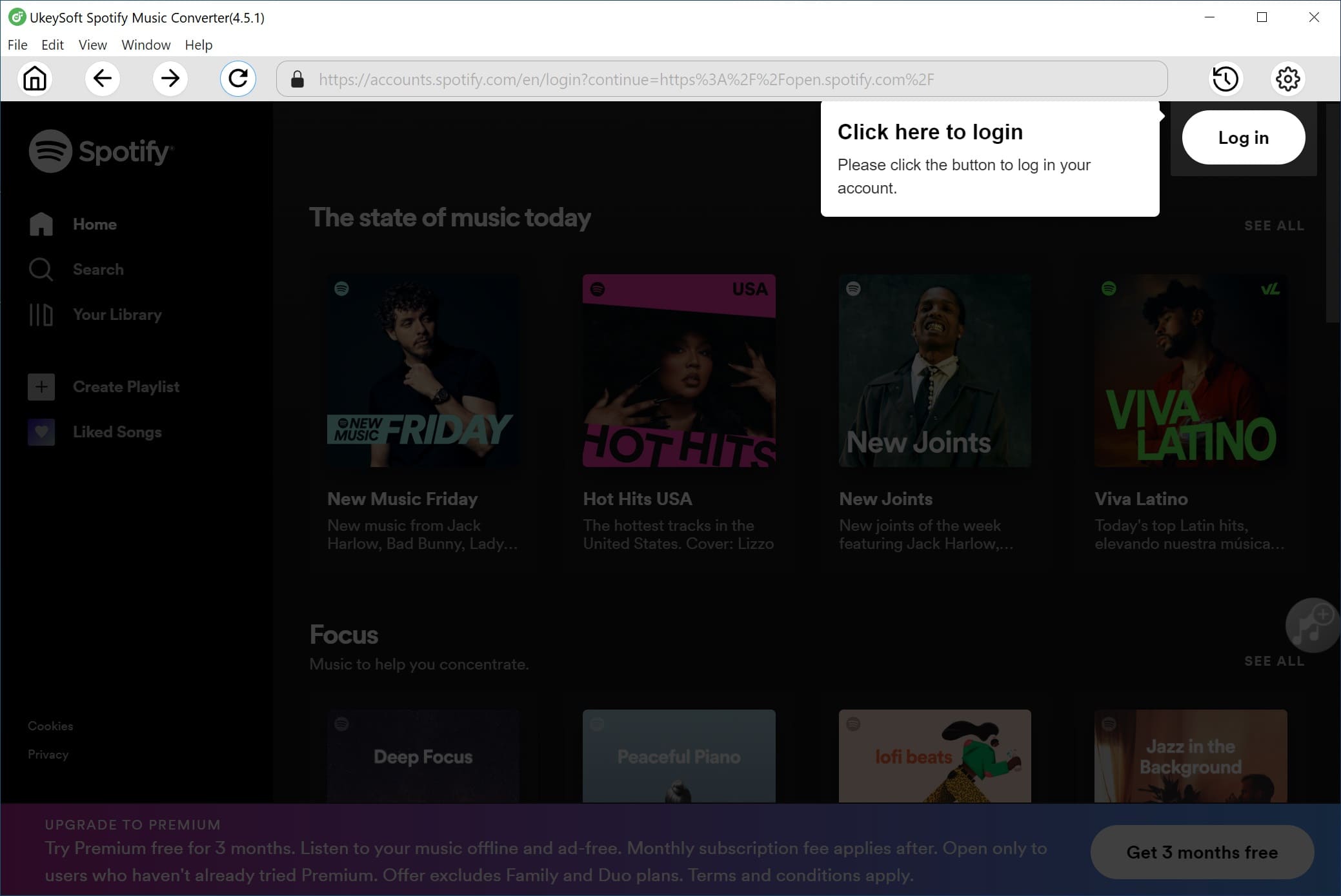
Step 1. Launch the Spotify Converter and Log In to Your Spotify Account
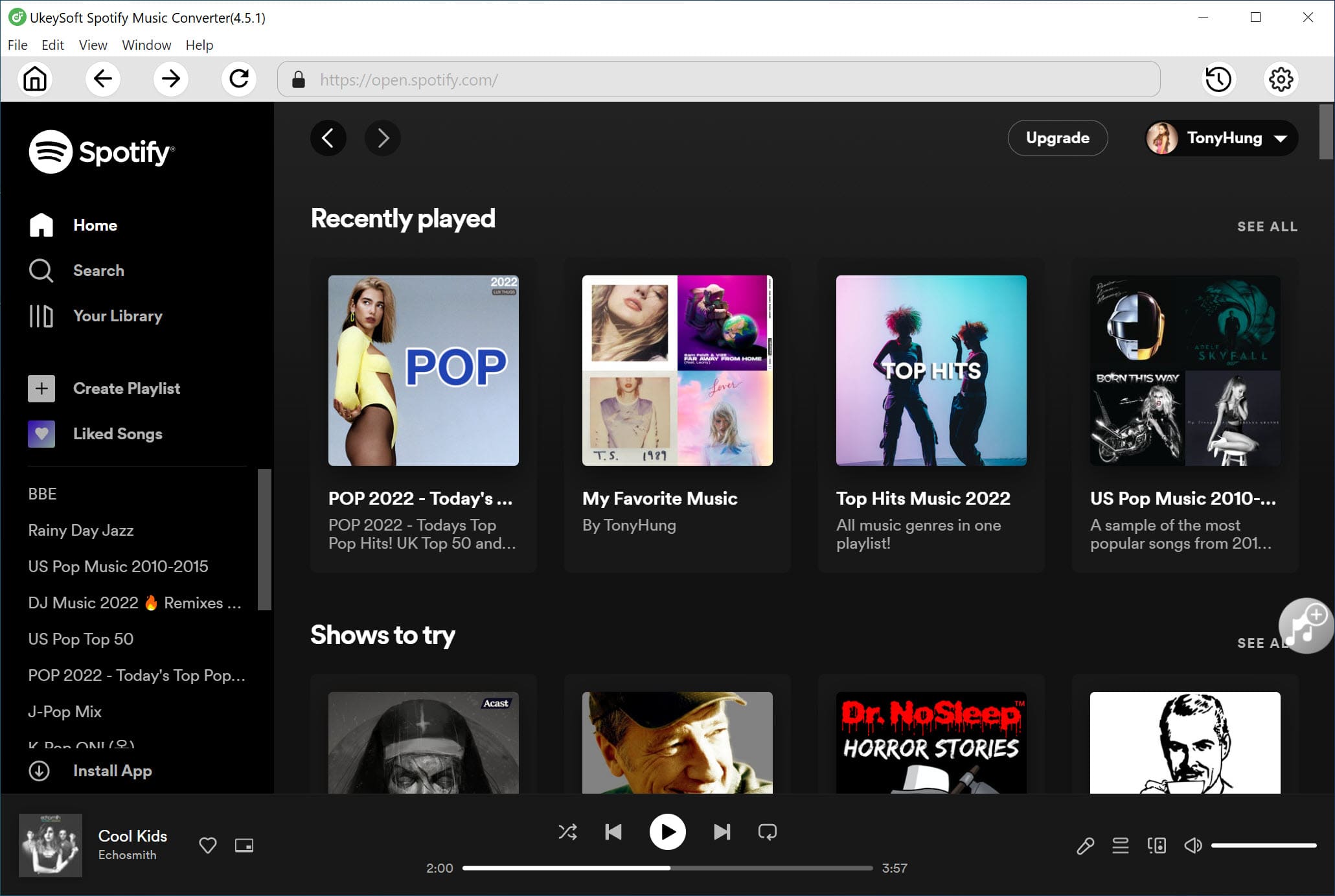
UkeySoft Spotify Music Converter is available for both Windows and Mac. Download and install the correct version on your computer. After installation, open the program and sign in to your Spotify account.
Once logged in, you can browse, search, and play music directly through the built in Spotify web player inside the program.
Step 2. Select Output Format
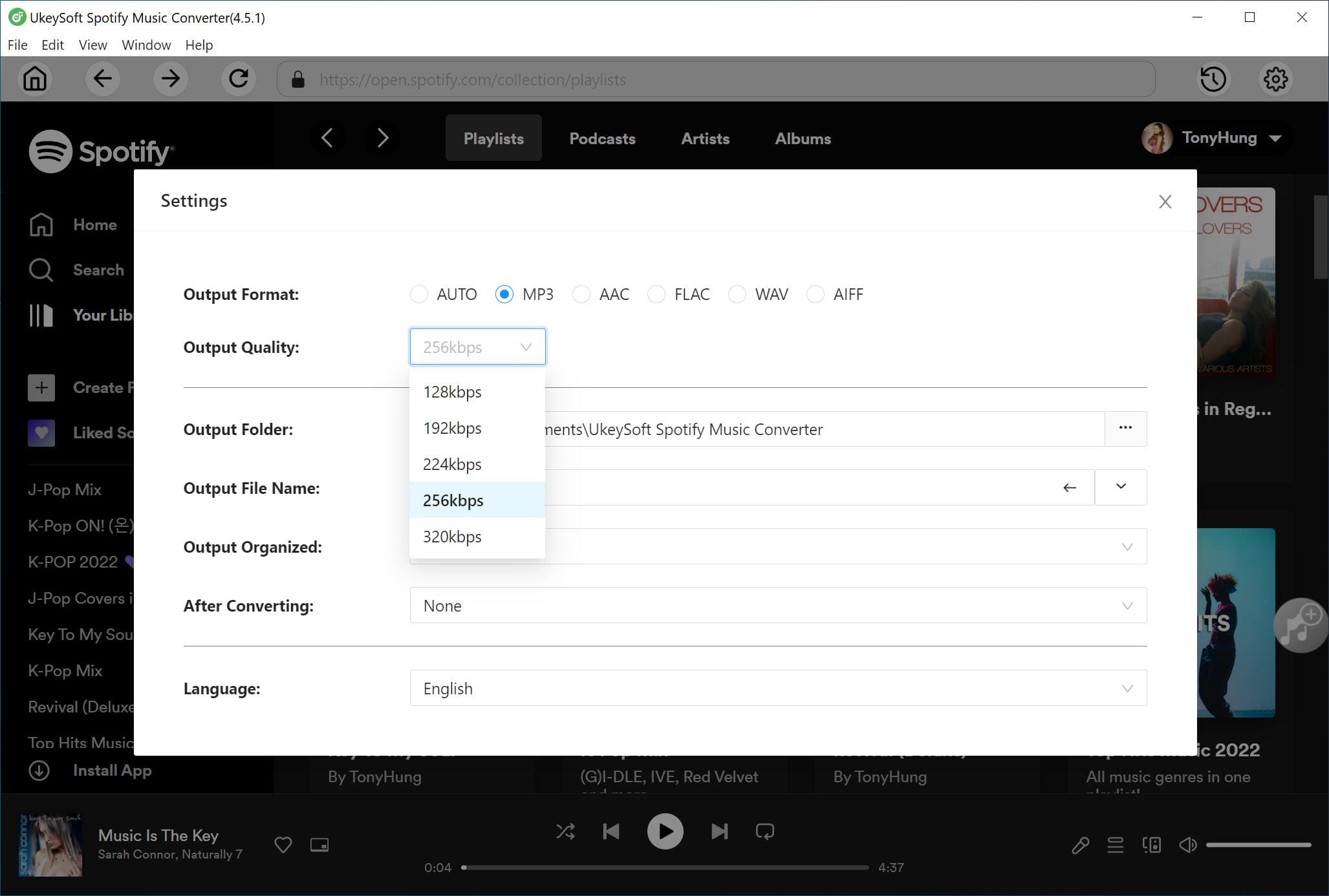
Click the Settings icon in the upper right corner of the interface. You will see several output formats available, including MP3, M4A, WAV, FLAC, AIFF, and AAC. Since MP3 is supported by most devices and media players, choosing MP3 is recommended.
Step 3. Add Spotify Playlists
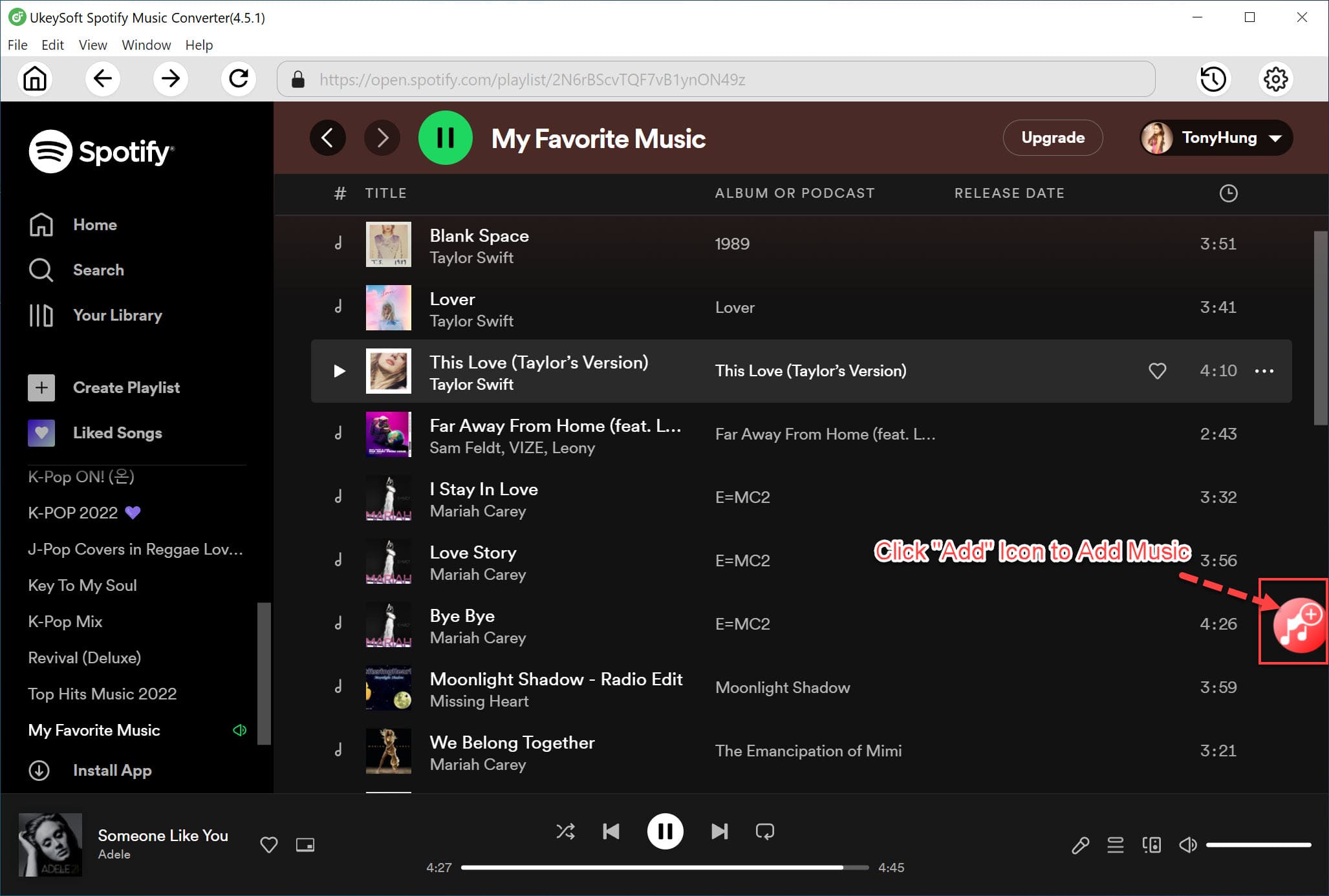
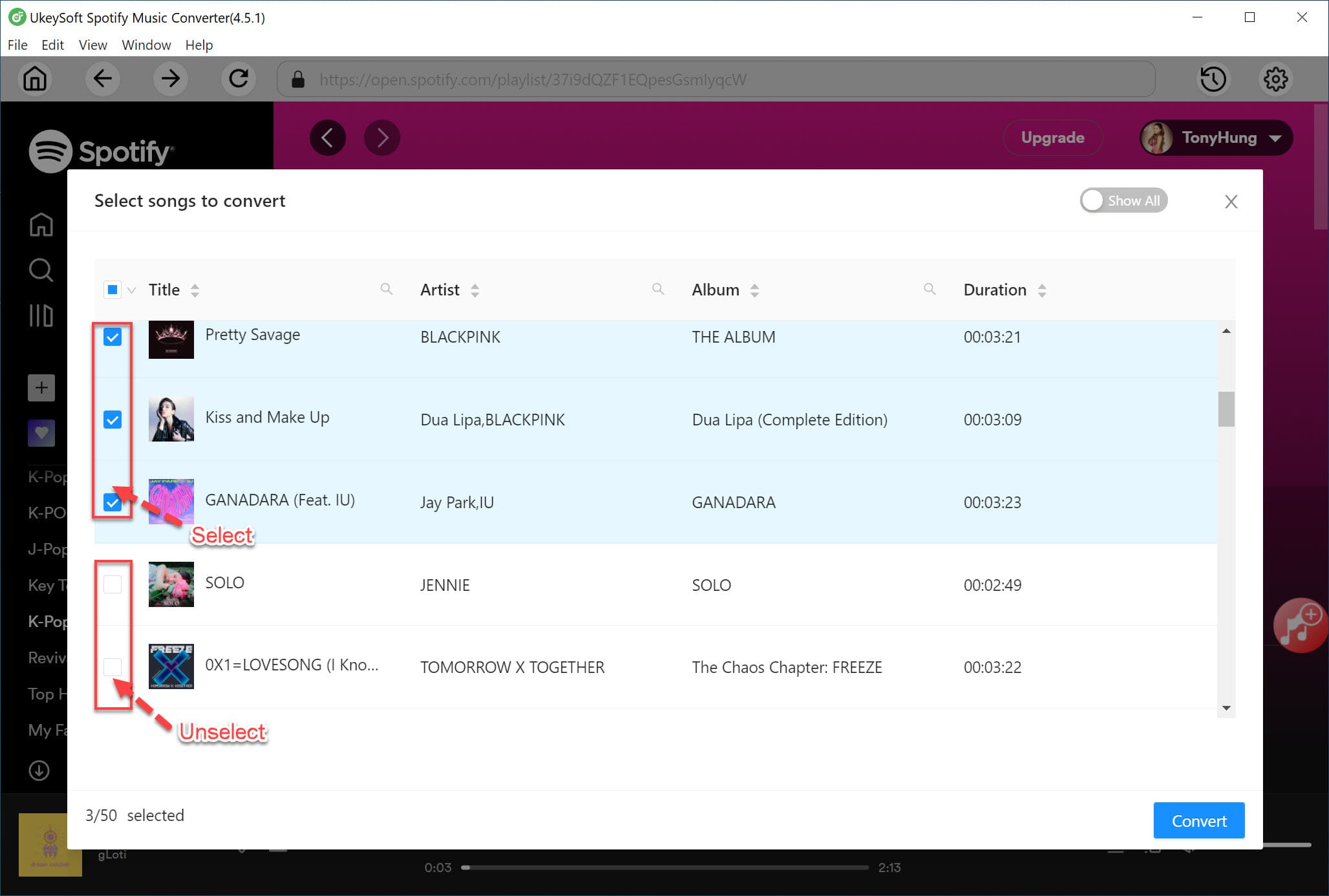
Open the playlist you want to convert using the built in Spotify web player. Then click the + icon to add the playlist. The program will automatically scan the playlist and import all tracks into the conversion list.
All songs are selected by default, but you can uncheck any tracks you do not want to download.
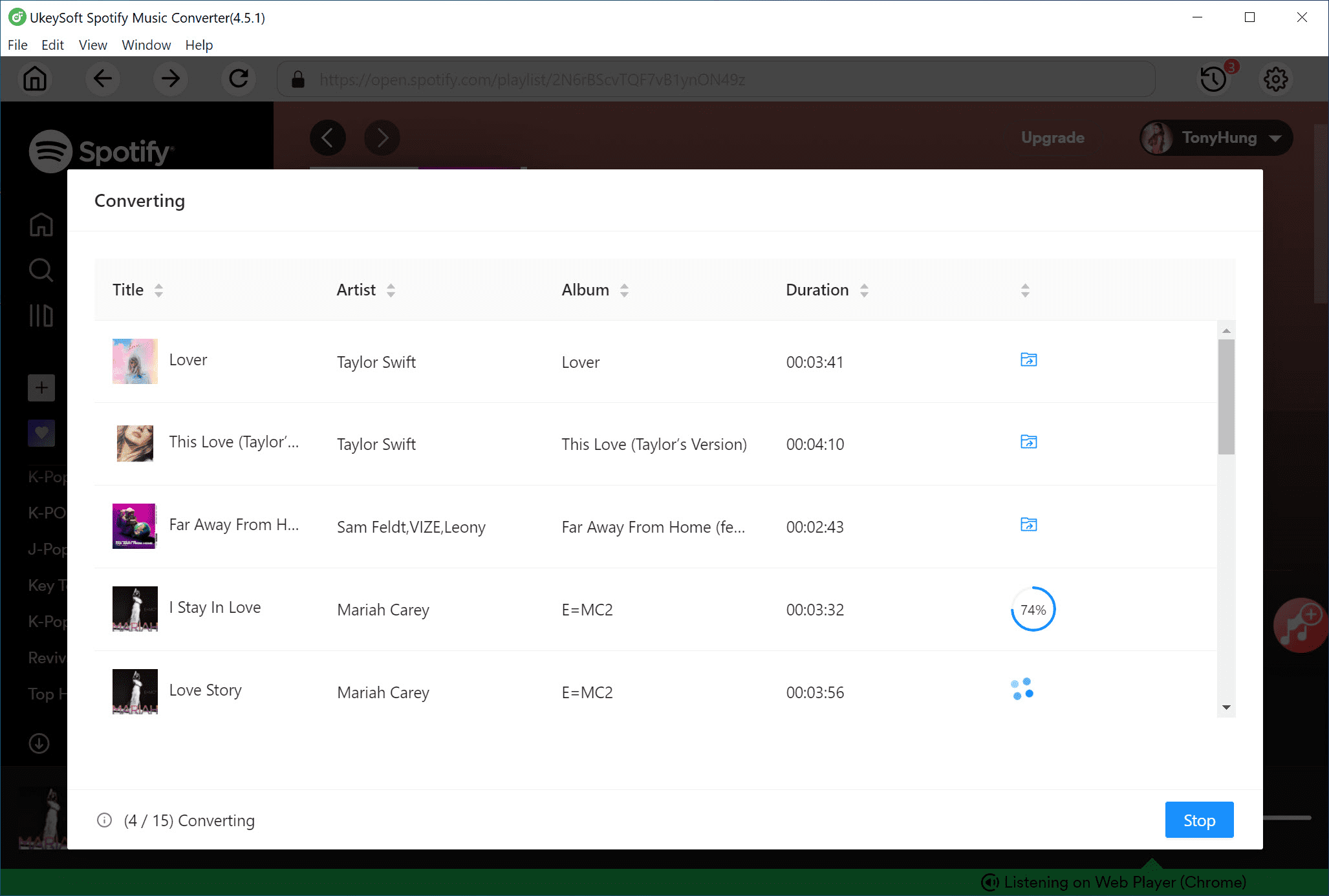
Step 4. Start Converting the Spotify Playlist to MP3
Click the Convert button to begin downloading and converting the playlist to MP3. The software supports up to 16X faster conversion speed, helping you save time when processing large playlists.
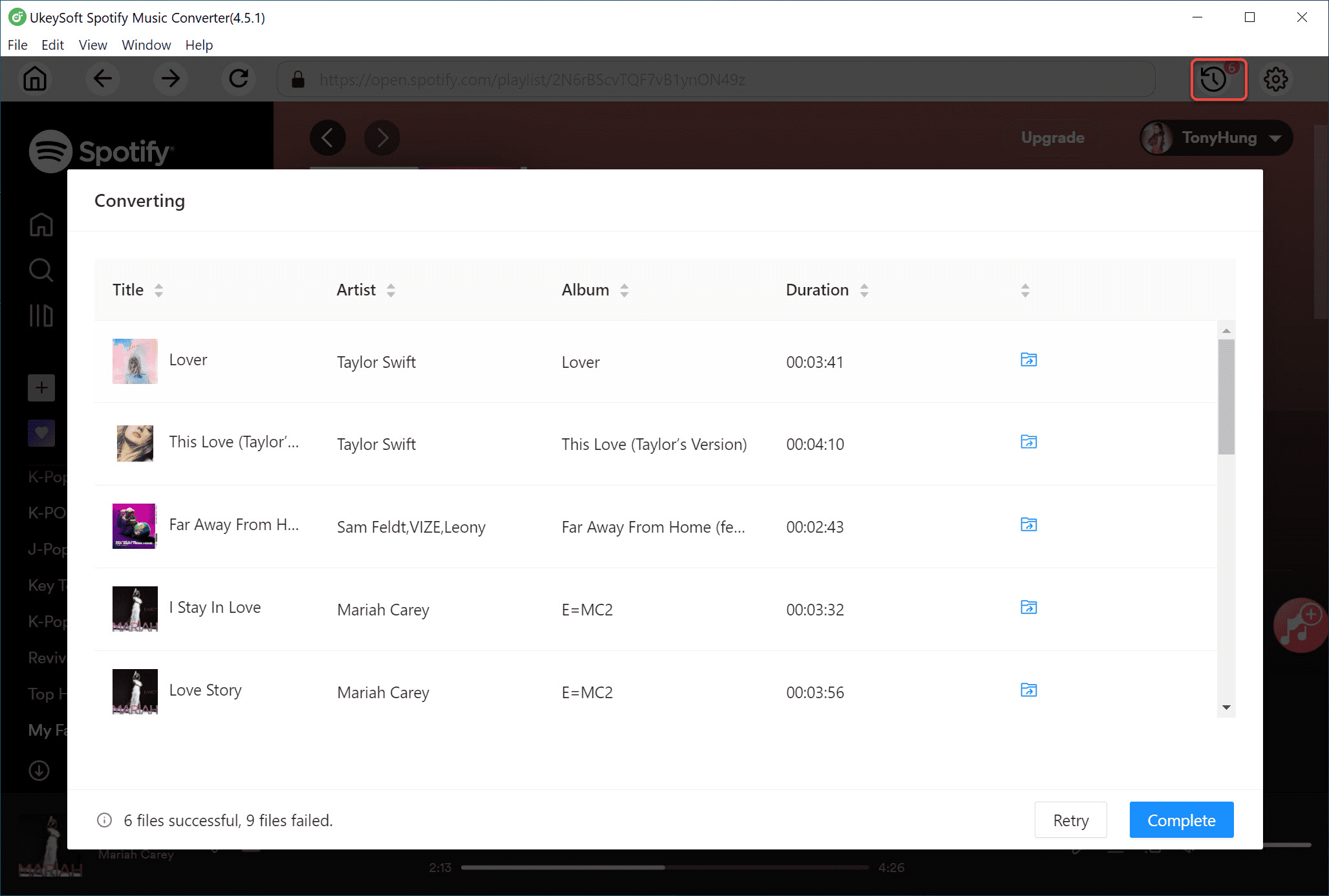
Step 5. View the Converted Spotify Playlist
After the conversion is complete, click the blue Output Folder icon to open the destination folder. You will find your Spotify playlist saved as MP3 files.
#2. UkeySoft All-in-One Music Converter
| |
UkeySoft All-in-One Music Converter
|
|
Website
|
https://www.ukeysoft.com/streaming-music-converter/ |
|
Supported Platforms
|
Windows, macOS |
|
Output Quality
|
Original audio quality |
|
Download Speed
|
Fast, up to 16x speed |
|
Price
|
$159.95 Lifetime license |
|
Ease of Use
|
***** |
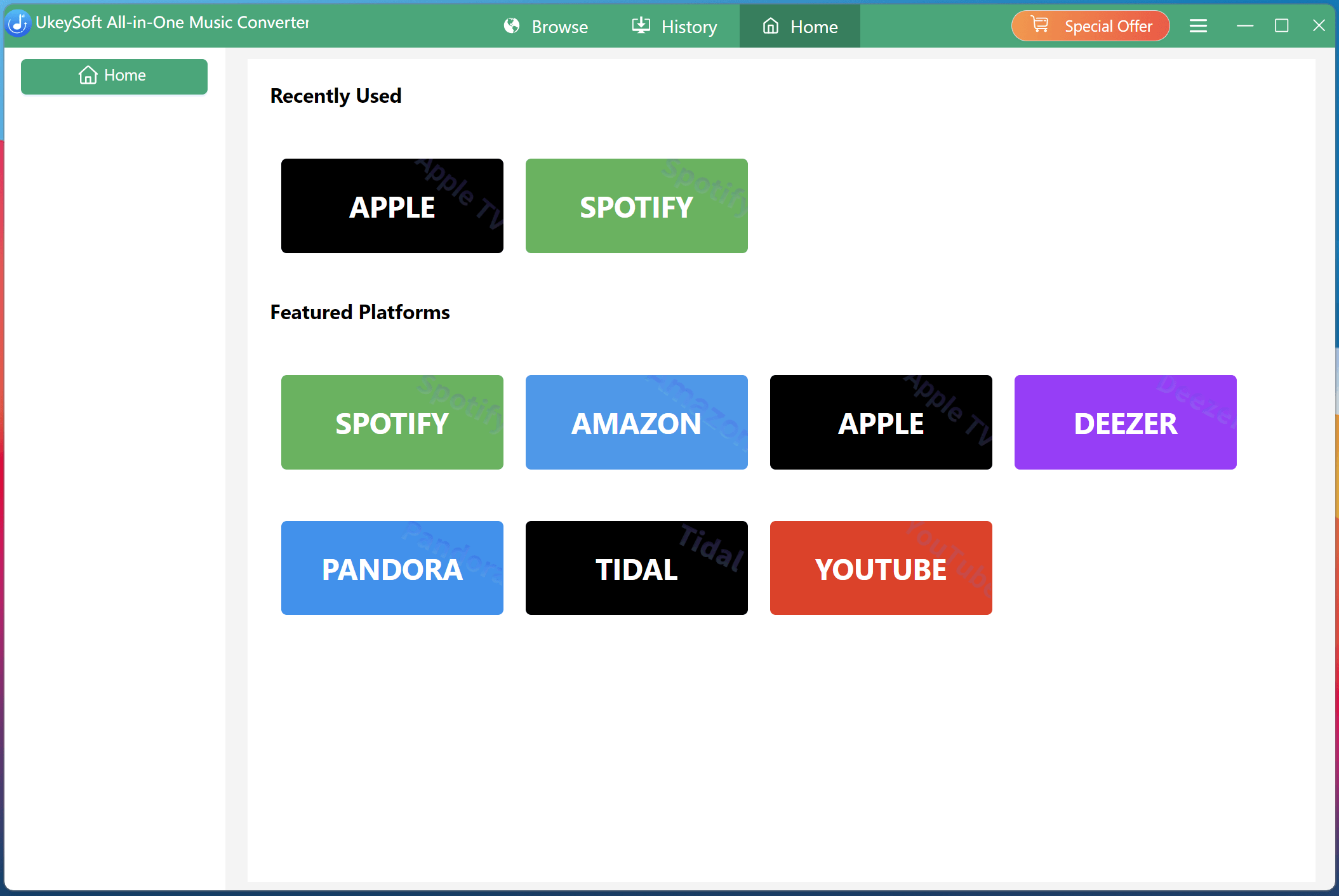
If you subscribed to multiple streaming music platforms, don't miss this powerful streaming music downloader! UkeySoft All-in-One Music Converter is a versatile MP3 music downloader that allows you to save MP3 files from different streaming platforms quickly and easily, including Spotify, Apple Music, Amazon Music, Deezer, Tidal, Pandora Music, and YouTube Music. Whether you want a single track, a full album, a playlist, an audiobook, or a podcast, just select the platform and start downloading in lossless audio quality. It supports up to 16 times faster conversion speed and keeps full ID3 tag information, helping you manage your music collection offline. Even with many features included, the program is lightweight and has a clean design that is easy for beginners to use.
Benefits: Transfer Your Playlists Between Music Services Easily!
Steps to Download Spotify Playlists to MP3 with UkeySoft All-in-One Music Converter
Step 1. Choose Spotify inside the software and log in to your account.
Step 2. Find a playlist you like and click + to add the songs.
Step 3. Open Settings, select MP3 as the output format, and customize bitrate and other options.
Step 4. Click Convert to download the playlist to MP3 in batch.
Pros and Cons of SpotDown
✅ Pros
Batch downloads with high audio quality
Works with multiple streaming platforms
Adjustable output settings
Budget friendly for beginners
❌ Cons
Desktop only, not supported on mobile devices
Part 2. Top Free Online Spotify Playlist Downloaders
Free tools often come with some risks, and free online Spotify playlist downloaders are the same. Some online tools may contain ads, redirects, or possible security issues. For a safer and more reliable option, we recommend using UkeySoft Spotify Music Converter mentioned above. If you do not mind ads or lower sound quality, you can try the free tools below. We will provide step by step guides to download Spotify playlists to MP3 and share the pros and cons of each tool based on our testing.
#1. SpotifyDownload
| |
SpotMate
|
|
Website
|
https://www.spotify-download.com/en/ |
|
Supported Platforms
|
Windows, macOS, Andoid, iOS |
|
Output Quality
|
High audio quality, 320 kbps MP3 |
|
Download Speed
|
Fast |
|
Price
|
Free |
|
Ease of Use
|
***** |
The first recommendation is SpotifyDownload. It is a simple and efficient online tool that allows users to download Spotify music directly in MP3 format at up to 320kbps bitrate. This tool makes it easy to download both individual tracks and entire playlists from Spotify, even without a Premium account. Compared to other online Spotify downloaders listed in the post, SpotifyDownload is a quick and clean option with no ads or pop-ups. All you need to do is paste the URL of the Spotify music track or playlists you want to download, and SpotifyDownload generates a downloadable link almost instantly.
4 Steps to Download Spotify Playlist to MP3 Online
Step 1. Open the Spotify app or the Spotify web player. Go to the playlist you want to convert, copy its URL via Share button.
Step 2. In your browser, navigate to SpotifyDownload's official website.
Step 3. Paste the copied URL in the input field, click "Download" button.
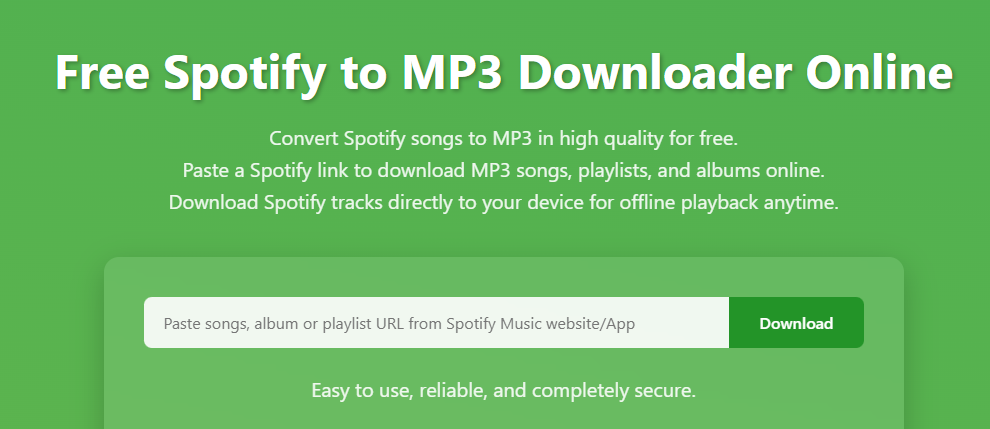
Step 4. If successful, the service will display a list of songs in the playlist, hit on "Download" button next to the song.
Pros and Cons of SpotMate
✅ Pros
Fast and easy to use.
Simple, ad-free interface.
No login required.
No extra software installation.
❌ Cons
Limited to MP3 format.
Occasional issues with URL analytics.
Batch download is not supported.
#2. SpotMate
| |
SpotMate
|
|
Website
|
https://spotmate.online/en1 |
|
Supported Platforms
|
Windows, macOS, Phone, Tablet |
|
Output Quality
|
Lossy audio quality, 128 kbps MP3 |
|
Download Speed
|
Fast |
|
Price
|
Free |
|
Ease of Use
|
*** |
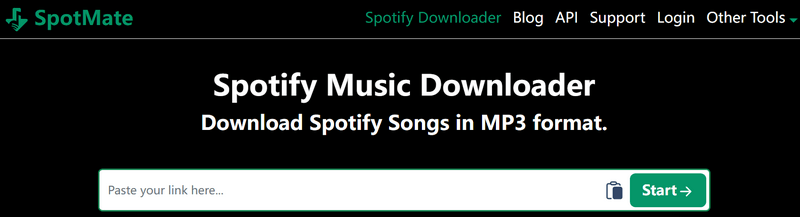
SpotMate offers a free way to download Spotify songs, playlists, and albums as MP3 files so you can enjoy music on the go. Since it works as an online Spotify downloader, there is no need to install extra programs or extensions. Simply paste the Spotify URL into the site and start the download. Once completed, you can play the MP3 files on almost any device without limitations.
Steps to Download Spotify Songs to MP3 with SpotMate
Step 1. Copy the link of the Spotify song or playlist you want to download.
Step 2. Visit the SpotMate website and paste the link into the download box, then click Download.
Step 3. Wait for the conversion to finish and save the MP3 file.
Pros and Cons of SpotMate
✅ Pros
Free to use
Supports MP3 downloads from Spotify
Downloads cover artwork separately
Android app available
❌ Cons
Podcasts, audiobooks, and videos are not supported
Only one song can be downloaded each time
Output quality is 128 kbps MP3
Ads may appear before downloading
#3. spotidownloader.com
| |
SpotiDownloader
|
|
Website
|
https://spotidownloader.com/en16 |
|
Supported Platforms
|
Windows, macOS, Phone, Tablet |
|
Output Quality
|
Lossy audio quality, 128 kbps MP3 |
|
Download Speed
|
Fast |
|
Price
|
Free |
|
Ease of Use
|
**** |
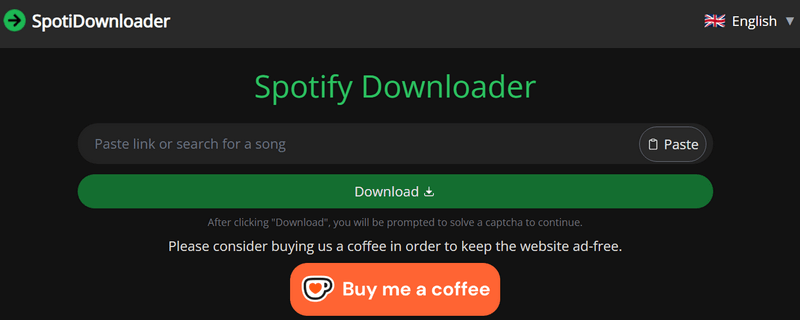
This free online Spotify downloader, previously called SpotifyDown, is now available at spotidownloader.com after moving to a new platform. Unlike many free downloader websites filled with ads, this site is ad free and offers a donation button to support the service. It lets you download Spotify songs as MP3 files quickly without installing any software. Simply paste a Spotify link to download tracks to your device, and playlists are saved as ZIP files for easy access.
Steps to Download Spotify Songs to MP3 via spotidownloader.com
Step 1. Copy the Spotify link for a track, album, or playlist.
Step 2. Go to the SpotiDownloader website and paste the link into the download box, then click Download.
Step 3. Choose Download ZIP if you want to download a full playlist.
Step 4. Click Download MP3 to start saving the songs to your device.
Pros and Cons of SpotifyDown
✅ Pros
Free Spotify to MP3 downloads
No need to install apps
Compatible with browsers on different devices
❌ Cons
Podcasts and other content types are not supported
MP3 quality is limited to 128 kbps
Some downloads may fail unexpectedly
File names contain website prefixes
#4. spotdown.org
| |
Spotdown
|
|
Website
|
https://spotdown.org/ |
|
Supported Platforms
|
Windows, macOS, Phone, Tablet |
|
Output Quality
|
Lossy audio quality, 128 kbps MP3 |
|
Download Speed
|
Fast |
|
Price
|
Free, donation supported |
|
Ease of Use
|
**** |
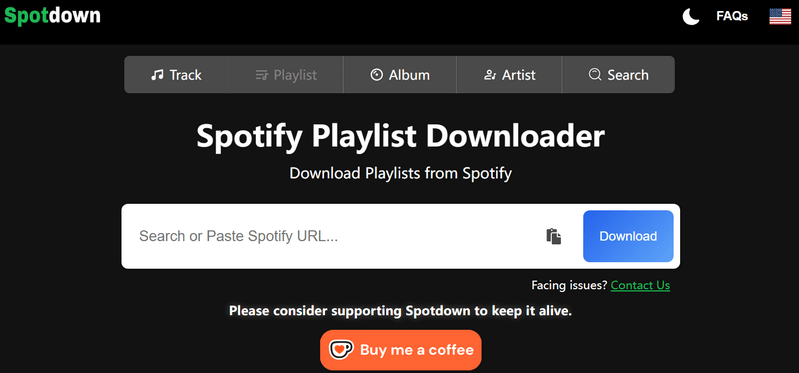
SpotDown is a free online tool for downloading Spotify songs, playlists, and albums as MP3 files at fast speed. It works without ads or account sign up, offering an easy way to save Spotify music locally. In addition to pasting a Spotify link, you can use the built in search bar to find songs by title, lyrics, or artist name. After finding the track, simply click download to save the MP3 file to your device.
Steps to Download Spotify Songs to MP3 via SpotDown
Step 1. Copy the link of a Spotify song or playlist.
Step 2. Visit the SpotDown website and paste the link into the download box, then click Download.
Step 3. Click Get Link for one song or Download All Songs for a full playlist.
Step 4. Open your Downloads folder to access the MP3 files.
Pros and Cons of SpotDown
✅ Pros
Free Spotify to MP3 downloads
Supports URL paste and keyword search
Compatible with mobile and desktop devices
❌ Cons
Podcasts and other media types are not supported
Multiple redirects may appear before downloading
MP3 quality limited to about 128 kbps
File names contain website branding
#5. SpotiSongDL
| |
SpotiSongDL
|
|
Website
|
https://spotisongdownloader.com/en1/ |
|
Supported Platforms
|
Windows, macOS, Phone, Tablet |
|
Output Quality
|
128 kbps to 320 kbps |
|
Download Speed
|
Medium |
|
Price
|
Free |
|
Ease of Use
|
*** |
Different from many Spotify online playlist downloaders that export music only in MP3 format, SpotiSongDL supports both MP3 and M4A outputs. The M4A option provides 128 kbps audio, while the MP3 format allows quality selection between 128 kbps and 320 kbps. When downloading playlists, all songs can be packed into a ZIP file for convenience. Still, the website may not always work smoothly, and some songs may not appear in the final download folder.
Steps to Convert Spotify Music to MP3 Using SpotiSongDL
Step 1. Open Spotify and copy the link of the song or playlist.
Step 2. Visit spotisongdownloader.com and paste the link into the download box.
Step 3. Click Generate Links and select the audio quality you want.
Step 4. Press Download and wait for the file to start downloading.
Pros and Cons of SpotDown
✅ Pros
Download entire playlists or albums in ZIP format
No extra apps needed
Supports MP3 and M4A formats
Compatible with computers and mobile devices
❌ Cons
Podcasts and other media types are not supported
Login needed for higher audio quality
Pop up ads may appear
#6. SPOTIDOWN
| |
SPOTIDOWN
|
|
Website
|
https://spotidown.app/en1 |
|
Supported Platforms
|
Windows, macOS, Phone, Tablet |
|
Output Quality
|
Lossy audio quality, 128 kbps MP3 |
|
Download Speed
|
Slow |
|
Price
|
Free |
|
Ease of Use
|
** |
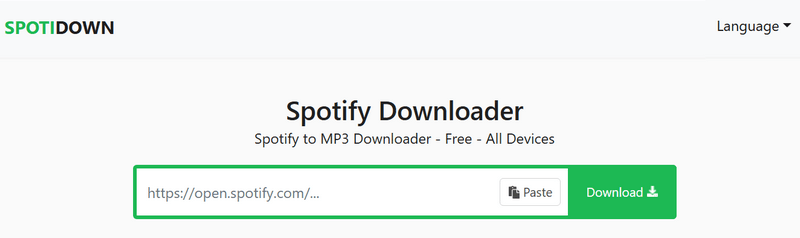
SPOTIDOWN is a free online Spotify downloader similar to SpotDown. It lets you download Spotify songs, albums, and playlists as MP3 files. Single tracks can be downloaded individually, while albums and playlists are saved as ZIP files for easier downloading. The MP3 files keep important details like song title, album name, and cover art, which helps you manage your music library. Since no installation is required, it is a convenient option for offline listening on computers or Android devices.
Steps to Download Spotify Music to MP3 Using SpotiDown
Step 1. Open Spotify and locate the song or playlist you want.
Step 2. Copy the Spotify link.
Step 3. Visit the Spotidown website and paste the link into the download box.
Step 4. Click Download MP3 to start downloading the song.
Pros and Cons of SpotDown
✅ Pros
Free online downloader
Supports Spotify podcast downloads
Preserves song details and cover art
Compatible with computers and mobile devices
❌ Cons
Audiobooks and music videos are not supported
Output quality is about 128 kbps
Pop up ads may appear
Only five downloads allowed in the free version
#7. Keepvid
| |
Keepvid
|
|
Website
|
https://keepvid.ch/spotify-download-new12 |
|
Supported Platforms
|
Windows, macOS, Phone, Tablet |
|
Output Quality
|
Lossy audio quality, 128 kbps MP3 |
|
Download Speed
|
Slow, with upgrade option available |
|
Price
|
Free |
|
Ease of Use
|
*** |
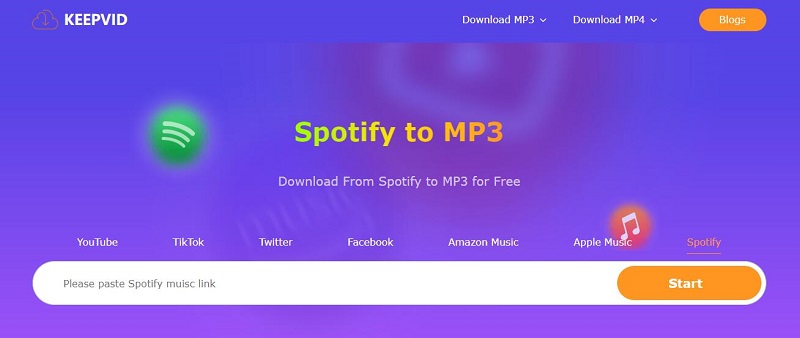
This online Spotify downloader can convert Spotify songs to MP3 and also supports downloads from platforms like Amazon Music, Apple Music, YouTube, TikTok, and Facebook. While the main website does not show ads, users are redirected to external websites when downloading music, which may raise safety concerns. The free version offers only 128 kbps audio quality and frequently asks users to upgrade to a premium plan for better sound quality, which can feel annoying.
Steps to Download Spotify Songs to MP3 Using KeepVid
Step 1. Copy the Spotify song link from the web player or app.
Step 2. Paste the link into KeepVid's download box and click Start.
Step 3. Select Audio (.mp3) to begin downloading. You may see redirects or pop up pages, which can be closed.
Pros and Cons of SpotDown
✅ Pros
Free to download Spotify songs online
Works with YouTube and Apple Music links
❌ Cons
Podcasts and other content types are not supported
Redirect pages appear during downloading
Downloads one song at a time
MP3 quality is only 128 kbps
#8. pastedownload.com
| |
pastedownload.com
|
|
Website
|
https://pastedownload.com/29/ |
|
Supported Platforms
|
Windows, macOS, Phone, Tablet |
|
Output Quality
|
Lossy audio quality, 128 kbps MP3 |
|
Download Speed
|
Slow |
|
Price
|
Free |
|
Ease of Use
|
** |
PasteDownload.com is a web based tool for downloading videos and music online. It can save videos from platforms like YouTube, Facebook, Instagram, and TikTok as MP4 files, and it also supports downloading Spotify songs in MP3 format. The site shows a changelog on its homepage, giving users more confidence in using the service. The download steps are quick and easy, but many ads appear during the process, which may interrupt the experience.
Steps to Download Spotify Songs to MP3 via pastedownload.com
Step 1. Copy the Spotify audio link.
Step 2. Visit the website and paste the link into the download box.
Step 3. After the link is processed, click Download to export the MP3 file.
Pros and Cons of SpotDown
✅ Pros
Browser based tool
Free and no sign up needed
Supports video downloading as well
❌ Cons
Podcasts and other media types are not supported
Playlist links may sometimes fail
Low audio quality output
#9. soundloaders.app
| |
soundloaders.app
|
|
Website
|
https://soundloaders.app/ |
|
Supported Platforms
|
Windows, macOS, Phone, Tablet |
|
Output Quality
|
Lossy audio quality, 128 kbps MP3 |
|
Download Speed
|
Medium |
|
Price
|
Free with optional paid features |
|
Ease of Use
|
*** |
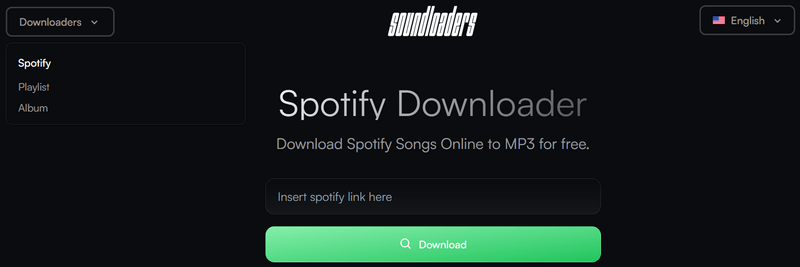
Soundloaders.app is an easy to use online website for downloading Spotify songs, albums, and playlists as MP3 files. No sign up is needed. Simply paste the Spotify song link and the music will be downloaded quickly at no cost. Spotify Free users can also save songs without ads. The tool preserves useful information like artist name, song title, album cover, and release year. Playlist downloads are combined into a ZIP file to save time.
Steps to Download Spotify Playlists to MP3 via soundloaders.app
Step 1. Copy the playlist or album link from Spotify.
Step 2. Visit the Soundloaders downloader page and paste the link into the text box.
Step 3. Click Download, then choose Download MP3 to save the songs.
Pros and Cons of SpotDown
✅ Pros
Works directly in your browser
Preserves basic song information and artwork
Free to download Spotify playlists as MP3
❌ Cons
Podcasts and other content types are not supported
Downloads may fail occasionally
Audio quality is compressed
#10. Spowload
| |
Spowload
|
|
Website
|
https://spowload.cc/en2 |
|
Supported Platforms
|
Windows, macOS, Phone, Tablet |
|
Output Quality
|
Lossy audio quality, 128 kbps MP3 |
|
Download Speed
|
Slow |
|
Price
|
Free with optional paid features |
|
Ease of Use
|
* |
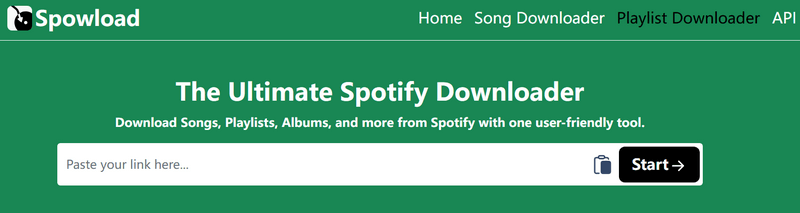
Spowload is an online Spotify playlist downloader that requires no installation or sign up. Simply paste a Spotify link and click download to save the song as an MP3 file. Although playlists are supported, songs must be downloaded one by one, which is not convenient for large collections. The website also includes many redirect ads, and accidental clicks may lead to advertising pages that can interrupt the experience and cause privacy concerns.
Steps to Convert Spotify Songs to MP3 with Spowload
Step 1. Find the Spotify song or playlist and copy its link.
Step 2. Visit the Spowload website and paste the link into the download box.
Step 3. Click Start, then choose Convert to download the MP3 file.
Pros and Cons of SpotDown
✅ Pros
Free online Spotify downloader
No app installation needed
❌ Cons
Limited content support
Multiple ads and redirect pages
Low audio quality output
Part 3. Comparison of the Best Online Spotify Playlist Downloaders
You can download Spotify playlists as MP3 files in two ways: by using a Spotify downloader program or an online Spotify MP3 downloader. So what is the difference between them, and why do many users prefer UkeySoft Spotify Music Converter? See the comparison table below to learn more.
| |
Output Format
|
Output Quality
|
Download Speed
|
Batch Download
|
Keep Metadata
|
Ad-free
|
|
UkeySoft Spotify Music Converter
|
MP3, M4A, AAC, FLAC, WAV, AIFF |
Original quality |
16X |
Yes |
Yes |
Yes |
|
UkeySoft All-in-One Music Converter
|
MP3, M4A, AAC, FLAC, WAV, AIFF |
Original quality |
16X |
Yes |
Yes |
Yes |
|
SpotifyDownload
|
MP3 |
High quality |
Fast |
No |
Yes |
Yes |
|
SpotMate
|
MP3 |
Lossy 128kbps |
Fast |
No |
No |
No |
|
spotidownloader.com
|
MP3 |
Lossy 128kbps |
Fast |
Yes |
No |
Yes |
|
spotdown.org
|
MP3 |
Lossy 128kbps |
Fast |
No |
Yes |
No |
|
SpotiSongDL
|
MP3 |
Lossy 128kbps |
Medium |
Yes |
No |
No |
|
SPOTIDOWN
|
MP3, M4A |
128kbps - 320kbps |
Slow |
Yes |
No |
No |
|
Keepvid
|
MP3 |
Lossy 128kbps |
Slow |
No |
No |
Yes |
|
pastedownload.com
|
MP3 |
Lossy 128kbps |
Slow |
No |
No |
No |
|
soundloaders.app
|
MP3 |
Lossy 128kbps |
Medium |
No |
Yes |
No |
|
Spowload
|
MP3 |
Lossy 128kbps |
Slow |
No |
No |
No |
From the comparison table, we can see UkeySoft Spotify Music Converter is a powerful tool that keeps original sound quality, preserves full ID3 tags, and converts music at high speed. It also lets you customize output formats and organize downloaded files easily, making it a complete solution for downloading Spotify music to MP3 and managing your music library.
It works best for users who:
- Want offline listening with a Spotify Free account
- Use different devices for music playback
- Prefer listening without ads
- Care about music quality
- Have large music libraries
- Need reliable access when internet connection is unstable
- Pay attention to privacy protection
FAQs About Free Online Spotify Playlist Downloaders
Q1. How do I download an entire Spotify playlist for free?
You can download Spotify playlists to your computer or phone as playable MP3 files using web-based tools or third-party Spotify playlist downloaders. They enable you to download an entire Spotify playlist to MP3 with a Spotify Free account.
Q2. What is the best Spotify playlist downloader?
Several Spotify downloaders are listed above, and each has different features. If you want good audio quality, stable performance, and useful functions, UkeySoft Spotify Music Converter is a recommended choice for downloading Spotify playlists.
Q3. Can online Spotify downloaders save Spotify videos?
Most free online tools only download Spotify songs, albums, or playlists as MP3 files. They do not support downloading podcast videos or music videos. If you need to download more types of Spotify content, UkeySoft Spotify Music Converter is a better option.
Q4. Are online Spotify playlist downloaders safe to use?
Some free online downloader websites include ads and redirect links that may cause security risks, such as privacy concerns or system issues.
Conclusion
In this guide, we have covered 10+ free online Spotify playlist downloaders above, giving you many options to download Spotify playlists to MP3 for free. While free online Spotify playlist downloaders are convenient for basic needs, users who care about sound quality, metadata accuracy, and stability may find UkeySoft Spotify Music Converter a more professional and dependable option among Spotify playlist downloaders.
Tip: System Requirements:
Windows 7 or later on 64bit required
Spotify Playlist Downloaders

Chester has always had great enthusiasm for writing, programming and web development. He likes writing about software and technology, his works are featured on some tech blogs or forums like Tom's Hardware, CNET, etc.
 English
 Arabic
 Chinese (Simplified)
 Chinese (Traditional)
 Croatian
 Czech
Czech Danish
 Dutch
Dutch Estonian
 Finnish
 French
 German
 Greek
Greek Hebrew
 Hindi
Hindi Hungarian
 Indonesian
 Italian
 Japanese
 Kazakh
 Korean
 Malay
Malay Norwegian
 Polish
 Portuguese
 Romanian
 Russian
 Slovenian
 Spanish
 Swedish
 Thai
Thai Turkish
 Ukrainian
 Vietnamese








Comments are off!