 ✕
By Justin SabrinaUpdated on October 28, 2022
“Is there any way to transfer the songs I download from Spotify to my new iPhone? Or import them to my iTunes library on my laptop? How can I do? Please help.”
Nowadays, there are a lot of people want to switch to Apple Music and want to find a way to import Spotify music into iTunes library or Apple Music for entertainment. However, to their disappointment, due to DRM restriction of Spotify, neither Spotify free nor premium users can directly download and save the songs from Spotify to their local drive.
Can you transfer music from Spotify to iTunes? How to remove the DRM from Spotify? Can I listen to Spotify on my Apple Music? The short answer is that if you use a third-party software, everything will come true. If you can’t wait to move Spotify playlist to iTunes, using UkeySoft Spotify Music Converter seems to be the most effective way to export your favourite Spotify playlists or songs to iTunes library. In the following part, we will show you how to use UkeySoft Spotify Music Converter to download Spotify songs as local files and import them to your iTunes Library.
UkeySoft Spotify Music Converter is a professional DRM Removal tool as well as Spotify Music Downloader. With its support, you can easily get rip of DRM protection of Spotify and download Spotify songs as local files at 5X speed. Apart from this, it can help you convert Spotify music to DRM-free MP3, AAC, FLAC, WAV, M4A, AIFFwithout losing original quality of Spotify music. After conversion, all the songs will be saved on your computer forever, then you can freely move them to your iTunes library or Apple Music.
Follow the detailed tutorial to learn how to download Spotify tracks as MP3 to your PC/Mac with using UkeySoft Spotify Music Converter, and transfer Spotify songs to your iTunes library.
Step 1. Download and Run the Converter
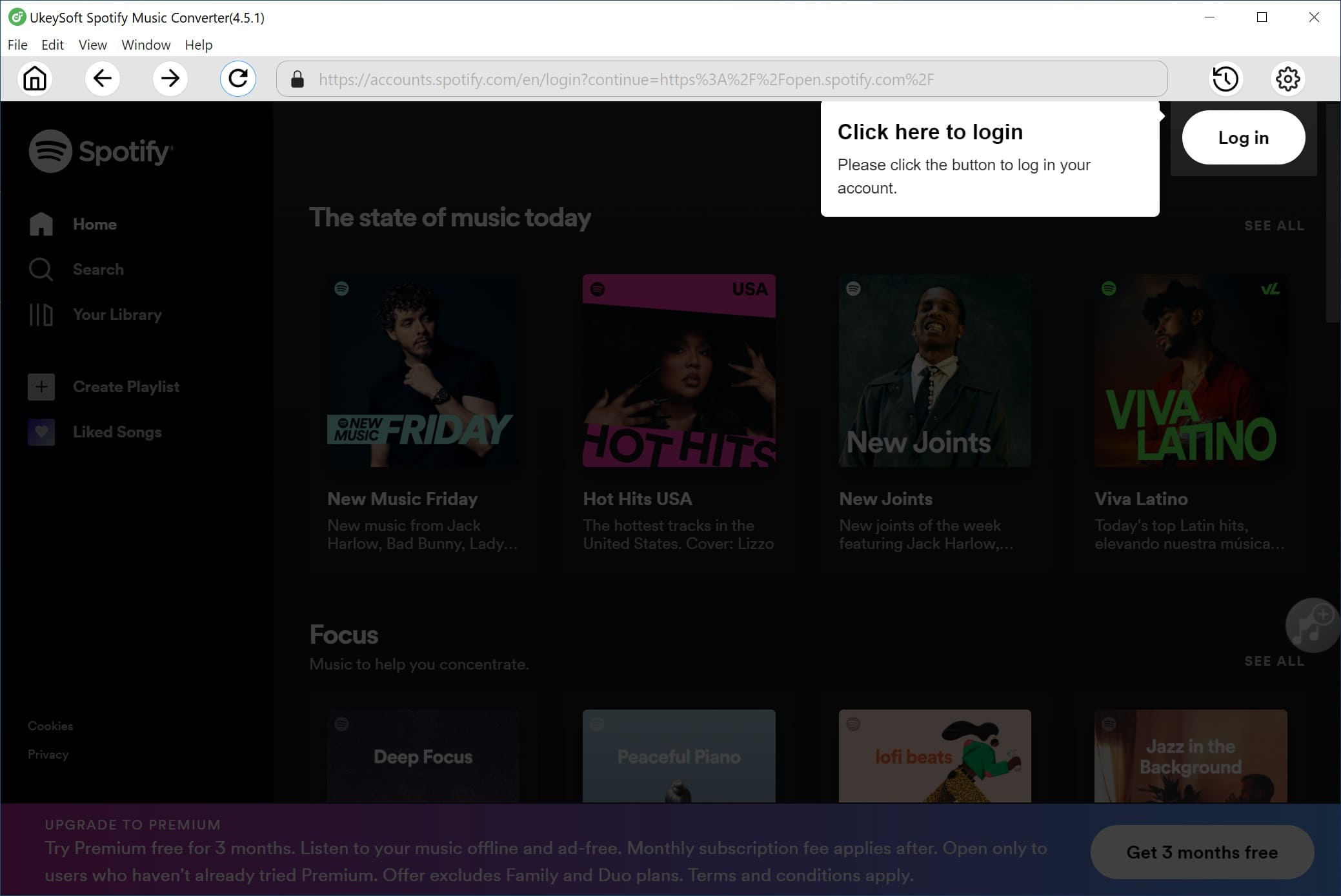
Download and install the UkeySoft Spotify Music Converter on your MAC, then run it. Click the "Log in" button on the left corner to log in to your Spotify Free/Premium account.
Step 2. Set the Output Format as MP3
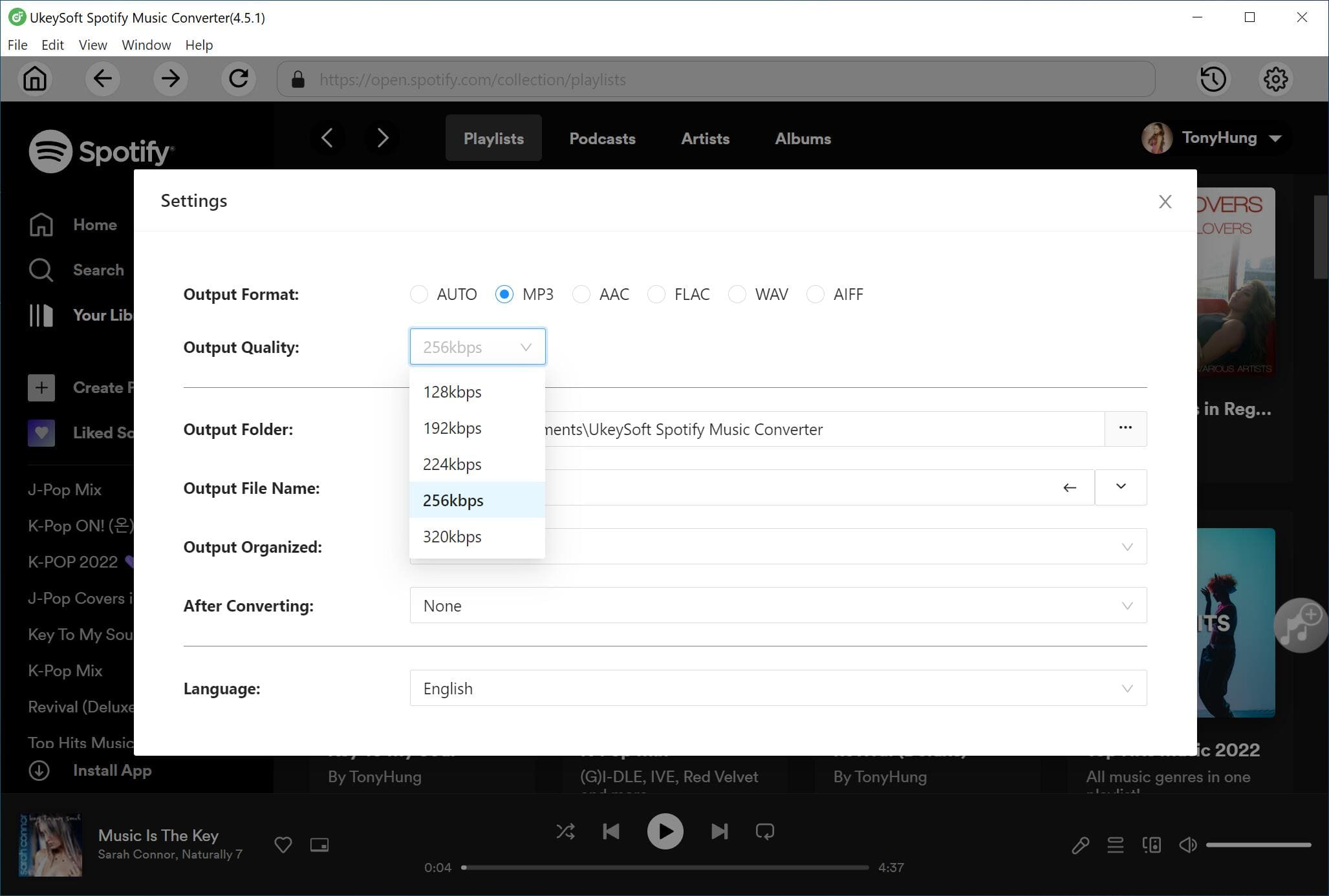
Open the setting window by clicking the Gear icon. As MP3 is common format, here we recommend you choose MP3 as the output format. Here you can also adjust the output quality, output folder and more for your preference.
Step 3. Add Spotify Tracks to Converter
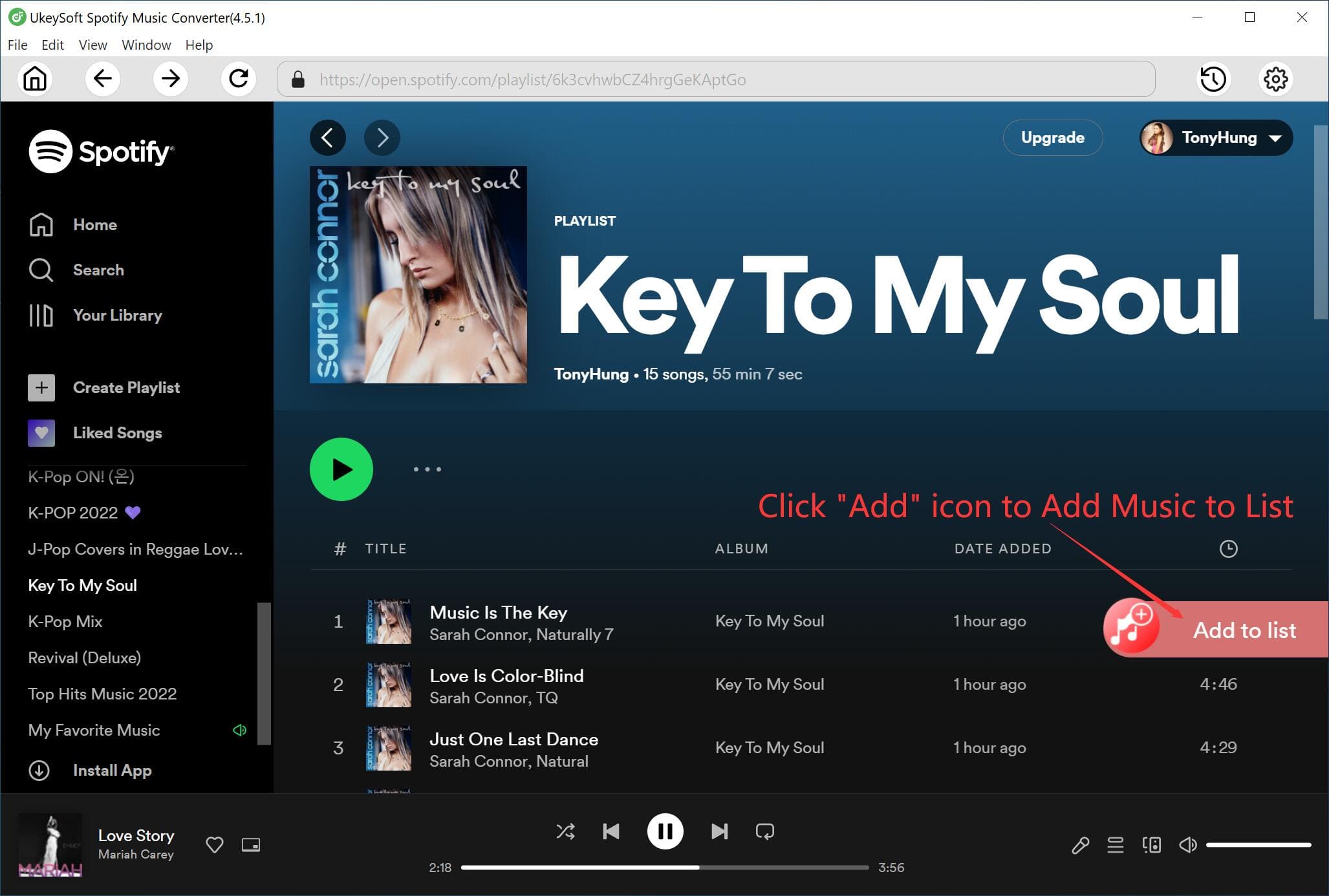
Selecy any songs/playlist/albums/artists, and click the red '+' icon to the load them into the list.
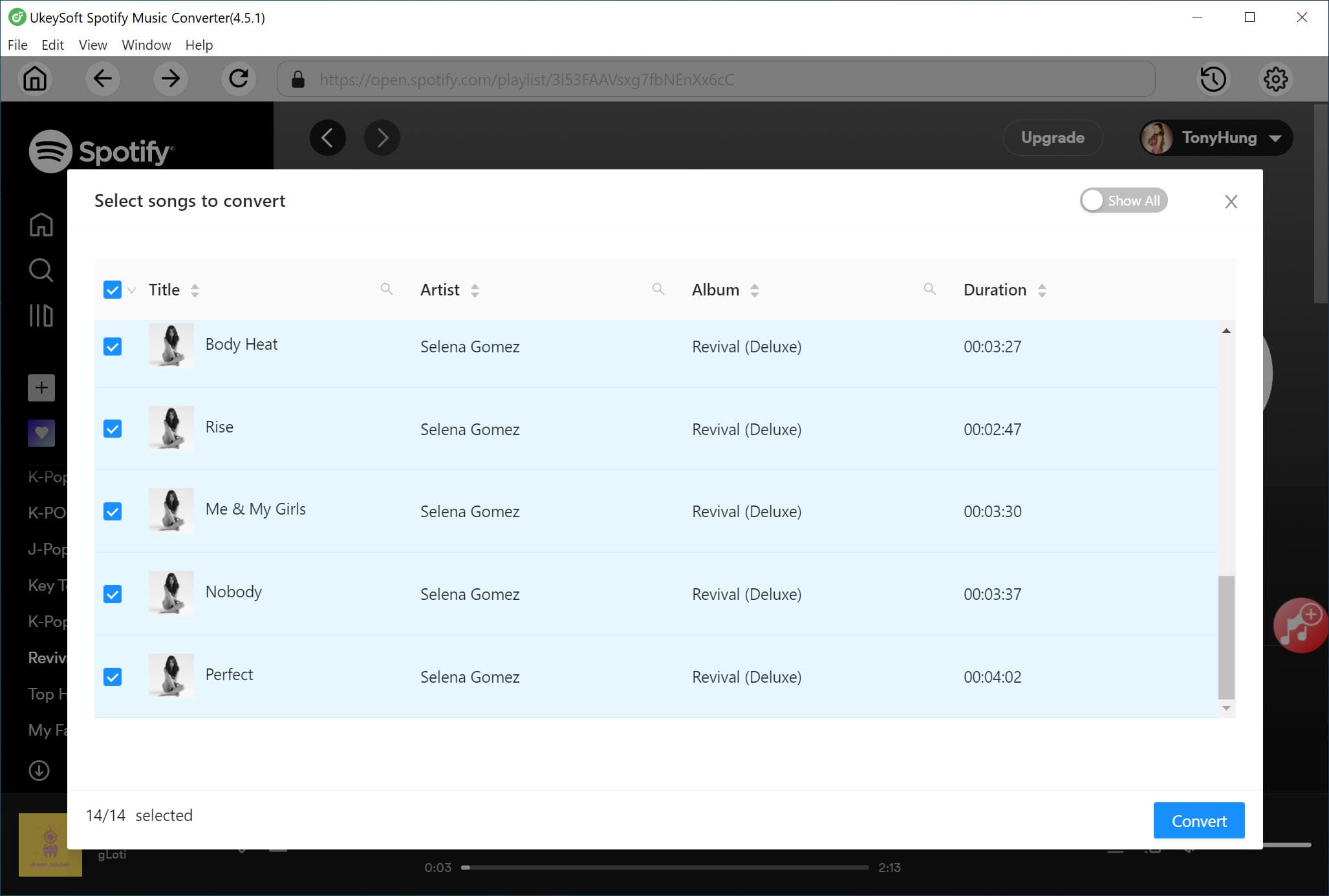
Select the desired Spotify songs you want to dowload.
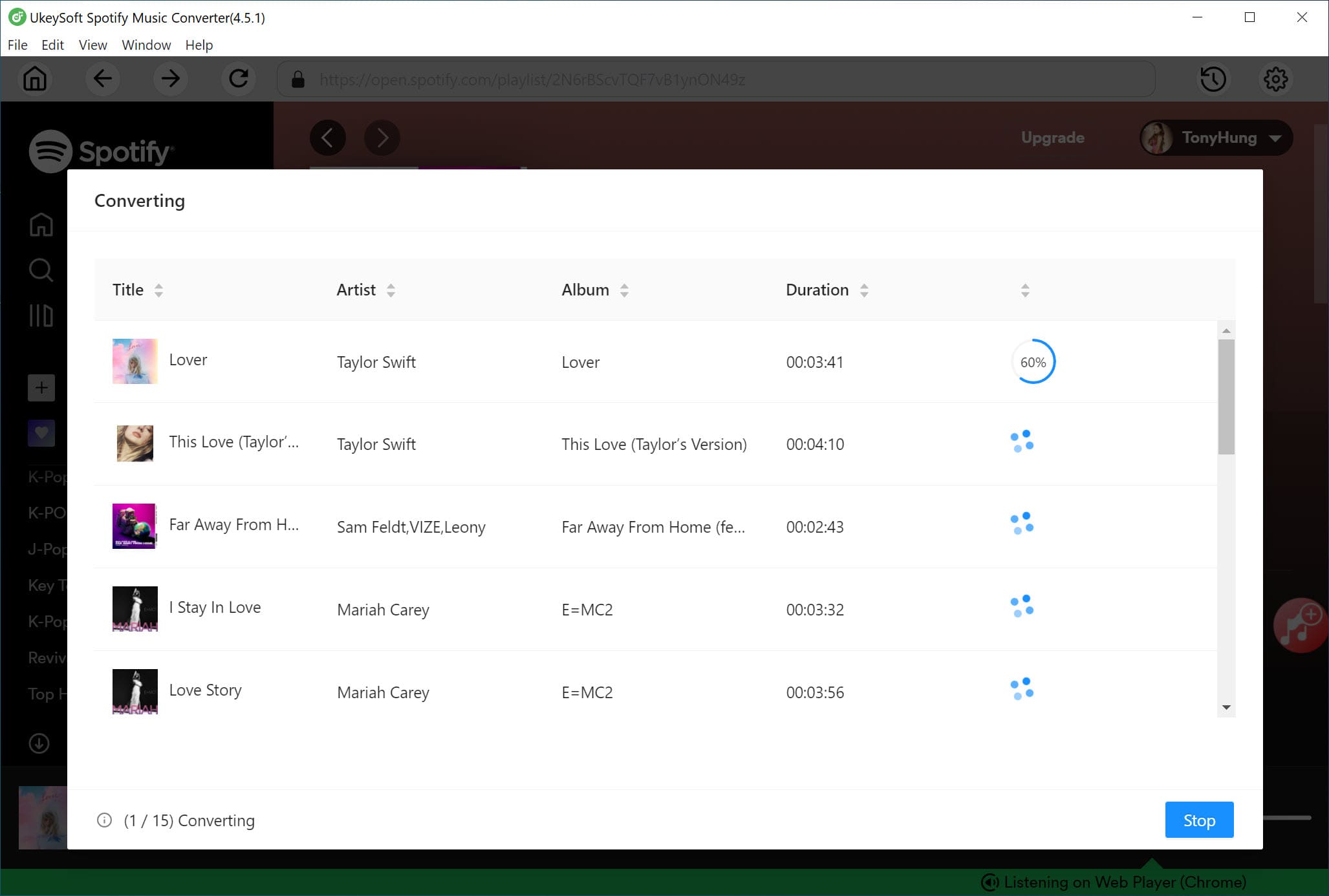
Step 4. Start to Download Spotify Tracks to Local Drive
Click "Convert" button to start converting Spotify songs to MP3. Within a few seconds, all the Spotify songs you download will be saved on your MAC forever.
After conversion, you can click "History" button to find the converted MP3 files.
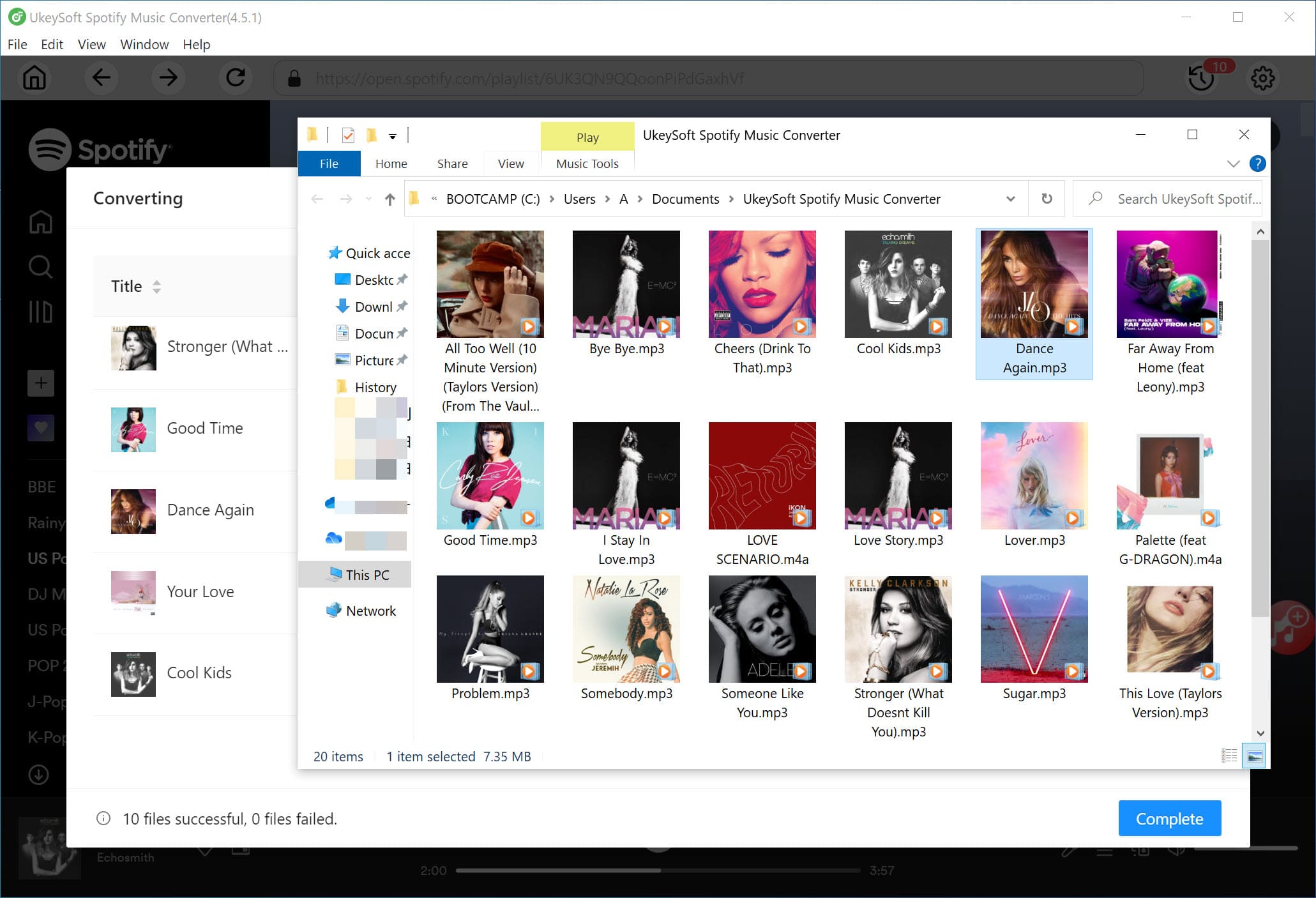
Step 5. Move Spotify Music from Computer to iTunes Library
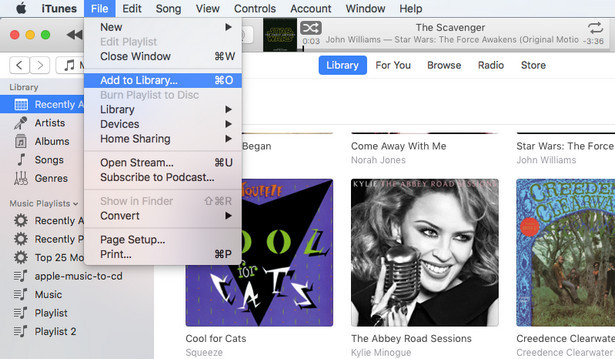
There are two ways for you to add the converted Spotify songs to your iTunes library.
#1 Directly drag the converted MP3 files to the iTunes window to import songs. If you add the entire converted folder, all the files it contained will be added to your iTunes library.
#2 Go to Menu bar > File > Add to Library to import Spotify playlists stored on your local drive.
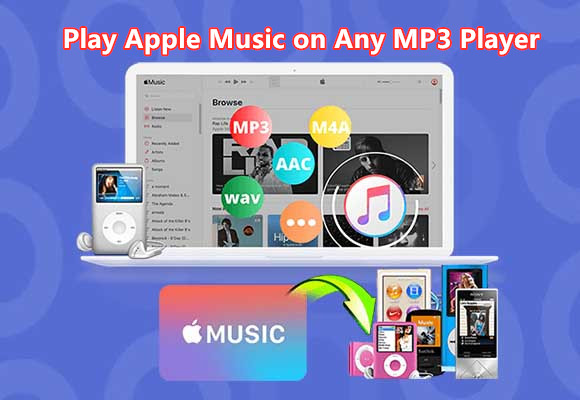
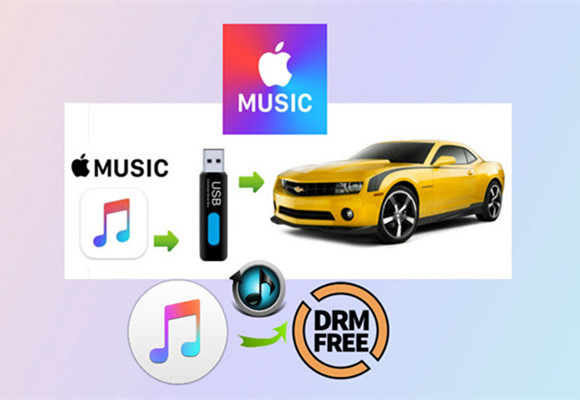
Now, you can enjoy your Spotify songs on your iTunes or Apple Music anytime. By the way, you can also transfer the converted songs to other devices for offline playback, such as generic MP3 Player, car player, Sony Walkman, iPhone, Android phone, iPod, PS4, PSP, Zune and more.

Prompt: you need to log in before you can comment.
No account yet. Please click here to register.







Porducts
Solution
Copyright © 2026 UkeySoft Software Inc. All rights reserved.


 English
 Arabic
 Chinese (Simplified)
 Chinese (Traditional)
 Croatian
 Czech
 Danish
 Dutch
 Estonian
 Finnish
 French
 German
 Greek
 Hebrew
 Hindi
 Hungarian
 Indonesian
 Italian
 Japanese
 Kazakh
 Korean
 Malay
 Norwegian
 Polish
 Portuguese
 Romanian
 Russian
 Slovenian
 Spanish
 Swedish
 Thai
 Turkish
 Ukrainian
 Vietnamese


















































































No comment yet. Say something...