By
Justin SabrinaUpdated on November 23, 2026
Q: Do I need Spotify Premium to download podcasts for offline listening?"
A: Unlike Spotify music download, you don't need a Premium subscription to unlock the download feature for podcasts. With a Spotify free account, you can access millions of podcasts covering entertainment, education, technology, business, true crime, and more. Better still, you are allowed to download Spotify podcasts for free! Keep reading, this guide walks you through three practical methods to download podcasts from Spotify for free, including the official Spotify app, UkeySoft Spotify Music Converter, and a free online converter.
Way 1. Download Podcasts for Free on the Spotify App
You don't need a Spotify Premium subscription to download podcasts for offline listening. Podcasters choose to make their shows available offline to free listeners, so you can download most podcast episodes directly through the Spotify app, although some shows may require Premium.
How to Download Spotify Podcasts for Free on on Android/iPhone
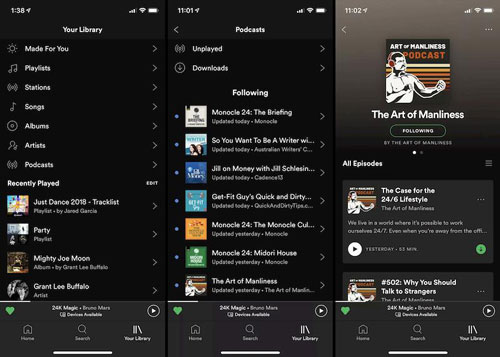
Step 1. Launch the Spotify app on your phone and sign in to your Free account.
Step 2. Search for the podcast you want to download, or navigate to your Library and find a show you already follow.
Step 3. Tap "See All Episodes" to browse the available episodes. Find the one you want to download.
Step 4. Tap the "Download" icon. Spotify will begin saving it to your device.
Step 5. Once the download is complete, open Your Library and find your downloaded episodes. You can now listen to Spotify podcasts offline without an internet connection.
How to Download Spotify Podcasts for Free on PC/Mac
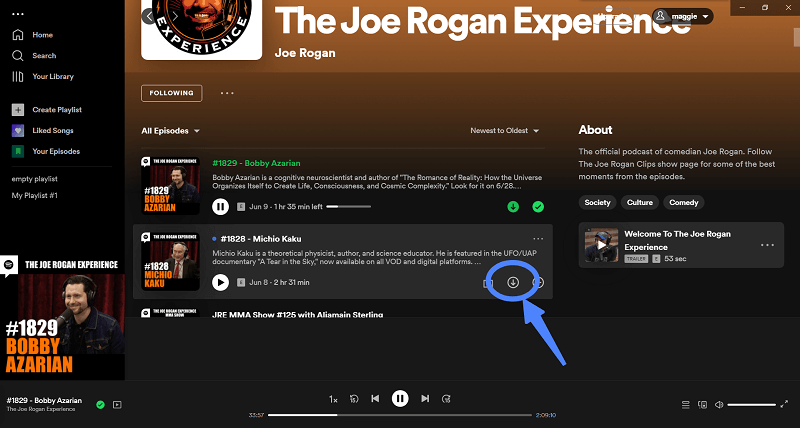
Step 1. Open the Spotify desktop app and log in to your account.
Step 2. Search for your favorite podcast and open its show Step page.
Step 3. Browse the episode list and move your cursor over the episode you want.
Step 4. Click the "Download" button to save the episode for offline listening.
Step 5. Once downloaded, locate the episode in your "Spotify Library" and play it offline.
Way 2. Batch Download Spotify Podcasts without Premium (MP3 & Fast)
As mentioned above, some Spotify podcasts may require Premium. Moreover, your downloaded podcasts episodes stay locked inside Spotify app, and you cannot transfer them to another device or player. To get rid of these restrictions, it is advisable to download Spotify podcasts to MP3.
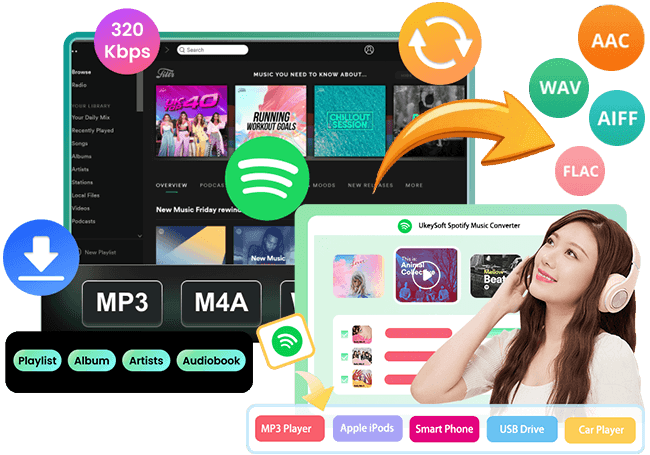
Here UkeySoft Spotify Music Converter comes into handy. This tool supports all Spotify accounts, including Free and Premium. With it, you can quickly download any content from Spotify with a free account, including songs, podcasts, playlists, albums, audiobooks, and radio. Besides, it can download and convert Spotify podcasts to MP3 at up to 320kbps with original quality preserved, ensuring a premium listening experience.
What's more, UkeySoft delivers a 16X faster conversion speed and supports batch download a full podcast series. Most importantly, you're not even required to use the Spotify app, as the software has integrated with the official web player, allowing you log in and load your library!
UkeySoft Spotify Music Converter
- Built-in Spotify Web Player; Supports for both Spotify Free and Premium.
- Download Spotify playlists, albums, podcasts, audiobooks to WAV.
- Convert Spotify music to WAV, MP3, AAC, M4A, FLAC, AIFF formats.
- 16X high-speed to queue thousands of songs for conversion at once.
- Keep complete ID3 tags (cover, title, album, artist, artwork, genre, etc.).
- Built-in music player and music manager for easy playback and management.
Step-by-Step Guide to Download Spotify Podcasts to MP3 with UkeySoft
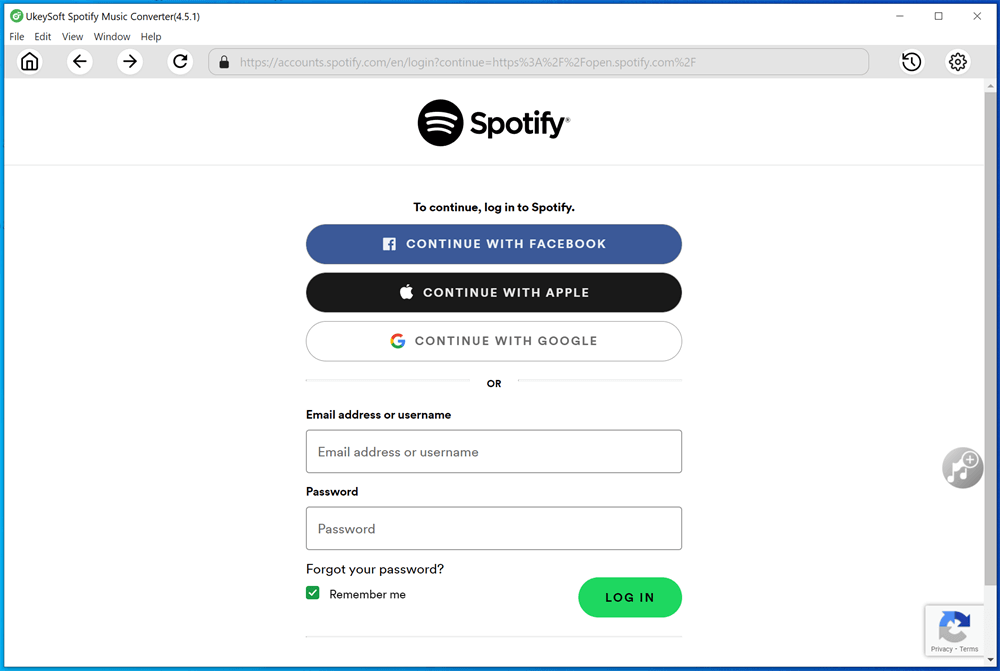
Step 1. Sign in Spotify Account in UkeySoft
Download and install UkeySoft Spotify Music Converter on your computer, then open the software. You will be prompted to log in to your Spotify account. Both Free and Premium accounts are supported. This allows the converter to load and read your podcasts, playlists, albums, and tracks.
Step 2. Choose MP3 Format
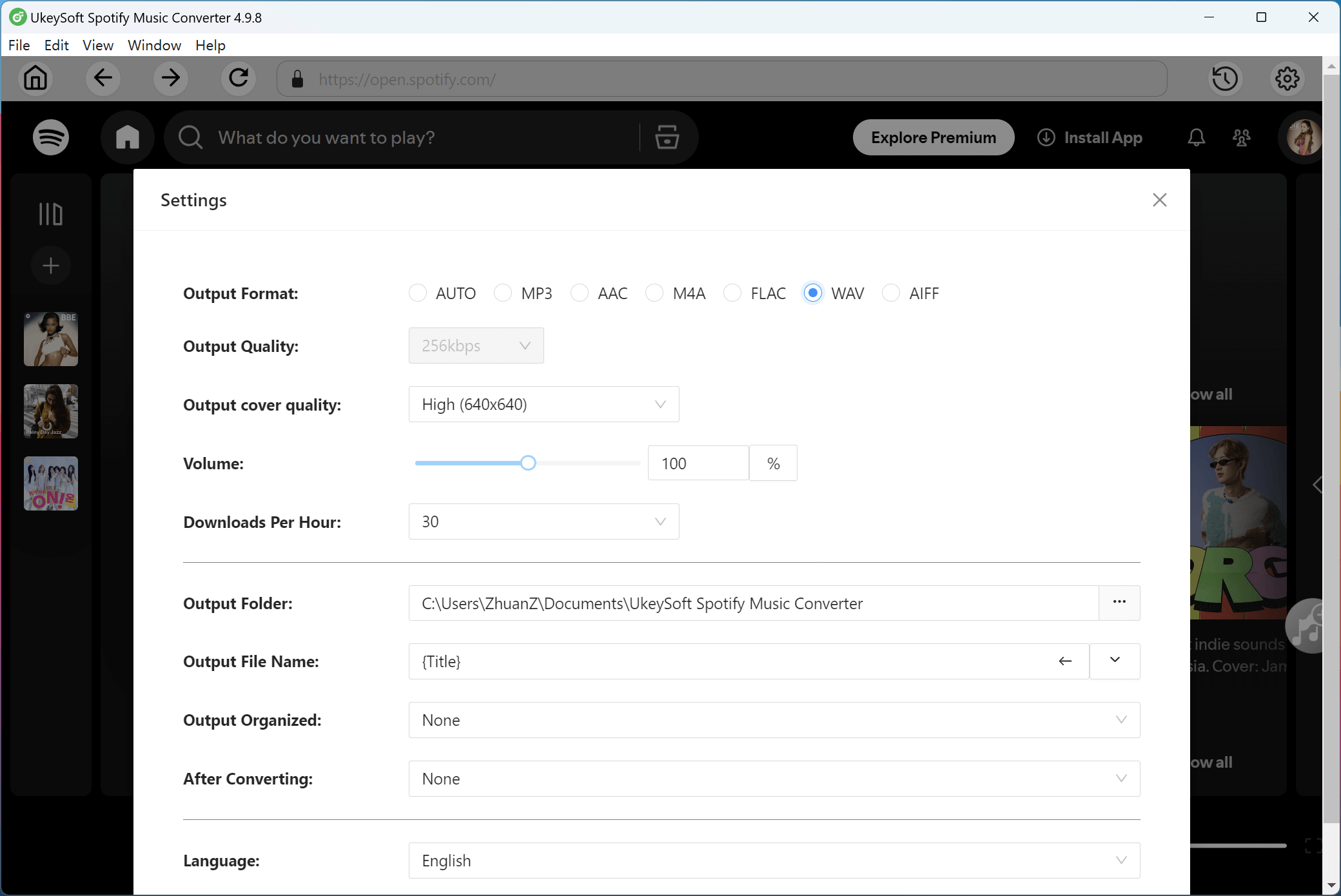
Open the "Settings" window by clicking the Gear icon at the upper right corner. Go to Output Format and choose MP3 format. You may also adjust the output quality, output folder, and output file name, as well as other audio parameters.
Step 3. Add Spotify Podcasts/Episodes
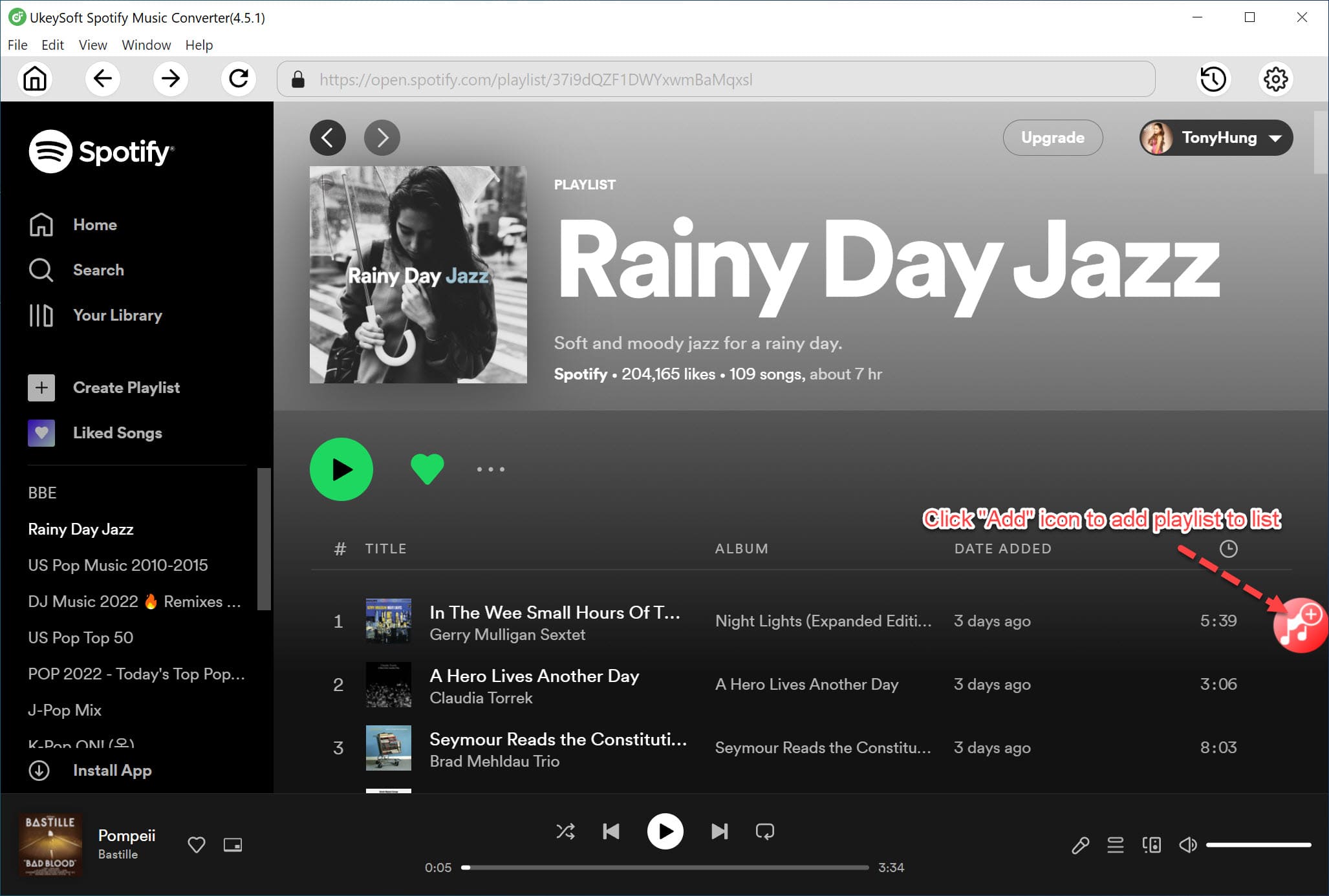
Browse through podcasts or search for a show, then click the "+" icon on the right side. You can add individual podcast episodes, entire podcast shows, or even playlists and albums.
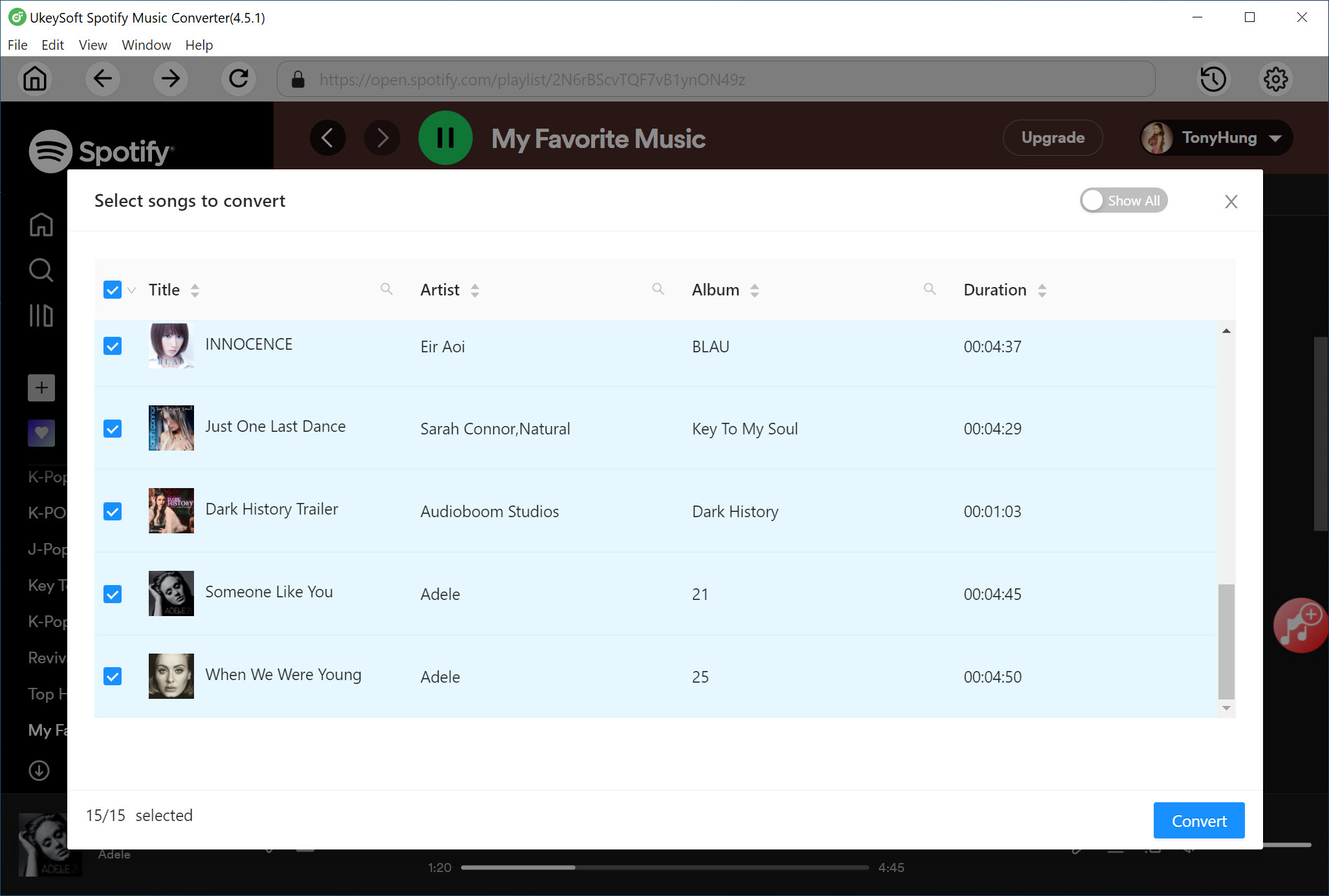
Once added, UkeySoft Spotify Music Converter will load the episode list automatically. Check and confirm your target episodes in the list.
Step 4. Start Downloading Spotify Podcasts to MP3
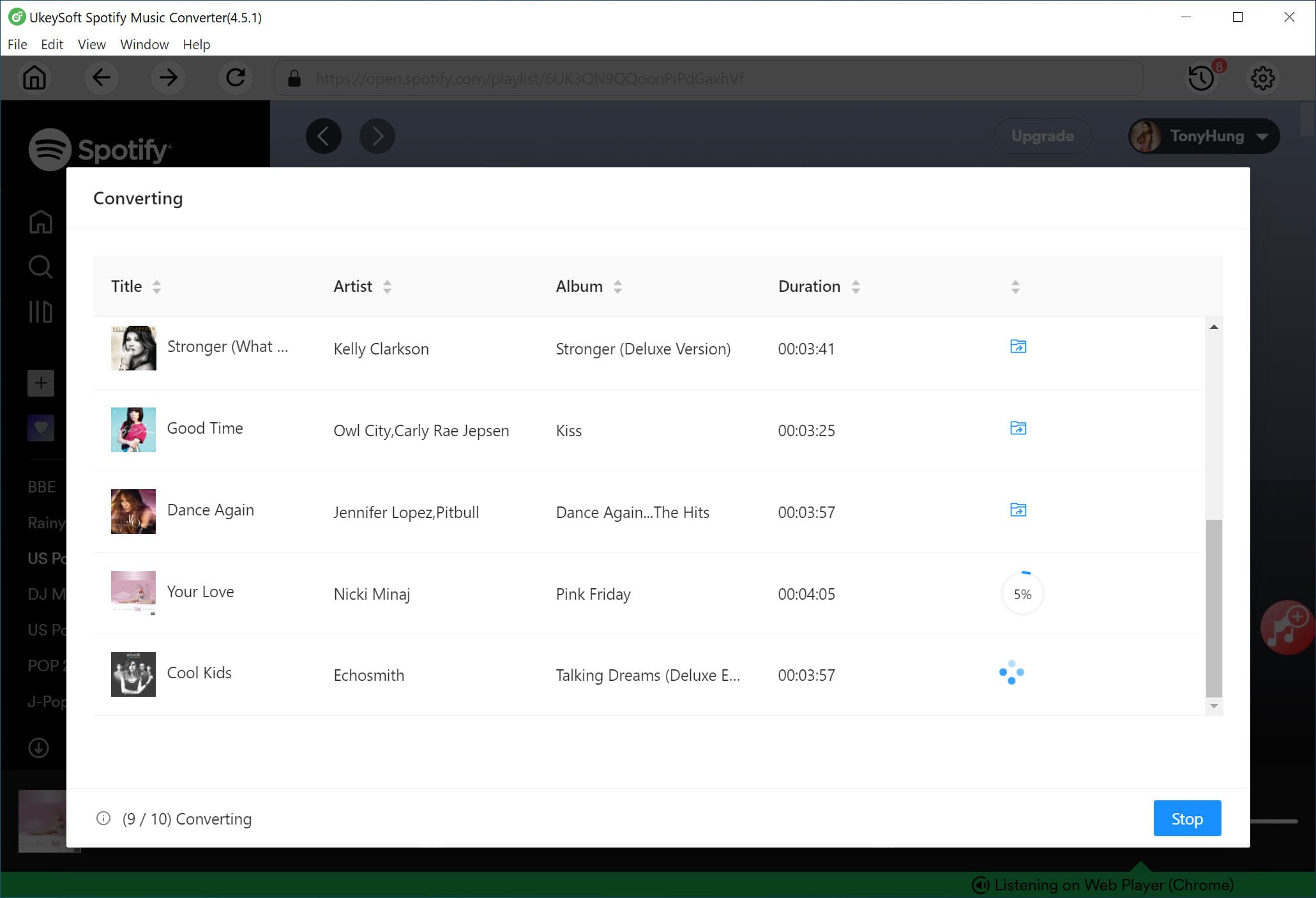
Finally, click the "Convert" button. UkeySoft Spotify Music Converter will process the Spotify podcast episodes and save each one as an MP3 file with high quality.
Step 5. Get the Output Spotify Podcast MP3 Files
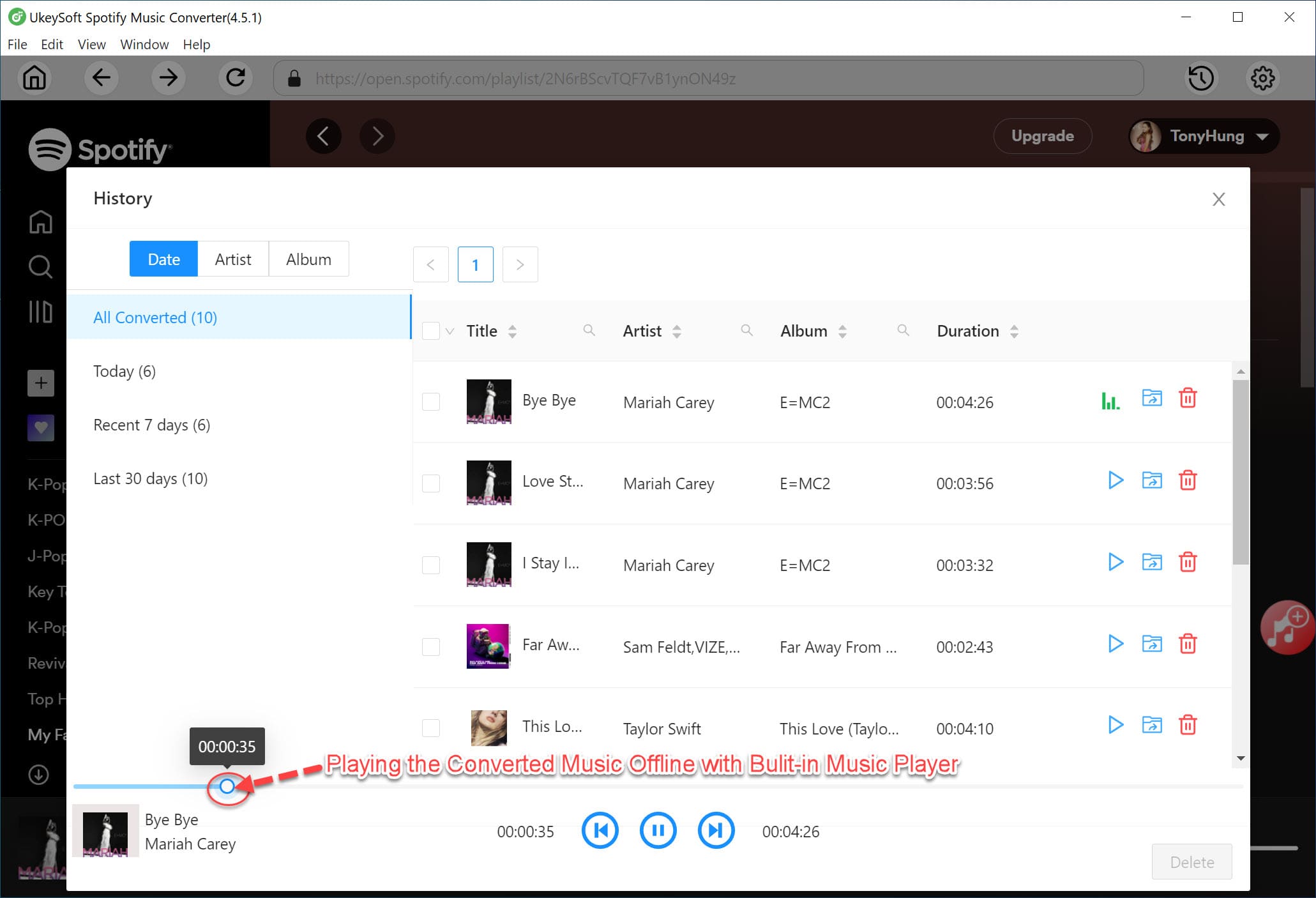
Once the conversion is done, click on the "History" icon to access the downloaded Spotify podcasts. You can now listen to these high-quality podcast episodes with the built-in music player on the converter. Plus, click the "Blue Folder" icon to locate the output MP3 files on your computer.
Way 3. Download Spotify Podcasts for Free via Online Converter
If you don't want to install desktop software, you can try an online Spotify podcast converter, such as SpotScribe. It is a browser-based tool that lets you convert Spotify podcast episodes to MP3 by pasting an episode link. It works without a Spotify Premium subscription or complicated setup, making it a good option for occasional single podcast episode conversion.
However, this online converter may have limited batch downloading and output customization options, and it isn't completely free. Its free trial only supports transcribing podcast episodes up to 60 minutes long, with a maximum storage limit of 100MB. By comparison, the professional desktop software - UkeySoft Spotify Music Converter is more affordable.
Steps to Download Spotify Podcasts to MP3 with SpotScribe
Step 1. Open your browser and navigate to the SpotScribe website. You need to complete a free registration on this website.
Step 2. Copy the URL of the Spotify podcast episode you want to download, and paste the link into SpotScribe's input field.
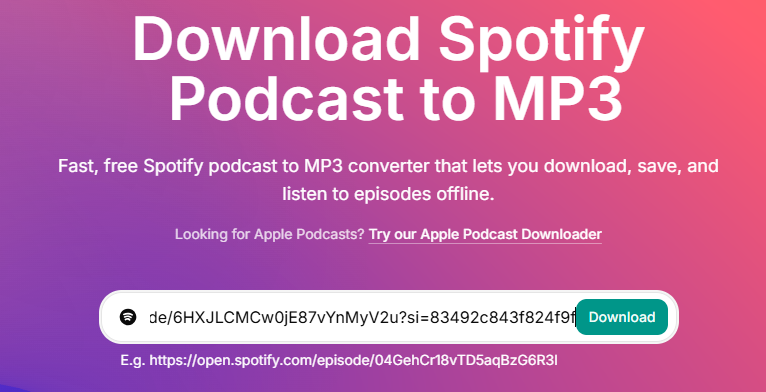
Step 3. Click "Download" button and wait for the tool to analyze the episode.
Step 4. If an audio download option appears, click it to save the file.
Conclusion
This post explores 3 easy ways to download Spotify podcasts for free. The first is downloading podcasts for free in the Spotify app. The second is a more flexible alternative. You can utilize a professional Spotify podcast to MP3 downloader. That is, UkeySoft Spotify Music Converter. It enables you to batch download full podcast series from Spotify without Premium, and export them as MP3, FLAC, AAC, WAV, M4A, or AIFF files with lossless audio quality. Free online tool exists, but it comes with compromises in quality, reliability, and file management. So, try UkeySoft today and start enjoying your podcasts freely!
Download Spotify Podcasts for Free

Justin Sabrina has always had great enthusiasm for writing, programming and web development. He likes writing about software and technology, his works are featured on some tech blogs or forums like Tom's Hardware, CNET, etc.
 English
 Arabic
 Chinese (Simplified)
 Chinese (Traditional)
 Croatian
 Czech
 Danish
 Dutch
 Estonian
 Finnish
 French
 German
 Greek
 Hebrew
 Hindi
 Hungarian
 Indonesian
 Italian
 Japanese
 Kazakh
 Korean
 Malay
 Norwegian
 Polish
 Portuguese
 Romanian
 Russian
 Slovenian
 Spanish
 Swedish
 Thai
 Turkish
 Ukrainian
 Vietnamese







Comments are off!