 ✕
✕
By Justin SabrinaUpdated on November 16, 2026
This year, UkeySoft brought the brand-new UkeySoft YouTube Music Converter, which has replaced the 4kFinder YouTube Music Converter to deliver more powerful music conversion for YouTube Music users. The software integrates the official YouTube Music web player and applies advanced technology to ensure a stable, smooth, efficient, and user-friendly experience when grabbing YouTube Music offline. In this post, you can preview all the highlights of UkeySoft YouTube Music Converter and how it helps boost YouTube Music download experience. Now, let's get started!
UkeySoft YouTube Music Converter is one of the standalone music converter from UkeySoft All-In-One Music Converter. The software offers powerful functionality to save YouTube Music songs locally within this single software. It supports downloading individual tracks, entire playlists, albums, and music videos, then converting them into popular audio formats such as MP3, AAC, M4A, WAV, FLAC, and AIFF. With a built-in YouTube Music web player, users can browse and access their music libraries directly without installing the official YouTube Music app.
After which, users can keep the YouTube Music tracks forever, enjoy them with other media players, or move them to an MP3 player, iPod, smartphone, tablet, USB drive, SD card and other devices for offline listening.
For users who previously relied on 4kFinder YouTube Music Converter, UkeySoft YouTube Music Converter represents a clear generational upgrade in both performance and output flexibility.
# Supports All Types of YouTube Music Accounts
One of the most attractive feature of UkeySoft YouTube Music Converter is that it doesn't require a YouTube Music Premium subscription. Instead, the software delivers the same download and conversion capabilities for users of all account types. Whether you're using an ad-supported account, a free trial, Student, or Premium plan, you can sign in through the built-in web player and access your available music library.
# Download Any Music Content from YouTube Music
Like UkeySoft's other music converters, UkeySoft YouTube Music Converter allows users to save different types of YouTube Music content, including singles, podcasts, full playlists, complete albums, and music videos. You can browse your music library, search for your favorite tracks, and add multiple songs to the conversion list at once. No URL copying, no switching between browser and application.
# Stable Performance and High Success Rate
As an improved YouTube music downloader, UkeySoft YouTube Music Converter uses advanced processing technology to provide a smoother downloading experience and advertises a success rate of up to 99%. Its built-in web player also simplifies music access and reduces the need to switch between different applications. With a stable internet connection, a typical four-minute song converts in seconds, while large playlists complete within minutes.
# Lossless Output Quality and Customizable Settings
YouTube Music Premium subscribers can enjoy the highest audio quality at 256kbps AAC, while YouTube Music Free users are limited to a lower default of 128kbps. With UkeySoft YouTube Music Converter, both Free and Premium users can download and convert YouTube Music tracks to AAC format while maintaining the original 256kbps audio output.
What's more, UkeySoft offers customizable output settings to ensure the best offline listening experience. Users can select AAC at up to 640kbps or MP3 at up to 320kbps, as well as choose lossless formats such as WAV and FLAC. The software also preserves important ID3 tags, including song titles, artists, albums, and cover artwork, making music management easier.
# Up to 36X Faster Speed for Batch Downloads
With an innovative encoding method, UkeySoft YouTube Music Converter achieves conversion speeds up to 36X. A 4-minute track finishes in mere seconds, and a 50-track playlist completes in minutes rather than the half-hour or more that slower converters require. Plus, the batch-download feature makes it much easier and faster to build a local music library. You can add multiple tracks, complete playlists, or entire albums to the conversion list and process them together.
| Features | 4kFinder YouTube Music Converter | UkeySoft YouTube Music Converter |
|---|---|---|
| Supported Content | Songs, playlists, albums, music videos, podcasts | Songs, playlists, albums, music videos, podcasts |
| Output Formats | MP3, M4A, AAC, WAV, FLAC, AIFF | MP3, M4A, AAC, WAV, FLAC, AIFF |
| Output Quality | Up to 320kbps MP3; up to 640kbps AAC | Up to 320kbps MP3; up to 640kbps AAC |
| Speed | Up to 16X | Up to 36X |
| ID3 Tags Preserved | Yes | Yes |
| Batch Conversion | Yes | Yes |
UkeySoft YouTube Music Converter features a straightforward interface, so even beginners can get started without much technical knowledge. Follow these simple steps to download YouTube Music to MP3 or other audio formats.
Step 1. Download and Launch the Software
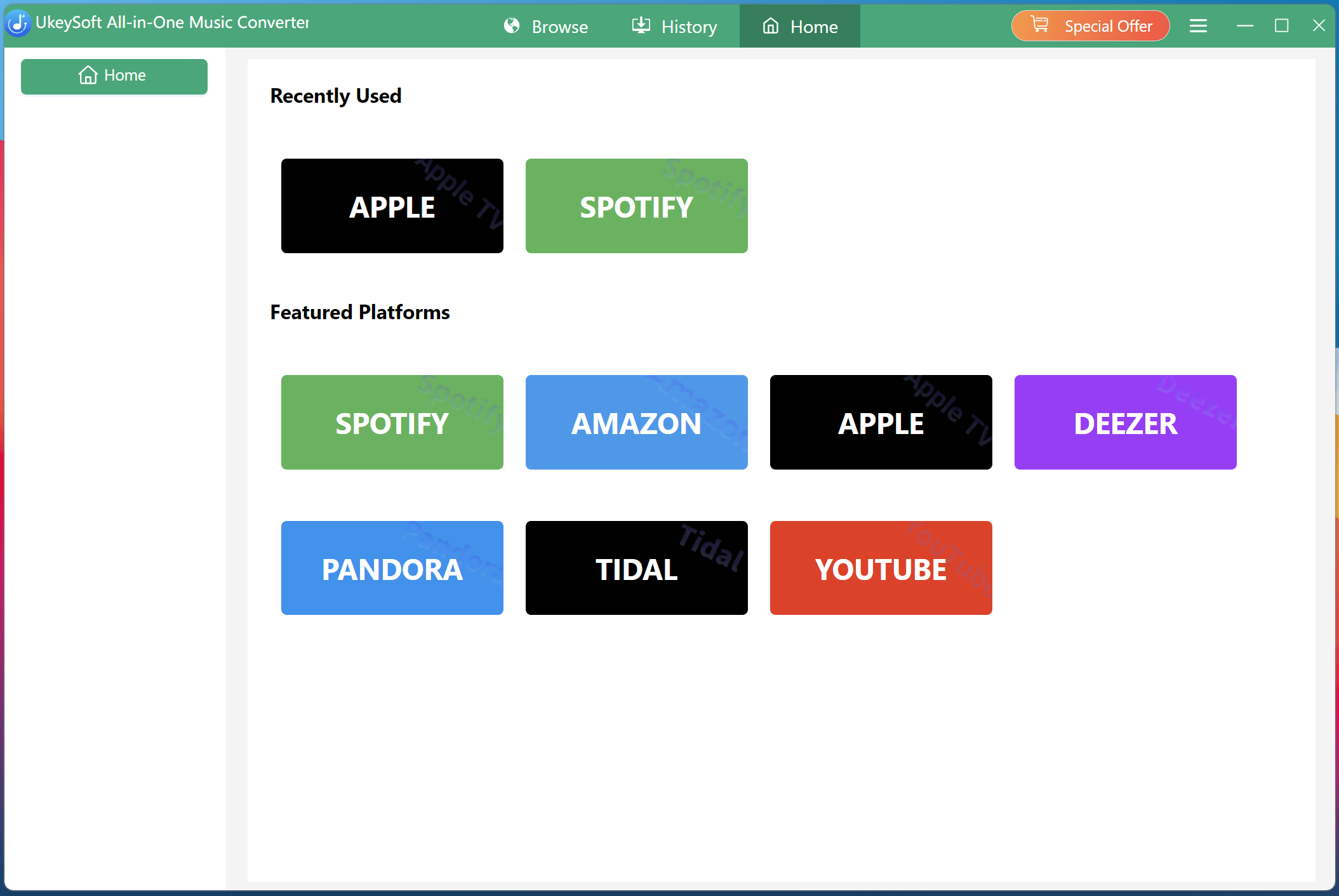
Download and open UkeySoft All-In-One Music Converter and choose YouTube Music from the supported platforms. The built-in web player will load automatically.
Step 2. Log In to Your YouTube Music Account
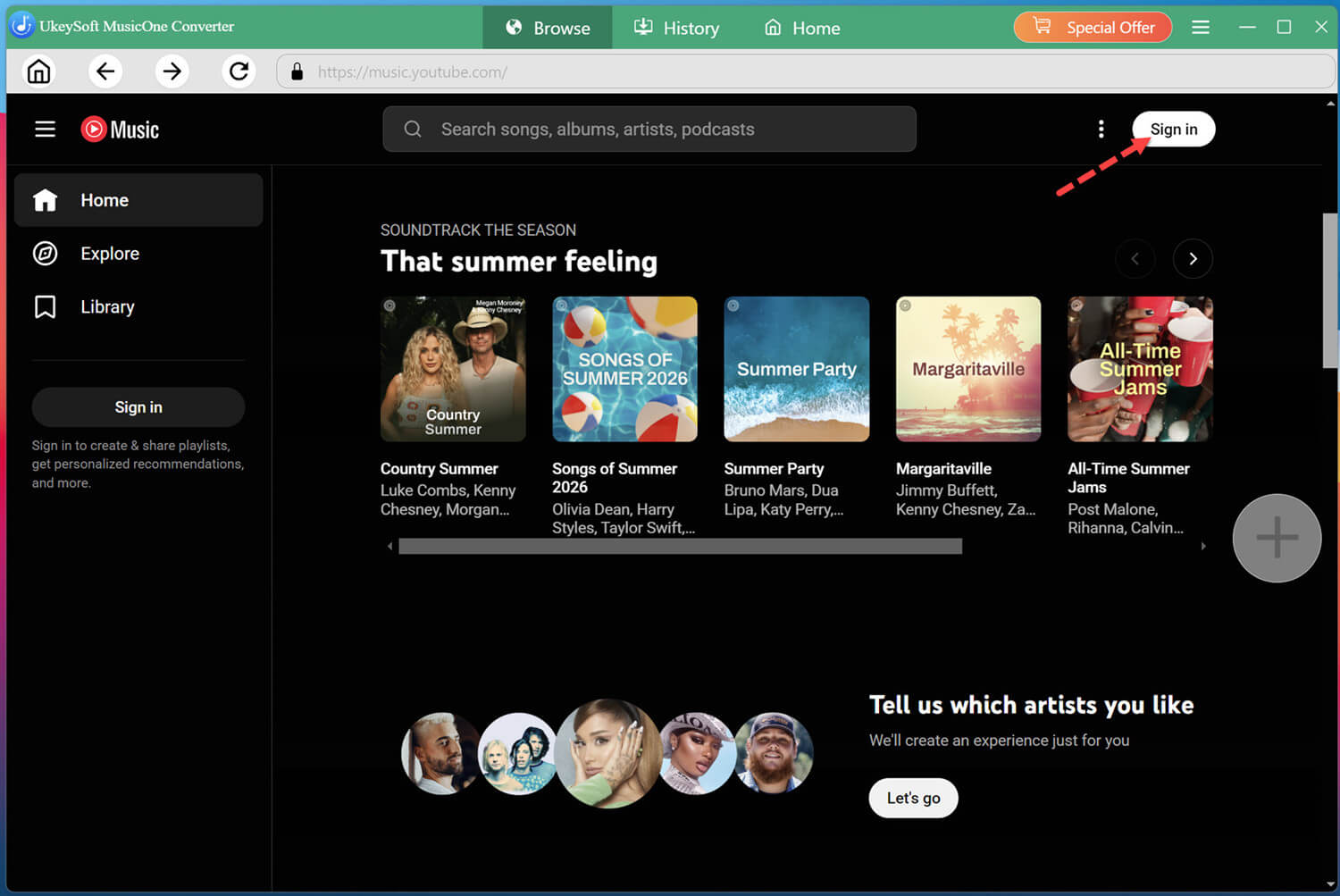
Click the "Sign In" button. Log in with your YouTube Music free or Premium account to access your music library.
Step 3. Customize the Output Settings
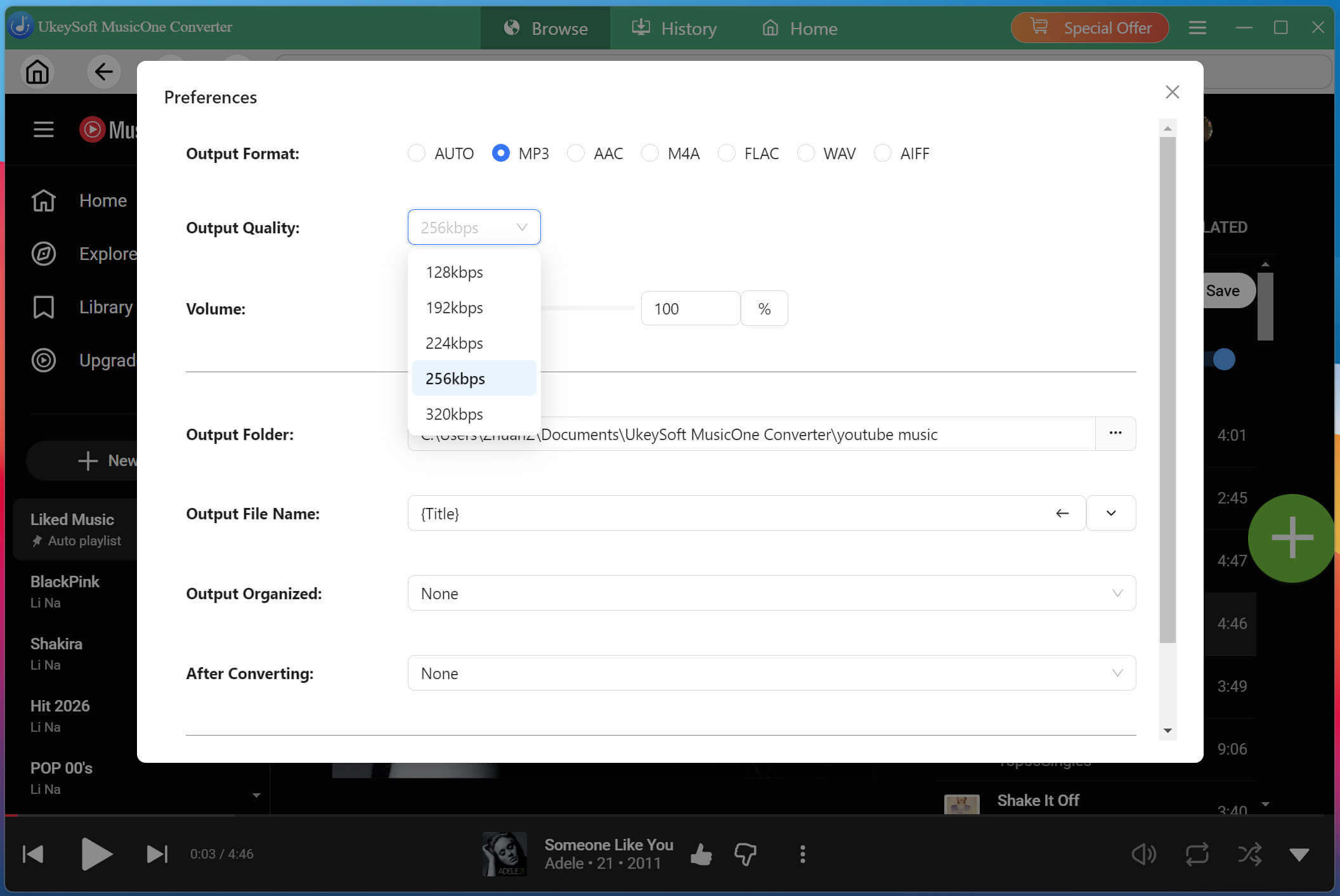
Click the "Menu" icon and select "Preferences". Choose your preferred output format, such as MP3, AAC, M4A, WAV, or FLAC. You can also adjust the audio quality to 320kbps, and select an output folder for your downloads.
Step 4. Add Songs, Playlists, or Albums
Browse the YouTube Music library and find the content you want to save. Open a song, playlist, or album, then click the green "+" button to add the tracks to your conversion list.
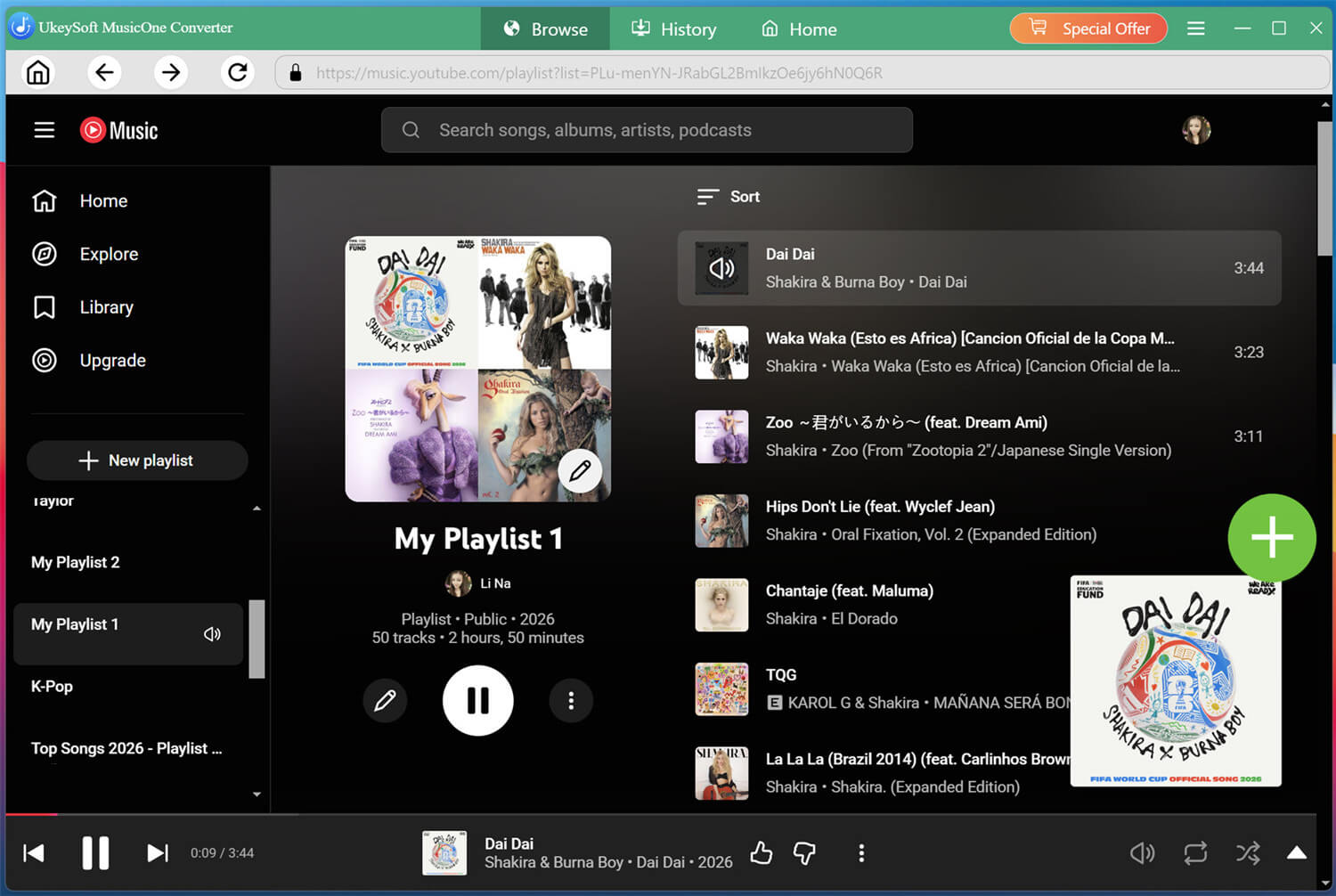
Once added the songs successfully, check and cofirm your selected tracks.
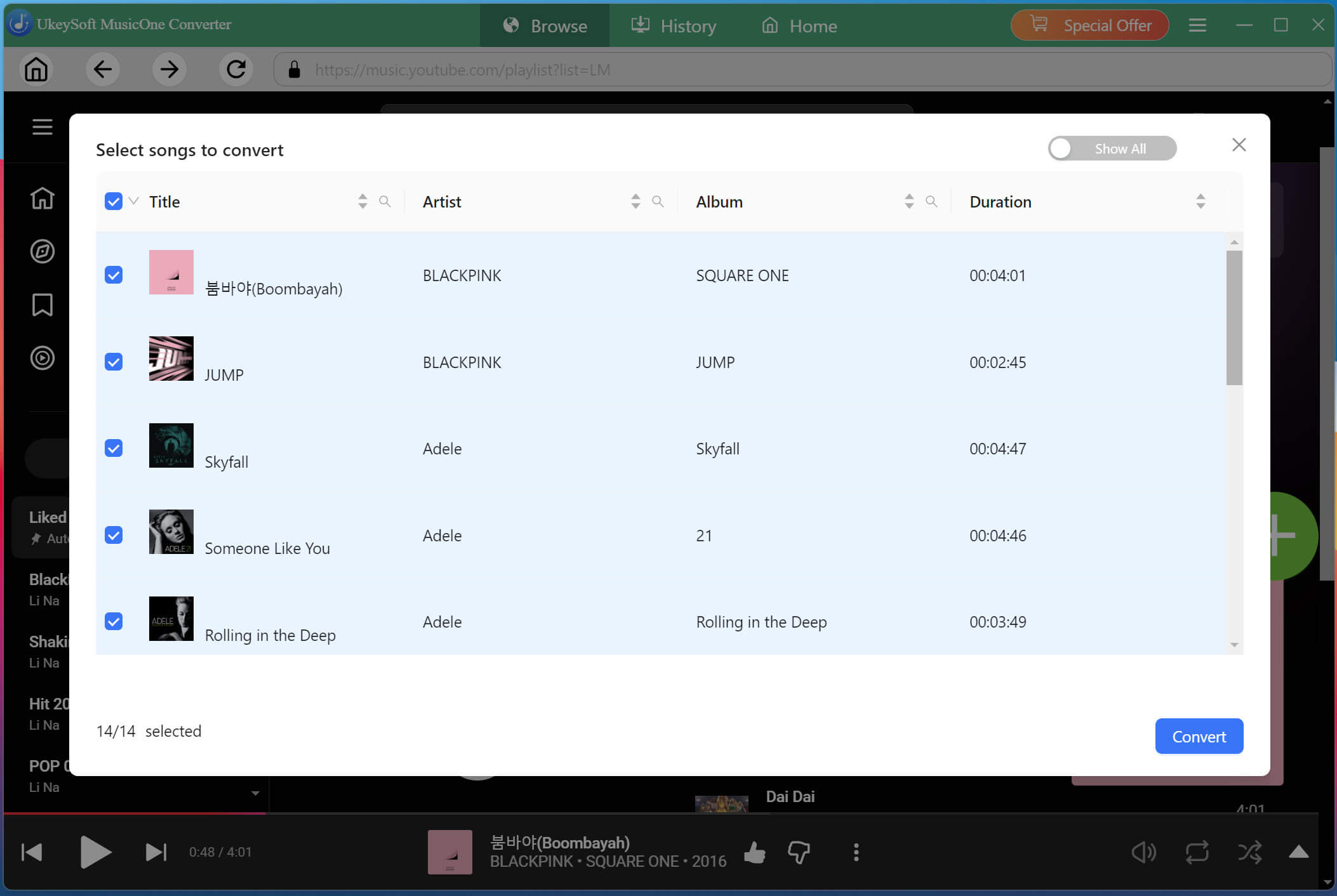
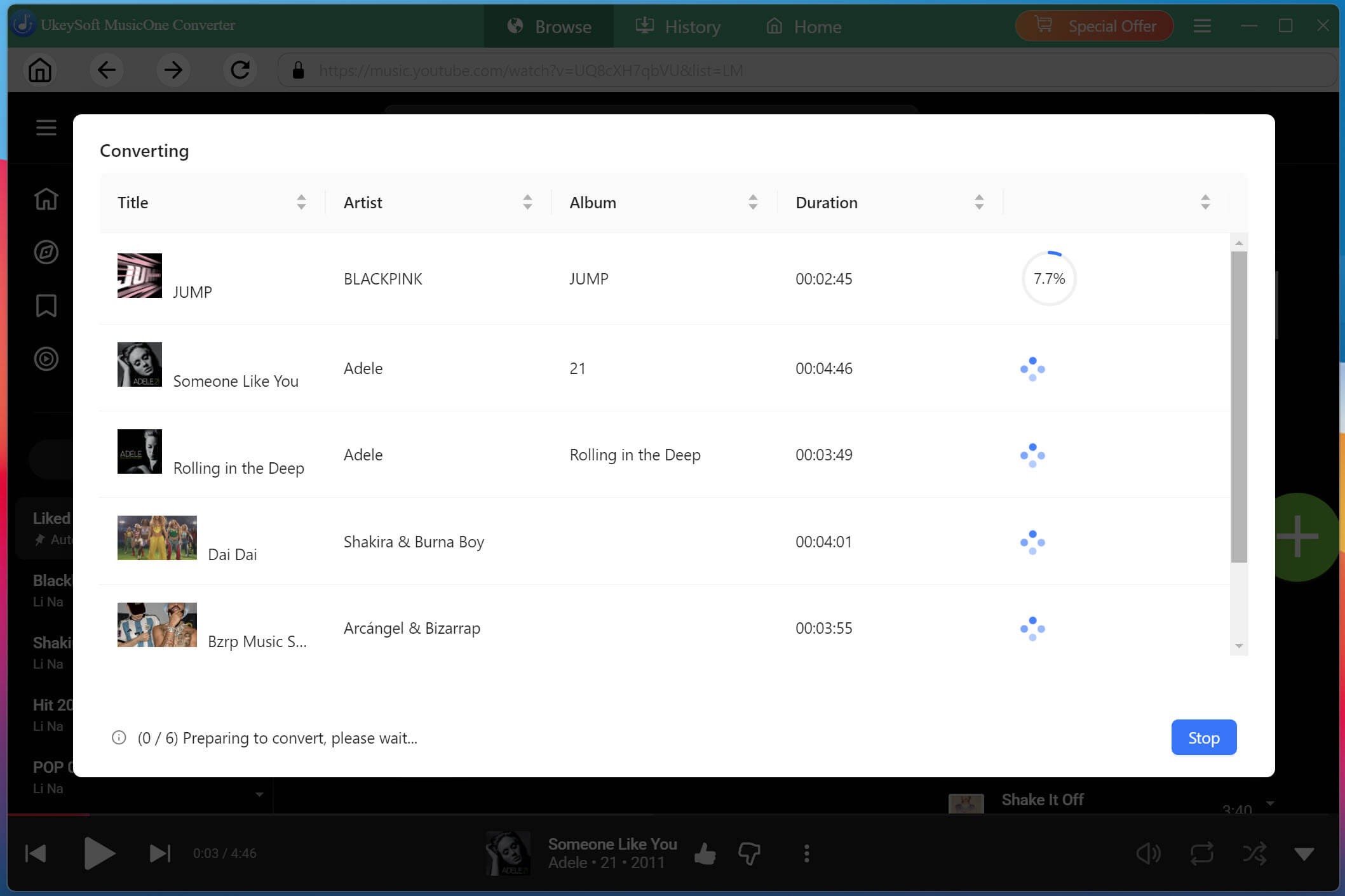
Step 5. Start Downloading YouTube Music to MP3
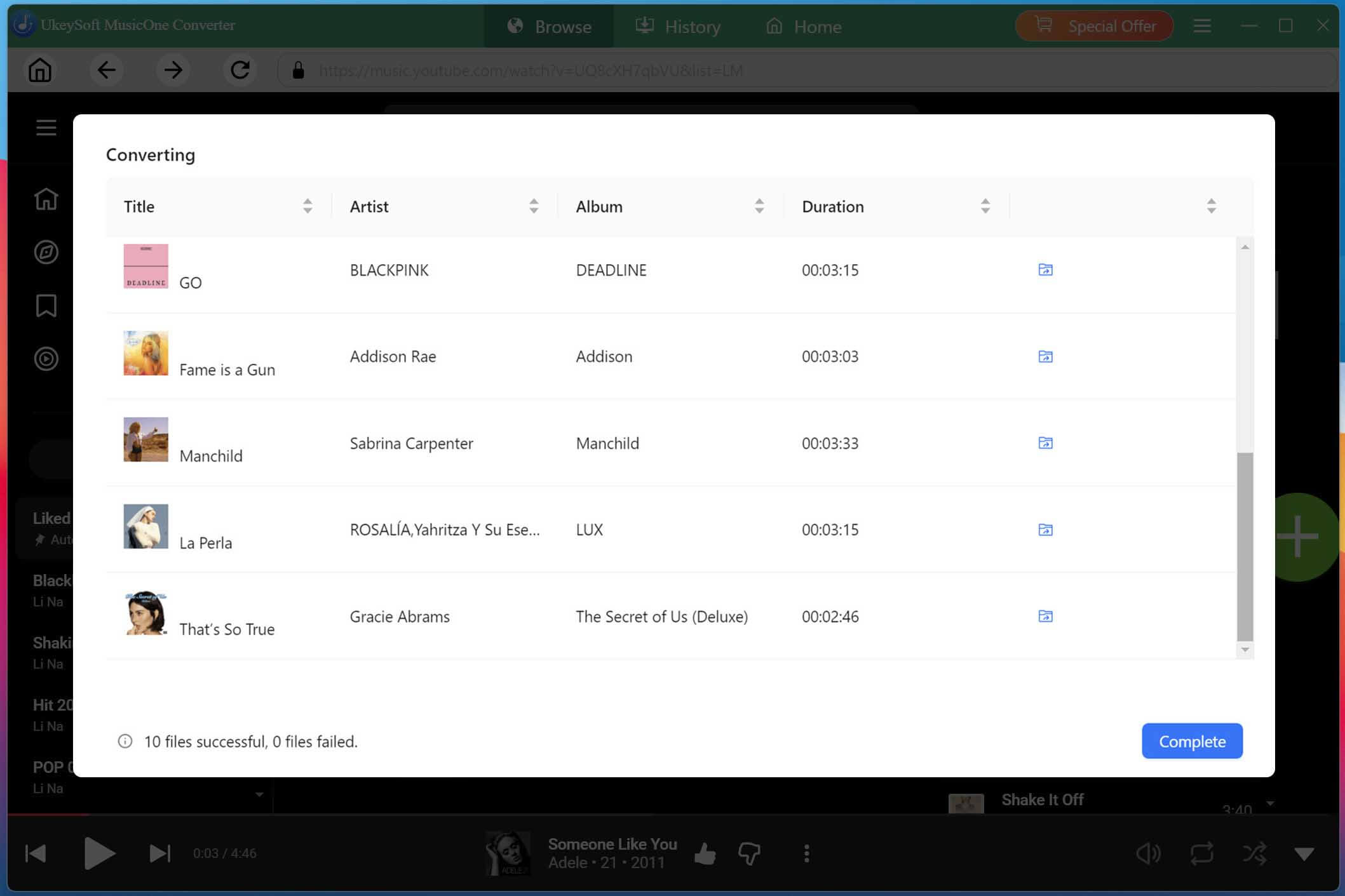
If ready, click the "Convert" button to start batch downloading YouTube Music tracks to MP3.
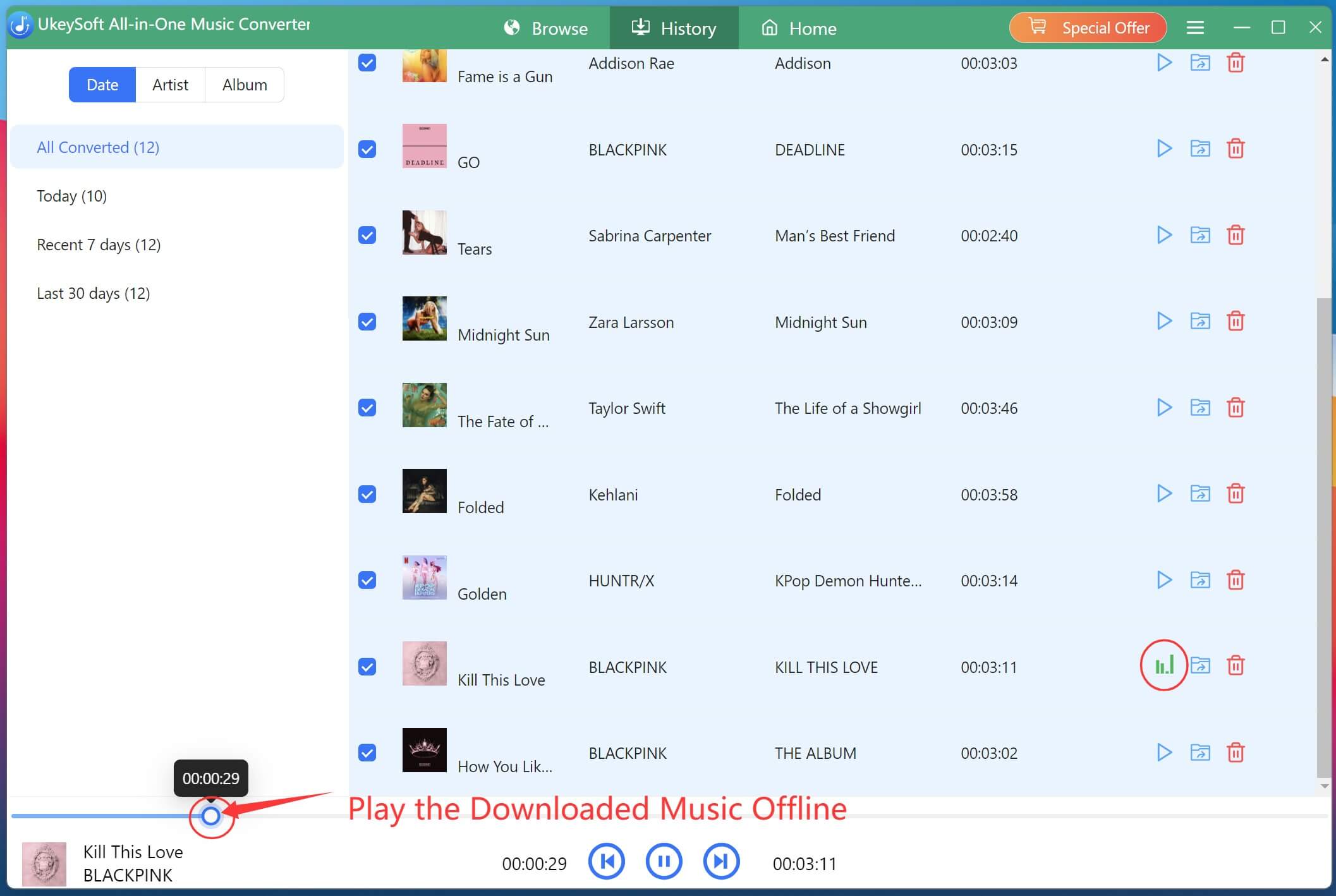
Once the process finishes, open the "History" section to find your converted music files.
You can now play the downloaded tracks using the built-in music player or transfer compatible audio files to other devices for offline listening.

Sorry the comment has been closed.














Porducts
Solution
Copyright © 2026 UkeySoft Software Inc. All rights reserved.


 English
 Arabic
 Chinese (Simplified)
 Chinese (Traditional)
 Croatian
 Czech
 Danish
 Dutch
 Estonian
 Finnish
 French
 German
 Greek
 Hebrew
 Hindi
 Hungarian
 Indonesian
 Italian
 Japanese
 Kazakh
 Korean
 Malay
 Norwegian
 Polish
 Portuguese
 Romanian
 Russian
 Slovenian
 Spanish
 Swedish
 Thai
 Turkish
 Ukrainian
 Vietnamese





















































































































Comments are off!