By
Justin SabrinaUpdated on September 24, 2026
Key Takeaway
You can download SoundCloud playlists to MP3 using several tested tools across different devices, including:
○ Best desktop batch downloader: UkeySoft SoundCloud Music Converter (supports 320kbps MP3, 16X faster, full ID3 tags) - Windows, Mac
○ Safe and clean online tool: ScloudSave
○ Open-source command-line tool: scdl
○ Browser extension: SoundCloud Enhanced Pro
SoundCloud's built-in offline listening feature is tied to supported subscription plans and the SoundCloud app. It doesn't let you play your favorite SoundCloud playlists in your car, transfer them to an MP3 player, or keep them permanently.
So, is there a way to download SoundCloud playlists to MP3? Yes. A reliable SoundCloud Playlist downloader can help you save multiple tracks in the playlists at once and export them as local audio files.
We tested and compared 20+ popular SoundCloud playlist downloaders in 2026 and selected 8 reliable and viable options that work across Windows PC, Mac, Android, and iPhone. We focused on playlist support, actual audio quality, batch downloading, speed, metadata, ads, safety, and ease of use. Read on to find the best SoundCloud Playlist downloaders for downloading individual tracks or entire playlists.
How We Test these SoundCloud Playlist Downloader?
Devices: Windows 10 PC, Xiaomi 15 Ultra, and iPhone 17 Pro
Network: 500 Mbps Wi-Fi
Tested Playlist: Summer Playlist from SoundCloud (178 tracks)
Evaluation Criteria
We evaluated these SoundCloud playlists downloaders based on seven major factors:
- Source Accuracy: Does the tool download the correct SoundCloud tracks?
- Audio Quality: Does the actual bitrate match the advertised quality? We specifically checked whether 320kbps MP3 claims were accurate.
- Batch Speed: How long does it take to download an entire playlist? We recorded the total processing time for a 178-track playlist.
- Metadata Preservation: Does it retain album art, track numbers, artist names, and other ID3 tags for easy music library management?
- Stability: Does the playlist finish without errors or missing tracks?
- Ease of Use: Is it beginner-friendly, or does it require technical knowledge?
- Ads & Interface: Does it contain pop-ups, redirects, or misleading download buttons?
Real Test Results & Performance
|
Products/Tools
|
Output File Size
|
Actual Bitrate
|
Download Time
|
Result
|
|
1. UkeySoft SoundCloud Music Converter
|
1.48 GB |
320kbps |
8 minutes for a full playlist, average 3s per track |
Success |
|
2. ScloudSave
|
198 MB |
128 kbps |
25 minutes for 56 tracks |
Success (Can only download 56 tracks in the playlist (176 tracks) into a ZIP file) |
|
3. KlickAud
|
3.2 MB |
128 kbps |
Average 20s per track |
Success (Can only download tracks one by one) |
|
4. MusicVerter
|
270 MB |
320 kbps |
45 minutes for a full playlist, average 16s per track |
Success (Download an entire playlist requires a Premium account) |
|
5. Scloudplaylistdownloader.app
|
5.8 MB |
128kbps |
40s for 2 tracks |
Success (Can only download 2 tracks with free tier, ZIP file) |
|
6. soundclouddl.cc
|
115 MB |
256kbps |
8 minutes for 15 tracks, average 30s per track |
Success (Can only download 15 tracks in the playlist at once, ZIP file) |
|
7. scdl SoundCloud Downloader
|
296 MB |
64kbps |
30 minutes for a full playlist |
Success |
|
8. SoundCloud Enhanced Pro (Extension)
|
30 MB |
128kbps |
25 minutes for 10 tracks in the playlist |
Success (Can only download 10 tracks in the playlist at once) |
8 Best SoundCloud Playlist Downloaders: Hands-on Review
1. UkeySoft SoundCloud Music Converter
Supported OS: Windows, Mac
Best for: High-quality batch playlist downloads with full ID3 tags
UkeySoft SoundCloud Music Converter is a dedicated desktop SoundCloud Playlist downloader for Windows and Mac. It works with SoundCloud Free and Go/Go+ accounts and supports tracks, playlists, albums, and podcasts. You can download SoundCloud music as MP3, WAV, FLAC, M4A, AAC, or AIFF, with MP3 output available up to 320kbps (depending on the audio source). It also supports batch conversion and preserves full ID3 information for easier offline music management.
SoundCloud Playlist Downloading Experience
UkeySoft provides a straightforward workflow for users who frequently download SoundCloud playlists.
1. After installation, open the built-in SoundCloud web player and log in to a free account.
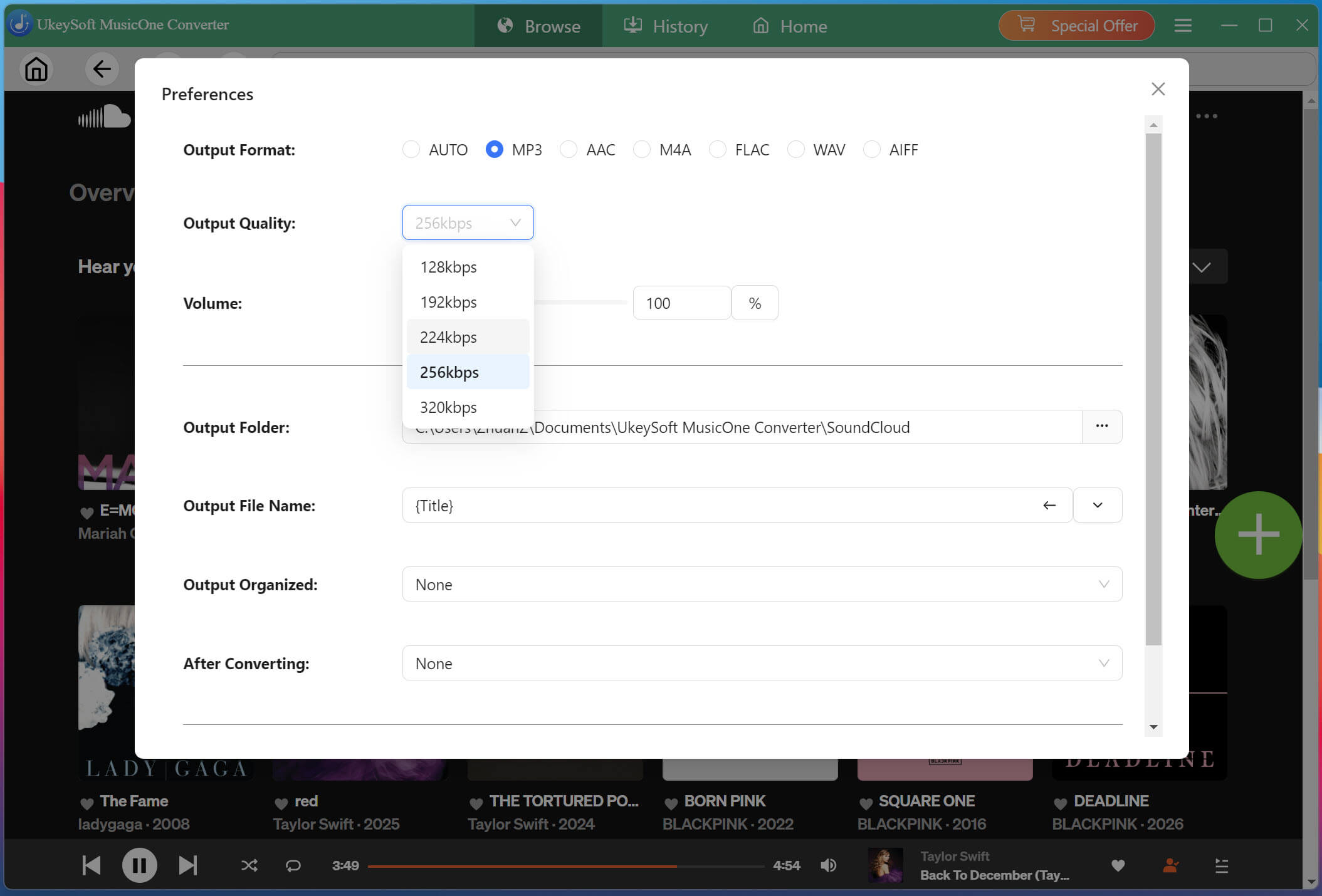
2. Choose 320kbps MP3, and adjust other output settings.
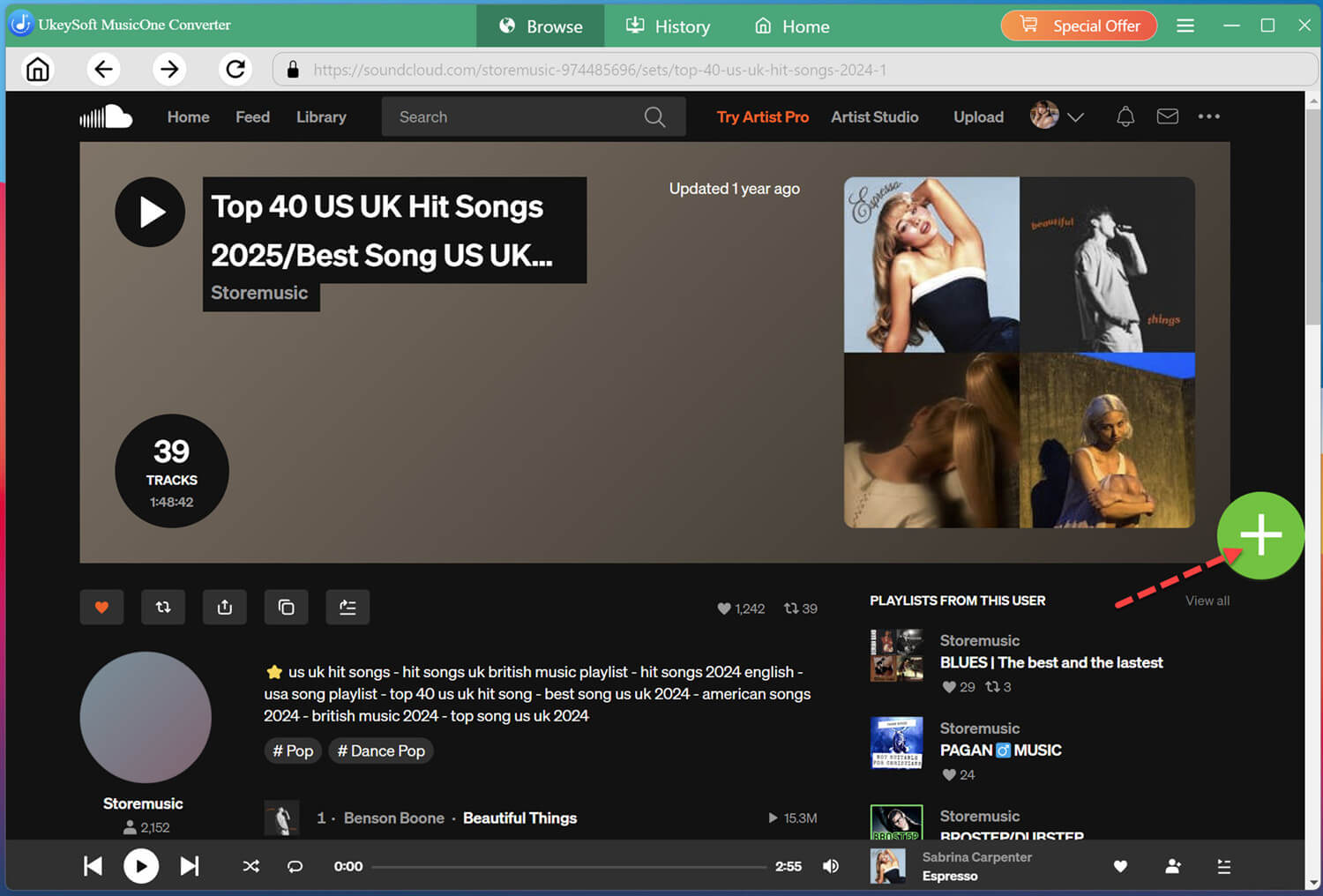
3. You can browse for a playlist, open it, and add the tracks to the conversion list instead of copying every song URL separately.
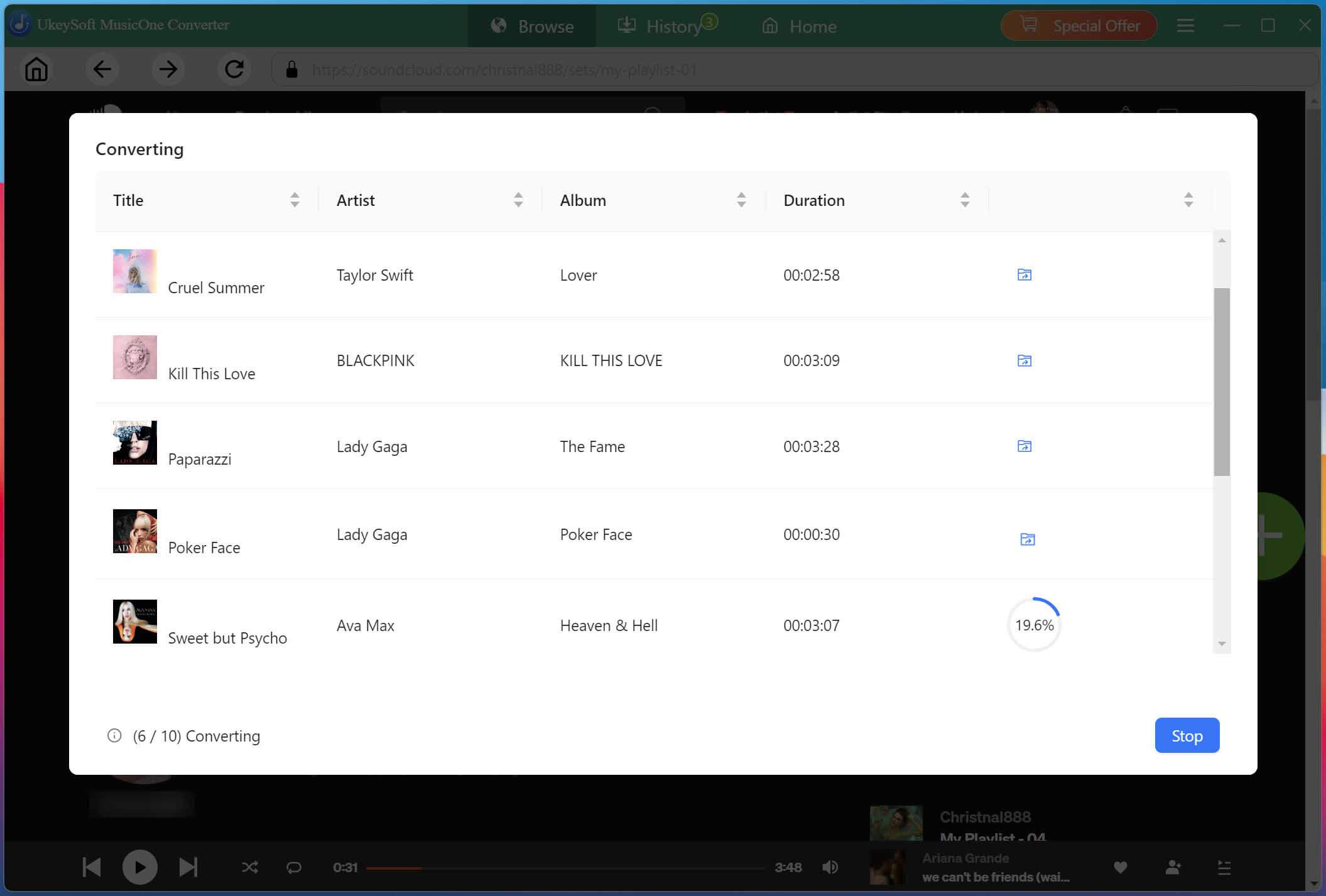
4. Once music was added, UkeySoft automatically analyzed track information and prepared files for batch conversion. Press on "Convert" button to start the process.
Even when importing a large playlist with 178 songs, the program remained responsive and stable. With download speeds reaching up to 16X, a full playlist conversion took just 8 minutes. UkeySoft SoundCloud Music Converter delivers one of the most streamlined SoundCloud playlist downloader experiences we've tested.
Pros
No ads, 100% clean and safe.
Download songs, playlists, albums, podcasts.
Batch downloads multiple tracks.
MP3 output up to 320kbps.
Supports MP3, WAV, FLAC, M4A, AAC, AIFF.
Preserves all ID3 tags including album art.
Works with SoundCloud Free and Go/Go+.
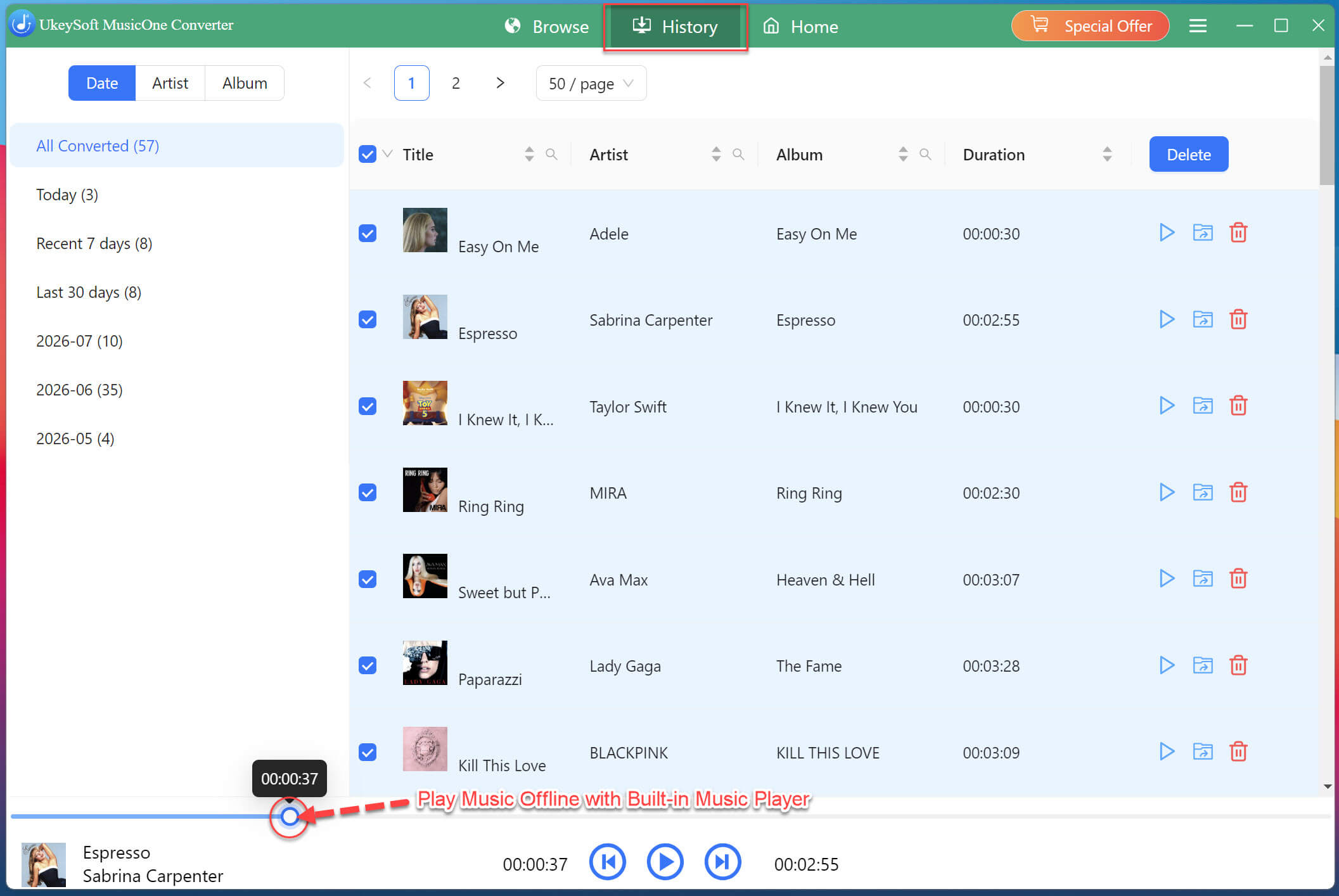
Useful toolboxes like built-in music player and manager.
Cons
Requires desktop software installation.
Full features require a paid version.
No dedicated mobile and Linux version.
2. ScloudSave
Supported OS: Windows, Mac, Android, iOS (browser-based)
Best for: Quick free ZIP downloads of smaller playlists
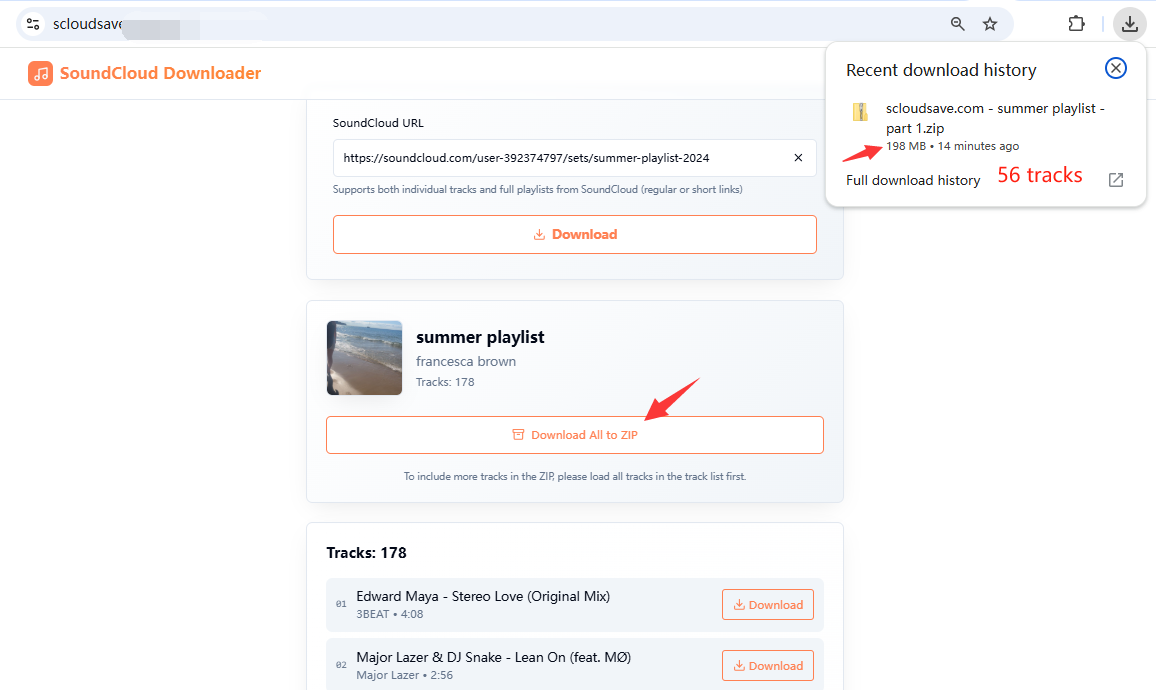
ScloudSave is a browser-based SoundCloud Playlist downloader designed for users who want a simple free solution. It was the strongest completely free option in our test, successfully downloading 56 tracks from a 178-track playlist without any paid upgrades. No sign-up is required, and the interface is refreshingly ad-free and simple.
In our test, the biggest advantage was convenience. How does it work? Simply paste a SoundCloud playlist URL, and the tool will analyze it and display some of the available tracks. To download the entire SoundCloud playlist, you first need to load all tracks in the list, then download them together as a ZIP file. However, the output was limited to 128kbps MP3, and download speed was not as fast as dedicated desktop software.
Pros
Free and easy to use.
No sign-up required.
Supports playlist-to-ZIP downloads.
Works through a browser.
Suitable for occasional downloads.
Cons
128kbps MP3 output.
Limited audio-format options.
Metadata support is limited.
Slower than dedicated desktop software.
3. KlickAud SoundCloud Downloader Online
Supported OS: Windows, Mac, Android, iOS (browser-based)
Best for: Quick individual SoundCloud downloads
KlickAud is another popular online SoundCloud downloader that works directly in a browser. It does not require software installation or an account, so it can be convenient when you only need to save a few SoundCloud tracks to your phone or computer. It also accepts SoundCloud playlist URLs, but its playlist workflow is less convenient than dedicated batch downloaders.
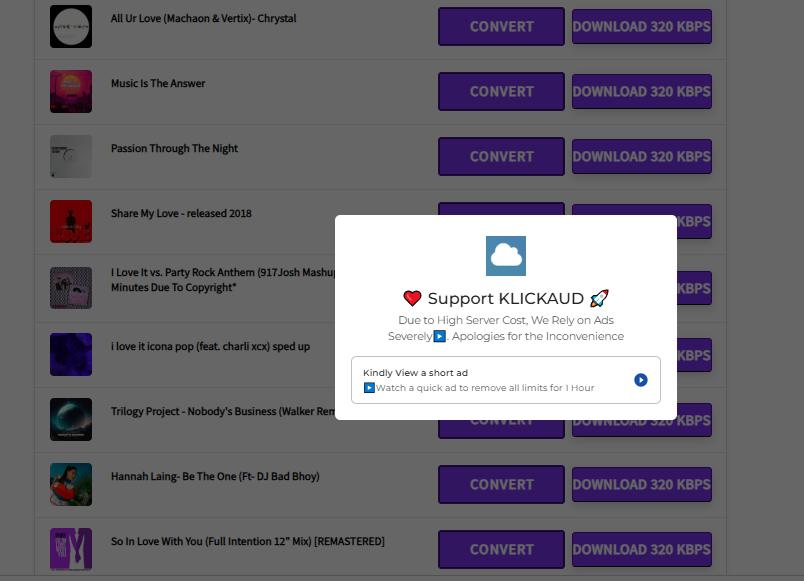
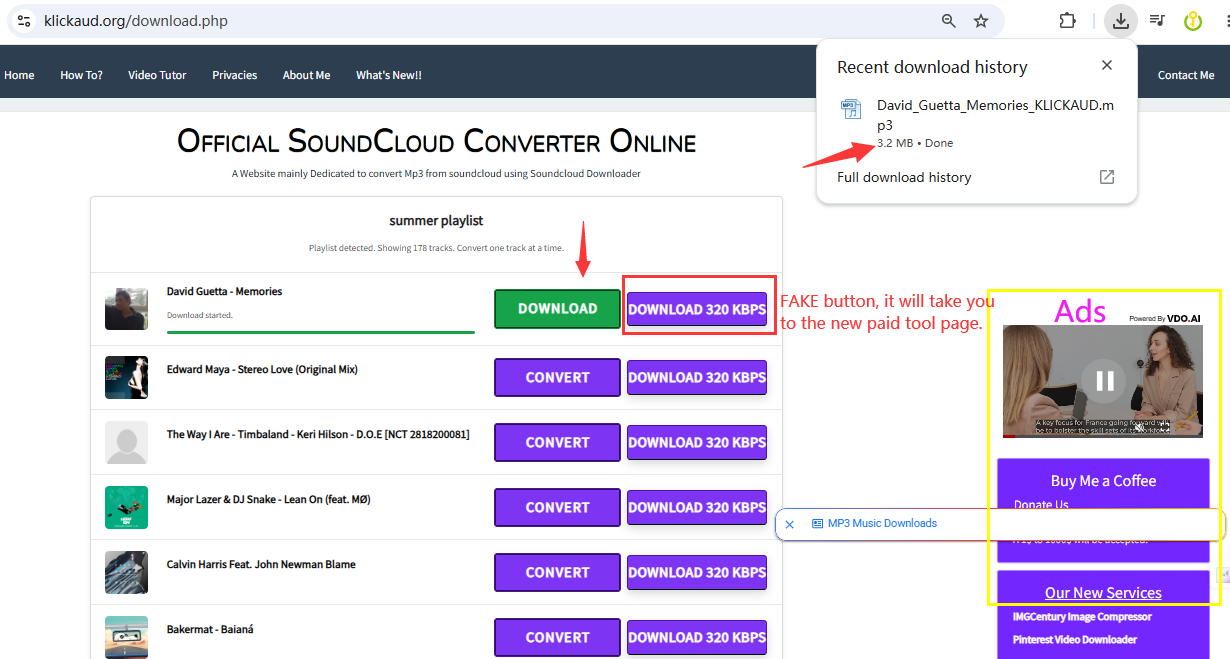
However, the page is filled with pop-up ads, and you may need to watch ads to remove certain download restrictions. When we pasted a playlist URL into KlickAud, the page displayed the tracks, but there was no reliable one-click option for downloading the entire playlist. Instead, you need to download individual SoundCloud track in the playlist one by one.
After clicking the "DOWNLOAD 320 KBPS" button, you are redirected to a third-party software homepage, which feels misleading. The actual output quality was 128kbps MP3, not the advertised 320kbps.
Pros
Easy to operate.
No installation required.
Free online SoundCloud downloader.
Simple URL-based workflow.
Works on desktop and mobile browsers.
Cons
Pop-ups and redirects.
No convenient full-playlist download.
Tracks must be downloaded individually.
128kbps output in our test.
Redirects to third-party software.
4. MusicVerter
Supported OS: Windows, Mac, Android, iOS (browser-based)
Best for: Occasional single-track downloads on a tight budget
MusicVerter is a comprehensive SoundCloud playlist downloader for Windows, Mac, and mobile that lets you save SoundCloud songs and playlists to MP3 or other formats without installing desktop software. But it is not completely free. Its free Starter plan currently only lets you download SoundCloud tracks to MP3 at 128kbps low quality.
Our Test Experience with MusicVerter:
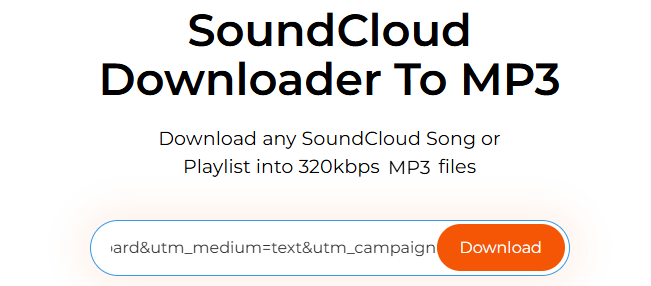
The download process included two steps: Paste a SoundCloud playlist or track URL into the search field. Hit on "Download" button.
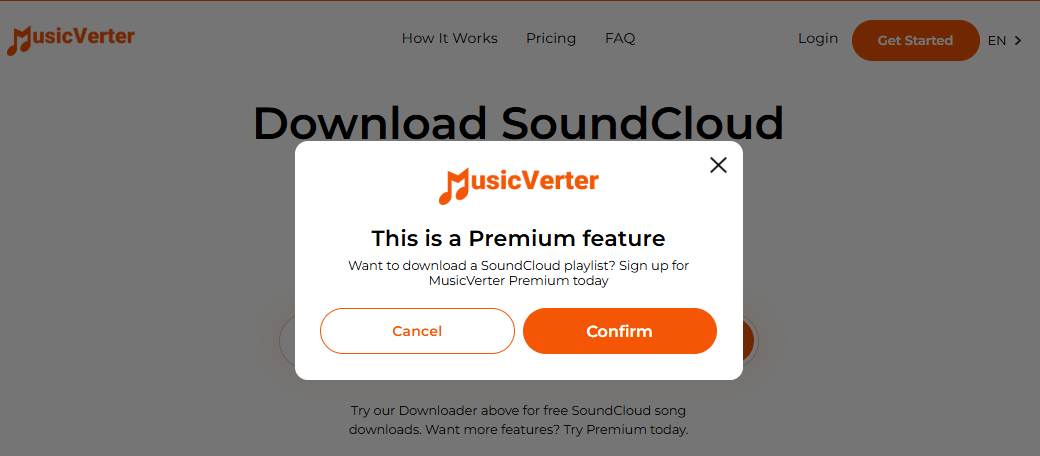
To download SoundCloud playlists in high-quality 320kbps MP3 or WAV files, and unlock unlimited downloads, Go+ songs, and ad-free experience, you need to upgrade to a Premium subscription for $156 per year. In comparison, its price and available features don't offer much value as the desktop software such as UkeySoft SoundCloud Music Converter ($59.95/year).
Pros
No software installation.
Free single-track downloads.
Premium supports unlimited playlists.
Supports MP3 and WAV output formats.
320kbps and lossless options with Premium.
Cons
Playlist downloading requires Premium.
Higher-quality downloads require a paid plan.
Fewer controls than dedicated desktop software.
Mobile browser experience depends on the service.
5. SCloudPlaylistDownloader.app
Supported OS: Windows, Mac, Android, iOS (browser-based)
Best for: Browser-based playlist and ZIP downloads
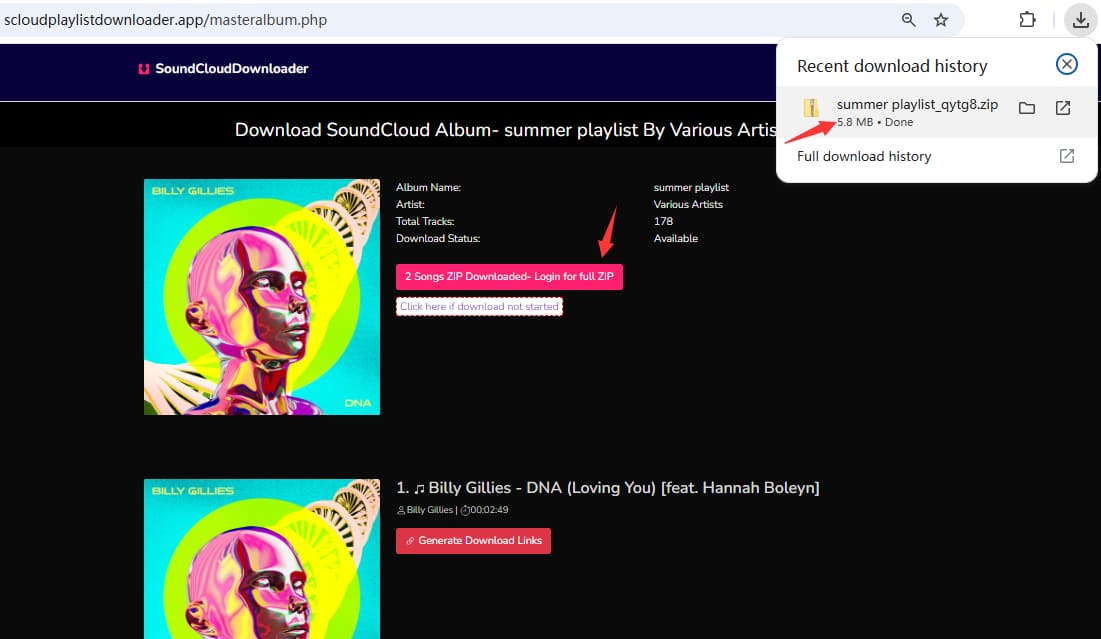
SCloudPlaylistDownloader.app is a well-known SoundCloud playlist ZIP downloader. This online tool focuses specifically on downloading SoundCloud songs and playlists. Based on the testing information used for this comparison, its free tier allows to download two songs in a playlist at 128kbps MP3 without paying or signing up. To unlock all features - including 256kbps M4A output, full playlist ZIP downloads, and SoundCloud Go+ content - you need to sign up for a paid plan starting at $7.99/month.
Workflow: The tool requires you to paste the playlist URL, then manually select which tracks to download. Free users are limited to two selections.
Pros
Browser-based.
Supports SoundCloud playlists.
ZIP download available for paid users.
Works on desktop and mobile browsers.
Offers different output-quality options.
Cons
Free tier extremely limited (2 songs only).
Some higher-quality features require payment.
Requires subscription for playlist download.
Output depends on available source quality.
Online services can be less consistent.
6. SoundCloudDL.cc
Supported OS: Windows, Mac, Android, iOS (browser-based)
Best for: Basic customization without installing any software
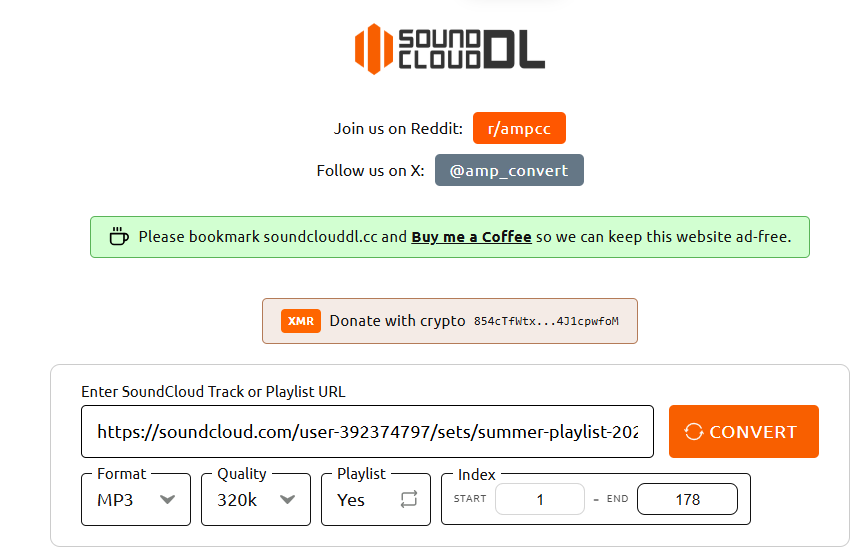
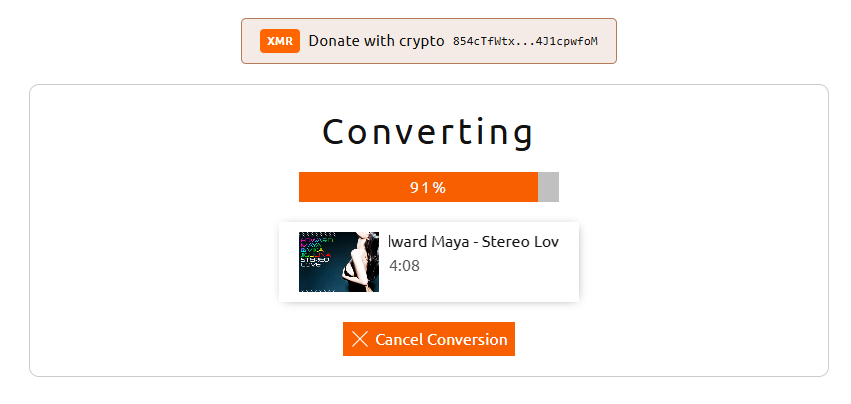
SoundCloudDL.cc is a powerful yet user-friendly online SoundCloud Playlist downloader that supports both tracks and playlists. Unlike other online tools mentioned above, it provides options for choosing, output format, audio quality and music tracks in the playlist. Its current interface supports MP3, FLAC, and M4A, with MP3 quality options ranging from 64kbps lower bitrates to highest 320kbps.
To use it, copy the SoundCloud track or playlist URL and paste it into the downloader. Configure your output preferences, and the tool will process the playlist according to your settings.
The catch? Its performance can be inconsistent, leading to occasional download failures and potential risks. When it fails, you can turn to professional desktop software such as UkeySoft SoundCloud Music Converter.
Pros
Free browser-based downloader.
Supports tracks and playlists.
Multiple output audio formats.
Adjustable output quality.
Works on mobile and desktop browsers.
Cons
Fewer metadata controls.
Online processing can be inconsistent.
Not as feature-rich as desktop software.
Quality depends on the available source.
7. scdl SoundCloud Downloader
Supported OS: Windows, Mac, Linux
Best for: Advanced users who want more control
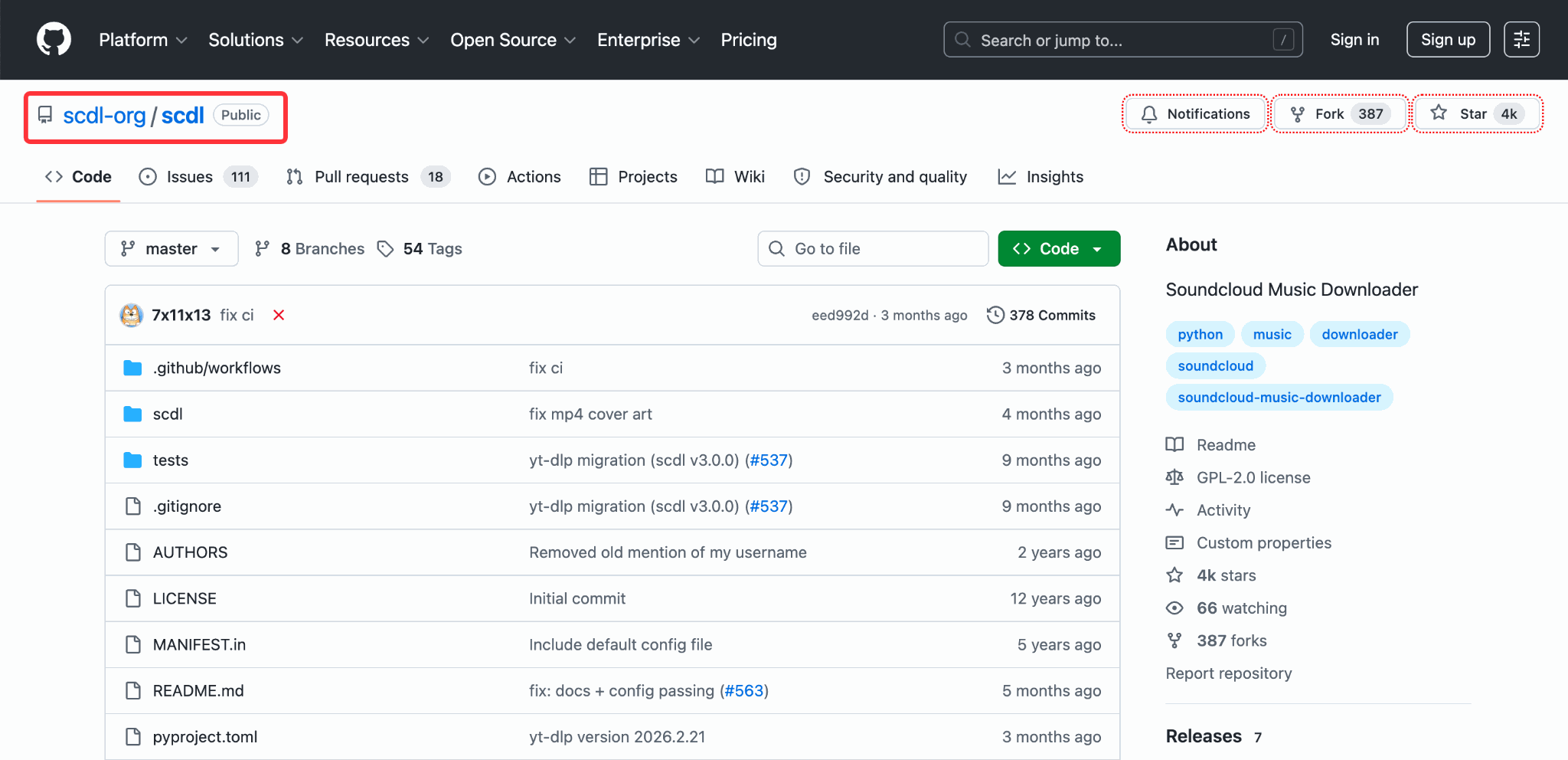
scdl is a command-line SoundCloud downloader designed for advanced users comfortable with terminal commands. This free and open-source project supports Windows, macOS, and Linux. It can download SoundCloud playlists, users, and individual tracks in MP3 or M4A format. It also provides options for metadata injection, playlist synchronization, download archives, output naming, and other advanced controls.
Our Test Experience with scdl SoundCloud Downloader:
The workflow is more complicated than using an online SoundCloud Playlist downloader or desktop software. First, install Python and FFmpeg, then open your terminal and run scdl -l along with optional flags like proxy settings or ZIP packaging. The tool automatically detects the playlist link, parses every track, and downloads them sequentially into your designated folder.
Pros
Free and open source.
Playlist synchronization.
Supports complete playlist downloads.
Available on Windows, Mac, and Linux.
Preserves ID3 metadata and customs file naming.
Cons
Complex setup (requires Python, FFmpeg).
Command-line interface (no GUI).
Requires technical knowledge.
No official support.
8. SoundCloud Enhanced Pro
Supported OS: Windows, Mac, Linux (via Chrome/Firefox)
Best for: Convenient one-click browser downloads while browsing SoundCloud
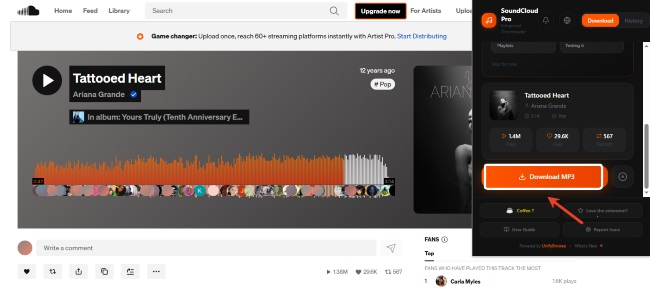
SoundCloud Enhanced Pro is a browser extension available for Chrome and Firefox. It adds download buttons directly onto the SoundCloud website. According to its current Chrome Web Store page, it allows users to easily save single tracks, full albums, and playlists while playing music content on SoundCloud.
However, in our hands-on test, the extension failed to download full playlists. When we tried saving a 178-song playlist, it stopped after downloading only 10 tracks, leaving the rest behind.
Pros
Free to use.
One-click download directly on SoundCloud.
Supports playlist and album downloads.
ID3 tagging with embedded cover art.
No separate downloader website/software required.
Cons
Limited to 10 tracks per batch.
Requires browser extension installation.
May break with SoundCloud updates.
Availability and functionality can depend on browser changes.
Comparison Table of 8 SoundCloud Playlist Downloaders
|
SoundCloud Playlist Downloader
|
Supported Devices
|
ZIP
|
Full Playlist Download
|
Batch Download
|
Speed
|
Output Format
|
Output Quality
|
ID3 Tags
|
Ads
|
Price
|
Best For
|
|
1. UkeySoft SoundCloud Music Converter
|
Windows/Mac |
❌ |
✅ |
✅ |
16X fast |
MP3, WAV, FLAC, M4A, AAC, AIFF |
Up to 320kbps, Lossless |
✅ Full preservation |
None |
Free trial; $14.95/month |
High-quality batch downloads |
|
2. ScloudSave
|
PC/Mac/Android/iOS |
✅ |
✅ |
✅ |
Slow |
MP3 |
128kbps |
❌ |
None |
Free |
Quick free ZIP downloads |
|
3. KlickAud
|
PC/Mac/Android/iOS |
❌ |
❌ (one-by-one) |
❌ |
Slow |
MP3 |
128kb |
❌ |
Yes |
Free tier, or paid software |
Simple single tracks |
|
4. MusicVerter
|
PC/Mac/Mobile browser |
❌ |
Premium |
❌ |
Normal |
MP3, WAV (paid) |
128kbps free, 320kbps paid |
❌ |
None |
Free or $156/year |
Occasional single tracks |
|
5. Scloudplaylistdownloader.app
|
PC/Mac/Android/iOS |
✅ (paid) |
❌ (paid) |
❌ |
Normal |
MP3, M4A |
128kbps free, 256kbps paid |
❌ |
Yes |
Free or $7.99/month |
Limited free testing |
|
6. soundclouddl.cc
|
PC/Mac/Android/iOS |
❌ |
✅ (limited) |
❌ |
Medium |
MP3 |
64-320kbps |
❌ |
None |
Free |
Custom order selection |
|
7. scdl SoundCloud Downloader
|
Windows/Mac/Linux |
❌ |
✅ |
✅ |
Fast |
MP3, M4A, Ogg |
128-320kbps |
✅ |
None |
Free |
Advanced users |
|
8. SoundCloud Enhanced Pro
|
Chrome/Firefox |
❌ |
✅ |
✅ |
Fast |
MP3 |
Varies |
✅ |
None |
Free |
Browser convenience
|
FAQs About SoundCloud Playlist Downloaders
Is It Safe and Legal to Use a SoundCloud Playlist Downloader?
The safety and legality depend on the tool and how you use it. Reputable desktop software like UkeySoft SoundCloud Music Converter is 100% clean, ad-free, and safe to install. Some online tools may contain intrusive ads or redirect to suspicious sites, always choose the tool carefully.
Legally, downloading music for personal offline use is generally fine, but sharing or redistributing copyrighted files is illegal. Always respect artists and only download SoundCloud content you have permission to access.
How Can I Download a SoundCloud Playlist for Free?
The simplest approach is to use a free online SoundCloud Playlist downloader. Copy the playlist URL from SoundCloud, paste it into a compatible downloader, allow the service to load the tracks, and choose the available download option.
However, free tools typically have limitations in quality, speed, or batch size. For better experience, you can turn to a professional desktop SoundCloud Playlist Downloader.
How Can I Download an Entire SoundCloud Playlist as MP3 Files?
Choose a SoundCloud Playlist downloader that supports full playlist or batch downloading. With UkeySoft SoundCloud Music Converter, for example, you can open SoundCloud through its built-in player, find the playlist, select the songs, choose MP3 as the output format, and start batch conversion.
If you prefer not to install software, you can use an online SoundCloud downloader that supports playlist ZIP files. The ZIP archive can then be extracted to access the individual MP3 files.
Conclusion
Overall, all the SoundCloud Playlist downloader tools mentioned above are capable of meeting your diverse SoundCloud playlist download needs. Before making a choice, check its actual output quality, playlist support, batch speed, metadata preservation, ads, and overall reliability.
Need a recommentation? We strongly recommend starting with the UkeySoft SoundCloud Music Converter. It supports SoundCloud Free and Go/Go+, multiple output formats, playlist downloads, and MP3 output up to 320kbps. Plus, its built-in music player and music manager make it easy to enjoy, organize and manage your offline SoundCloud collection!
Best SoundCloud Playlist Downloaders

Justin Sabrina has always had great enthusiasm for writing, programming and web development. He likes writing about software and technology, his works are featured on some tech blogs or forums like Tom's Hardware, CNET, etc.
 English
 Arabic
 Chinese (Simplified)
 Chinese (Traditional)
 Croatian
 Czech
Czech Danish
 Dutch
Dutch Estonian
 Finnish
 French
 German
 Greek
Greek Hebrew
 Hindi
Hindi Hungarian
 Indonesian
 Italian
 Japanese
 Kazakh
 Korean
 Malay
Malay Norwegian
 Polish
 Portuguese
 Romanian
 Russian
 Slovenian
 Spanish
 Swedish
 Thai
Thai Turkish
 Ukrainian
 Vietnamese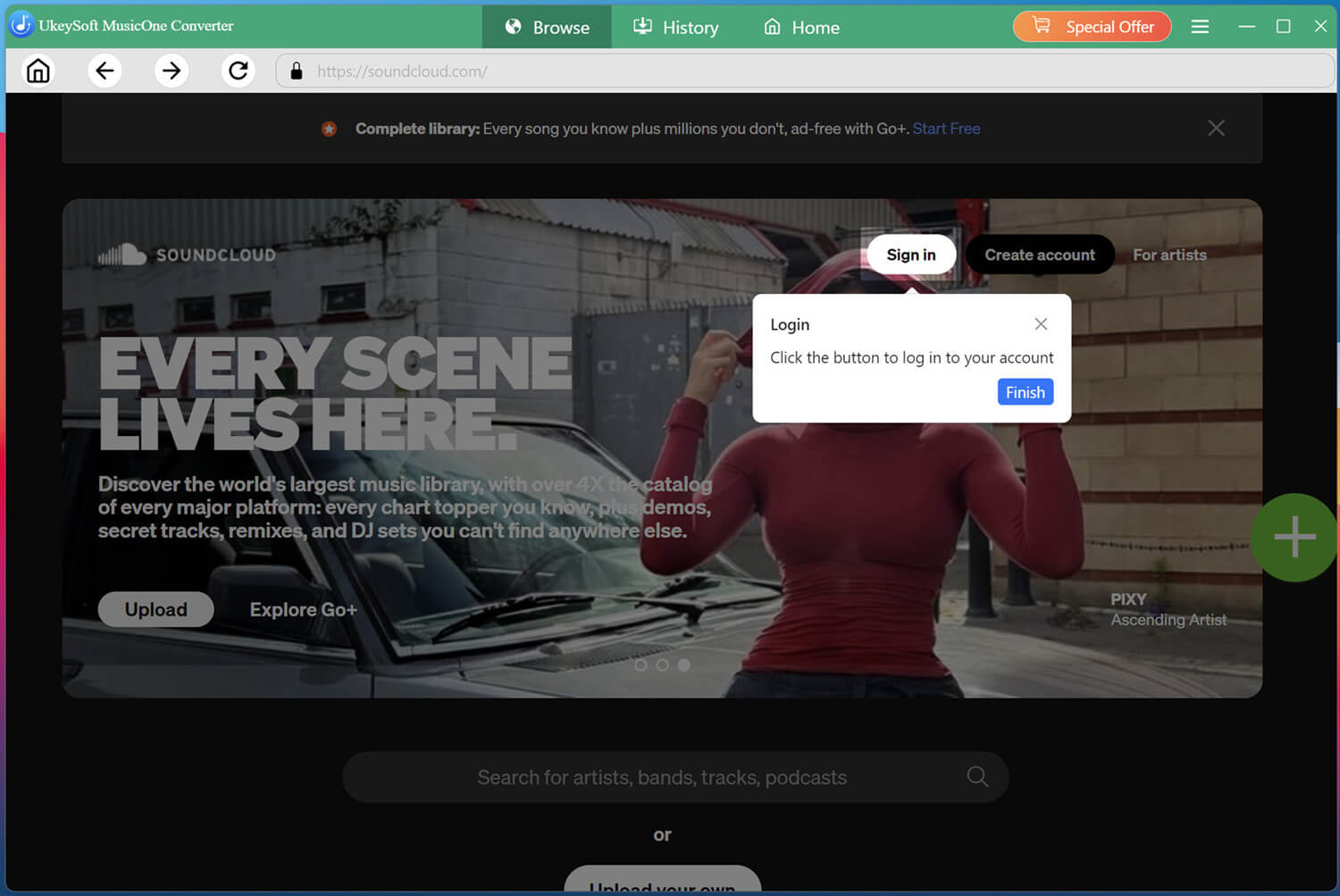








Comments are off!