We put MusicVerter to a real test. A free online SoundCloud downloader. See what happens when you use it to download SoundCloud music to MP3 and whether it's safe and legal to use in 2026.
When searching for a reliable SoundCloud to MP3 downloader in 2026, MusicVerter is one of the online tools you may come across. It presents itself as a MusicVerter SoundCloud Downloader and MusicVerter SoundCloud to MP3 Converter, offering a simple copy-and-paste workflow without installing desktop software. But is MusicVerter really free? Can it download SoundCloud playlists to MP3? Does it actually provide 320kbps MP3 files? And is MusicVerter safe and legal to use in 2026?
To answer these questions, we conducted an honest review of MusicVerter in 2026, evaluating its features, performance, reliability, security, audio quality, download speed, file output, ads, usability, and success rate. Based on our review results, we will also bring a safer and more reliable alternative to MusicVerter. That's UkeySoft SoundCloud Music Converter for your options. Now, let's get started!
Part 1. What Is MusicVerter SoundCloud Downloader?
MusicVerter is an online SoundCloud music downloader that allows users to download SoundCloud songs and playlists to MP3 or other formats without requiring a SoundCloud login or extra software installation. This online tool can run directly in a browser on desktop and mobile devices. Compared with other dedicated desktop SoundCloud downloader software, MusicVerter delivers a simple and convenient way for users who need offline access to SoundCloud tracks.
Key Features of MusicVerter:
Web-Based Access: No software installation required.
Easy to Use: Copy and paste a SoundCloud URL to start downloading.
MP3 Output: Saves SoundCloud songs for offline streaming.
Single or Playlists Downloads: Download individual SoundCloud songs or full playlists.
Multiple Quality Options: 128kbps MP3 free; 320kbps MP3 or WAV for premium.
Part 2. How to Use MusicVerter: Real Tested & Reviewed
2.1 Testing Environment
Device
Windows 11 (64 bit)
CPU
Intel Core i7
RAM
16GB
Network
28 Mbps Wi-Fi
Browser
Google Chrome
2.2 How to Use MusicVerter to Download SoundCloud to MP3?
Step 1. To begin with, visit SoundCloud website in your browser, and locate the track you want to save.
Step 2. Click "Share" on the SoundCloud track and copy its link.
Step 3. Go to the MusicVerter website and locate the SoundCloud downloader. Paste the copied SoundCloud URL into the input box.
Step 4. Click "Download" and wait while MusicVerter processes the link.
Step 5. When finished, open your browser's Downloads folder and check the resulting audio file.
Note:
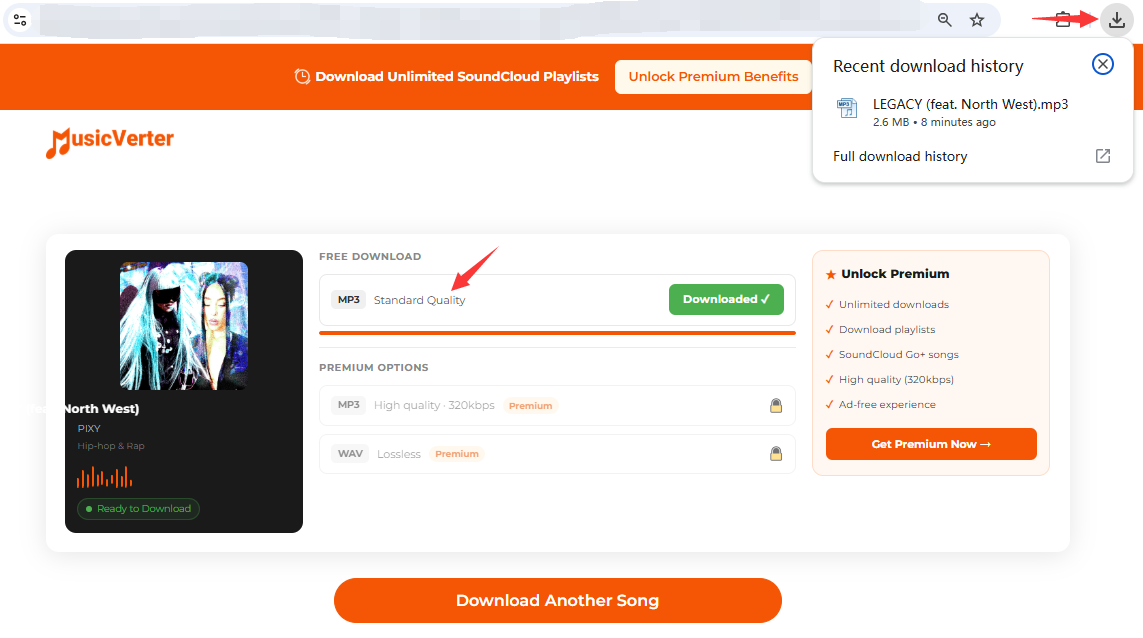
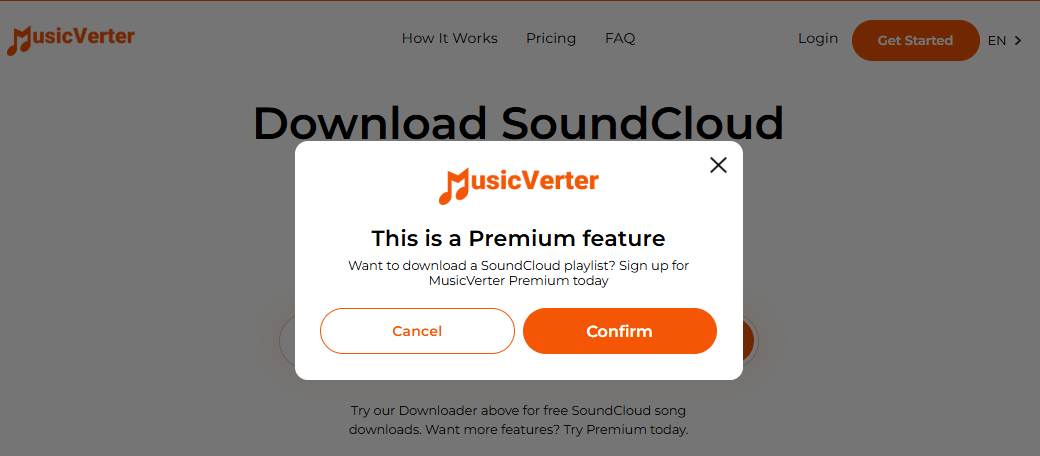
MusicVerter doesn't actually offer 320 kbps audio files. The "MP3 High quality 320kbps" or "WAV Lossless" button requires a Premium subscription. For free tier users, you may only obtain SoundCloud music in standard 128kbps MP3 format.
2.3 Real Test Results & Performance
To verify whether MusicVerter still work in 2026, we tested MusicVerter with several types of SoundCloud content to evaluate its real-world performance, including 12 individual tracks, 3 playlists, 2 albums, and 5 podcast episodes from SoundCloud. Below is part of my test results:
Success (Can only download tracks with Premium account)
Test results show that the free version of MusicVerter has very limited features. While individual tracks and some podcasts can be downloaded, playlists and albums downloads, and higher-quality output require a Premium subscription.
2.4 Pros and Cons of MusicVerter
👍 Pros
● Simple browser-based workflow.
● No software installation for basic downloads.
● Free individual SoundCloud song downloads.
● Fast processing for supported individual tracks.
● Supports several audio formats on Premium.
● Premium supports playlists and Go+ content.
● Easy for occasional SoundCloud downloads.
👎 Cons
● Limited daily downloads on free tier.
● Free users limited to 128kbps MP3 quality.
● WAV/Lossless and 320kbps MP3 options require Premium.
● Playlists and albums require Premium subscription.
● Browser-based tools can be affected by website or server changes.
Part 3. FAQs About MusicVerter
Is MusicVerter Free to Use?
Yes, but with limitations. MusicVerter currently offers a free Starter plan that supports limited SoundCloud song downloads every day. However, playlists, albums, and high-quality 320kbps MP3 or WAV lossless files require a Premium subscription (US$156/year).
Is MusicVerter Safe to Use?
MusicVerter is a browser-based service, so no separate software is required. Scam Detector gives musicverter.com a 68.5 trust score, rated "Known. Vetted. Low Risk." However, users should exercise caution when using any online service and avoid downloading any unexpected files or granting unnecessary permissions.
Is MusicVerter Legal to Use?
The legality depends on the content, copyright status, artist permissions, and how the downloaded files are used. Downloading music for personal offline use is generally tolerated, but redistributing copyrighted content is illegal.
Is MusicVerter Still working in 2026?
Based on our latest MusicVerter review, MusicVerter's website is currently accessible and its SoundCloud downloader is operational in 2026. Our testing confirmed that individual track downloads work for free users, though playlist and album downloads require a Premium subscription.
Part 4. Best Alternative to MusicVerter: UkeySoft SoundCloud Music Converter
After testing MusicVerter, we don't think it's the right SoundCloud downloader for every user. While MusicVerter offers convenience for basic SoundCloud downloads, its free tier has several limitations around audio quality, playlists, and Premium-only features.
For a more stable, reliable and affordable option, UkeySoft SoundCloud Music Converter delivers professional-grade performance. Supporting both SoundCloud Free and Go/Go+, this desktop software can download SoundCloud tracks, playlists, albums, and podcasts to MP3, WAV, FLAC, M4A, AAC, or AIFF with lossless quality preservation. It also offers batch downloads, ID3 tag preservation, built-in music player and manager, and advertised speeds of up to 16X. Once downloaded, you can listen to high-quality SoundCloud music offline on any device or player anytime, anywhere.
Download and convert SoundCloud songs, playlists, albums, podcasts.
Convert SoundCloud music to MP3, M4A, AAC, WAV, FLAC, AIFF.
Convert SoundCloud music to MP3 up to 320kbps high quality.
Keep ID3 tags like artist, title, genre, album artwork, etc.
Convert SoundCloud playlists and albums in batches.
Up to 16-36X faster conversion speed to process conversion.
Built-in Web Player to browse, search, and select music.
No need a SoundCloud Go or Go+ subscription account.
Save, play and transfer output SoundCloud songs freely.
How to Convert SoundCloud Playlists to 320kbps MP3 with UkeySoft
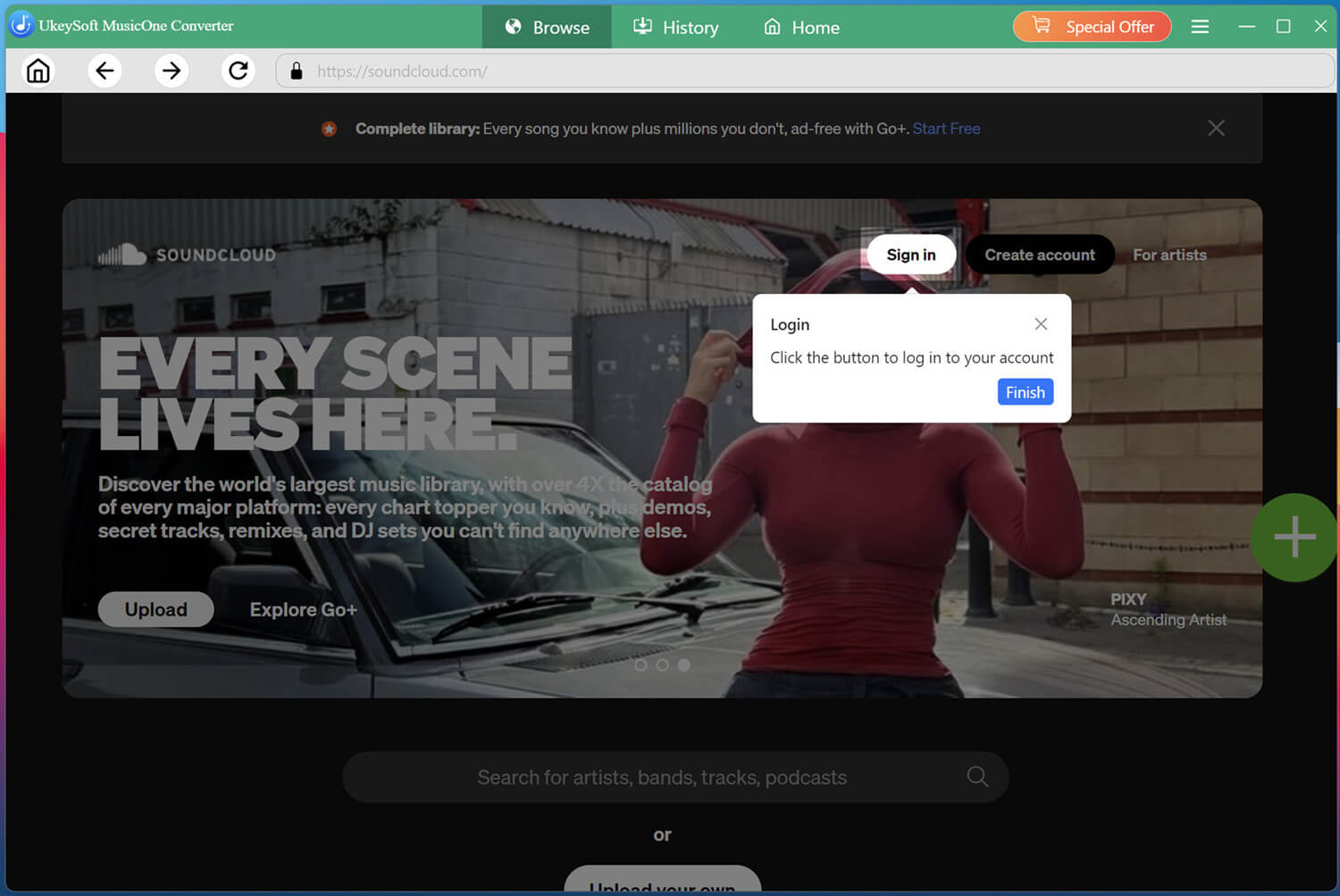
Log In to SoundCloud in UkeySoft
UkeySoft SoundCloud Music Converter works perfectly on both Windows and Mac computers. Click the Download button above, get the software installed on your desktop. Then launch the software and log in using your SoundCloud free account.
Both free and premium accounts are supported, giving you full access to the platform's vast music library directly within the software.
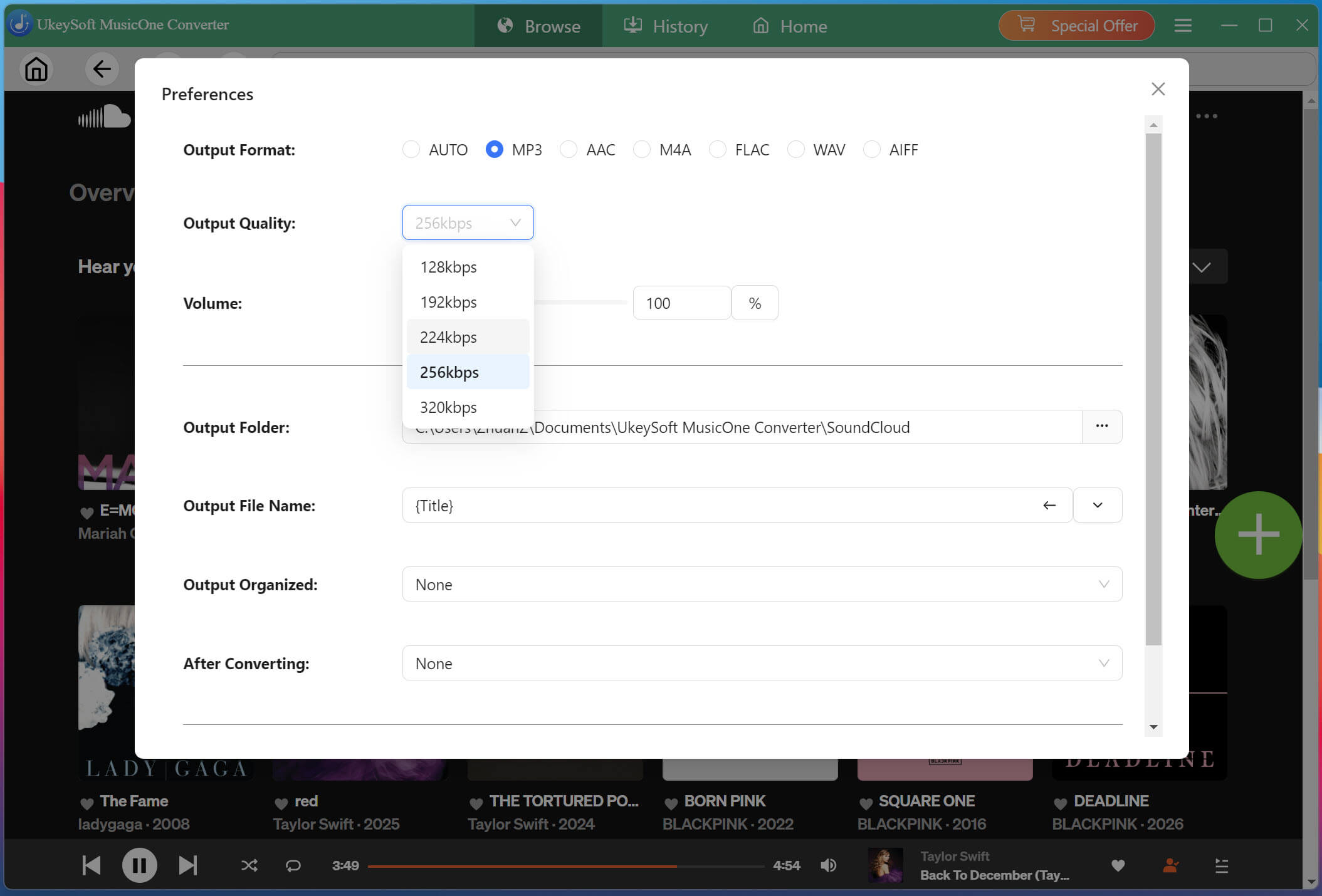
Configure Output Settings
Before downloading, navigate to the settings menu by clicking the three-line icon in the upper right corner, then select "Preferences." Select MP3 as the format, then choose 320kbps output quality. You can also customize other audio parameters if needed.
Browse and Add Playlists or Albums
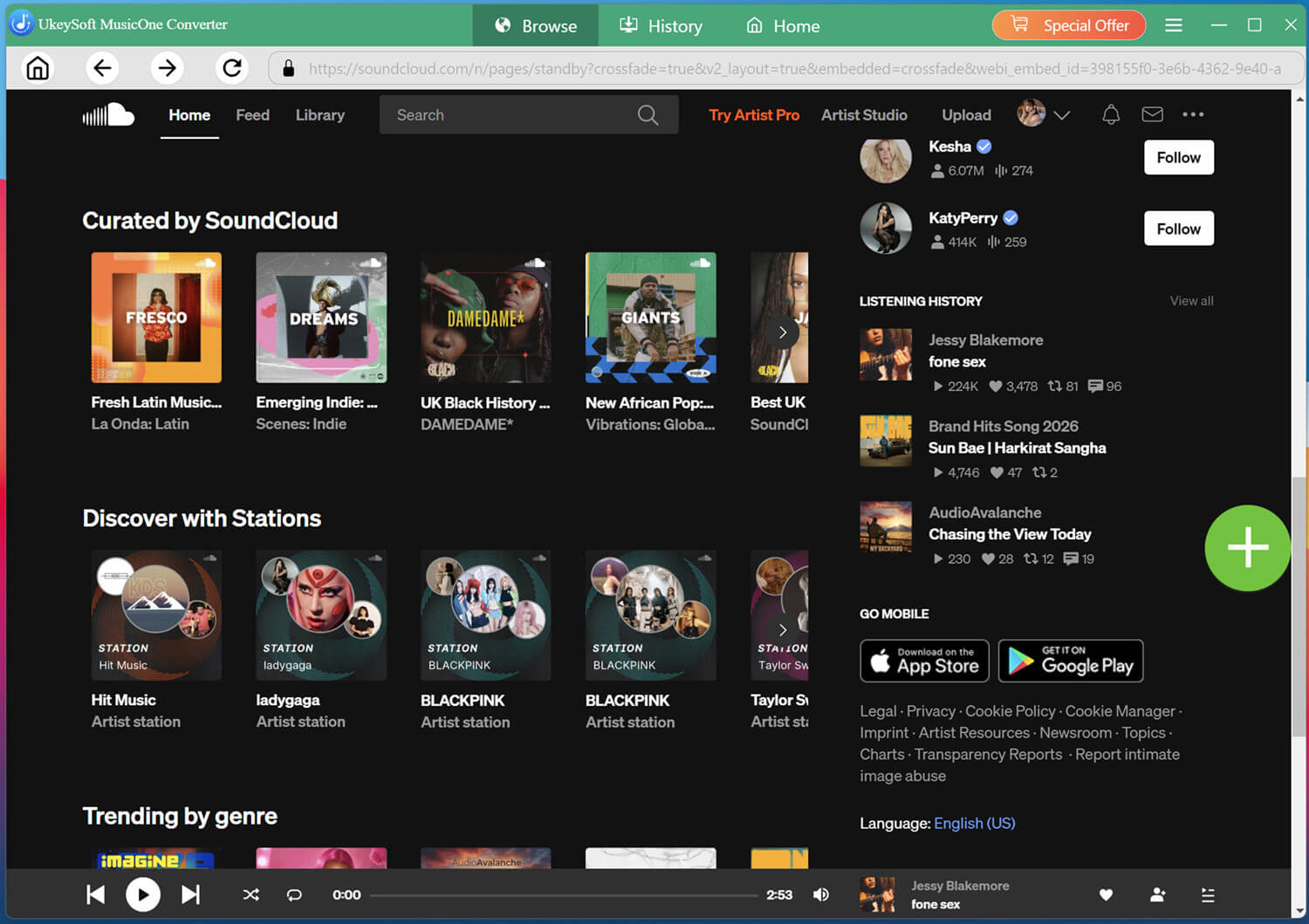
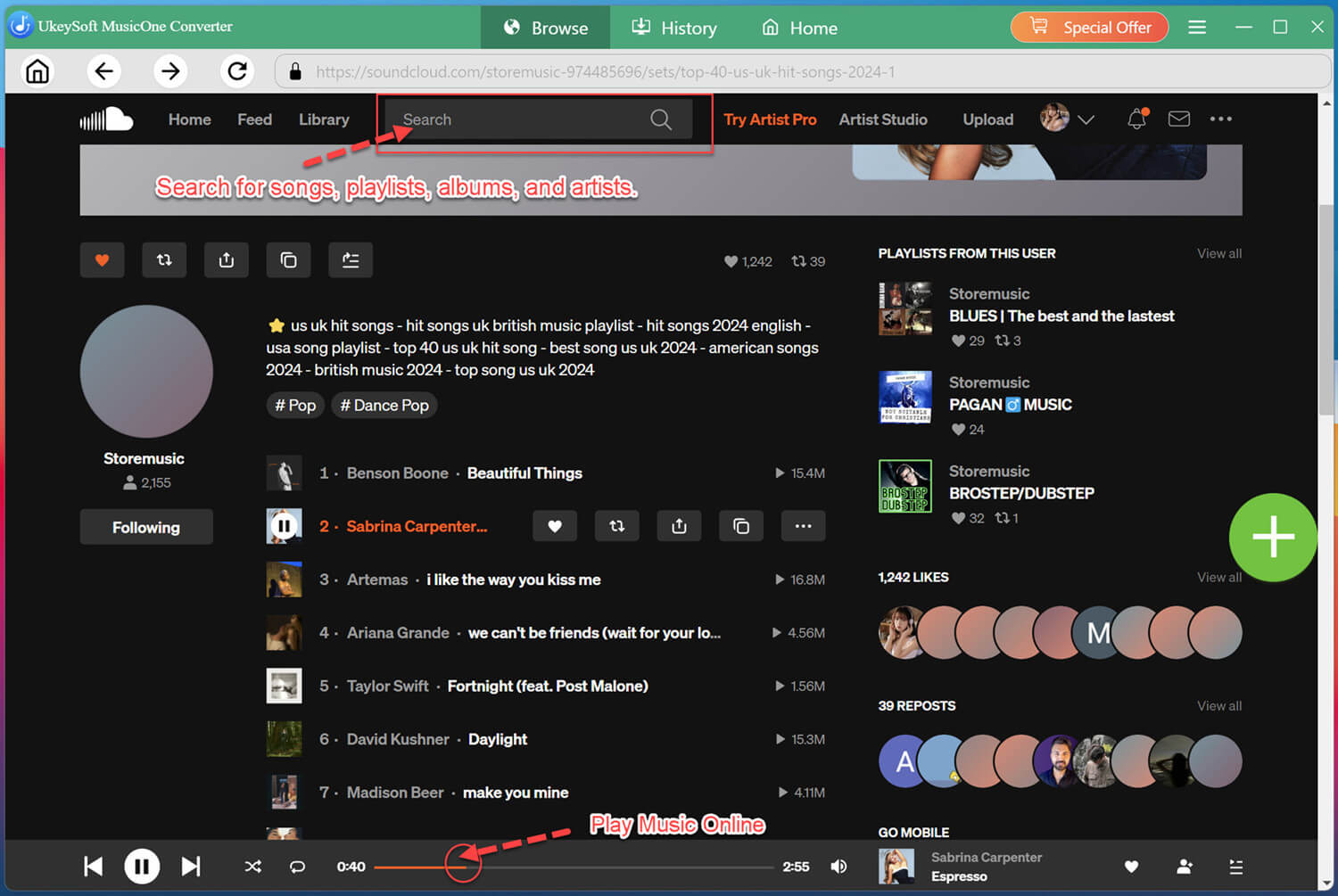
Within the built-in web player, browse or search for the music you wish to download. You can search by keywords, artist or album name.
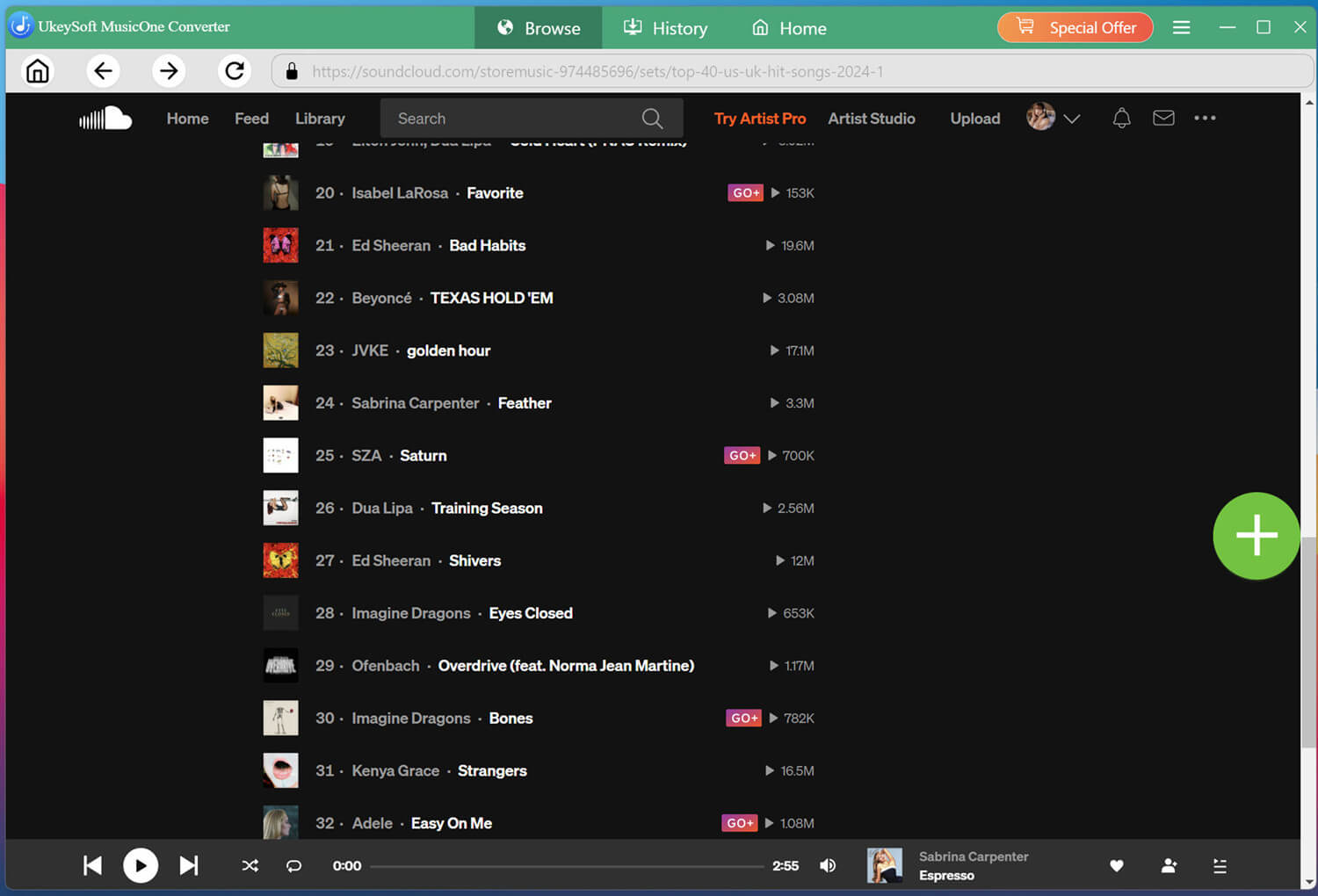
When you find a playlist, album, or individual track, open it, and click the "+" icon to add it to the conversion list on the right side of the interface.
Select the SoundCloud Songs You Want
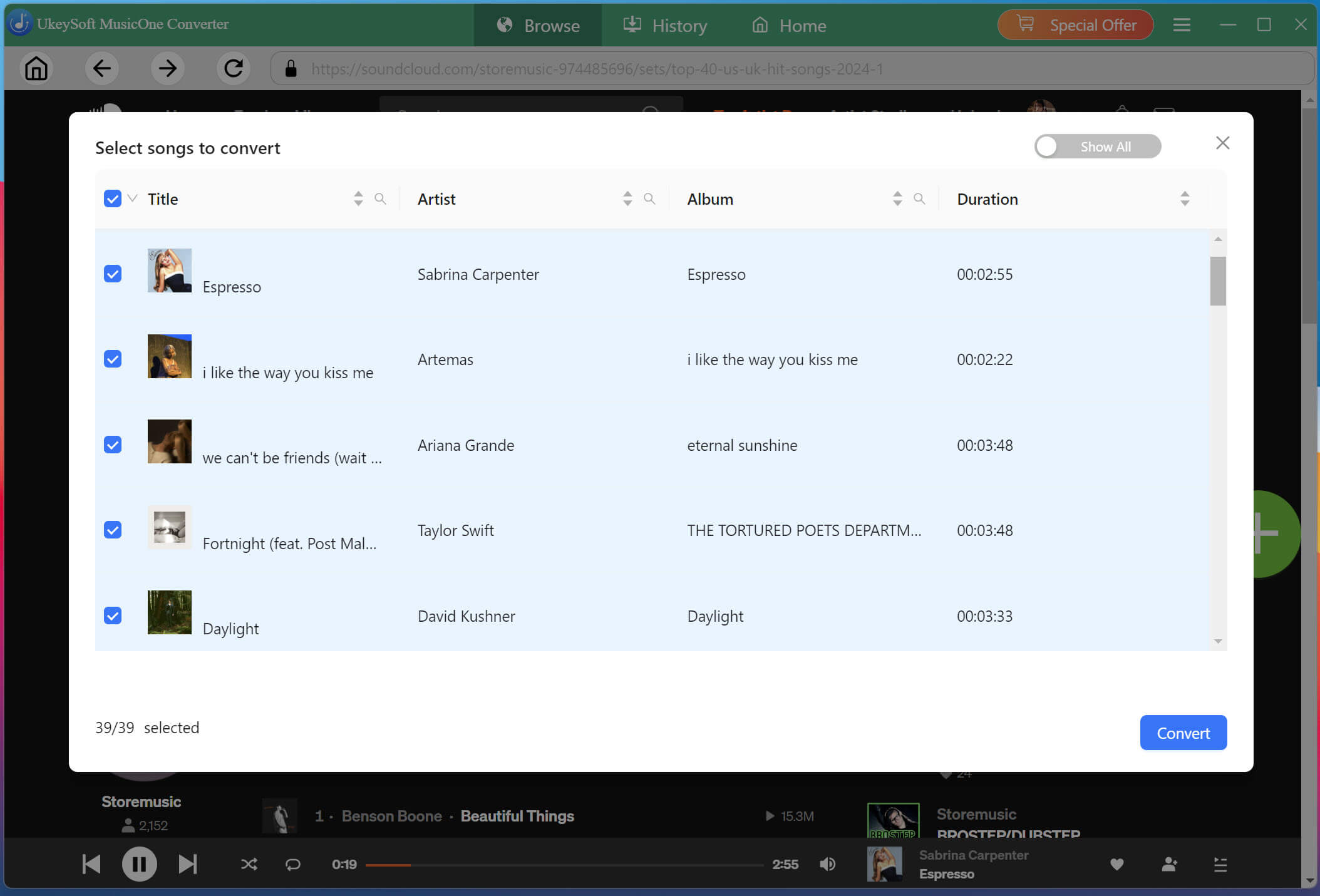
Review the tracks in the list and select the individual songs you want to save. You can choose multiple tracks at once or select an entire playlist or album for batch conversion.
Begin to Convert SoundCloud Music to MP3
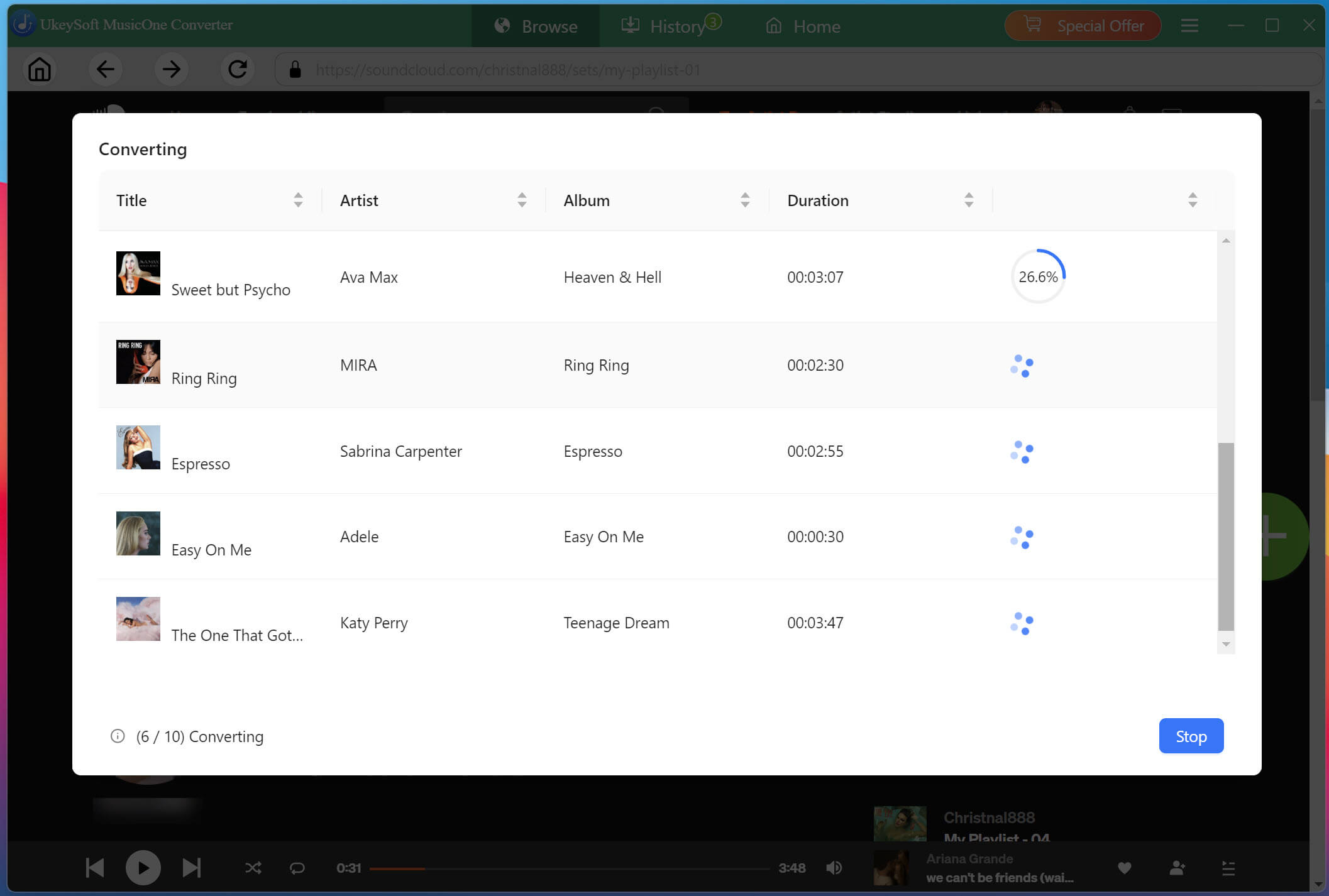
With your selections finalized, click the "Convert" button to start converting songs from SoundCloud to MP3 files. Thanks to the 16X conversion technology, even large playlists will be processed quickly.
Access Your Converted SoundCloud Songs
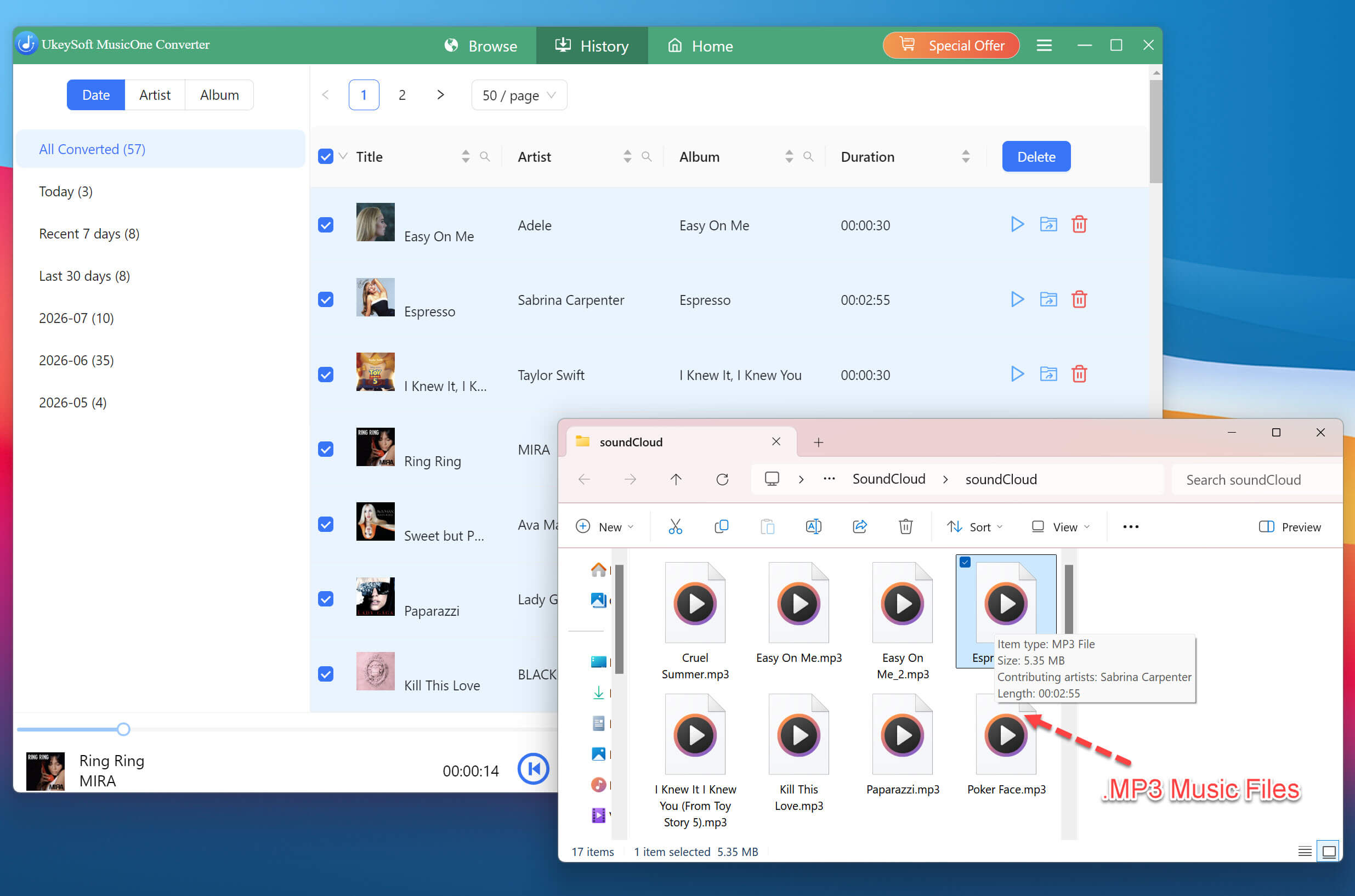
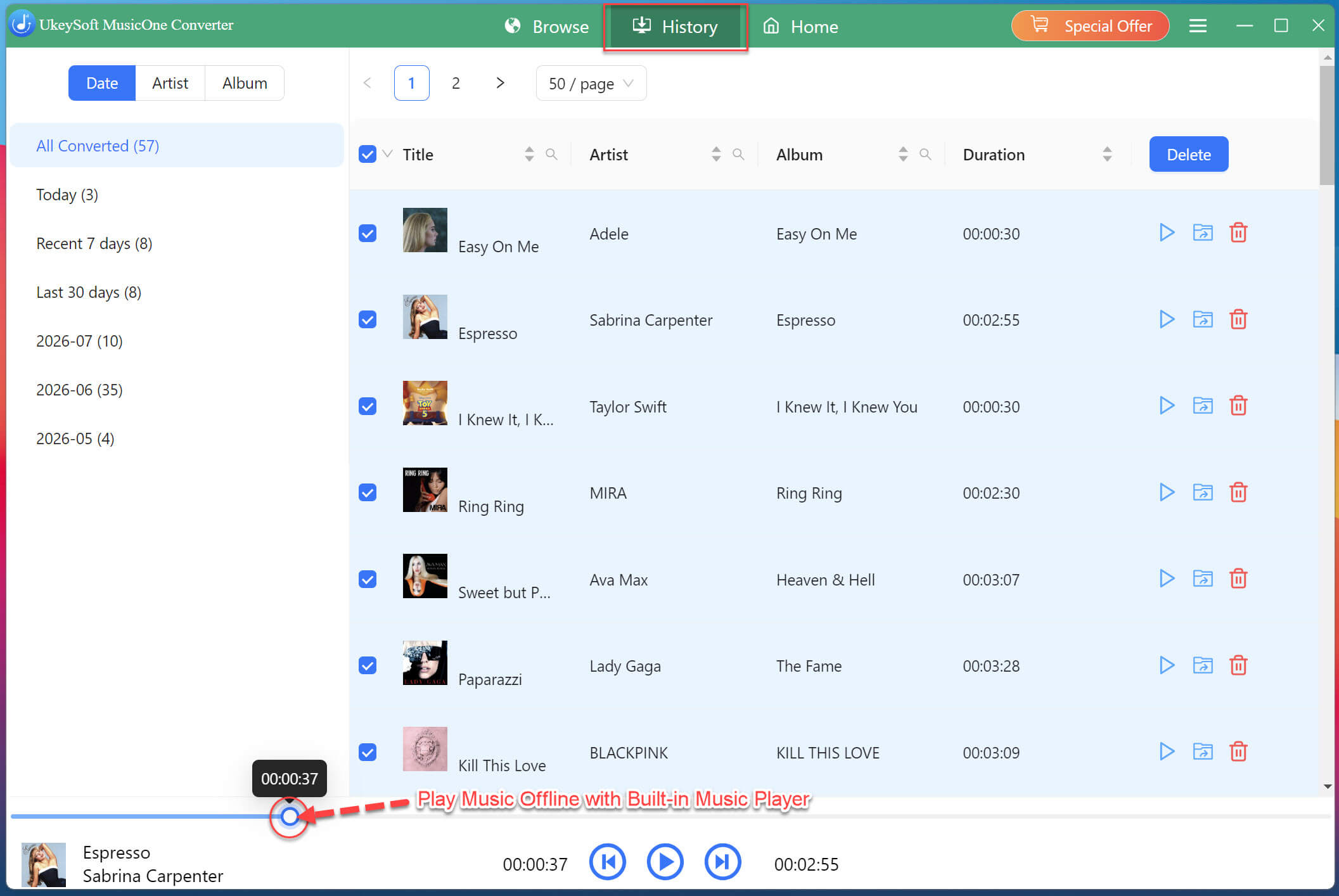
Once the conversion is complete, navigate to the "History" tab to view all successfully converted SoundCloud tracks. Click the folder icon next to any song to open its location on your computer. Your SoundCloud music is now ready for offline playback on any device or player!
Also, you may use the software's built-in music player to preview and play your newly converted SoundCloud music.
Part 5. UkeySoft vs MusicVerter: Which One Is Better?
What's the best SoundCloud music downloader? When choosing between UkeySoft and MusicVerter, the right choice depends on your personal preferences. To help you make an informed decision, here is a direct comparison between these two SoundCloud to MP3 conversion solutions:
Features
UkeySoft SoundCloud Music Converter
MusicVerter
Supported OS
Windows & Mac (desktop software)
Web-based (browser)
Audio Quality
Up to 320kbps MP3, Lossless FLAC/WAV
128kbps free, 320kbps MP3/WAV Premium
Output Formats
MP3, WAV, FLAC, M4A, AAC, AIFF
MP3, WAV (premium)
ID3 Tags
✅ Yes, full metadata
✅ Yes, very basic
Batch Download
✅ Yes, full playlists & albums
❌ Playlists/albums require premium
Download Speed
Up to 16X faster
Depends on browser and network
Workflow
Embedded SoundCloud player to browse, select, customize, batch convert
Copy, paste URL, download
Free Tier
Download the first three minutes of each track within 30 days, with no limit on audio quality or quantity.
Free downloads are limited to individual 128kbps MP3 tracks, with a daily cap.
Price
US$14.95/month; US$59.95/year; US$89.95/lifetime
Premium Subscription:US$156/year
Best For
High-quality and batch downloads
Occasional single-track downloads
Verdict:
For users who only need an occasional SoundCloud to MP3 converter, MusicVerter's free tier may be enough. For users who want better experience, UkeySoft SoundCloud Music Converter emerges as the superior choice for its high efficiency, lossless quality, and powerful download functionalities.
Part 6. Conclusion: Is MusicVerter Worth It in 2026?
MusicVerter delivers a convenient, browser-based way to download SoundCloud music to MP3 without installing desktop software. It works well for quick single-track downloads, but our testing also showed some limitations with audio quality, playlist and album downloads, and the features available on the free plan.
The key question is not whether MusicVerter can download SoundCloud tracks - it can. The bigger consideration is whether it provides the quality, batch support, and reliability you need. If you only need occasional downloads, MusicVerter is worth considering. For faster, more flexible batch downloads and more output options, a dedicated desktop software like UkeySoft SoundCloud Music Converter may be a good alternative.
Justin Sabrina has always had great enthusiasm for writing, programming and web development. He likes writing about software and technology, his works are featured on some tech blogs or forums like Tom's Hardware, CNET, etc.
 English
 Arabic
 Chinese (Simplified)
 Chinese (Traditional)
 Croatian
 Czech
Czech Danish
 Dutch
Dutch Estonian
 Finnish
 French
 German
 Greek
Greek Hebrew
 Hindi
Hindi Hungarian
 Indonesian
 Italian
 Japanese
 Kazakh
 Korean
 Malay
Malay Norwegian
 Polish
 Portuguese
 Romanian
 Russian
 Slovenian
 Spanish
 Swedish
 Thai
Thai Turkish
 Ukrainian
 Vietnamese








Comments are off!