 ✕
✕
✕
✕
By ChesterUpdated on June 26, 2026
The FIFA World Cup 2026 is one of the biggest sports events in the world, and Shakira's "Dai-Dai" is become as the 2026 FiFA WORLD CUP anthem, now the hit song - "Dai Dai" is very popular with football fans and music lovers all over the world. “Dai Dai” is sung by the famous singer Shakira. Shakira also attended the opening ceremony of the 2026 World Cup, where it performed the theme song.
With its lively beat and uplifting style, the song perfectly reflects the excitement of the tournament. Many fans are searching for FIFA World Cup 2026 anthem "Dai Dai" MP3 download, so that they can listen offline on any device. Although Spotify Premium supports offline listening, downloaded songs can only be played in the Spotify app and have some limitations.
That's why many users want to download "Dai Dai" to MP3 for more flexible playback. In this guide, you'll learn more about how to download FIFA World Cup 2026 anthem "Dai Dai" to MP3, and read related article about how to download previous World Cup anthem? So that, you can enjoy the World Cup anthem anytime and anywhere.
"Dai Dai" is the official anthem of the FIFA World Cup 2026. With its energetic beat and uplifting vibe, the song celebrates the spirit of football and brings fans around the world together. Like many famous World Cup songs, "Dai Dai" captures the excitement of the tournament and creates unforgettable moments for football lovers.
The song is available on Spotify and can be streamed online at:
Spotify offers millions of songs and allows Premium subscribers to save tracks for offline playback. If you have a Spotify Premium subscription, you can download "Dai Dai" inside the Spotify app and listen without an internet connection.
Step 1. Open Spotify on your computer or mobile device.
Step 2. Search for "Dai Dai" and open the song page.
Step 3. Tap the Download button.
Step 4. Once the song is downloaded, switch to Offline Mode and enjoy the music without WiFi or mobile data.
Although this method is convenient, there are still some restrictions associated with Spotify offline listening.
Limitations of Spotify Offline Listening
⚠️Premium Subscription Required
Offline playback is only available for Spotify Premium users. Free users cannot download songs for offline listening.
⚠️Songs Can Only Be Played Inside Spotify
Downloaded tracks are stored within the Spotify app and cannot be opened with other music players.
⚠️No Transfer to MP3 Players
Spotify downloads cannot be copied to MP3 players, USB drives, SD cards, smart TVs, car stereos, or other devices.
⚠️Internet Verification Is Needed
Spotify requires users to reconnect to the internet regularly to verify subscription status. Otherwise, downloaded songs may become unavailable.
⚠️Limited Device Support
Spotify only allows downloads on a limited number of authorized devices.
⚠️Downloads Disappear After Subscription Ends
If you cancel your Premium plan, access to offline songs will also disappear.
Because of these restrictions, many users want to download "Dai Dai" to MP3 and keep the song permanently for unrestricted playback.
If you are searching for a reliable FIFA World Cup 2026 anthem "Dai Dai" MP3 download solution, UkeySoft MusicOne Converter is worth considering.
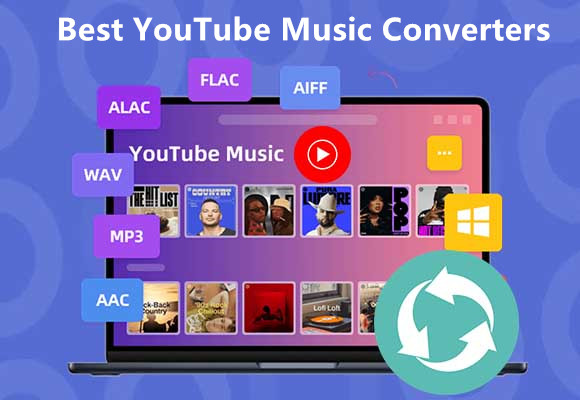
UkeySoft MusicOne Converter is an easy to use tool for music users who want more control over their music library. The tool supports downloading music from popular streaming music platforms, including Spotify, YouTube Music, Tidal, Apple Music, etc. It comes with a built-in music web player, allowing you to browse and access songs, albums, playlists, and podcasts directly within the program. With UkeySoft, you can download streaming music to MP3, M4A, AAC, FLAC, WAV, and AIFF formats while keeping high audio quality. Compared with traditional recording software, it offers faster conversion speed and a more efficient way to save music for offline listening.
If you want to download "Dai Dai" to MP3, UkeySoft makes the process simple. Once converted, the song can be stored locally and played without any official music app or an internet connection. You can also transfer the music files to an MP3 player, smartphone, USB drive, SD card, car audio system, or other devices for unrestricted playback.
👍Main Features of UkeySoft MusicOne Converter
Built-In Music Web Player
Access your favorite music directly within the software. Simply log in to your streaming account to browse, search, and play songs without installing separate desktop apps.
Support Various Popular Streaming Platforms
UkeySoft MusicOne Converter is an all in one music converter that works with multiple streaming services, including Spotify, Apple Music, YouTube Music, Amazon Music, Tidal, Deezer, Pandora. It lets you download songs, albums, playlists, and podcasts from different platforms in one place.
Convert Songs to Multiple Formats
Download and convert streaming music to MP3, M4A, AAC, WAV, FLAC, and AIFF, making your music playable on almost any device or media player.
Preserve Original Audio Quality
Keep the original sound quality after conversion, with customizable output settings such as bitrate and sample rate.
Maintain ID3 Tags
Retain important song information, including title, artist, album, genre, track number, and cover artwork for better music management.
Batch Download Support
Download and convert multiple songs, albums, or playlists at the same time, saving both time and effort.
Up to 16X Faster Conversion Speed
Convert streaming music at up to 16X faster speed, allowing you to build your offline music library quickly.
Wide Device Compatibility
Transfer converted songs to MP3 players, smartphones, tablets, USB flash drives, SD cards, smart TVs, gaming consoles, car audio systems, and other devices for offline playback.
Works on Windows and Mac
Fully compatible with both Windows and macOS, providing a smooth music downloading experience on either platform.
From the following Tutorial, we will show you how to download FIFA World Cup 2026 Anthem "Dai Dai" to MP3 on YouTube Music and Spotify with UkeySoft MusicOne Converter.
Step 1. Choose YouTube Music and Sign In
Download, install, and launch UkeySoft MusicOne Converter on your Windows or Mac computer. Select YouTube Music from the supported streaming platforms, then sign in to your YouTube Music account. You don't need a YouTube Music Premium subscription to download "Dai Dai".
Step 2. Set MP3 as the Output Format
Click the Menu icon and open the Preferences window. Choose MP3 as the output format. You can also adjust the output quality, output folder, and other settings.
Step 3. Search for and Add the "Dai Dai" Playlist
Use the search box to find "Dai Dai". Open the search result, then click the green "+" icon to add the song or the entire "Dai Dai" playlist to the conversion list.
If you add the full playlist, you can select the version of "Dai Dai" that you want to download.
Step 4. Download "Dai Dai" to MP3
After selecting the song, click the Convert button. UkeySoft MusicOne Converter will begin downloading and converting "Dai Dai" to high quality MP3 files at high speed.
Step 5. Find Your Downloaded "Dai Dai" Songs
When the conversion is complete, open the History tab to view your downloaded songs. You can play "Dai Dai" directly with the built in music player.
You can also click the Blue Folder icon to open the output folder and access your MP3 files. Now you can transfer the downloaded "Dai Dai" songs to your phone, MP3 player, USB flash drive, tablet, or any other device and enjoy them offline anytime.
Step 1. Open UkeySoft Spotify Music Converter and Sign in to Spotify
Download and install UkeySoft Spotify Music Converter on your Windows or Mac computer. Launch the software and log in to your Spotify account.
Once logged in, you can search, browse, and stream Spotify songs, albums, playlists, and podcasts directly through the built in Spotify web player.
Step 2. Set MP3 as the Output Format
Click the "Settings" icon in the upper right corner. UkeySoft supports six output formats, including MP3, M4A, WAV, FLAC, AIFF, and AAC. Select MP3 as the output format. You can also customize the output quality, output folder, language, and other settings according to your needs.
Step 3. Search for "Dai Dai" on Spotify
Use the search box in the built in Spotify web player to find "Dai Dai". Open the song or playlist page and click the "+" icon to add the music to the conversion list.
Step 4. Choose the "Dai Dai" Track
All songs are selected by default. Simply keep "Dai Dai" checked and remove any songs you don't want to save.
Step 5. Start to Download "Dai Dai" to MP3 from Spotify
Click the "Convert" button to start downloading "Dai Dai" to MP3. With up to 16X faster speed, the software can complete the conversion quickly while maintaining high audio quality.
Step 6. Access the Converted MP3 File
After the conversion is complete, click the blue "Output Folder" icon to open the destination folder. You will find the "Dai Dai" song saved as an MP3 file on your computer.
Now you can listen to "Dai Dai" offline anytime without using the Spotify app. You can also transfer the MP3 file to an MP3 player, iPhone, Android phone, USB flash drive, tablet, SD card, or other devices for convenient offline playback.
❓Why Download FIFA World Cup 2026 Anthem "Dai Dai" to MP3?
Many users prefer MP3 files because they offer several advantages:
For football fans who want to enjoy the World Cup anthem anytime, downloading the song as an MP3 file is undoubtedly a practical choice.
"Dai Dai" is one of the most popular songs of the FIFA World Cup 2026. Even though subscribing to music streaming services allows offline listening, the downloaded songs are usually limited to the official app and cannot be transferred or played freely on other devices. That's why many fans are looking for a simple way to complete FIFA World Cup 2026 anthem "Dai Dai" MP3 download and enjoy the song without limitations.
UkeySoft MusicOne Converter offers an easy solution to download "Dai Dai" to MP3 with high audio quality. Featuring built-in music web player, support multiple music platforms, fast conversion speed, and support for multiple output formats, it helps you save the World Cup anthem as local files and play them on any device. Whether you want to keep a permanent music collection or simply enjoy the song offline, UkeySoft makes it easy to download FIFA World Cup 2026 anthem "Dai Dai" to MP3 and listen anytime, anywhere.

Sorry the comment has been closed.













![Top 10 Christmas Songs to MP3 Download [Spotify]](https://www.ukeysoft.com/wp-content/uploads/2023/01/christmas-songs-to-mp3.jpg)

Porducts
Solution
Copyright © 2026 UkeySoft Software Inc. All rights reserved.


 English
 Arabic
 Chinese (Simplified)
 Chinese (Traditional)
 Croatian
 Czech
Czech Danish
 Dutch
Dutch Estonian
 Finnish
 French
 German
 Greek
Greek Hebrew
 Hindi
Hindi Hungarian
 Indonesian
 Italian
 Japanese
 Kazakh
 Korean
 Malay
Malay Norwegian
 Polish
 Portuguese
 Romanian
 Russian
 Slovenian
 Spanish
 Swedish
 Thai
Thai Turkish
 Ukrainian
 Vietnamese



![7 Best FREE Apple Music Converters [2026 Updated]](https://www.ukeysoft.com/wp-content/uploads/2019/04/best-apple-music-converter.jpg)














































































Comments are off!