 ✕
✕
✕
✕
By Justin SabrinaUpdated on June 25, 2026
Shakira is one of the most influential and successful music artists in the world. From iconic songs like "Hips Don't Lie" and "Whenever, Wherever" to her latest single "Dai Dai" (the official theme song for the 2026 FIFA World Cup) in collaboration with Burna Boy, Shakira continues to captivate audiences around the world with her amazing musical talent. The official "Dai-Dai" FIFA World Cup 2026 music video is performed by Shakira and Burna Boy, now is available on YouTube and YouTube Music, and Premium subscribers are able to download "Dai-Dai" music video for offline viewing.

If you are a fan of Shakira and looking for a way to download Shakira's songs and albums for offline permanent listening, you've come to the right place. In this guide, we'll teach you how to download Shakira songs to MP3 from Spotify, YouTube Music, Apple Music, and other platforms, even without a Premium account. After reading, you can easily build a permanent collection of her greatest hits and enjoy her amazing music on any device, anytime, anywhere!
CONTENTS
In the streaming era, we can easily access Shakira's complete music catalog through popular streaming services such as Spotify, Apple Music, Amazon Music, SoundCloud, YouTube, and more. These streaming platforms provide instant access to Shakira's latest singles, classic hits, live performances, full-length albums, and official music videos in high quality.

Listen to Shakira's Songs on Spotify for Free!
Shakira's Top 10 Songs include:
If you have a subscription on streaming music platform, you are allowed to download Shakira songs to listen to offline. However, these downloaded songs are encrypted cache files that can only be played within the official streaming music app. Once your subscription expires or your account loses access, those offline downloads become unavailable. To keep Shakira songs permanently and enjoy flexible playback on any device, the best way is to download and save Shakira songs as MP3 files.

To download Shakira music to MP3 from streaming platforms, a professional third-party MP3 music downloader is needed.
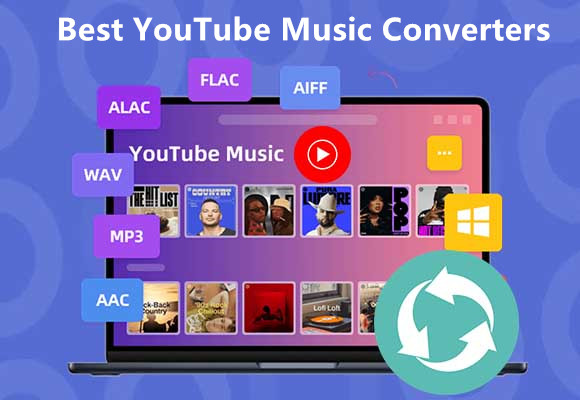
UkeySoft MusicOne Converter, also named UkeySoft All-in-One Music Converter, stands out as one of the most reliable tools for downloading MP3 music from multiple streaming services. The software integrates Spotify, Apple Music, Amazon Music, YouTube Music, Deezer, Tidal, and Pandora Music into a single platform, allowing users to access the official music library and convert songs without switching between applications. With it, users can easily download and convert streaming music to MP3, M4A, FLAC, AAC, WAV, or AIFF formats.
The software is equipped with official web players for direct searching, adding and downloading tracks, albums, playlists, podcasts, and audiobooks. With advanced decoding technology, UkeySoft can batch-download Shakira's songs and albums to MP3 at up to 16X faster speed. It also comes with built-in music player and music manager. After downloading, you can listen to Shakira music in the software directly, and classify the music by artist, date, or album!
One of its highlights is that it supports free users. Whether you're a Spotify Free or Premium user, UkeySoft's Spotify Music Converter enables you to download Shakira's popular songs to MP3 from Spotify to PC/Mac with lyric & the best 320kbps audio quality. Click the Download button to have a try!
🔥 Main Features of UkeySoft All-in-One Music Converter:
YouTube Music offers access to a massive library of Shakira songs for free. Now let's use YouTube Music as an example to demonstrate how to download Shakira music from YouTube Music to MP3 using UkeySoft All-in-One Music Converter. Please download and install the software on your computer in advance.
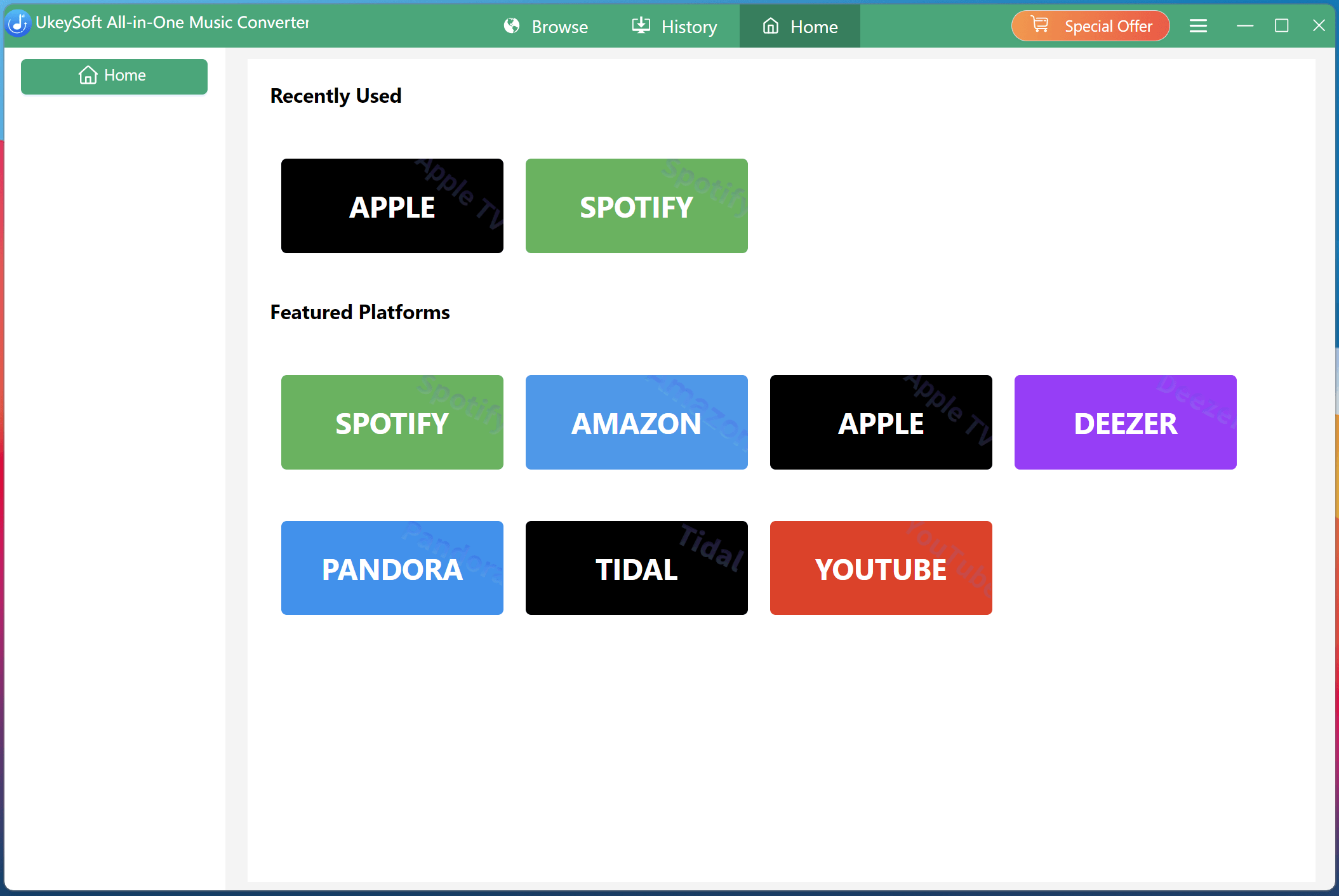
Step 1. Select YouTube Music and Log In Music Account
Download and launch UkeySoft MusicOne Converter on your computer. From the supported streaming services, choose YouTube Music and sign in with your YouTube Music account. No Premium subscription is required to access and download Shakira songs.
Step 2. Define Output Settings
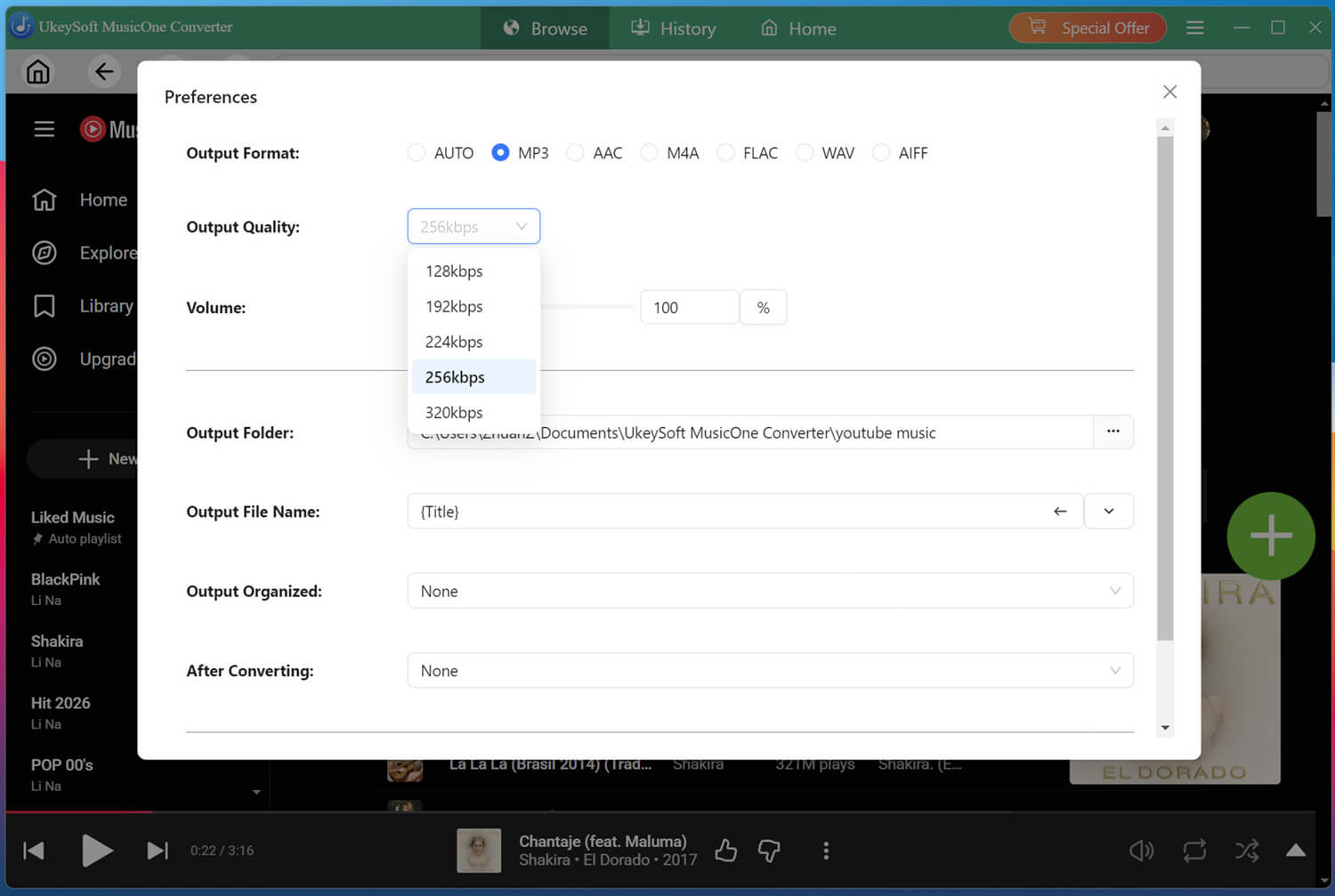
Click the "Menu" icon and open "Preferences" window. Select MP3 as the output format, then customize output quality, output folder, and other settings according to your needs. To get the best listening experience, here we choose 320kbps option.
Step 3. Browse, Open, and Add Shakira Playlist
In the search box, search for "Shakira" to access her artist page.
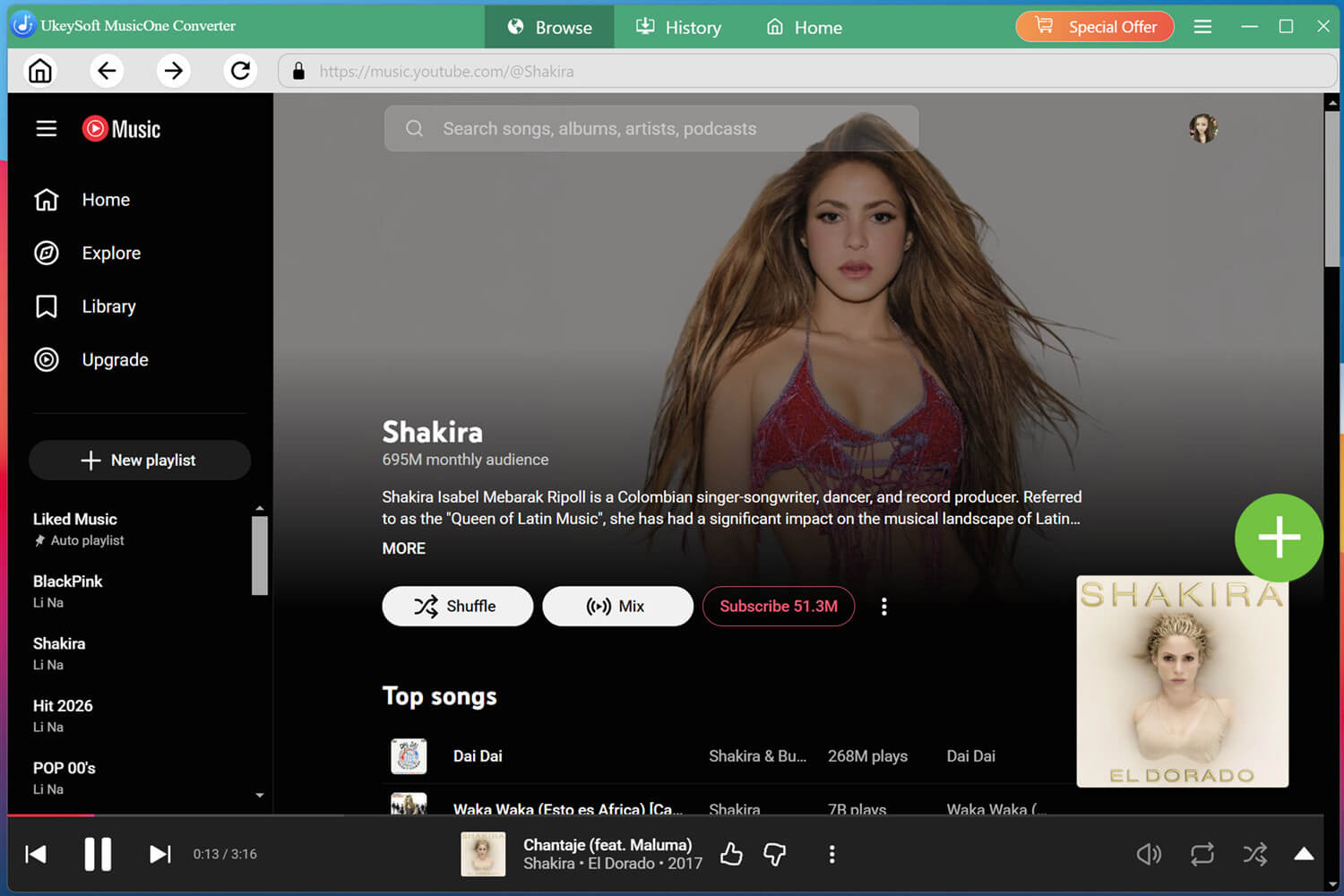
When you find your desired Shakira playlist or song, click the green "+" icon to add it to the conversion list.
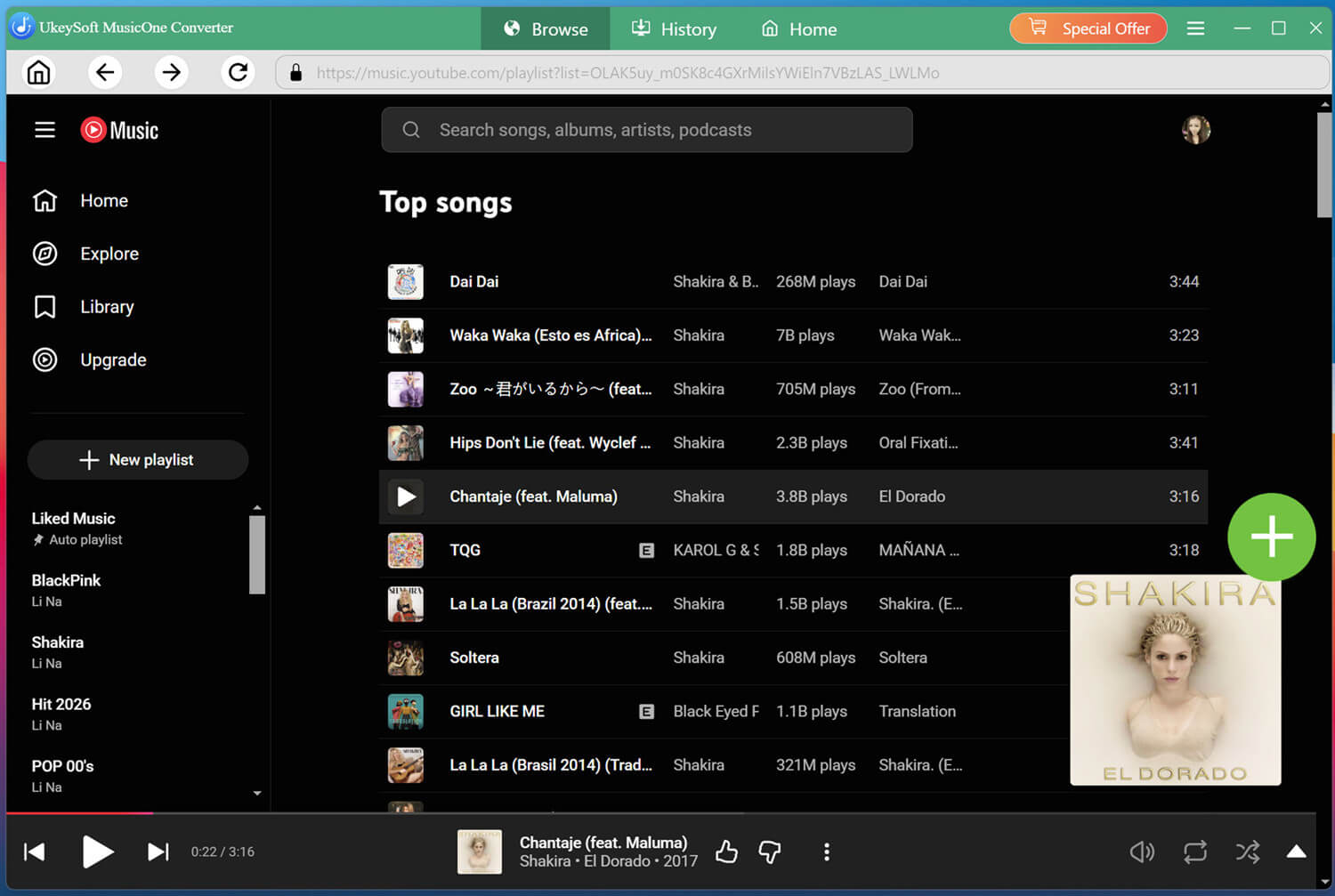
Tips: This software also lets you download music video from YouTube Music without Premium, and convert it into MP3 320kbps audio files. So, you can open any music video of Shakira music and add it to the conversion list at will.
Step 4. Select Shakira Songs
Review the imported tracks and choose the Shakira songs you wish to download.
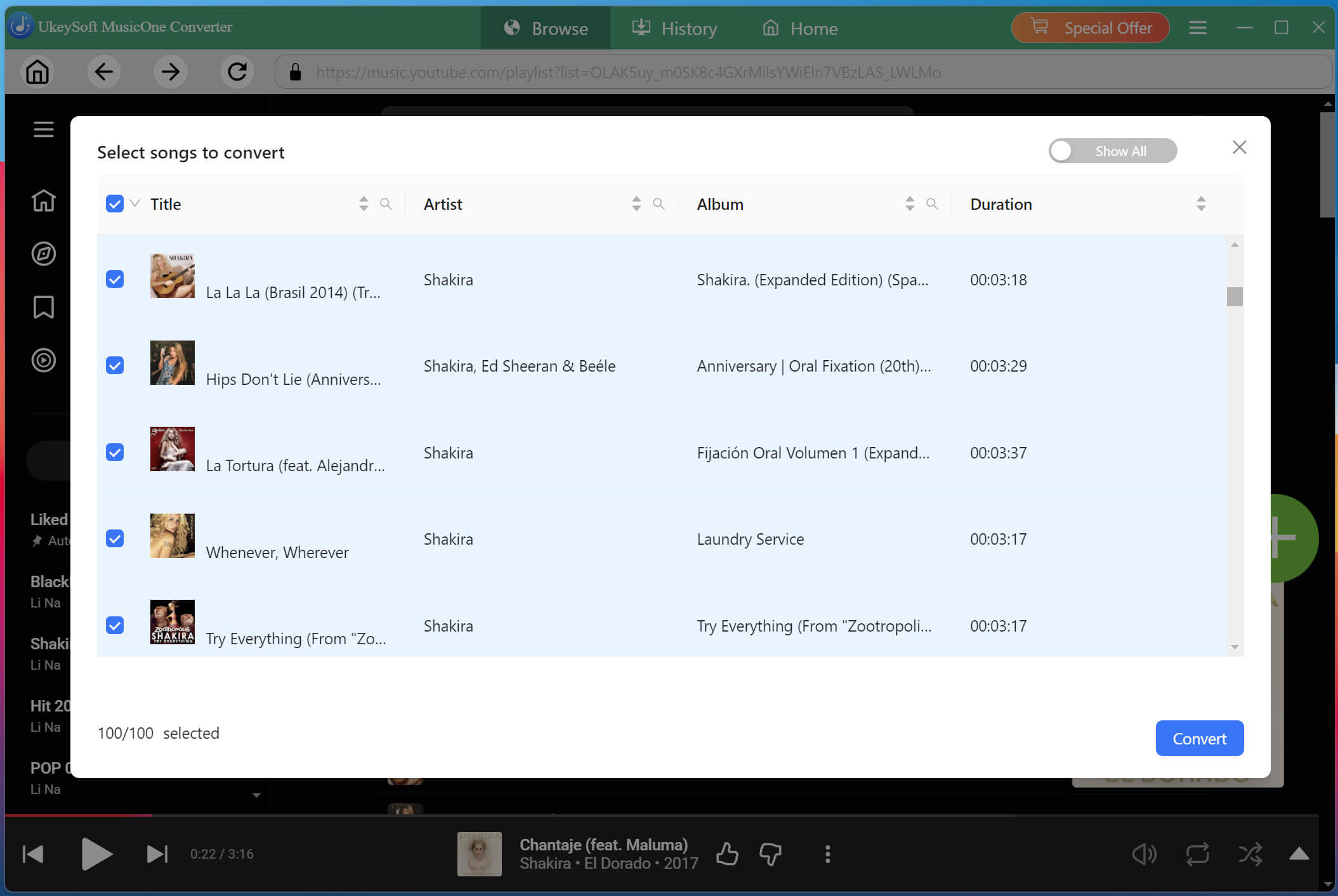
You can select individual songs or batch-download entire Shakira playlist simultaneously.
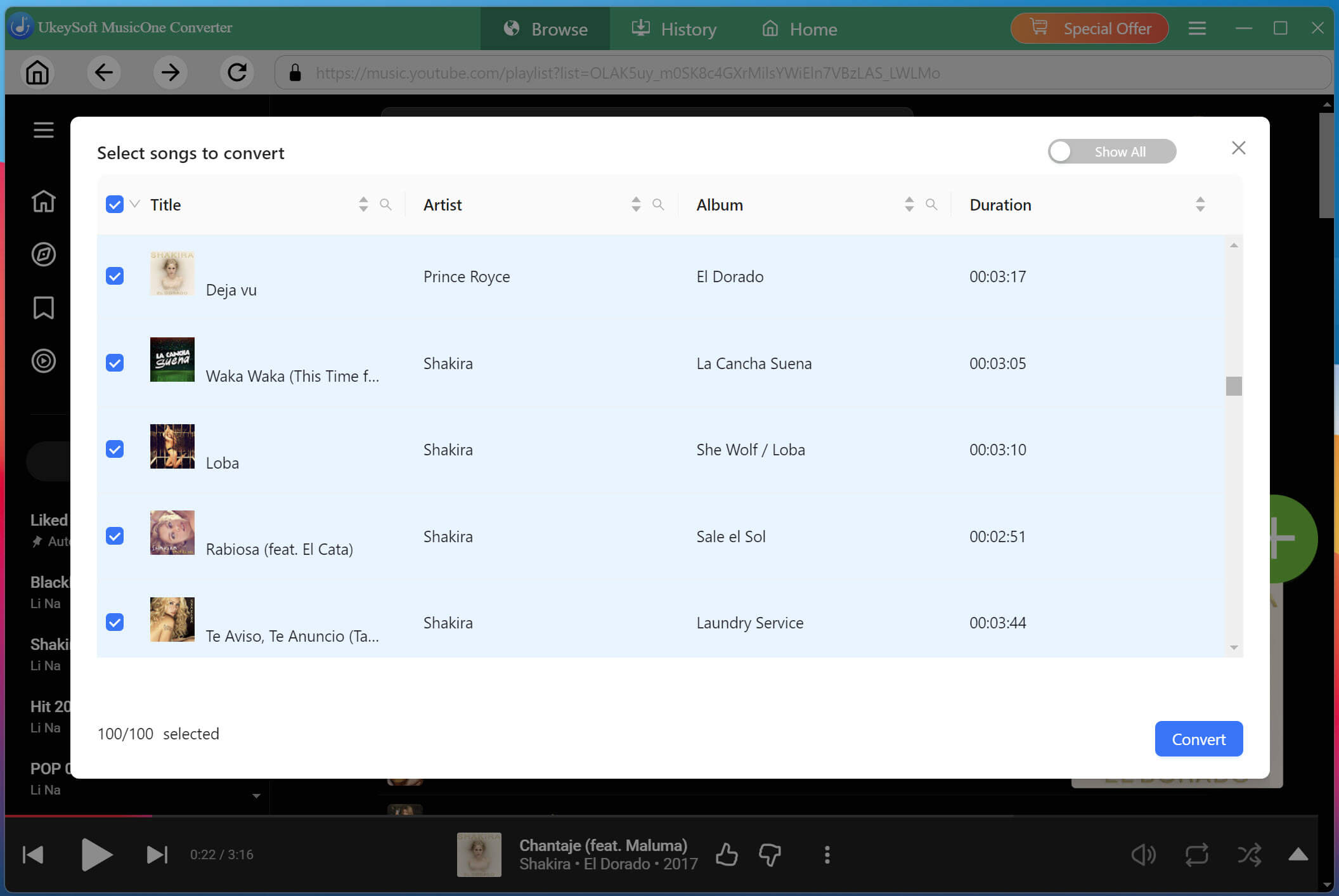
Step 5. Start Downloading Shakira Songs to MP3
After confirming your selection, click the "Convert" button to start the process. UkeySoft will begin downloading Shakira's music to MP3 from YouTube Music at up to 16X speed.
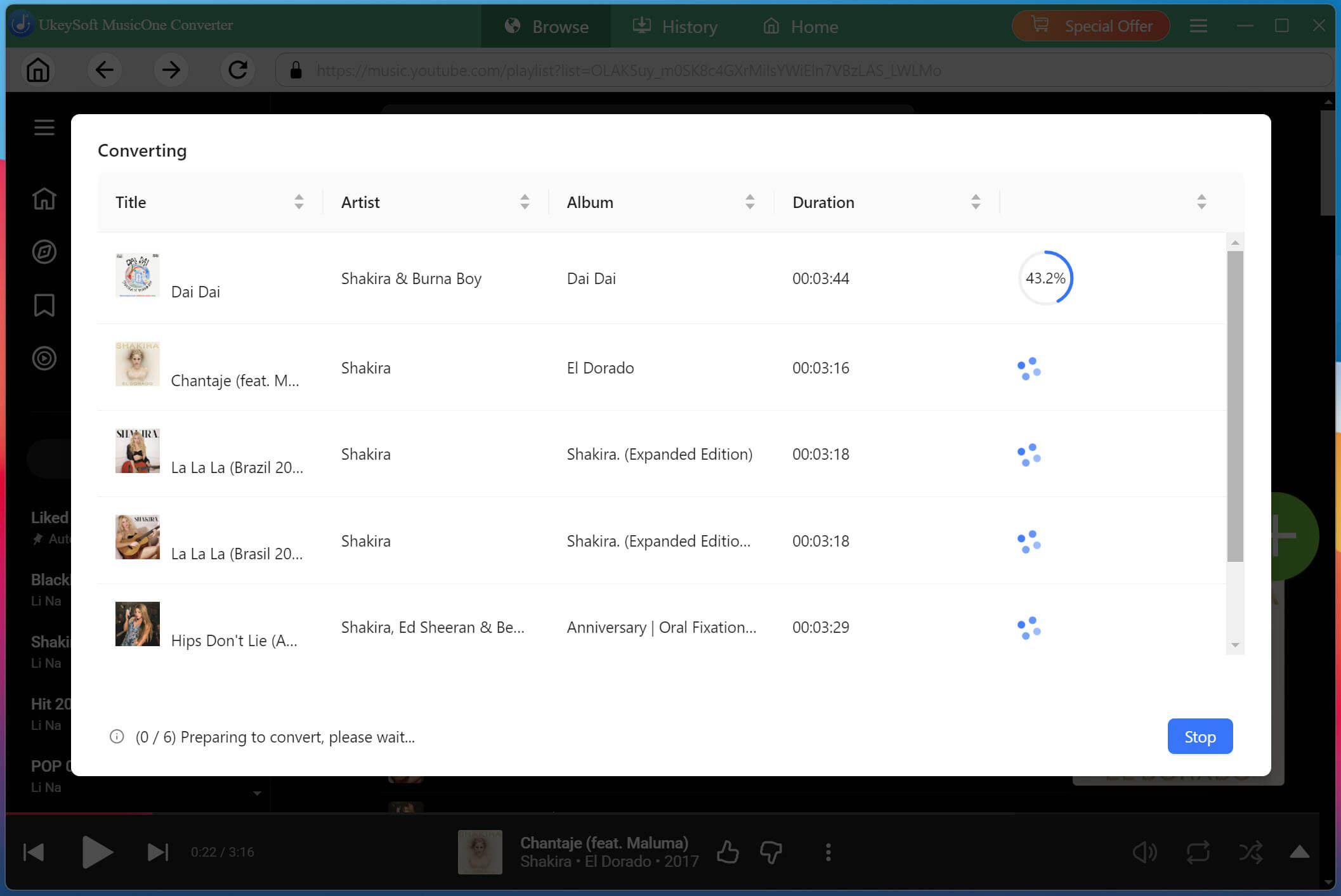
Step 6. Get Downloaded Shakira Songs
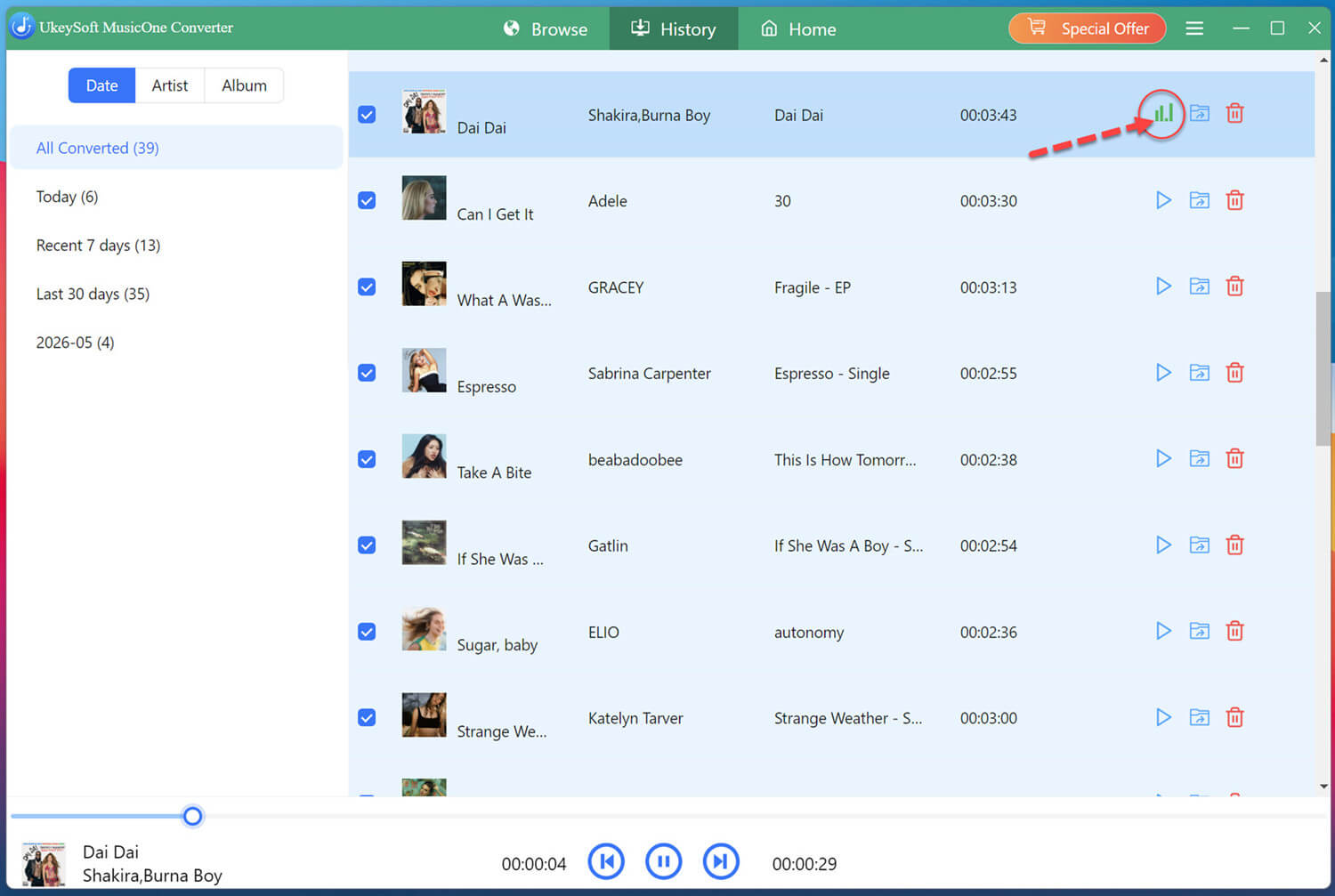
Once the conversion finishes, go to the "History" tab to access the download Shakira songs. You can play these high-quality Shakira songs with the built-in music player!
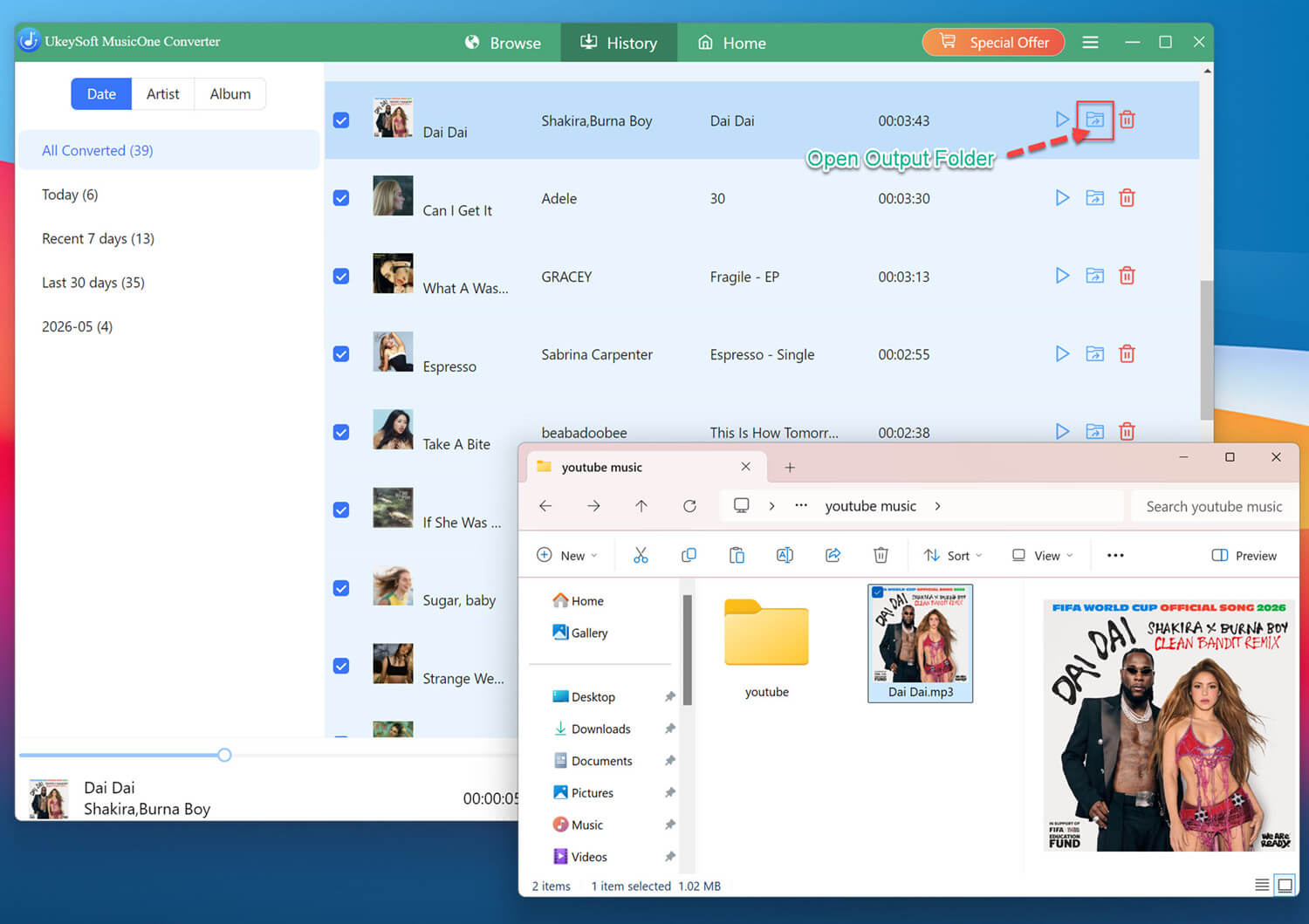
Or, click the "Blue Folder" icon to locate your downloaded Shakira MP3 music files. You can now enjoy your Shakira MP3 songs offline on any device without limitations.
You can easily stream Shakira songs and albums on Spotify for free! If you are having a Spotify free/premium account, you can follow below guide to download Shakira's songs from Spotify as MP3 files.
Step 1. Select a Platform and Log In Spotify Account
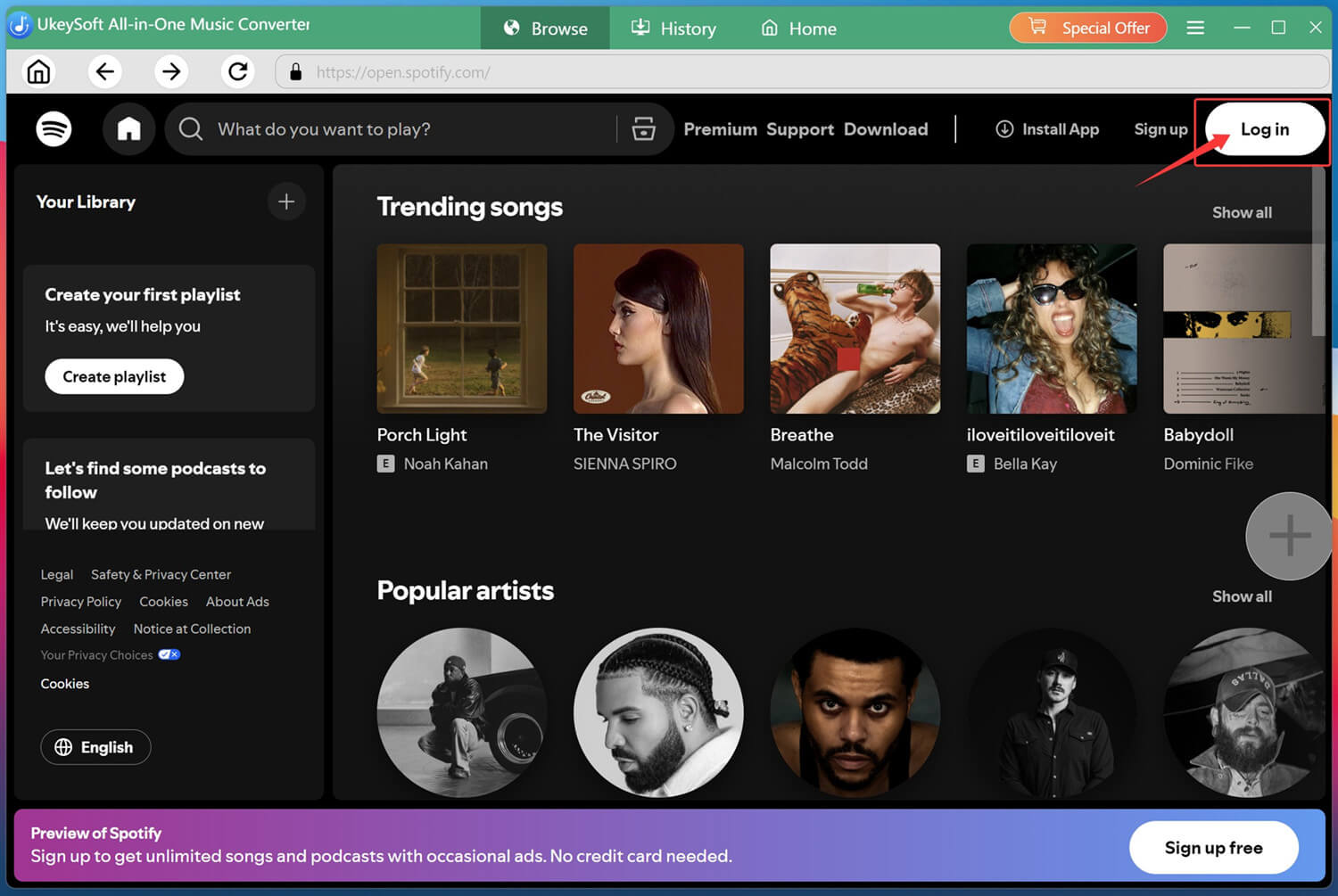
After installation, launch the UkeySoft MusicOne Converter and choose Spotify from the available streaming platforms.
Then sign in using either your Spotify Free or Spotify Premium account to access the whole music library, including Shakira's music.
Step 2. Configure Output Settings
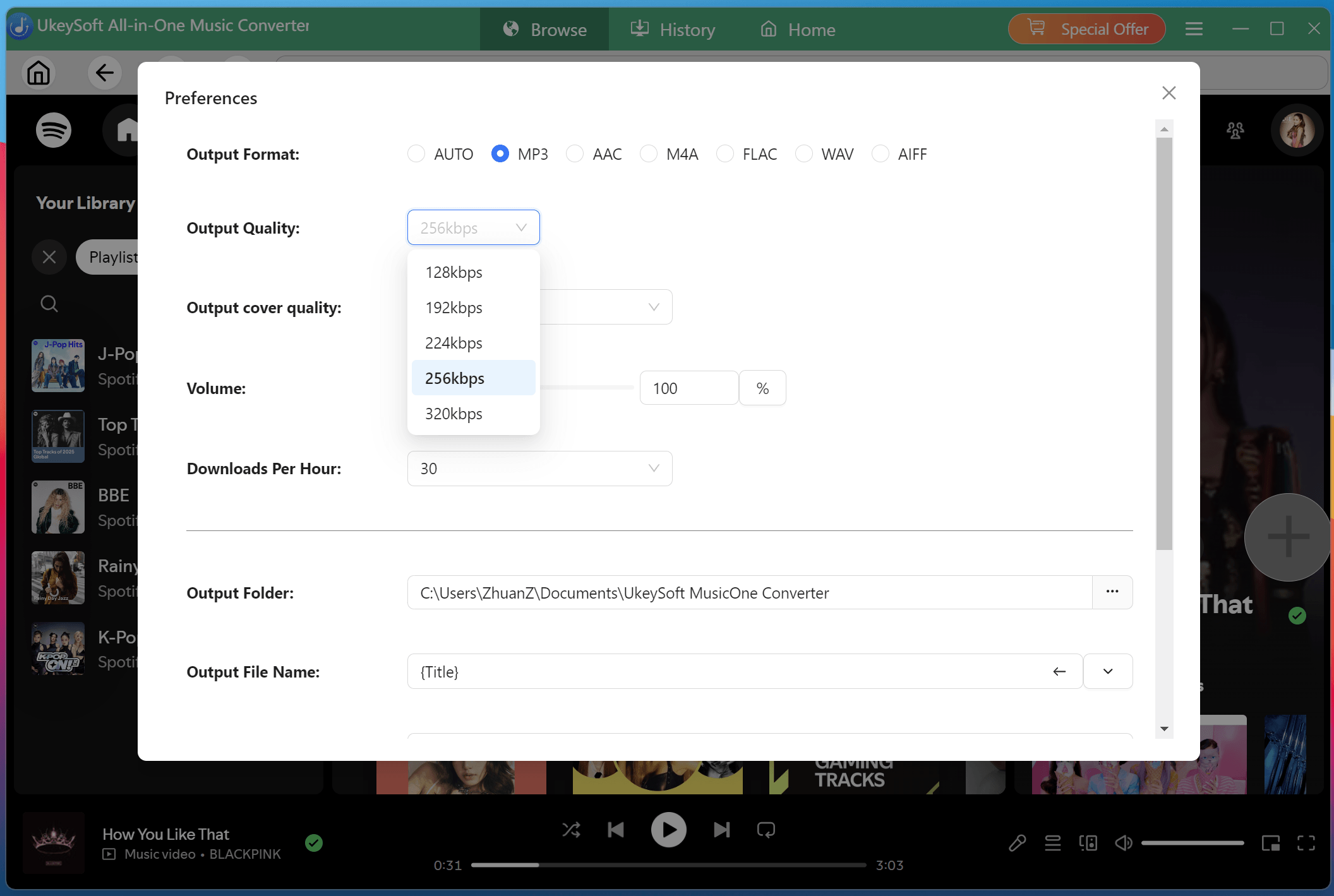
Click the Menu icon in the upper-right corner and select "Preferences. Navigate to the output settings section, where you can choose MP3 as the output format, customize audio quality to 320kbps, organize output file name, and specify the destination folder for downloaded Shakira songs.
Step 3. Add Shakira Songs or Albums
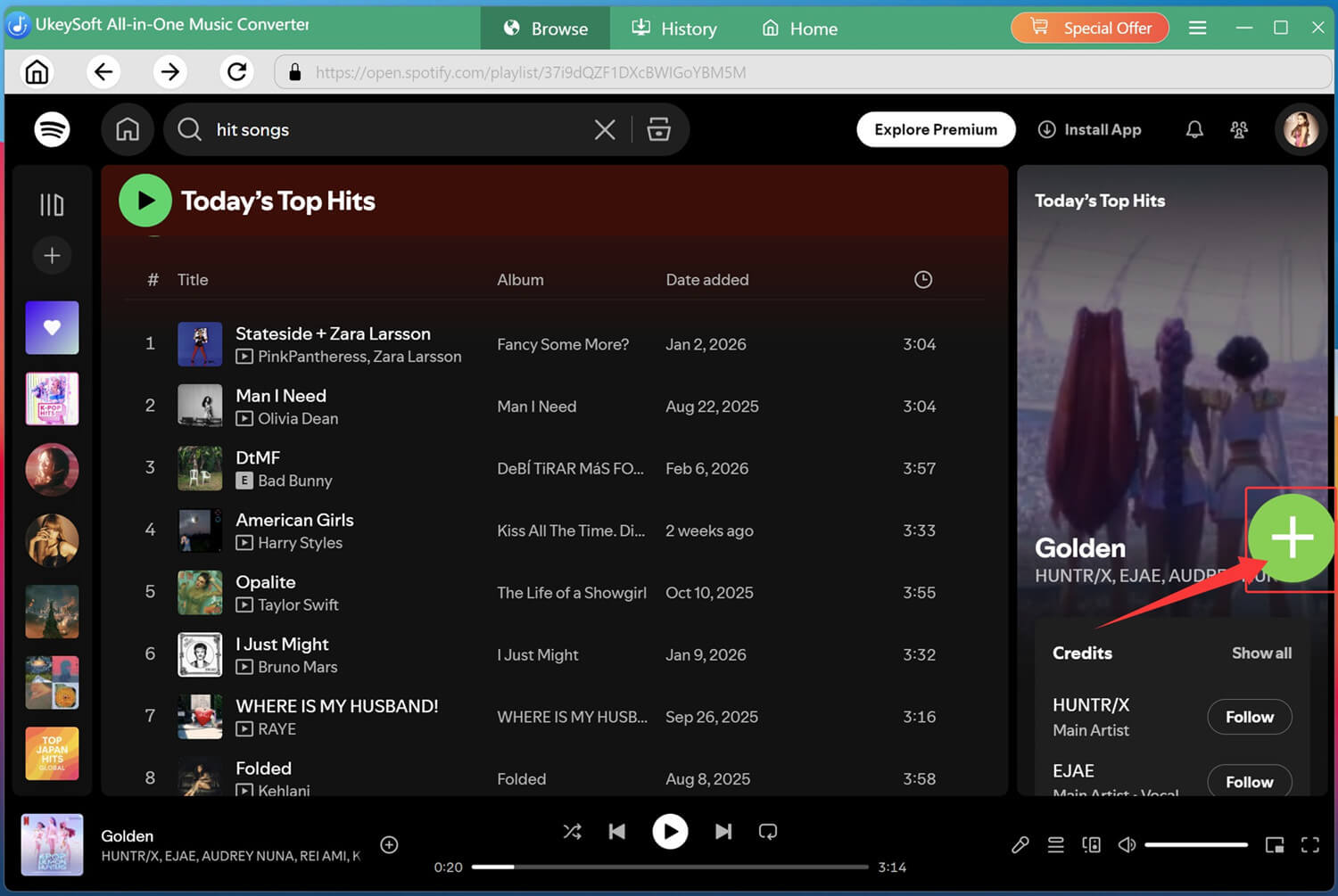
Turn to the home page and search for Shakira in the search box. Open any song, playlist, album, or artist page you want to download, then click the green "+" icon to add the song or album to the conversion queue.
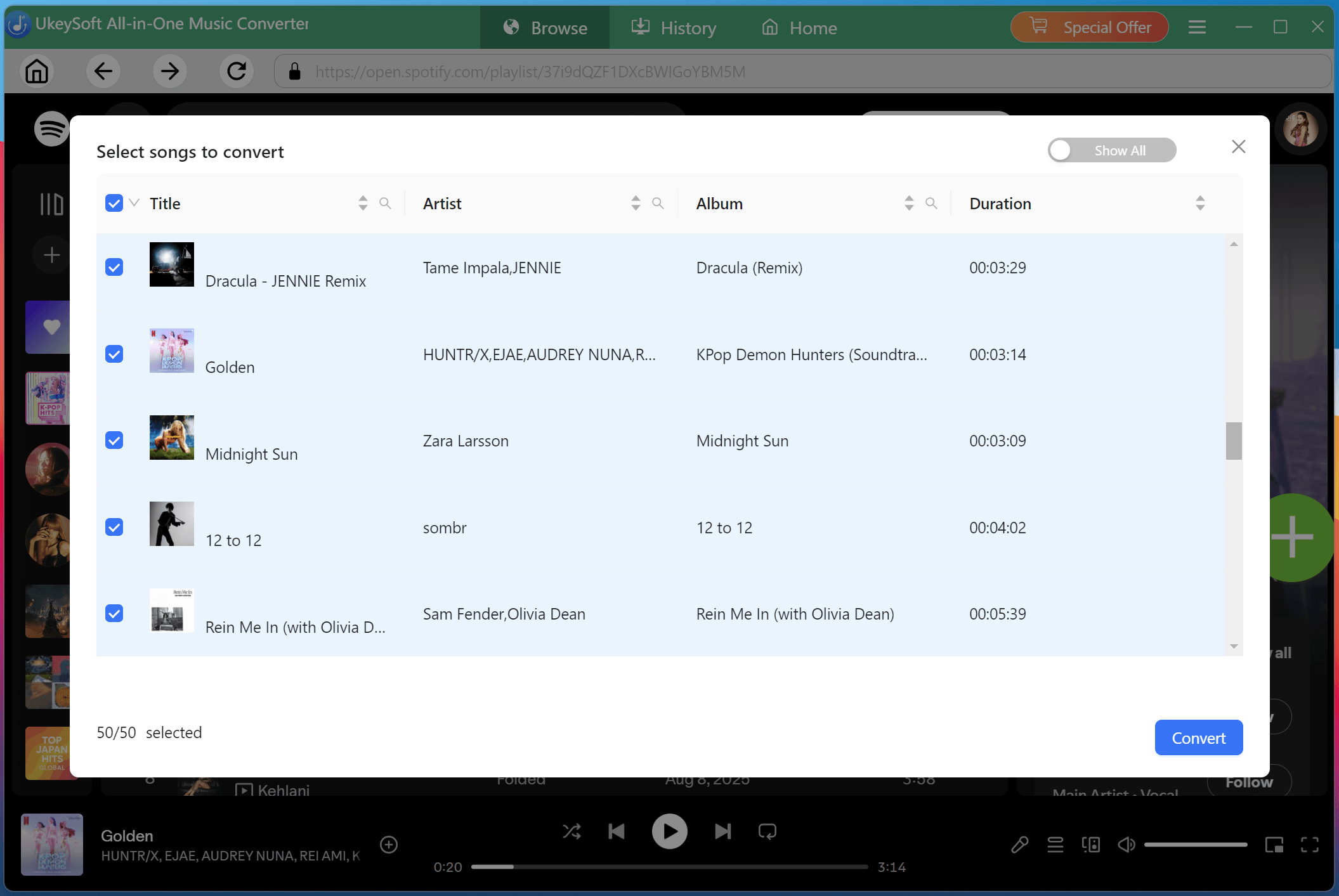
After importing the music, review the conversion list and select the specific Shakira songs, or entire album/playlist you wish to save.
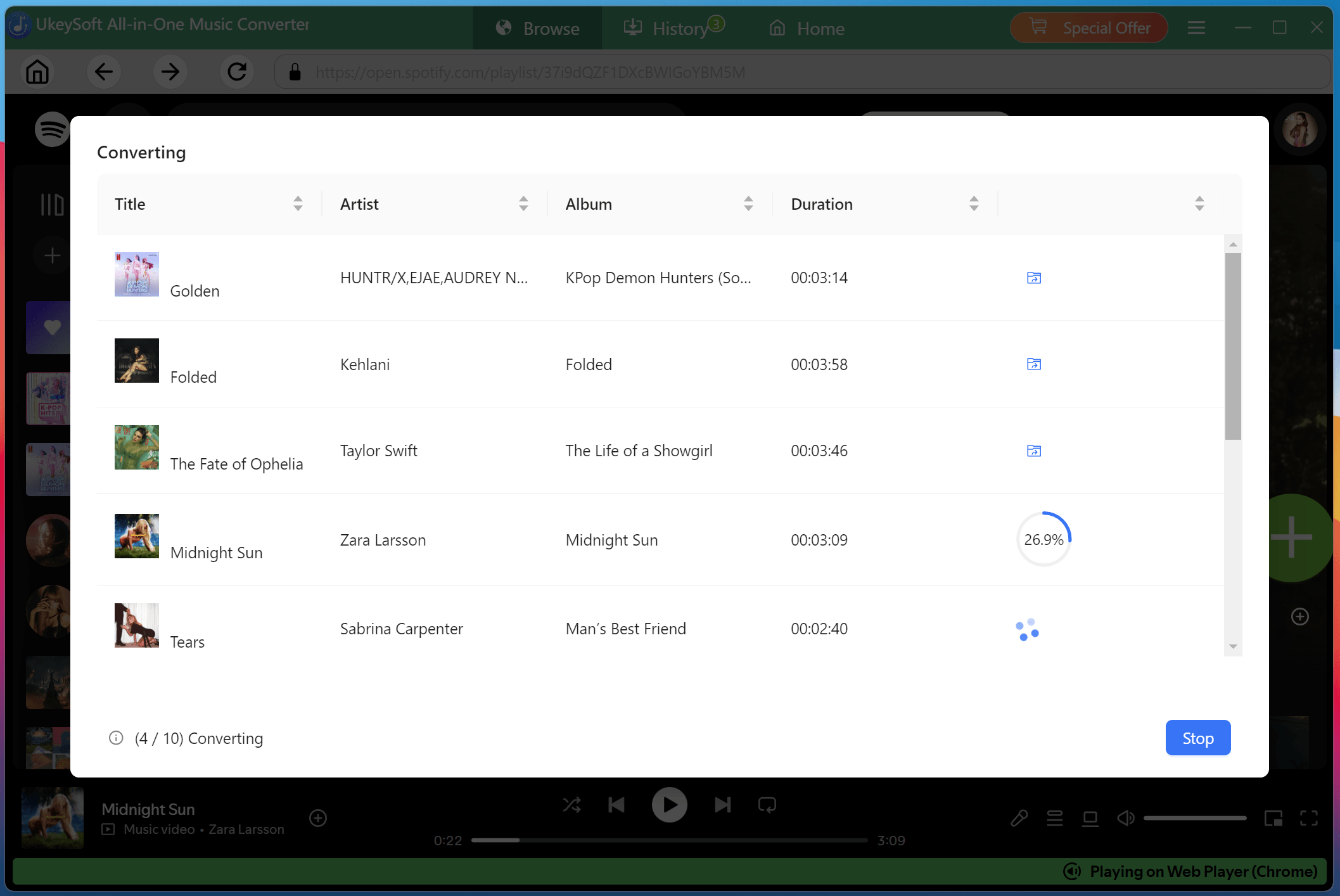
Step 4. Begin to Download Shakira Songs in MP3 Format
Once everything is ready, click "Convert" button, UkeySoft will start processing your selected tracks and quickly download Shakira songs to MP3 at 320kbps while retaining lyric files and metadata information.
Step 5. Get Downloaded Shakira Songs
After the conversion is completed, switch to the "History" section. You can now play the Shakira MP3 songs with the built-in music player on the software! Say goodbye to Spotify app!
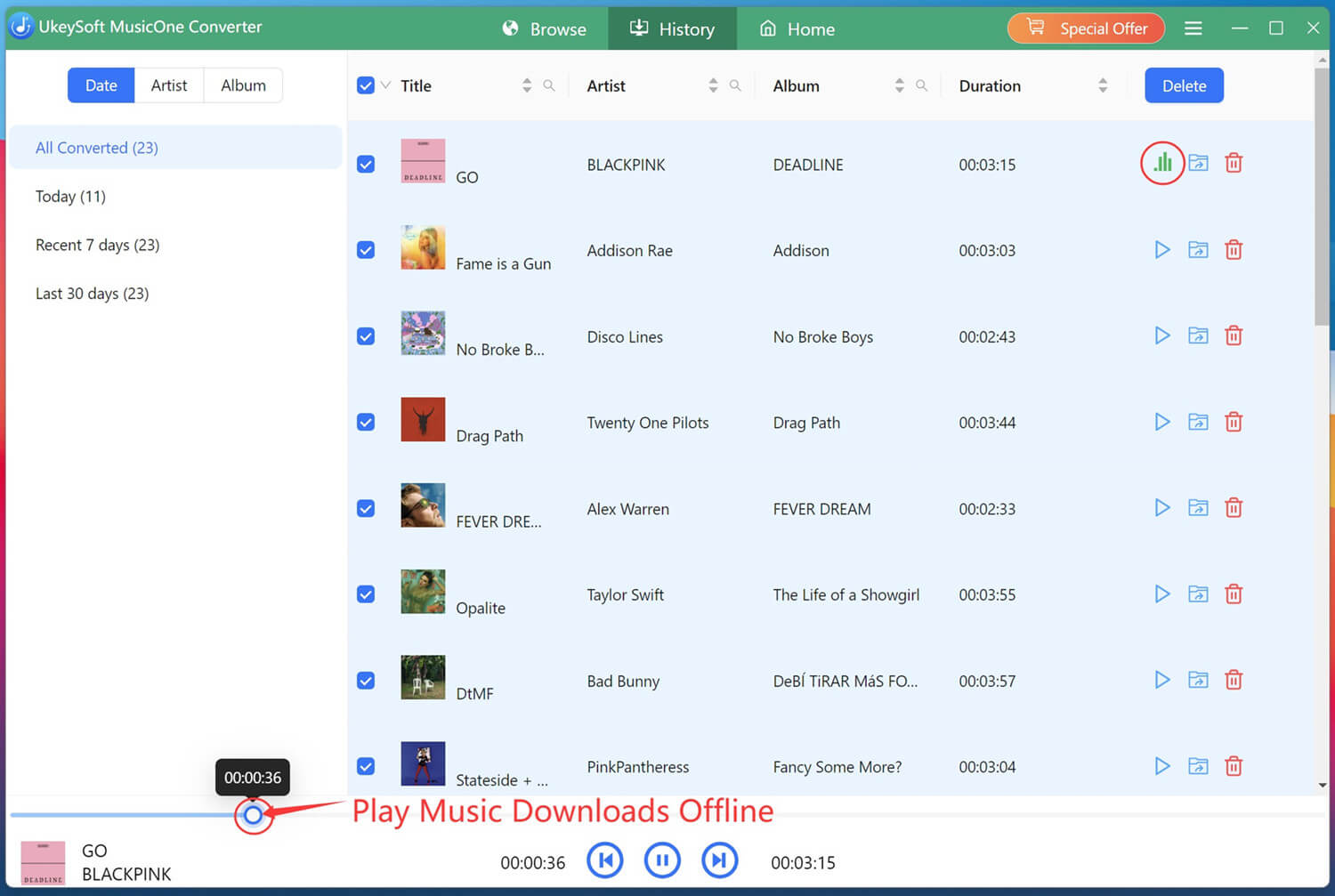
Then, click the folder icon to locate your downloaded music files. You'll find all your Shakira tracks saved as MP3 files!
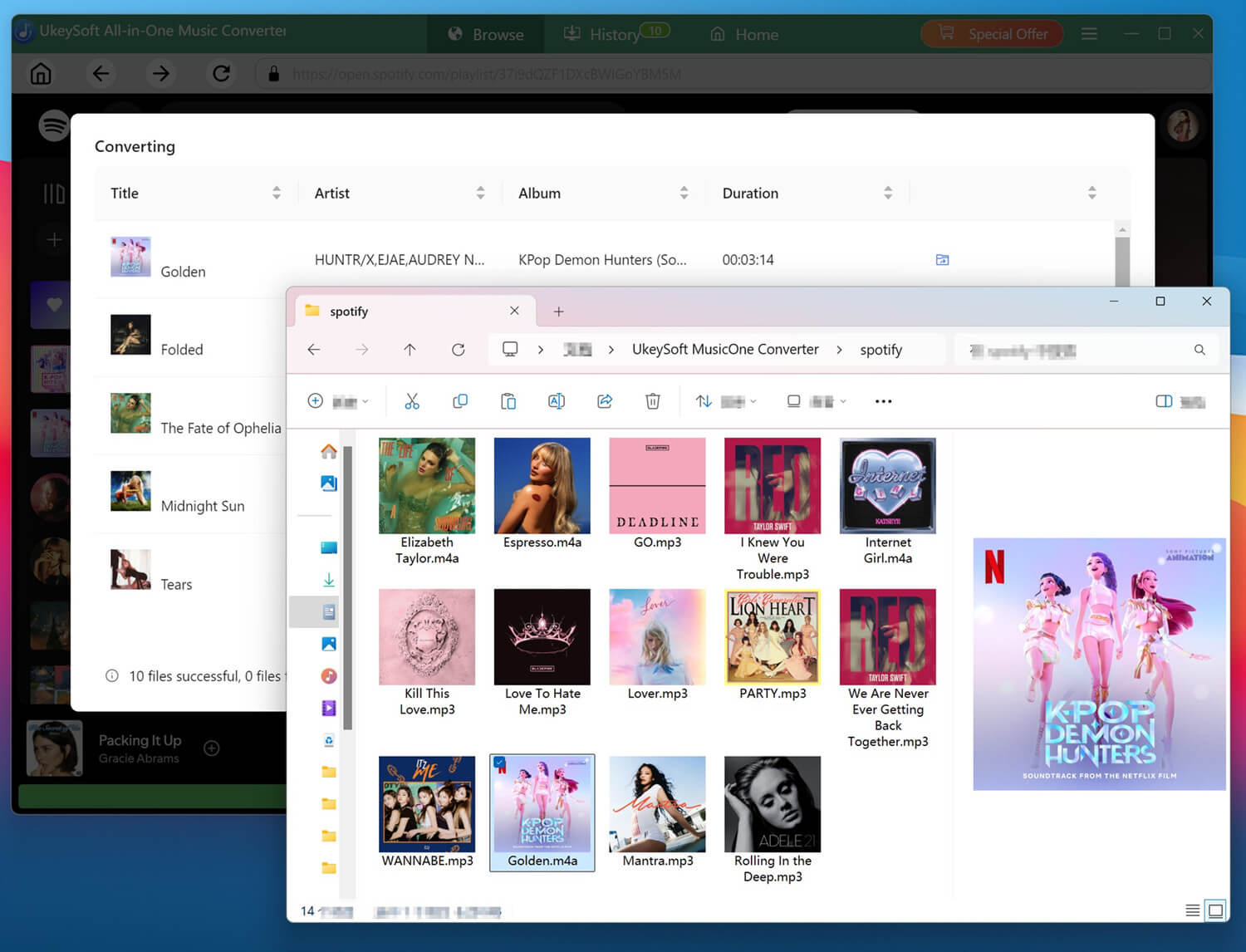
Shakira's music has touched the hearts of millions around the world. While streaming platforms like Spotify, Apple Music provide convenient access to her music, they also impose frustrating restrictions: temporary downloads, DRM encryption, app-playback only, etc. To build a permanent collection of Shakira songs, downloading Shakira songs to MP3 is a good choice. UkeySoft All-in-One Music Converter is a good helper. With support for multiple streaming services, 16X faster conversion speed, batch downloading capabilities, high-quality output formats, it delivers an effortless way for every Shakira fan to save Shakira music as MP3, FLAC, WAV, AAC, or other audio files.
Start your Shakira song MP3 download today and enjoy your favorite tracks anytime, anywhere!

Sorry the comment has been closed.














![Top 10 Christmas Songs to MP3 Download [Spotify]](https://www.ukeysoft.com/wp-content/uploads/2023/01/christmas-songs-to-mp3.jpg)

Porducts
Solution
Copyright © 2026 UkeySoft Software Inc. All rights reserved.


 English
 Arabic
 Chinese (Simplified)
 Chinese (Traditional)
 Croatian
 Czech
Czech Danish
 Dutch
Dutch Estonian
 Finnish
 French
 German
 Greek
Greek Hebrew
 Hindi
Hindi Hungarian
 Indonesian
 Italian
 Japanese
 Kazakh
 Korean
 Malay
Malay Norwegian
 Polish
 Portuguese
 Romanian
 Russian
 Slovenian
 Spanish
 Swedish
 Thai
Thai Turkish
 Ukrainian
 Vietnamese




![7 Best FREE Apple Music Converters [2026 Updated]](https://www.ukeysoft.com/wp-content/uploads/2019/04/best-apple-music-converter.jpg)





















































































Comments are off!