 ✕
✕
✕
✕
By Justin SabrinaUpdated on July 14, 2026
Anime is famous not only for its captivating storylines and vibrant animation but also for its iconic music. From exciting opening themes and emotional ending songs to memorable original soundtracks, anime music has become an important part of the anime experience for fans around the world.
As a big fan of One Piece, my favorite Anime song is "We Are". What's your favorite anime soundtrack? In this article, we've complied a list of the top 100 anime music tracks, featuring timeless classics and today's trending hits. Additionally, you will learn how to download anime songs to MP3 for permanent offline listening. Easily building your ultimate anime music library!
CONTENTS
Anime music can be found on multiple streaming music platforms, online websites, and video sharing sites. However, most free online websites often contain low-quality audio, heavy ads, or even security risks. For the safest, highest-quality listening experience, it's always recommended to use official streaming platforms, where you can enjoy licensed anime original soundtracks in.
Spotify - You can stream millions of anime openings, endings, and soundtracks on Spotify for free. Easily search for specific titles or browse curated anime playlists to discover both classic favorites and the latest releases.
Apple Music - Apple Music features a vast collection of anime songs and original soundtracks. Some Anime music tracks support lossless and spatial audio, delivering an exceptional streaming experience.
SoundCloud - SoundCloud is home to a wide variety of anime music, including official releases, independent remixes, piano covers, orchestral arrangements, and fan-created tracks. You can easily discover unique versions of your favorite anime music here.
Amazon Music - Amazon Music provides a growing library of anime songs, albums, and soundtracks with HD audio quality, perfect for enjoying anime music across multiple compatible devices.
YouTube & YouTube Music - YouTube and YouTube Music offer official anime songs, music videos, live performances, lyric videos, and fan covers, making them ideal platforms for exploring a wide variety of anime music.
In this part, we've curated two incredible Spotify playlists featuring the top 100 anime songs of all time. You'll find music from popular franchises such as: One Piece, Naruto, Bleach, Dragon Ball, Blue Lock, Attack on Titan, My Hero Academia, Your Name, and more. These playlists are perfect for discovering new favorites, revisiting nostalgic classics, and building your ultimate anime music collection.
Click the Play button to stream the top 100 anime songs on Spotify for free!
Top 100 Anime Openings and Endings Songs 2026
Listen to Top 100 Anime Classic Songs on Spotify
While streaming music platforms allows paid subscribers to download anime music or playlist, there is a significant limitation: the downloaded anime songs are cache files that can only be playable within the streaming music app. Once your subscription expires, all anime music downloads will be lost, and you won't be able to access any offline content. To build your own offline anime music library and enjoy them without restrictions, the best way is to download anime songs to MP3.
UkeySoft MusicOne Converter is the perfect fix. Available on Windows and Mac, this all-in-one streaming music downloader enables you to batch-download anime songs and playlists from Spotify, Apple Music, Amazon Music, YouTube Music, Deezer, Pandora Music, and TIDAL in just a few clicks. It converts streaming music into MP3, M4A, FLAC, WAV, AAC, or AIFF formats in high or original quality for the best listening experience.
What truly sets UkeySoft MusicOne Converter apart is its lossless quality output. For Spotify users, UkeySoft even allows you to free download top 100 anime songs to MP3 from Spotify without Premium< and save Spotify lyrics in LRC or TXT files! The software also features a built-in music player and music manager, making it easy to organize and enjoy your anime music collection in one place! More Benefits: After downloading, you can keep the Anime music permanently, transfer them to any device or player, move anime music to USB drive, or burn anime music to CDs to play in your car!
👍 Outstanding Features of UkeySoft All-in-One Music Converter:
Spotify allows you to access a large number of anime songs, playlists without a payment. Here we will take the Spotify as an example, and show you the detailed steps for downloading anime music to MP3 using UkeySoft All-in-One Music Converter. Please download and install the software on your Windows PC or Mac in advance.
Step 1. Run UkeySoft MusicOne Converter and Pick Spotify
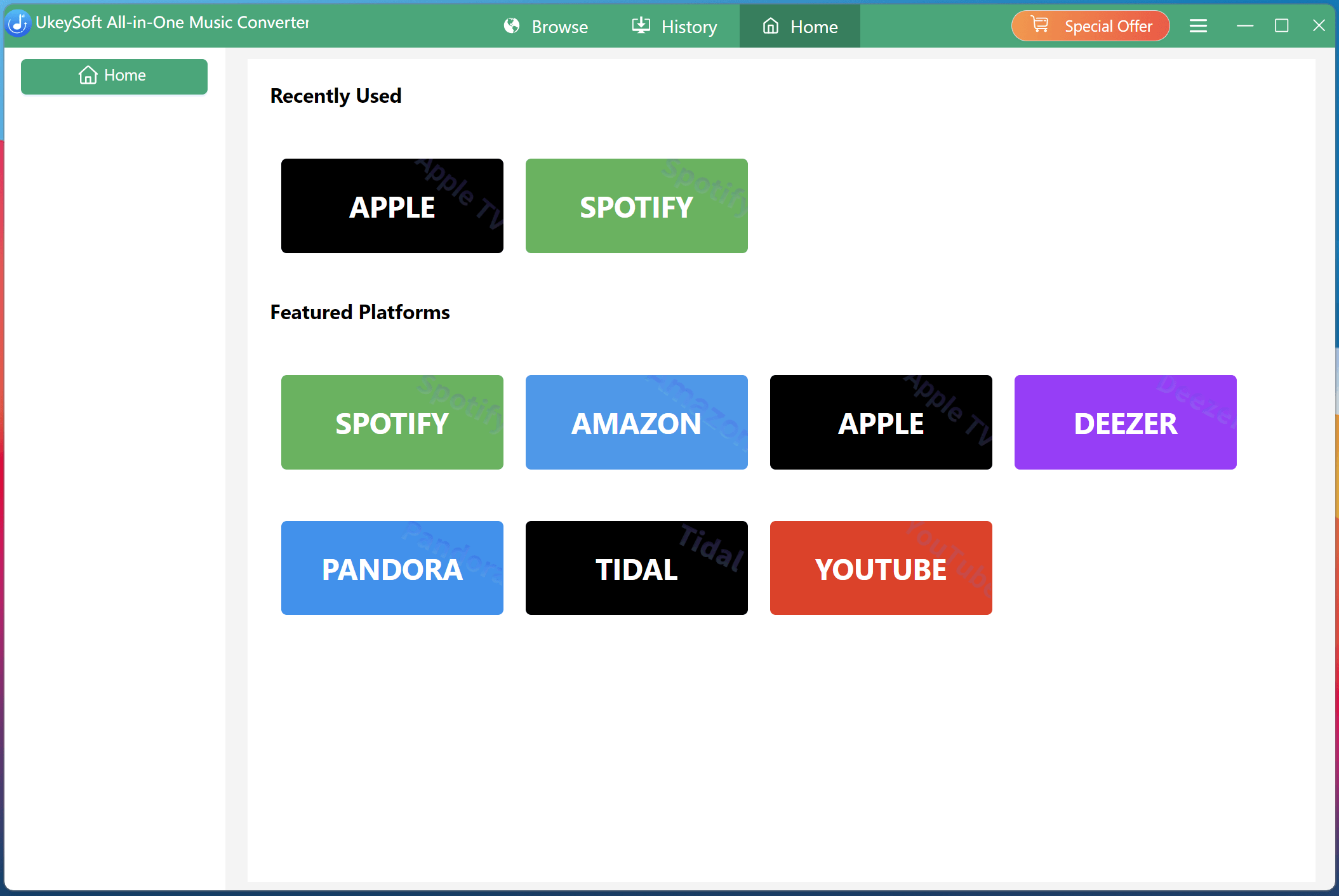
After installation, launch UkeySoft MusicOne Converter and choose Spotify Music from the home interface. You will then enter the UkeySoft Spotify Music Converter.
Step 2. Log In to Your Spotify Account
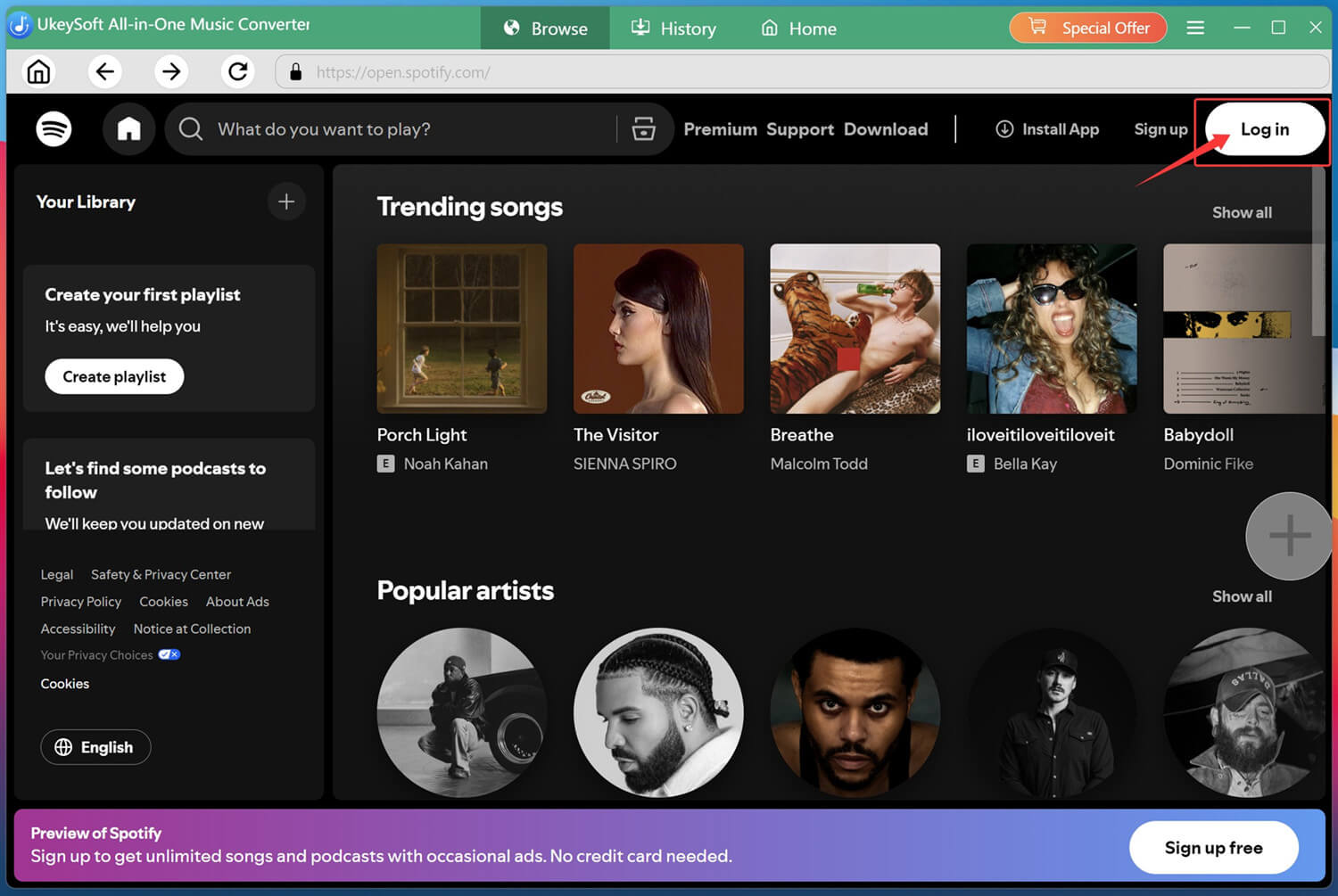
Log into your Spotify Free or Premium account using the built-in Spotify web player to access your playlists, albums, artists, and saved songs.
Step 3. Configure Output Settings
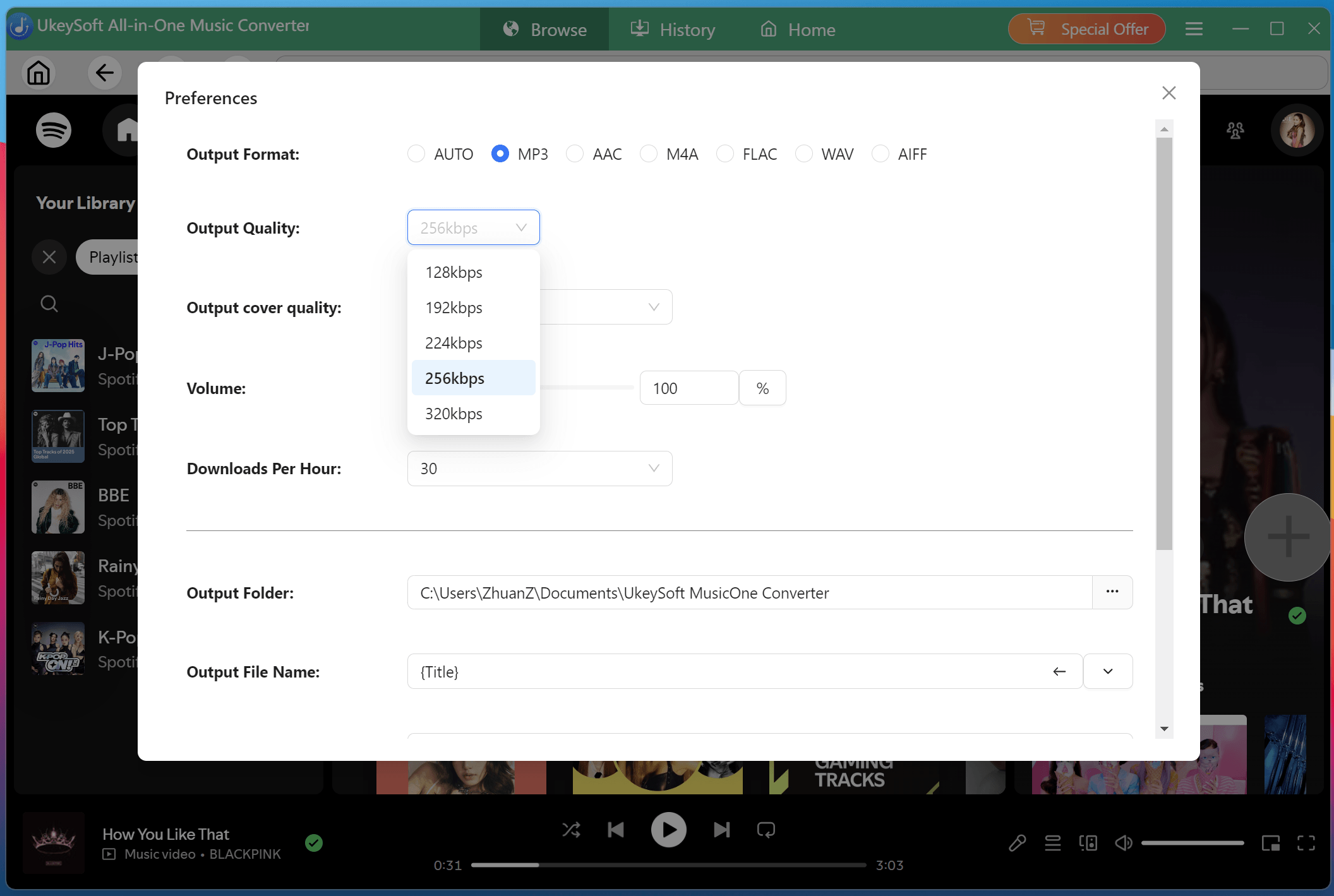
Click the "Menu" icon (three horizontal lines) in the upper-left corner, then choose the "Preference" option. In the pop-up window, choose MP3 as your output format and adjust the output quality to 320kbps to ensure a premium listening experience.
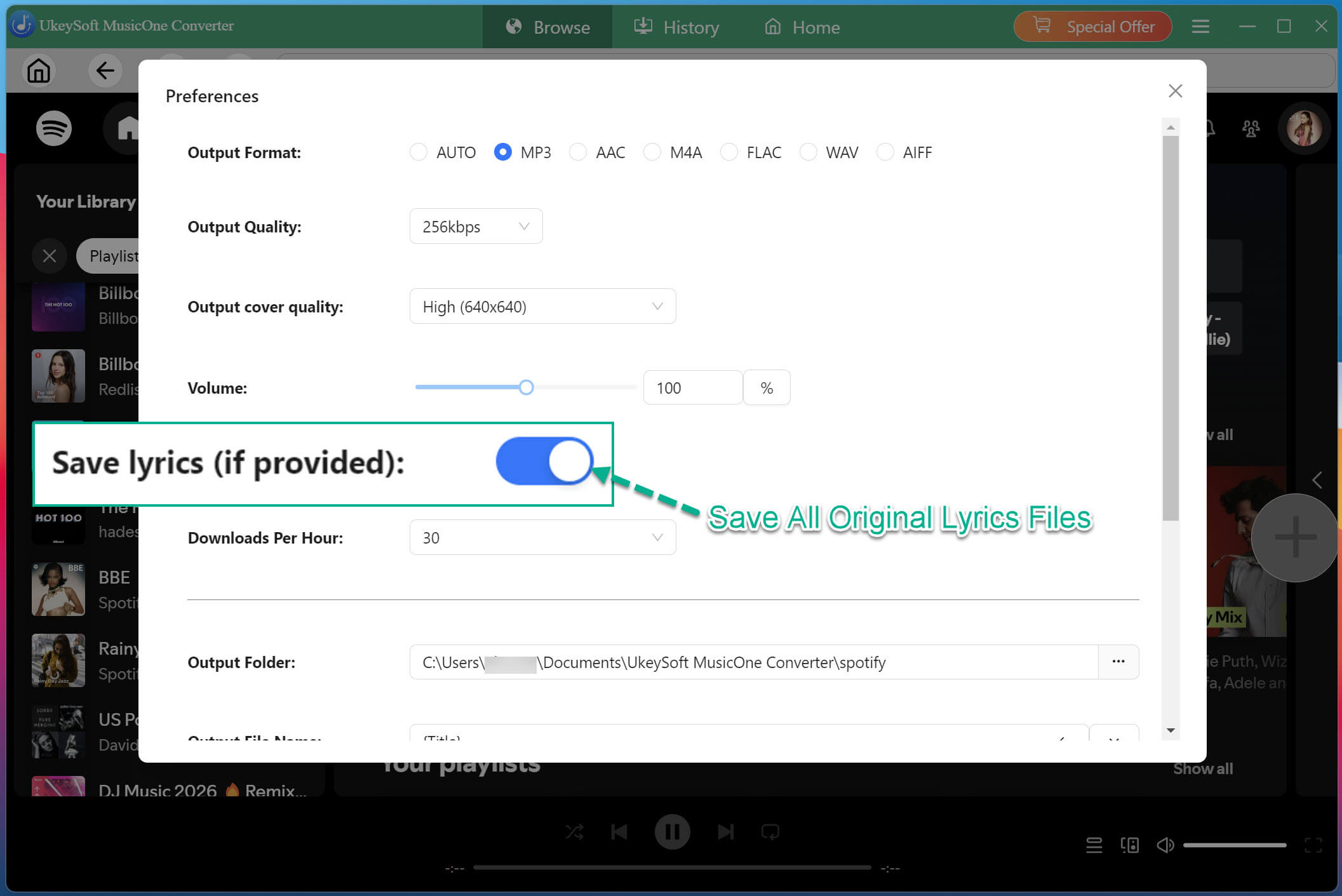
You can also customize the output file name, and other folder, and other settings according to your preferences. To download anime music with lyrics kept, please enable the "Save lyrics" option.
Step 4. Search and Add Anime Songs/Playlists
Search for keywords like "Anime Music", "Anime Openings", "Anime Songs", "Anime OST", or the name of your favorite anime series. Open any song, playlist, album, or artist page you wish to download, click the green "+" button to add it to the conversion list.
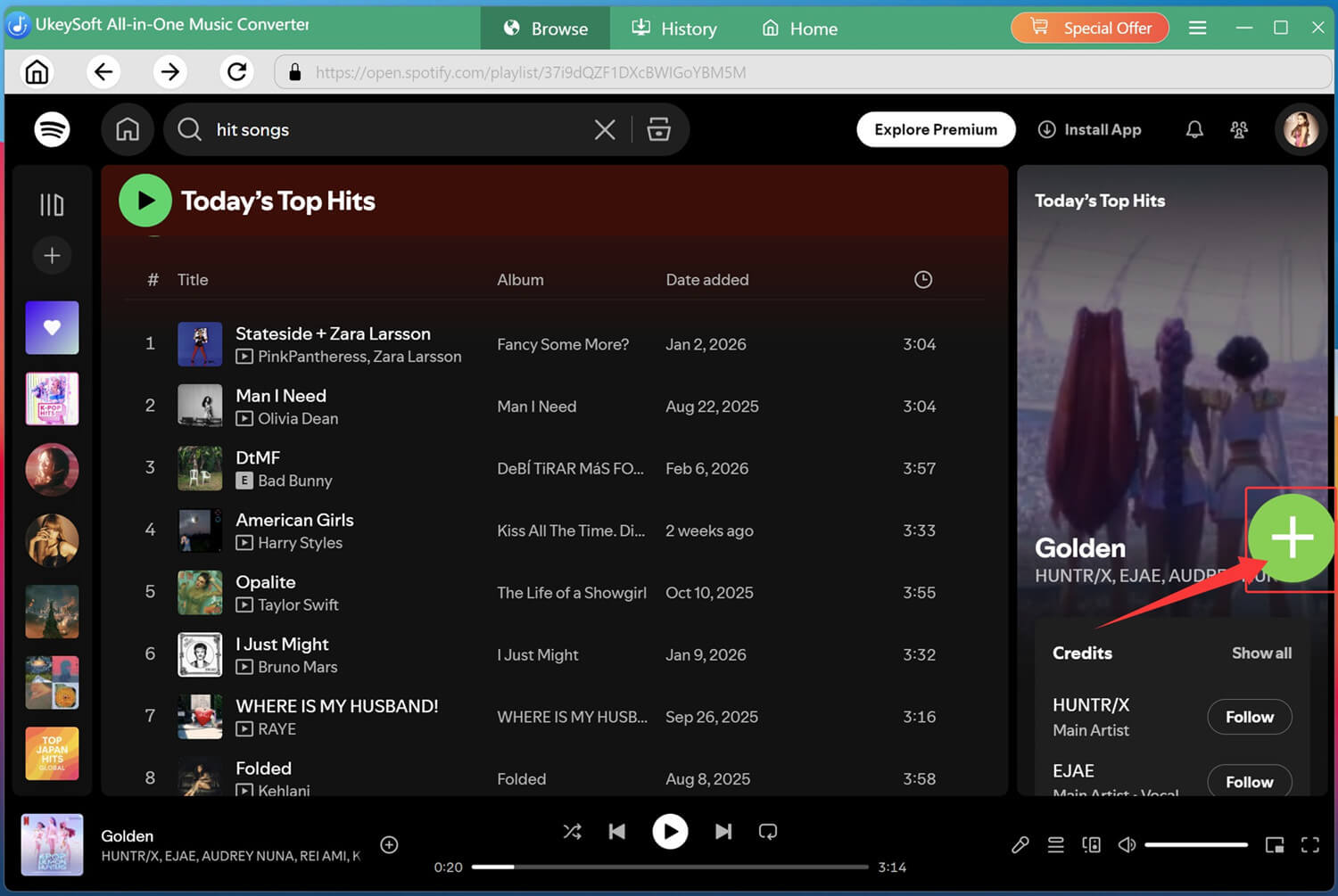
The software will automatically analyze the anime music playlist and display every available anime song. Select individual anime tracks or simply choose the entire anime playlist for batch downloading.
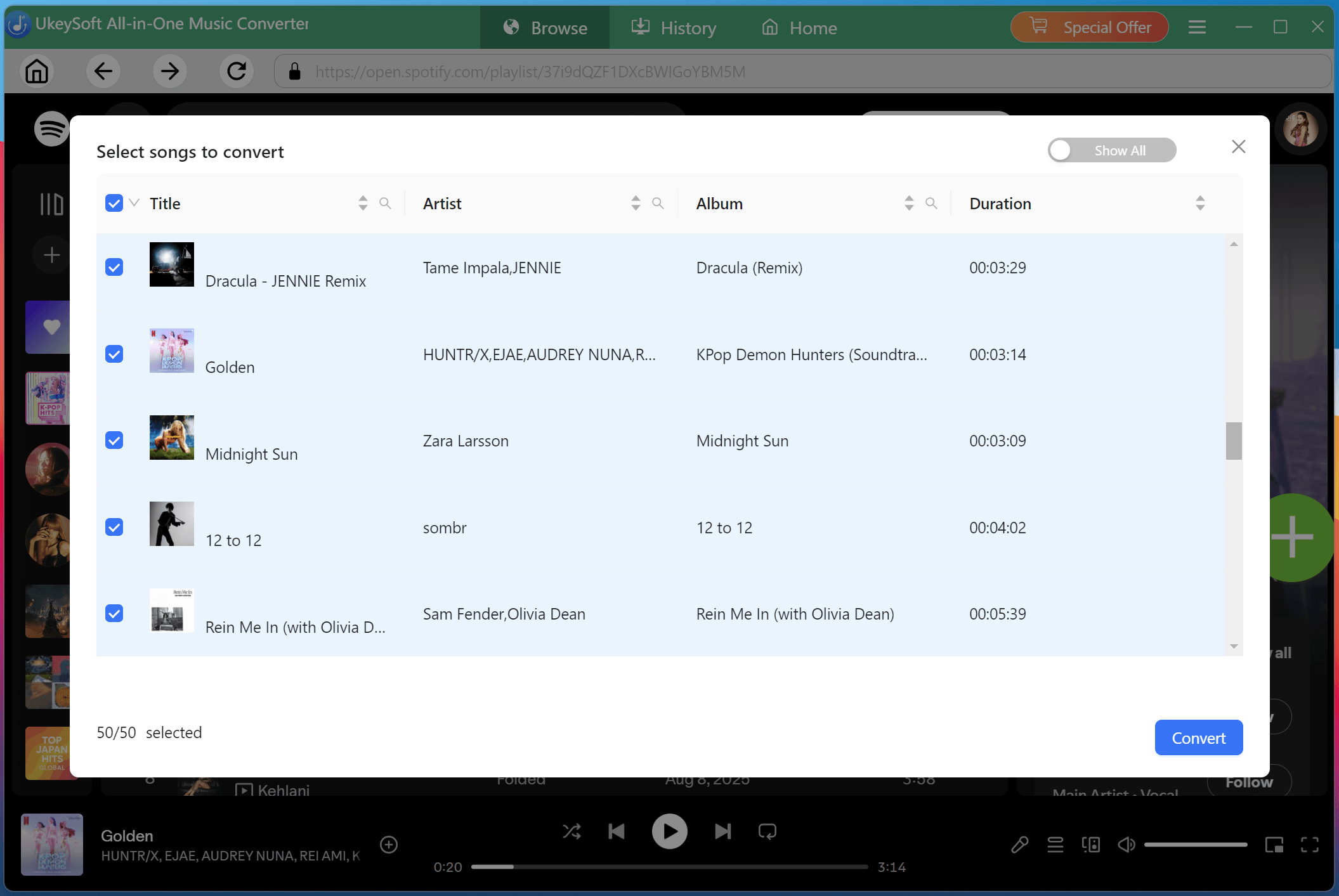
Step 5. Start to Download Anime Songs to MP3
Click the "Convert" button button to start the downloading process. UkeySoft will begin converting your selected anime songs to MP3 format at 16X high speed, while preserving the original audio quality and lyrics throughout the process.
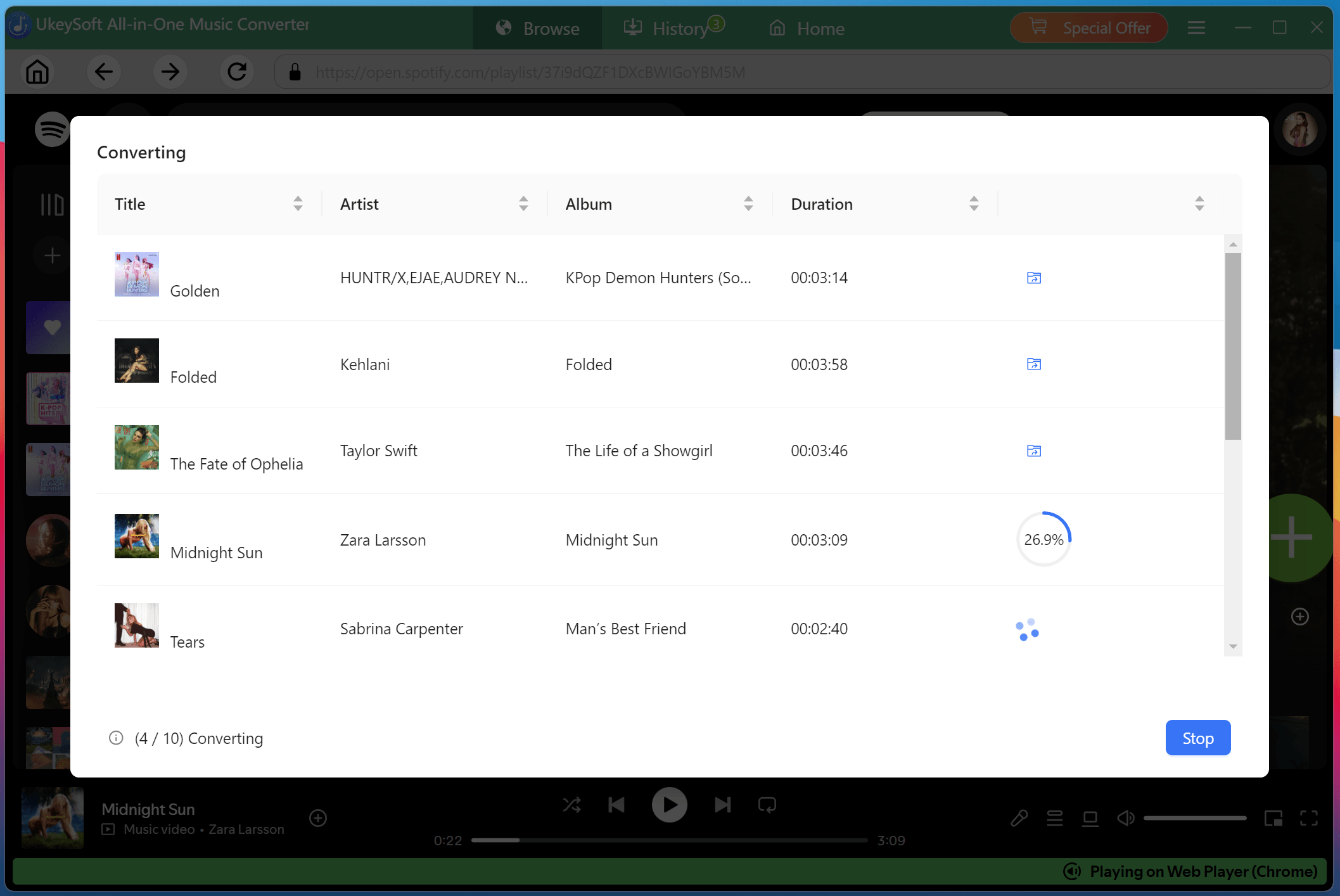
Step 6. Access Downloaded Anime Songs
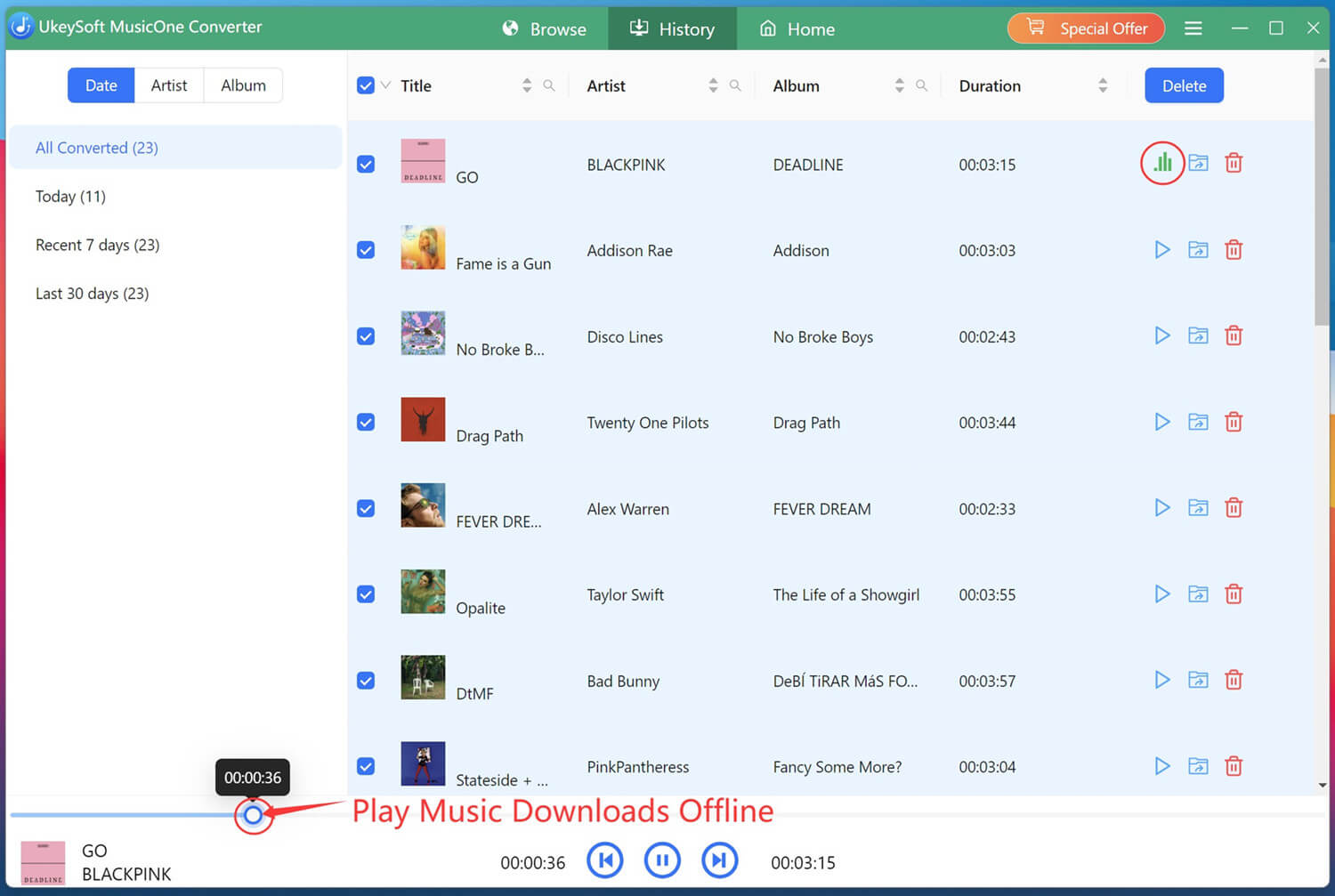
After the conversion finishes, open the "History" tab or or navigate directly to your specified output folder to access all your downloaded anime songs in high-quality MP3 format.
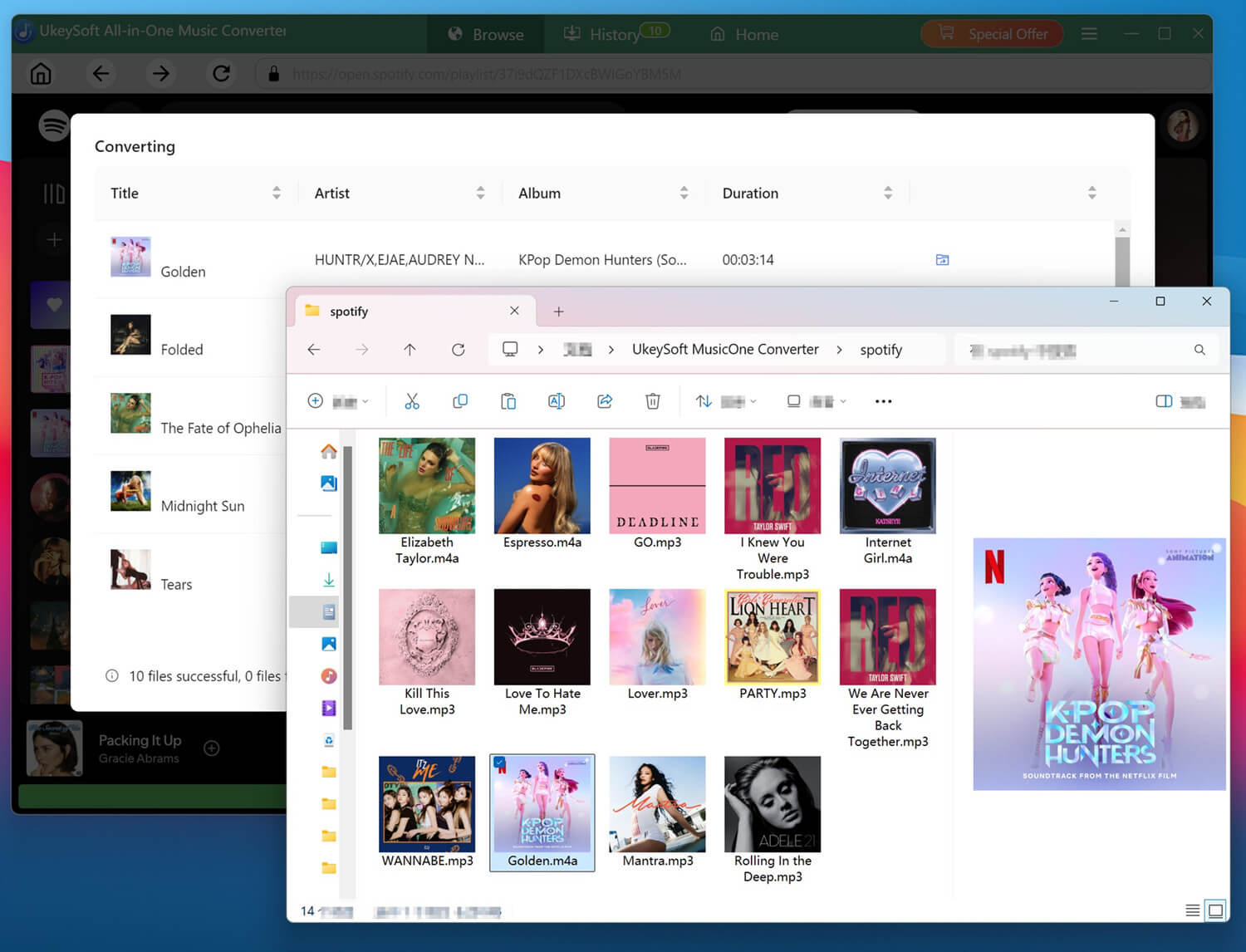
Step 7. Listen to Anime Songs Offline
Well, hit on the "Play" button next to any title, you can enjoy these high-quality anime songs with the built-in music player!
With the top 100 anime music tracks available on streaming platforms like Spotify, Apple Music, and YouTube Music, you can effortlessly discover and enjoy the best anime songs on your streaming devices. If you want to build a permanent anime music collection that works on any device, downloading anime songs to MP3 is a much more flexible solution. That's where UkeySoft All-in-One Music Converter stands out. It empowers you to download anime music tracks and playlists from multiple streaming services to MP3, M4A, FLAC, WAV, AAC, AIFF formats with lossless audio quality. Get the software free trial version and try now!

Sorry the comment has been closed.


















![Top 10 Christmas Songs to MP3 Download [Spotify]](https://www.ukeysoft.com/wp-content/uploads/2023/01/christmas-songs-to-mp3.jpg)

Porducts
Solution
Copyright © 2026 UkeySoft Software Inc. All rights reserved.


 English
 Arabic
 Chinese (Simplified)
 Chinese (Traditional)
 Croatian
 Czech
Czech Danish
 Dutch
Dutch Estonian
 Finnish
 French
 German
 Greek
Greek Hebrew
 Hindi
Hindi Hungarian
 Indonesian
 Italian
 Japanese
 Kazakh
 Korean
 Malay
Malay Norwegian
 Polish
 Portuguese
 Romanian
 Russian
 Slovenian
 Spanish
 Swedish
 Thai
Thai Turkish
 Ukrainian
 Vietnamese








![7 Best FREE Apple Music Converters [2026 Updated]](https://www.ukeysoft.com/wp-content/uploads/2019/04/best-apple-music-converter.jpg)



























































































































Comments are off!