 ✕
✕
✕
✕
By Justin SabrinaUpdated on March 13, 2026
Many fitness enthusiasts prefer using a smartwatch instead of carrying a phone during workouts. If you are a fan of Deezer and own a smartwatch, you might wonder how to listen to Deezer music on your watch without needing your phone. Now, you can access Deezer music as an app on Garmin devices, the popular smartwatch, making streaming Deezer music on Garmin watch as convenient as doing so on Apple Watch.
Typically, using Deezer music on Garmin watch is not a difficult task. The Deezer Music app in pre-installed on most compatible Garmin smartwatch models produced after May 2019. Therefore, you can directly sync Deezer music to Garmin watch as long as you have a Deezer Premium account.
What if you are using a Deezer Free account? Don't worry! Today's article will share 2 easy ways to transfer Deezer music to Garmin watch with or without Premium. It will present a Deezer music converter to convert Deezer Music to Garmin-supported formats like MP3, helping all users to add Deezer songs to Garmin watches for offline listening. Let's explore!
CONTENTS
As mentioned above, Garmin Watch supports multiple streaming music services, including Deezer, Amazon Music, Spotify, and YouTube Music. Below, we'll walk you through the detailed steps to install, set up, and sync Deezer music to your Garmin watch.
Requirements to Use Deezer on Garmin Watch:
Step 1: Download and Install the Deezer Connect IQ App
Launch the Connect IQ app on your smartphone. Find the official Deezer app in the search bar and install it.
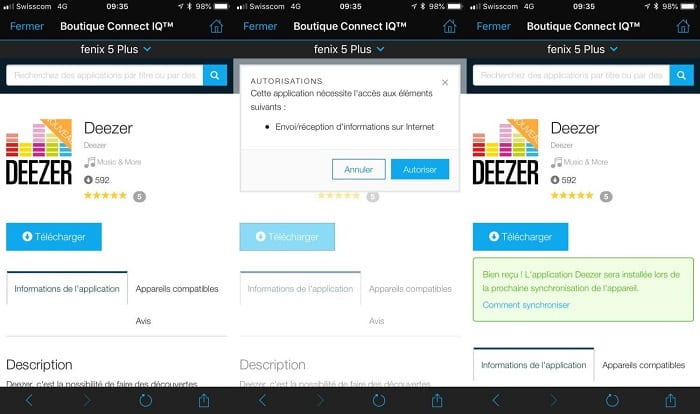
Then, open the Garmin Connect app on your phone, tap the "Device" icon in the top-right corner, and hit the "Refresh/Sync" icon. Within moments, the Deezer app will appear in your watch's app list.
Step 2: Set Up the Deezer Connect IQ App
Navigate to your watch's app list and select the Deezer app. The watch will display a code on its screen.
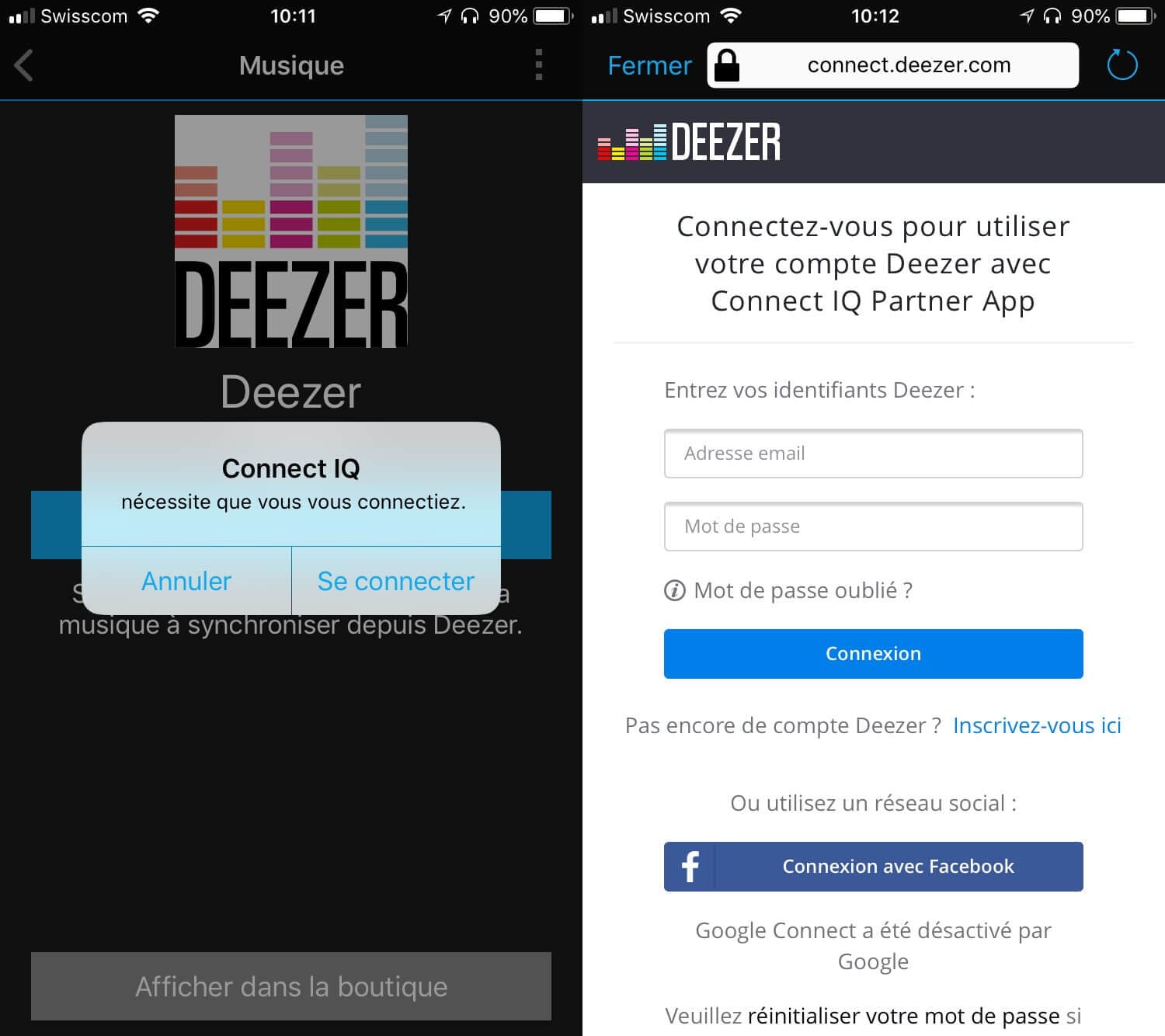
Open the activation page on your smartphone or computer. Log in to your Deezer account. Enter the pairing code and approve the connection.
Step 3: Sync Deezer Music to Garmin Watch
On the watch, press and hold "DOWN". Press and hold "UP/MENU", select "Music Providers", select the Deezer app.
Select "Add Music and Podcasts" > "My Playlists". Select the playlist you want to sync, tap on "Done".
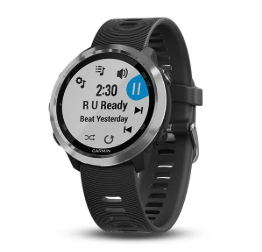
After syncing is complete, you can play Deezer music on Garmin watch through Bluetooth headphones without needing your smartphone.
Although the official method allows you to use Deezer on Garmin, it requires a Premium subscription. And your downloaded Deezer songs are protected by DRM, which means they can only be played within the Deezer app and will become unavailable once the subscription expires.
Is there any way out? Certainly yes. Fortunately, Garmin smartwatches support several common audio formats including MP3, AAC (.m4a), WAV, and M4B. By converting Deezer songs to MP3 or other formats, you can easily transfer Deezer music to Garmin watch for listening offline permanently.
Here you can pick up one of the best Deezer to MP3 converter tools, UkeySoft Deezer Music Converter to help you. It features in a built-in Deezer Music web player, allowing you to easily download Deezer songs, albums, playlists and podcasts to computer without Premium. What's more, it can download and convert Deezer music to widely used audio formats, including MP3, AAC, M4A, WAV, FLAC, and AIFF.
The software is set apart by its powerful features of batch conversion, customizable audio quality, original ID3 tags preservation, free music management. After that, you can add the converted Deezer music files from your computer to Garmin watch, Apple Watch, Samsung Watch, Huawei Watch, MP3 player, PSP, PS4, PS5, phone, tablet and more devices.
Features of Deezer Music Converter:
Step 1. Launch UkeySoft Deezer Music Converter
Click above Download button, install UkeySoft Deezer Music Converter on your Mac or Windows PC. Launch the software, click the "LOG IN" button in the top right corner. You need to log in to your Deezer free or premium account to access the library.
Step 2. Customize Output Parameters
Move to the top right corner and click on "Gear" icon. In the settings window, configure the output options, including output format (MP3 is recommended here), output quality (320kbps), output folder, output file name, and more.
Step 3. Add Deezer Songs/Playlists/Albums/Podcasts
Navigate through your Deezer library within the UkeySoft interface. Here you can search for any song, album, podcast or playlist. Once you find the playlist or album, click to open it. Then, click the "Add to list" button to load the tracks for conversion.
A list of songs from your selected album will appear. By default, all songs in the playlist/album are selected for conversion. You can uncheck any tracks you do not wish to download.
Step 4. Start to Convert Deezer Songs to MP3 for Garmin Watch
Click on "Convert" button. UkeySoft software will begin downloading and converting the selected Deezer tracks to MP3 or other format you set at up to 10X high speed.
Step 5. Get Output Deezer MP3 Music Files
Once the conversion is complete, click on the "History" (a clock icon) at the upper right corner in the interface. Click the blue folder icon next to a converted track to open the output folder on your computer. Your new Deezer MP3 music files are now stored locally, no expiration.
Step 6. Transfer Converted Deezer Songs to Garmin Watch
To complete the process, use Garmin Express app to transfer Deezer MP3 music files to your Garmin watch.
● First, connect your Garmin watch to your computer using a USB cable.
● Second, install and launch Garmin Express app on your computer.
● Then, click "Add a Device" and select your watch.
● Open the "Music" section. Create or select a playlist containing the converted Deezer songs.
● Click "Send to Device". Wait for the sync process to finish.
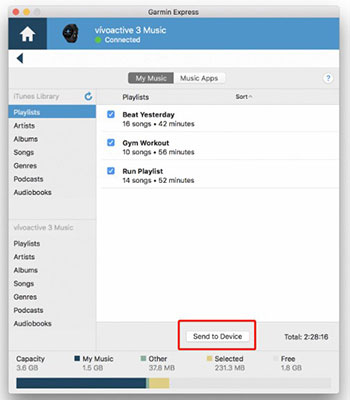
After syncing, you can select "My Music" on your Garmin watch and play Deezer music on Garmin watch offline through Bluetooth headphones.
We have provided comprehensive guide on how to transfer Deezer music to Garmin watch for offline listening. You can try to install the Deezer app on Garmin watch, and sign in a Premium account to enjoy your Deezer tracks or playlists. For Deezer free users, you can utilize the UkeySoft Deezer Music Converter. It allows you to download any Deezer music content to MP3 or other formats on computer with a free account. With this tool, you can effortlessly put Deezer music on your Garmin watch or other devices for offline playback, anytime, anywhere. Now just try it to download your Deezer library locally!

Sorry the comment has been closed.
























Porducts
Solution
Copyright © 2026 UkeySoft Software Inc. All rights reserved.


 English
 Arabic
 Chinese (Simplified)
 Chinese (Traditional)
 Croatian
 Czech
Czech Danish
 Dutch
Dutch Estonian
 Finnish
 French
 German
 Greek
Greek Hebrew
 Hindi
Hindi Hungarian
 Indonesian
 Italian
 Japanese
 Kazakh
 Korean
 Malay
Malay Norwegian
 Polish
 Portuguese
 Romanian
 Russian
 Slovenian
 Spanish
 Swedish
 Thai
Thai Turkish
 Ukrainian
 Vietnamese










![7 Best FREE Apple Music Converters [2026 Updated]](https://www.ukeysoft.com/wp-content/uploads/2019/04/best-apple-music-converter.jpg)













































![Top 10 Christmas Songs to MP3 Download [Spotify]](https://www.ukeysoft.com/wp-content/uploads/2023/01/christmas-songs-to-mp3.jpg)











































































































Comments are off!