 ✕
✕
✕
✕
By Justin SabrinaUpdated on December 16, 2022
Apple Music has millions of soundtracks in its database and out of them, many are our all-time favorites. If you don't have Apple Music already, you'll need to get a subscription first: it costs $9.99 a month, $4.99 a month for students, and $14.99 a month for a family of up to 6 people, each with their own devices. Apple Music allows subscribers to download music to a Mac using offline mode. Conversely, if you unsubscribe from Apple Music, all of your songs in My Music will no longer be available. How can I save Apple Music songs when offline mode is not available?
Apple Music offline mode is only available for Apple Music subscribers. All Apple Music files are encoded by Apple's Fairplay DRM, which restricts you from downloading Apple Music directly on your Mac unless you have a designated Apple Music account. In other words, the biggest obstacle to saving these Apple Music files to Mac without registration is DRM encryption. This article is intended to provide a suitable solution for those people who wish to transfer Apple Music songs and save them on your Mac (MacBook, MacBook Air, MacBook Pro, iMac, iMac Pro) or any device, even if you are not subscribed to Apple Music.
Whether you are an Apple Music subscriber or not, you can use UkeySoft Apple Music Converter to get rid of DRM from Apple Music files and convert these audio files to DRM-free MP3, AAC, FLAC or WAV format. It maintains the fastest conversion speeds up to 16x, as well as retaining ID3 tags and all metadata contents. And you don't need to worry about there are too many audio files you want to convert, the program has a built-in batch conversion function that you can do with just one click.
Now, download and install UkeySoft Apple Music Converter on your Mac computer, then follow the detailed steps below to save your Apple Music songs on Mac without iTunes forever.
Pros:
Strip DRM from Apple Music, iTunes M4A, M4B & Audiobooks.
Convert Apple Music to DRM-free MP3/AAC/FLAC/WAV.
Keep ID3 Tags & all metadata after conversion.
The conversion speed is up to 16x.
Easily listen to Apple Music songs on MacBook, MacBook Air, MacBook Pro, iMac, iMac Pro.
Transfer Apple Music to Mac and multiple unauthorized devices, such as Android tablets, iPod Shuffle/ iPod Nano, MP3 players, PS4 and other game consoles, TV consoles, etc.
Support the latest version of macOS 10.14 Mojave & iTunes 12.9.
Step 1. Install and Run UkeySoft Apple Music Converter
Click Try It Free the button to download UkeySoft Apple Music Converter and follow the prompts to install to Mac. After running UkeySoft Apple Music Converter software, you will notice that iTunes will also start automatically.

Step 2. Register UkeySoft Apple Music Converter
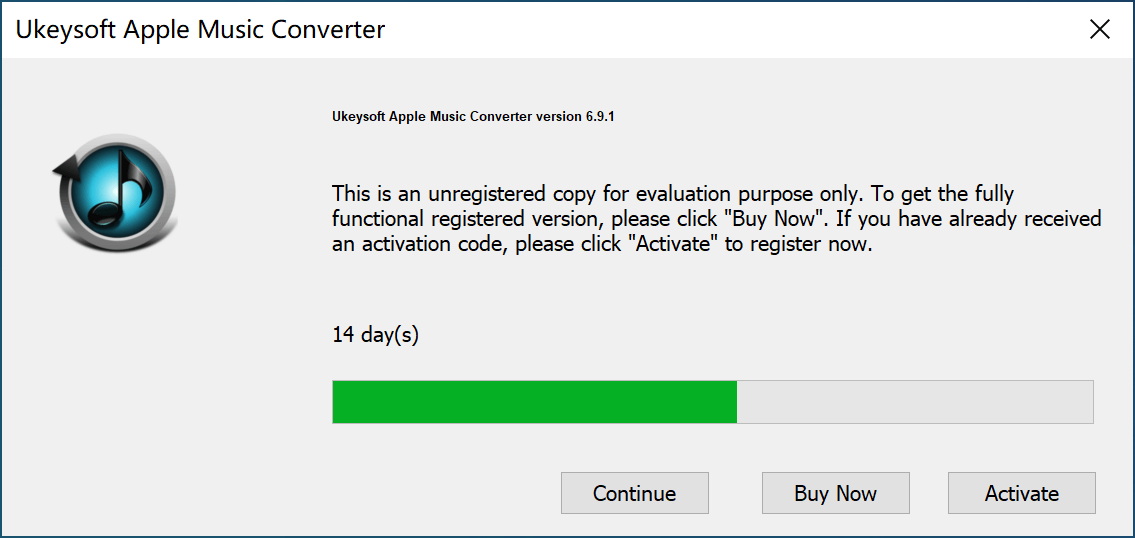
If you want to save the complete conversion file, we recommend that you do not skip this step. Since the free trial only allows you to save the first three minutes of each song. To unlock the full functionality of this software, you can purchase the license code for UkeySoft Apple Music Converter from our store, the license code will be automatically sent to your email in a few minutes, then copy & paste the license code into the blank and click the "Activate" button to register the full version.
Step 3. Select Apple Music Songs
UkeySoft Apple Music Converter automatically loads the contents of your iTunes library, so you only need to make sure the target files have been added to the library from your Apple Music app.
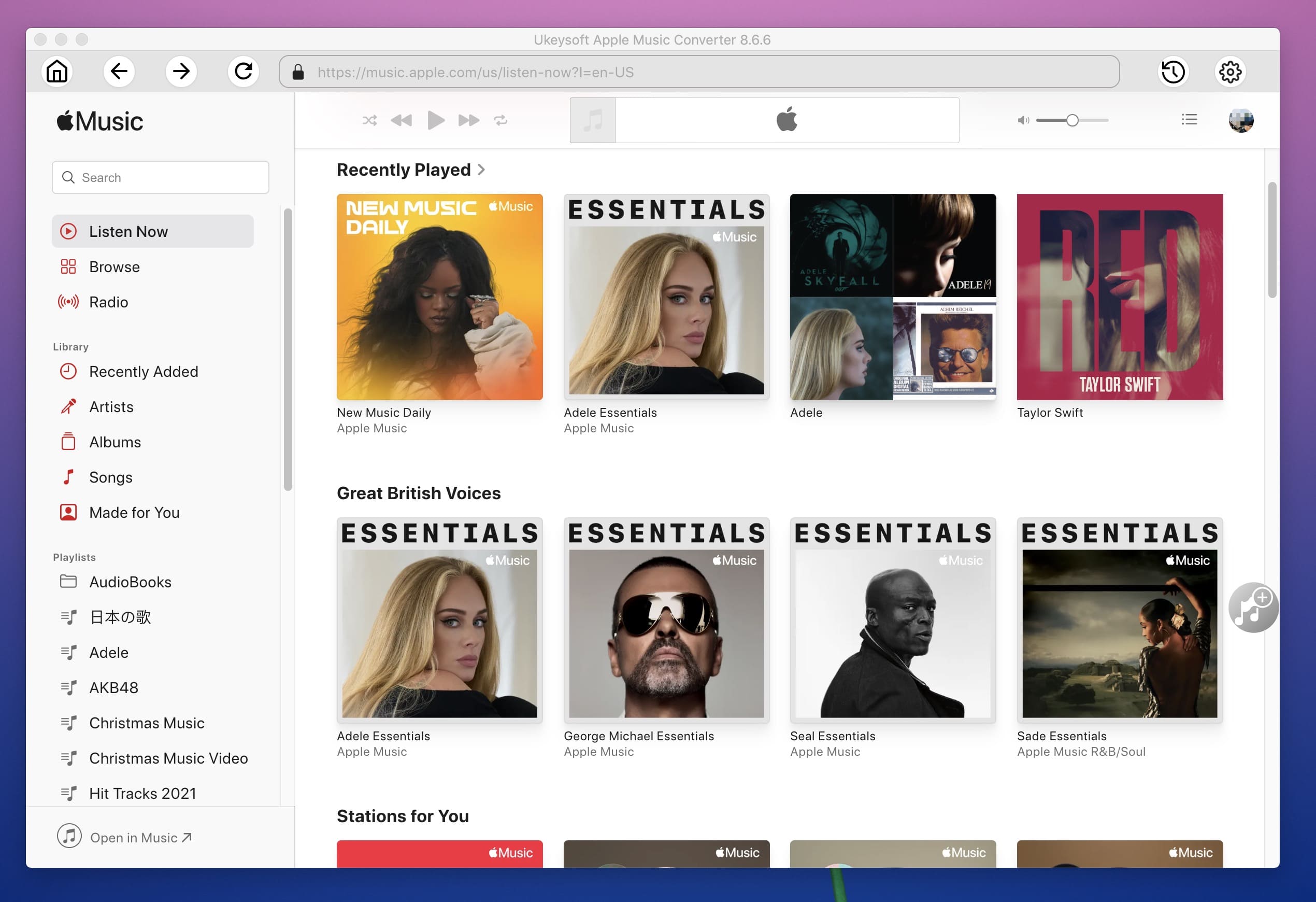
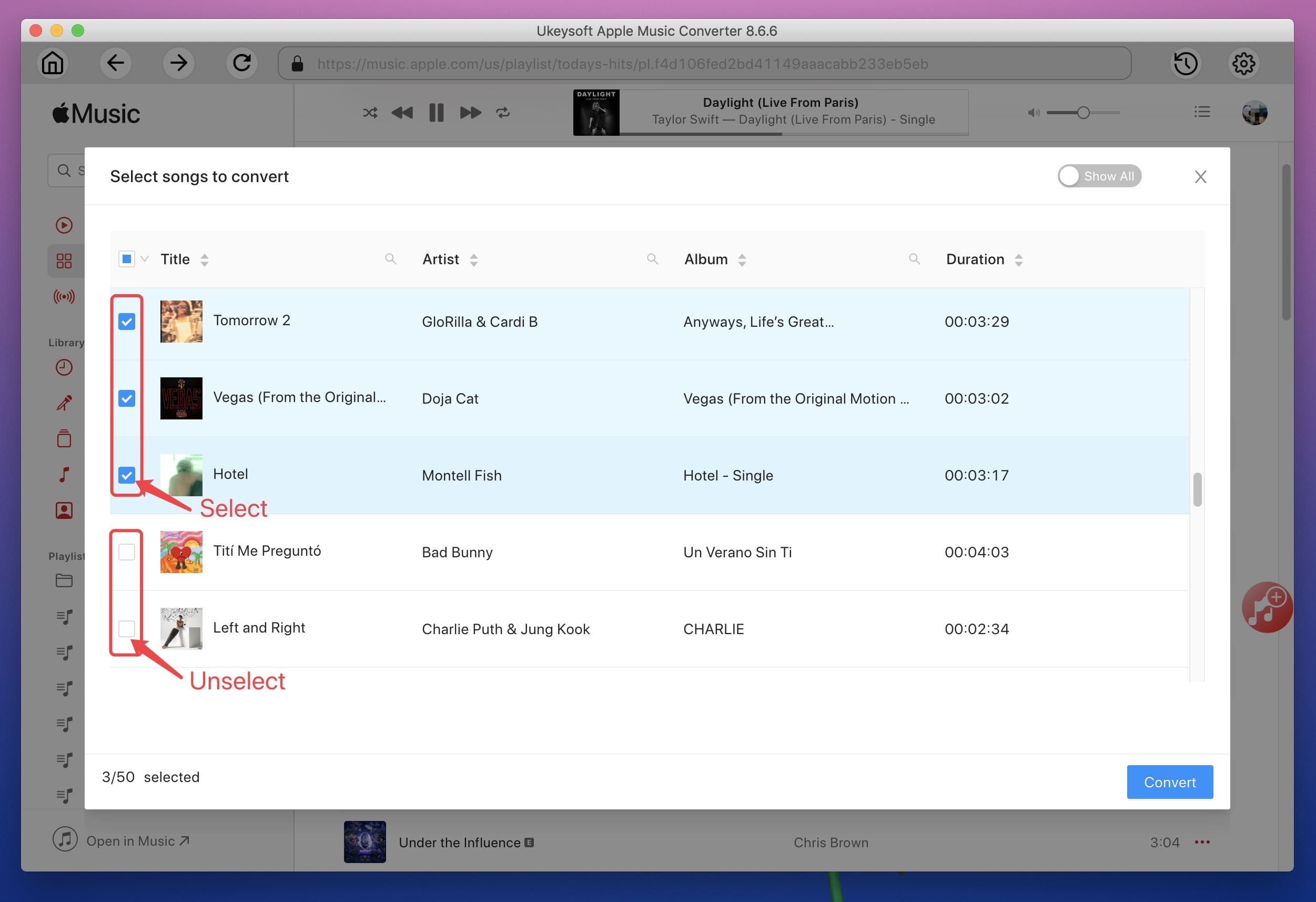
Click on the playlist, and you can scroll down the song list in the song section to find the song you want to convert, then check the box to select it. Or you can use the "Search" bar to easily find the song you want.
Step 4. Choose Output Format
Now you can go to the bottom of the window to select the output audio format, such as MP3, AAC, FLAC and WAV. If you want to maintain the original quality of Apple Music, you'd better choose a bit rate of 256 kbps because it is the original bit rate of Apple Music.
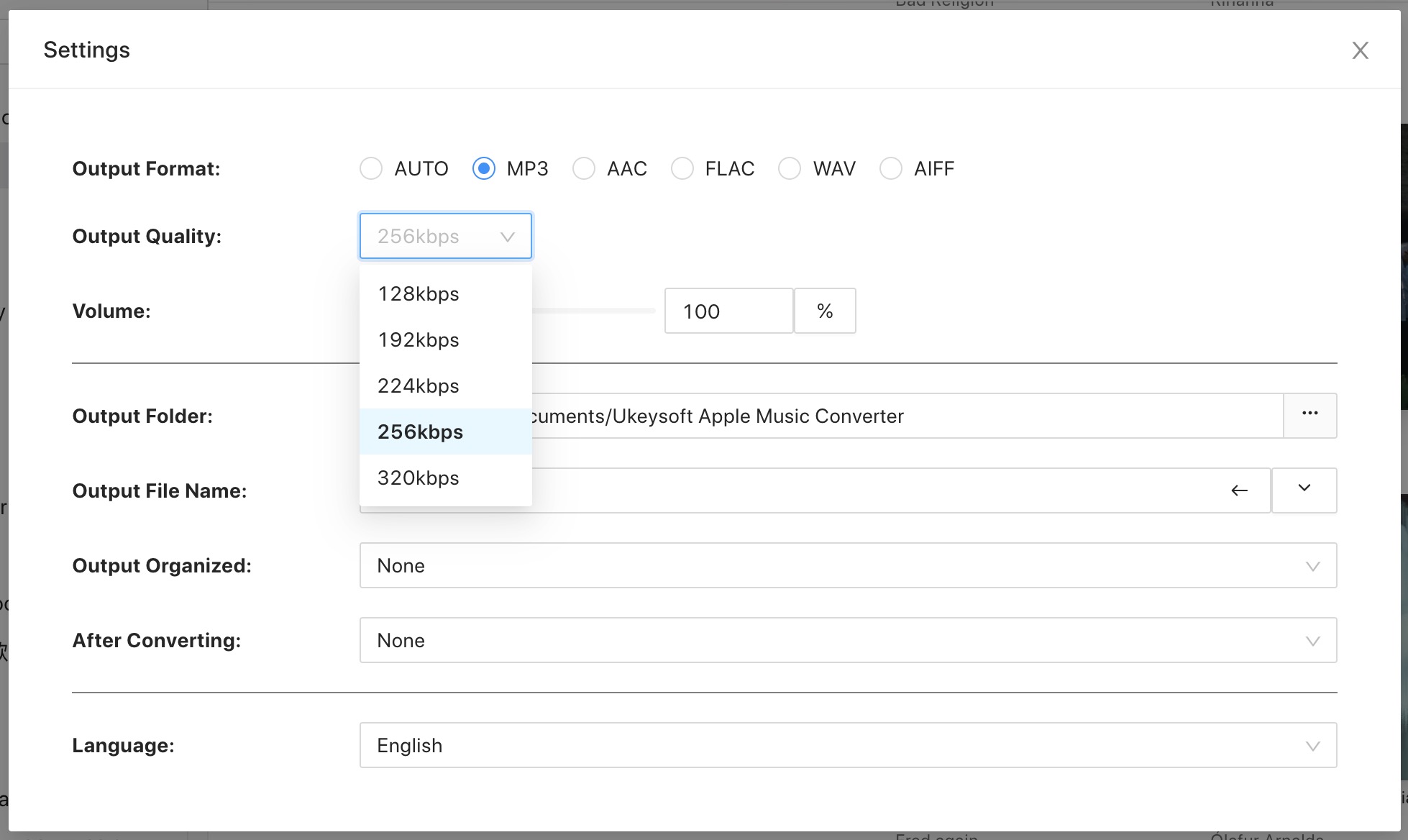
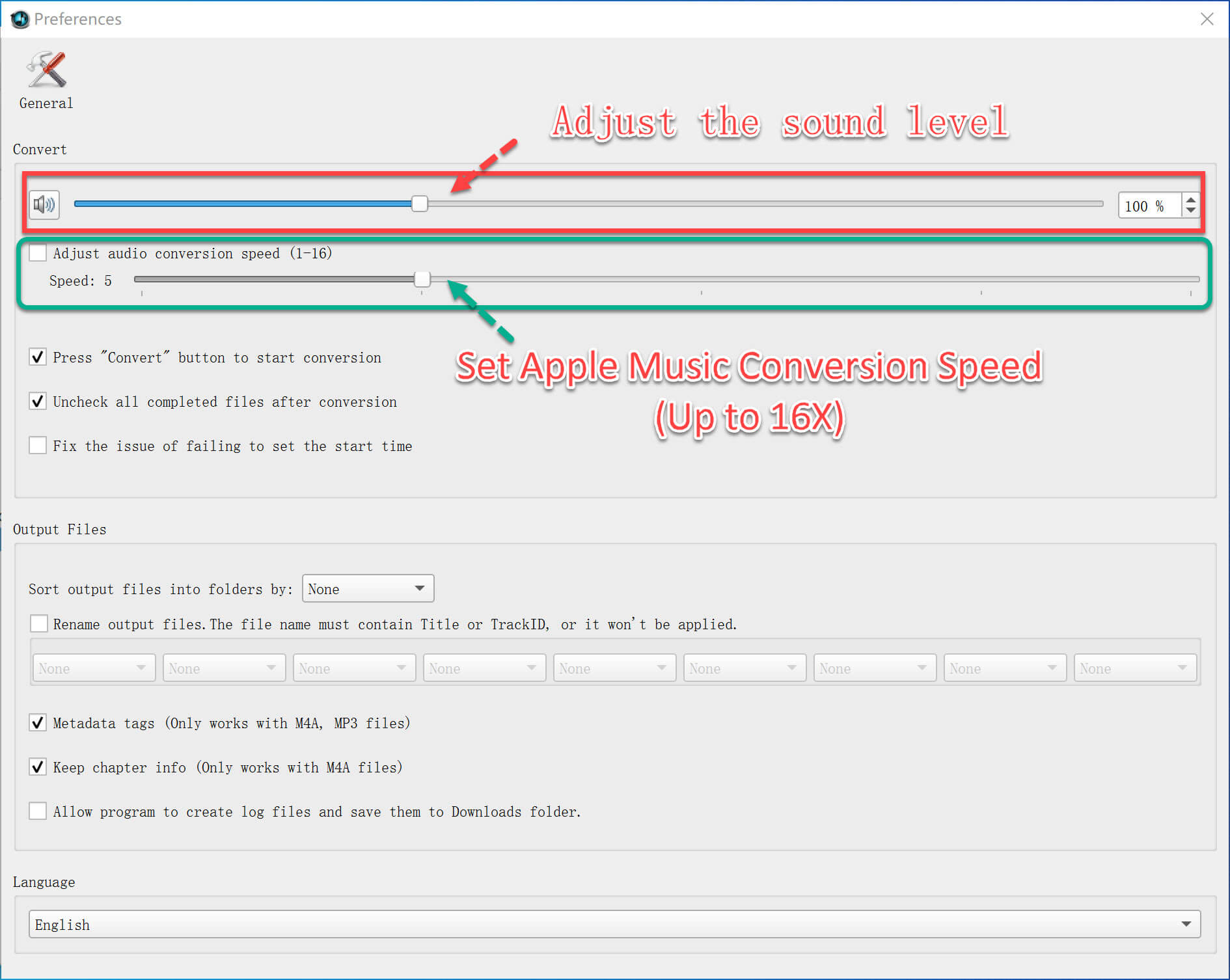
In addition, you can change the conversion speed. Just click on "Options" to open the "Preferences" window, then move the button to change the conversion speed from 1x to 16x as needed.
Step 5. Convert Apple Music to DRM-free MP3
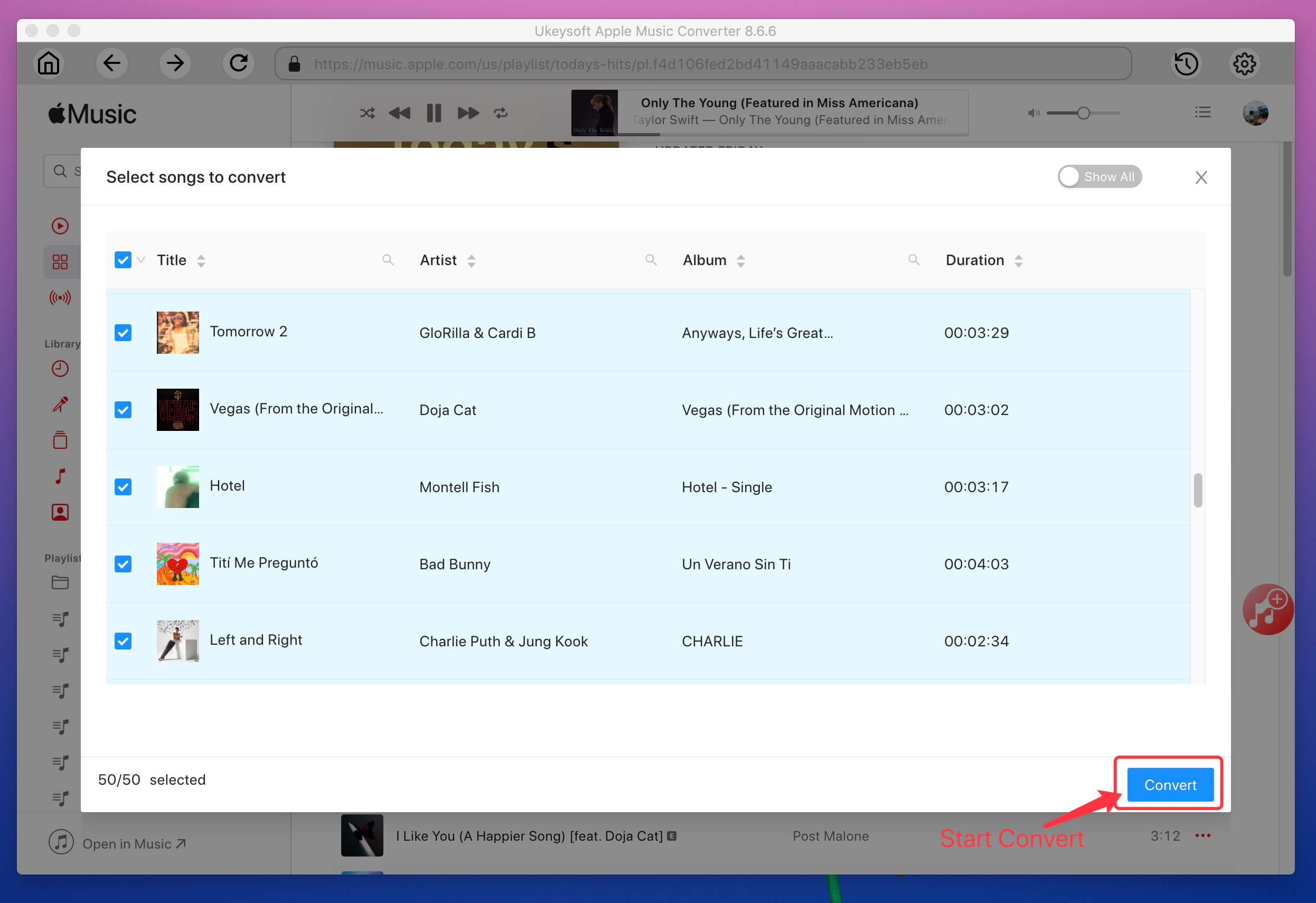
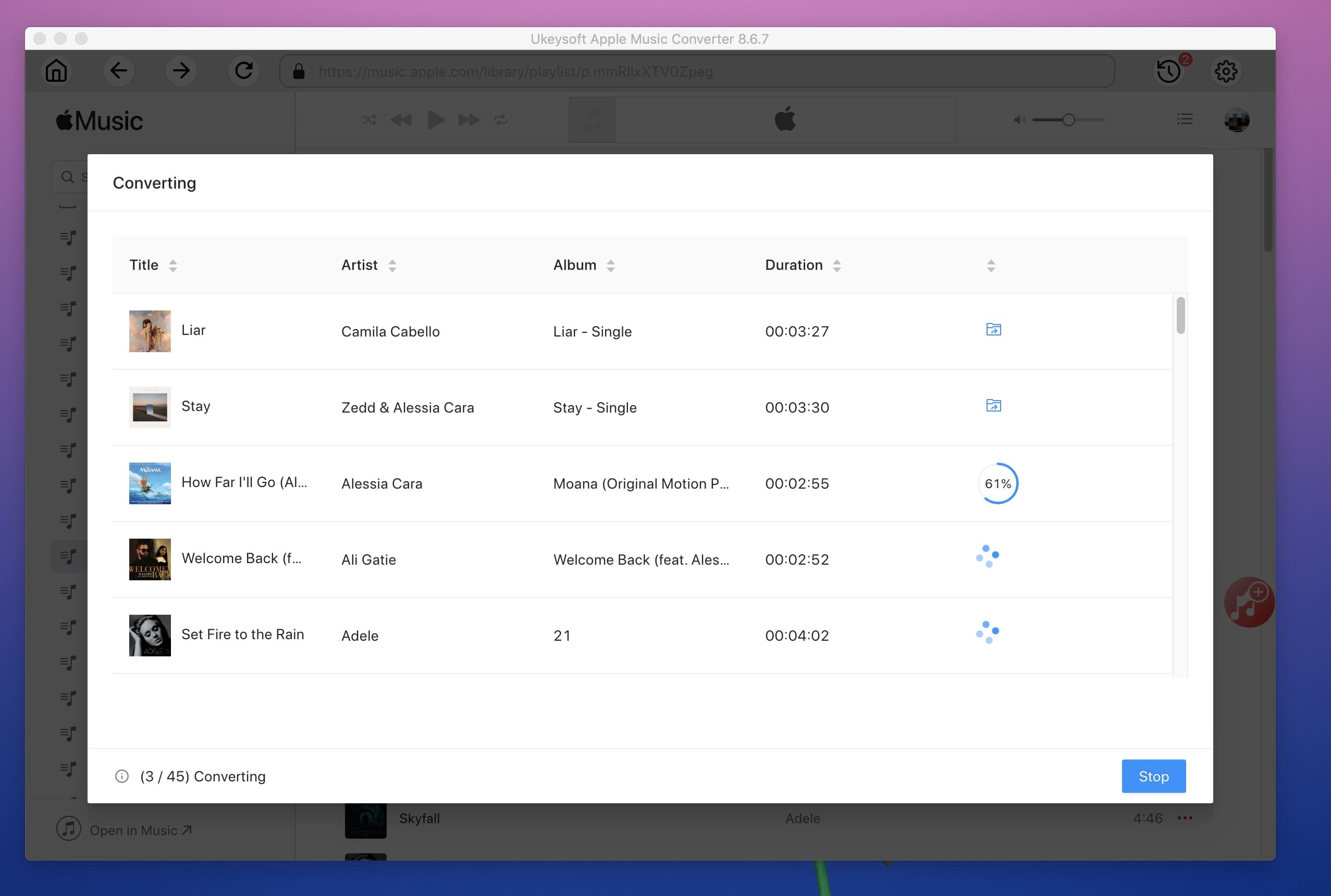
Tap on "Convert" button on the menu bar to start converting Apple Music to DRM-free MP3. To check the progress of the conversion, you can see the progress bar in the pop-up window.
Once the conversion is complete, you can click on "Open Output File" to locate the downloaded song. You can now transfer MP3 files directly to the device you want, such as Android Tablets, MP3 players. You can also transfer Apple Music from your Mac to your iPhone / iPad / iPod using iTunes or other tools.

Prompt: you need to log in before you can comment.
No account yet. Please click here to register.










![7 Best FREE Apple Music Converters [2026 Updated]](https://www.ukeysoft.com/wp-content/uploads/2019/04/best-apple-music-converter.jpg)



















Porducts
Solution
Copyright © 2026 UkeySoft Software Inc. All rights reserved.


 English
 Arabic
 Chinese (Simplified)
 Chinese (Traditional)
 Croatian
 Czech
Czech Danish
 Dutch
Dutch Estonian
 Finnish
 French
 German
 Greek
Greek Hebrew
 Hindi
Hindi Hungarian
 Indonesian
 Italian
 Japanese
 Kazakh
 Korean
 Malay
Malay Norwegian
 Polish
 Portuguese
 Romanian
 Russian
 Slovenian
 Spanish
 Swedish
 Thai
Thai Turkish
 Ukrainian
 Vietnamese



























![Top 10 Christmas Songs to MP3 Download [Spotify]](https://www.ukeysoft.com/wp-content/uploads/2023/01/christmas-songs-to-mp3.jpg)


































































































































No comment yet. Say something...