 ✕
✕
✕
✕
By Justin SabrinaUpdated on July 02, 2026
Question: "Is there any app or website where I can download and listen to anime songs? I want to burn anime songs to a CD to listen to in my car while driving. Any suggestion?"
As a big anime fan, whenever I hear a beautiful anime soundtrack (OST) or ending song, I naturally want to save them for collection! Are you? Anime music is deeply emotional and often brings back unforgettable moments from the series. This is why many excellent anime soundtracks hold a special place in the hearts of anime fans. If you are looking for a way to download anime songs for permanent collection or offline listening, you've come to the right place.
Here you will explore the 10 best anime songs of all time, and get a comprehensive guide for anime songs download. You can download anime music to MP3 from purchasing digital copies, or batch-download anime songs in MP3 format from streaming platforms like Spotify, YouTube Music, Apple Music, Amazon Music, etc. Let's dive in.
CONTENTS
Before we get into the how-to, let's take a moment to appreciate some of the most iconic and beloved anime song. Below is a list of top 10 anime songs you can't miss! Listen to these popular anime songs for free on Spotify by click the button!
1. "Gurenge" by LiSA
Anime: Demon Slayer: Kimetsu no Yaiba, 2019
2. "A Cruel Angel's Thesis" by Yoko Takahashi
Anime: Neon Genesis Evangelion, 1995
3. "Unravel" by TK from Ling Tosite Sigure
Anime: Tokyo Ghoul
4. "Tank!" by The Seatbelts
Anime: Cowboy Bebop
5. "Shinzou wo Sasageyo!" by Linked Horizon
Anime: Attack on Titan, 2013
6. "We Are!" by Hiroshi Kitadani
Anime: One Piece, 1997
7. "Colors" by FLOW
Anime: Code Geass, 2006
8. "Blue Bird" by Ikimono Gakari
Anime: Naruto Shippuden, 2008
9. "Cha-La Head-Cha-La" by Hironobu Kageyama
Anime: Dragon Ball Z, 1989
10. "Request" by krage
Anime: Solo Leveling, 2024
If you are looking for an easy and reliable way to download MP3 anime music, you can go to the online stores such as Amazon Music Store, Qobuz, HDtracks, and OTOTOY. These online stores offer and sell many anime singles, albums, and soundtracks in MP3 or even lossless formats. Unlike streaming downloads, purchased songs are usually DRM-free, allowing you to save them permanently and transfer them to almost any device.
How to Purchase and Download MP3 Anime Songs on Amazon?
Step 1. Visit an online digital music store in your browser, such as Amazon Store.
Step 2. Use the search bar to find the specific anime song you want. You can search by the anime title, artist name, or song title. For example, searching "Anime Music MP3" will bring up relevant results.
Step 3. It will showcase a variety of anime singles and audio CDs.
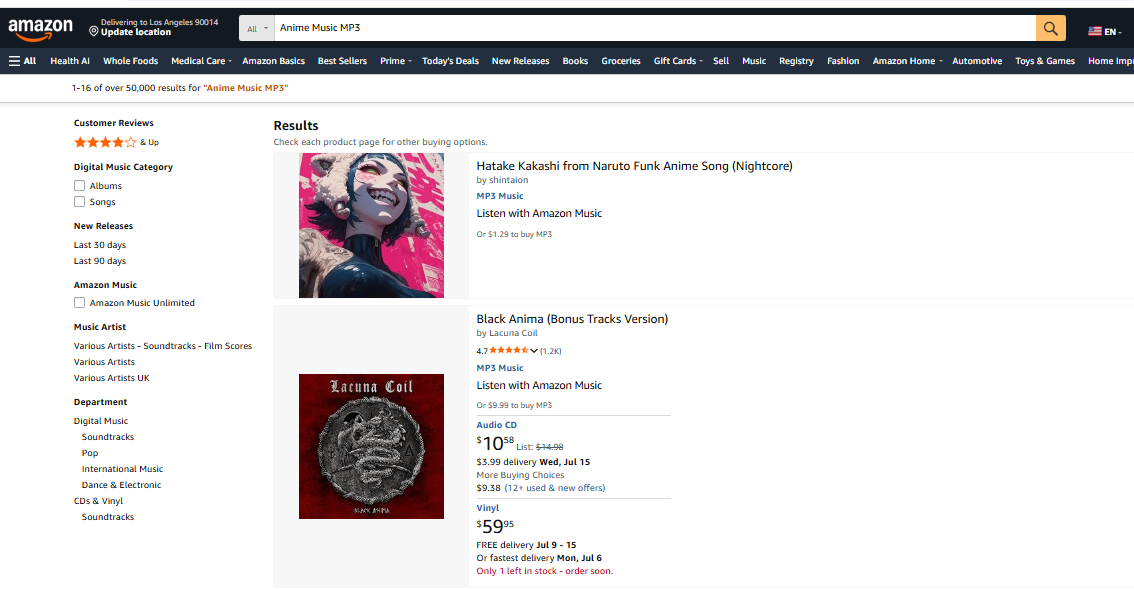
Step 4. Select the one you want to download, and click its title to open its detail page.
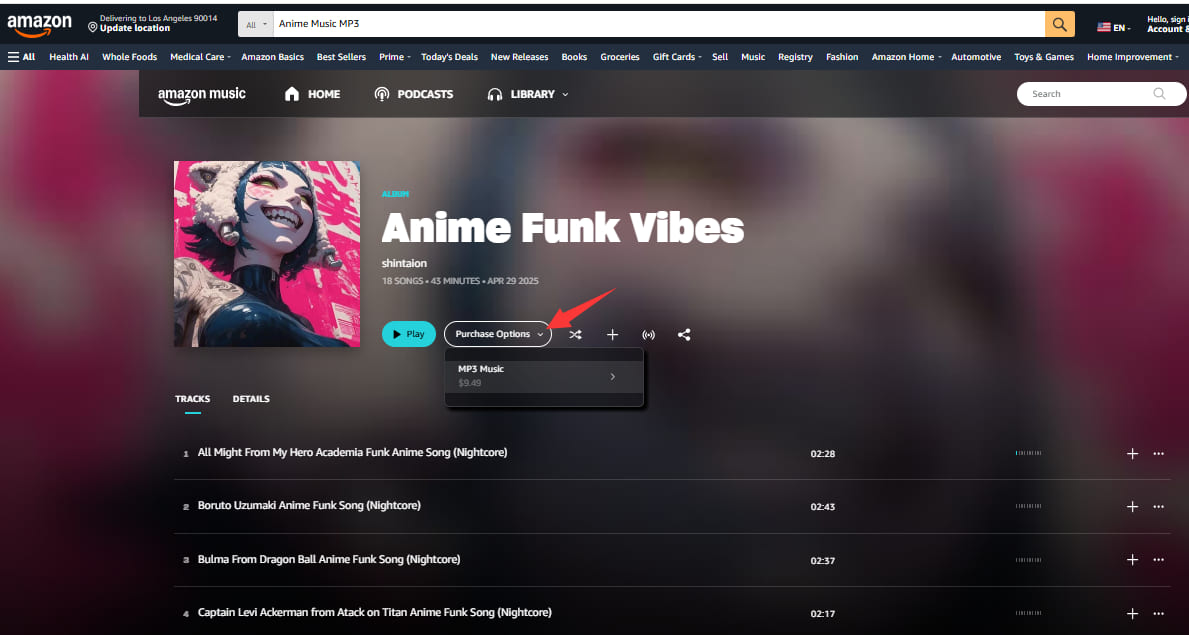
Step 5. Click the drop-down arrow next to "Purchase Options", then select "MP3 Music", and complete the purchase.
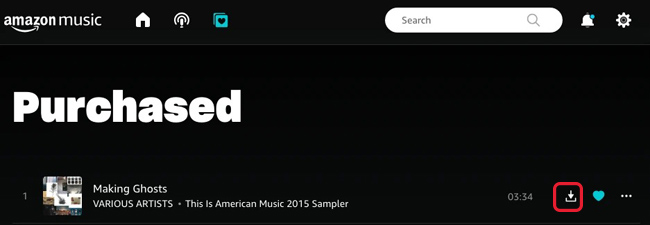
Step 6. After purchase, you'll be able to download the anime songs in MP3 format directly to your computer.
Drawbacks: The cost can become expensive than a streaming subscription, especially if you want to build a large anime music collection.
You can stream anime songs, albums and playlists on popular streaming platforms, such as Spotify, YouTube, YouTube Music, Apple Music, Amazon Prime Music, and others, even with a free account. But if you wan to download anime music for offline listening, you need to upgrade a Premium subscription. However, those music downloads remain encrypted and only can be playable within the official streaming music apps. For those who want to enjoy anime songs on MP3 player, car player or other music players, the best option is to download anime music to MP3 using a professional music converter.
UkeySoft MusicOne Converter, also known as UkeySoft All-in-One Music Converter, is a powerful streaming music downloader for Mac and Windows. It supports Spotify, Apple Music, Amazon Prime Music, Amazon Music Free, Amazon Music Unlimited, YouTube Music, Deezer, Pandora Music, TIDAL, and SoundCloud. It allows you to download anime songs, albums, and playlists as MP3, M4A, FLAC, AAC, WAV, or AIFF files. Thus, you can enjoy your favorite anime songs offline on other music players or even other devices without restrictions.
One attractive feature is that it works with both Ad-Free and Ad-Supported users. Even Spotify Free users can use it to download anime songs in MP3 format at 320kbps high bitrate! In addition, this tool automatically saves lyrics files and ID3 tags (title, artist, album, artwork) for easier library management.
Key Features of UkeySoft MusicOne Converter:
Step 1. Dowload and Launch UkeySoft MusicOne Converter
To begin with, please download the UkeySoft MusicOne Converter on your Windows PC or Mac for free.
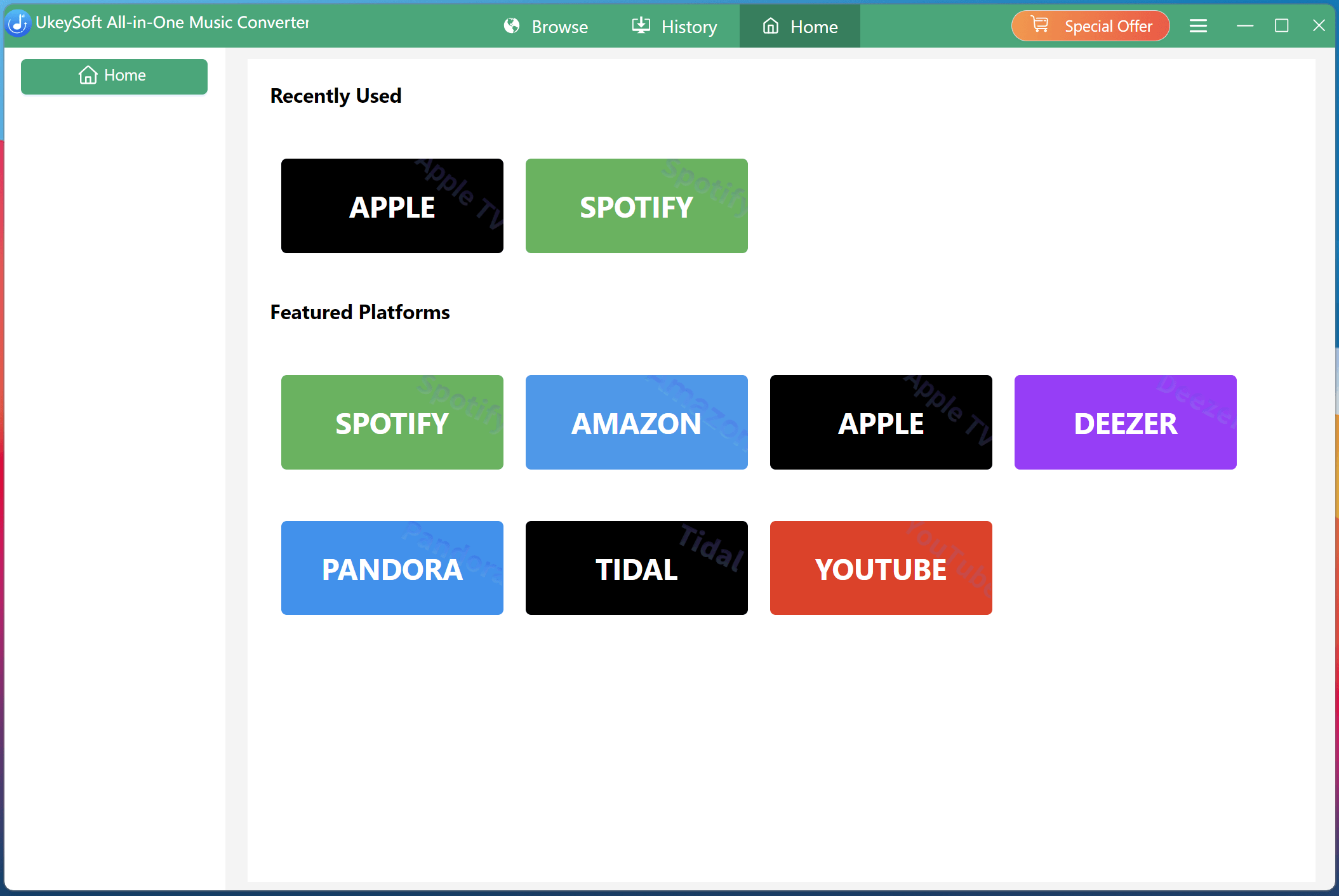
Launch the software to access multiple built-in music streaming services in one place.
Step 2. Select a Platform and Log In
Next, select your preferred streaming platform. For example, Spotify has a massive library of anime playlists, so here choose Spotify. Log in to your Spotify Free or Premium account.
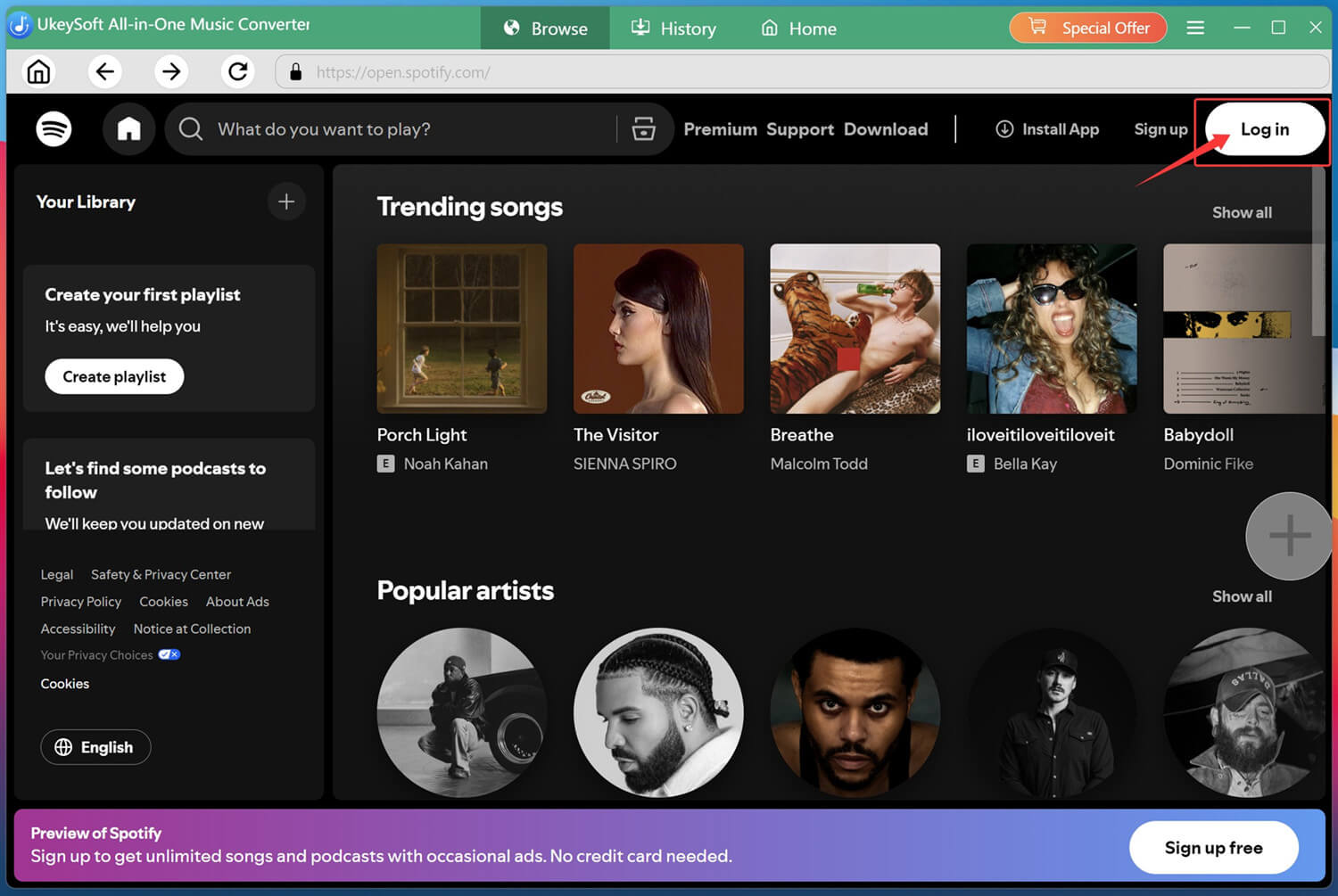
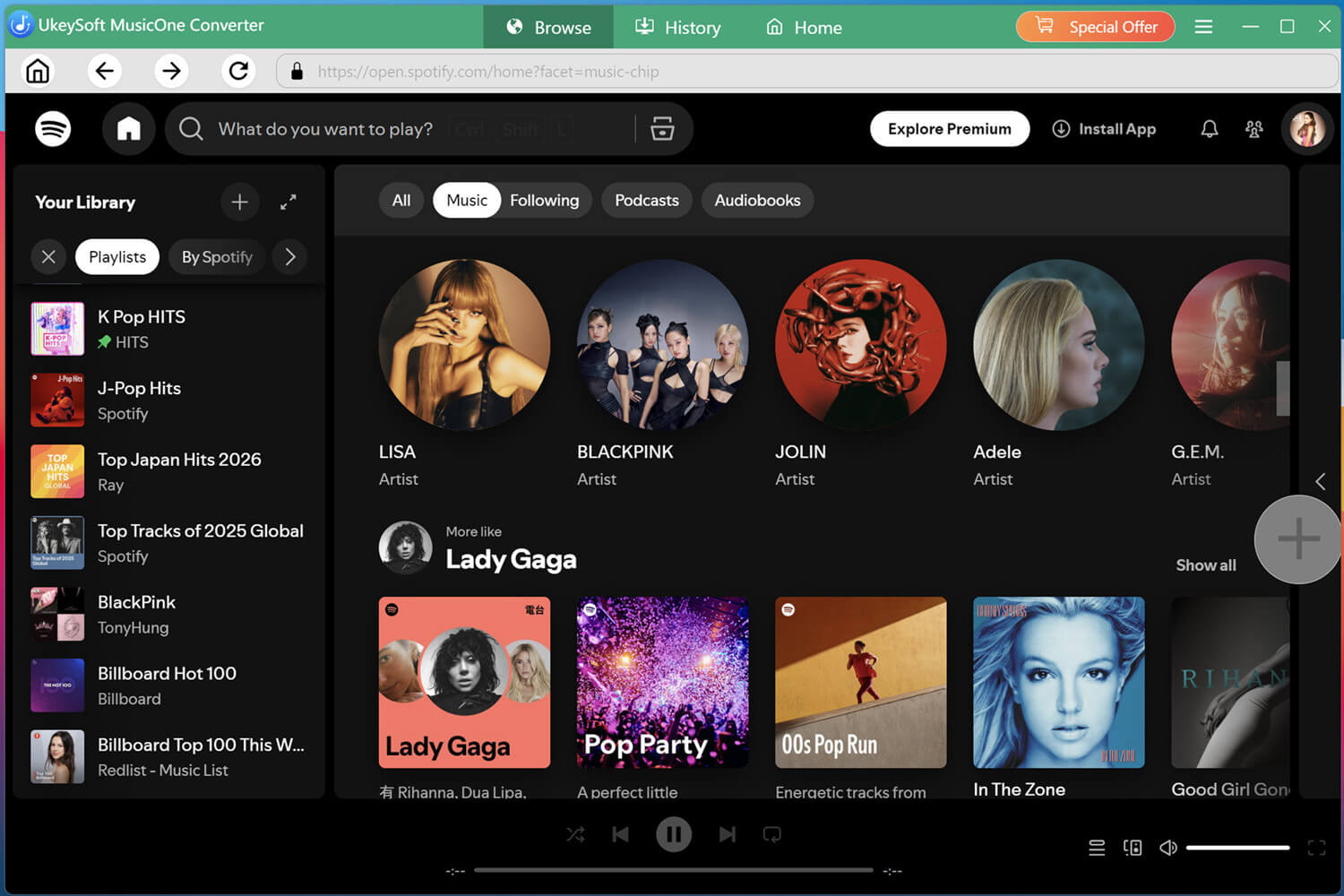
Once logged in, you'll have full access to the entire music library of that platform, including all anime music.
Step 3. Define Output Settings
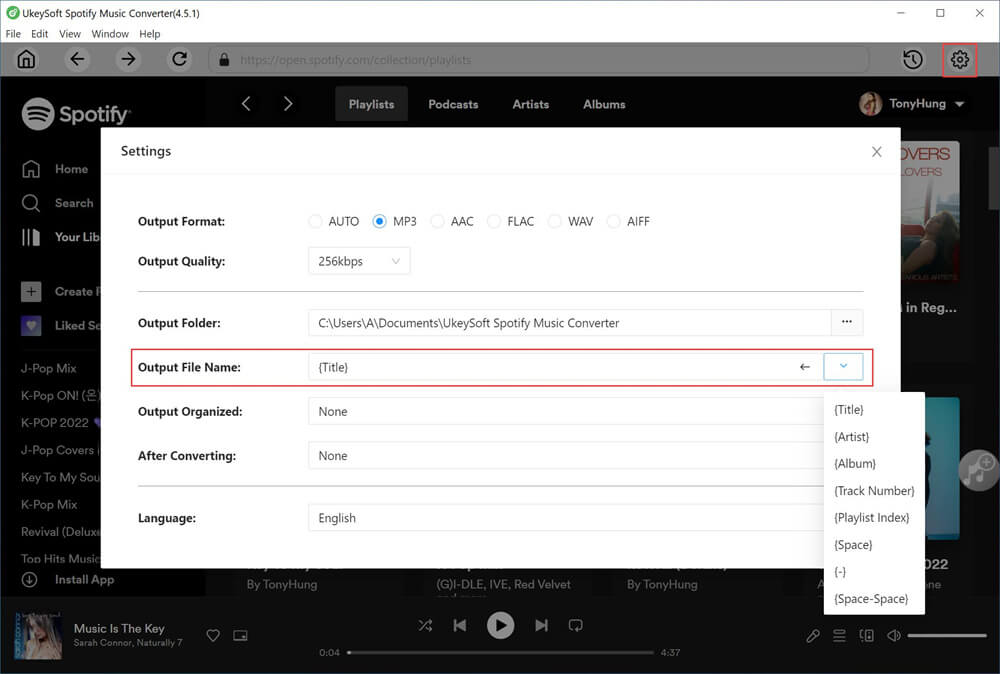
Click the "Menu" icon in the top-right corner and select "Preference" option. In the settings window, choose your preferred output format - MP3 is recommended for maximum compatibility.
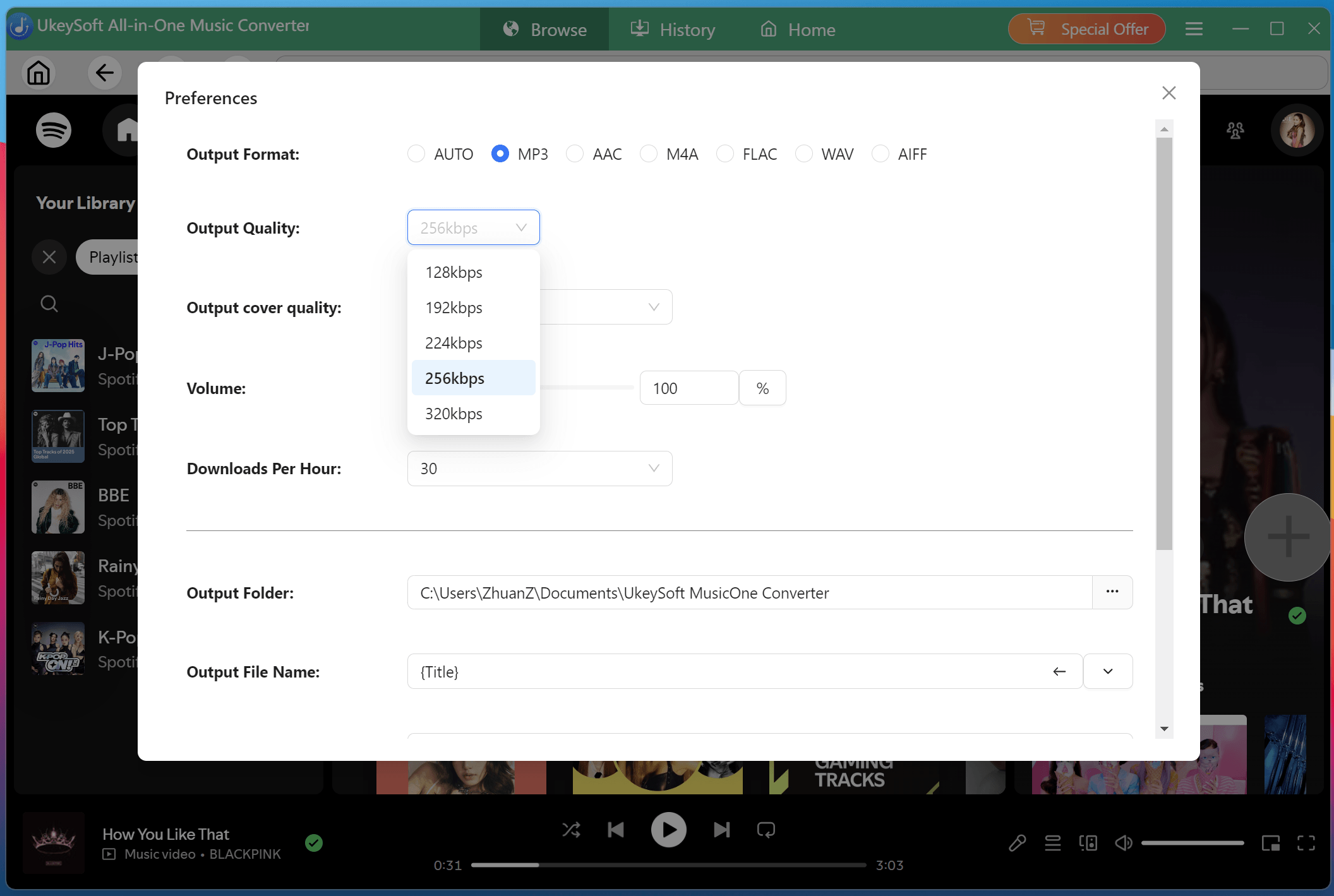
You can also adjust the output quality (up to 320kbps), select the output folder where your downloaded files will be saved, and customize other settings like output file name.
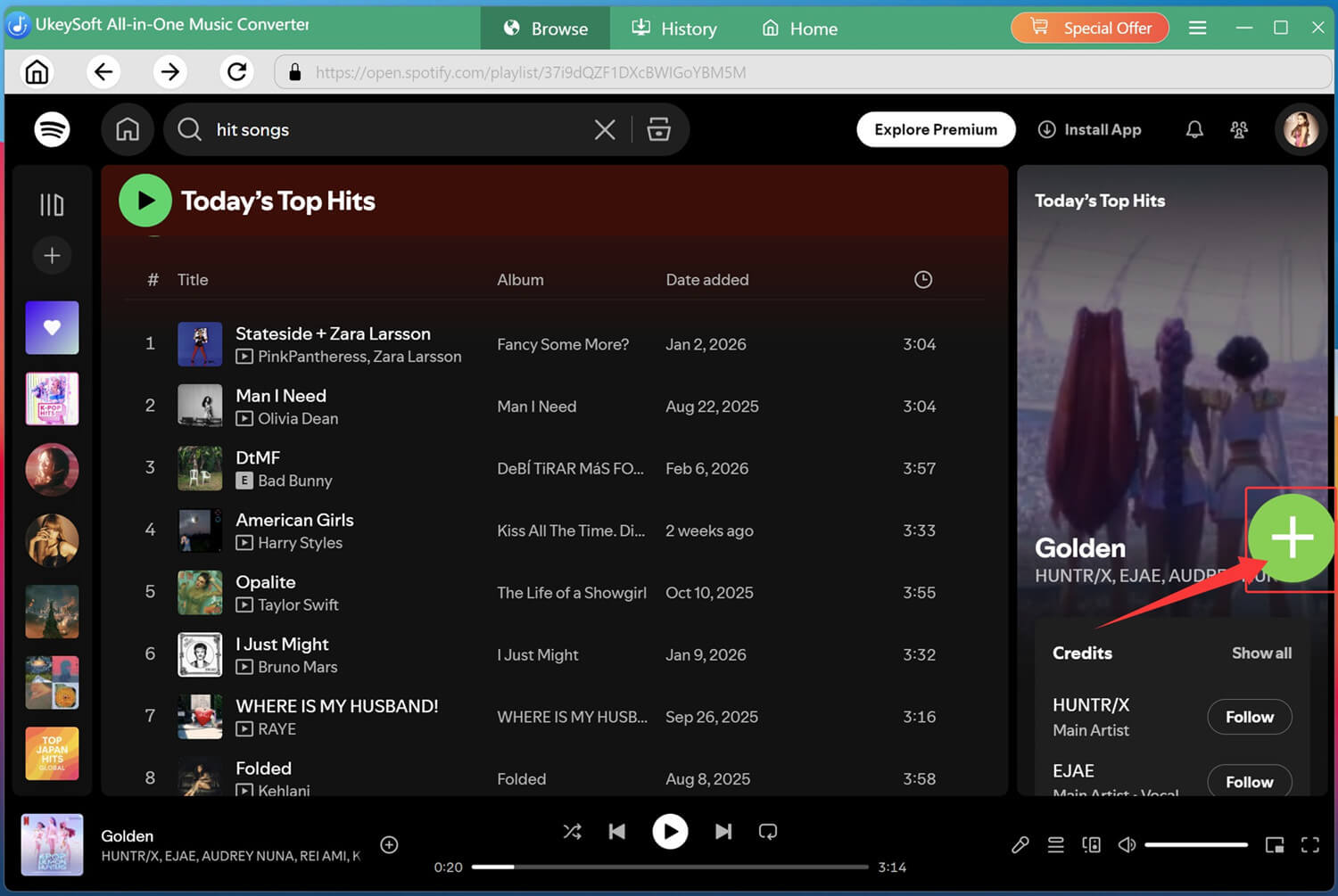
Step 4. Search, Open, and Add Anime Songs
You can search by anime title, artist name, or song title. For example, type "Demon Slayer" or "LiSA" to find relevant tracks. Or directly open your anime playlist. Once you've found what you're looking for, click the green "+" icon to add them to your download queue.
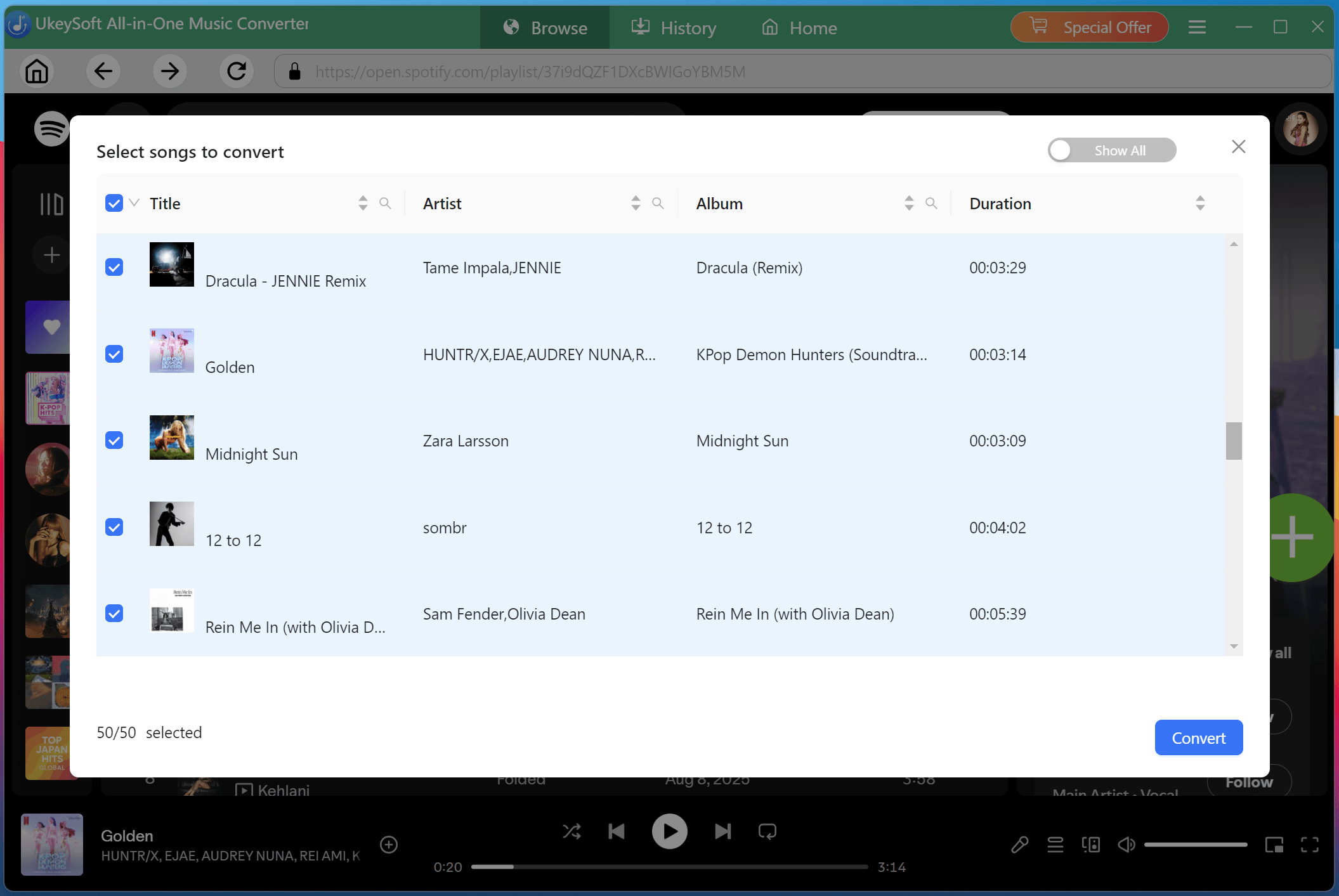
Once adding, check and choose individual songs or select the entire anime album or playlist. Batch selection lets you download multiple anime tracks with just one click.
Step 5. Begin to Download Anime Songs to MP3
After confirming your selection, click the "Convert" button to start downloading. UkeySoft will quickly download and convert your selected anime songs into 320kbps MP3 files with all metadata and lyrics preserved.
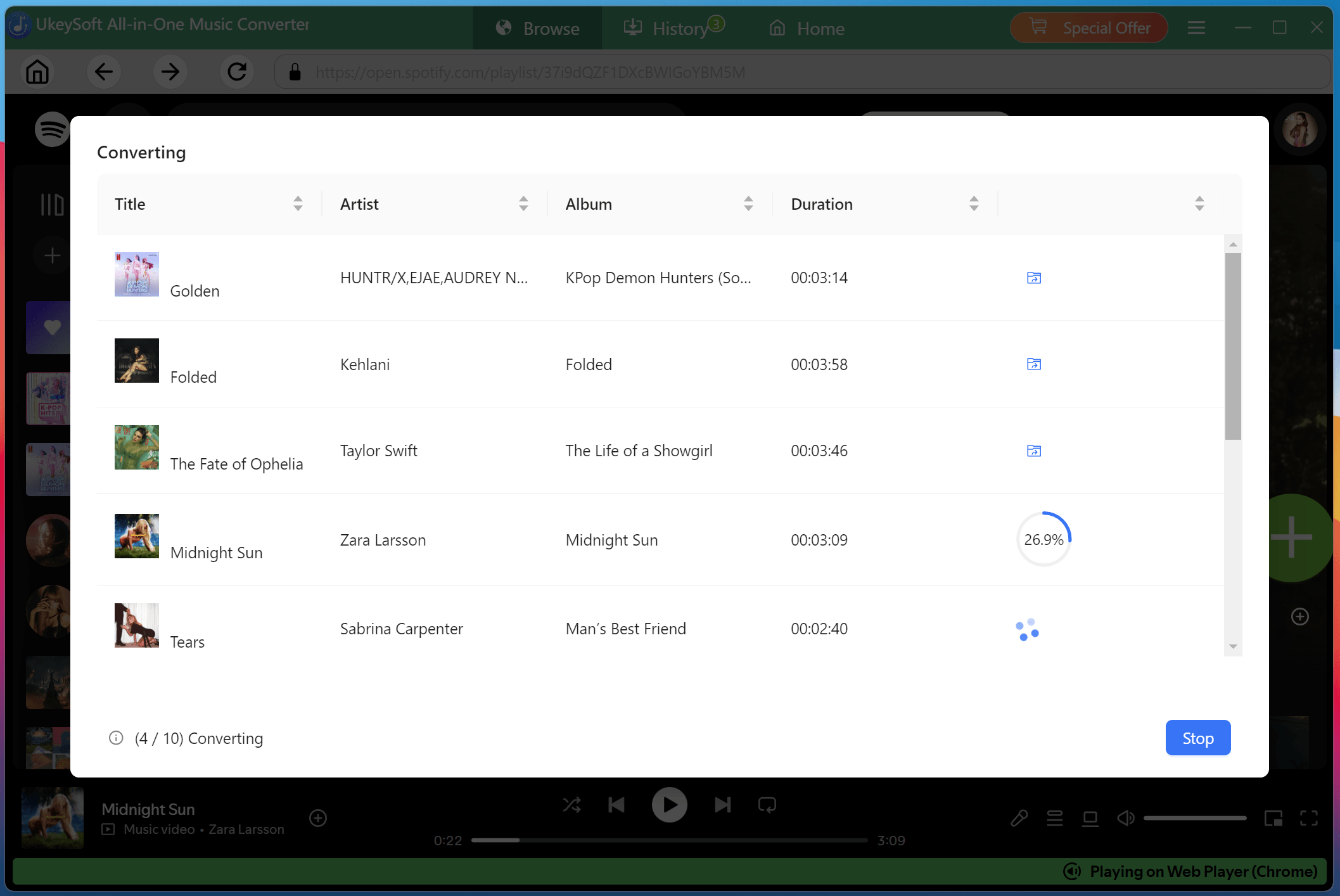
Step 6. Get Downloaded Anime Songs
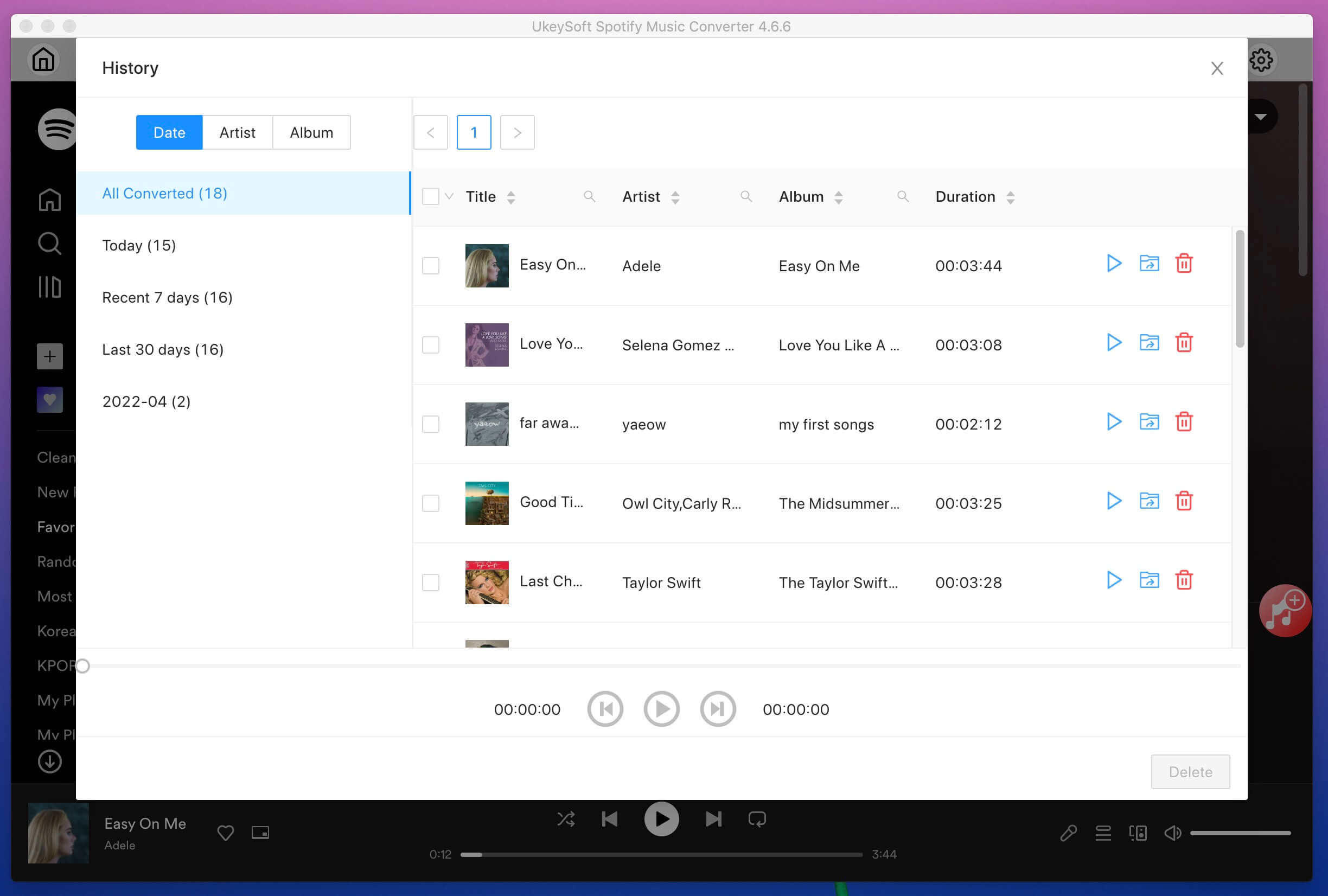
Once the conversion is complete, navigate to your specified output folder or go to the "History" section. You'll find your anime songs saved as high-quality MP3 files with all ID3 tags intact, including title, artist, album, and cover art.
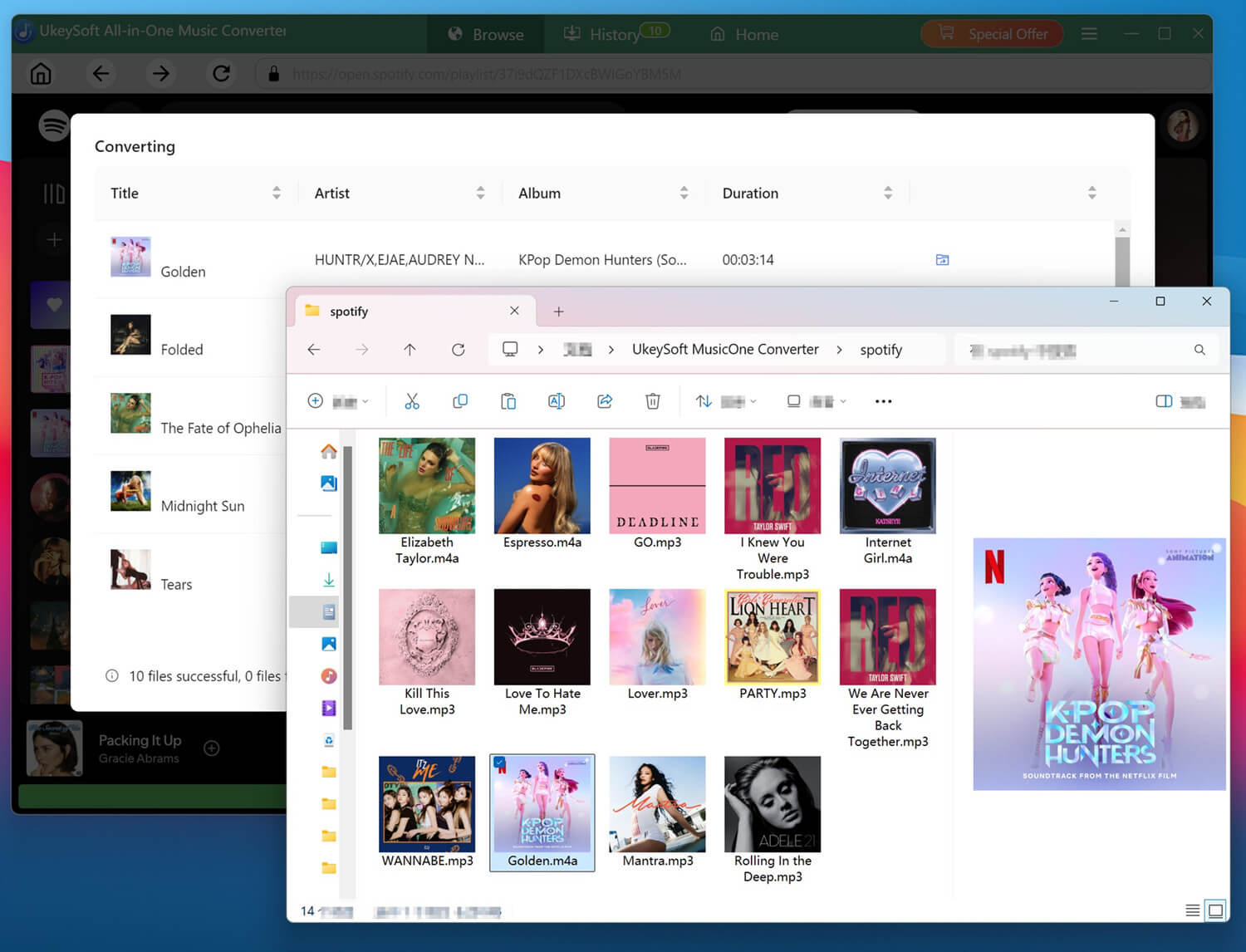
Step 7. Listen to Anime MP3 Songs Offline
With your downloaded anime MP3 songs, you can now enjoy smooth, uninterrupted listening anywhere, anytime. Use the built-in music player within UkeySoft to listen to your downloaded tracks directly in the software.
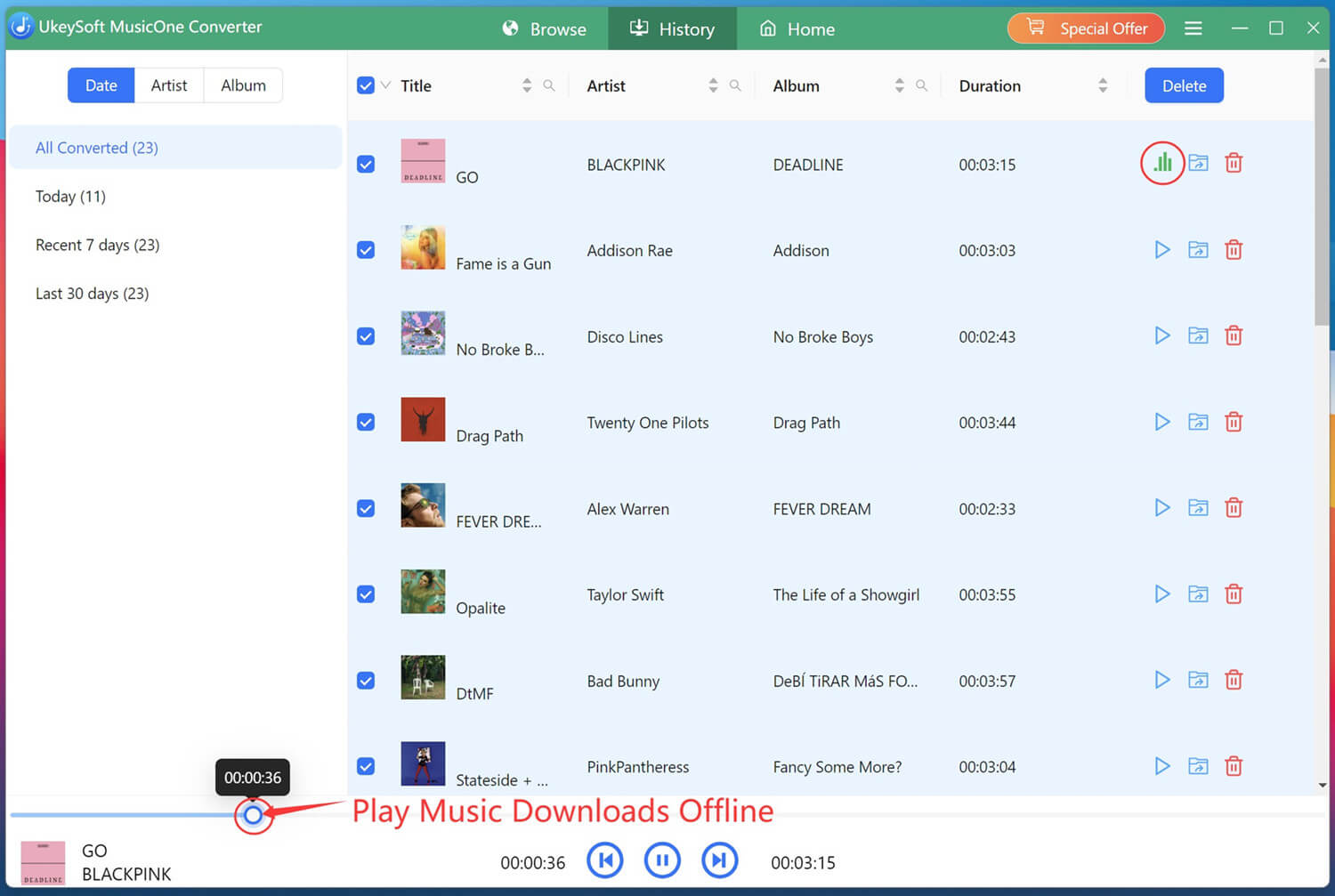
Downloading anime songs to MP3 has never been easier. Whether you're collecting anime opening songs, emotional ending themes, or complete original soundtracks, you can follow above simple methods to get anime music MP3s. While purchasing anime music offers a legitimate way, it is not a small bill. So if you are an anime music fan and want to build a large anime music collection, use the UkeySoft All-in-One Music Converter. It enables you to download Japan anime music as MP3 320kbps files from multiple streaming music platforms. Now, hit on the Download button to obtain anime songs in MP3 to enjoy anytime, anywhere!

Sorry the comment has been closed.










![7 Best FREE Apple Music Converters [2026 Updated]](https://www.ukeysoft.com/wp-content/uploads/2019/04/best-apple-music-converter.jpg)



















Porducts
Solution
Copyright © 2026 UkeySoft Software Inc. All rights reserved.


 English
 Arabic
 Chinese (Simplified)
 Chinese (Traditional)
 Croatian
 Czech
Czech Danish
 Dutch
Dutch Estonian
 Finnish
 French
 German
 Greek
Greek Hebrew
 Hindi
Hindi Hungarian
 Indonesian
 Italian
 Japanese
 Kazakh
 Korean
 Malay
Malay Norwegian
 Polish
 Portuguese
 Romanian
 Russian
 Slovenian
 Spanish
 Swedish
 Thai
Thai Turkish
 Ukrainian
 Vietnamese



























![Top 10 Christmas Songs to MP3 Download [Spotify]](https://www.ukeysoft.com/wp-content/uploads/2023/01/christmas-songs-to-mp3.jpg)


































































































































Comments are off!