 ✕
✕
✕
✕
By Justin SabrinaUpdated on September 01, 2021
Obviously, most of music streaming services have adopted the DRM protection technology to make sure all its songs can only be accessed and played on some selected devices, which has helped curb the need for piracy, but also limits user's usage of these songs. Spotify free users can enjoy over 35 million songs online with 160 Kbps of high quality. It also offers premium subscriptions serive ($9.99 per month), adds Extreme quality streams at 320 Kbps, and allows you to enjoy Spotify contents when you are away from the Internet.
Unlike OGG format, WAV is one of the most lossless audio file formats for storing an audio bitstream on PCs. It is a recommended format for creating Audio CD and using as background music in video editing software like iMovie, Adobe Premiere Pro, etc. Most importantly, WAV is DRM-free but with high sound quality. If you want to get WAV files from Spotify music, converting Spotify songs to WAV will be a best choice.
To get lossless WAV files from Spotify music, you can try UkeySoft Spotify Music Converter software which is designed to remove the DRM protection of Spotify music and record these files to WAV. It can keep all original audio quality and ID3 tags in the output WAV files. Apart from supporting output WAV format, it can be used to convert Spotify to MP3, FLAC, AAC, etc. with one click. Let's take a look at the main features of UkeySoft Spotify Music Converter.
Step 1. Launch UkeySoft Spotify Music Converter
Install and launch UkeySoft Spotify Music Converter with your computer. Spotify will be launched automatically once the software is launched.
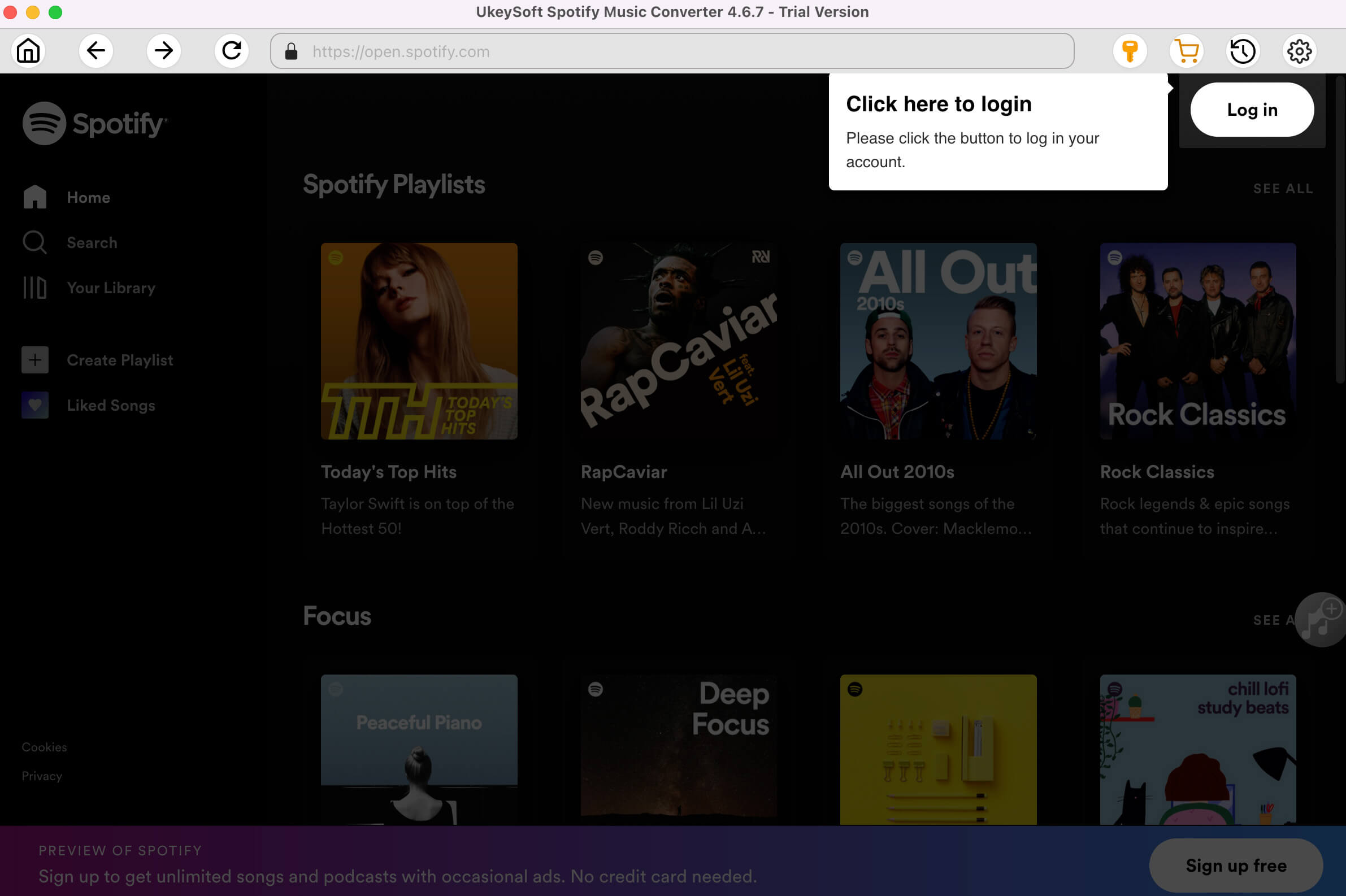
Step 2. Add Spotify Music
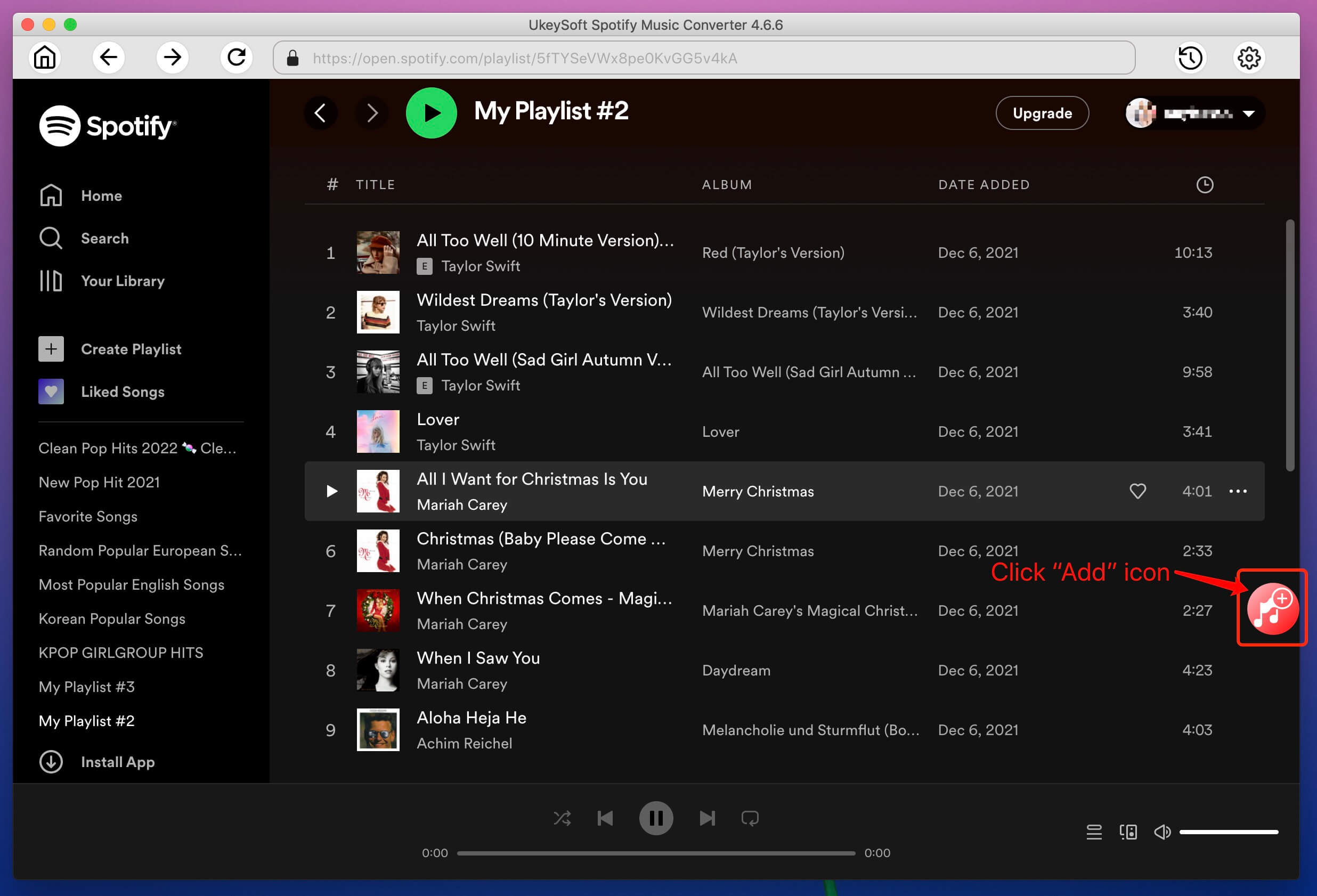
Now find any songs or playlists you want to convert: you can drag&drop Spotify songs/playlist to the converter directly, or you can copy&paste the link of the song/playlist from Spotify web player. Then click the "Add" button to import all songs.
Step 3. Choose WAV Output Format
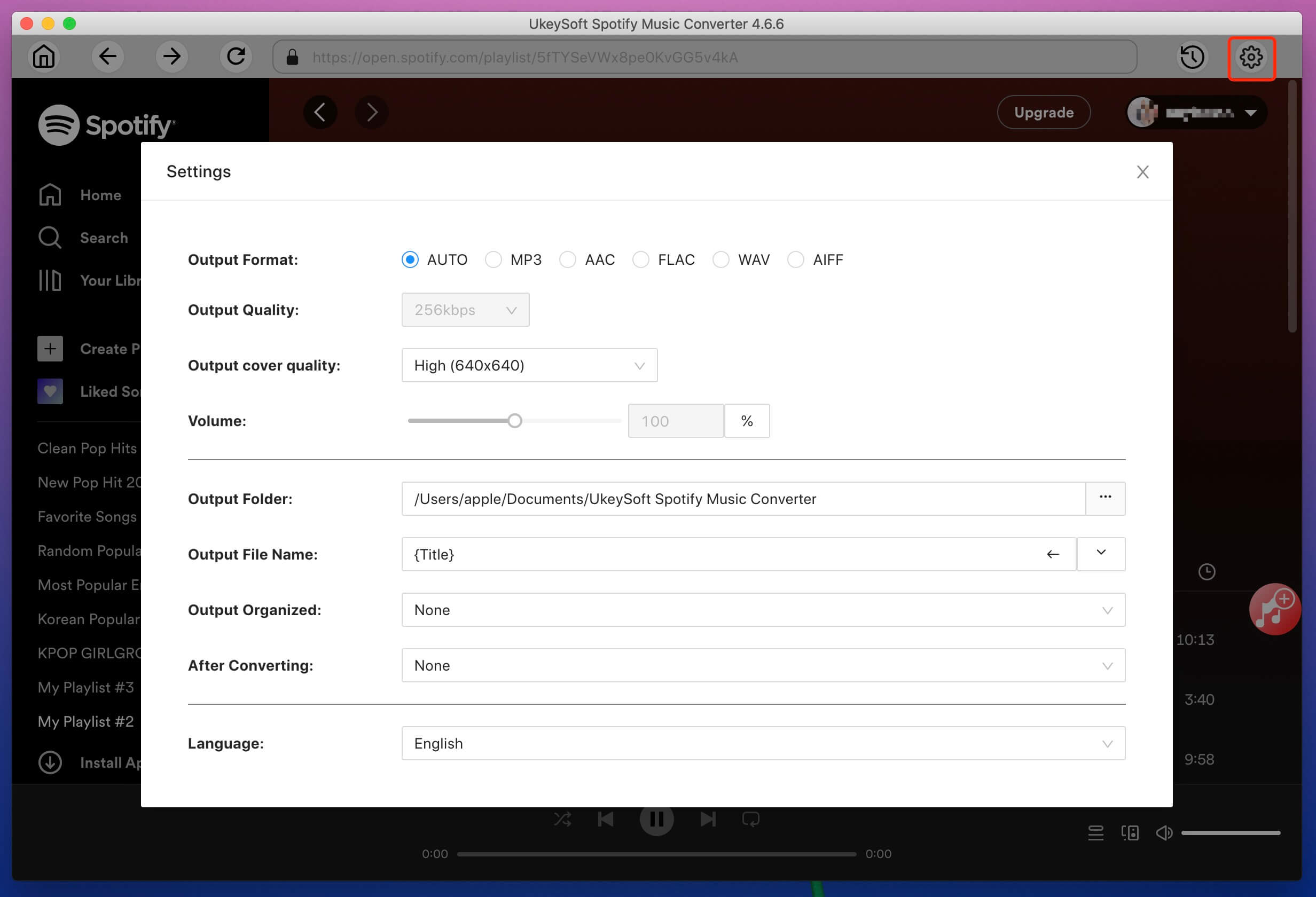
By default, Spotify Music Converter uses MP3 as output format. In the case, you should click "Options" button > "Advanced" tab then select WAV as your output format.
Step 4. Start Converting Spotify to WAV
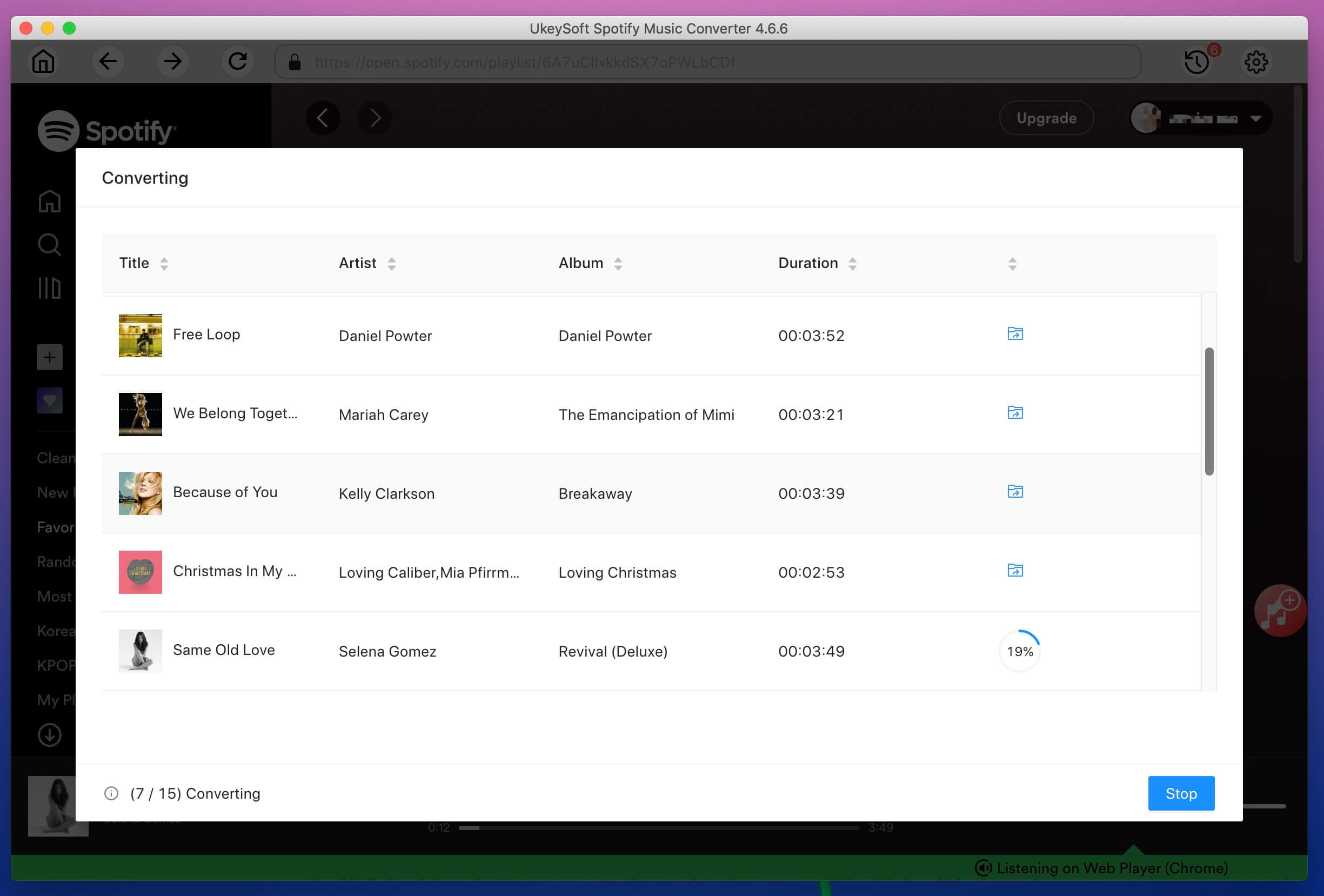
Simply click "Convert" button to start converting Spotify music to WAV format. After converting, tap on "History" button to check the output WAV files and open output folder.
Now, you can enjoy your Spotify music on car players, iPod, iPhone, PS4, Zune, PSP and MP3 players freely!

Prompt: you need to log in before you can comment.
No account yet. Please click here to register.










![7 Best FREE Apple Music Converters [2026 Updated]](https://www.ukeysoft.com/wp-content/uploads/2019/04/best-apple-music-converter.jpg)



















Porducts
Solution
Copyright © 2026 UkeySoft Software Inc. All rights reserved.


 English
 Arabic
 Chinese (Simplified)
 Chinese (Traditional)
 Croatian
 Czech
Czech Danish
 Dutch
Dutch Estonian
 Finnish
 French
 German
 Greek
Greek Hebrew
 Hindi
Hindi Hungarian
 Indonesian
 Italian
 Japanese
 Kazakh
 Korean
 Malay
Malay Norwegian
 Polish
 Portuguese
 Romanian
 Russian
 Slovenian
 Spanish
 Swedish
 Thai
Thai Turkish
 Ukrainian
 Vietnamese



























![Top 10 Christmas Songs to MP3 Download [Spotify]](https://www.ukeysoft.com/wp-content/uploads/2023/01/christmas-songs-to-mp3.jpg)


































































































































No comment yet. Say something...