By
Justin SabrinaUpdated on July 24, 2026
Summary
Do you want to download Spotify songs to WAV for lossless playback? Come here to meet the powerful Spotify to WAV downloader and follow our step-by-step guide to save music from Spotify to WAV with Free account.
Having lossless WAV files from Spotify is essential, especially using it for editing, archiving, burning CDs. Many Spotify users might be wondering: Can I download Spotify music to WAV directly? Sadly, the answer is No. Spotify does not offer WAV downloads directly. All songs downloaded in the Spotify app are only DRM-encrypted cache files, not local music files.
Lucky for you, there are some helpful third-party Spotify to WAV downloaders that make it possible. This article provides a full breakdown of Spotify music and WAV file. Here, you will explore the most reliable method to download Spotify music as WAV without losing quality.
CONTENTS
Part 1. What Is WAV & Why Do You Download Spotify to WAV?
WAV, also known as Waveform Audio File Format or WAVE, is an uncompressed audio format that preserves original recording quality without any compression. Compared to the compressed MP3 format, WAV offers high-resolution sound, excellent compatibility with editing software, and stable playback across desktops, media players, DJ tools, and professional audio workstations.
Spotify provides compressed OGG files (DRM-protected), so many users choose to download Spotify music to WAV for superior sound quality. There are several real advantages to converting Spotify music into WAV format.
Benefits of Downloading Spotify to WAV:
Below are the key reasons why users choose to convert Spotify to WAV or use a Spotify to WAV downloader:
1. If you want to burn Spotify music to CDs for collection or entertainment, WAV is the most compatible format.
2. Most music players support to play WAV audio files. Once you get Spotify WAV files, you can enjoy Spotify music on WAV-compatible players.
3. Many older music players, car stereos, studio systems, and DJ equipment only support standard formats such as WAV. When you download Spotify music to WAV, you can play Spotify songs on old MP3 players, professional DJ software, WAV-only portable devices, and studio mixing consoles, etc.
4. WAV is the most widely supported audio format for computer media players. When you download Spotify to WAV, you can play Spotify songs on Windows Media Player, VLC, iTunes, QuickTime, RealPlayer, MusicBee, etc.
5.You may also add Spotify music to video projects like Adobe Premiere Pro, Final Cut Pro, FL Studio, Audacity, etc. for professional editing.
Part 2. Best Tool to Download Spotify Music to WAV
To successfully download Spotify music to WAV, you need a professional, stable, and secure Spotify music converter. Here we highly recommend the UkeySoft Spotify Music Converter.
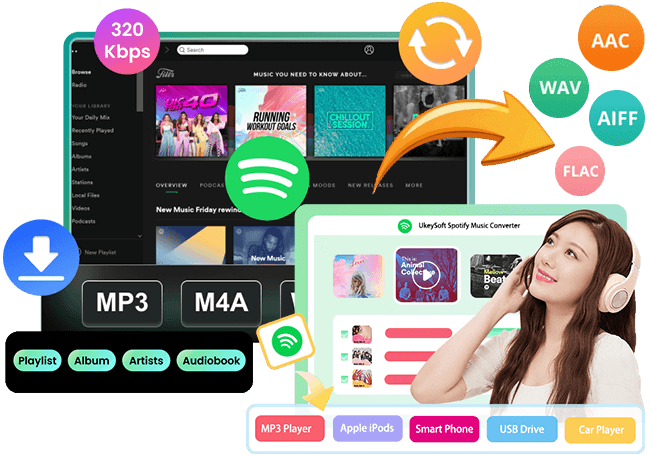
Instead of download Spotify songs one by one, UkeySoft Spotify Music Converter is an efficient Spotify playlist to WAV downloader that allows you to download Spotify playlists in bulk, with up to 16X faster speed. Benefiting from the embeded Spotify web player, it empowers you to download tracks, albums, playlists, podcasts, audiobooks, and radios from Spotify to your computer effortlessly. No Spotify Premium is required. Once added the Spotify songs to the converter, you can get lossless Spotify songs in WAV, FALC, AIFF, 320kbps MP3, or 640kbps M4A/AC in a few minutes.
UkeySoft Spotify Music Converter
- Built-in Spotify Web Player; Supports for both Spotify Free and Premium.
- Download Spotify playlists, albums, podcasts, audiobooks to WAV.
- Convert Spotify music to WAV, MP3, AAC, M4A, FLAC, AIFF formats.
- 16X high-speed to queue thousands of songs for conversion at once.
- Keep complete ID3 tags (cover, title, album, artist, artwork, genre, etc.).
- Built-in music player and music manager for easy playback and management.
News:
UkeySoft All-in-One Music Converter enables you to download music content from multiple streaming music services and convert them into MP3, M4A, FLAC, WAV, AAC, AIFF files. The software has integrated with Spotify, Apple Music, Tidal, Pandora, Amazon Music, Deezer, YouTube Music, and Audible. If you are using multiple music services, don't miss it!
Step-by-Step Guide to Download Spotify Music to WAV Losslessly
Tip: System Requirements:
Windows 7 or later on 64bit required
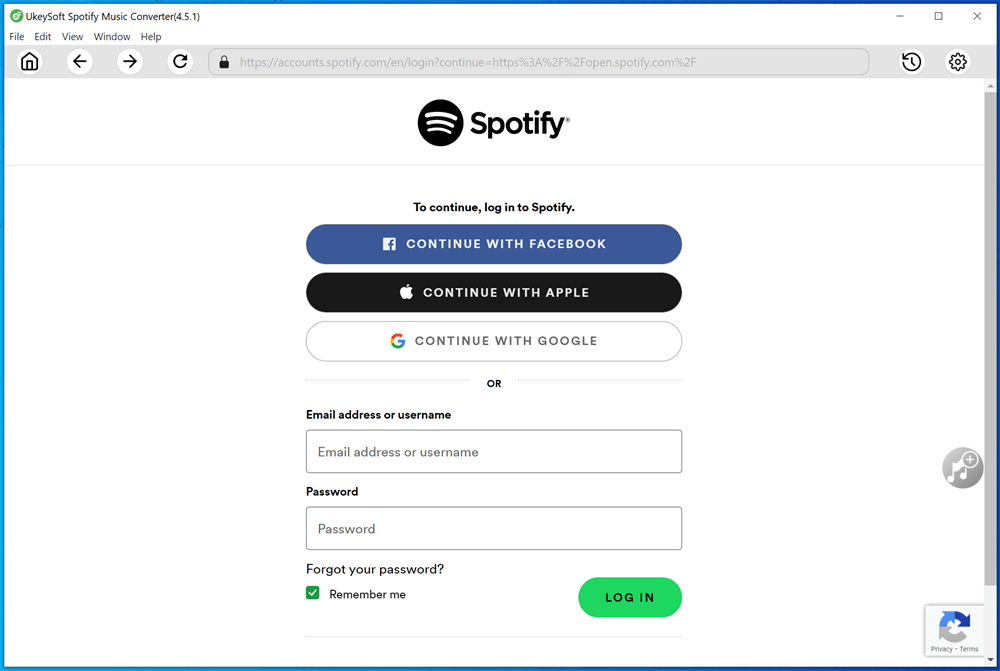
Step 1. Sign in Spotify Account in UkeySoft
Download and install UkeySoft Spotify Music Converter on your computer, and open the software. You will be asked to log in to your Spotify account. It supports both Free and Premium account. This allows the converter to load and read your playlists, albums, and tracks.
Step 2. Choose WAV Format
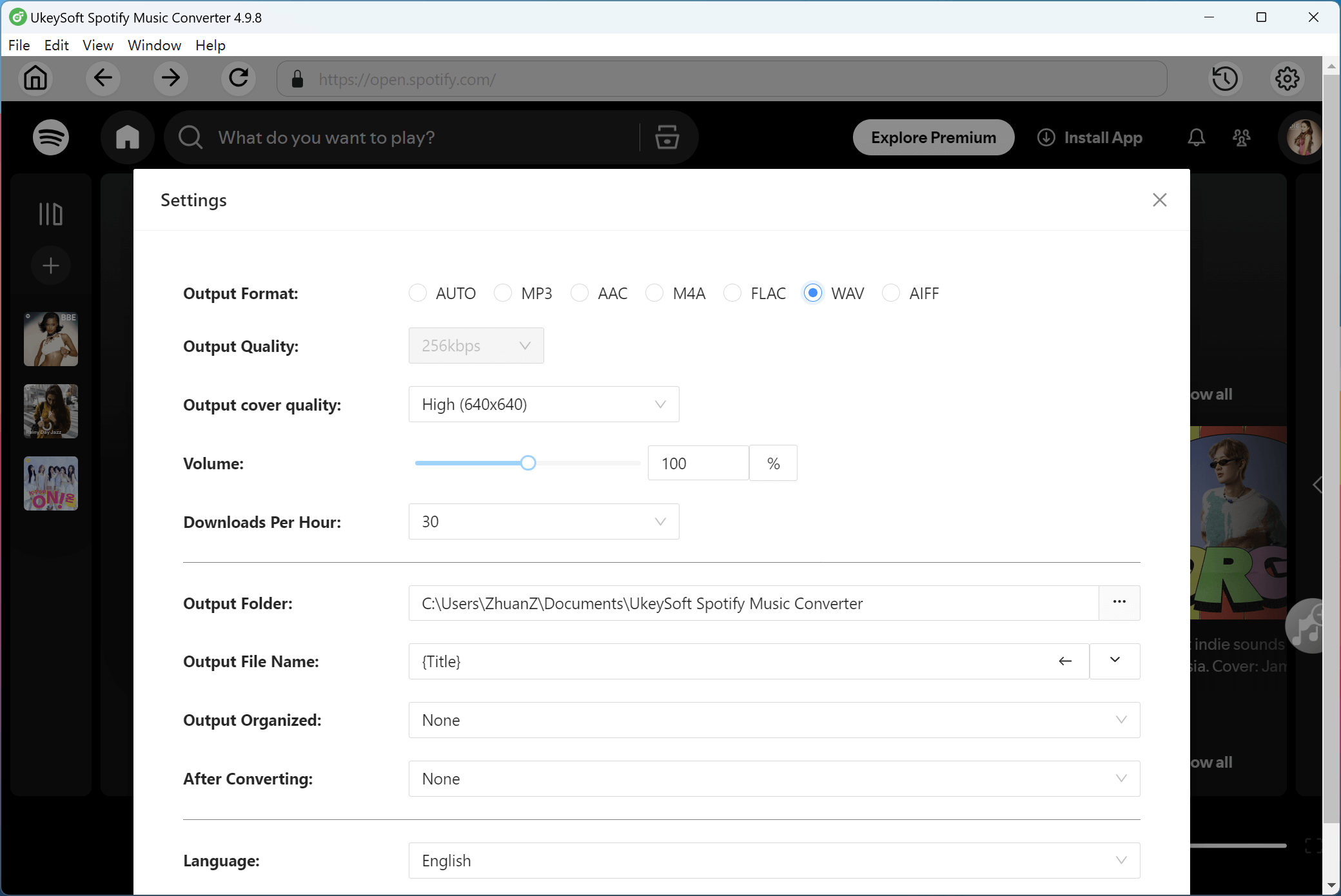
Open "Settings" window by clicking the Gear icon at the upper right corner. Go to Output Format, choose WAV format. You may also modify the output quality, output folder, and output file name, as well as other audio parameters.
Step 3. Add Spotify Songs/Playlists/Albums/Podcasts
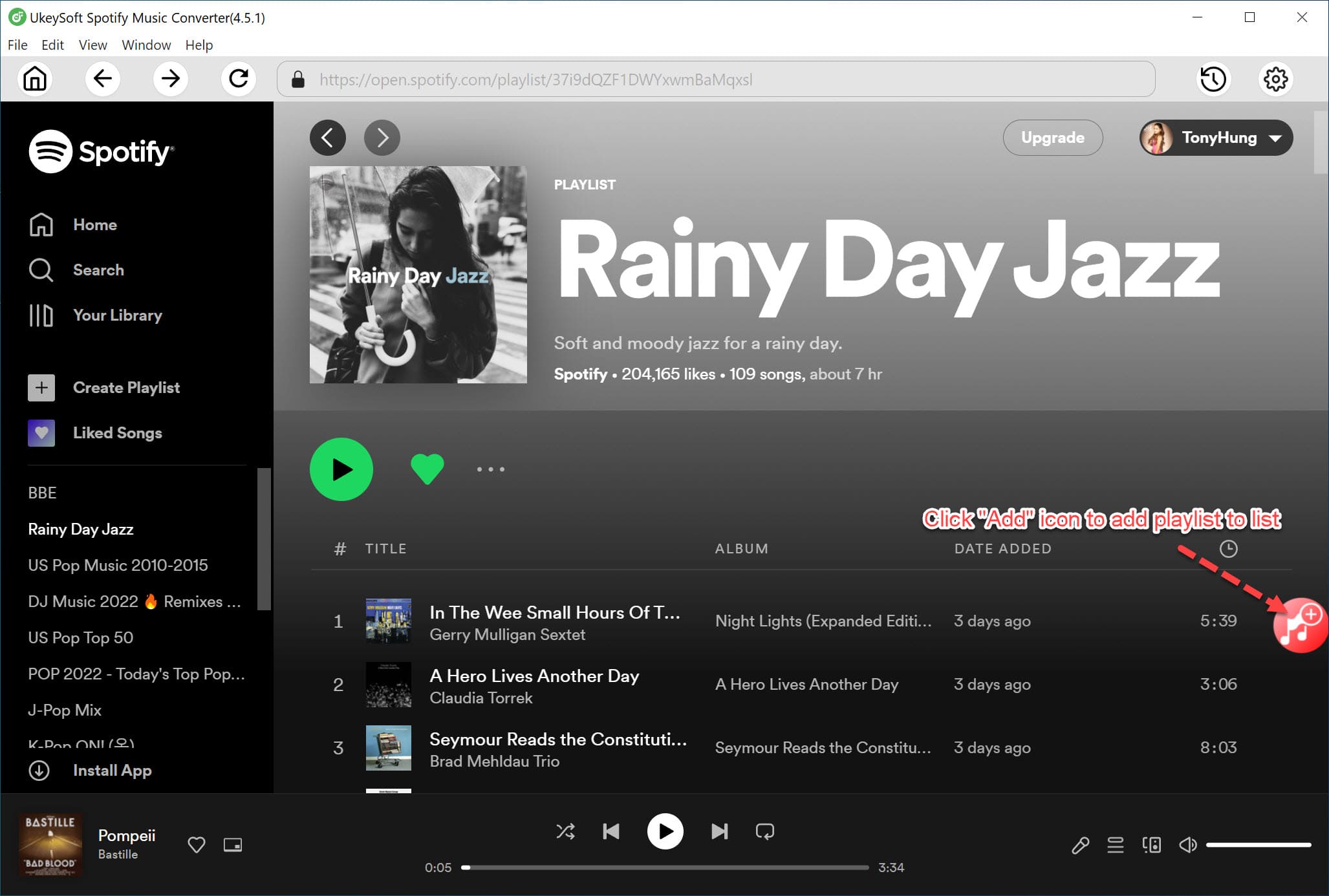
Browse through albums or playlists, then click the "+" icon in the right side. You can add individual tracks, entire playlists, full albums, podcasts or even audiobooks.
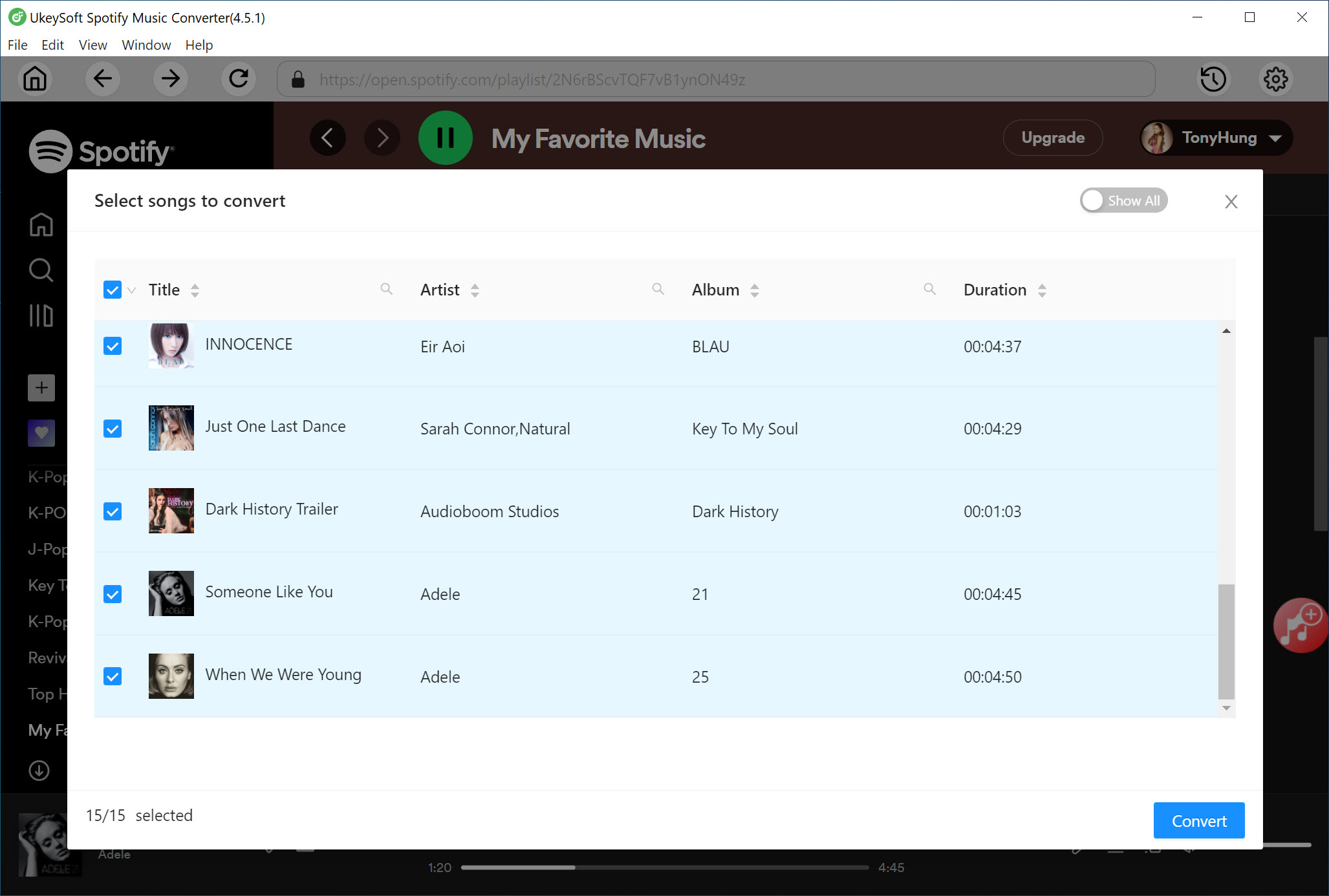
Once added, UkeySoft Spotify Music Converter will load the track list automatically. Check and confirm your target items in the list.
Step 4. Start Downloading Spotify Music to WAV
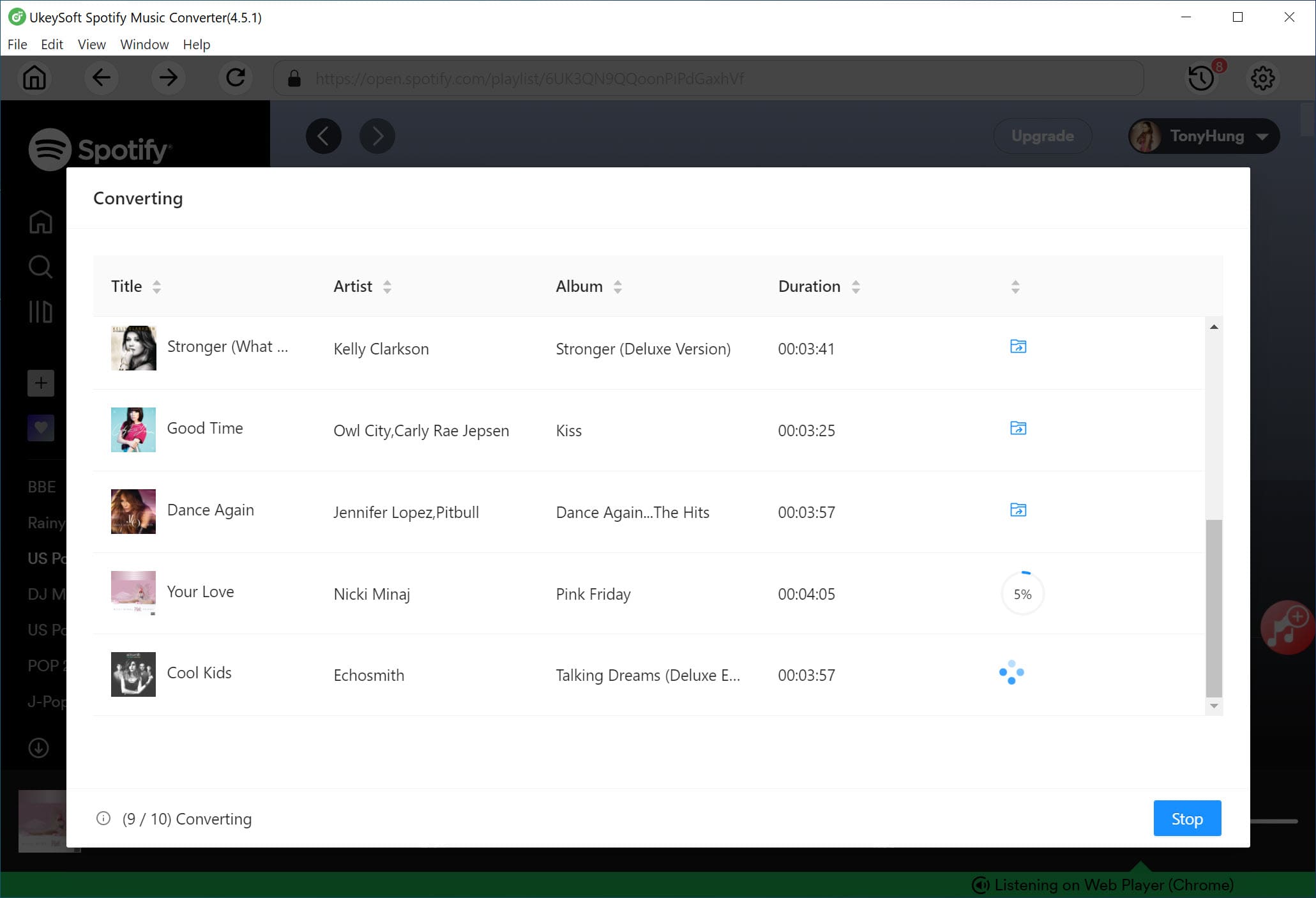
Finally, click the "Convert" button. UkeySoft Spotify Music Converter will process the Spotify songs and save each Spotify song as WAV file with lossless quality.
Step 5. Get the Output Spotify WAV Files
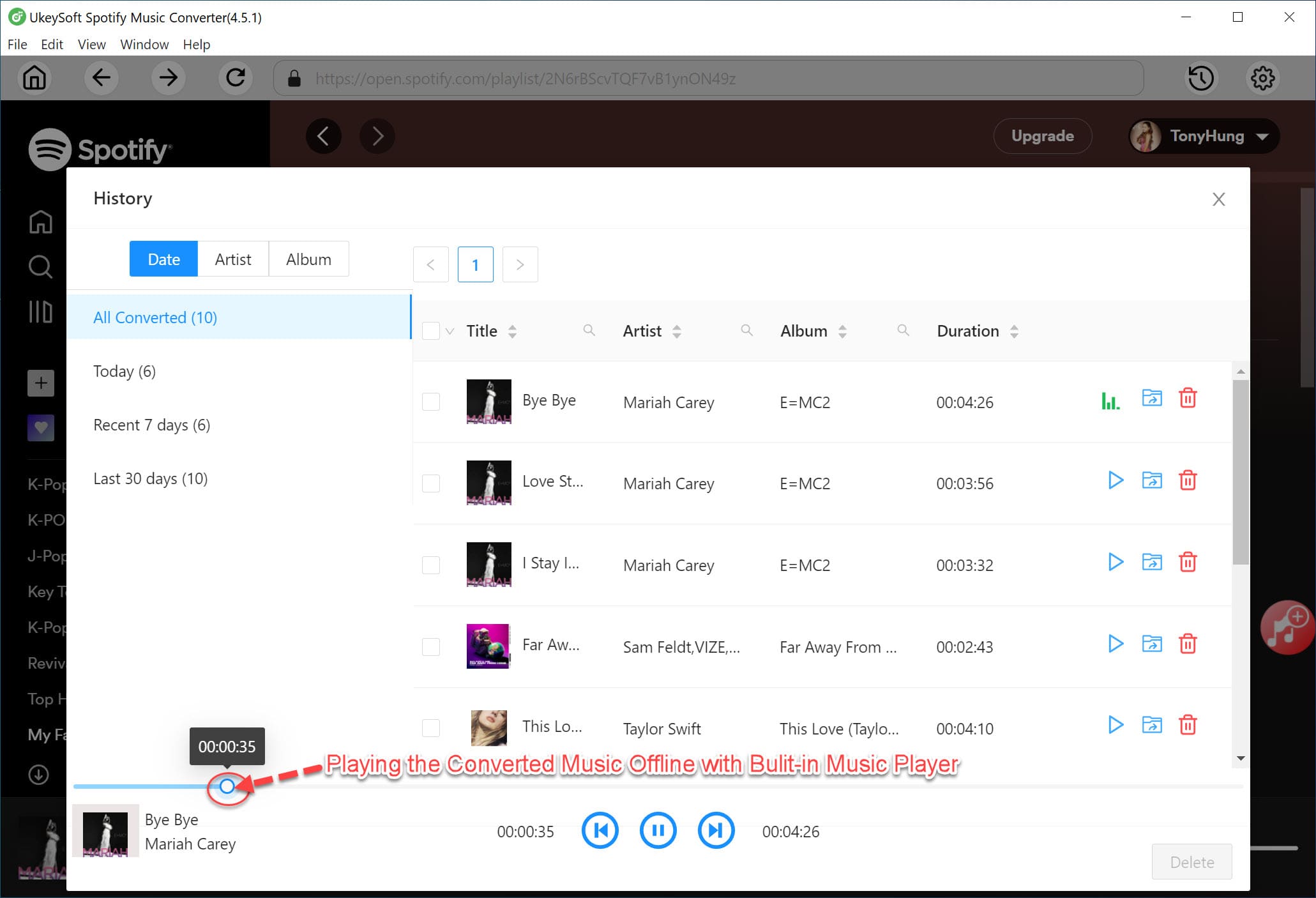
Once the conversion is done, click on the "History" icon to access the downloaded Spotify music. You can now listen to these high-quality Spotify songs with the built-in music player on the converter. Plus, click the "Blue Folder" icon to locate the output WAV files on your computer.
Part 3. FAQs About Spotify Music and WAV
Is it possible to download WAV files from Spotify Music?
Spotify does not provide WAV downloads directly. It only allows Premium subscribers to download music tracks as encrypted OGG files. However, you can use a third-party tool like UkeySoft Spotify Music Converter to download Spotify music to WAV easily. It can convert Spotify tracks into high-quality WAV files for offline listening and saving.
How to download Spotify music to WAV for free?
Normally, Spotify Free users can only stream music online with network connection. But you can ask help from third-party too. UkeySoft Spotify Music Converter works with both Free and Premium accounts. You can use it to download Spotify music as WAV files even without Premium account.
Part 4. Conclusion
Above, we've showed you the detailed guide on how to download Spotify music in WAV format. WAV is a uncompressed audio format for audio preservation, editing, and professional playback. By converting Spotify into WAV files, you can easily burn Spotify music CDs, mix tracks, create videos, or enjoy high-quality Spotify music offline! With a reliable tool like UkeySoft Spotify Music Converter, you can easily download Spotify music to WAV with a Free account, extract WAV files from Spotify playlists, and store them permanently on your computer! Download it for free and have a try!
Download Spotify Music to WAV

Justin Sabrina has always had great enthusiasm for writing, programming and web development. He likes writing about software and technology, his works are featured on some tech blogs or forums like Tom's Hardware, CNET, etc.
 English
 Arabic
 Chinese (Simplified)
 Chinese (Traditional)
 Croatian
 Czech
Czech Danish
 Dutch
Dutch Estonian
 Finnish
 French
 German
 Greek
Greek Hebrew
 Hindi
Hindi Hungarian
 Indonesian
 Italian
 Japanese
 Kazakh
 Korean
 Malay
Malay Norwegian
 Polish
 Portuguese
 Romanian
 Russian
 Slovenian
 Spanish
 Swedish
 Thai
Thai Turkish
 Ukrainian
 Vietnamese







Comments are off!