 ✕
✕
✕
✕
By Justin SabrinaUpdated on December 17, 2022
iTunes is one of the most popular media players which offers so much fun with iTunes movies, audiobooks and iTunes music. For Apple Music, users can try to download the Apple Music for Android app on your Samsung devices since Apple Music is supported by Android running Android 4.3 (Jelly Bean) or higher. But for iTunes M4P music files, it seems that there is no way to make them playable on Samsung Galaxy S10/S10+/S9/S8/S7/S6, as well as the latest Samsung Galaxy Fold.
If you are used to using Samsung mobile phones, whether it is Samsung Galaxy S series, Note series, A series, J series, and the latest flagship mobile phone Galaxy Fold, it supports MP3, AAC, AAC+, e-AAC+, WMA, AMR, MIDI, WAV, IMY formats. Unfortunately, due to Apple's privacy policy, iTunes Music is inserted into the M4 format protected by DRM (Digital Rights Management). So iTunes Music songs can only be accessed and enjoyed on Apple devices licensed to Apple Music Membership's Apple account. If you want to play M4P files without iTunes or enjoy them on non-Apple devices, like Samsung Galaxy Fold, Galaxy S10/S10+, S9/S9 Plus, S8/S8 Plus, S7/S7 edge, S6/S6 edge, and other Android devices, the only thing you need to do is to install a good iTunes M4P converter to transfer iTunes music files to plain audio format, such as MP3, FLAC, AC3, etc.
Streaming Apple Music songs, iTunes M4P music or iTunes M4A, M4B audiobooks cannot be moved to your Samsung device because Apple has added the DRM (Digital Rights Management) layer to its streaming music collection. To transfer iTunes M4P music and Apple music to Samsung Galaxy devices, we recommend that you use UkeySoft Apple Music Converter to remove DRM protection from Apple Music songs or iTunes M4P music and convert them to unprotected MP3, AAC, FLAC or WAV format. And don’t worry, it keeps ID3 tags for better organize your music library after conversion.
It is highly compatible with the Mac / Windows operating system, download the appropriate version to your computer and try to remove DRM protection for iTunes music at up to 16x conversion speed.
Step 1. Install and Run the Software
At first, you need to install UkeySoft Apple Music Converter on your Mac computer or Windows PC and launch it. Then your iTunes files will be synced with the program automatically.
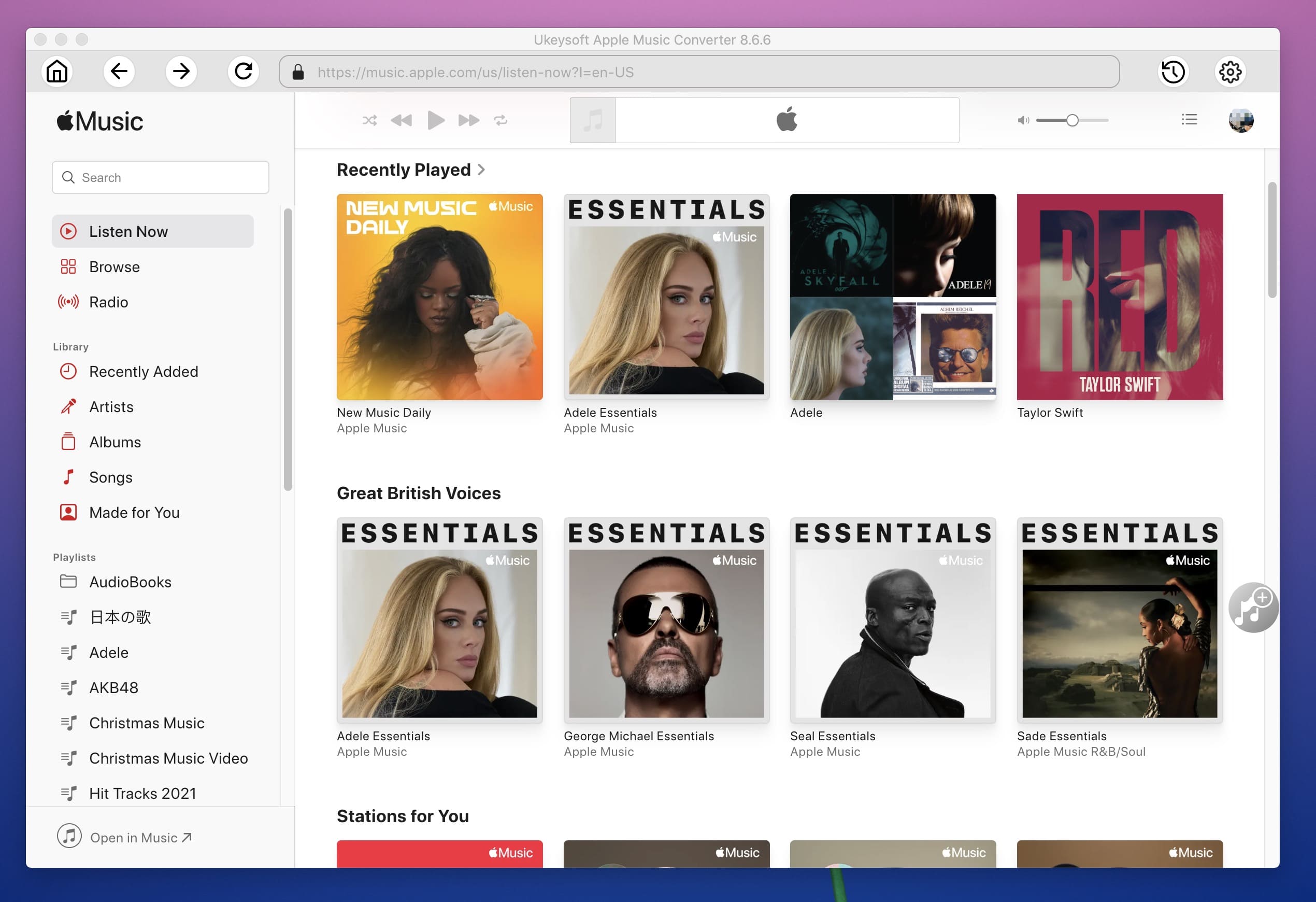
Step 2. Select iTunes Music Files
Click on "Music" in the left of the interface and choose the iTunes Music songs you want to convert by checking boxes.
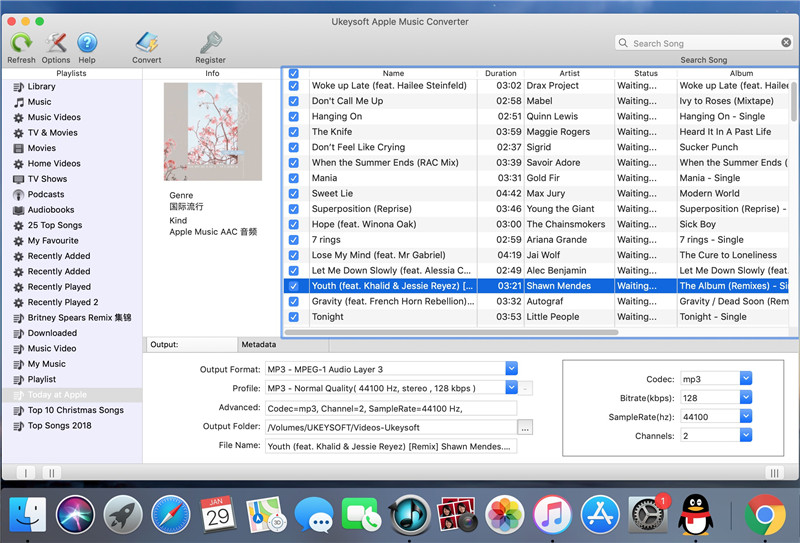
Step 3. Set Output Format
In the bottom of the main interface, you need to choose MP3 as the output format and select a folder for saving output music. Also, you are allowed to choose AAC, FLAC or WAV as your output format. If you like, you can set other parameters here.
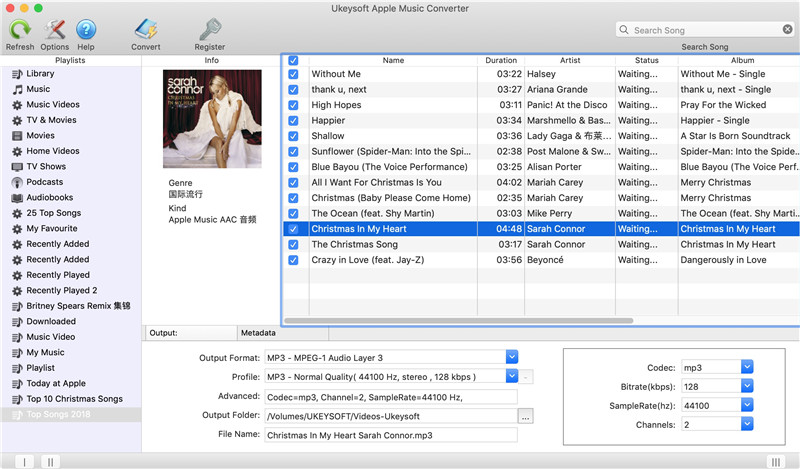
Tip: UkeySoft Apple Music Converter supports saving output audio files into organized folder including Artist, Album, Artist/Album or Album/Altist.
Step 4. Start Converting iTunes Protected Music to MP3
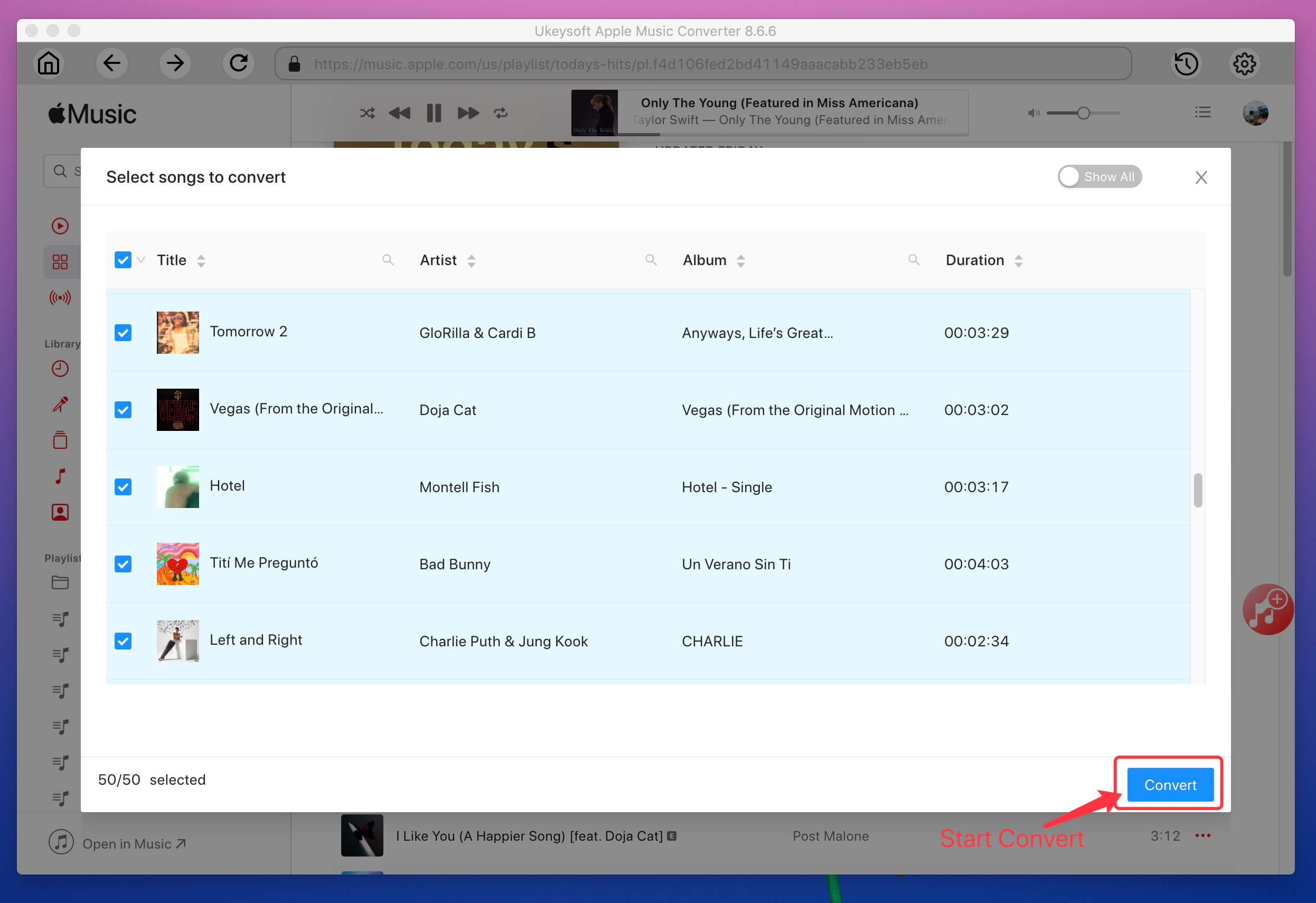
Now, click on "Convert" button to start converting iTunes M4P music to MP3. Once done, the converted music will be saved into the folder you have chosen before.
Step 5. Transfer Music to Samsung Galaxy Phones for Streaming
Now you can transfer the converted iTunes M4P music to Samsung mobile phones via USB cable for playback.
With this program, you can also play M4P songs on almost all media devices, including Android phones & tablets, Windows Phone, MP3 Players, Roku, Chromecast, Plex, PS4, PS3 and many more.

Prompt: you need to log in before you can comment.
No account yet. Please click here to register.










![7 Best FREE Apple Music Converters [2026 Updated]](https://www.ukeysoft.com/wp-content/uploads/2019/04/best-apple-music-converter.jpg)



















Porducts
Solution
Copyright © 2026 UkeySoft Software Inc. All rights reserved.


 English
 Arabic
 Chinese (Simplified)
 Chinese (Traditional)
 Croatian
 Czech
Czech Danish
 Dutch
Dutch Estonian
 Finnish
 French
 German
 Greek
Greek Hebrew
 Hindi
Hindi Hungarian
 Indonesian
 Italian
 Japanese
 Kazakh
 Korean
 Malay
Malay Norwegian
 Polish
 Portuguese
 Romanian
 Russian
 Slovenian
 Spanish
 Swedish
 Thai
Thai Turkish
 Ukrainian
 Vietnamese



























![Top 10 Christmas Songs to MP3 Download [Spotify]](https://www.ukeysoft.com/wp-content/uploads/2023/01/christmas-songs-to-mp3.jpg)


































































































































No comment yet. Say something...