How to Listen to SoundCloud Offline without Go/Go+
-- Discovered 4 ways to download and listen to SoundCloud music offline on iPhone, Android, Mac and PC, and even any devbice without Go/Go+ subscription.
Q: "Does SoundCloud allow offline music for free? How to listen to SoundCloud music offline without a subscription?"
A: Yes, of course. Generally, offline listening is only available to SoundClound Go and Go+ subscribers. However, if an artist or uploader enables free download feature, users can download SoundCloud music to computer for free offline listening. Alternatively, you may also download and play SoundCloud offline without Go/Go+ plan by using third-party SoundCloud music downloader tools. Keep reading to learn how to listen to SoundCloud offline without Go/Go+ subscription.
Way 1. Listen to SoundCloud Offline on Computer with Free Artist Downloads
Some artists and uploaders choose to enable the download option for their tracks, allowing to save the music as local audio files. Even if you are using a SoundCloud free account, you can download and enjoy SoundCloud music offline without subscription! However, not every track is available for download, and the output format depends on what the artist originally uploaded - this may be MP3, AAC, WAV, or another format. When you found the track is not downloadable on SoundCloud web player, you can try other methods.
Open your web browser and navigate to soundcloud.com. Log in to your SoundCloud account.
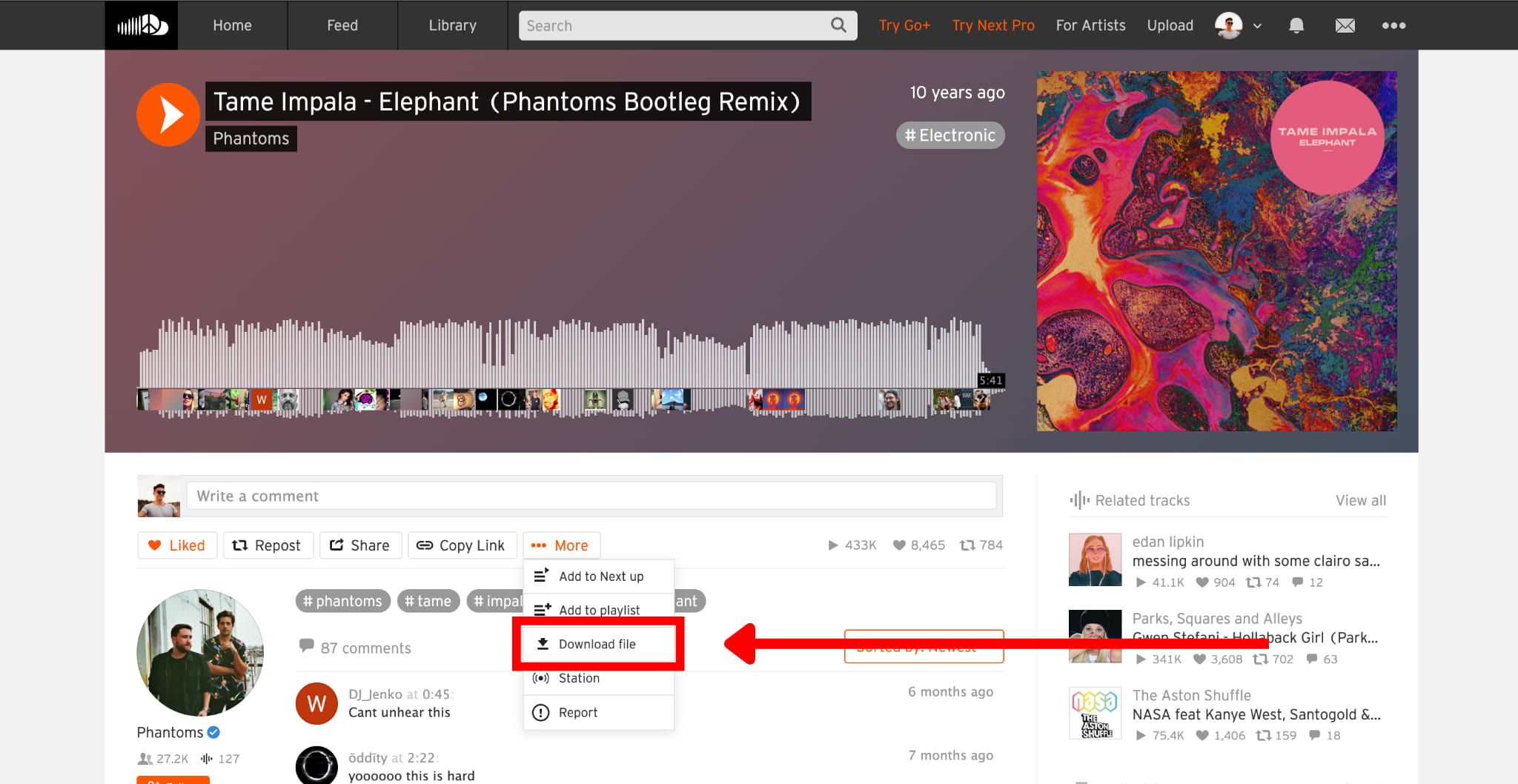
Find the track you want to download. Open the track's page and look for the "More" button, tap it.
If the uploader has enabled downloads, you will see a "Download file" option in the menu. Click it to save the file to your computer.
Afterward, open your computer's Downloads folder and locate the saved SoundCloud track. You can play the SoundCloud track offline with a compatible media player!
Way 2. Listen to SoundCloud Offline on Mobile with Go/Go+ Free Trial
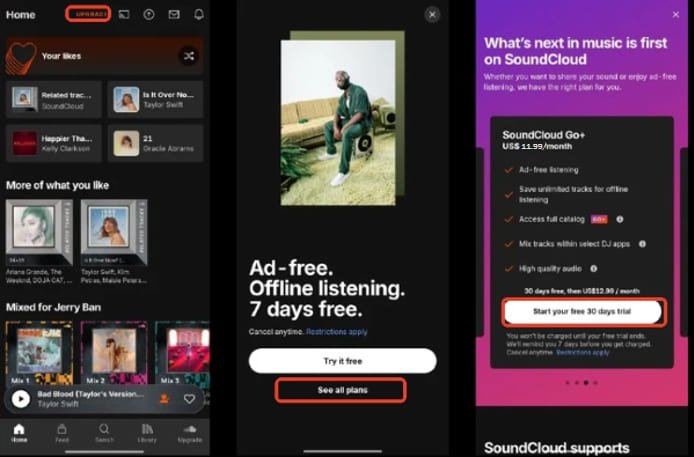
Definitely, as SoundCloud offers the download feature for its paid subscribers. If you are new to SoundCloud Go, or Go Plus, you can get a 7-day or 30-day free trial, and directly download any track, album, playlist, or podcast on your mobile devices, and then just listen to SoundCloud offline within the app!
Open SoundCloud app on your phone or visit its official subscription page in your mobile browser. Look for a Go or Go+ free trial offer, if available for your account.
Follow the prompts to activate your trial, and check the duration, payment terms, and renewal date before confirming.
Once your free trial or subscription is active, launch the SoundCloud app and log in to your account.
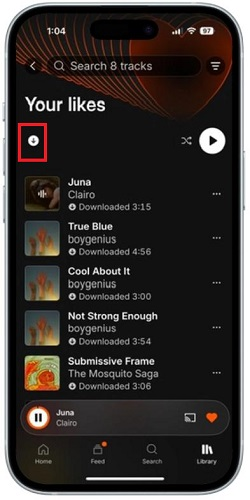
Find the tracks, playlists, or albums and tap the "Download" icon to save it for offline listening.
Then access your downloaded content offline from the Library section within the app.
Way 3. Listen to SoundCloud Offline on Any Device with Desktop Software
When using the official SoundCloud music download function, offline listening only works as long as your subscription or trial stays active, and the downloaded SoundCloud tracks remain tied to mobile devices and apps. For more flexible offline playback - keeping SoundCloud songs on different devices or playing them without the SoundCloud app, you need to ask help from third-party SoundCloud music downloader.
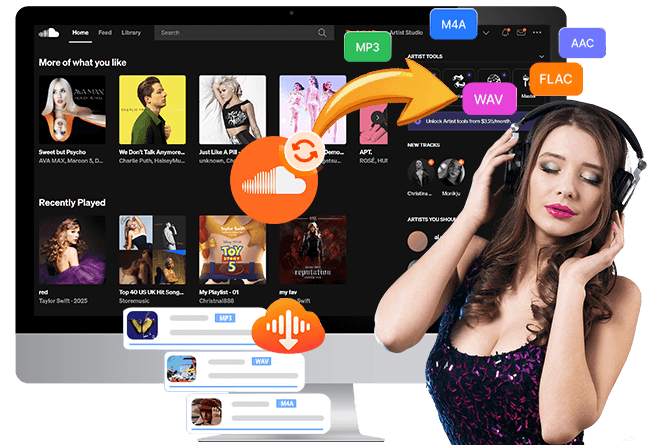
UkeySoft SoundCloud Music Converter is a desktop application for Windows and Mac that downloads SoundCloud songs, playlists, podcasts, and albums at 16X lightning speed! It works with any SoundCloud account, including free, Go, Go+, or trial! What's more, it provides a built-in SoundCloud web player, batch processing, and output options such as MP3, WAV, FLAC, M4A, AAC, and AIFF. Using it, all SoundCloud users can download and save SoundCloud music as MP3 320kbps audio files, which can be played a computer or transferred to a phone, USB drive, or other compatible device for offline playback.
More Features of UkeySoft SoundCloud Music Converter:
Download SoundCloud music with a Free, Go, or Go+ account.
Convert SoundCloud music to MP3, WAV, M4A, FLAC, AAC, AIFF.
Save SoundCloud music at up to 320kbps for premium listening.
Batch process multiple SoundCloud tracks, full playlists, and albums.
Remain ID3 tags like titles, artist details, album info, and cover artwork.
Process downloads at advertised speeds of up to 16X, saving much time.
Built-in Web Player, Music Player, Music Downloader, Music Manager.
You can watch this detailed video guide to learn how to use UkeySoft SoundCloud Music Converter to download SoundCloud music for free to listen to offline anywhere!
How to Download and Listen to SoundCloud Offline With Free Account
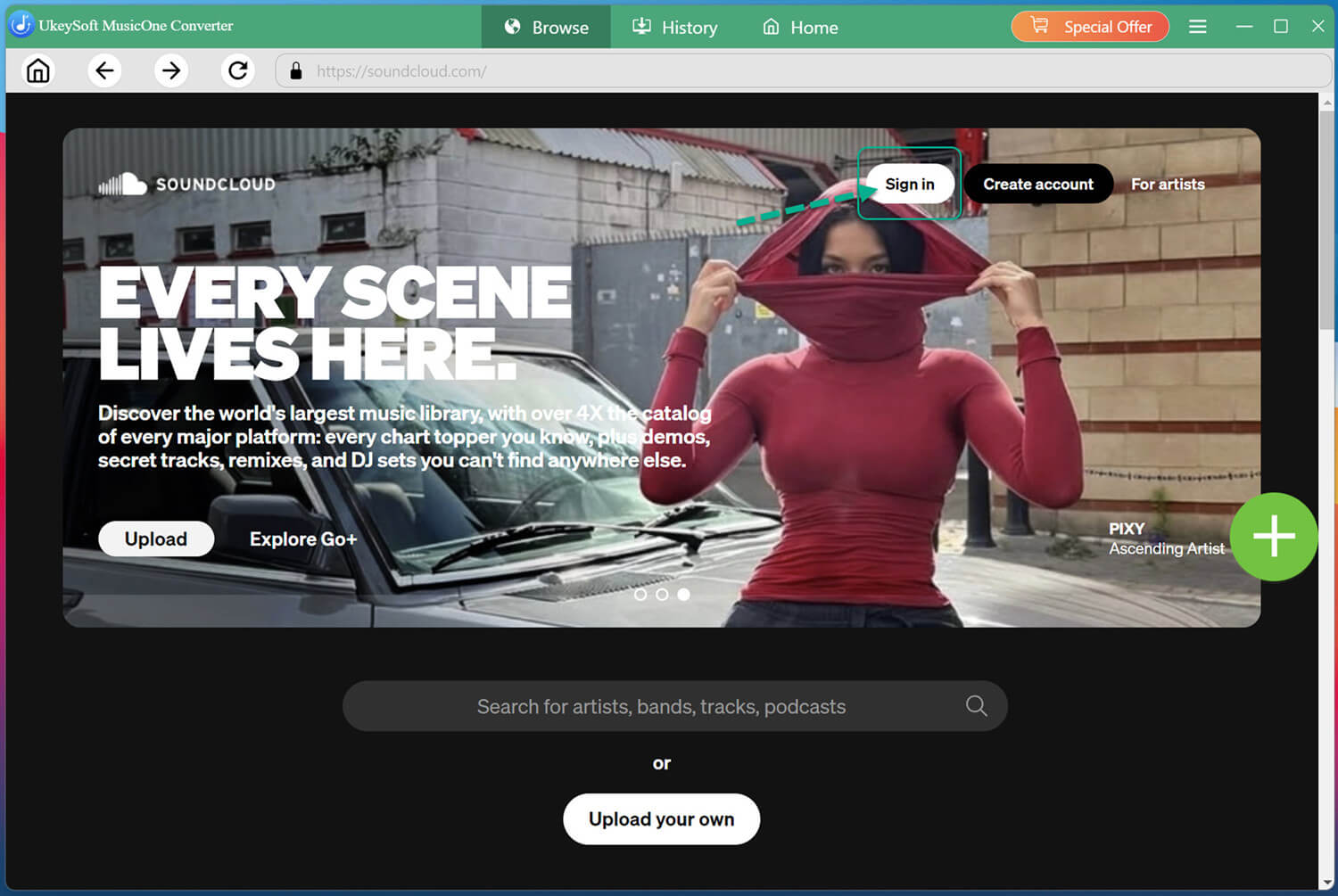
Sign In SoundCloud Free Account in UkeySoft
Install and launch UkeySoft SoundCloud Music Converter on your Mac or Windows PC, laptop. Then log into the built-in SoundCloud web player using your account credentials. You do not need a Go/Go+ subscription—a free account works perfectly .
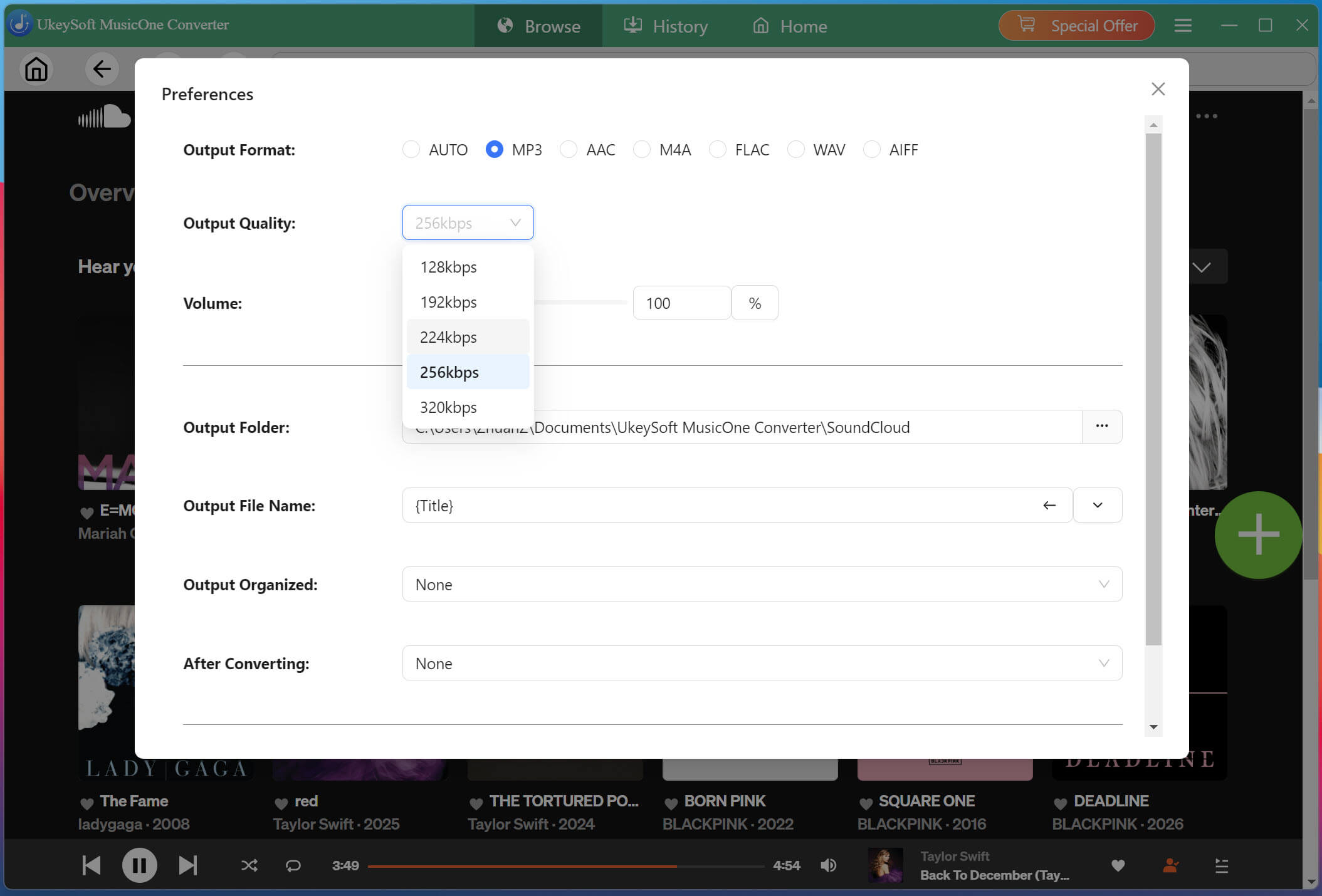
Define the Output Settings
Click Menu and select Preferences. Choose an output format such as MP3, WAV, FLAC, or other formats, then adjust the available audio quality to 320kbps, and modify destination folder and other settings to suit your needs.
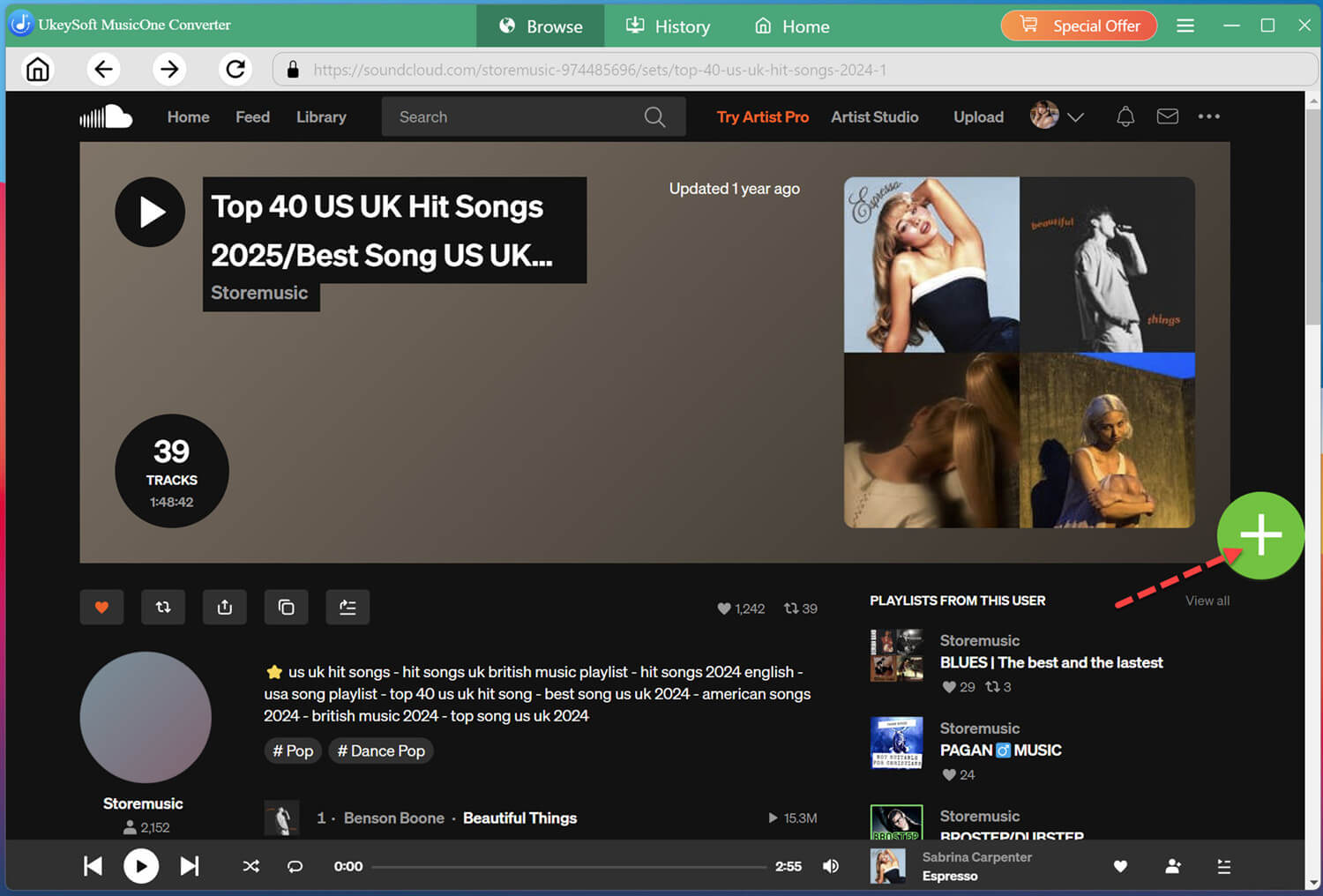
Open and Add Song/playlist/Album
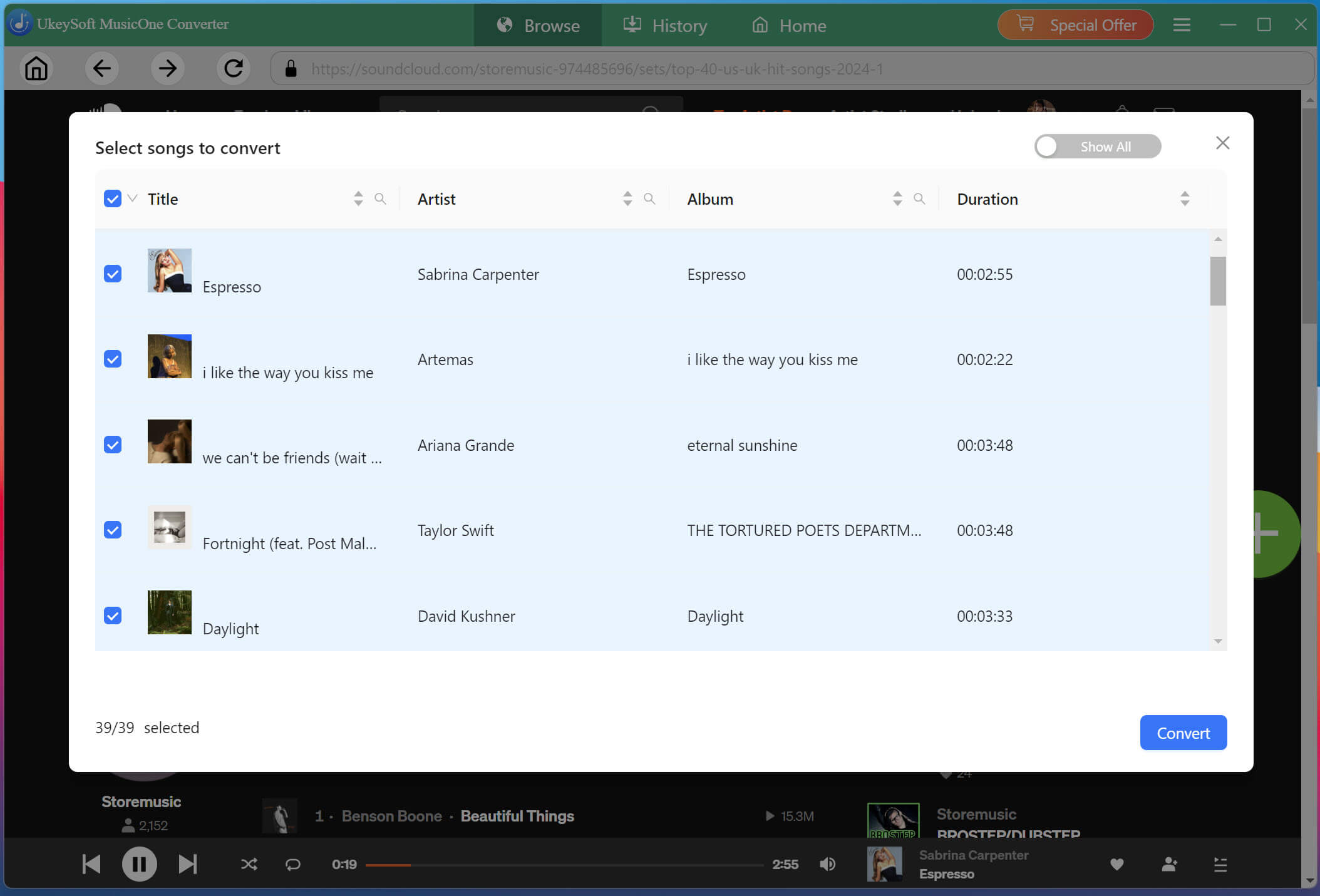
Search for a track or open a supported album or playlist. Browse the available content and click the "+" icon to add tracks to the conversion list.
By default, all tracks will be selected. Review the conversion list and uncheck any tracks you do not want to convert.
Start Converting SoundCloud Songs to MP3
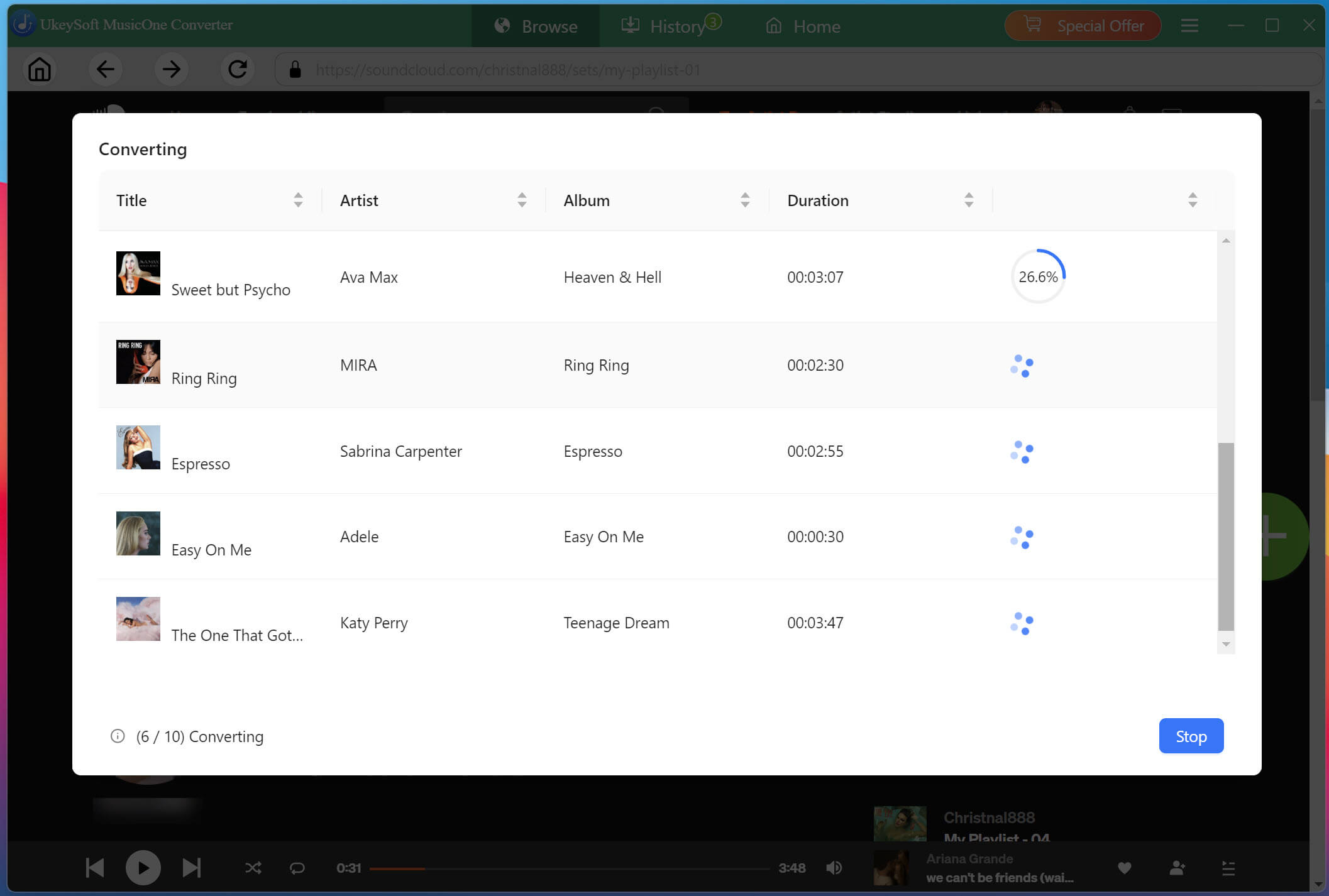
Hit on the "Convert" button to start converting SoundCloud songs to MP3 or other format you set. Processing time depends on the number of tracks, your network connection, and the chosen settings.
Listen to Downloaded SoundCloud Songs Offline
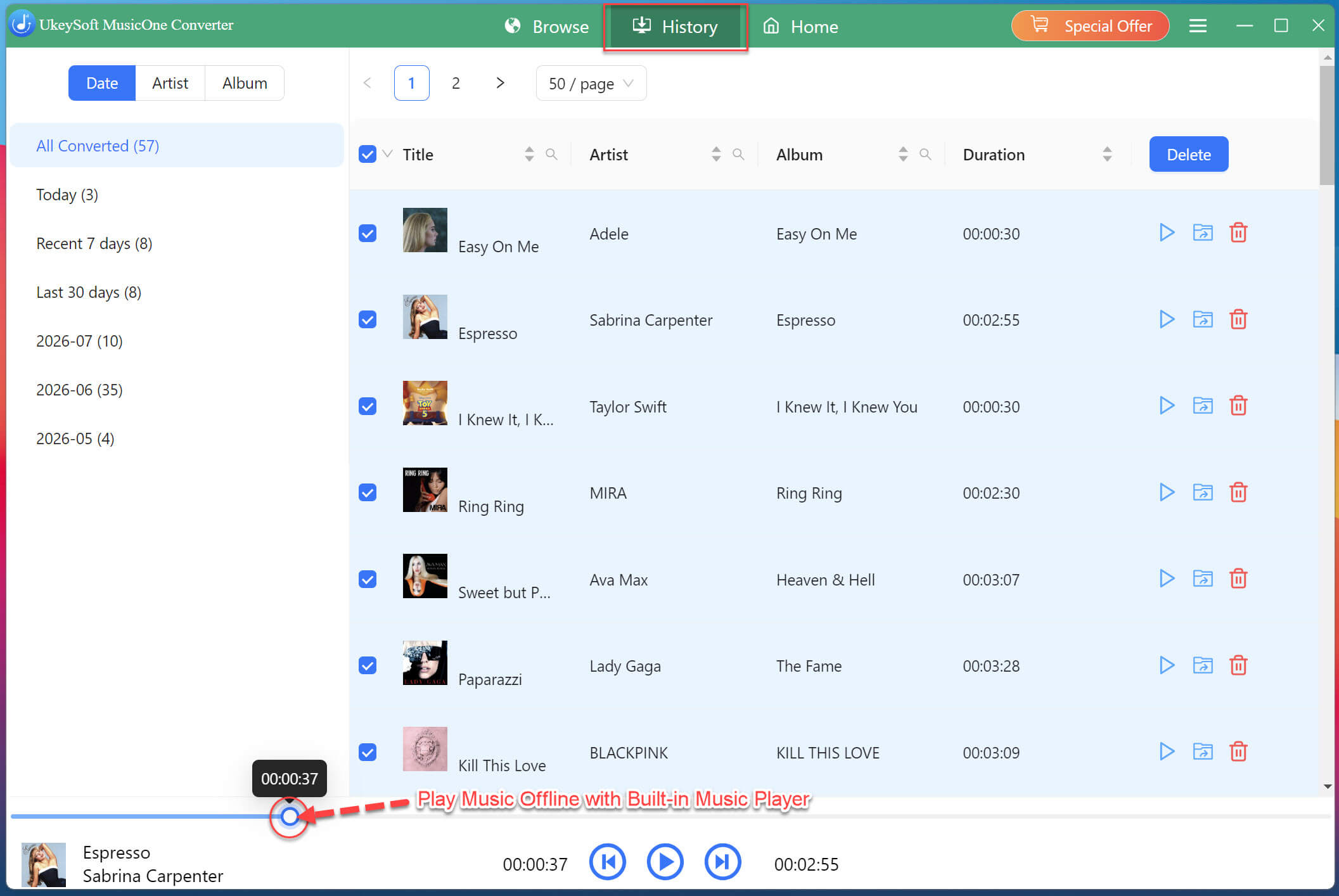
Wait for the task to finish and then turn to the "History" section to check your well downloaded SoundCloud songs. With the built-in music player, you can directly play these SoundCloud songs in the software!
Find Your Downloaded SoundCloud Songs
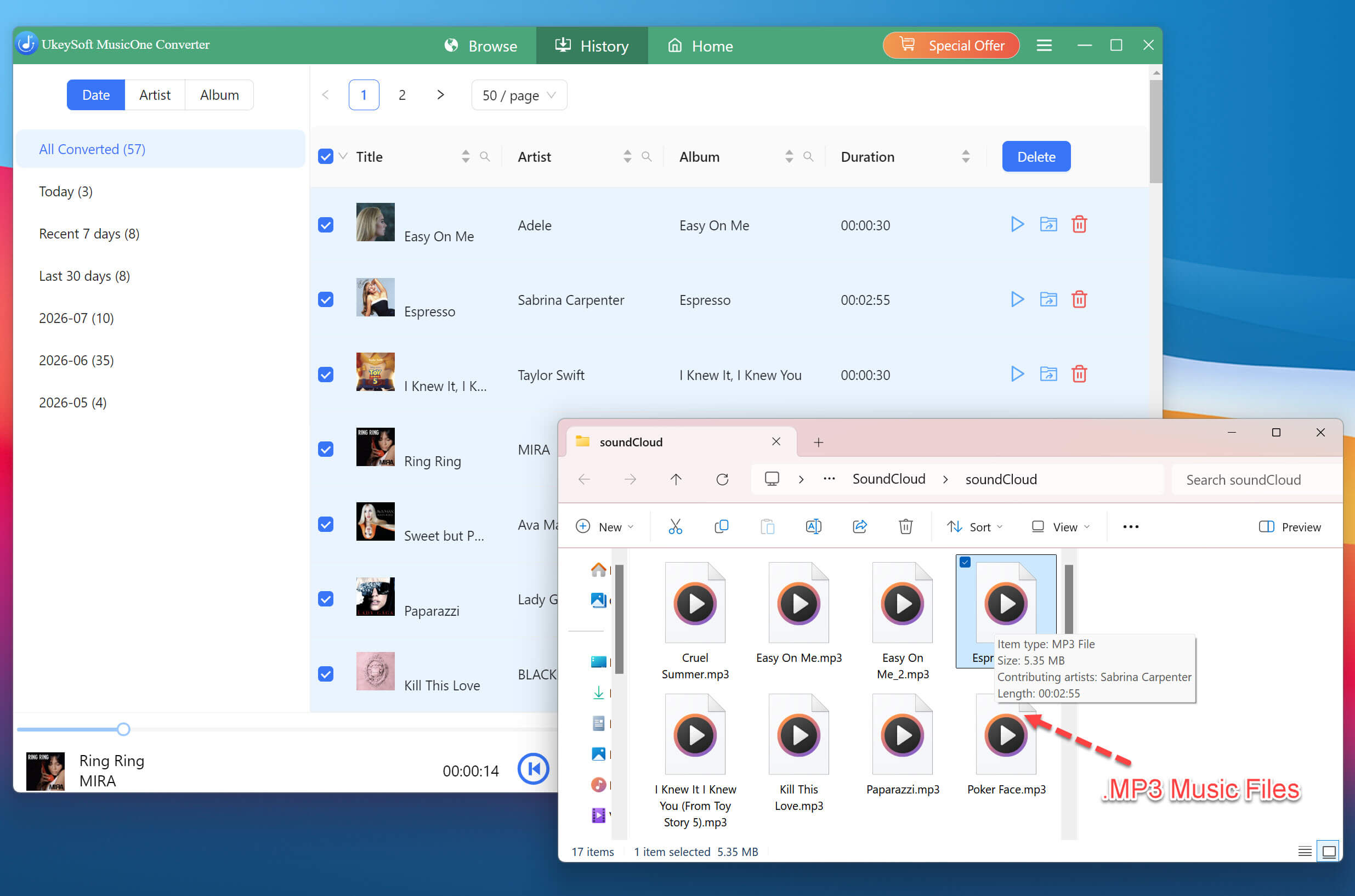
To locate the output SoundCloud music files, please click the "Blue Folder" icon next to the song title. You may also import and open these SoundCloud music files to other media players like iTunes, VLC, WMP, etc.
Way 4. Listen to SoundCloud Offline with Online Downloader Tool
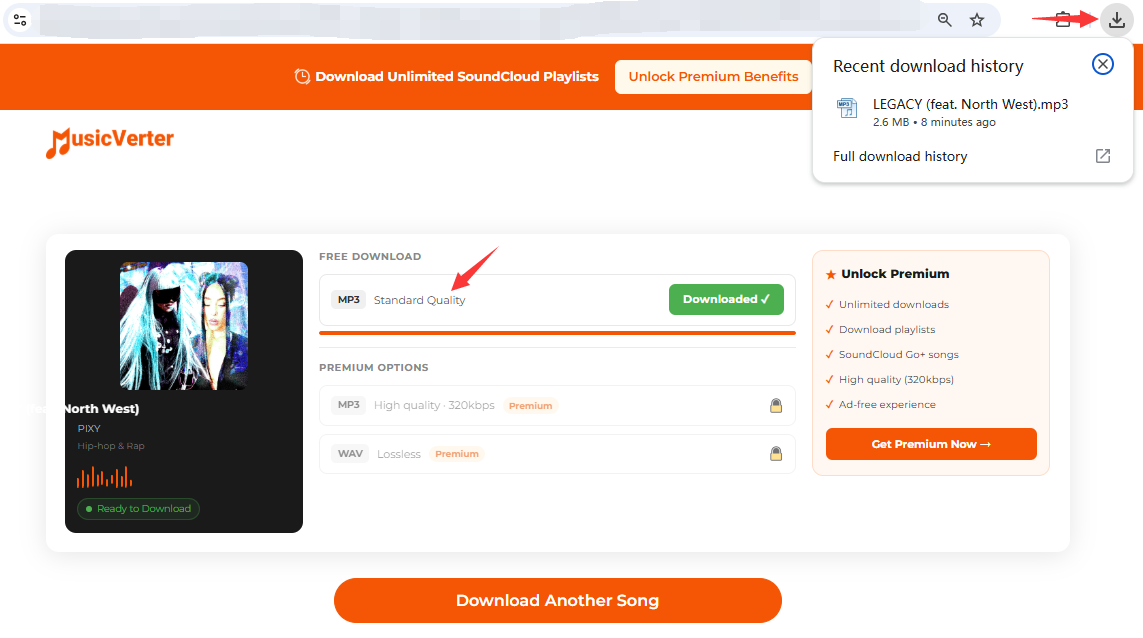
If you don't want to install desktop software, a free online SoundCloud downloader is another option. MusicVerter is available on the web that you can download SoundCloud songs on iPhone, Android, Mac and PC. This way, you can listen to SoundCloud offline without Premium.
The catch? The output quality and supported tracks can vary. However, if you only need individual SoundCloud tracks, an online SoundCloud downloader is a viable option. Let's see how it works:
Open the SoundCloud app or website and find the track you want to download.
Copy the track's URL from your browser or use the "Share" button in the app to copy the link.
Open your browser and navigate to MusicVerter (or other free online SoundCloud downloader).
Paste the SoundCloud URL into the input field and click "Download".
When finishes, you can locate the saved music file in your Downloads folder, and listen to it offline with local media players.
FAQs about Listening to SoundCloud Offline
Can I Listen to SoundCloud on the Plane?
Yes. If you have a Go/Go+ subscription, you can download tracks and playlists within the SoundCloud app before your flight, and they will be playable on a plane without an internet connection. For SoundCloud free users, you can use UkeySoft SoundCloud Music Converter to convert your SoundCloud music library into MP3 files on computer, then transfer them to your phone or tablet for offline listening during the flight.
How to Listen to SoundCloud Offline in a Car?
First, download and convert SoundCloud songs to MP3 files using a dekstop software - UkeySoft SoundCloud Music Converter, or online downloader. Then transfer them to a USB drive for offline listening in your car.
How to Fix SoundCloud Offline Listening Not Working?
If SoundCloud offline listening isn't working, check that your Go or Go+ subscription is active, the tracks have finished downloading, and you're signed in to the correct account. You can also update the app, free up storage, and briefly reconnect to the internet to refresh your downloads. If the issue persists, visit SoundCloud's official help center.
Conclusion
After exploring the methods above, you now know how to listen to SoundCloud offline on PC, Mac, iPhone, Android, and more devices. For the best offline listening experience and unlimited downloads of any track, UkeySoft SoundCloud Music Converter is the best solution. It helps you download and convert SoundCloud music to 320kbps MP3 files for permanent and flexible offline playback. Thus you can easily enjoy SoundCloud offline on a plane, in your car, on a smart speaker, game conclusion, or anywhere else without a subscription!
Justin Sabrina has always had great enthusiasm for writing, programming and web development. He likes writing about software and technology, his works are featured on some tech blogs or forums like Tom's Hardware, CNET, etc.
 English
 Arabic
 Chinese (Simplified)
 Chinese (Traditional)
 Croatian
 Czech
Czech Danish
 Dutch
Dutch Estonian
 Finnish
 French
 German
 Greek
Greek Hebrew
 Hindi
Hindi Hungarian
 Indonesian
 Italian
 Japanese
 Kazakh
 Korean
 Malay
Malay Norwegian
 Polish
 Portuguese
 Romanian
 Russian
 Slovenian
 Spanish
 Swedish
 Thai
Thai Turkish
 Ukrainian
 Vietnamese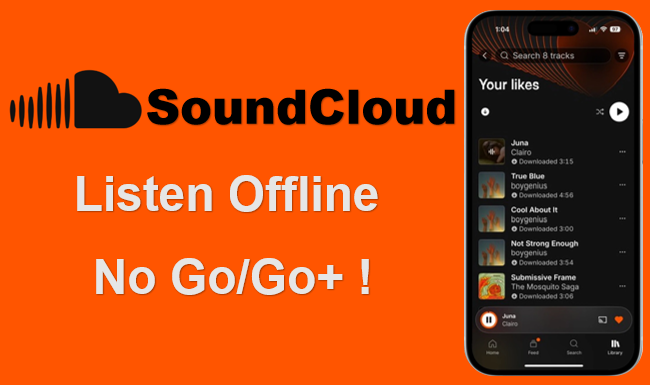








Comments are off!