To download full playlists and albums from SoundCloud with a Free account, you have two options. Online SoundCloud downloaders are free but deliver low-quality 128kbps audio and often fail on larger playlists.
For reliable, high-quality results, UkeySoft SoundCloud Music Converter works with a free account, downloads full playlists and albums in batch, and outputs MP3 files at up to 320kbps.
SoundCloud offers offline downloads for Go and Go Plus subscribers on its mobile app. Thus, paid subscribers can download SoundCloud playlists, albums, and tracks to listen to offline. However, if you are using a SoundCloud free account, you can only stream SoundCloud music online with Wi-Fi connection or cell data. So, how to download a SoundCloud playlist for free? Is it able to download and entire SoundCloud album with a Free account?
Keep reading. In this article, we will guide you how to free download playlist/album from SoundCloud without a subscription. You can utilize a third-party SoundCloud playlist downloader, or online SoundCloud downloader to achieve it! Let's get started!
Way 1. Free Download SoundCloud Playlists/Albums with Desktop Software
When it comes to downloading full playlists and albums from SoundCloud with a Free account, a professional desktop software is the most reliable solution. UkeySoft SoundCloud Music Converter is a professional application for Windows and Mac that lets you download SoundCloud songs, playlists, albums, and even podcasts as MP3, M4A, AAC, FLAC, WAV, or AIFF files. It supports SoundCloud Free, Go, and Go+ accounts, allowing users to browse available music, select multiple tracks, and save music content with just one click. You can choose MP3 at up to 320kbps, or lossless WAV/FLAC output to ensure the best offline listening experience!
Outstanding Features of UkeySoft SoundCloud Music Converter:
Download SoundCloud songs, playlists, albums, podcasts to PC, Mac.
Download SoundCloud music to MP3, WAV, FLAC, AAC, M4A, AIFF.
Up to MP3 320kbps or WAV/FLAC for lossless audio quality.
Maintains all ID3 metadata for organized music libraries.
Download entire SoundCloud playlists and albums with one click.
Up to 16X ultra-fast speed to download playlists in minutes.
Built-in Web Player to bowse & search content directly within the software.
Works with SoundCloud Free and supported subscription content.
Built-in music player, music manager to enhance experience.
Detailed Steps to Download SoundCloud Playlists to MP3 320kbps
Log In to SoundCloud in UkeySoft
Download and launch UkeySoft SoundCloud Music Converter on your computer, and sign in to your SoundCloud free/paid account through the built-in web player.
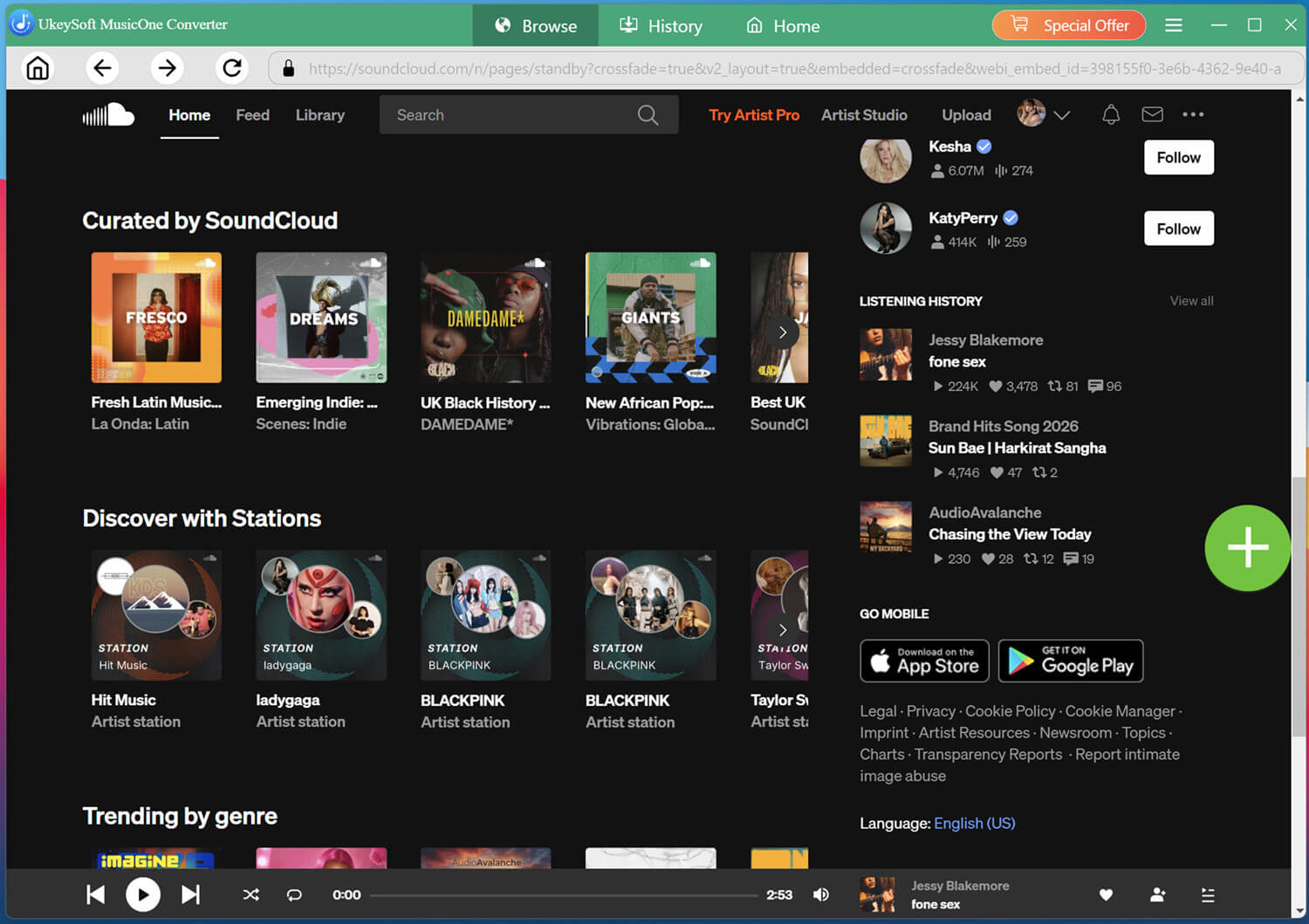
You can then browse your Library, playlists, albums, and other available SoundCloud content.
Choose Output Settings
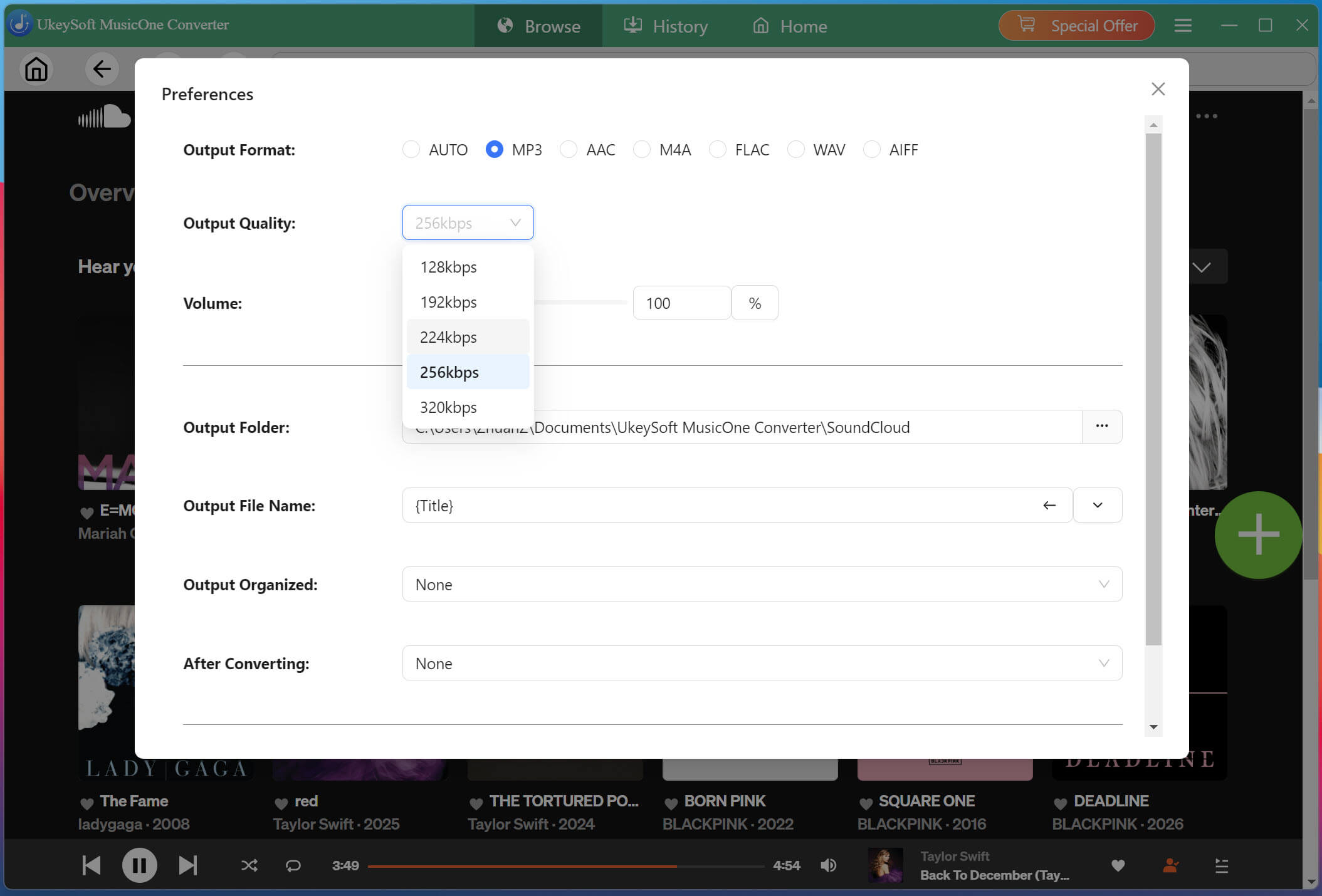
Click the Menu icon (three lines) in the upper right corner, then select "Preferences." Choose your desired output format (MP3, WAV, FLAC, etc.) and set the output quality to 320kbps for optimal quality. You can also customize the output folder and file naming conventions.
Browse and Add a Playlist
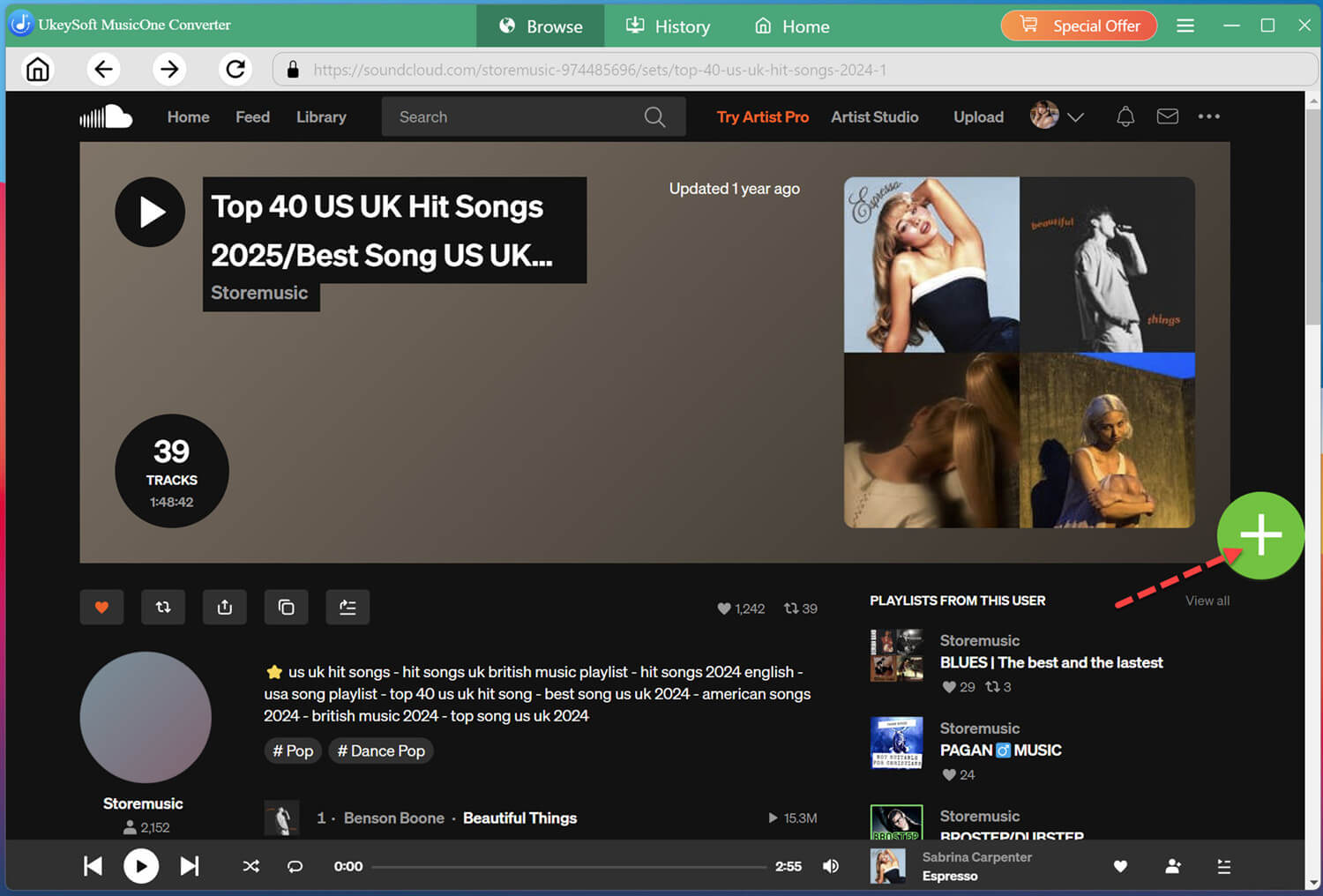
Within the built-in SoundCloud web player, search for the playlist you want to download, and open it directly. Click the "+" icon on the right side of the interface.
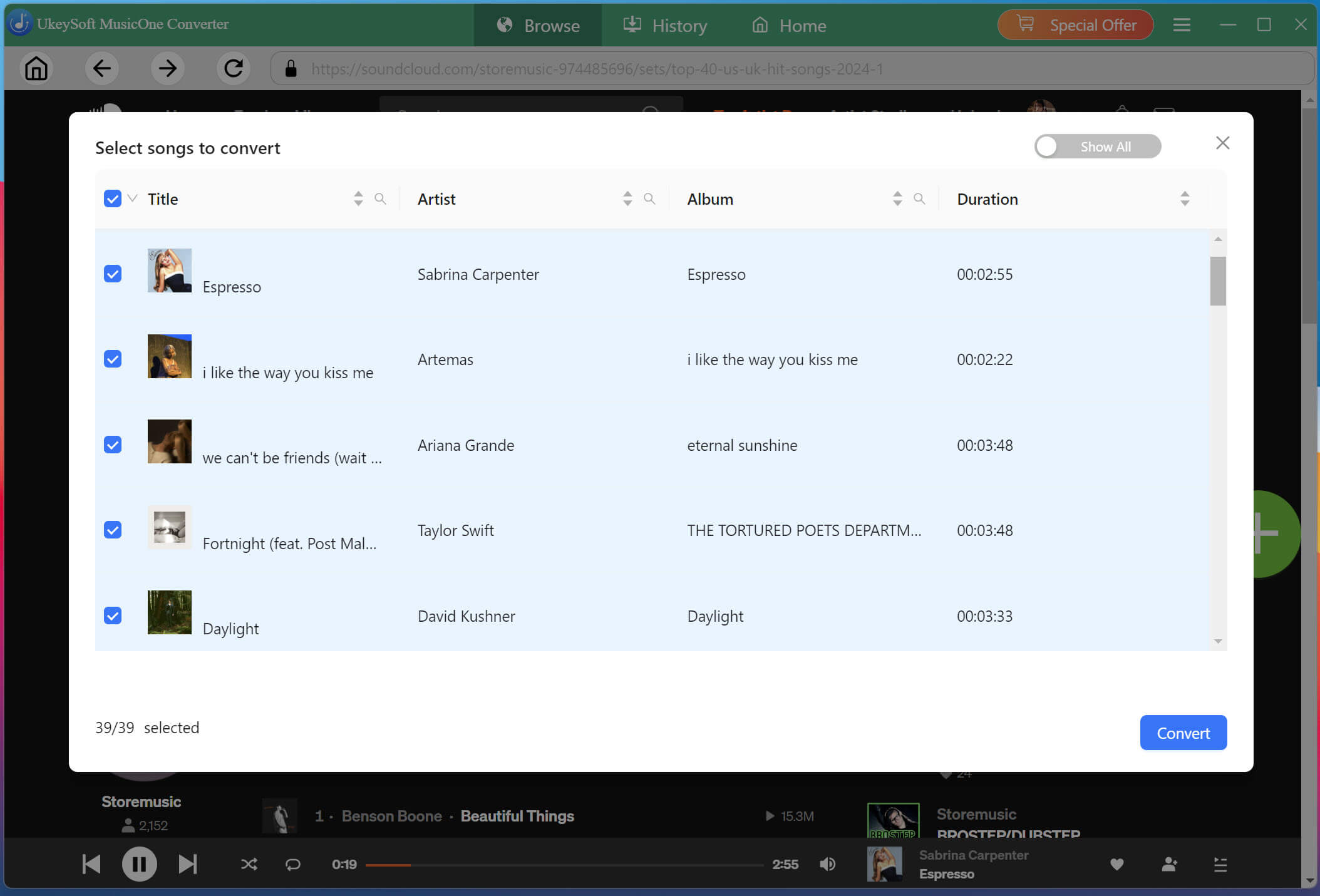
After adding the playlist, UkeySoft will display all contained tracks. Review the list and deselect any songs you do not wish to download.
Start Downloading SoundCloud Playlist to MP3
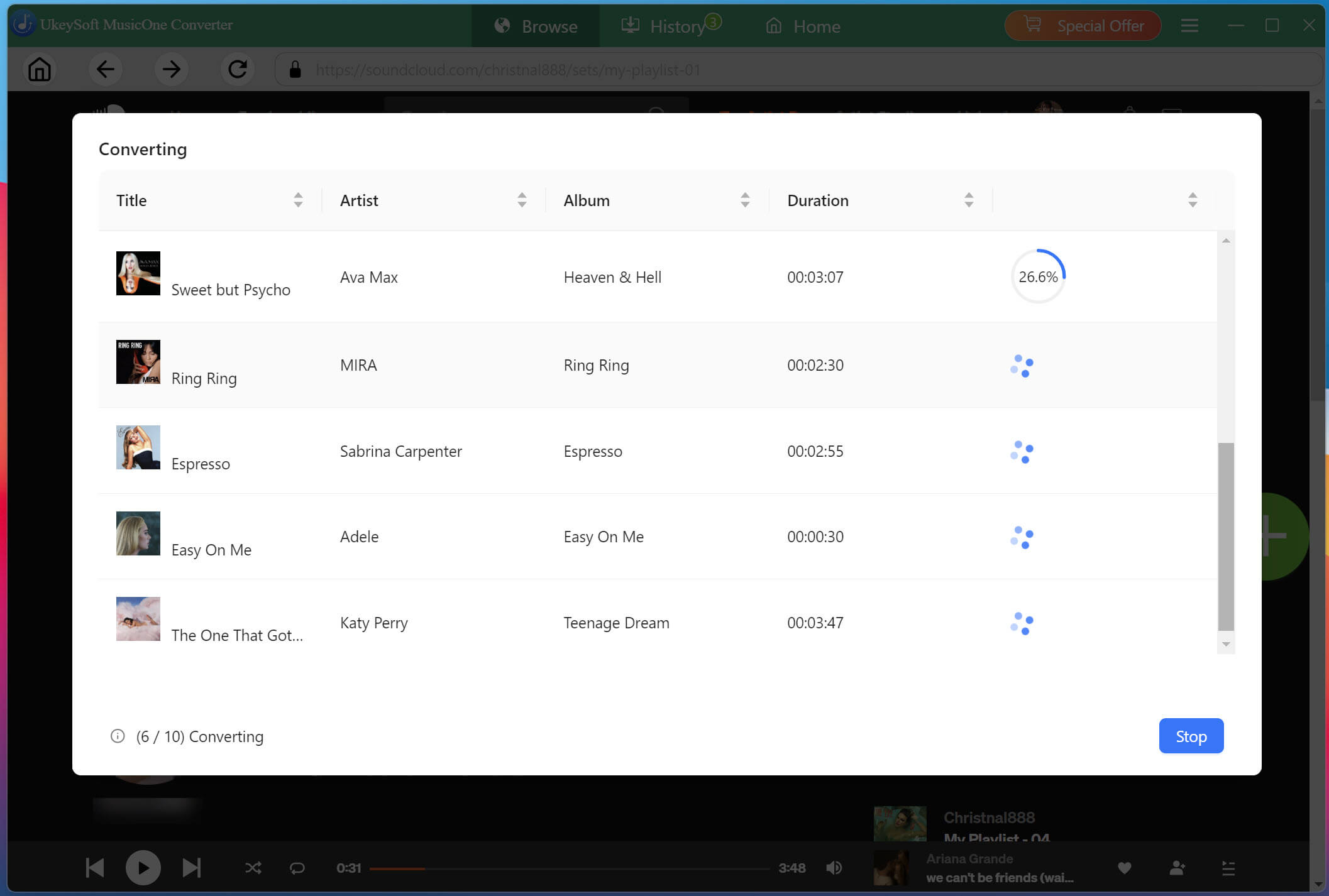
Click the "Convert" button to start the conversion. UkeySoft will process all selected tracks in the background with lossless audio quality kept. Thanks to the 16X conversion technology, even large playlists are processed quickly.
Find Your Downloaded SoundCloud Songs
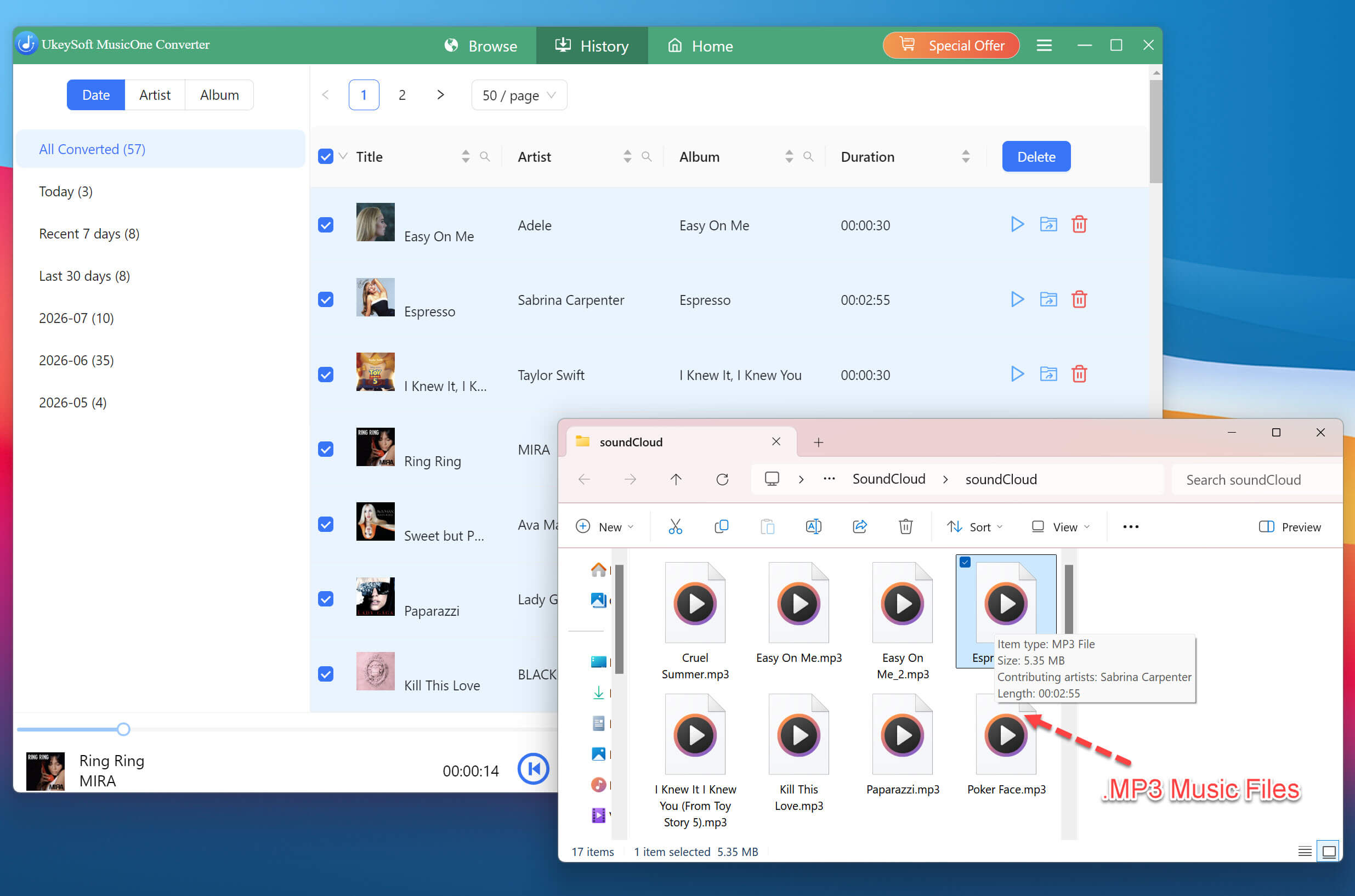
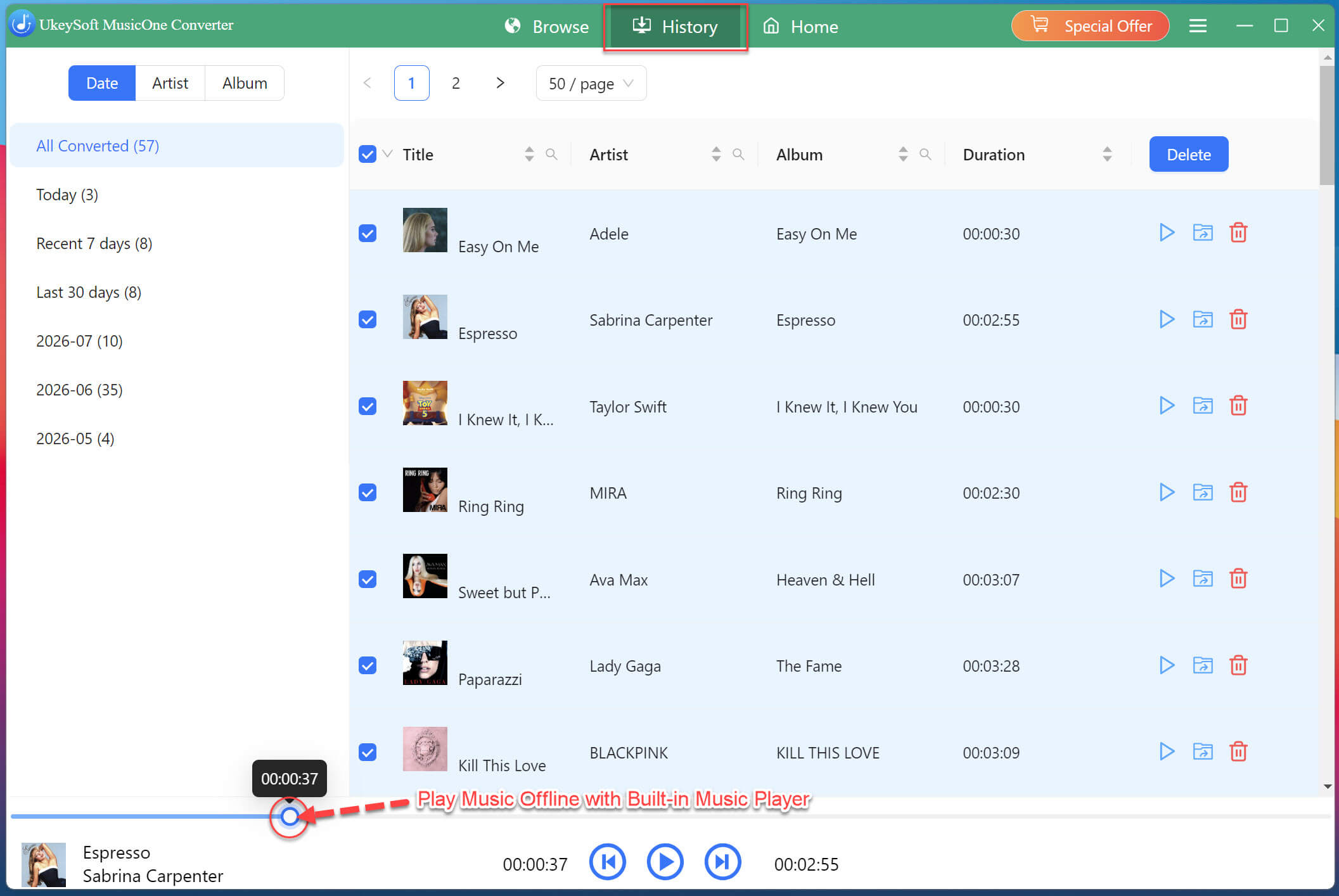
When the conversion finishes, open the "History" section or your selected output folder. Your SoundCloud playlist will be saved as separate local audio files that you can organize or transfer to compatible devices.
Also, you can use UkeySoft's built-in music player to enjoy your newly downloaded SoundCloud music files within the software.
✅ Pros
● Works with any SoundCloud account, including free ones.
● Downloads entire SoundCloud playlists and albums in one batch.
● High-quality MP3 320kbps output and lossless format options.
● Retains ID3 tags and metadata for easy library management.
● Fast conversion speeds and clean, ad-free experience.
❌ Cons
● Paid software (free trial available with limitations—only first 3 minutes of each song).
● Requires installation on Windows or Mac.
● No mobile or Linux version, so you need to transfer the downloaded files to it.
Way 2. Free Download a SoundCloud Playlist/Album with Online Tool
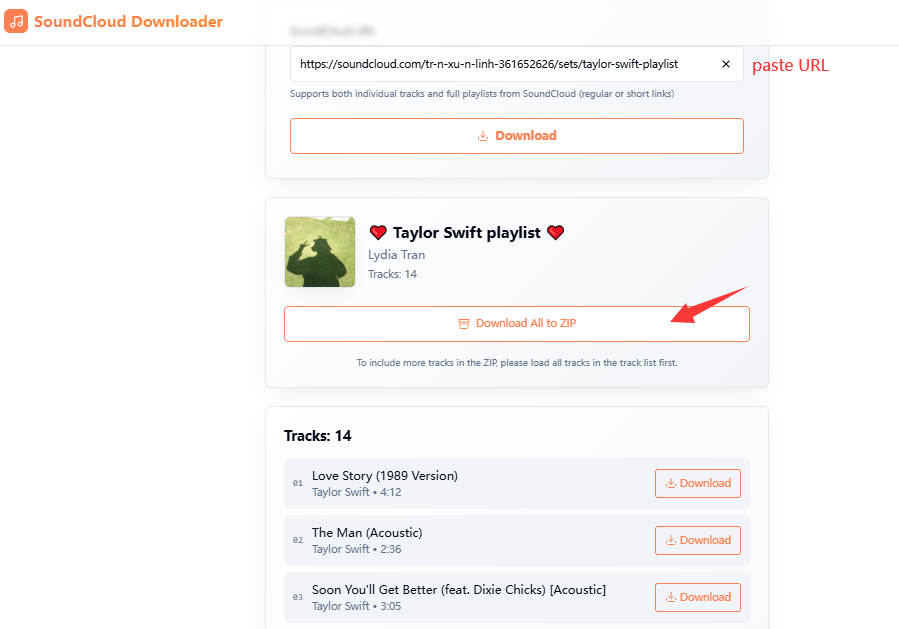
If you don't want to install software, an online SoundCloud downloader may be more convenient. ScloudSave is a browser-based option that supports full downloads of small playlists, albums, or individual tracks and delivers them as a ZIP file for free.
However, online services have some limitations. Audio quality is typically capped at 128kbps, which is lower than what desktop software may offer. The service can also be unstable, especially with larger playlists, and failed downloads may require several retries.
Step 1. Open SoundCloud in your browser and navigate to the playlist or album you want to download.
Step 2. Copy the playlist's URL from the address bar, or use the Share button to copy the link.
Step 3. Visit the ScloudSave website in a browser and paste the playlist URL into the field.
Step 4. Scroll download to locate all tracks in the playlist/album, then hit on "Download All to ZIP" button.
Step 5. Once processing completes, extract the ZIP file on your computer to access the individual MP3 files.
✅ Pros
● Free to use.
● No software installation required.
● Works on any device with a browser.
● Can download small playlists as a single ZIP file.
❌ Cons
● Output quality limited to 128kbps.
● Unstable performance with a low success rate for larger playlists.
● Heavy advertising and pop-ups on many sites.
● Cannot handle very large playlists reliably.
Final Verdict
The most straightforward way to download SoundCloud playlists and albums is through Go or Go+, but those official downloads only play within the SoundCloud mobile app - and they all disappear when you cancel your subscription. If your goal is to keep playlists and albums on your computer for permanent offline listening or flexible playback across any device, a reliable third-party tool like UkeySoft SoundCloud Music Converter is what you need. It works with a free account, downloads full playlists and albums in batch, and outputs high-quality MP3 files with metadata intact. Start with the free trial and try it yourself.
Justin Sabrina has always had great enthusiasm for writing, programming and web development. He likes writing about software and technology, his works are featured on some tech blogs or forums like Tom's Hardware, CNET, etc.
 English
 Arabic
 Chinese (Simplified)
 Chinese (Traditional)
 Croatian
 Czech
Czech Danish
 Dutch
Dutch Estonian
 Finnish
 French
 German
 Greek
Greek Hebrew
 Hindi
Hindi Hungarian
 Indonesian
 Italian
 Japanese
 Kazakh
 Korean
 Malay
Malay Norwegian
 Polish
 Portuguese
 Romanian
 Russian
 Slovenian
 Spanish
 Swedish
 Thai
Thai Turkish
 Ukrainian
 Vietnamese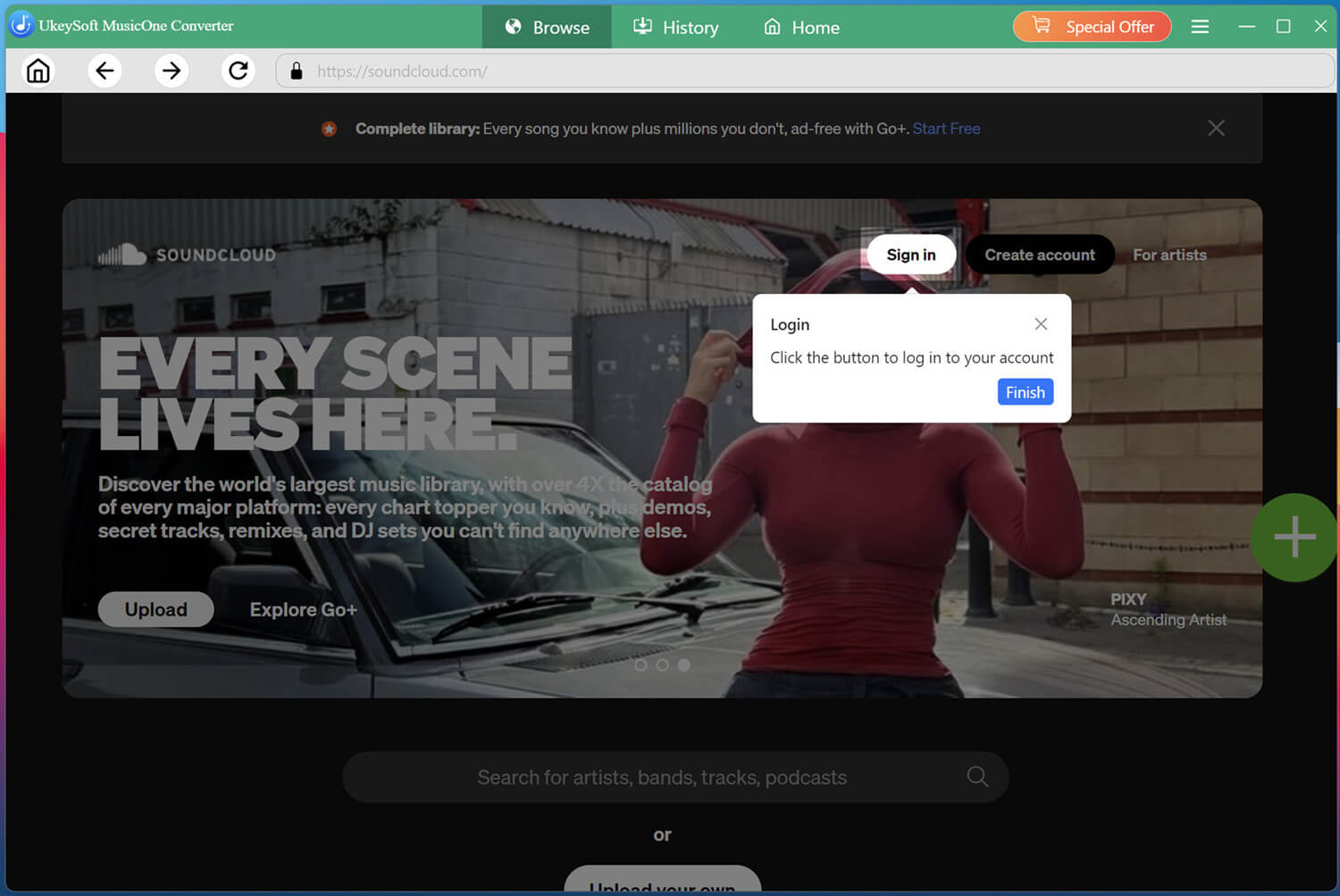








Comments are off!