You can stream SoundCloud music in your car using Bluetooth, Apple CarPlay, Android Auto, an FM transmitter, or an AUX cable with an internet connection. To play SoundCloud music in your car offline, you can using a tool like UkeySoft SoundCloud Music Converter to convert SoundCloud music to MP3 files, then transfer them to a USB drive or burn them to a CD for offline playback.
Whether you're commuting to work or setting off on a road trip, listening to your favorite music can make every drive more enjoyable. For SoundCloud users, syncing your music library and playing SoundCloud music in the car has become a skill to grasp.
Fortunately, there are several ways to listen to SoundCloud music in your car, whether you prefer wireless streaming or offline playback without mobile data. You can connect your phone through Bluetooth, Apple CarPlay, or Android Auto, or use a USB drive, FM transmitter, auxiliary cable, or traditional CD players. Let's get started!
Way 1. Play SoundCloud Music in Car with Bluetooth
Bluetooth is one of the easiest ways to stream SoundCloud music in your car without installing additional software. It works with most modern car stereos and lets you control playback from your phone. However, unstable mobile connections can interrupt playback, and advertisements may disrupt your favorite tracks when you're using a free account.
Step 1. Turn on your car's Bluetooth and set it to pairing mode.
Step 2. Enable Bluetooth on your smartphone and search for available devices.
Step 3. Select your car's Bluetooth name from the list and confirm the pairing code if prompted.
Step 4. Open the SoundCloud app on your phone and select a track or playlist to play.
Step 5. The SoundCloud music should play through your car's speaker. You can use your car's stereo controls or voice commands to skip tracks or adjust volume.
Way 2. Play SoundCloud Music in Car Offline with USB Drive
If you want to truly play SoundCloud music in a car offline - without relying on cellular data or worrying about ads, you need to download or convert SoundCloud music to MP3 files and transfer them to a USB drive. The problem is that SoundCloud's official offline downloads are DRM-protected and locked inside the app. You cannot transfer them to a USB drive, play them in another app, or use them on a different device. In such case, you need to use a third-party SoundCloud to MP3 downloader or converter tool.
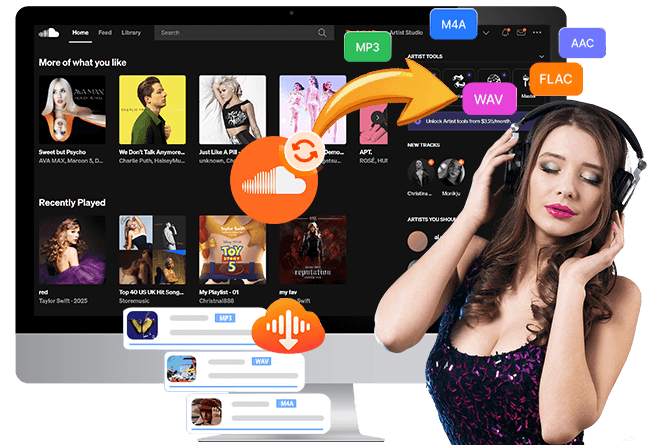
UkeySoft SoundCloud Music Converter provides a powerful music download function to help SoundCloud free and paid users to export SoundCloud music as local audio files. It offers a built-in SoundCloud player, batch processing, and output options such as MP3, WAV, FLAC, M4A, AAC, and AIFF. With it, you can easily download and convert SoundCloud tracks, albums, playlists, and podcasts to MP3 at 320kbps high quality with ID3 tags and metadata kept. Once you have compatible MP3 audio files, you can transfer them to a USB drive and play them on supported car stereos (including older car models), smart speakers, smart TVs, game consoles, etc.
Key Features of UkeySoft SoundCloud Music Converter
Built-in SoundCloud web player for seamless browsing.
Download SoundCloud songs, playlists, albums, artists.
Convert SoundCloud music to MP3, WAV, FLAC, M4A, AAC, AIFF.
Customizable output: 640kbps AAC/M4A or 320kbps MP3.
Preserves ID3 tags like title, artist, album, and cover info.
Supports batch download SoundCloud playlists and albums.
16X faster conversion speed for batch processing.
Transfer SoundCloud music any device, player, app.
Compatible with both Windows and Mac computers.
How to Play SoundCloud Music in Car from USB Drive Offline?
Open UkeySoft SoundCloud Music Converter
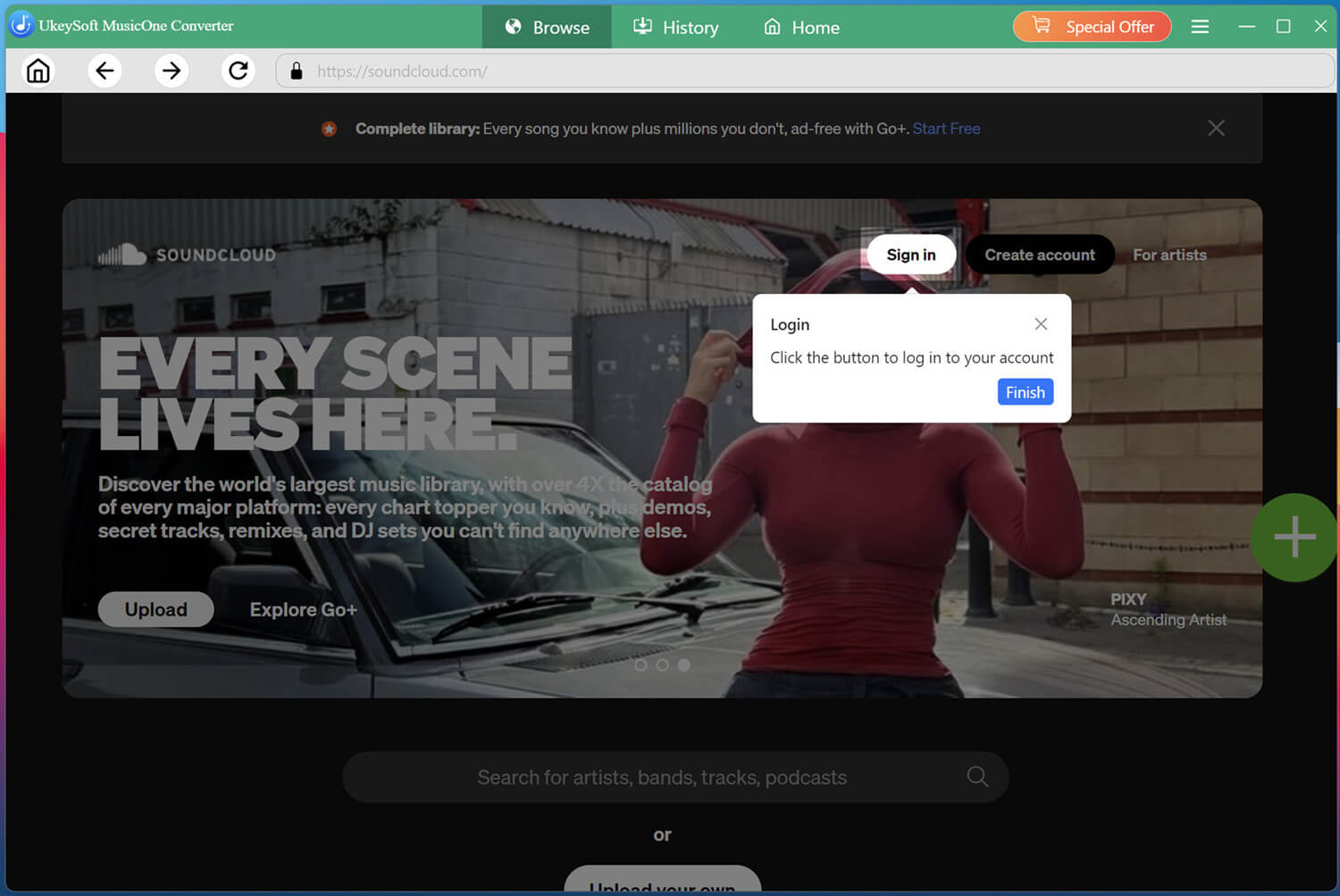
Download and install UkeySoft SoundCloud Music Converter on your Windows PC or Mac. Launch the program, select SoundCloud from the available services, and enter its built-in web player.
Log in to your SoundCloud free account through the built-in web player. Once signed in, you can access your preferred tracks, playlists, and albums and prepare them for conversion.
Set Output Settings
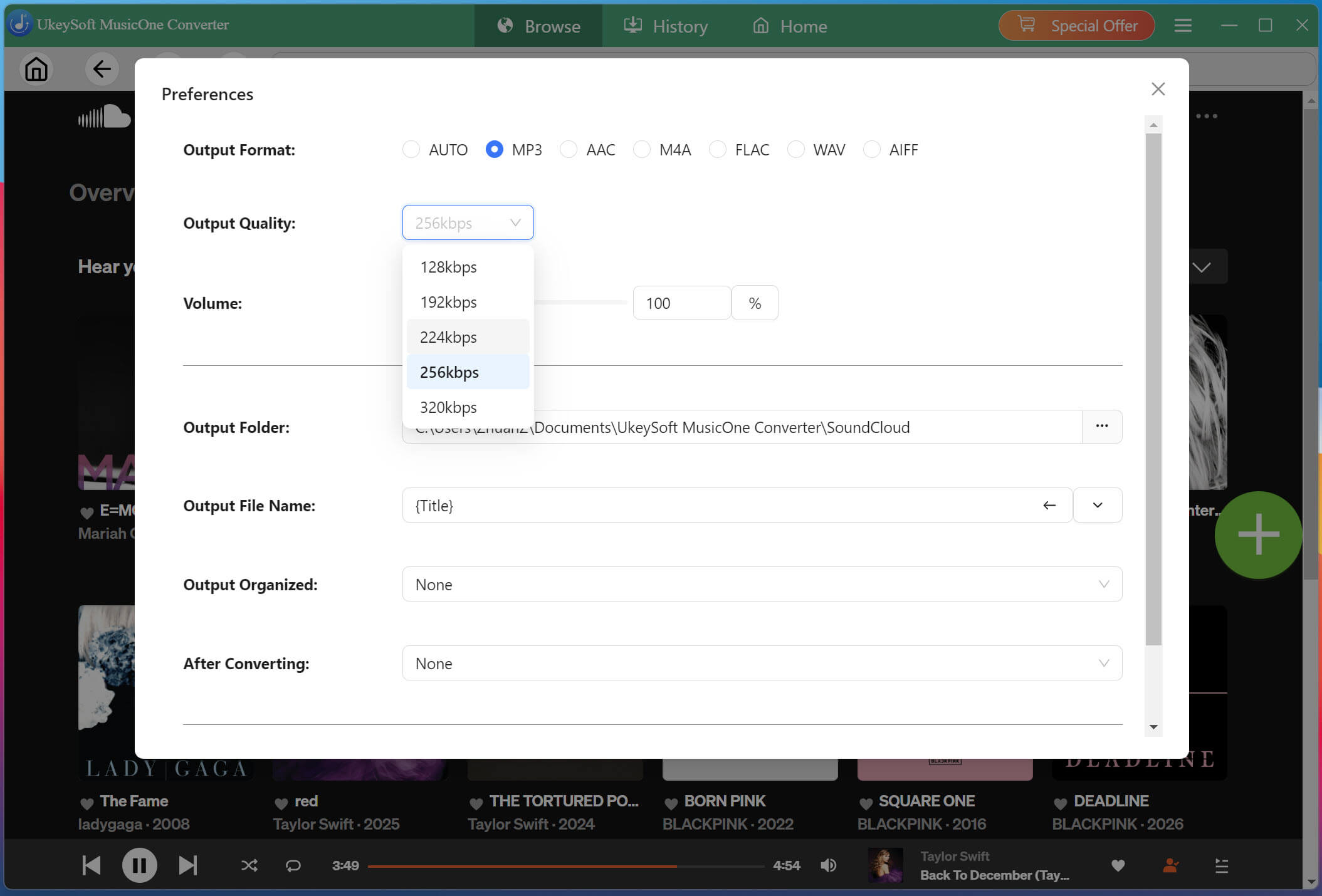
Click "Menu" and choose "Preferences" to configure the default output settings before downloading. Here, MP3 at 320 kbps and 44.1 kHz is a practical choice.
Search and Add SoundCloud Songs
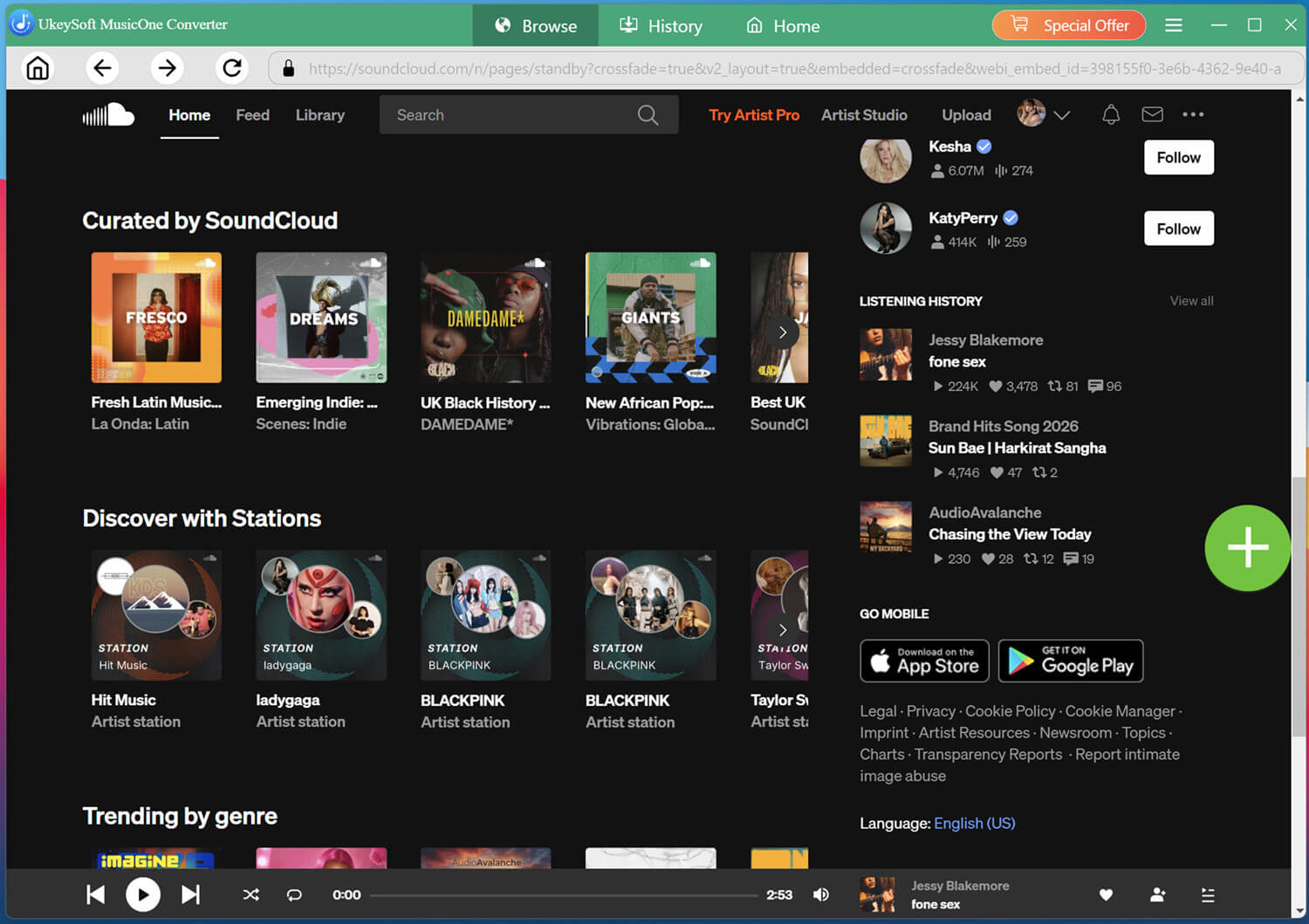
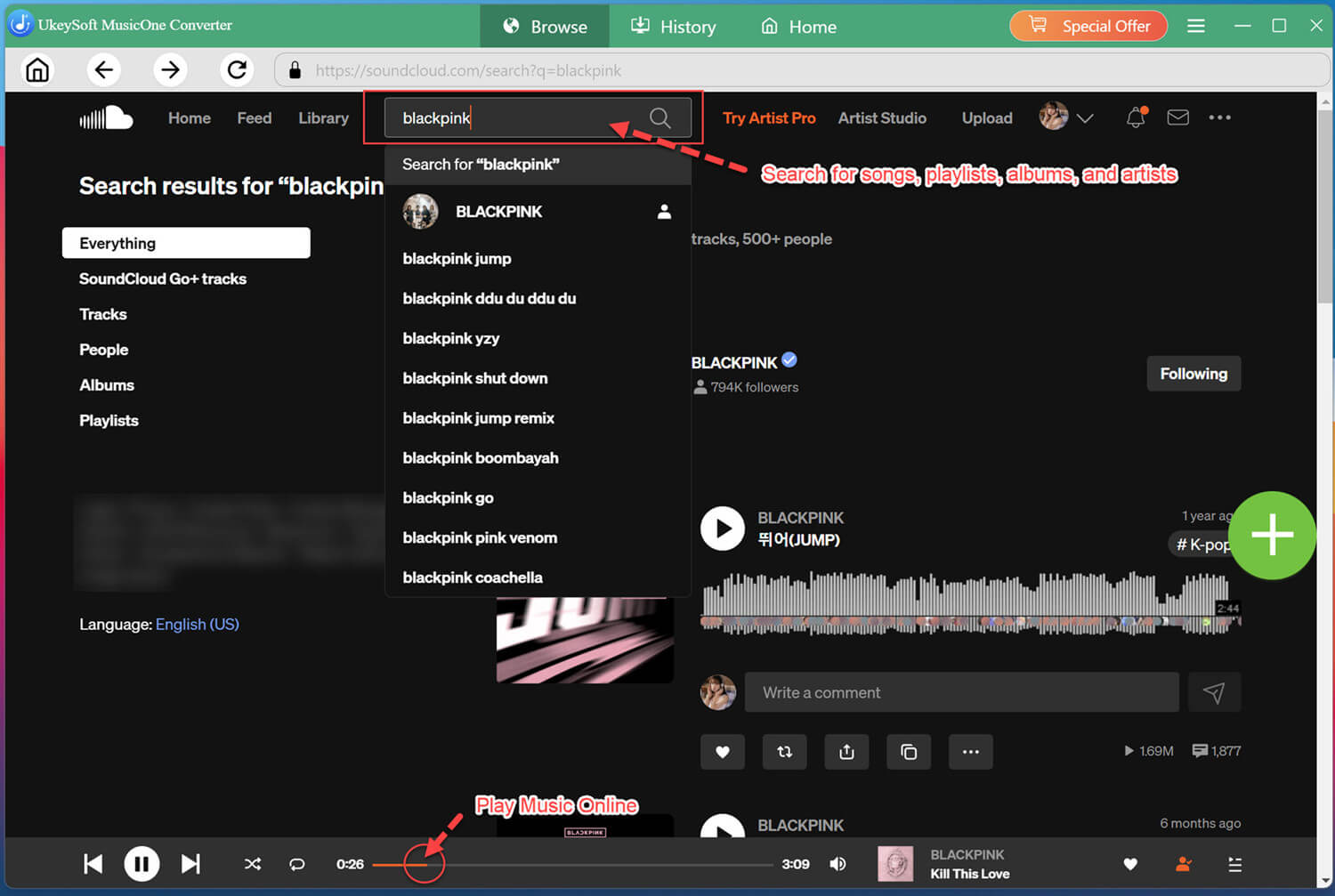
You can search using keywords or names, which makes locating specific SoundCloud content more convenient. For playlists or albums, simply open the relevant page and add the collection to your conversion list.
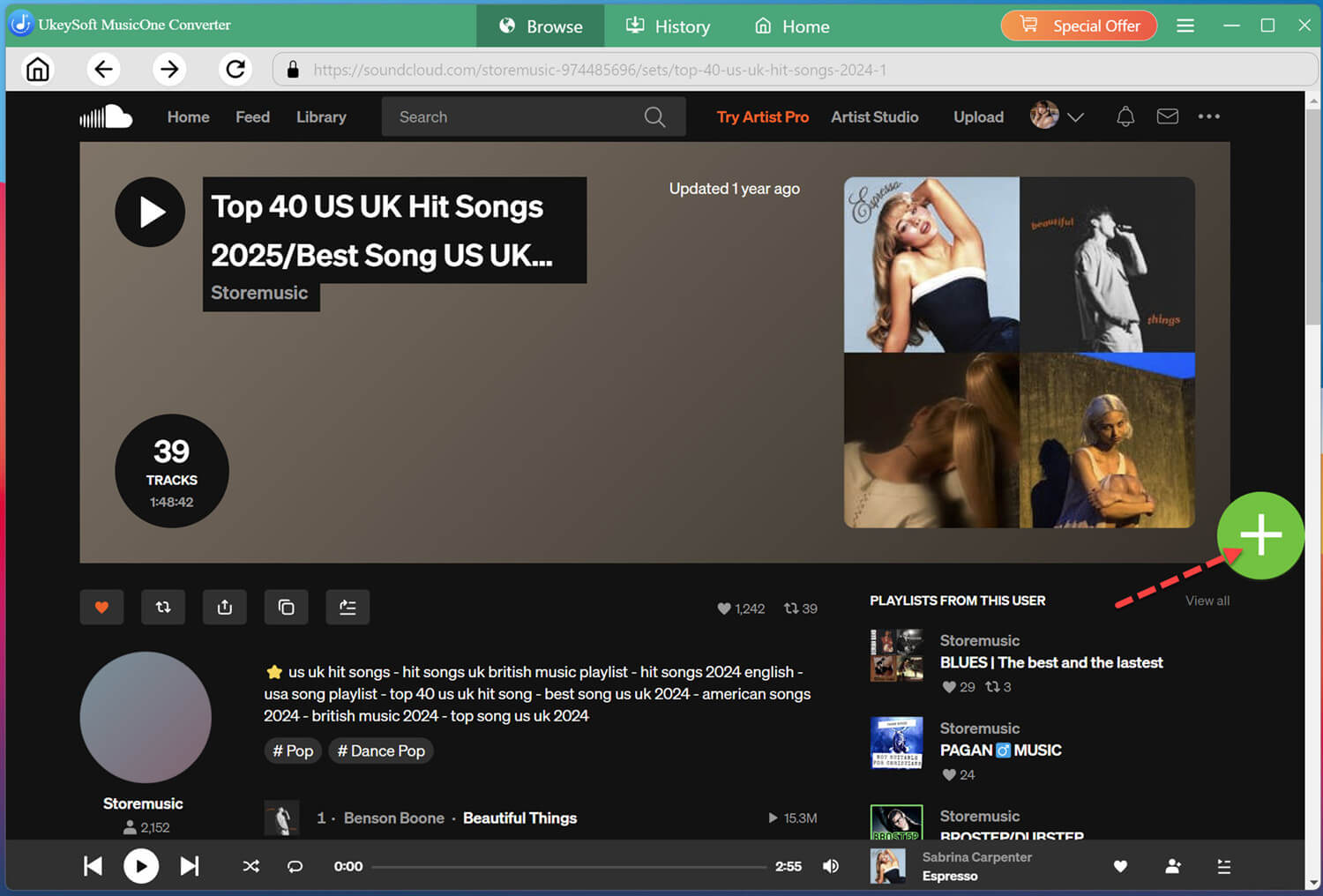
Open a track, playlist, or album, then click the + icon to add it to the conversion list.
Select Desired SoundCloud Songs
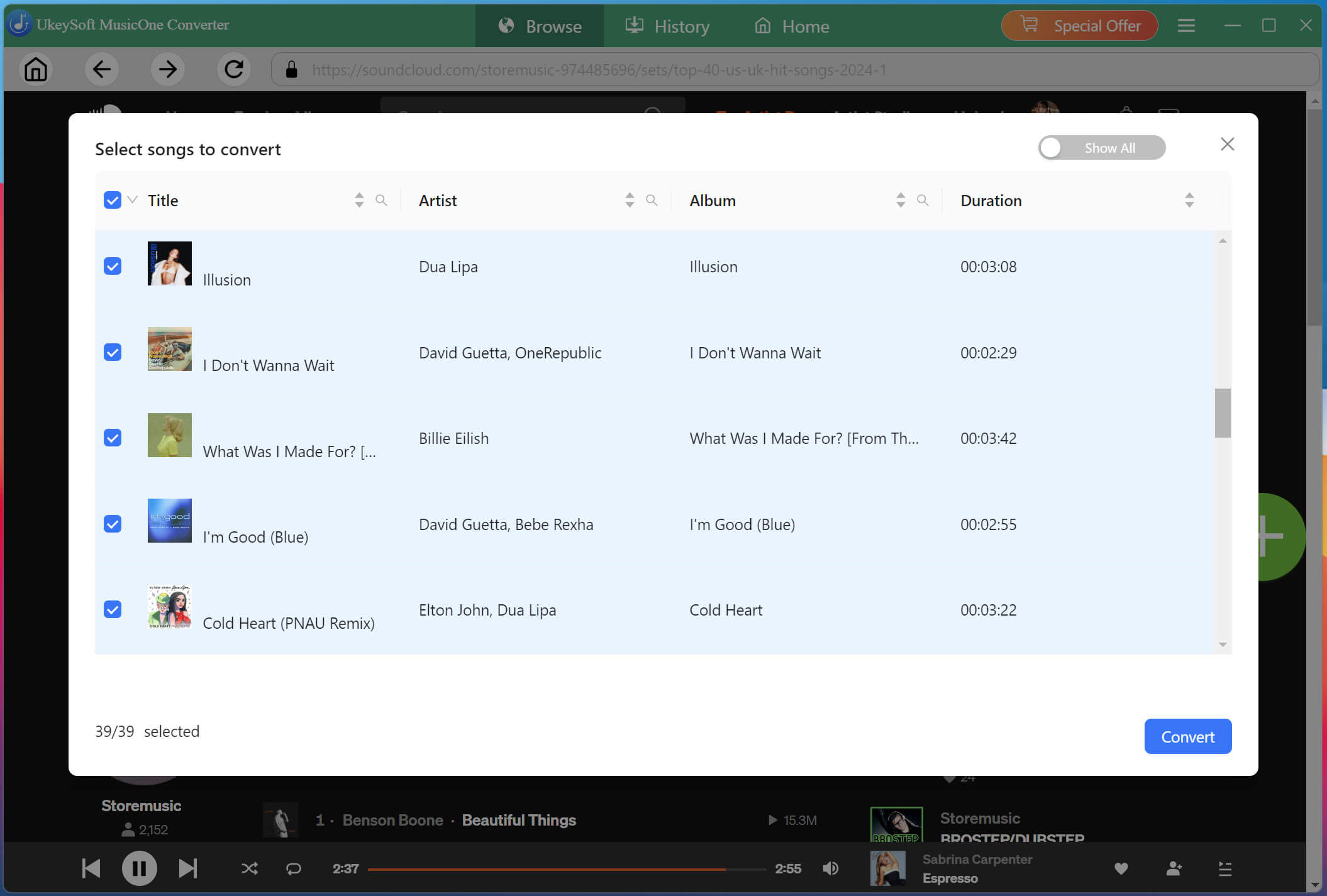
Check the conversion list and select the individual SoundCloud songs you want to download. You can also select an entire playlist or album if you want to transfer a larger music collection to your MP3 player.
If you only need a few tracks, selecting individual songs can also help reduce storage consumption on your computer and MP3 player.
Begin Download SoundCloud Songs to MP3
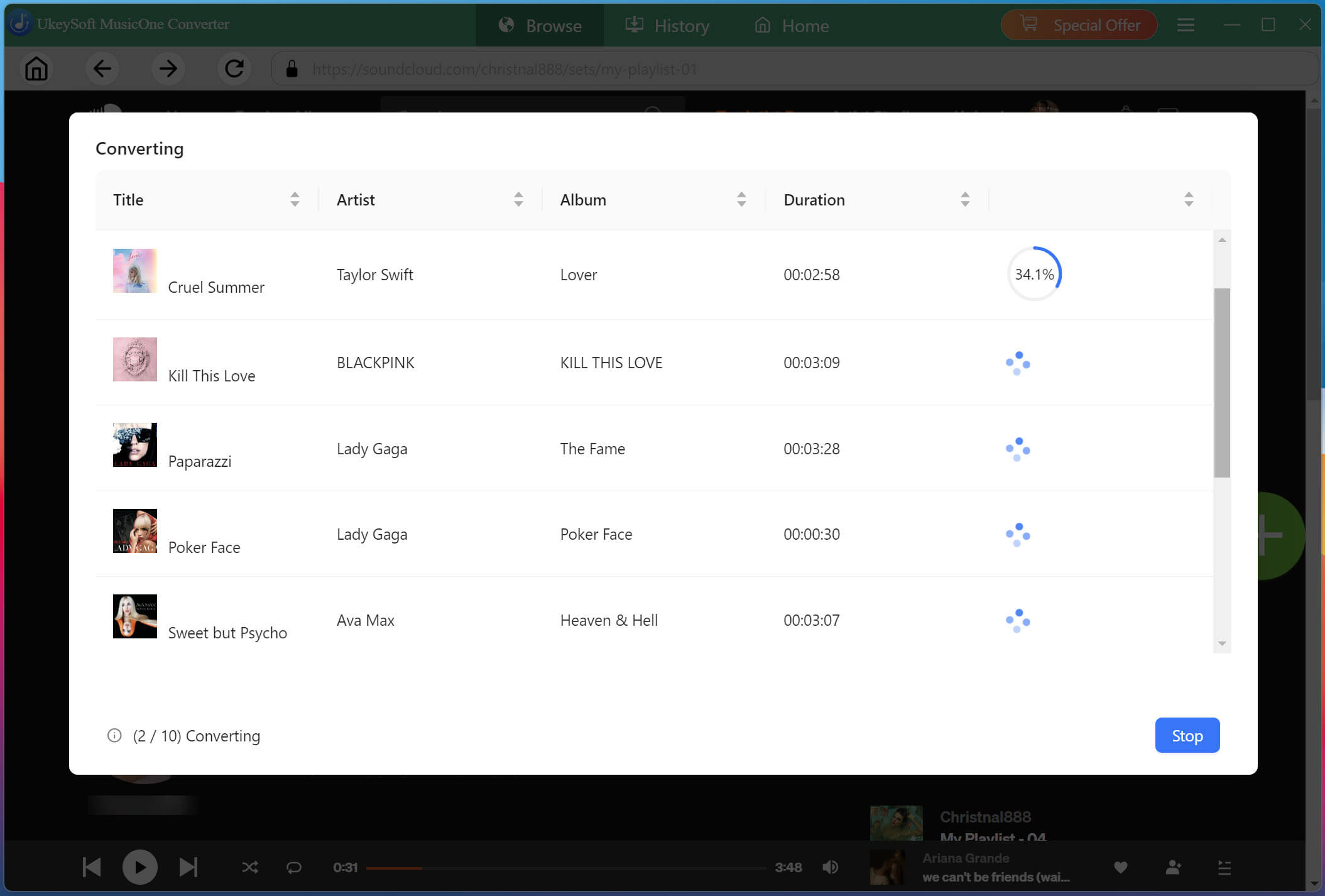
After selecting your songs and confirming the output settings, click "Convert" button. UkeySoft SoundCloud Music Converter will download and convert the selected SoundCloud tracks into MP3 files based on your configured settings. Its batch conversion and high-speed processing can make larger playlists faster to process.
Get Downloaded SoundCloud Songs
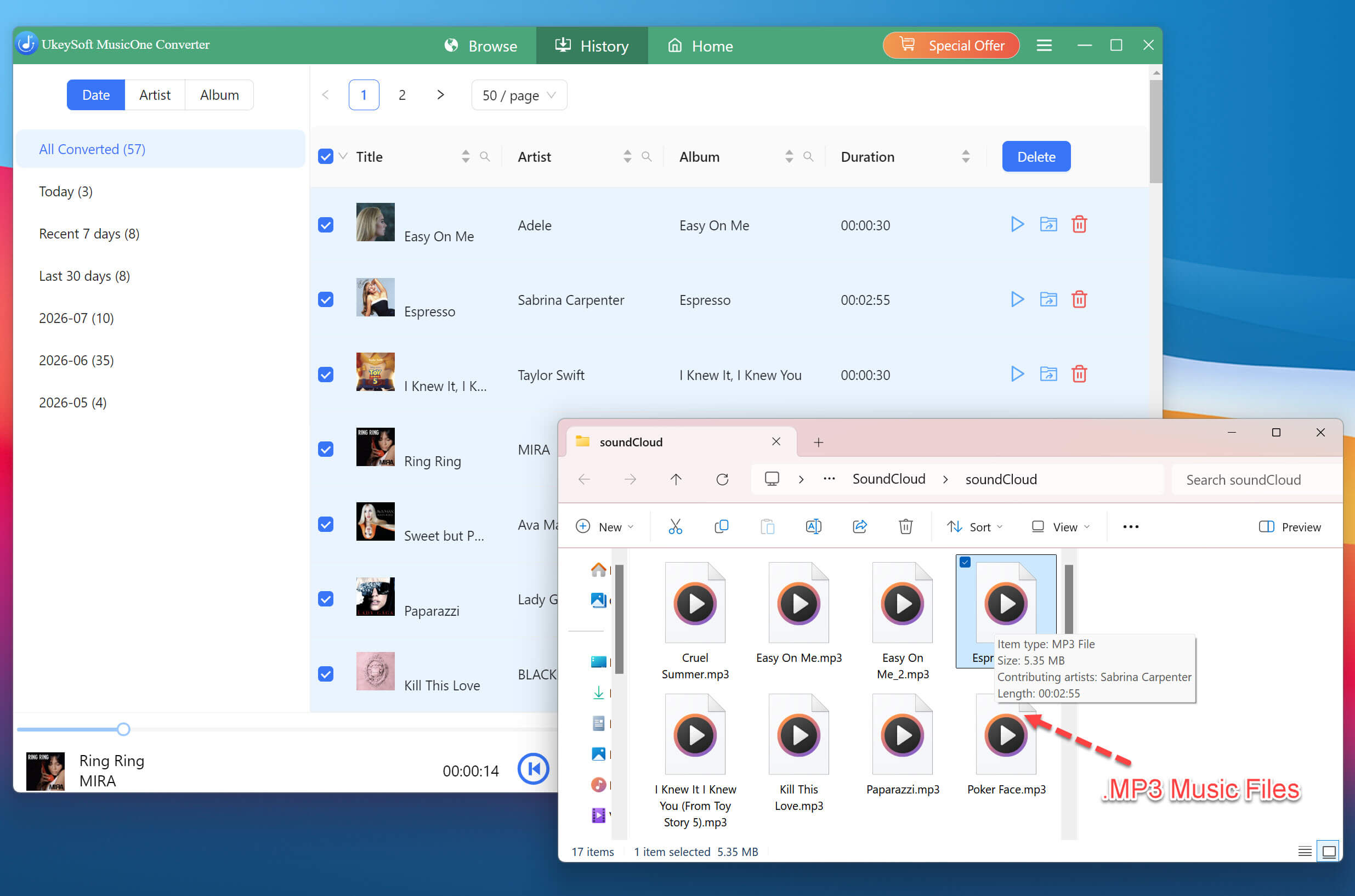
When conversion is complete, open the "History" section and click the folder icon to locate your downloaded SoundCloud MP3 files. From there, you can check the files and prepare them for transfer.
Transfer Output SoundCloud Songs to a USB Drive
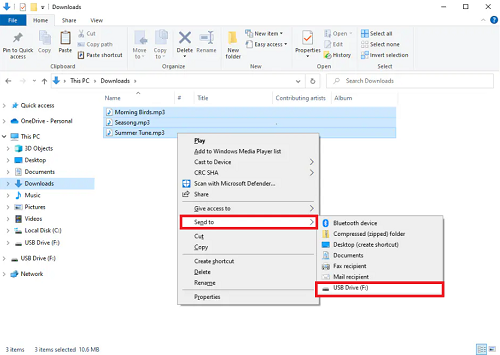
Connect a USB flash drive to your computer and format it using a file system supported by your car stereo, as specified in the vehicle manual. Create a new Music folder in the USB drive. Select the SoundCloud MP3 music files and send it to USB drive, then safely eject it.
Play SoundCloud Songs in Car Offline via USB Drive
Insert the USB drive into your car's USB port and select USB or Media as the audio source. Browse the available folders or SoundCloud songs and start playback - no network connection required.
Way 3. Burn SoundCloud Music to a CD to Play in Car Offline
If your car has a CD player, burning SoundCloud music to a CD is another way to play SoundCloud music in your car offline. After converting SoundCloud music to WAV files with UkeySoft SoundCloud Music Converter, you can burn the WAV files into a CD using Windows Media Player, iTunes, or other CD burner software.
The following guide will take the Windows Media Player as an example, and show you how to burn downloaded SoundCloud music to a CD and play in your car.
Step 1. Preparation: Convert SoundCloud songs to WAV or MP3 files using UkeySoft SoundCloud Music Converter (see Way 2, Steps 1-6).
Step 2. Insert a blank CD-R into your computer's CD drive.
Step 3. Open Windows Media Player (or your preferred CD burning software).
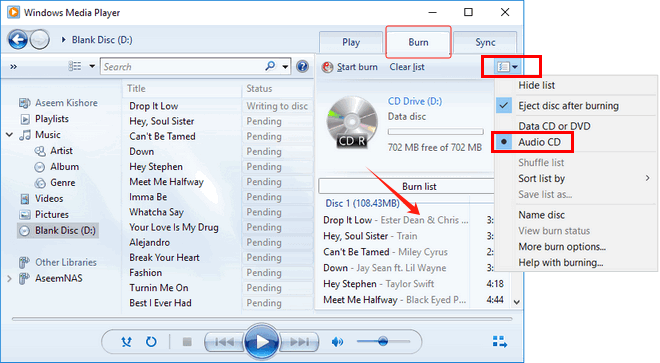
Step 4. Click "Burn" in the top-right corner, then select "Audio CD". Drag your converted SoundCloud WAV/MP3 files into the Burn list.
Step 5. Click "Start burn" to burn the files to the CD. Once complete, eject the CD and insert it into your car's CD player.
Step 6. You can now enjoy your favorite SoundCloud tracks offline in your car while driving!
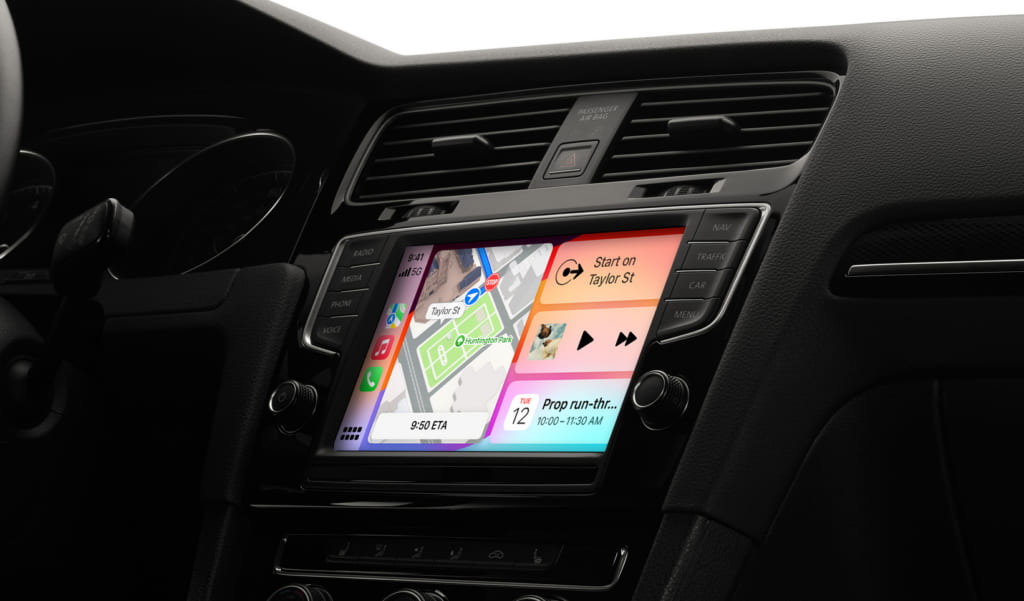
Way 4. Play SoundCloud Music in Car with Apple CarPlay
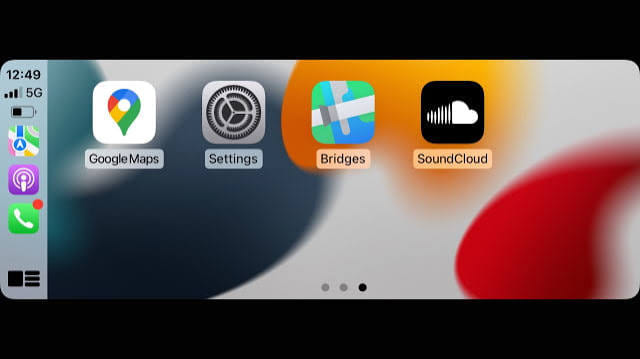
SoundCloud launched CarPlay support for all users, including SoundCloud Free, Go, and Go Plus, in June 2025. If you drive a car with Apple CarPlay and have an iPhone, you can use the official SoundCloud app through CarPlay. However, streaming SoundCloud through CarPlay still requires internet access, so it isn't a complete offline solution by itself.
How to Set Up SoundCloud on Apple CarPlay
Preparation:
Make sure your iPhone is running iOS 16.4 or above version.
Update the SoundCloud App to the latest version from App Store.
Get an Apple's original cable to ensure stable connection.
Step 1. Connect your iPhone to your car's CarPlay system using a compatible USB cable or wireless CarPlay. Follow the setup prompts on both screens.
Step 2. On the CarPlay screen, tap the SoundCloud icon.
Step 3. Log in to your SoundCloud Free/Go/Go+ account.
Step 4. Browse your library and select music to play, or use supported voice controls to reduce distractions.
Way 5. Play SoundCloud Music in Car with Android Auto
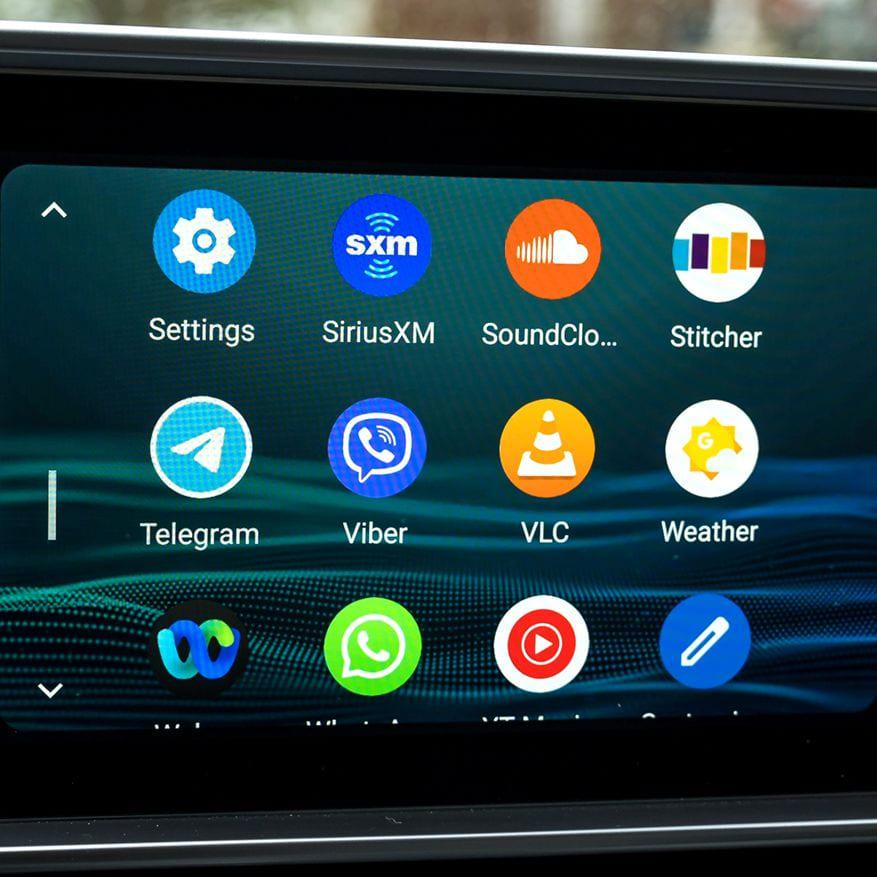
Similar to CarPlay on iOS devices, Android users with compatible vehicles can access SoundCloud through Android Auto. You can browse your playlists, liked tracks, search for music directly from your car's infotainment screen, and use voice controls. Make sure you have a reliable internet connection for streaming. Below is the detailed guide on how to set up Android Auto for directly streaming SoundCloud music in the car:
Step 1. Install or update SoundCloud app on your Android phone and make sure you are signed in. Confirm that your Android phone is running Android 5.0 or later vehicle, and your aftermarket stereo supports Android Auto.
Step 2. Connect your Android phone to your car's Android Auto system via USB or wireless connection. Follow the on-screen prompts to complete setup.
Step 3. On your Android phone, go to Settings and search for Android Auto. In Android Auto settings, select Customize Launcher.
Step 4. Select SoundCloud from the app launcher on your car's display. If it doesn't appear, check app compatibility, updates, and Android Auto settings.
Step 5. Select a playlist or track before setting off, or use supported voice commands to control playback.
Way 6. Play SoundCloud Music in Car with Auxiliary Input
Many cars from the 2000s and 2010s include an aux port. If you discover thatyour car stereo has a 3.5 mm AUX input, you can connect your phone directly to the stereo using an auxiliary cable. This is a simple alternative to Bluetooth and can provide a stable audio connection. Now let's see how to it works:
Step 1. Find the AUX input on your car stereo. If your phone doesn't have a headphone jack, use a compatible audio adapter.
Step 2. Plug one end into the car's AUX input and the other into your phone's headphone jack or audio adapter.
Step 3. Turn on the car stereo and select AUX as the audio source.
Step 4. Open SoundCloud app on your phone and play your music. Keep your phone connected to the internet if you're streaming.
Step 5. You can control volume using your phone or car stereo.
Way 7. Play SoundCloud Music in Car with FM Transmitter
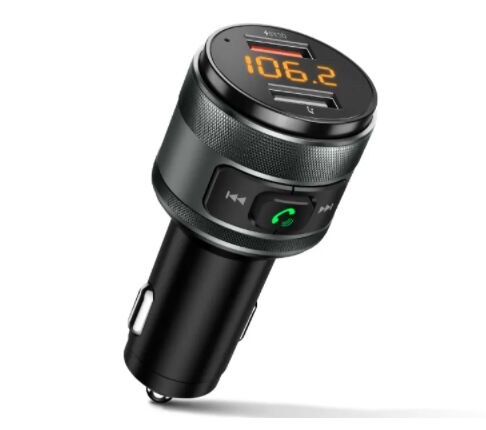
When your car stereo lacks Bluetooth, USB audio, or an auxiliary input, you can consider using an FM transmitter play SoundCloud music in your car. This method works with any car that has an FM radio.
How does it work? Depending on the model, it can transmit audio from your phone to an unused FM frequency that your car radio can receive. You simply tune your car radio to the same frequency and play SoundCloud music through your phone.
Step 1. Plug the FM transmitter into your car's power outlet, and turn on your car radio.
Step 2. Choose an unused FM frequency on the transmitter and tune your car radio to the same frequency.
Step 3. Pair your phone with the FM transmitter via Bluetooth (or connect via aux cable if supported).
Step 4. Open SoundCloud app on your phone and play your music tracks. Adjust volume on both your phone and car stereo as needed.
Conclusion
There are several ways to play SoundCloud music in your car. If you have a modern car and a stable data connection, Bluetooth or CarPlay/Android Auto are convenient options. For a truly offline experience that works anywhere, saving SoundCloud songs to a USB drive is the most reliable solution. The third-party tool UkeySoft SoundCloud Music Converter will be your best helper. Download it right now and build your offline music collection!
Justin Sabrina has always had great enthusiasm for writing, programming and web development. He likes writing about software and technology, his works are featured on some tech blogs or forums like Tom's Hardware, CNET, etc.
 English
 Arabic
 Chinese (Simplified)
 Chinese (Traditional)
 Croatian
 Czech
Czech Danish
 Dutch
Dutch Estonian
 Finnish
 French
 German
 Greek
Greek Hebrew
 Hindi
Hindi Hungarian
 Indonesian
 Italian
 Japanese
 Kazakh
 Korean
 Malay
Malay Norwegian
 Polish
 Portuguese
 Romanian
 Russian
 Slovenian
 Spanish
 Swedish
 Thai
Thai Turkish
 Ukrainian
 Vietnamese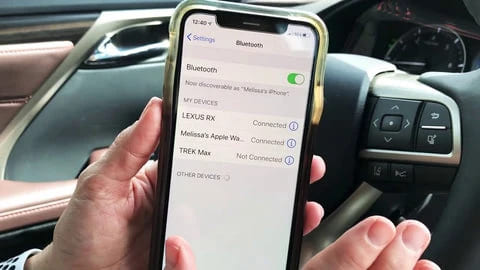









Comments are off!