Both Sidify and UkeySoft All-in-One Music Converters are top-tier tools for stripping DRM encryption from major streaming platforms like Spotify, Apple Music, and Amazon Music.
However, UkeySoft All-in-One Music Converter takes the lead with its 16X conversion speed, higher stability during large playlist batch downloads, and seamless built-in Web Player interface that doesn't rely on background app installations. Sidify All-in-One Music Converter remains a good alternative if you specifically require converting through installed desktop streaming applications.
Looking for the best streaming music converter in 2026? The name Sidify All-in-One Music Converter and UkeySoft All-in-One Music Converter often come up. But do they really live up to the hype? And is it worth the price? This in-depth comparison of Sidify All-in-One Music Converter vs. UkeySoft All-in-One Music Converter will help you decide which tool is better for your needs.
With the rise of streaming platforms like Spotify and Apple Music, users increasingly want to download streaming music to MP3 and enjoy offline playback without restrictions. Both Sidify All-in-One Music Converter and UkeySoft All-in-One Music Converter are popular tools designed to convert streaming music to MP3, but they differ in performance, features, and pricing. Which is faster, Sidify or UkeySoft? Is Sidify illegal? Is UkeySoft safe? In this detailed Sidify VS UkeySoft guide, you will find the answers. Here we'll compare everything from supported platforms to audio quality, speed, pricing, and user experience to determine the ultimate winner.
We tested both Sidify and UkeySoft All-in-One Converters on Windows 11 and macOS Sequoia over 7 days converting Spotify, Apple Music, and Amazon Music playlists.
Before diving into the details, here's a quick comparison table to give you an overview of Sidify and UkeySoft.
Factor
Sidify All-in-One Music Converter
UkeySoft All-in-One Music Converter
Founded
2017
2008
Supported Languages
English, German, French, Japanese, Chinese, Filipino, Armenian, and more
English, German, French, Japanese, Chinese, Spanish, Deutsch, and more
99.9% (Lower freeze rate during large playlist conversion)
Best For
Users who strictly prefer recording directly from installed desktop music apps.
Power users seeking max speed, multi-platform 320kbps batch conversion, and stability.
Sidify All-in-One Music Converter is a relatively newer tool launched in 2017, focusing on multi-platform support and additional features like CD burning. Meanwhile, UkeySoft All-in-One Music Converter, developed earlier in 2008, has matured into a more stable and efficient solution for users who want to download streaming music to MP3 with higher quality and speed. Now, scroll down to know more details about these two excellent streaming music converters.
Sidify VS UkeySoft: Supported Music Platforms
When it comes to the supported platforms of both streaming music converters, they work perfectly with most popular streaming music platforms. But by comparison, Sidify All-in-One Music Converter is currently in the lead. It supports a wide range of services, including Spotify, Apple Music, Amazon Music, Tidal, Deezer, SoundCloud, YouTube Music, Qobuz, Audible, Veoh, Vimeo, Beatport and more.
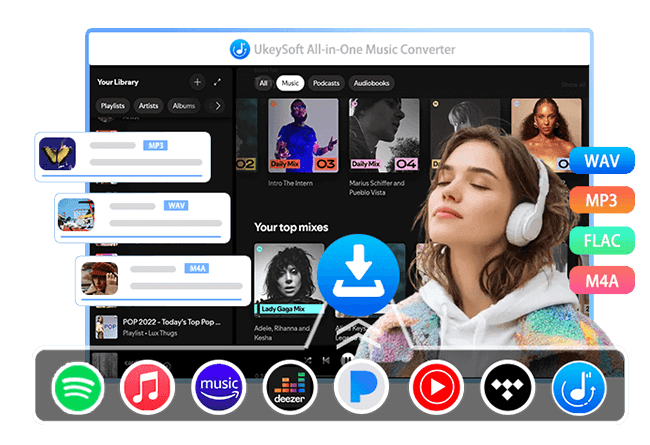
UkeySoft All-in-One Music Converter supports major streaming music platforms such as Spotify, Apple Music, Amazon Music, YouTube Music, Tidal, Deezer, SoundCloud, and Pandora Music. While it supports fewer platforms, it also promises to develop support for additional streaming platforms in the future.
Winner: Sidify
Sidify VS UkeySoft: Supported Music Content
For the available music resources, Sidify All-in-One Music Converter supports downloading music tracks, albums, playlists, and podcasts. UkeySoft All-in-One Music Converter goes further by supporting tracks, albums, artists, playlists, podcasts, audiobooks, radio, and even music videos (YouTube Music). For audiences who expect to download and convert their whole music libraries, UkeySoft All-in-One Music Converter can be a really good option.
Winner: UkeySoft
Sidify VS UkeySoft: Output Formats
Streaming platforms encrypt their music content, making it playable only within the official apps. With both Sidify and UkeySoft All-in-One Music Converter, users can easily download and convert music content to common audio formats for flexible playback.
Sidify All-in-One Music Converter supports MP3, AAC, WAV, FLAC, AIFF, and ALAC.
UkeySoft All-in-One Music Converter supports MP3, M4A, AAC, WAV, FLAC, and AIFF.
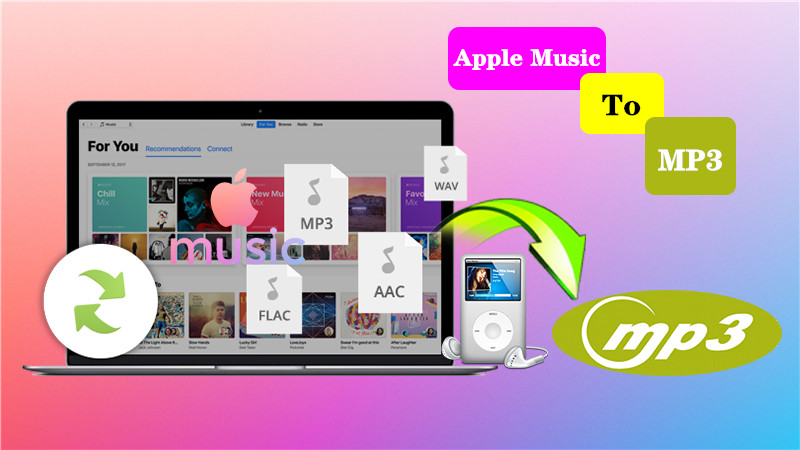
Both tools cover most commonly used formats, ensuring compatibility with different devices and media players. By converting Apple Music to MP3, you can transfer Apple Music to MP3 player, iPod Nano, Shuffle, and more devices.
Winner: Draw
Sidify VS UkeySoft: Music Quality
Audio quality is a deciding factor for many music lovers. Sidify All-in-One Music Converter offers a maximum output quality of 320kbps, which is standard for most users who want to download streaming music to MP3. For SoundCloud users, you can use it to download SoundCloud music to MP3 at 320kbps high quality.
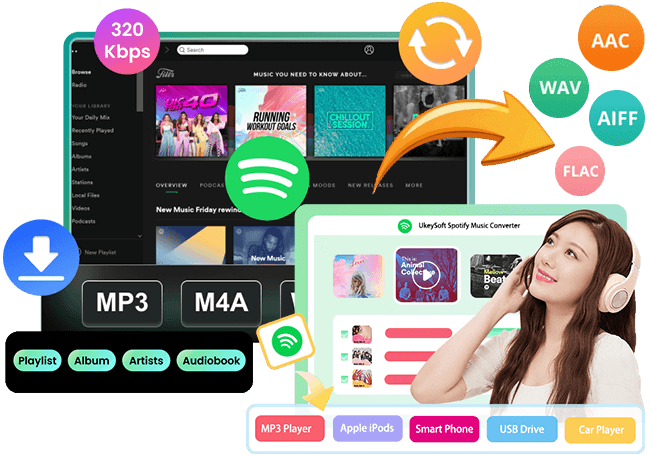
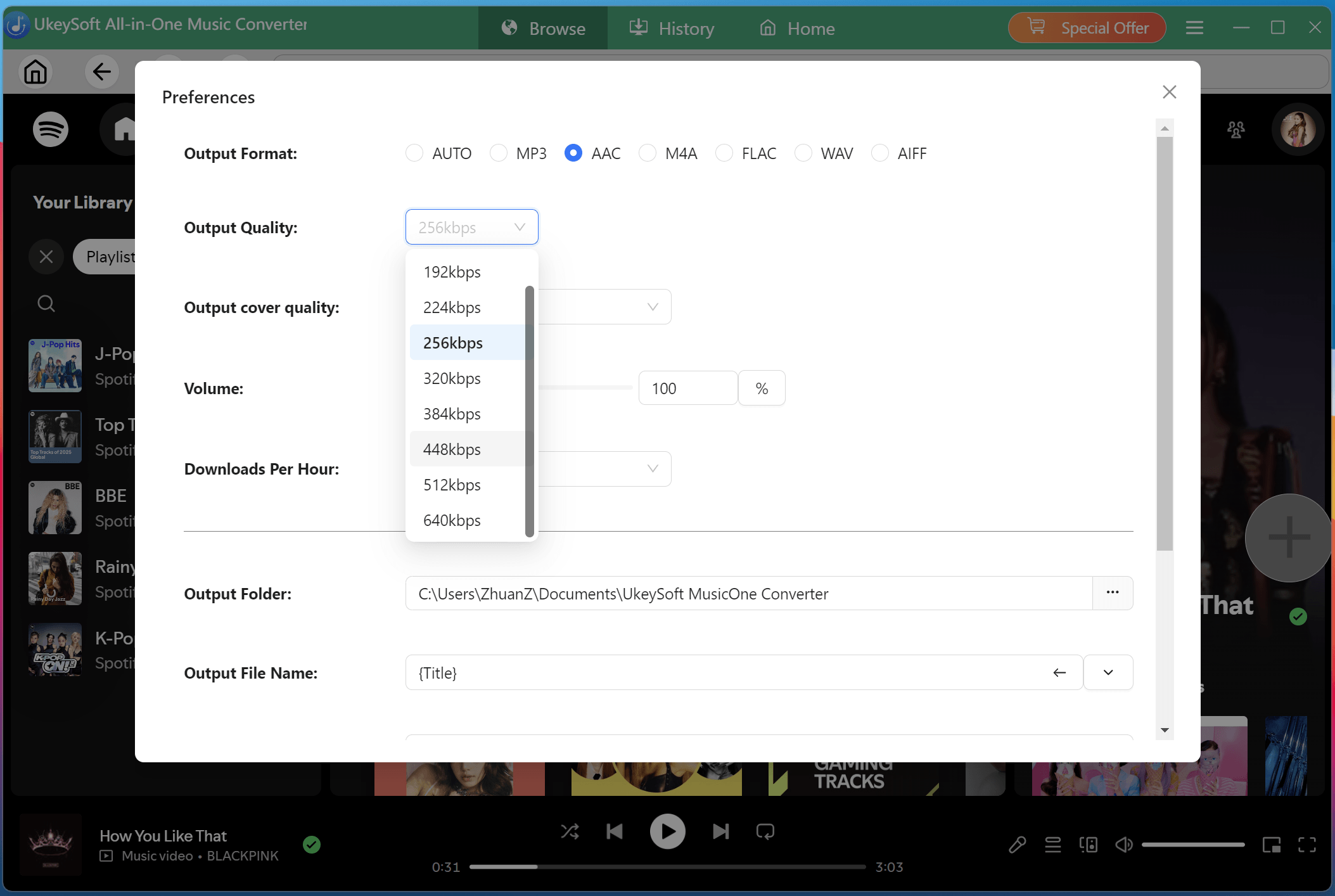
UkeySoft All-in-One Music Converter, however, provides multiple bitrate options ranging from 256kbps to 640kbps, giving you the best possible listening experience. For Apple Music users, UkeySoft is a better option, as it lets you convert Apple Music tracks to M4A or AAC at 640kbps, delivering near-lossless audio quality.
Winner: UkeySoft
Sidify VS UkeySoft: App Interface and User Experience
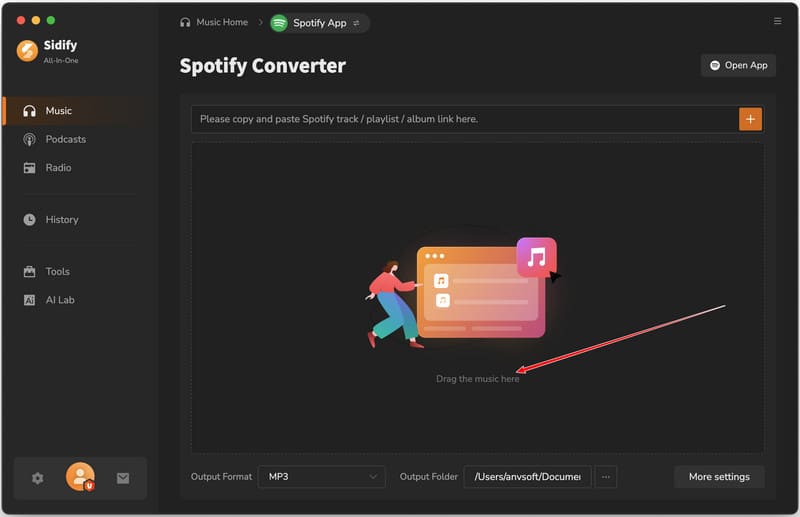
User experience plays a major role in choosing between Sidify VS UkeySoft. Sidify All-in-One Music Converter offers a functional interface, but it feels slightly outdated. It offers two methods for music conversion. One is to go through the hassle of copying and pasting links, another is to log in to the built-in web browser to convert the music. Some users also report slow or inconsistent customer support responses.
UkeySoft All-in-One Music Converter features a modern, intuitive interface that is easy to navigate. The software has integrated with official web players, making it quite easy to for seamless music selection. You don't need to open or switch to different music apps. Instead, you can log in to music account directly within UkeySoft, browse your library, search for songs, and select the tracks you want to download in one place. With 5-star customer service, fast support, and a seamless user experience, the software delivers exceptional reliability.
Winner: UkeySoft
Sidify VS UkeySoft: ID3 Tags and Music Management
During the test, we found that both all-in-one music converters are able to preserve lyrics files and full ID3 metadata, including cover, title, artist, album, artwork and genre information, etc. This ensures your converted music library remains organized and easily searchable.
One attractive feature of UkeySoft All-in-One Music Converter is its free music management. It not only allows users to organize output file name based ID3 tags, but also supports preset output track archiving and automatically saves songs to folders by album, artist, artist/album, or album/artist.
Winner: UkeySoft
Sidify VS UkeySoft: Efficiency and Stability
Sidify All-in-One Music Converter offers up to 5X speed but may experience instability, including occasional freezing when loading music items.
By applying the accelerated tech for boosting efficiency, UkeySoft delivers 16X ultra-fast conversion speed. It is known for being stable and smooth, with consistent performance across all supported platforms.
During the test, Sidify took 15 minutes to convert a 50-song Apple Music playlist, while UkeySoft finished in just 5 minutes - more than three times faster than Sidify.
Winner: UkeySoft
Sidify VS UkeySoft: Highlights
As one of the best streaming music converter tools on the maket, each tool offers unique features. Let's take a look!
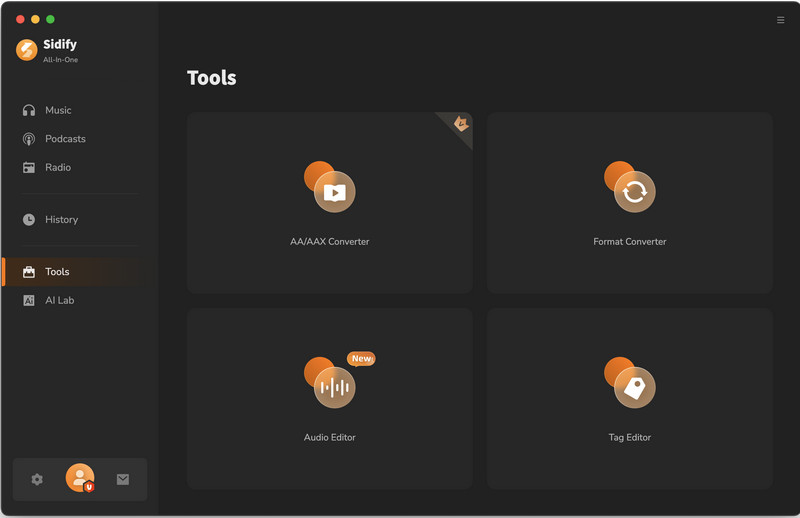
Sidify All-in-One Music Converter features a toolbox, including Format Converter, CD Burner, and Tags Editor. This means you can directly burn converted Spotify songs to CDs in the software.
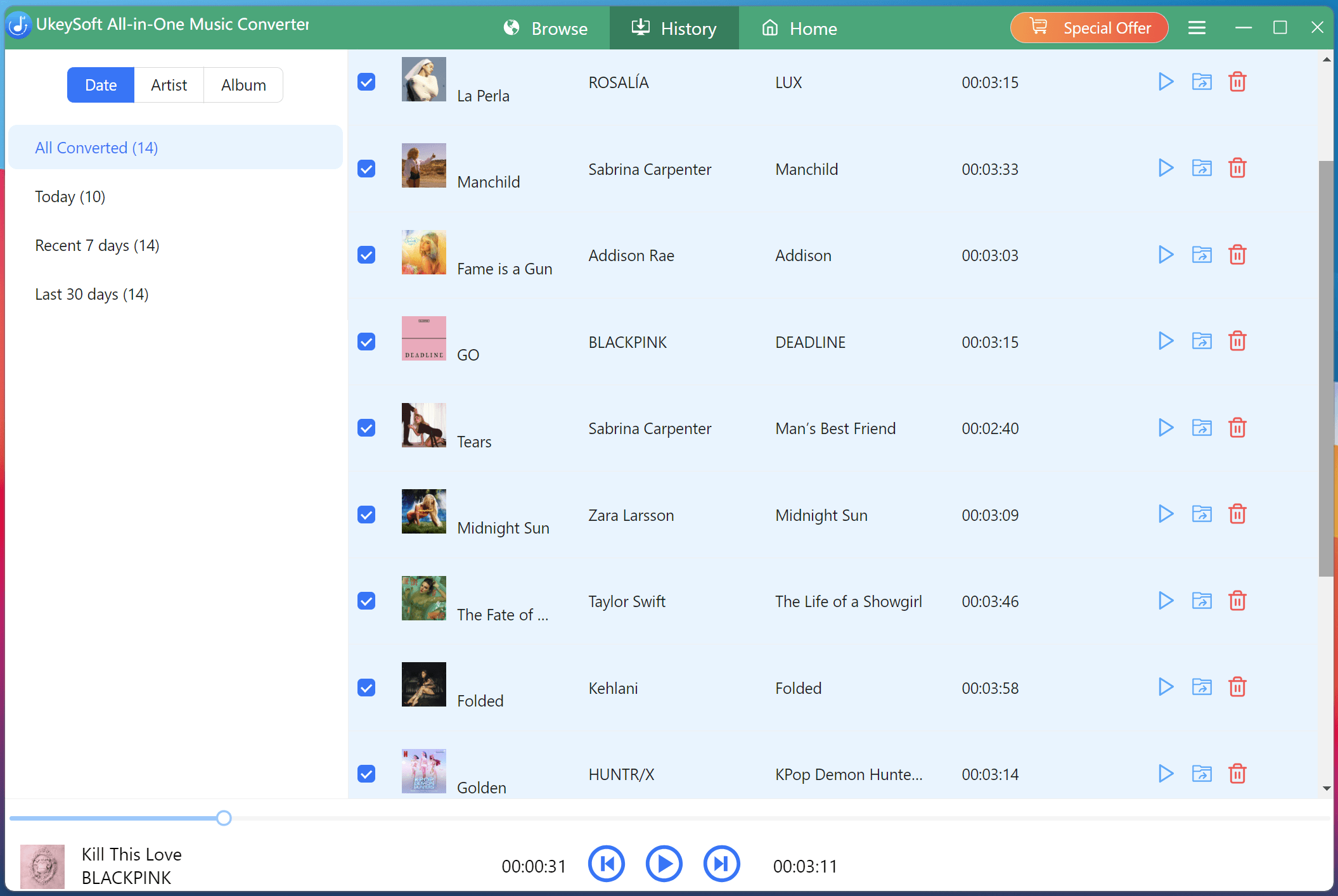
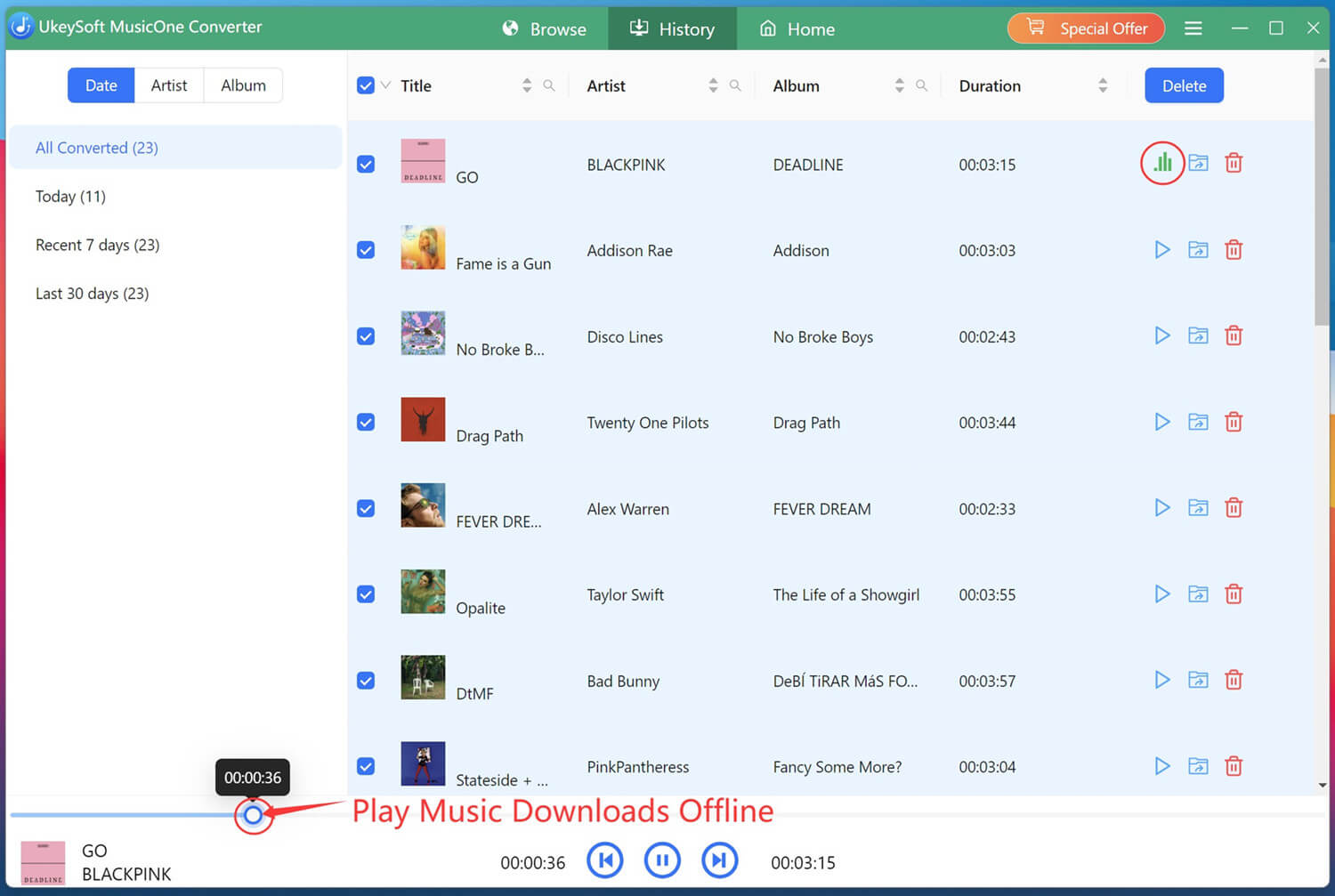
UkeySoft offers a built-in music player and music manager. The built-in music player lets you directly listen to converted songs offline within the software. The music manager allows you to classify output songs by date, album, or artist, keeping your library perfectly organized.
Winner: Draw
Sidify VS UkeySoft: Supported OS
Currently, there is no a streaming music converter version for Linux, Android or iPhone. Whether Sidify All-in-One Music Converter, UkeySoft All-in-One Music Converter or other brands on the market, they only support Windows and macOS systems. This allows users to download streaming music to computer folder and save them permanently. In other words, you can still keep Amazon Music playable when subscription expires!
OS
Sidify All-in-One Music Converter
UkeySoft All-in-One Music Converter
Windows
Windows 11, 10, 8, 7
Windows 11, 10, 8.1, 8, 7
Mac
macOS 11 or above
Mac OS X 10.9 or higher
Winner: Draw
Sidify VS UkeySoft: Pricing Plans and Free Versions
Similar to streaming music services, both Sidify and UkeySoft launched diffenent premium plans to deliver a more advanced music dowload experience. You can check the following table to check more details:
Plan
Sidify All-in-One Music Converter
UkeySoft All-in-One Music Converter
Free Version
Yes, convert the first minute of each song
Yes, convert the first three minute of each song
Monthly
Not available
$65.95/month
Quarterly
$49.95
Not available
Yearly
$99.90
$99.95
Lifetime
$259.90
$159.95
Sidify offers a Quarterly Subscription ($49.95), Yearly Subscription ($99.90), and Lifetime License ($259.90). No monthly option is available.
UkeySoft offers Monthly ($65.95), Yearly ($99.95), and Lifetime ($159.95) plans. The free trial and lifetime option are significantly more affordable than Sidify's. Plus, it offers individual music converter for each platform, which only costs at $14.95 per month.
Winner: UkeySoft
Bonus Tip: How to Download Streaming Music to MP3 for Free
As mentioned earlier, both two software offer a free trial version. Here we take the UkeySoft All-in-One Music Converter, to show you a quick guide to download Spotify music to MP3 with free account. You can download and install the software by clicking below Download button.
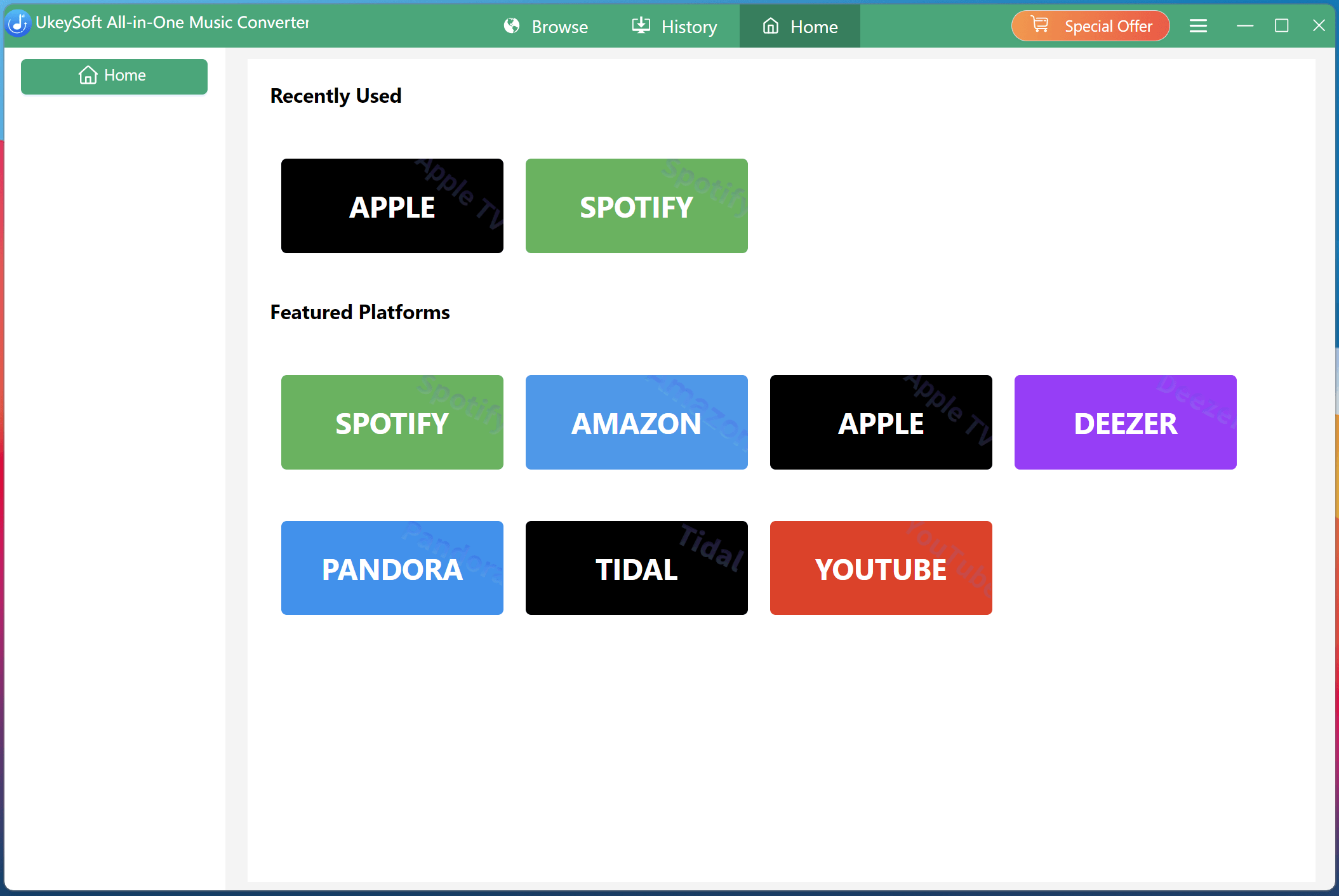
Select a Platform and Log In Account
Download and install UkeySoft All-in-One Music Converter. Launch the software, select Spotify from the main interface.
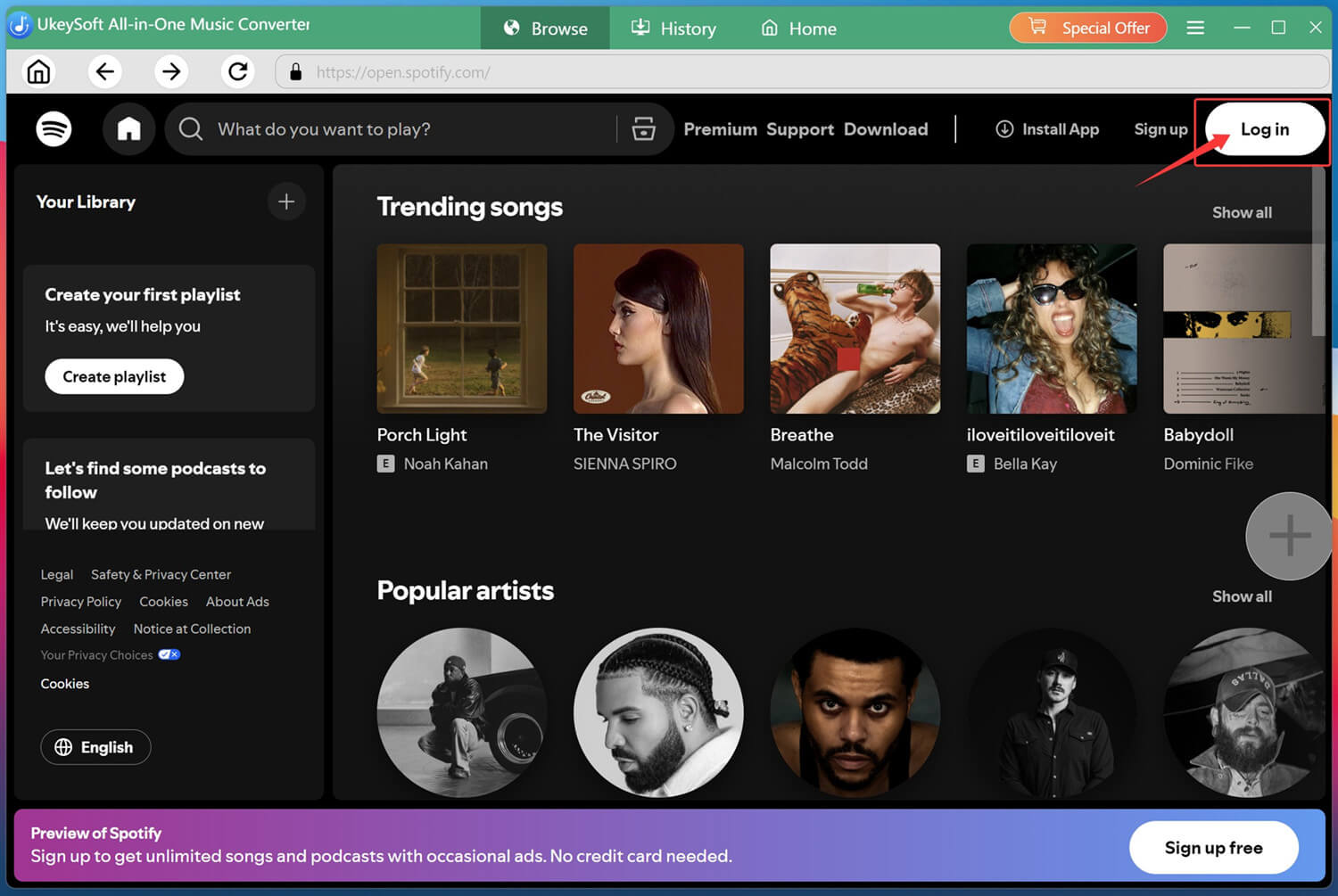
Next, you need to log in to your Spotify account (free or premium) to access the official music library.
Configure Output Settings
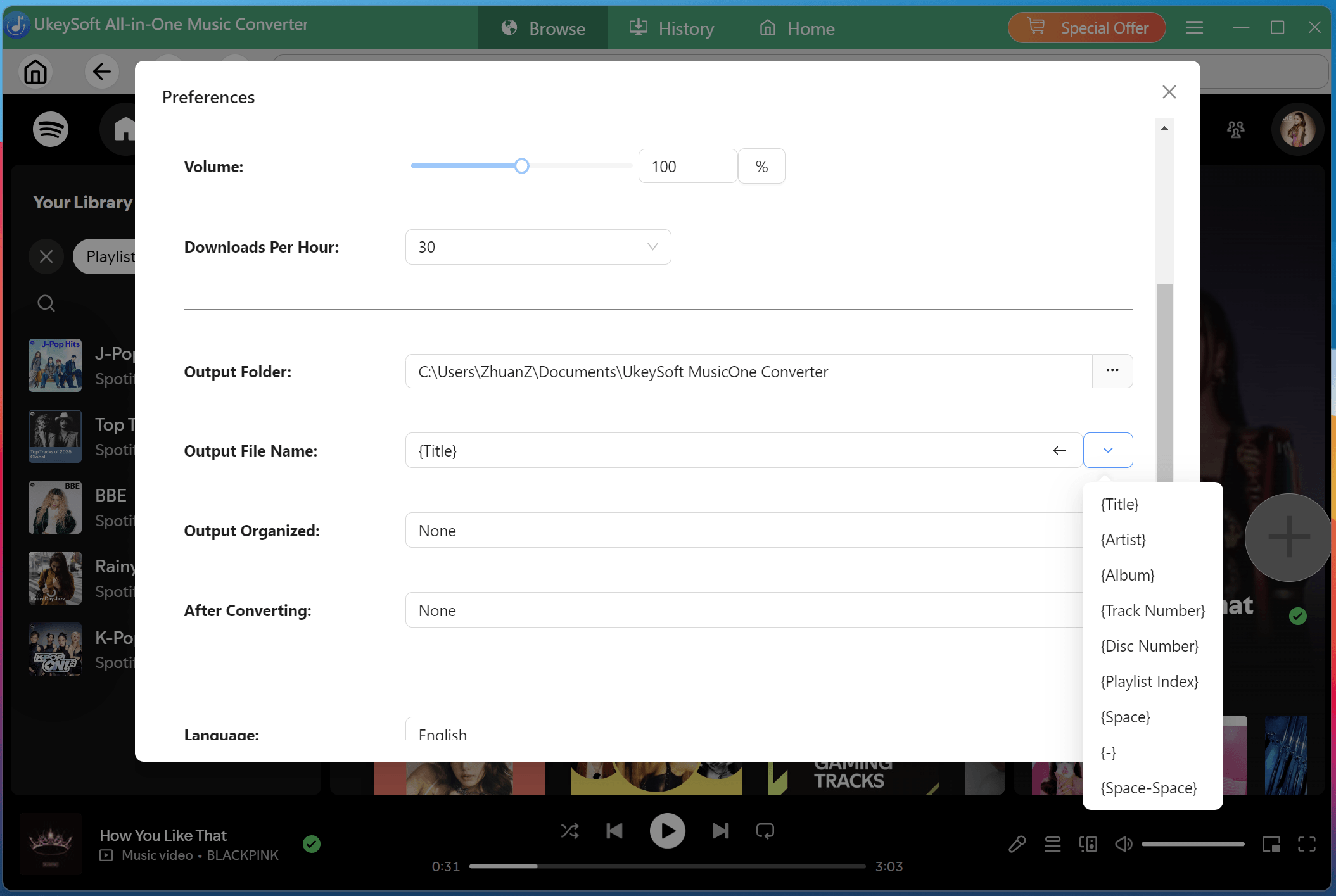
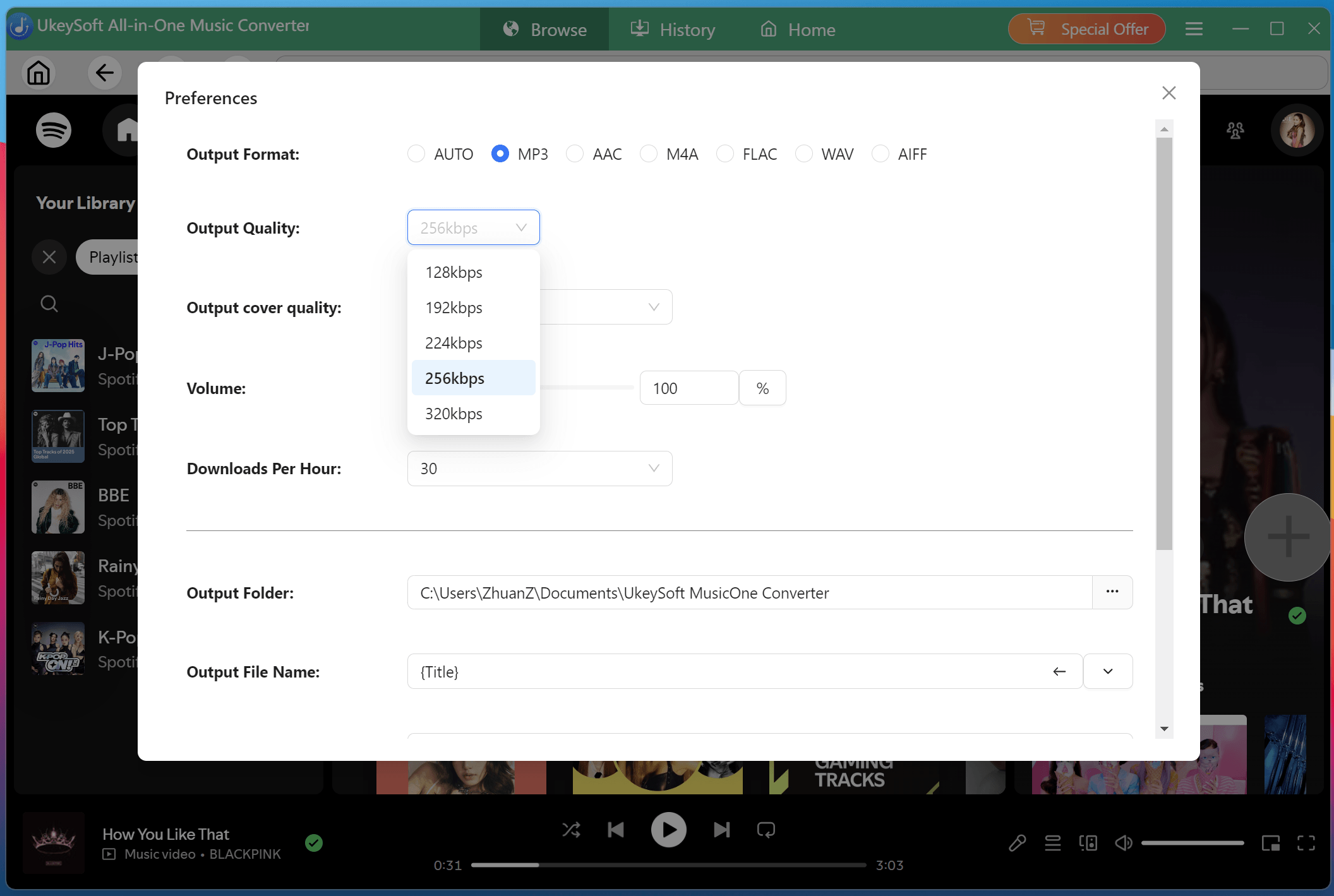
Click the Menu > Preference. A small window will pop up, allowing you to set the output format, output quality, output folder, output file name and more settings.
Browse, Open, and Add Songs
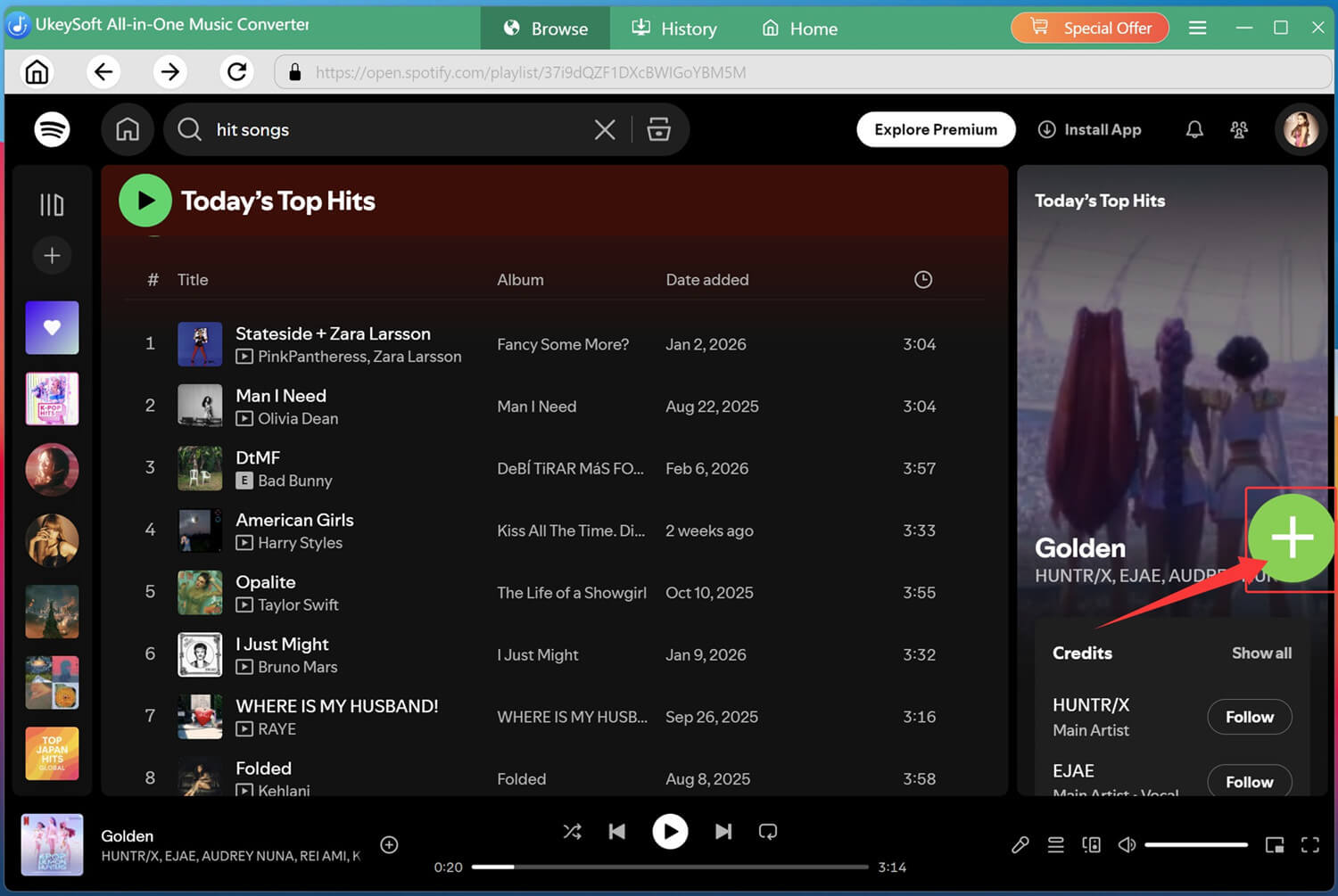
Browse Spotify library online and open the tracks, podcast, playlist or album you want to download. Then click the green "+" icon in the right side.
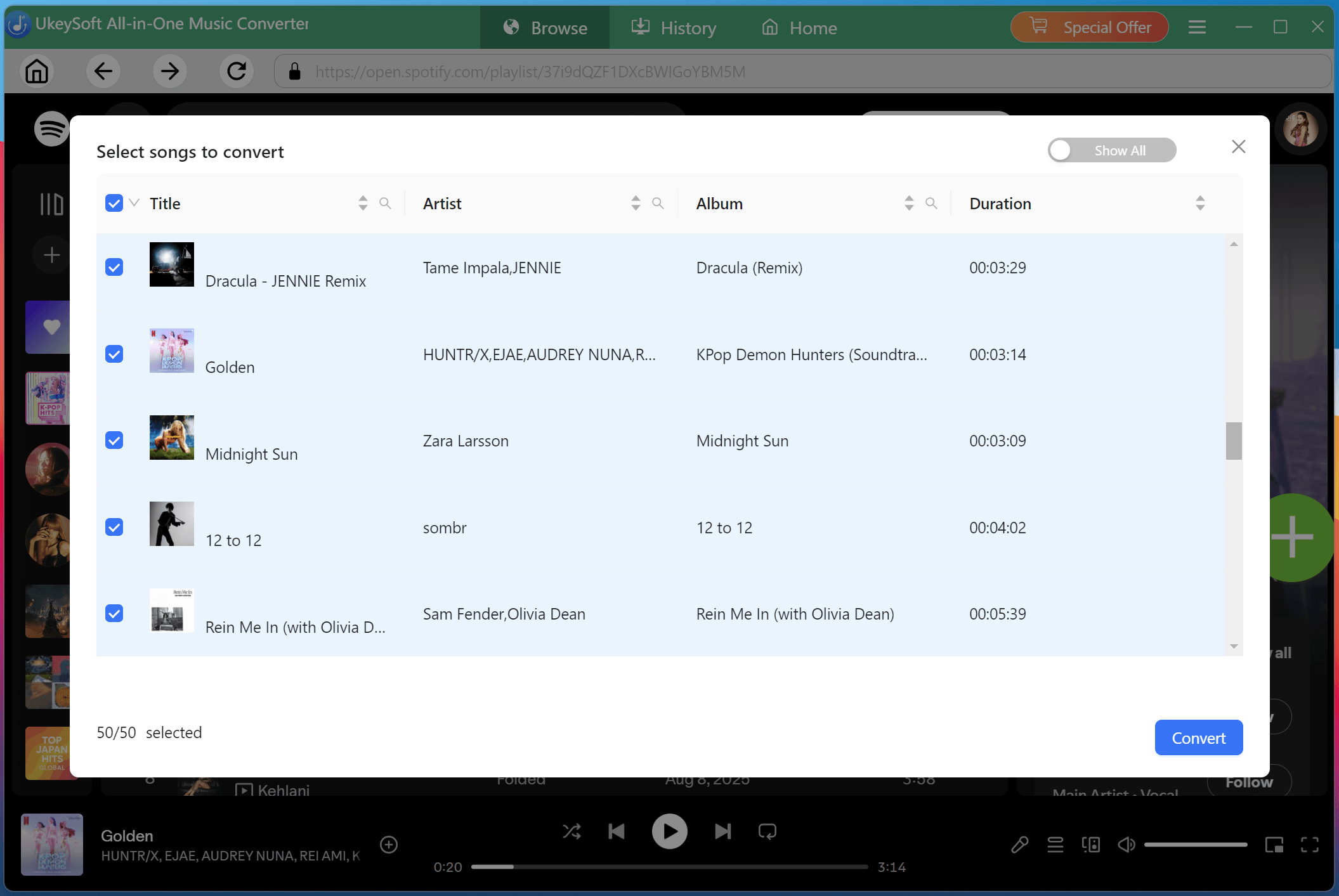
A list of tracks will appear. All songs are selected by default, uncheck any you don't want to convert.
Start to Convert Spotify Music to MP3
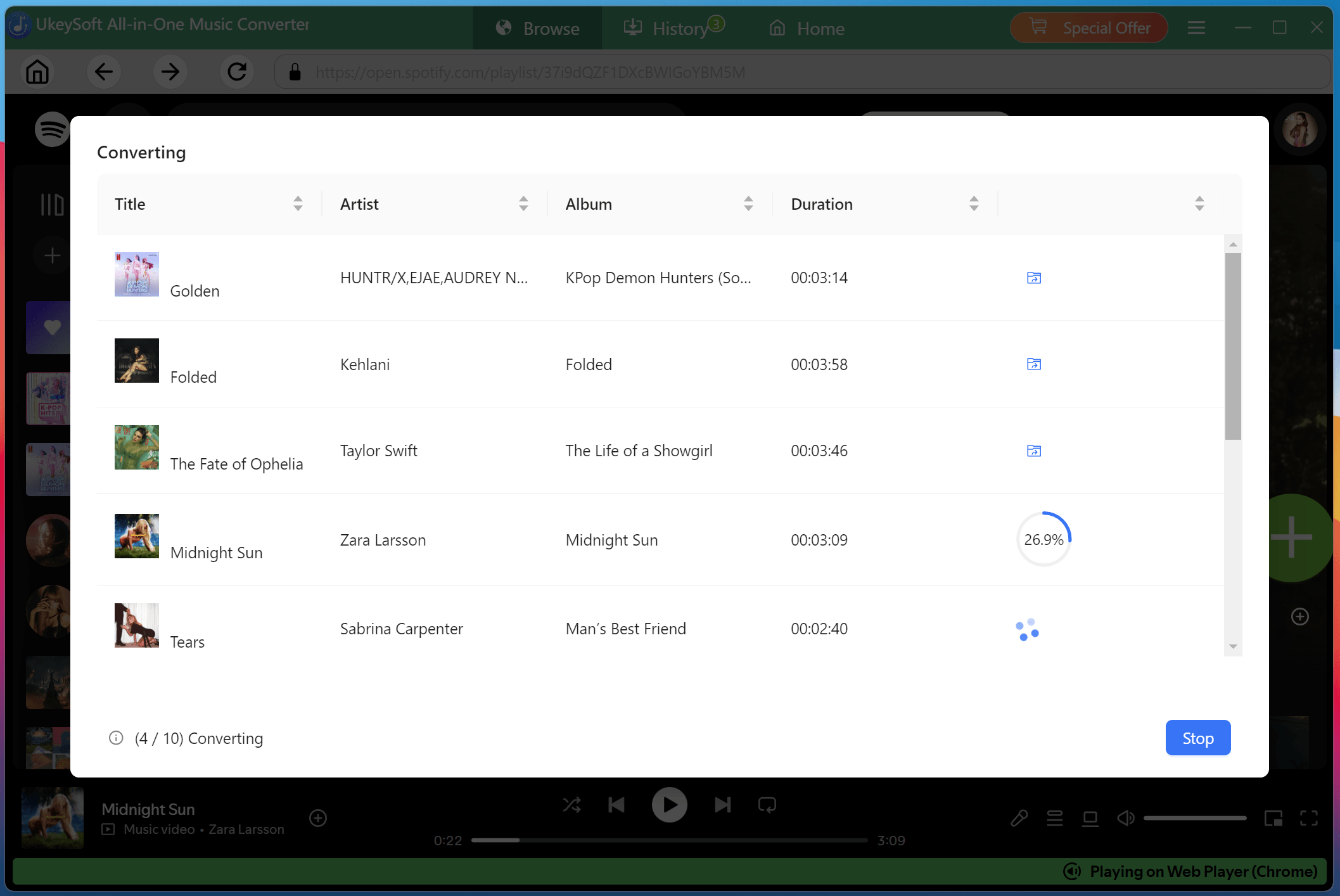
Click "Convert" button, the software will immediately begin to start downloading and converting Spotify music to MP3 quickly.
Find Output Spotify Songs
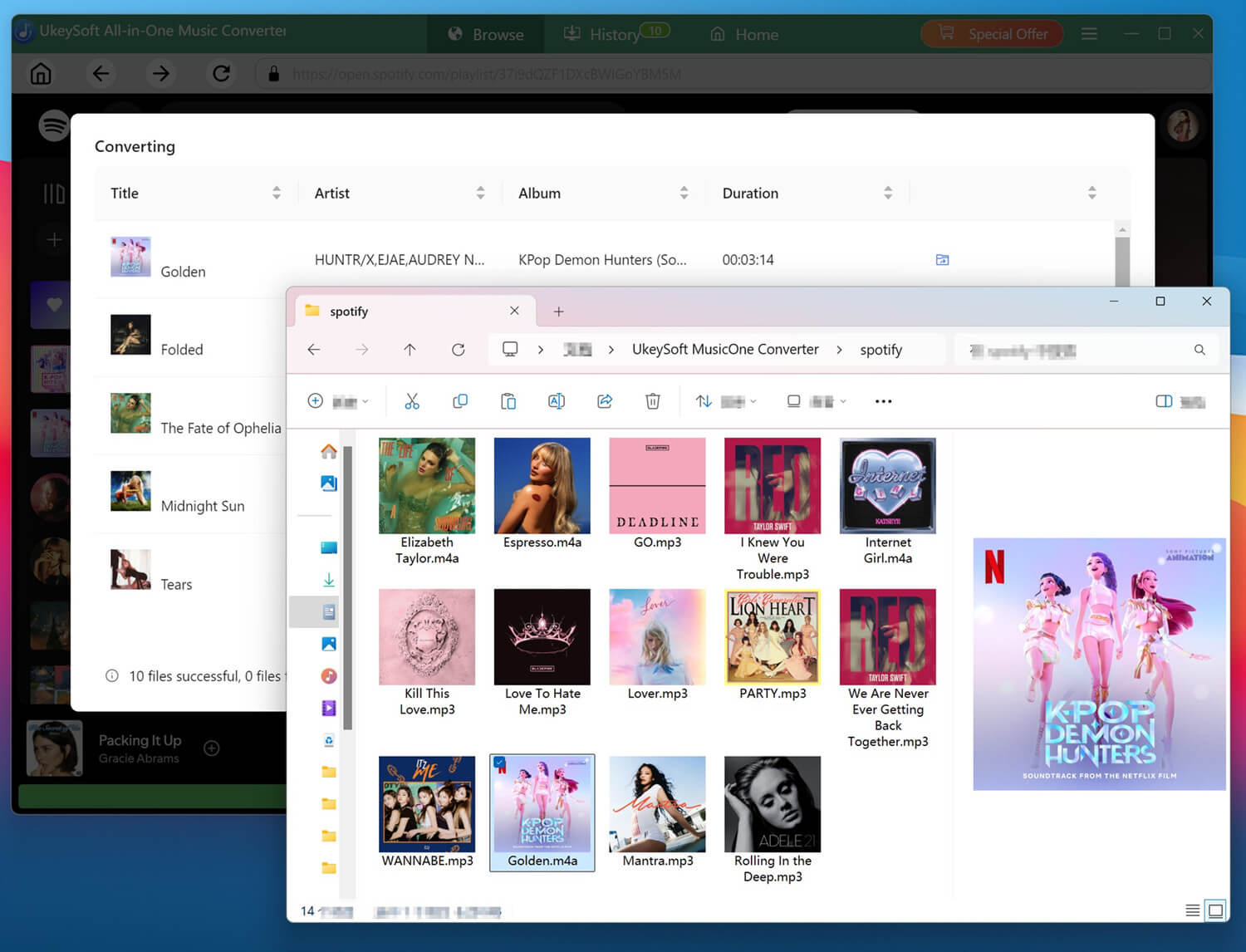
Once complete, click the blue folder icon next to any song to visit the history. You can now enjoy these high-quality Spotify songs anytime!
To access your downloaded Spotify MP3 music files, please click on the folder icon next to the song name, it will navigate to the output folder.
FAQs About Sidify and UkeySoft Music Converter
Is Sidify music Converter legit?
Yes. Sidify is a legitimate music conversion software. Always download it from the official website and avoid cracked versions.
Is the Sidify music converter free?
No. It is a paid software. It also offers a limited free trial for new users.
Is UkeySoft Music Converter safe to use?
Yes. It is a safe and reliable desktop software. You can download it from the official UkeySoft website. Plus, it offers an ad-free and clean interface without any plugins or redirect links.
Is it legal to use a music converter?
It depends on your country and how you use it. Converting music for personal use may be allowed in some places, but sharing or distributing copyrighted music without permission may be illegal.
Conclusion: Which One Is Better? Sidify or UkeySoft?
After a comprehensive comparison of Sidify All-in-One Music Converter vs. UkeySoft All-in-One Music Converter, it's clear that both tools have their strengths and weakness.
While Sidify offers broader platform support and toolboxes, you can grab your favorite music from various platforms without hassle. However, its drawbacks cannot be ignored, such as slow speed, unstable performance, poor customer service and more.
For most users, UkeySoft All-in-One Music Converter is the better choice. With faster speed, higher audio quality, better stability, and more advanced features, it offers a superior experience for users who want to download streaming music to MP3 and build a high-quality offline music library.
Justin Sabrina has always had great enthusiasm for writing, programming and web development. He likes writing about software and technology, his works are featured on some tech blogs or forums like Tom's Hardware, CNET, etc.
 English
 Arabic
 Chinese (Simplified)
 Chinese (Traditional)
 Croatian
 Czech
Czech Danish
 Dutch
Dutch Estonian
 Finnish
 French
 German
 Greek
Greek Hebrew
 Hindi
Hindi Hungarian
 Indonesian
 Italian
 Japanese
 Kazakh
 Korean
 Malay
Malay Norwegian
 Polish
 Portuguese
 Romanian
 Russian
 Slovenian
 Spanish
 Swedish
 Thai
Thai Turkish
 Ukrainian
 Vietnamese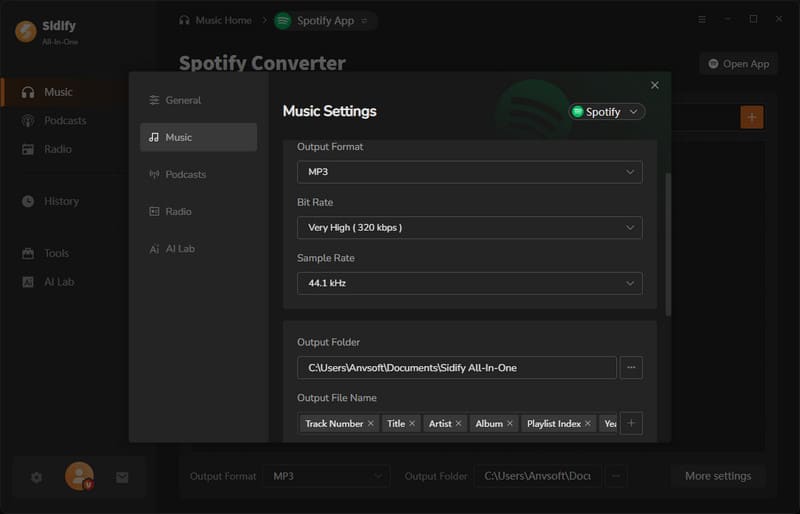







Comments are off!