Q:"Does SoundCloud work on Apple Watch? Can I listen to Soundcloud on my Apple watch without my phone?"
A: Yes. There is an official SoundCloud app for Apple Watch. However, the official SoundCloud app doesn't work as a fully independent music player on your Apple Watch. Instead, it mainly lets you control playback on your connected iPhone, so you'll generally need to keep your phone nearby to listen this way.
Fortunately, you still have several options to enjoy your favorite SoundCloud tracks directly from your Apple Watch without bringing your iPhone around! This guide covers three methods to help you play SoundCloud on Apple Watch without phone nearby. You can convert SoundCloud tracks to MP3, M4A, or AAC and sync them to your Apple Watch for true offline playback, upload them to iCloud Music Library for streaming across Apple devices, or use a third-party app to stream music directly over Wi-Fi or cellular. Check it out!
Part 1. Play SoundCloud on Apple Watch with an iPhone (Subscription Needed)
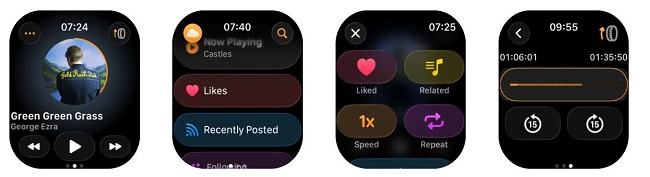
Currently, the official SoundCloud app for Apple Watch is available exclusively to SoundCloud Go, Go+, or Artist Pro subscribers. For SoundCloud Free users, please refer to Part 2. However, the SoundCloud app on Apple Watch works as a controller, not a player. The audio streams from your iPhone, and your watch simply acts as a remote. If you leave your phone behind, the app will not work. Here's how to get SoundCloud on Apple Watch.
Requirements:
An Apple Watch running watchOS 10.0 or later
An iPhone running iOS 16.4 or later
An active SoundCloud Go, Go+, or Artist Pro account.
Install SoundCloud on Your iPhone
1. Open the App Store on your iPhone.
2. Search for SoundCloud and install the official app.
3. Open SoundCloud and sign in to your Go, Go+, or Artist Pro account.
4. Make sure your iPhone and Apple Watch are paired and running compatible software.
Add SoundCloud to Your Apple Watch
1. Open the Watch app on your iPhone.
2. Select "My Watch" and scroll to "Available Apps".
3. Find SoundCloud and tap "Install". If SoundCloud is already listed under Installed on Apple Watch, you can skip this step.
Open SoundCloud on Your Apple Watch
1. Keep your iPhone nearby and connected to your Apple Watch.
2. Open SoundCloud on the your Apple Watch.
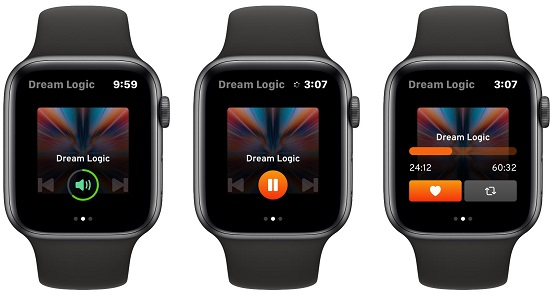
3. Browse supported sections, such as your likes, playlists, and Next Up queue.
4. Select a track on your iPhone if needed, then use the Apple Watch's Now Playing controls to pause, resume, skip tracks, or adjust playback.
5. The SoundCloud music still play through your iPhone.
Part 2. Play SoundCloud on Apple Watch without Phone Offline/Online (3 Ways)
If you have a paid SoundCloud subscription, it can be much easier for you to access SoundCloud music streaming on your connected Apple Watch with your iPhone nearby. What about SoundCloud Free users? Is it possible to use SoundCloud on Apple Watch with a Free account? What if you don't want to take out your phone while running, walking, or working out? In this section, we'll explain how to play SoundCloud on Apple Watch without phone, without a subscription, and no Internet connection!
2.1 Convert SoundCloud Music to MP3/M4A/AAC and Add to Apple Watch
This is the most reliable and flexible method, available to both SoundClound free and premium users. All you need is the third-party tool - UkeySoft SoundCloud Music Converter.
UkeySoft SoundCloud Music Converter is a professional desktop application for Windows and Mac. It lets you download SoundCloud songs, playlists, albums, and even podcasts as MP3 320kbps, AAC/M4A 640kbps, or lossless WAV/FLAC files. UkeySoft supports all account types: Free, Go, and Go+, so you easily build your offline music collection. The software embeds SoundCloud's web player directly, allowing you to browse, search, and add content without switching multiple apps. Once downloaded, you can transfer the downloaded SoundCloud music files to an Apple Watch, smart watch, MP3 player, phone, tablet, USB drive and any other devices for free offline listening.
Main Features of UkeySoft SoundCloud Music Converter:
Download music from SoundCloud Free and Go/Go+ accounts to PC/Mac.
Convert SoundCloud tracks to MP3, FLAC, WAV, M4A, AAC, and AIFF.
Save SoundCloud music to computer in up to 320kbps MP3.
Download multiple SoundCloud tracks, playlists, and albums simultaneously.
Preserve ID3 tags like titles, artists, albums, and cover artwork intact.
Export SoundCloud music files to computer folder at 16X ultra-fast speed.
Built-in Web Player to browse, search, and select music directly.
Classify output SoundCloud songs by artist, album or date.
How to Convert SoundCloud Music to MP3/AAC/M4A with UkeySoft
Log In to SoundCloud Account in UkeySoft
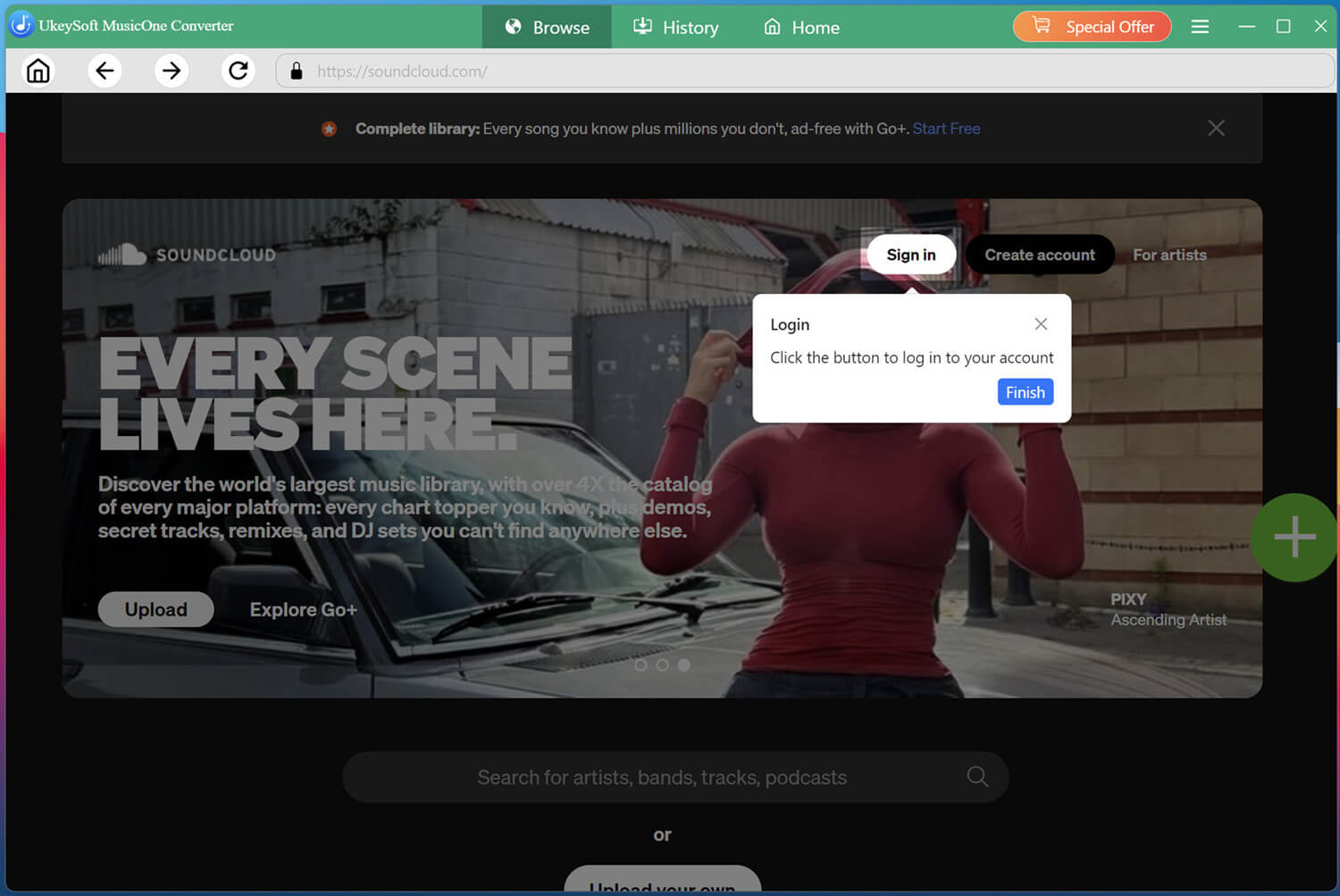
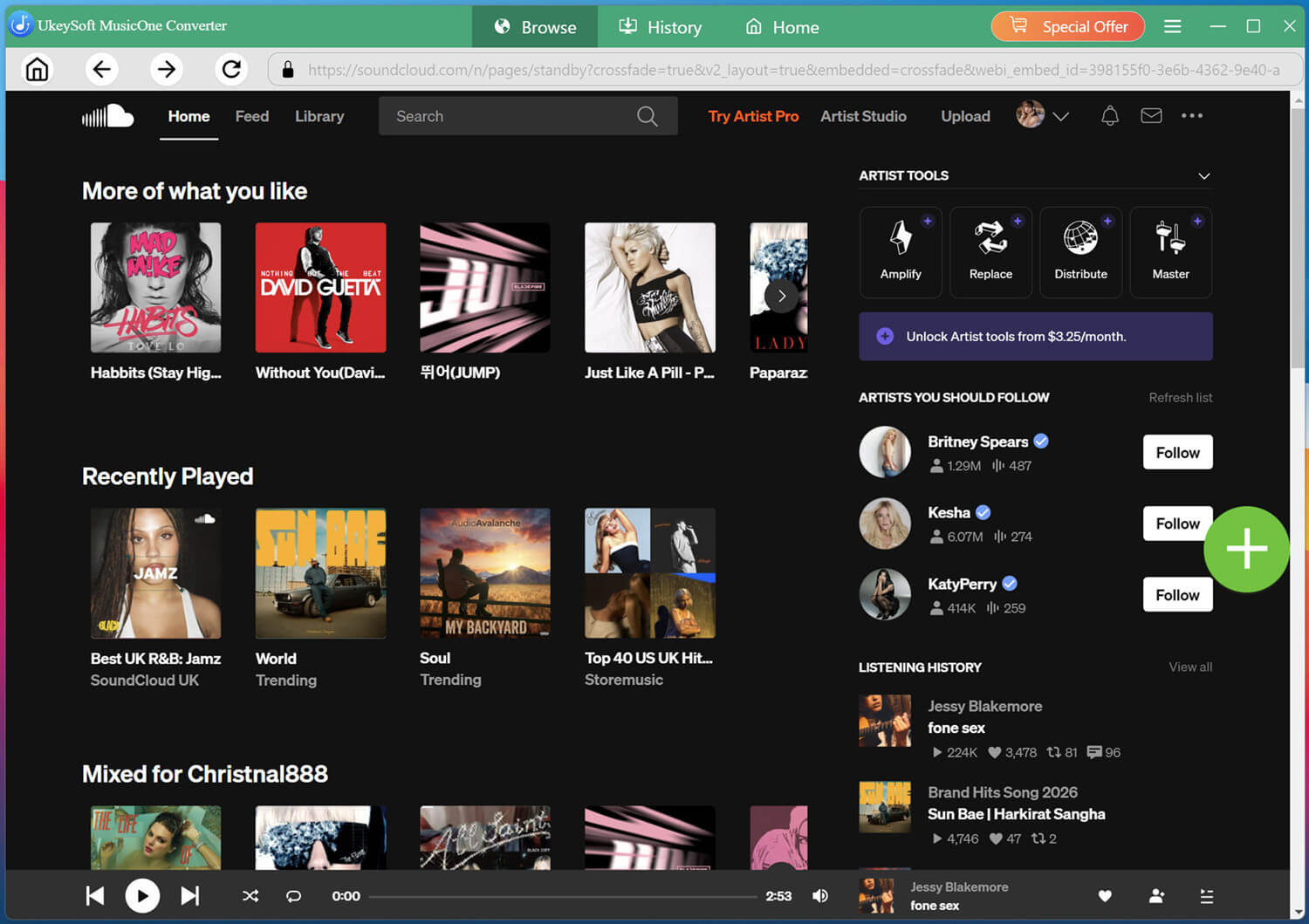
Install and launch UkeySoft SoundCloud Music Converter on your computer and sign in to your SoundCloud account through the built-in player.
Logging in allows the software to access your available SoundCloud music and playlists.
Configure the Output Settings
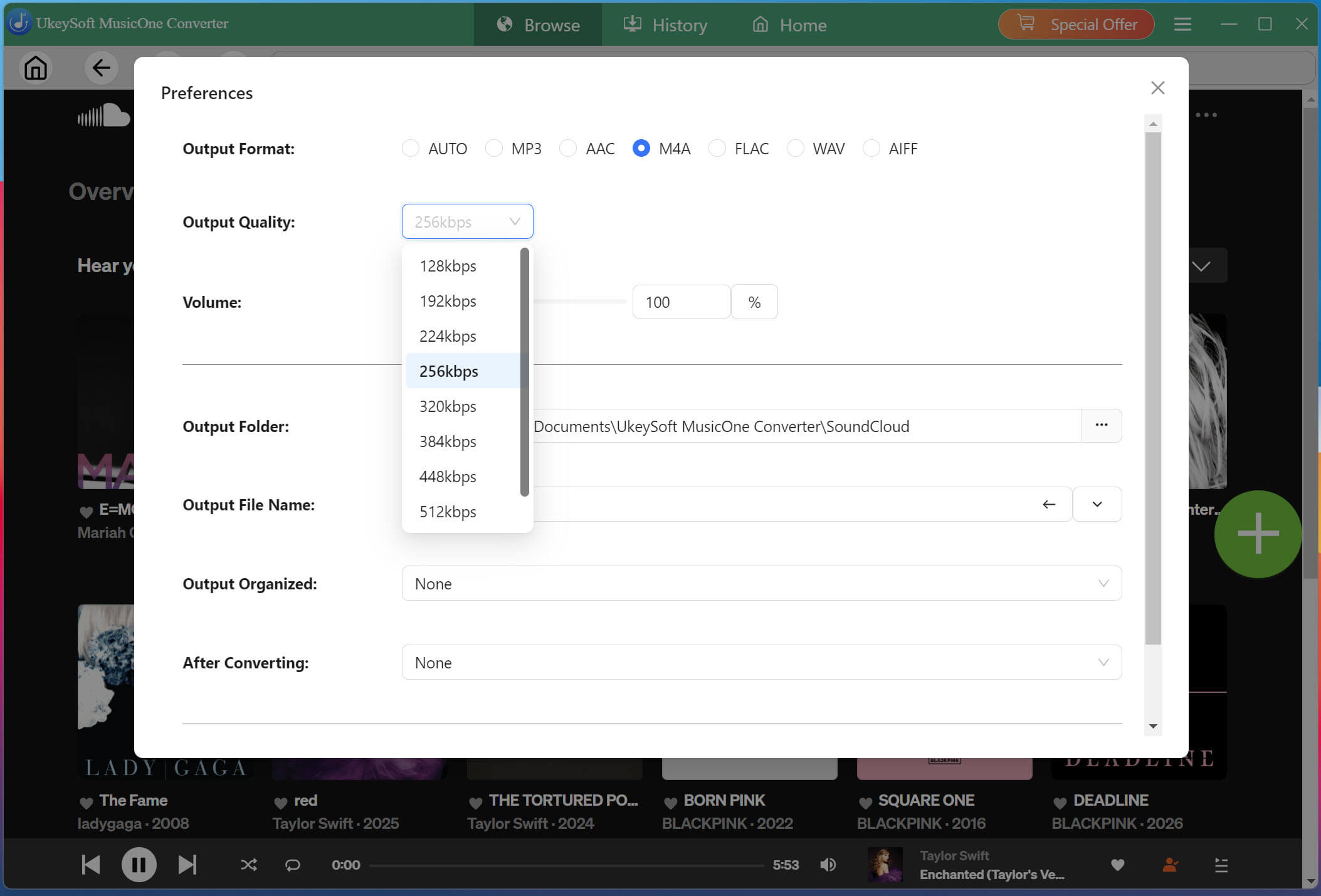
Click Menu at the upper right corner, then choose Preferences to configure your output format. For Apple Watch compatibility, choose M4A or AAC and set your preferred bitrate and sample rate before you begin.
Tips: MP3, M4A, AAC are compatile with Apple Watch, iPhone, iTunes, Apple Music app and most Apple devices or players.
Add SoundCloud Tracks, Playlists, Albums
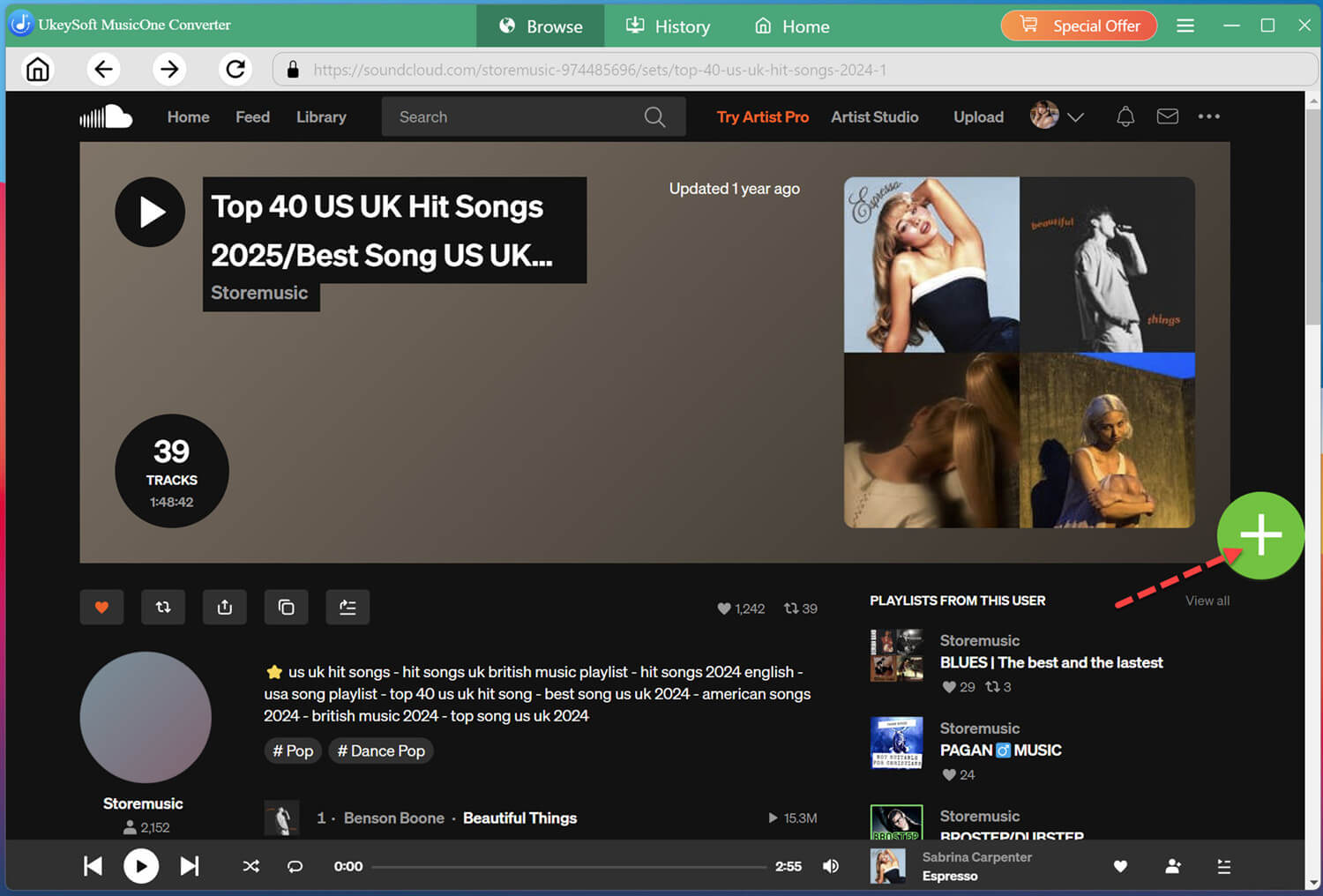
On the home page, you may browse your music library within the software directly. Open a track, playlist, or album you want to prepare, then click the greed "+" icon to add it to the converting list.
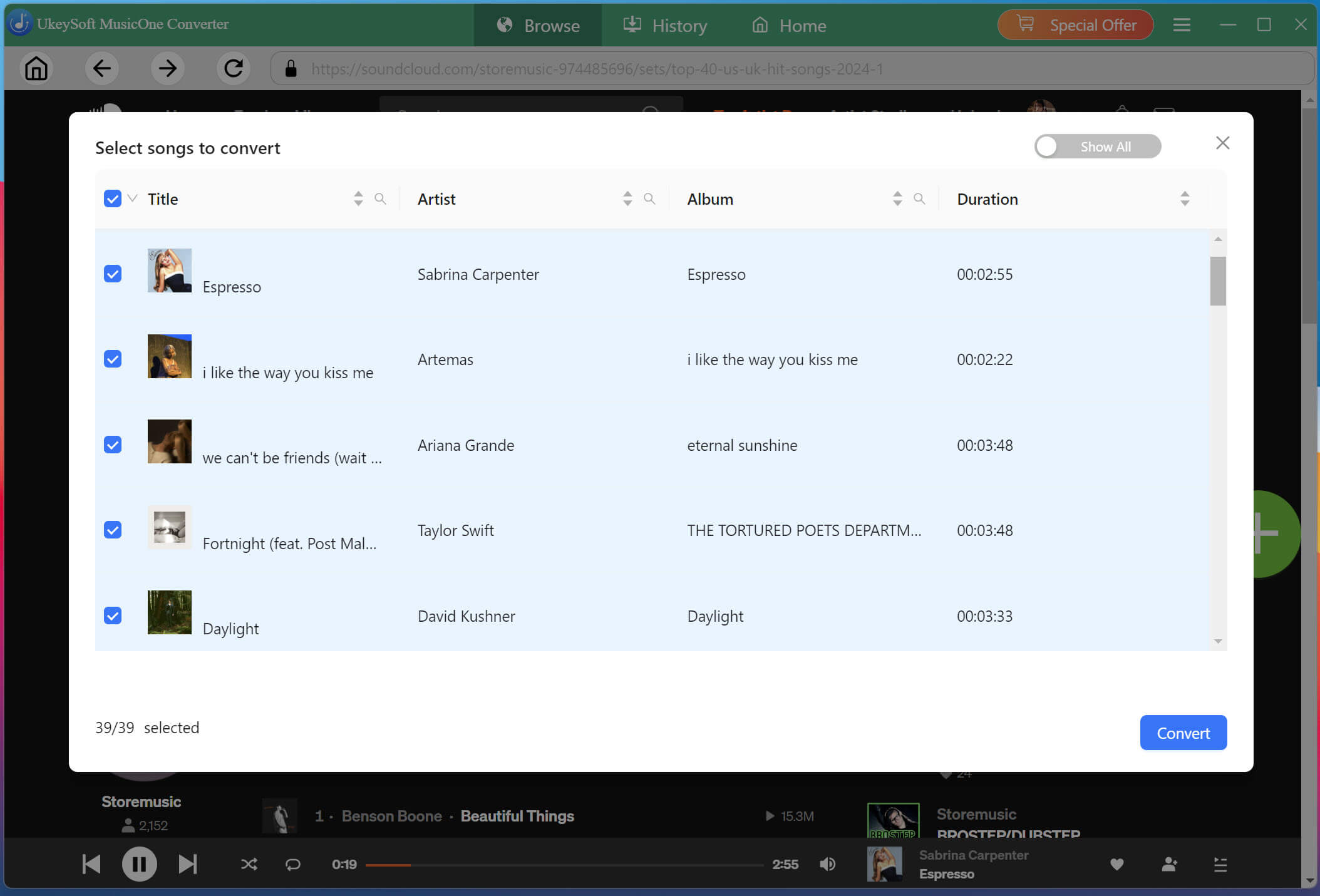
Review the detected tracks in the selection window. Choose only the songs you want to prepare for Apple Watch and remove any unwanted items before continuing.
Start Downloading SoundCloud Songs to MP3
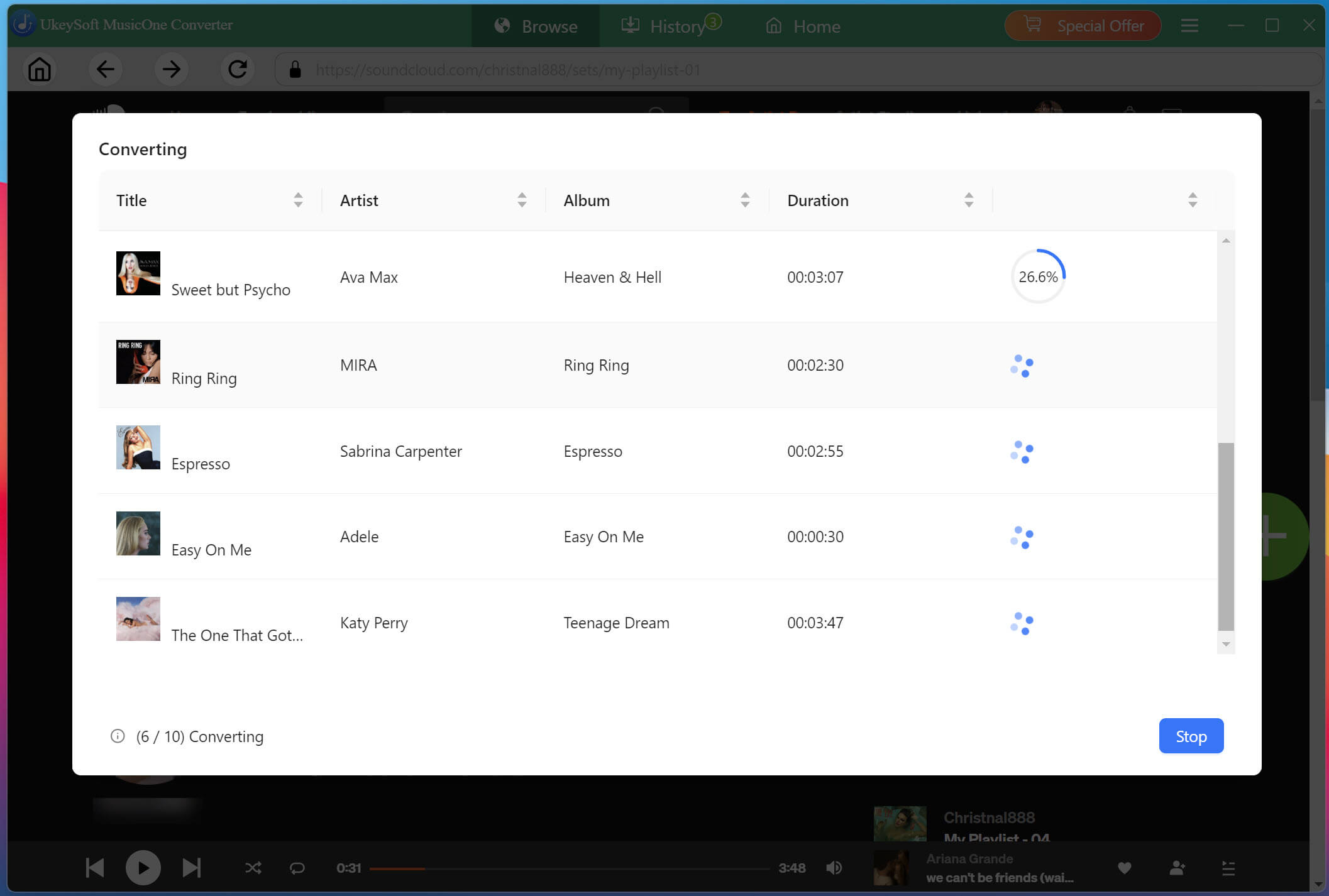
If ready, click "Convert" button to start the process. UkeySoft will download and convert all selected SoundCloud tracks simultaneously to MP3 or other formats at 16X faster speeds with lossless audio quality.
Get the Downloaded SoundCloud Songs
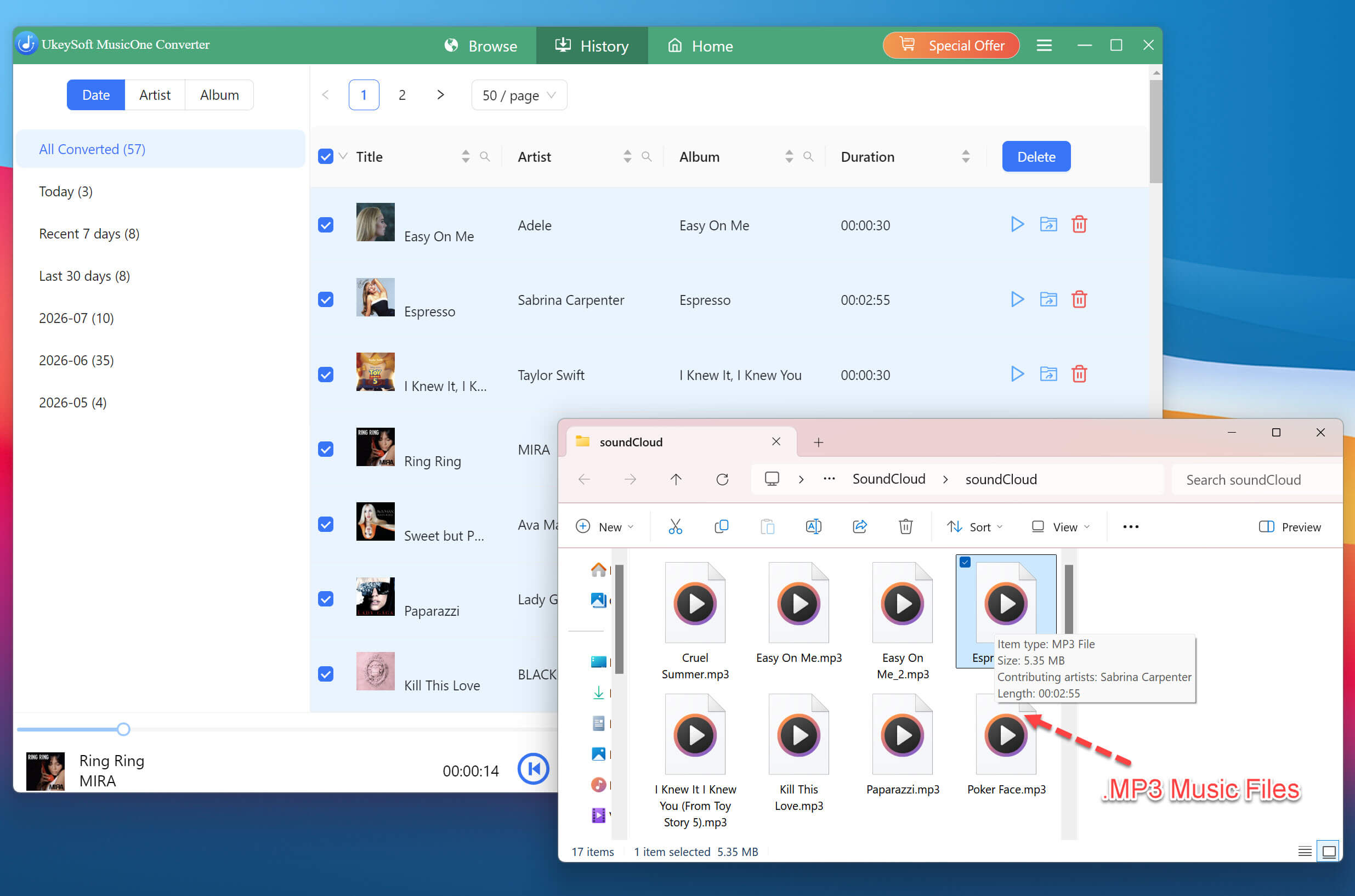
Once conversion completes, navigate to the "History" section and click the folder icon. You can then find your downloaded SoundCloud tracks, along with their preserved metadata where available.
Import Converted SoundCloud Tracks into iTunes or Music
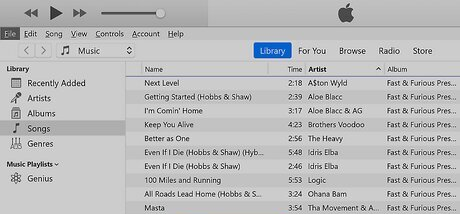
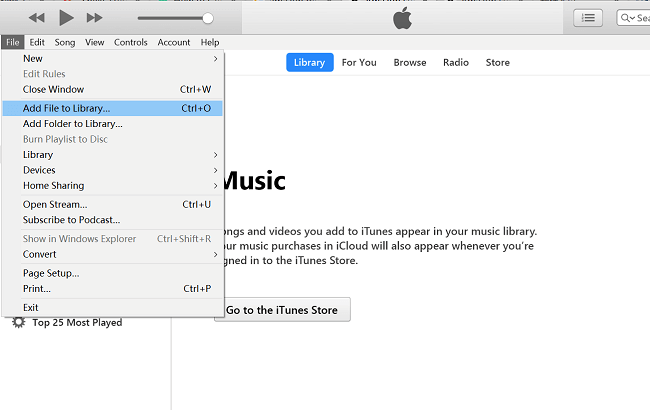
Open iTunes (Windows) or the Music app (Mac), then drag and drop your converted M4A files into your library. They will be added to your local music collection, ready for syncing.
Sync SoundCloud Tracks to Apple Watch for Offline Playback
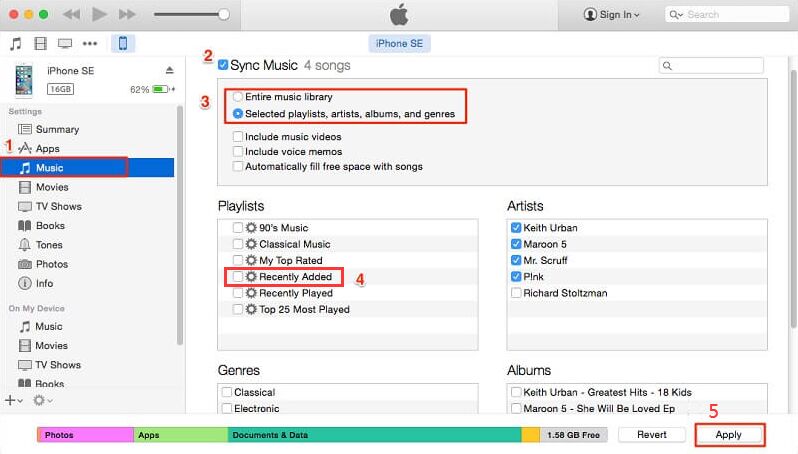
Connect your iPhone to your computer and open iTunes/Finder. Select your device, navigate to the "Music" tab, and enable "Sync Music". Choose to sync "Selected playlists, artists, albums, and genres", then select the SoundCloud tracks you imported. Click "Apply" to sync.
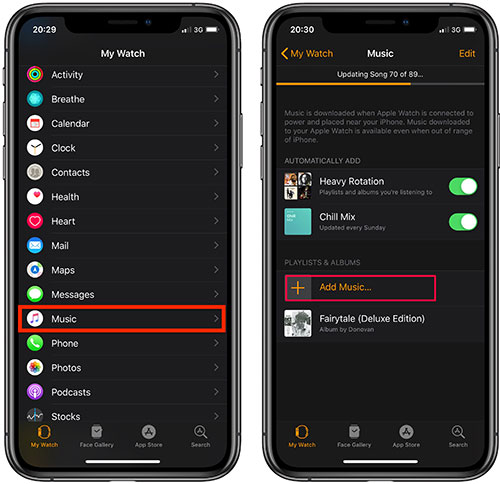
On your iPhone, open the Watch app and select My Watch > Music > Add Music. Choose the imported playlists or albums you want on the watch.
Once complete, the SoundCloud music will be available on your Apple Watch through the Watch app's music settings, allowing you to listen to SoundCloud on Apple Watch without your iPhone.
2.2 Upload Converted SoundCloud Music to iTunes Match or Apple Music Cloud
If you subscribe to iTunes Match ($24.99/year) or Apple Music, you can upload your converted SoundCloud tracks (.mp3, .m4a or .aac files) to iCloud Music Library and access them on all your Apple devices, including your Apple Watch, iPad, iPod Touch, etc. Follow below steps to grasp the details.
Convert SoundCloud tracks to MP3, AAC, or M4A, using UkeySoft SoundCloud Music Converter (see 2.1 process above).
Import the converted SoundCloud music files into your iTunes/Music library.
If not already subscribed, you need to subscribe to iTunes Match ($24.99/year) through the iTunes Store.
To enable syncing across devices:
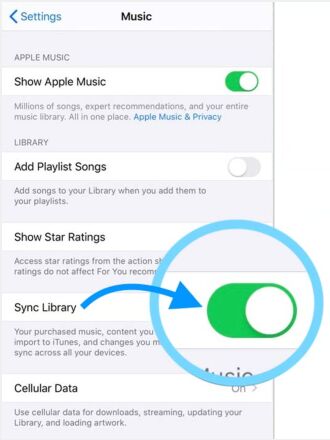
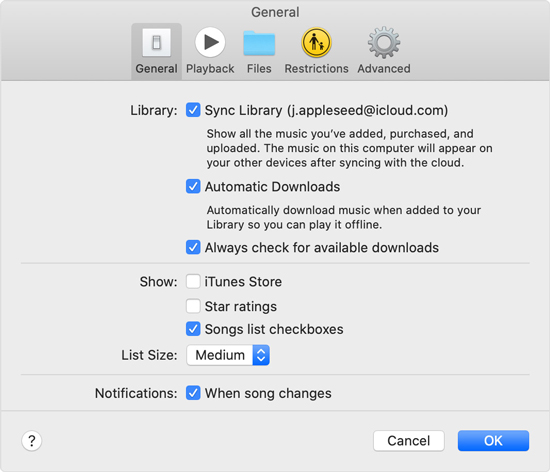
On iPhone, go to "Settings" > "Music" and turn on "Sync Library".
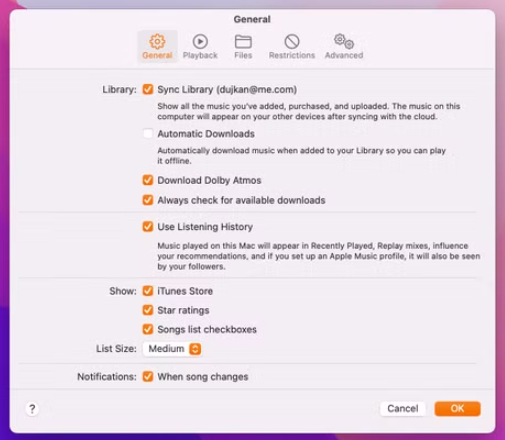
On macOS, open the Music app, select "Music" > "Preferences", and check "Sync Library" on the "General" tab.
On Windows, launch "iTunes", go to "Edit" > "Preferences", and enable "Sync Library" (or "iCloud Music Library") under "General".
iTunes Match will automatically scan and upload your SoundCloud tracks to iCloud
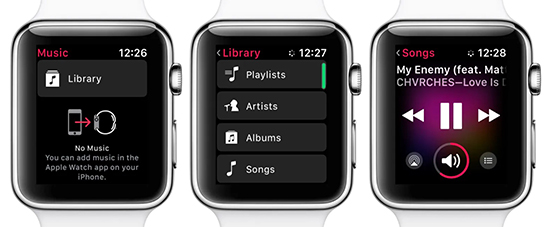
Open Music app on your Apple Watch. Find the synced tracks or playlists and play the tracks you like. To enjoy offline listening, you may download the uploaded tracks through the Watch app!
2.3 Stream SoundCloud on Apple Watch with WatchCloud
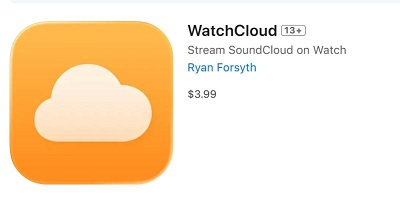
To play SoundCloud on Apple Watch without a phone, you may also use a third-party app such as WatchCloud. This app costs $3.99 as a one-time purchase and works with all SoundCloud accounts, including a free account. It lets you stream SoundCloud music on your Apple Watch directly over Wi-Fi or cellular.
Requirements:
iPhone / iOS Version: Requires iOS 17.0 or later.
Apple Watch / watchOS Version: Requires an Apple Watch Series 4 or later, or Apple Watch SE, running watchOS 10.0 or later.
An Internet connection: Make sure your Apple Watch is connected to a cellular service a Wi-Fi.
Here's how to get WatchCloud app installed on Apple Watch:
Launch the App Store on your iPhone and search for WatchCloud: SoundCloud Player.
Purchase and install the app on both your iPhone and Apple Watch.
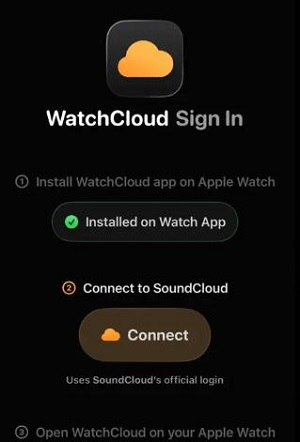
Open WatchCloud app on your iPhone and follow the on-screen instructions to connect your SoundCloud account to link your music library.
Open WatchCloud on your Apple Watch. You can now browse your liked tracks, playlists, or artists, or use its search function to find music you want to play.
Note:
WatchCloud lets you like songs on Apple Watch, but these likes won't sync to your SoundCloud account because it uses the public SoundCloud API rather than being an official SoundCloud app.
Part 3. Conclusion
No matter you are using a SoundCloud free or paid account, it is possible for you to listen to SoundCloud music on your Apple Watch without carring your phone. For users who want the most flexibility and truly own their SoundCloud music, the best solution is using the UkeySoft SoundCloud Music Converter. You can use it to convert SoundCloud music to common MP3, AAC, or M4A files offline in advance, and then add SoundCloud music to Apple Watch. This delivers you a smooth offline playback. You can download the software to have a try!
Justin Sabrina has always had great enthusiasm for writing, programming and web development. He likes writing about software and technology, his works are featured on some tech blogs or forums like Tom's Hardware, CNET, etc.
 English
 Arabic
 Chinese (Simplified)
 Chinese (Traditional)
 Croatian
 Czech
Czech Danish
 Dutch
Dutch Estonian
 Finnish
 French
 German
 Greek
Greek Hebrew
 Hindi
Hindi Hungarian
 Indonesian
 Italian
 Japanese
 Kazakh
 Korean
 Malay
Malay Norwegian
 Polish
 Portuguese
 Romanian
 Russian
 Slovenian
 Spanish
 Swedish
 Thai
Thai Turkish
 Ukrainian
 Vietnamese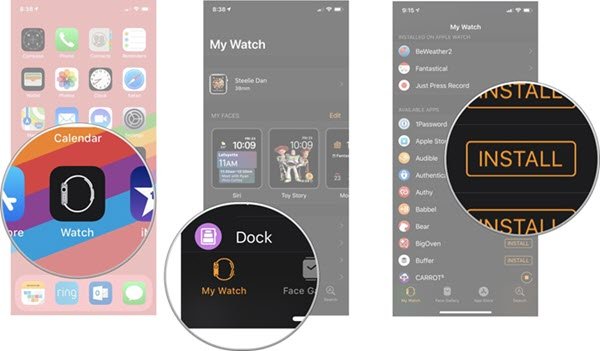








Comments are off!