To convert SoundCloud to MP3, you can use a SoundCloud to MP3 Converter, online tool, or audio recorder. UkeySoft SoundCloud Music Converter can batch-convert SoundCloud songs, playlists, and albums to MP3 up to 320kbps, without a SoundCloud subscription account.
SoundCloud is home to millions of tracks, remixes, DJ sets, and independent releases. Sometimes you might want to convert SoundCloud music to MP3 for ad-free, offline listening, easier music management, or playback on an MP3 player. However, even if you've subscribed to SoundCloud Go or Go+ plan, the offline downloads are stored in an encoded format and remain accessible only through the SoundCloud app.
Fortunately, there are several ways to convert SoundCloud songs to MP3. In this guide, we'll introduce the professional UkeySoft SoundCloud Music Converter, online tools, and audio recording software to help you convert from SoundCloud to MP3 with simple steps!
Unlike other competitors like Spotify, Apple Music, and YouTube Music, which requires a paid subscription to unlock download feature, even the Free users can use SoundCloud's official download feature when the uploader has enabled it. So, if artists enable free downloads, you can easily download MP3 songs from SoundCloud for offline listening.
Open SoundCloud in your web browser and sign in to your account.
Search for the song you want to save, then open its track page.
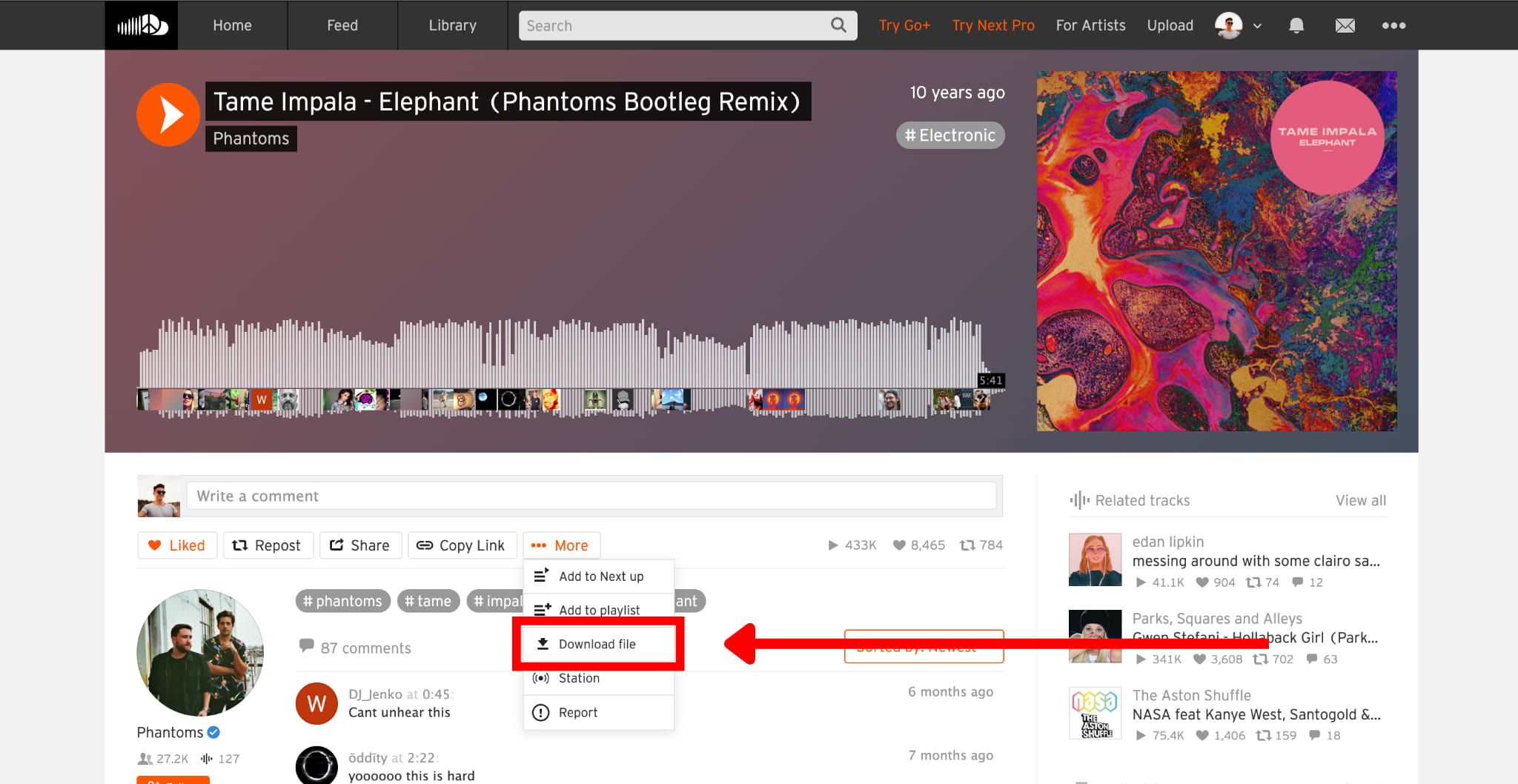
Click the "More" button (represented by three dots), and select "Download file" if available.
The SoundCloud track will be saved directly to your browser's Download folder in MP3 or other original format made available by the uploader.
Note:
Not every SoundCloud track can be downloaded directly, and the available download format (MP3, WAV, AAC, or others) depend on what the uploader has provided. If you don't see a download button, please try one of the following methods.
How to Convert SoundCloud Playlists to MP3 in 320Kbps High Quality
If you want a reliable way to convert SoundCloud music to MP3 in high quality, you should use a professional SoundCloud to MP3 downloader desktop software.
UkeySoft SoundCloud Music Converter is a professional SoundCloud Music to Converter & Downloader, which is designed to download SoundCloud songs, playlists, albums, and podcasts to MP3, WAV, FLAC, M4A, AAC, and AIFF audio formats. As one of the best SoundCloud to MP3 converters, UkeySoft supports SoundCloud Free accounts, output of up to 320kbps MP3, batch conversion, ID3 tag preservation, built-in music management, and speeds of up to 16X faster.
If you need to convert a full SoundCloud playlist or album, simply add it to the built-in web player with one click and start conversion, quickly and hassle-free. After conversion, you can save and transfer your SoundCloud songs for offline playback on any device or player, anytime, anywhere.
Step-by-Step to Convert SoundCloud Playlists to MP3 in Batches
Let's watch the video guide, you will know how to use UkeySoft SoundCloud Music Converter to download SoundCloud to MP3.
Log In to SoundCloud Account in UkeySoft SoundCloud Music Converter
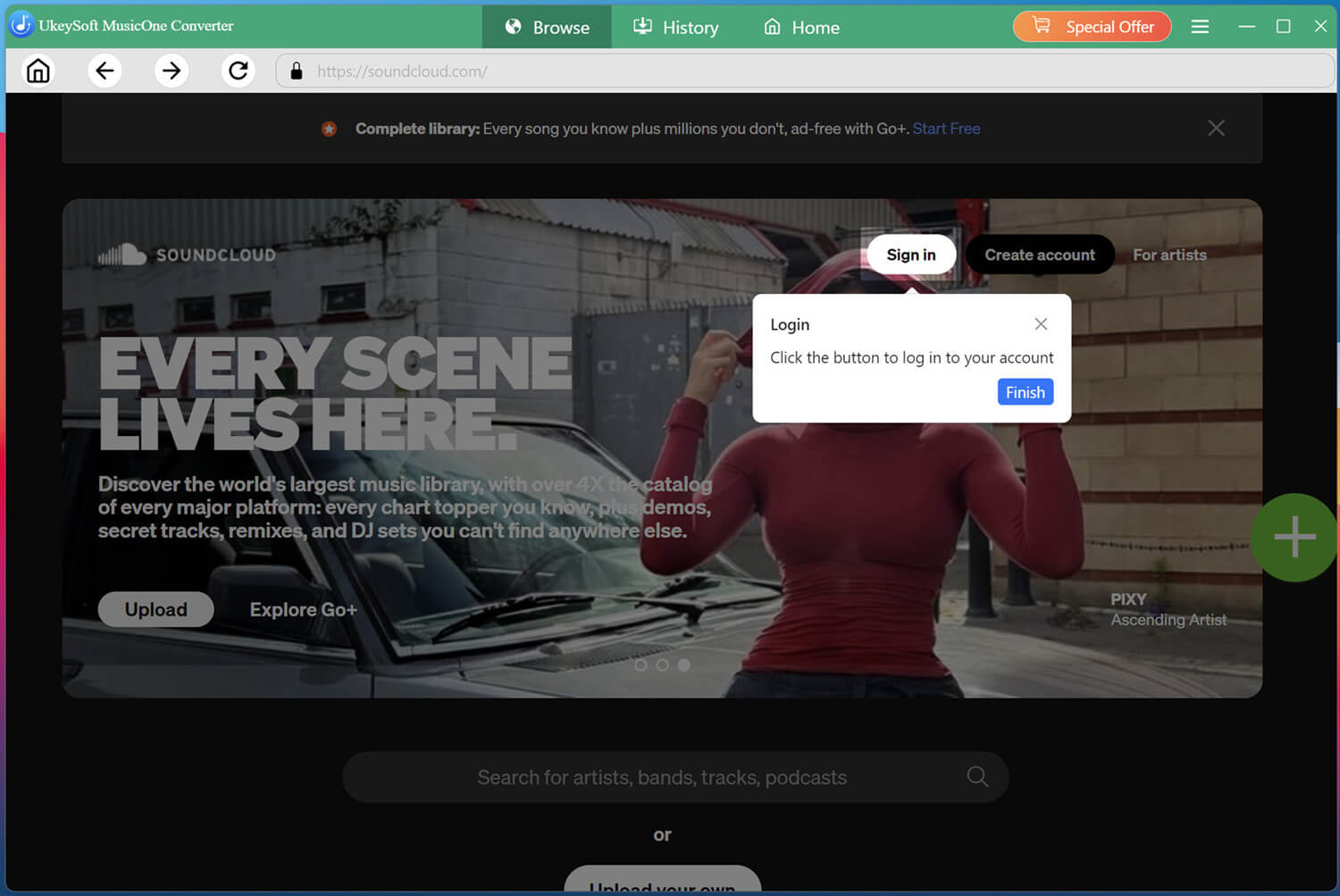
UkeySoft SoundCloud Music Converter works perfectly on both Windows and Mac computers. Click the Download button above, get the software installed on your desktop. Then launch the software and log in using your SoundCloud free account.
Both free and premium accounts are supported, giving you full access to the platform's vast music library directly within the software.
Configure Output Settings
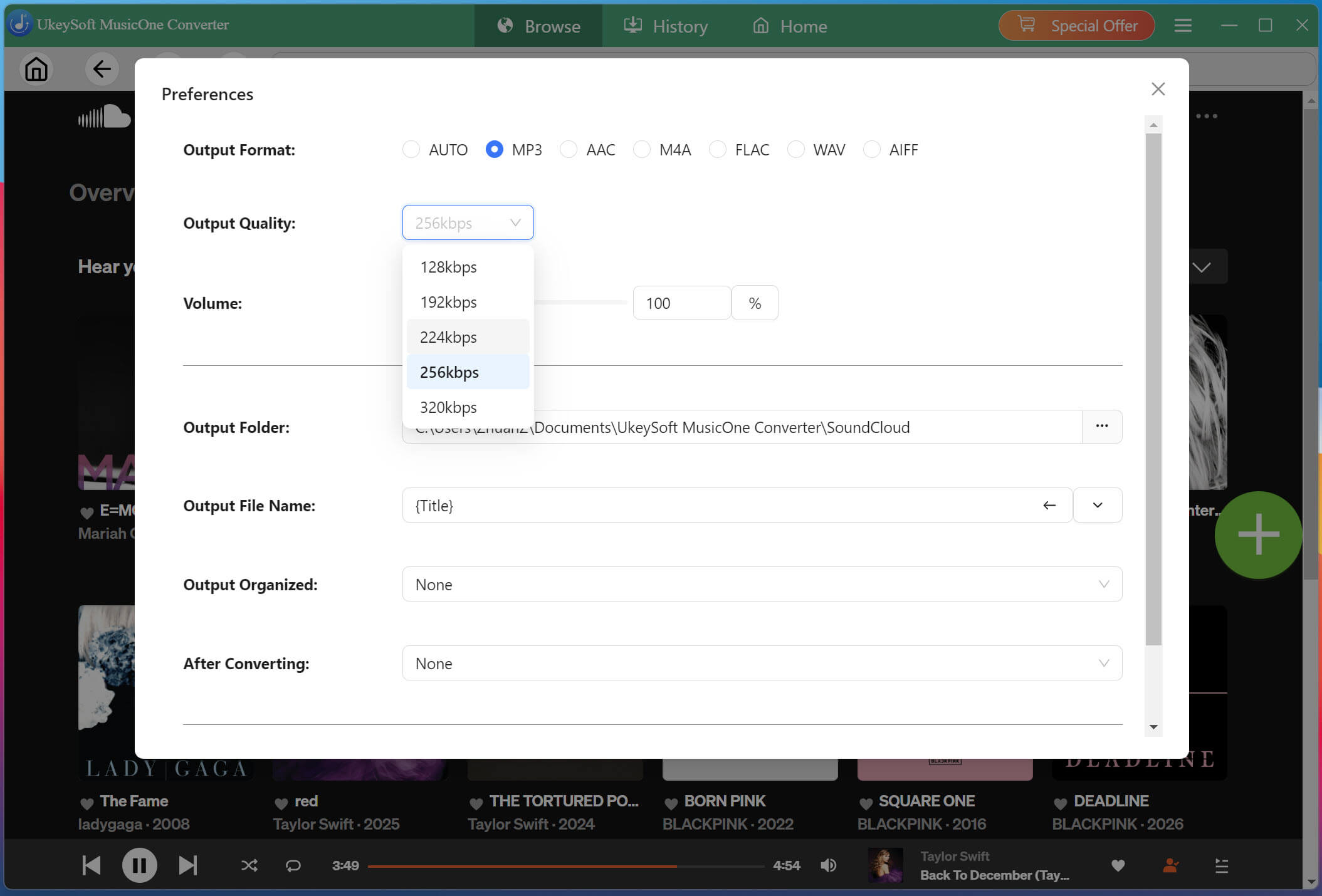
Before downloading, navigate to the settings menu by clicking the three-line icon in the upper right corner, then select "Preferences." Select MP3 as the format, then choose 320kbps output quality. You can also customize other audio parameters if needed.
Browse and Add Playlists or Albums
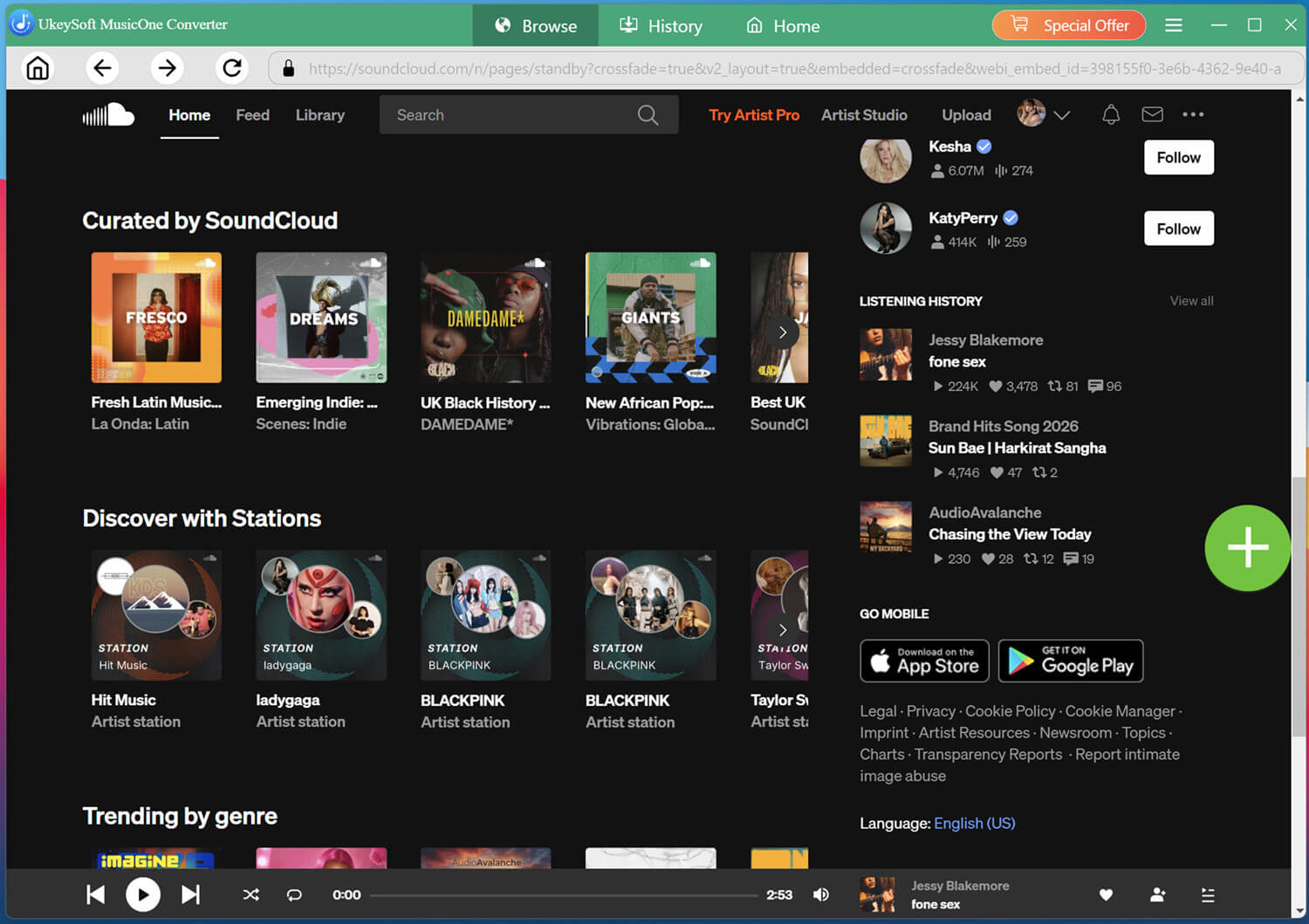
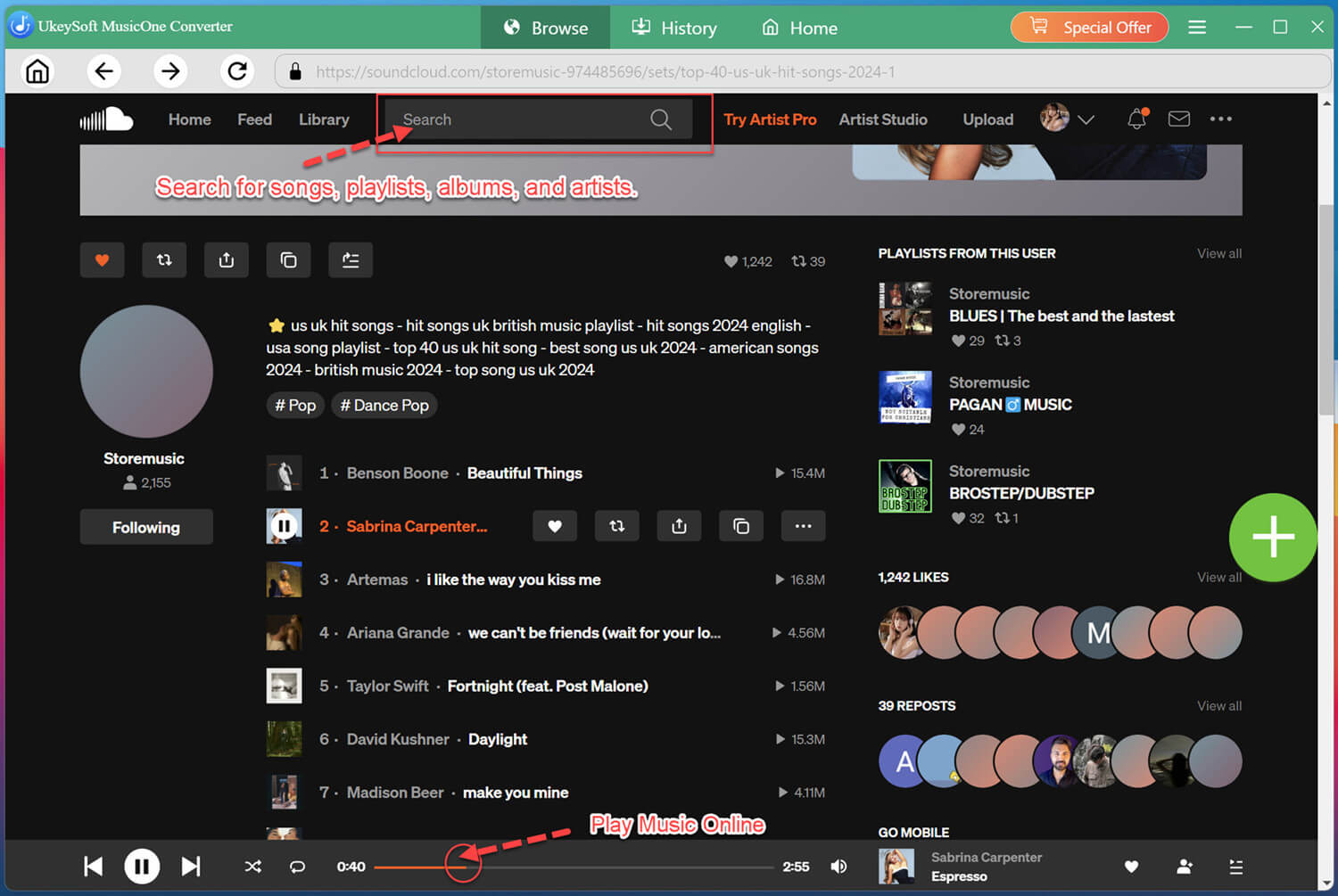
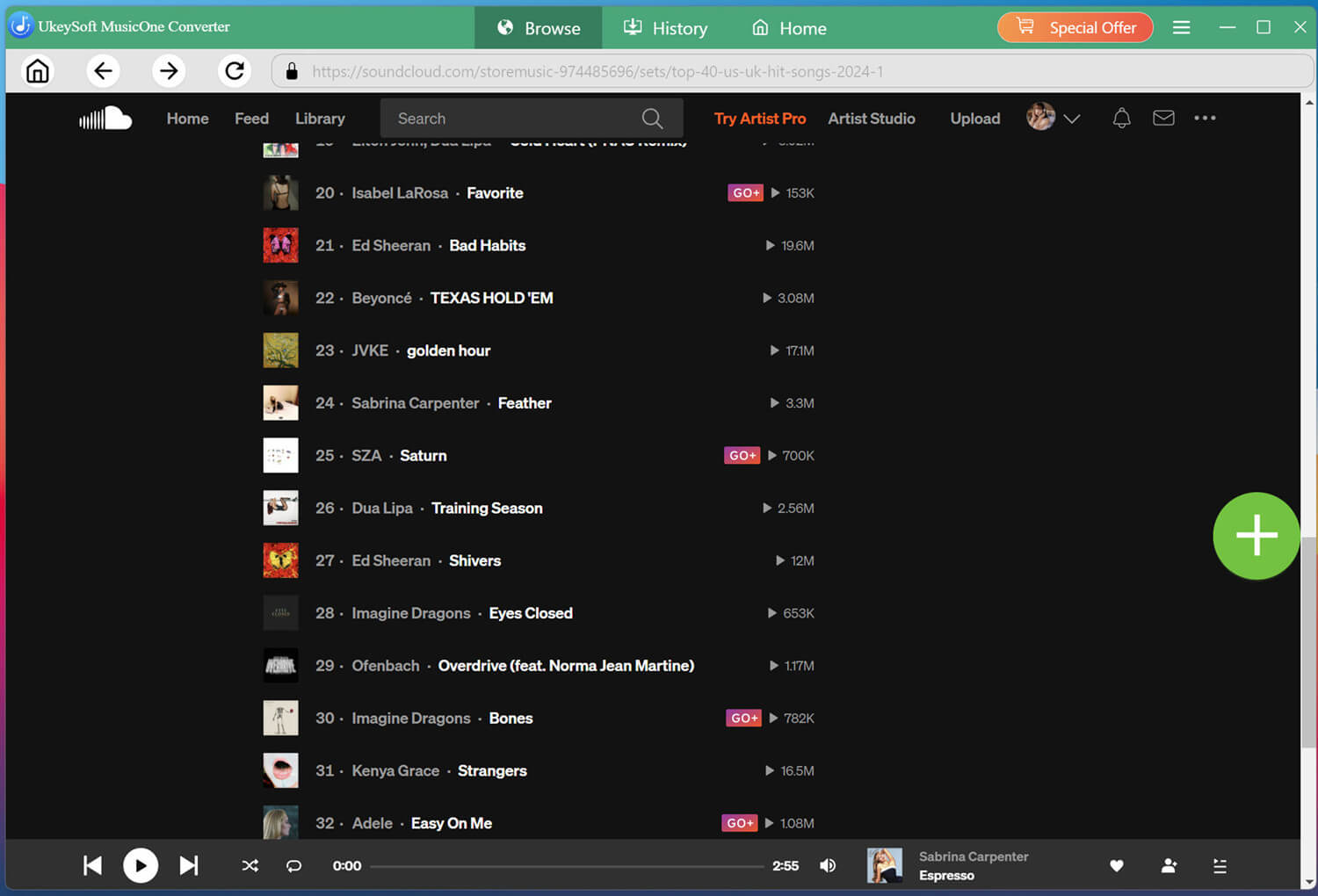
Within the built-in web player, browse or search for the music you wish to download. You can search by keywords, artist or album name.
When you find a playlist, album, or individual track, open it, and click the "+" icon to add it to the conversion list on the right side of the interface.
Select the SoundCloud Songs You Want
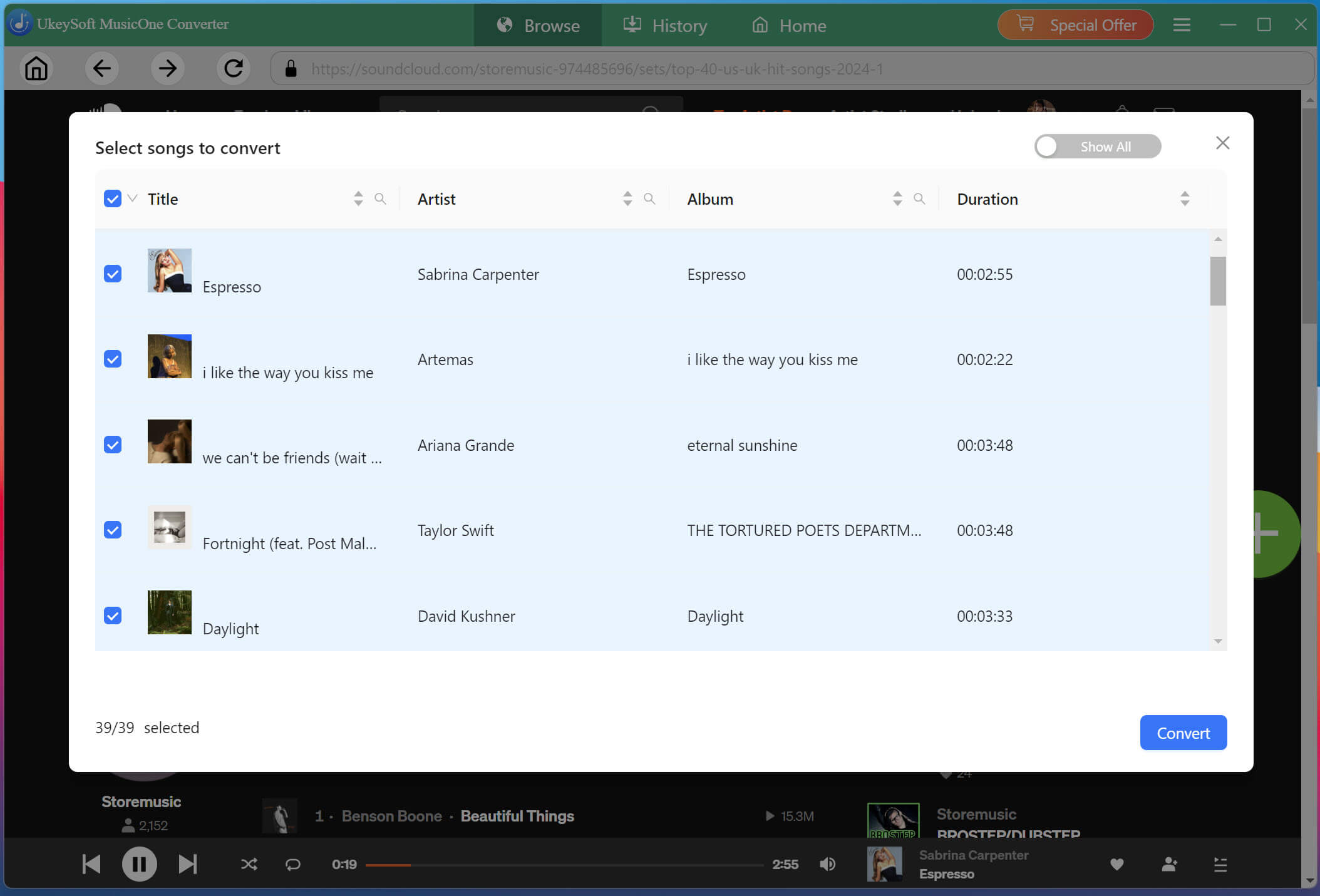
Review the tracks in the list and select the individual songs you want to save. You can choose multiple tracks at once or select an entire playlist or album for batch conversion.
Begin to Convert SoundCloud Music to MP3
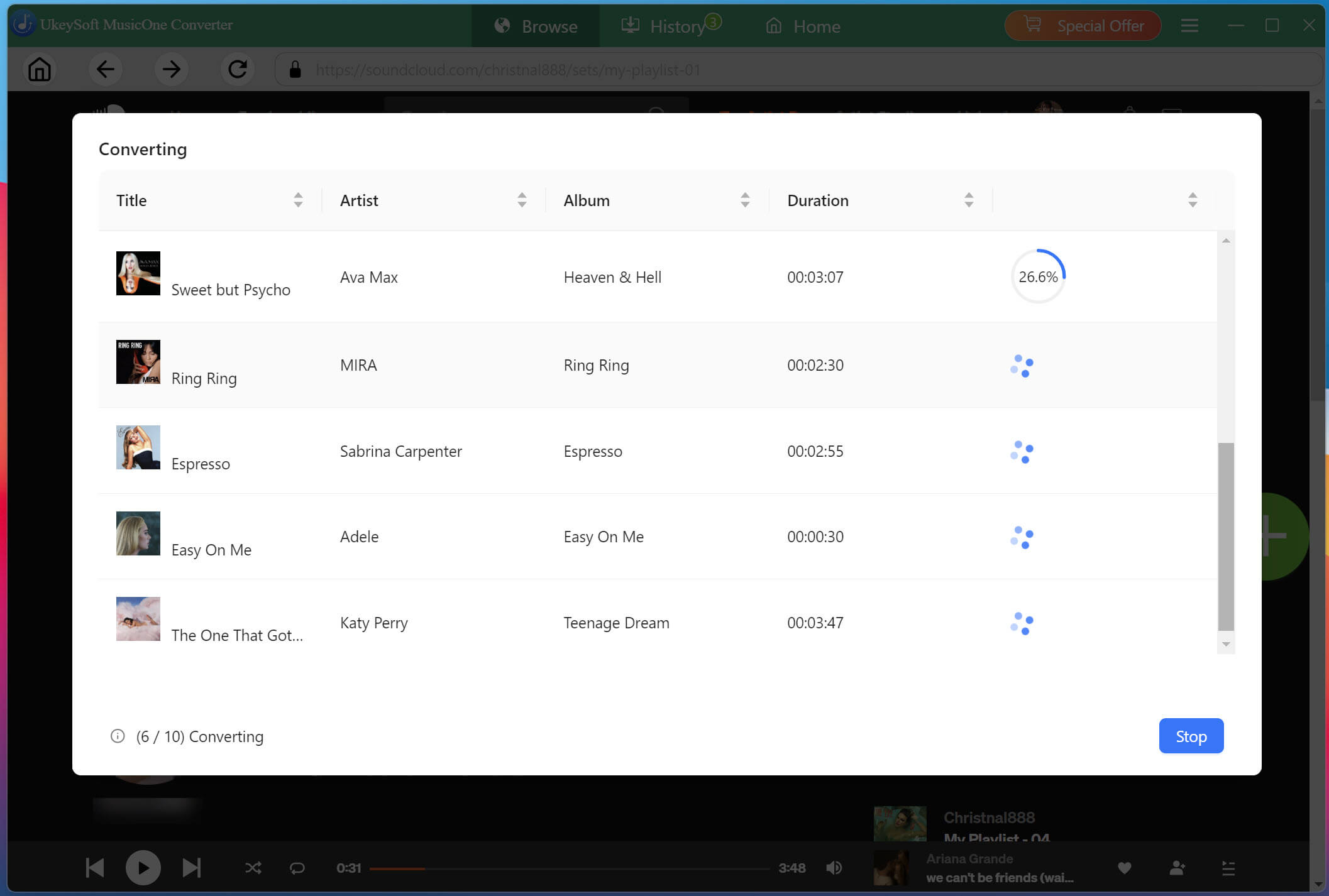
With your selections finalized, click the "Convert" button to start converting songs from SoundCloud to MP3 files. Thanks to the 16X conversion technology, even large playlists will be processed quickly.
Access Your Converted SoundCloud Songs
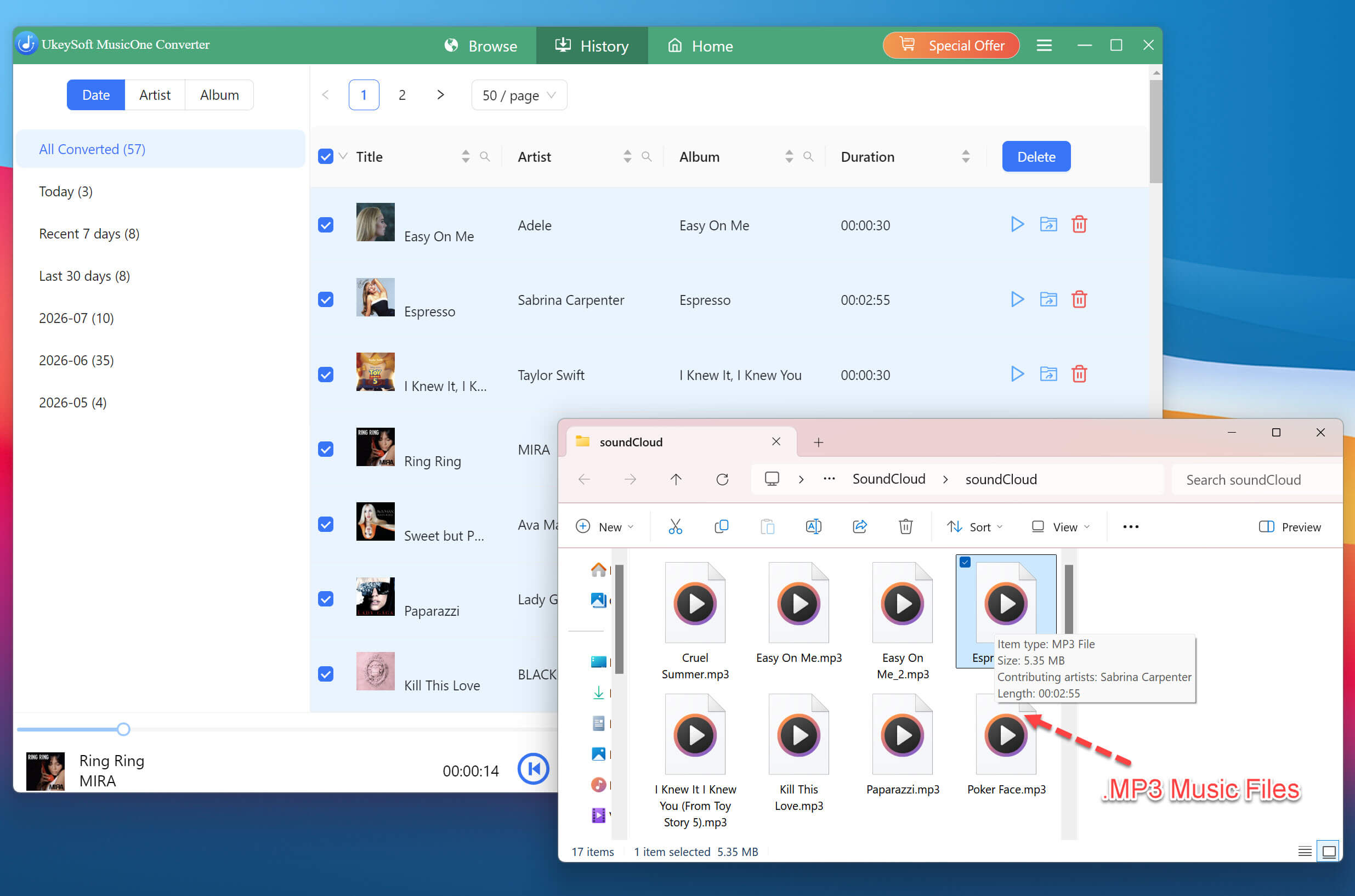
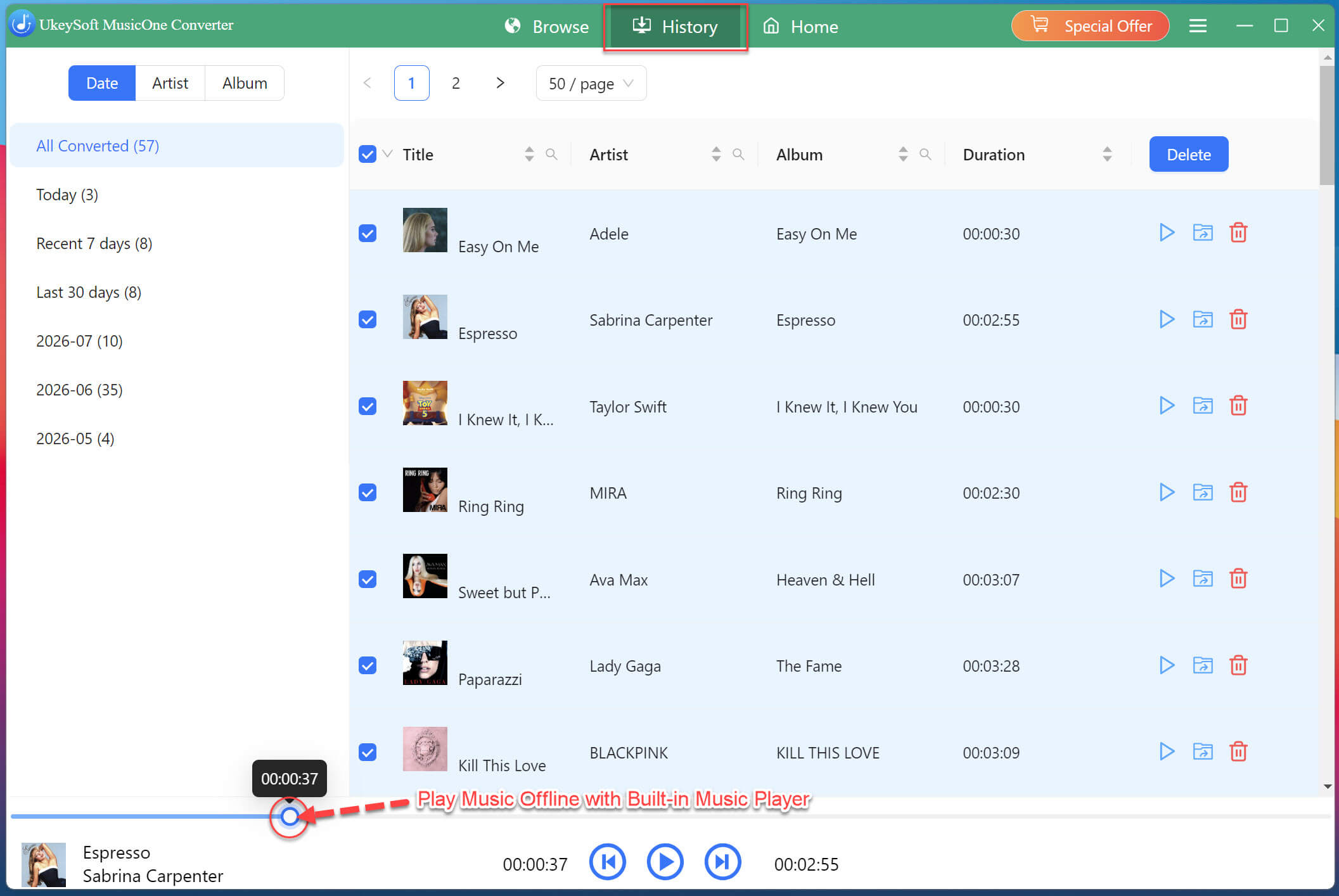
Once the conversion is complete, navigate to the "History" tab to view all successfully converted SoundCloud tracks. Click the folder icon next to any song to open its location on your computer. Your SoundCloud music is now ready for offline playback on any device or player!
Also, you may use the software's built-in music player to preview and play your newly converted SoundCloud music.
How to Convert SoundCloud Music to MP3 Free with Online Tools?
A free online SoundCloud converter offers more convenience when you don't want to install extra software or app. These web-based SoundCloud converters like MusicVerter, KlickAud, DLTracks work on both desktop and mobile browsers. They can analyze the links of SoundCloud music tracks and convert them to downloadable MP3 files.
However, online tools come with notable limitations. They have heavy ads and typically process one track at a time, lack batch download capabilities, and may deliver 128kbps lower audio quality compared to professional desktop software. For occasional, single-track conversions, online tools can be helpful.
Here's the simple steps to convert SoundCloud track to MP3 online:
Open SoundCloud and find the track you want to save.
Open the track page and copy the track's URL via "Share" button.
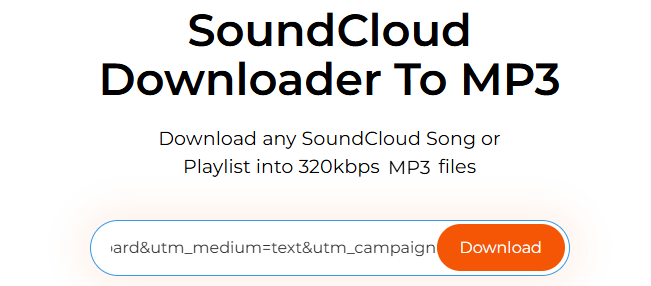
Paste the SoundCloud link into the input box of any online SoundCloud converter, hit on "Download" button.
How to Convert SoundCloud Music to MP3 with an Audio Recorder?
Besides dedicated Spotify to MP3 converters and online tools, you can also record SoundCloud music as MP3 file via an audio recorder. This method can be useful as you can either capture an entire track or just record your favorite segments a track.
UkeySoft Screen Recorder provides a reliable solution for recording SoundCloud music for offline listening. It lets you record music from SoundCloud on computer and export it as high-quality MP3, M4A, WAV or other formats. This tool also offers customizable recording areas, scheduled recording, and real-time annotation features.
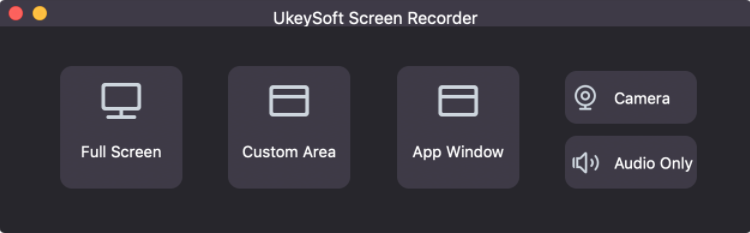
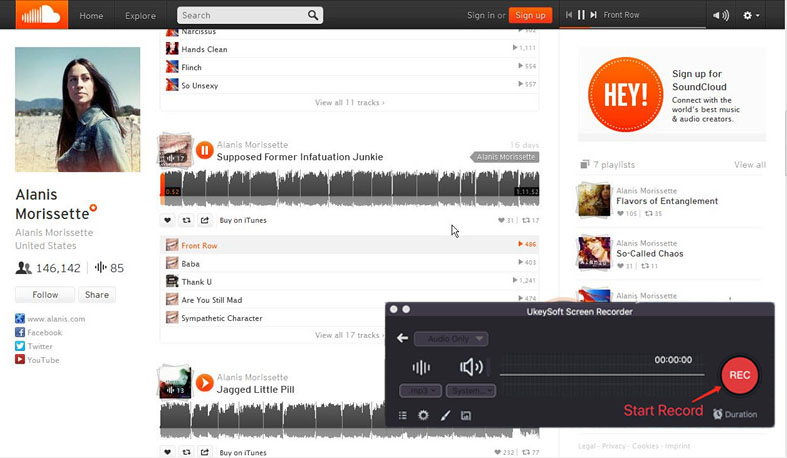
Install and open UkeySoft Screen Recorder, then select "Audio Only"from the main interface.
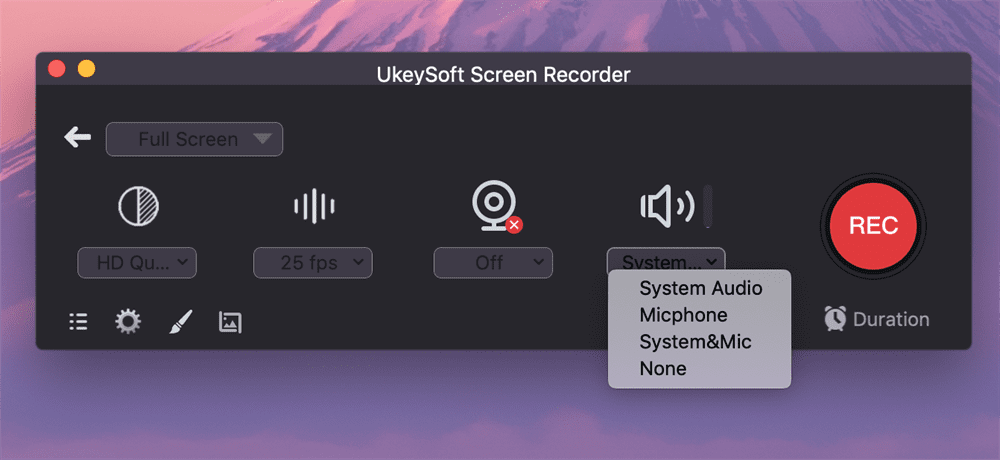
Select "System Audio" option so UkeySoft captures the audio playing from your computer.
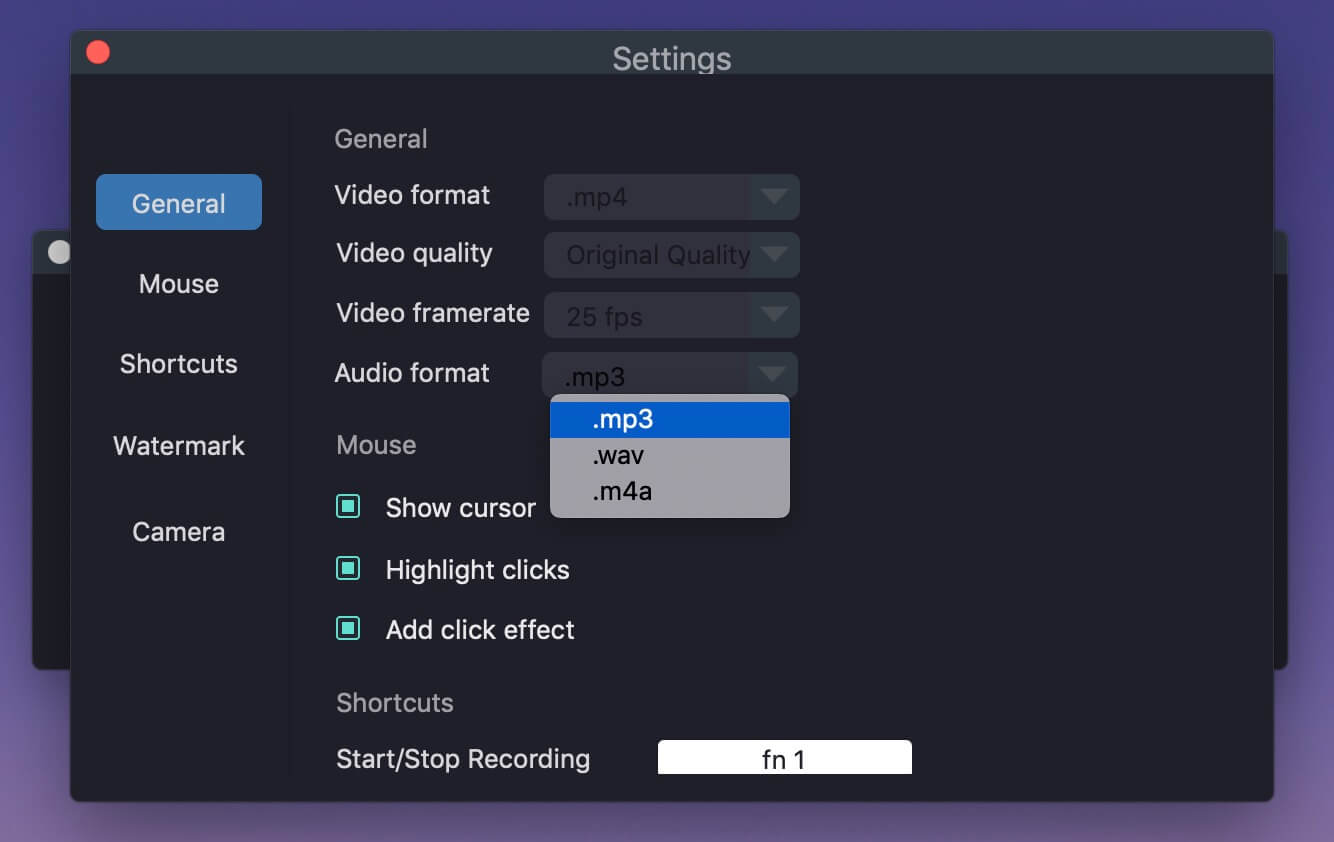
Open the output settings and select MP3 format and high quality.
Open SoundCloud in your browser and prepare the song. Click "REC" in the Recorder, then start playing the track. When the song finishes, stop the recording.
FAQs About Converting SoundCloud Music to MP3
Is converting SoundCloud to MP3 legal?
The legality depends on several factors. If an artist has enabled the download option on SoundCloud, downloading that MP3 track is explicitly permitted. For tracks without a download button, third-party SoundCloud to MP3 converter tools may be used for personal offline listening, but you should not redistribute, share, or commercially use copyrighted music without permission.
How can I convert SoundCloud songs to MP3 for free?
You have several options. The built-in SoundCloud download button is the simplest free method when available. Free online SoundCloud converters allow basic conversions without payment. Additionally, many professional software tools like UkeySoft offer free trial versions that allow you to test their conversion capabilities before purchasing.
How to convert SoundCloud to MP3 on iPhone?
SoundCloud Go or Go+ subscribers can download and save music content for offline listening within the SoundCloud mobile app, but this is different from obtaining an independent MP3 file. To convert SoundCloud music to MP3 on iPhone, you can use an online tool, or convert SoundCloud music to MP3 on a computer first and then transfer the MP3 audio files to your iPhone via iTunes.
Is it safe to use an online SoundCloud converter?
Some online SoundCloud music converters or downloaders may contain excessive advertisements, redirects, or potentially unwanted downloads. For frequent conversions, a professional desktop software like UkeySoft SoundCloud Music Converter can provide a safer and better experience.
Conclusion
This post introduces four ways to convert SoundCloud music to MP3 on your computer or mobile devices. You can use SoundCloud's official download option when the creator has enabled it, try an online SoundCloud to MP3 converter for occasional use, record playback with FonePaw, or use dedicated software such as UkeySoft SoundCloud Music Converter for more efficient batch conversion. No matter the efficiency, quality, and security of the program, you can fully trust UkeySoft SoundCloud Music Converter.
Easily build a personal offline music library, download UkeySoft SoundCloud Music Converter and try converting your favorite SoundCloud tracks to MP3 today.
Justin Sabrina has always had great enthusiasm for writing, programming and web development. He likes writing about software and technology, his works are featured on some tech blogs or forums like Tom's Hardware, CNET, etc.
 English
 Arabic
 Chinese (Simplified)
 Chinese (Traditional)
 Croatian
 Czech
Czech Danish
 Dutch
Dutch Estonian
 Finnish
 French
 German
 Greek
Greek Hebrew
 Hindi
Hindi Hungarian
 Indonesian
 Italian
 Japanese
 Kazakh
 Korean
 Malay
Malay Norwegian
 Polish
 Portuguese
 Romanian
 Russian
 Slovenian
 Spanish
 Swedish
 Thai
Thai Turkish
 Ukrainian
 Vietnamese










Comments are off!