You can play SoundCloud music on Alexa by connecting your phone or computer via Bluetooth. For more convenient playback and get full voice control over SoundCloud on Alexa, you can also download SoundCloud tracks as MP3 files with UkeySoft SoundCloud Music Converter, and add them to Amazon Music, Plex, or My Media for Alexa.
SoundCloud is home to millions of tracks, remixes, and podcasts you may not find elsewhere. With Alexa, you can enjoy your favorite music at home through voice commands. But does SoundCloud work with Alexa? Although Alexa doesn't offer a dedicated official SoundCloud skill, you can still listen to SoundCloud music on Alexa in several ways.
The simplest option is to connect your phone or computer to Alexa via Bluetooth. For offline listening and voice control, you can also utilize a third-party SoundCloud music downloader to download SoundCloud music to MP3 and play them through compatible media servers for Alexa. Read on to learn how to play SoundCloud music on Alexa both online and offline.
Part 1. Play SoundCloud on Alexa via Bluetooth (Online)
Since Alexa cannot access SoundCloud directly, you need to connect SoundCloud to an Alexa-enabled device via Bluetooth, such as the Echo Dot, Echo Show, and Echo Studio via Bluetooth. Once connected, you can play SoundCloud music on your smartphone or computer and send the audio to your Echo device.
Enable Bluetooth Pairing Mode on Alexa
First, make sure your Amazon Echo device is powered on and connected to your home network for initial setup. Then say: "Alexa, pair Bluetooth" or "Alexa, turn on Bluetooth".
If voice pairing doesn't work, open the Alexa app, go to "Devices", select your Echo, choose "Bluetooth Devices", and then tap "Pair A New Device".
Enable Bluetooth on Your Phone or Computer
Next, turn on Bluetooth on the device where you use SoundCloud.
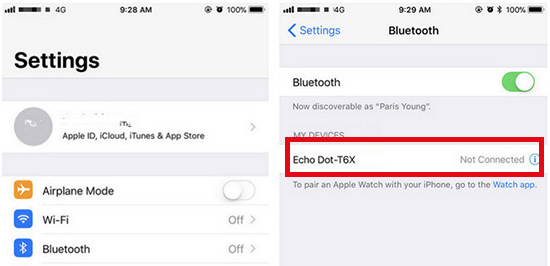
On iPhone or Android: Open your phone's Settings, tap Bluetooth, and turn it on. Keep the screen on and stay in the Bluetooth settings while you search for devices
On Windows or Mac Computer: Open your system settings and navigate to the Bluetooth section, and turn on Bluetooth.
Pair Your Phone or Computer with Alexa
In the Bluetooth settings on your phone or computer, look for your Echo device in the list of available Bluetooth devices. Tap or click its name to connect. Alexa will usually confirm when pairing is complete.
Play SoundCloud Music on Your Device via Bluetooth
Open the SoundCloud app or website on your paired phone or computer. Select a track, playlist, or album and press Play. The audio should come through your Echo speaker.
You can control SoundCloud music playback on your phone or computer with voice commands like "Alexa, pause", "Alexa, next", or "Alexa, volume up".
Part 2. Play SoundCloud on Any Alexa Device (Offline)
Bluetooth works well for online streaming, but you need a smooth internet connection to stream SoundCloud to Alexa. To play SoundCloud music on Alexa offline without Bluetooth, without ads, and with full voice control, you need to download SoundCloud music to MP3 files that Alexa can access. This is where a dedicated SoundCloud to MP3 Downloader comes in.
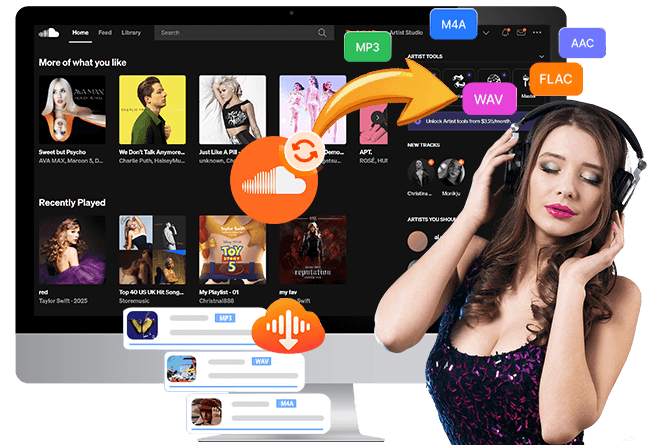
UkeySoft SoundCloud Music Converter is an easy-to-use yet powerful tool to download SoundCloud tracks, playlists, albums, and podcasts into common audio formats. It supports MP3, WAV, AAC, FLAC, AIFF, and M4A, with selectable audio quality options. This tool works for both free and Go+ users, preserves ID3 tags, and supports batch downloading.
Once your SoundCloud tracks are saved locally, you can add them to a compatible media server or cloud service for Alexa playback. This lets you ask Alexa to play your favorite SoundCloud tracks by name - even when you are offline.
Main Features of UkeySoft SoundCloud Music Converter:
Download SoundCloud tracks, playlists, and albums with Free account.
Convert SoundCloud music to MP3, WAV, AAC, FLAC, AIFF, or M4A.
Keeps original audio quality, with up to 320kbps for MP3 files.
Preserve track titles, artists, album details, and cover art.
Batch downloads entire playlists and albums from SoundCloud at once.
Built-in SoundCloud Web Player, Music Player, Music Manager.
Organize output music files for compatible players and media servers.
Transfer and play downloaded SoundCloud music offline on any device, player, app.
Process 1. How to Download SoundCloud to MP3 320Kbps Files?
Sign In with SoundCloud Account in UkeySoft
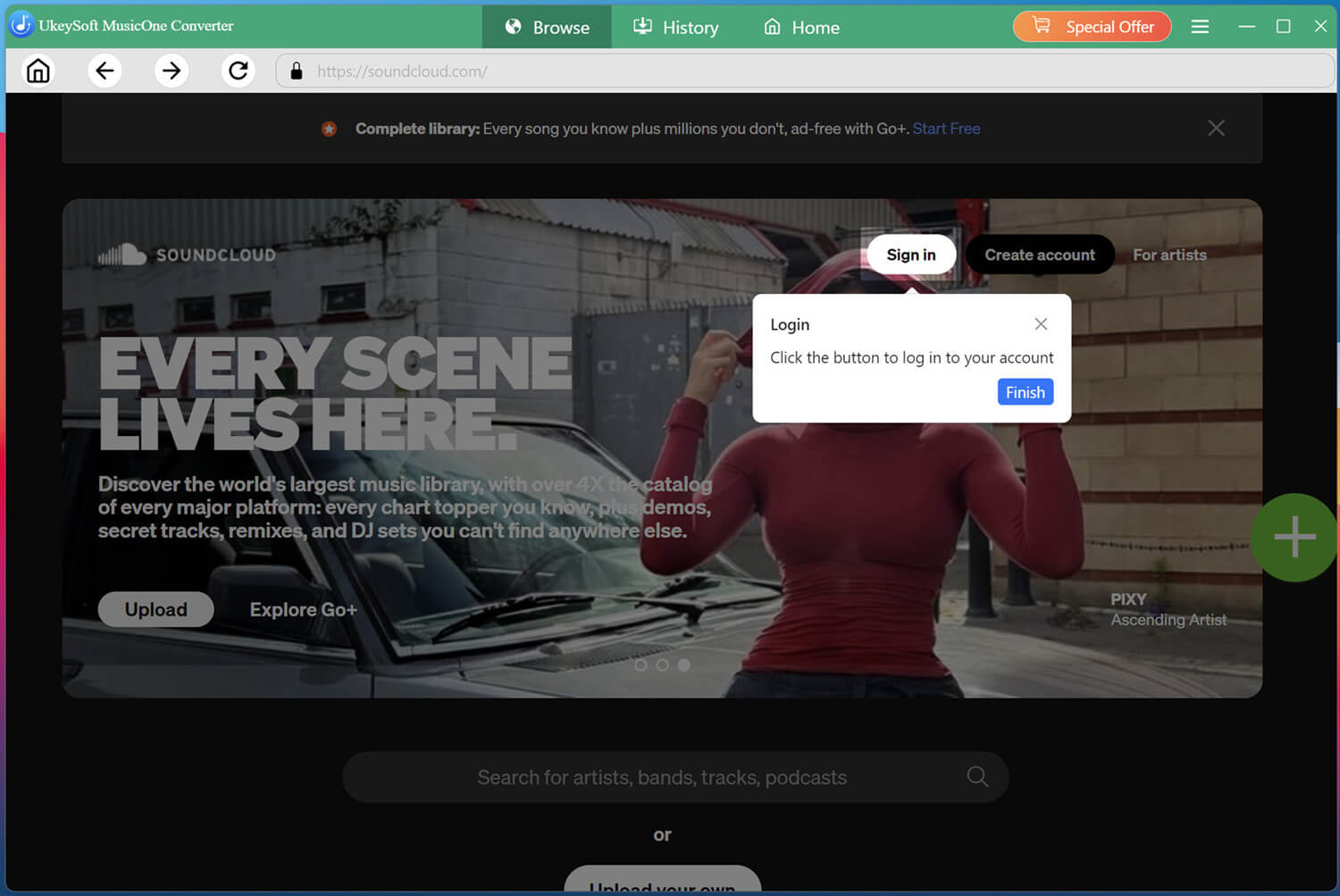
Download and launch UkeySoft SoundCloud Music Converter on your computer. Open the built-in browser and log in to your SoundCloud free account. This gives the tool access to your liked tracks, playlists, and the full SoundCloud catalog.
Customize the Output Settings
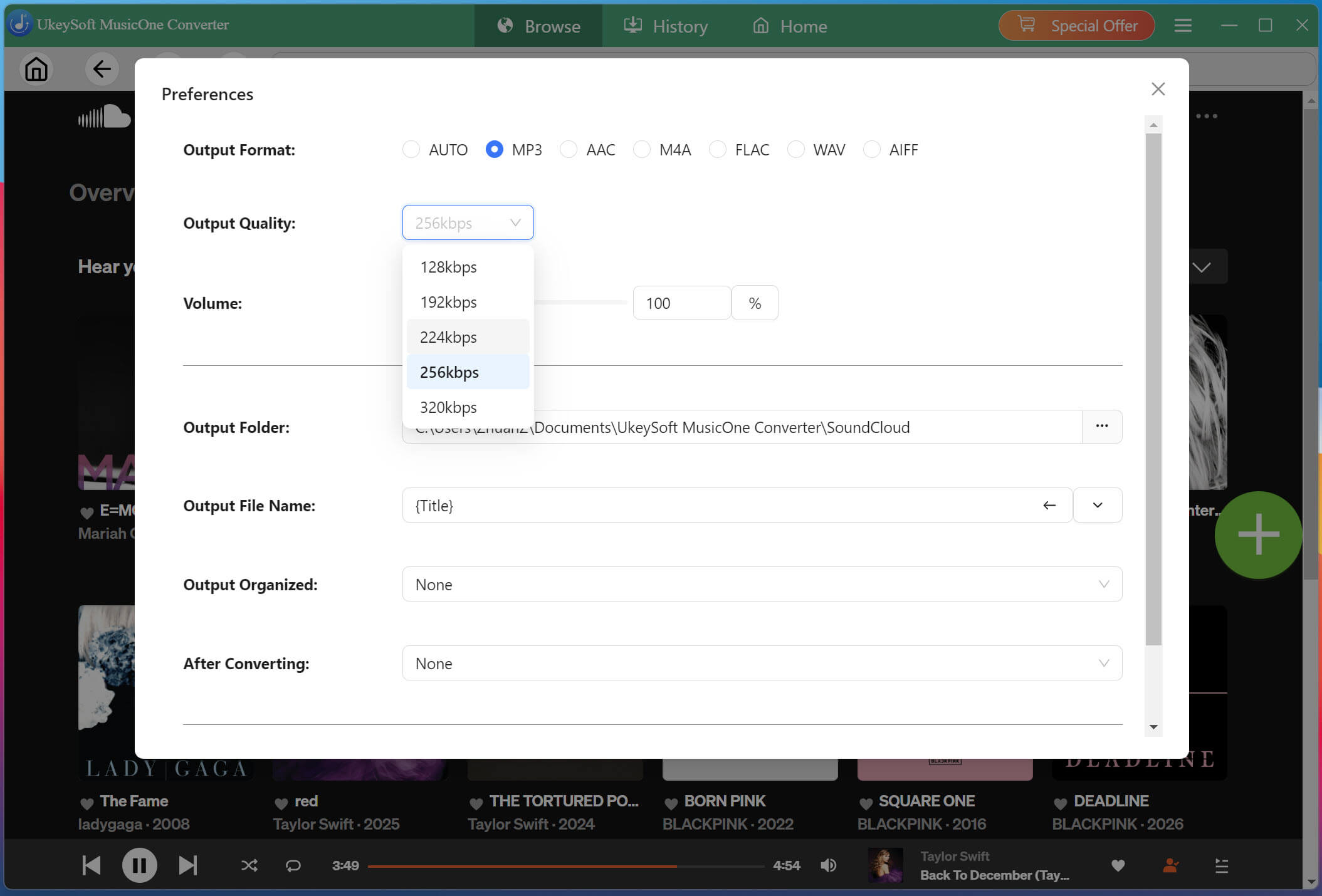
Navigate to Menu bar at the upper right corner of the interface, tap "Preferences" to adjust your output settings.
Select MP3 format and 320kbps quality if you want broad compatibility with media players and music servers.
Add a Song/Playlist/Album
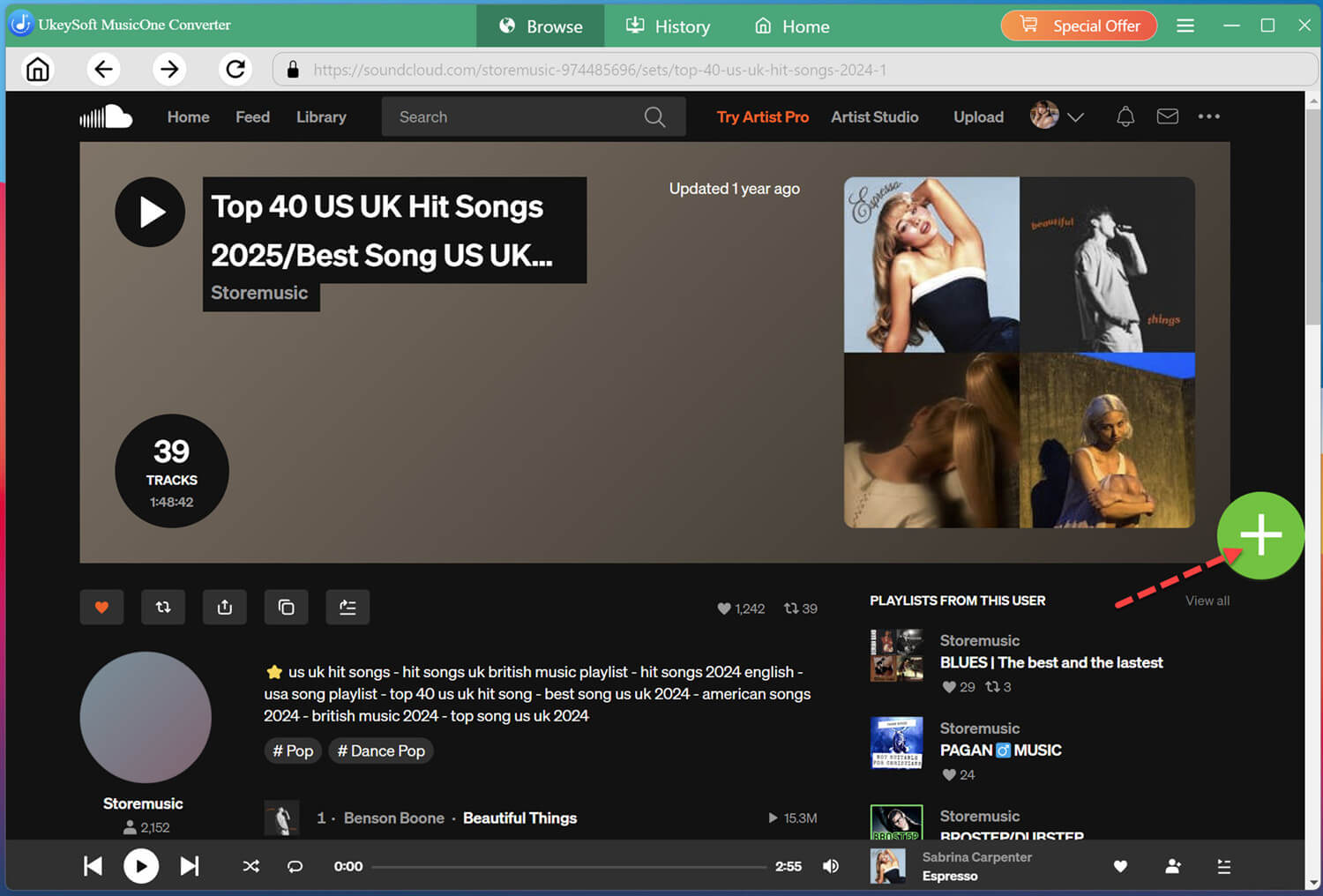
On the main page, you can browse, search and stream any song, playlist, album, or podcast. Open the playlist or album you want to save, and click the "+" icon to import all tracks.
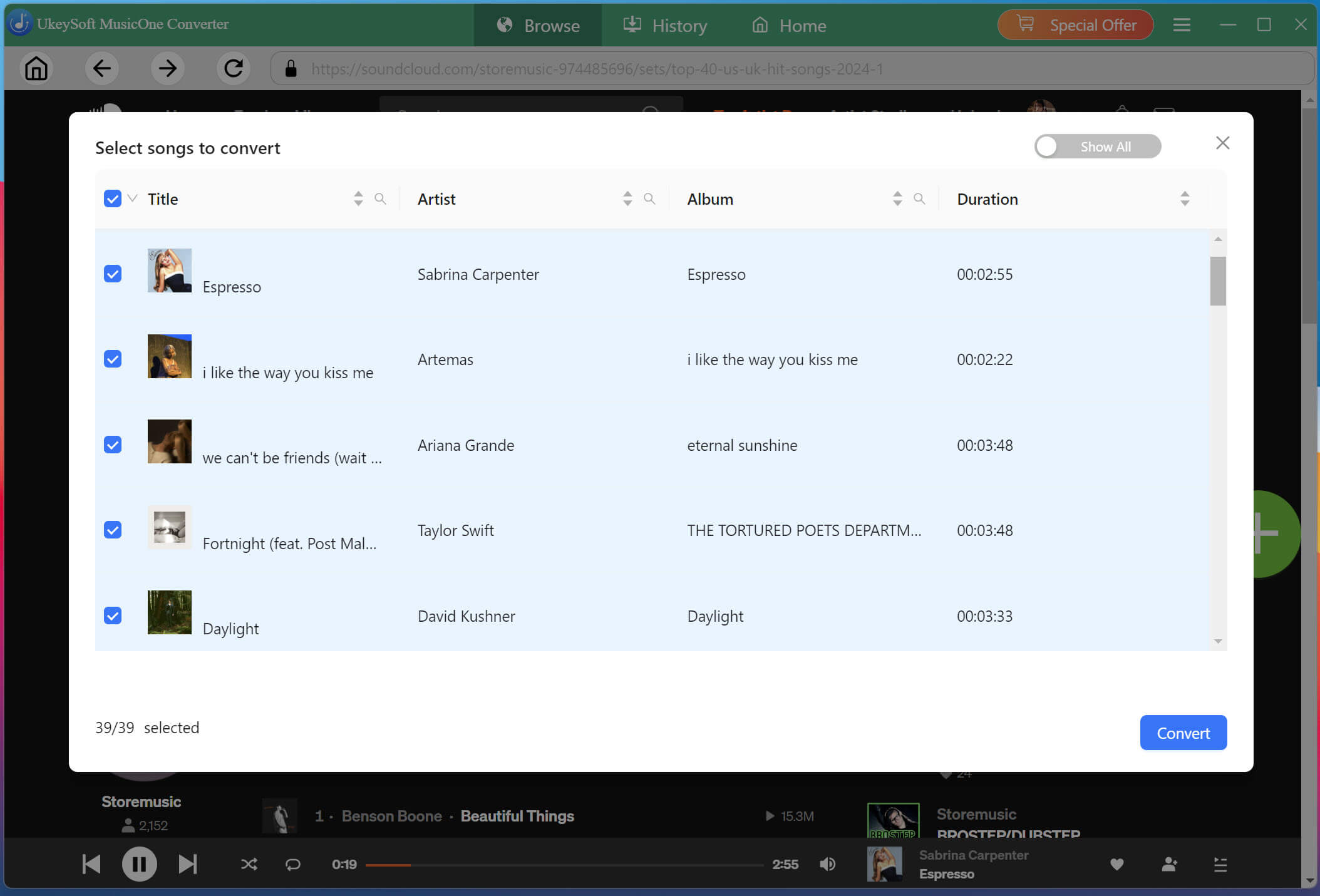
A popup will show all the tracks in the playlist/album. Check the boxes next to the songs you want to download, or simply select all of them for a complete album download.
Start Downloading SoundCloud Songs to MP3
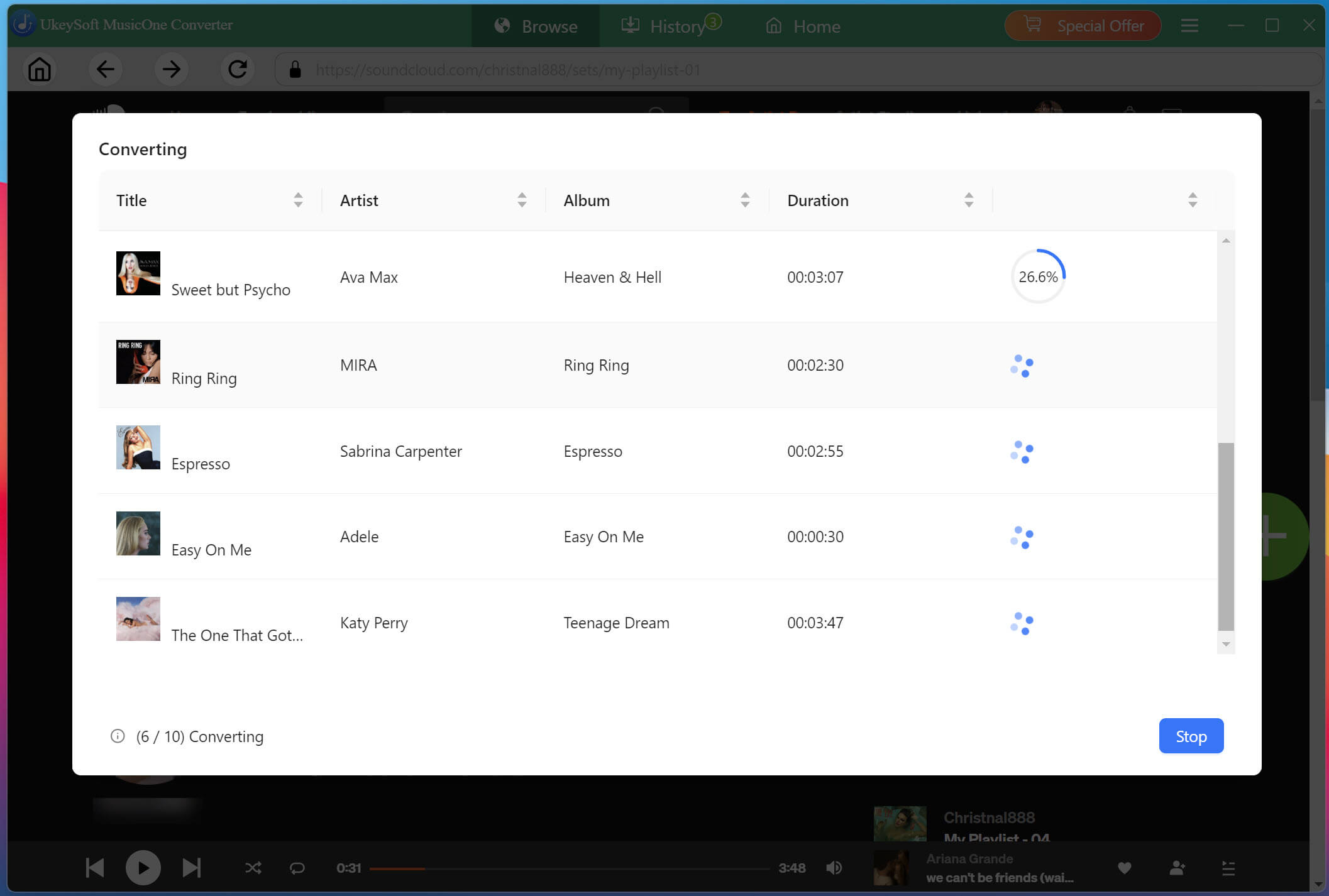
Click the "Convert" button to start downloading the selected tracks from SoundCloud web player into MP3 files at high speed. Wait until the tasks finish before closing the program.
Get Downloaded SoundCloud MP3 Songs
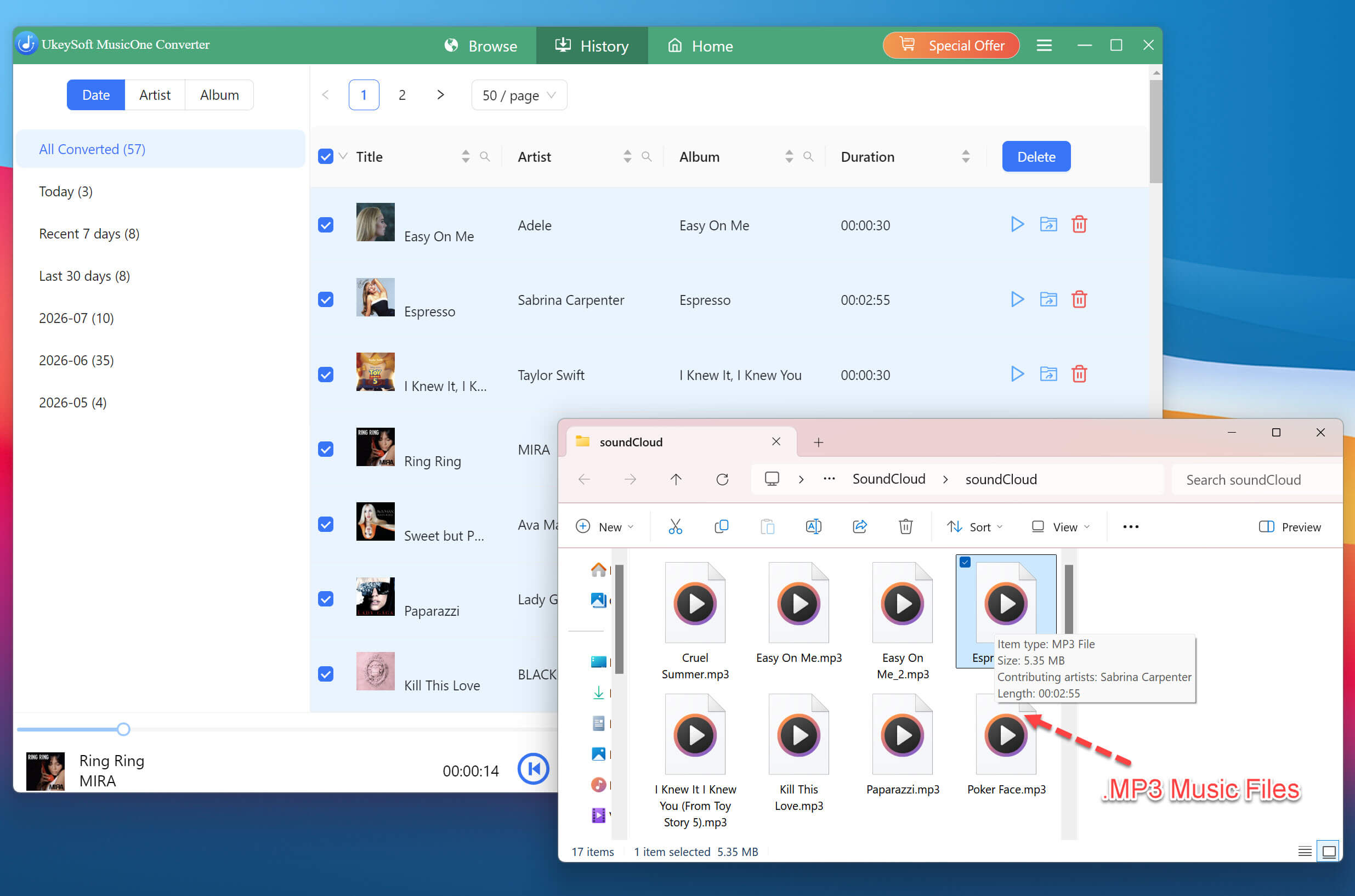
When the process finishes, go to the "History" tab. Click the folder icon next to any track to open its location on your computer. Your SoundCloud music is now saved as local MP3 files.
Process 2. How to Play SoundCloud Offline on Alexa in 3 Ways
Once you have SoundCloud MP3 local audio files, you can use different services to make them accessible through Alexa. But Alexa voice commands usually require an internet connection. Here are three methods to get full voice control over SoundCloud on Alexa.
2.1 Upload SoundCloud Songs to Amazon Music
Amazon Music allows you to upload your local MP3s (up to 250 songs for free) and then ask Alexa to play them. This makes it easy to integrate your SoundCloud downloads with Alexa's voice commands.
On your computer, open the Amazon Music desktop app or visit the Amazon Music website.
Sign in with your Amazon account (the same one linked to your Alexa device).
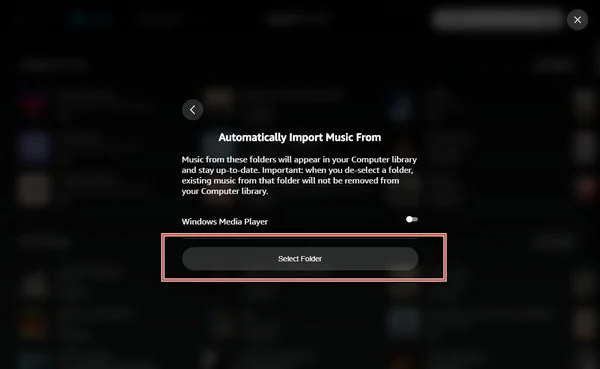
Go to "Settings" and find the "Automatically Import Music From" section, click it.
Click "Select Folder" and then upload the folder containing the SoundCloud MP3 files you downloaded.
Wait for the upload to complete. Your songs are now in your Amazon Music library.
On your Echo, say: "Alexa, play [song name] from My Music." Alexa will find and play your uploaded SoundCloud track.
2.2 Get Full Voice Control via Plex
Plex is a media server that lets you organize local music in a media library and and makes them accessible to Alexa through the Plex skill. After adding your downloaded SoundCloud MP3 tracks to Plex, you can try voice commands to play music by artist, album, or playlist.
Set Up a Plex Media Server for Your Local Music
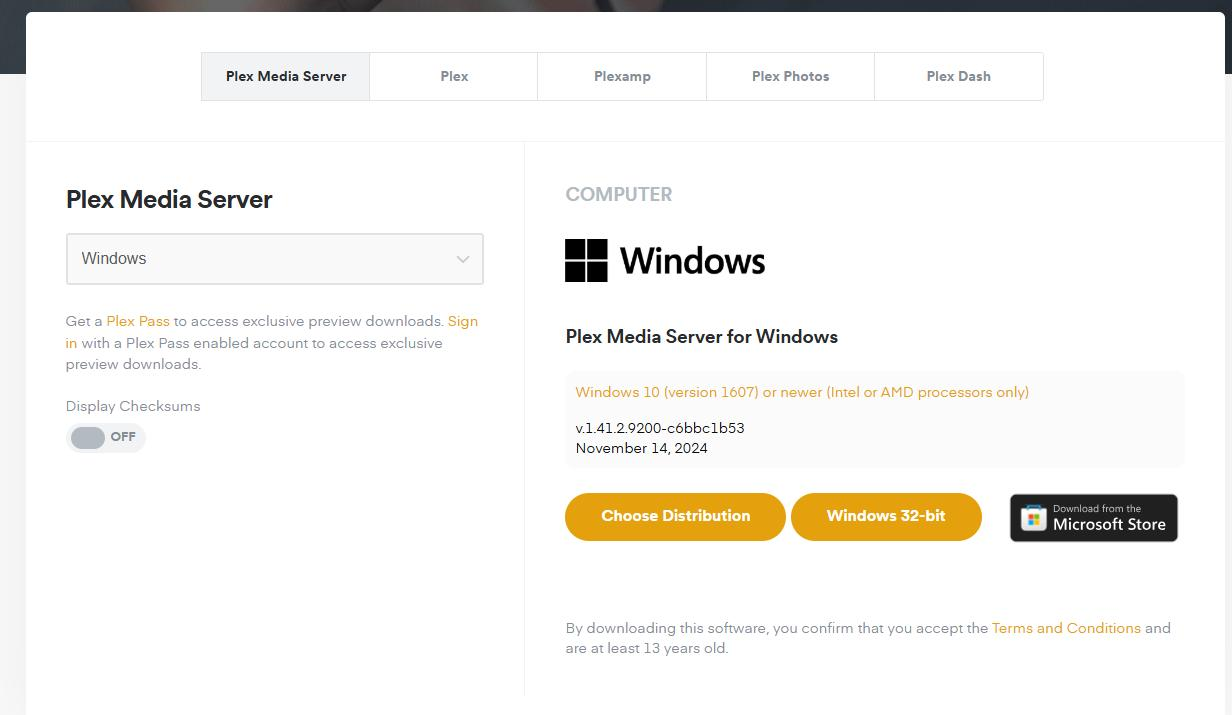
1. Download and install Plex Media Server on your computer or compatible NAS.
2. Create a Plex account and sign in, and complete the initial setup.
3. Add a "Music" library and point it to the folder where your SoundCloud MP3 files are saved.
4. Let Plex scan the folder and organize the SoundCloud tracks. Check that the artist, album, and song names appear correctly.
5. Enable "Remote Access" in Plex settings (this is required for Alexa to reach your server) .
Link the Plex Skill to Alexa and Use Voice Commands
1. Open the Alexa app on your phone. Go to "More", tap "Skills & Games".
2. Search for "Plex" and open the official skill, if available in your region.
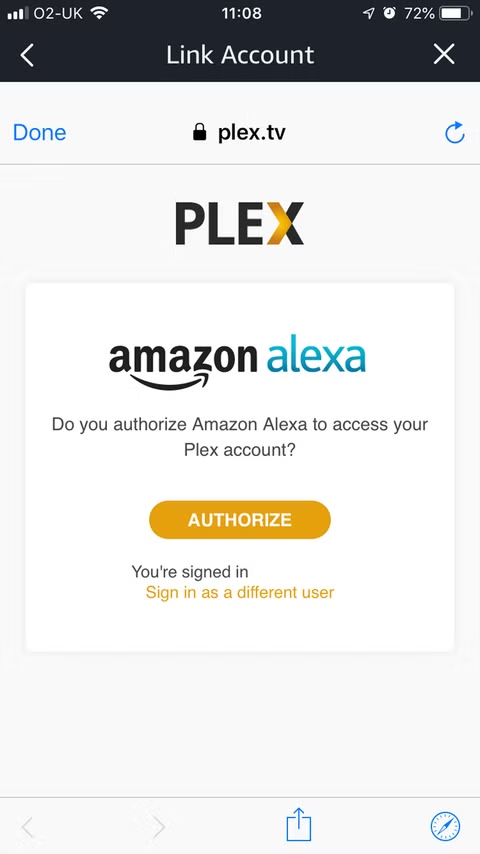
3. Selecy the Plex skill and tap "Enable to Use" button. Follow the prompts to link your Plex account.
4. Confirm that your Plex server and music library are accessible.
5. On your Echo, say: "Alexa, ask Plex to play [song name]". You can also ask Plex to play a specific artist or album from your SoundCloud library.
2.3 Use My Media Server for Alexa
My Media for Alexa is another option for playing local music on compatible Alexa devices. It works with a media server running on your home network, and lets Alexa search your library by artist, album, or playlist. You can follow these steps:
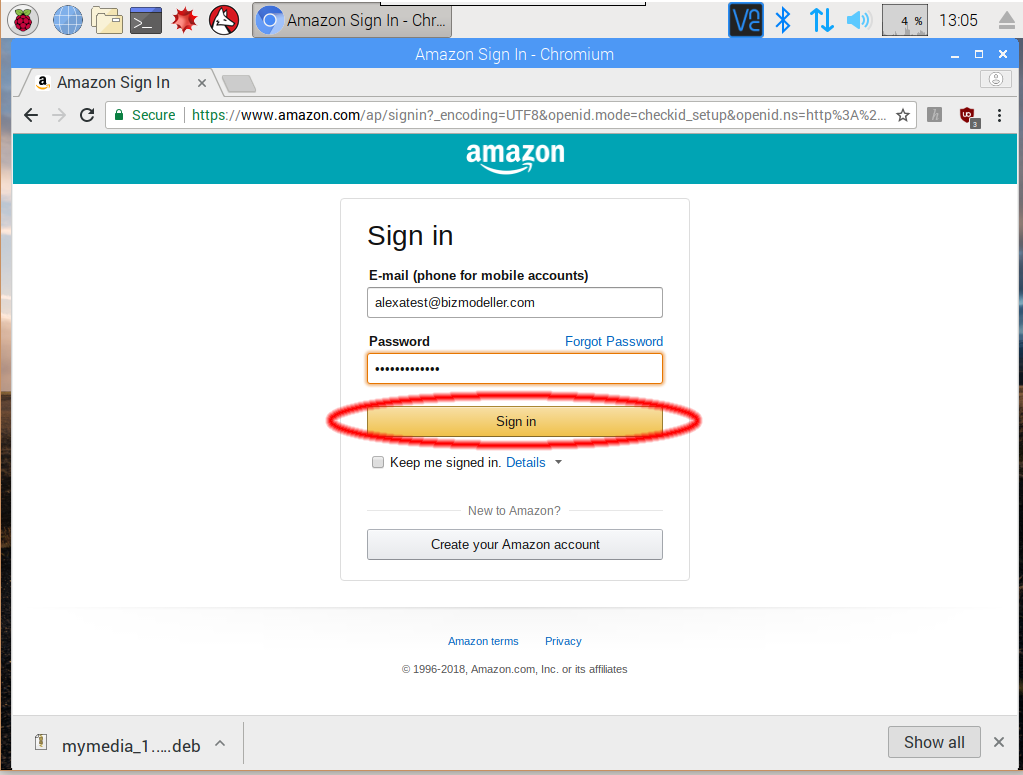
First, go to My Media for Alexa Official Website to download and install the My Media for Alexa app on your computer. Follow the setup instructions to connect the server to the Amazon account associated with your Echo devices.
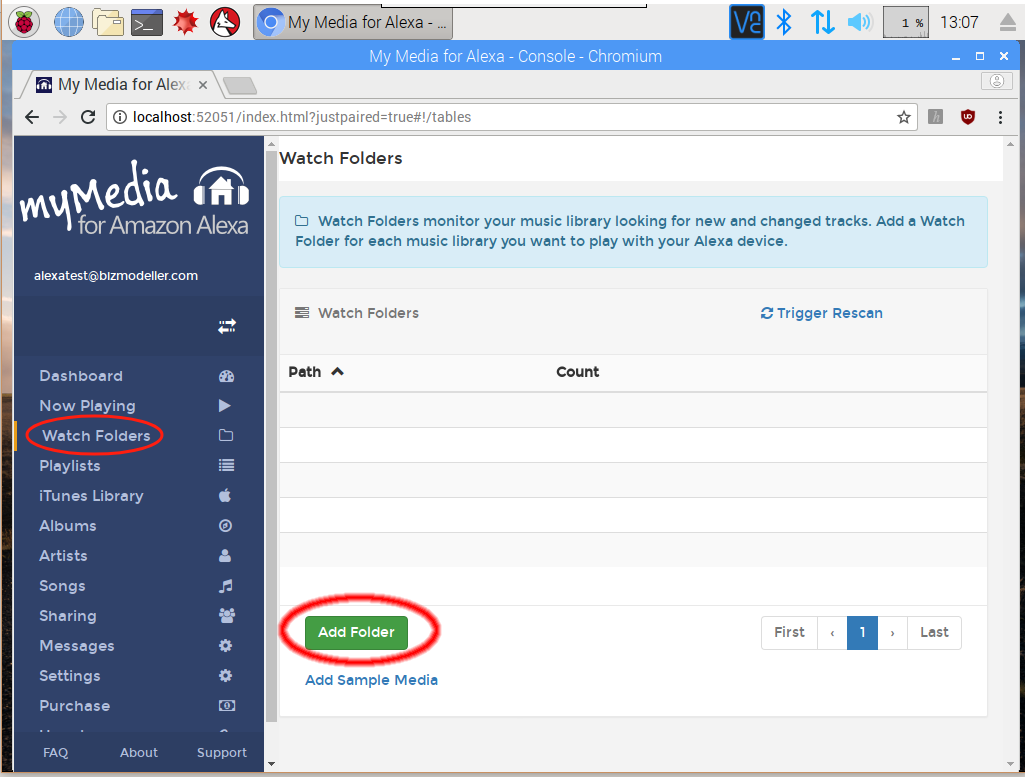
Open the My Media Web Console and find "Watch Folders".
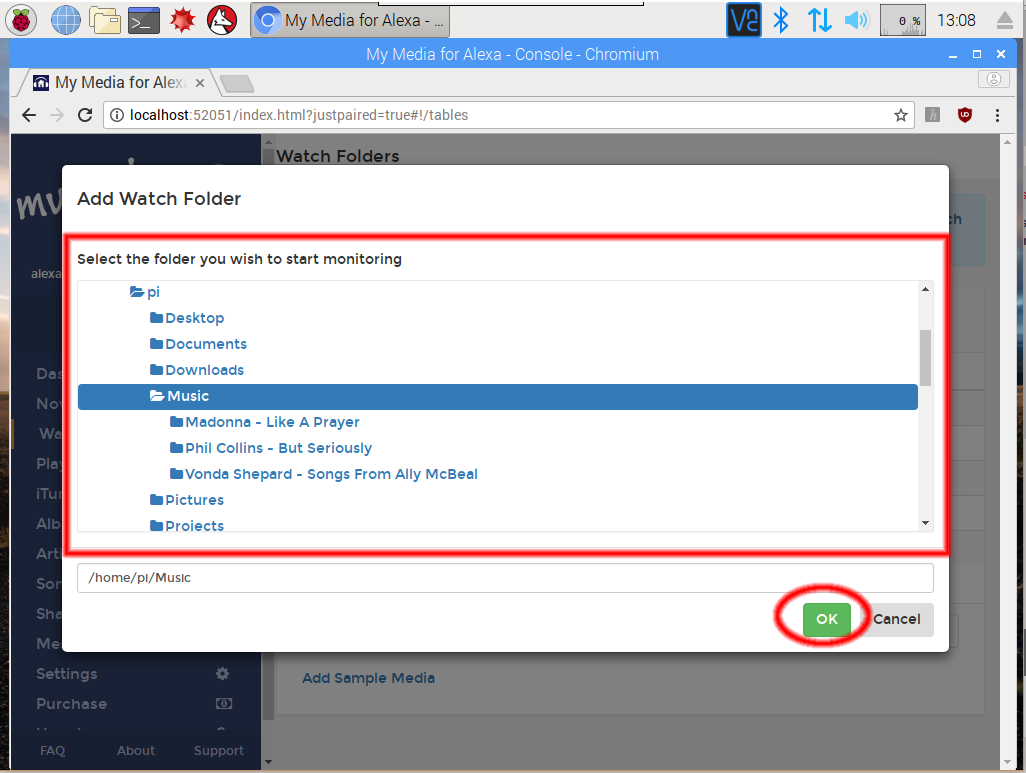
Add your local SoundCloud music folder (MP3 files), then let the server index the collection.
Open the Alexa app, search for "My Media", and enable the corresponding skill. Link "My Media" to your Amazon account and follow the setup instructions.
Ask Alexa to play music from your personal library using the commands supported by My Media.
Try commands such as:
- "Alexa, ask My Media to play music by [artist]."
- "Alexa, ask My Media to play the album [album name]."
- "Alexa, ask My Media to play my playlist."
Part 3. FAQs About Playing SoundCloud on Alexa
Is There an Official SoundCloud Alexa Skill?
No. SoundCloud does not currently offer a dedicated official Alexa skill for direct music playback. You can still play SoundCloud on Alexa by pairing your phone or computer through Bluetooth.
Do I Need a SoundCloud Subscription to Play It on Alexa?
No, you do not need a SoundCloud Go or Go+ subscription. The Bluetooth method works with a free SoundCloud account. However free users will hear ads and have lower audio quality. Moreover, some tracks or features may require a SoundCloud subscription, and availability depends on the content and account.
Does SoundCloud Work with Alexa on All Echo Devices?
Yes, the Bluetooth method works on all Echo devices that support Bluetooth, including Echo Dot, Echo, Echo Show, Echo Studio, and third-party Alexa speakers.
For the offline method (downloading SoundCloud music as MP3 files), you can play SoundCloud music on any Echo device that has access to your Amazon account or local network (using Amazon Music upload, Plex, My Media).
Does Playing SoundCloud on Alexa Affect Sound Quality?
Yes, it can. With Bluetooth, the audio quality depends on your SoundCloud account: free users get around 128kbps, and Go+ users get up to 256kbps. The Bluetooth connection itself and your Echo speaker may also introduce slight compression. To play high-quality SoundCloud music on Alexa devices, please try the offline method, refer to Part 2.
Part 4. Final Words
There are several ways to get Alexa to play SoundCloud. For quick and casual listening, Bluetooth pairing is the easiest path - just pair your phone/computer, open SoundCloud, and press play. If you want to listen to SoundCloud on Alexa offline without ads interruption, downloading SoundCloud music to MP3 is the best solution. With the help of UkeySoft SoundCloud Music Converter, you can build a permanent offline library of your favorite SoundCloud tracks and add them to Amazon Music, Plex, or My Media, get full voice control on any Alexa device!
Justin Sabrina has always had great enthusiasm for writing, programming and web development. He likes writing about software and technology, his works are featured on some tech blogs or forums like Tom's Hardware, CNET, etc.
 English
 Arabic
 Chinese (Simplified)
 Chinese (Traditional)
 Croatian
 Czech
Czech Danish
 Dutch
Dutch Estonian
 Finnish
 French
 German
 Greek
Greek Hebrew
 Hindi
Hindi Hungarian
 Indonesian
 Italian
 Japanese
 Kazakh
 Korean
 Malay
Malay Norwegian
 Polish
 Portuguese
 Romanian
 Russian
 Slovenian
 Spanish
 Swedish
 Thai
Thai Turkish
 Ukrainian
 Vietnamese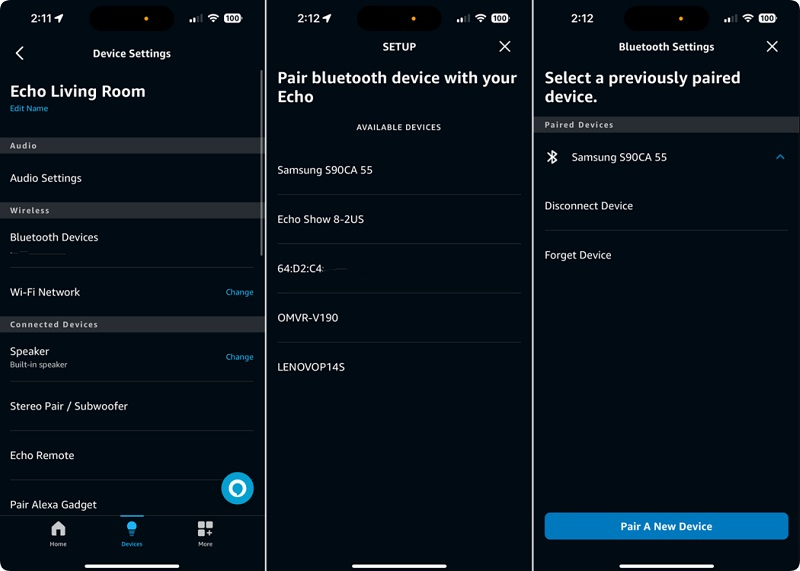








Comments are off!