1️⃣ You can download playlist from SoundCloud with SoundCloud Go/Go+ for offline listening or use a third-party downloader for local files.
2️⃣ To download SoundCloud playlists to MP3, a desktop tool like UkeySoft SoundCloud Music Converter supports batch downloads, multiple formats, up to 320kbps MP3, and ID3 tags.
3️⃣ Choose the method based on whether you need in-app offline listening or transferable local music files.
SoundCloud is a popular place to discover DJ mixes, remixes, podcasts, independent artists, and curated playlists. However, streaming your favorite playlists can be frustrating when you're on a flight, dealing with an unstable internet connection, or using a device with limited network access.
In this case, downloading whole SoundCloud playlists becomes the most efficient and flexible option, allowing you to listen to offline anytime and anywhere without network connection. Not sure how to do it? Keep reading. In this guide, we'll walk you through the 6 best ways to download SoundCloud playlists to iPhone, Android, PC and Mac. Let's help you take your favorite SoundCloud playlists offline without hassle.
Way 1. Download SoundCloud Playlist with SoundCloud Go+
If you subscribe to SoundCloud Go or Go+, you can download full SoundCloud playlists for offline listening directly in the SoundCloud app. The SoundCloud app is available on mobiles, you can install the app and download SoundCloud music to iPhone, iPad, Android phone or tablet. For new users, you can consider starting a 7-day free trial of SoundCloud Go or Go+ to enjoy the Premium features without paying.
Step 1. Open the SoundCloud app on your iPhone or Android device and sign in to your Go or Go+ account.
Step 2. Tap "Library" and then "Playlists", find the playlist you want to save.
Step 3. Open the playlist and tap the "Download" arrow. SoundCloud will save all songs in that playlist to your device.
Step 4. Once completed, return to the playlist and you can access your saved tracks without an internet connection.
Tip: For automatic downloads, go to "Settings", select "Offline Listening" and enable "Save automatically." You can also set storage limits and choose Wi-Fi-only downloads to avoid using mobile data.
Limitations of SoundCloud Offline Downloads
The official method is convenient, but there are some important limitations.
● First, these offline downloads are just cached files within the app, not ordinary MP3 files. You cannot transfer or play them on other media players or used outside of SoundCloud.
● Second, downloads are only available offline for a limited time - after 30 days, you'll need to reconnect to the internet to keep them playable.
● Additionally, this offline feature only works on the SoundCloud mobile app, not on desktop computers.
● When your SoundCloud subscription ends, you'll lose access all your downloads.
So, if you want to play SoundCloud playlists in your car, transfer them to an MP3 player or USB drive, or keep them permanently, it is advisable to download SoundCloud playlists to MP3. Scroll download and learn more details.
✅ Pros
● No additional software required.
● Automatic download options available.
● Available on supported mobile devices.
● Official and legal SoundCloud playlist download method.
❌ Cons
● Requires SoundCloud Go or Go+ subscription.
● Downloads remain inside the SoundCloud app.
● Downloads expire after 30 days of offline use.
● Mobile app only (no desktop support).
Way 2. Download Full SoundCloud Playlists to MP3/AAC/WAV/FLAC
If you are looking for ways to download entire SoundCloud playlists and save them as regular audio files, a dedicated SoundCloud playlist downloader is more flexible than SoundCloud's built-in download feature.
UkeySoft SoundCloud Music Converter is one of the best SoundCloud Playlist Downloaders for PC and Mac. It supports all types of SoundCloud accounts, including SoundCloud Free, Free trial, Go, or Go+. With it, you can easily download SoundCloud individual tracks, full playlists, albums, and podcasts and can export them as MP3, M4A, WAV, FLAC, AIFF, and AAC files. It also supports batch conversion, customizable output settings, high-quality 320kbps MP3 outputs, and ID3 metadata preservation, making it suitable for users who want to build a local SoundCloud music library.
Outstanding Features of UkeySoft SoundCloud Music Converter:
Download and convert SoundCloud songs, playlists, albums, podcasts.
Convert SoundCloud music to MP3, M4A, AAC, WAV, FLAC, AIFF.
Convert SoundCloud music to MP3 up to 320kbps high quality.
Keep ID3 tags like artist, title, genre, album artwork, etc.
Convert SoundCloud playlists and albums in batches.
Up to 16-36X faster conversion speed to process conversion.
Built-in Web Player to browse, search, and select music.
No need a SoundCloud Go or Go+ subscription account.
Save, play and transfer output SoundCloud songs freely.
Detailed Steps to Download SoundCloud Playlists to MP3 320kbps
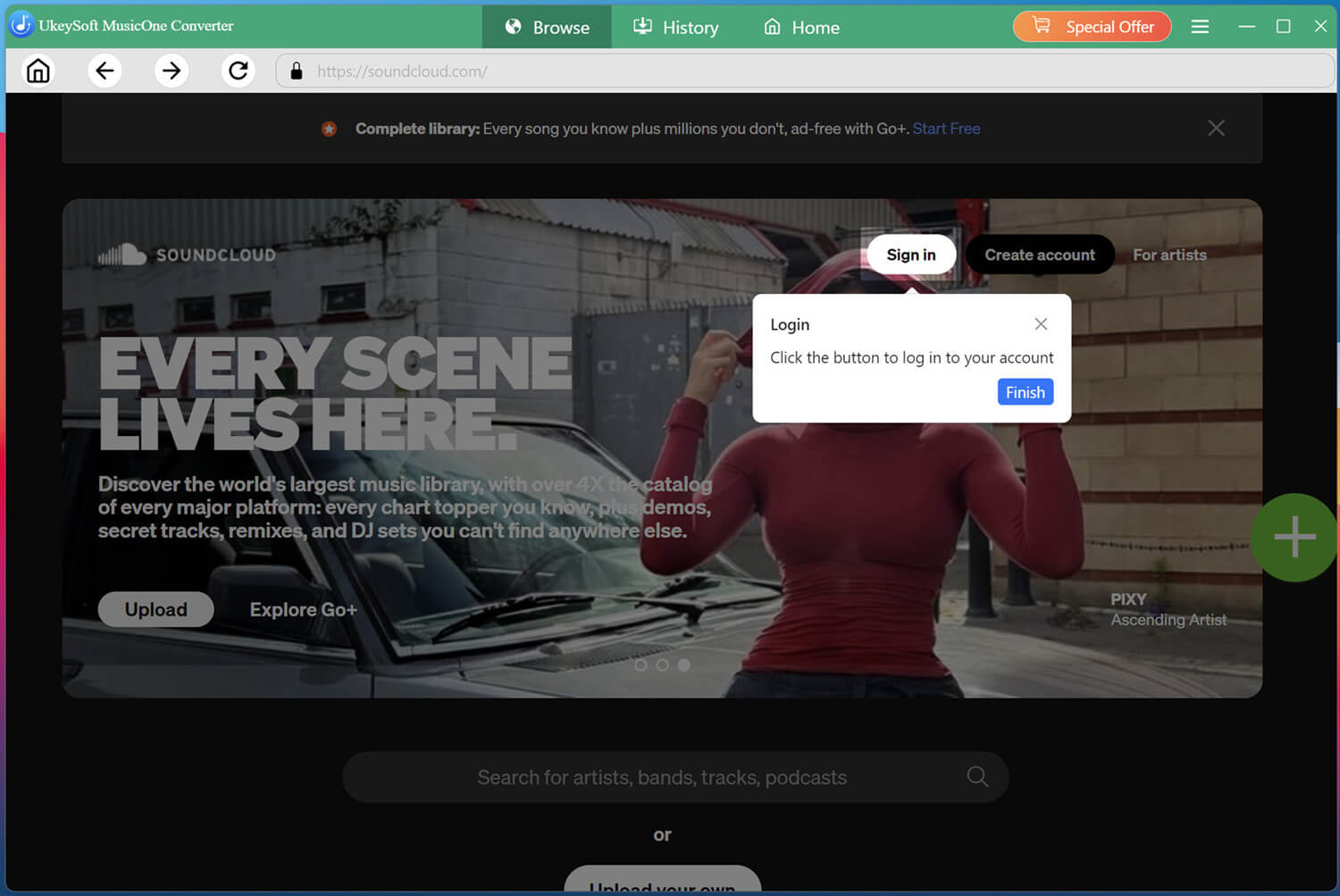
Log In to SoundCloud in UkeySoft
UkeySoft SoundCloud Music Converter works perfectly on both Windows and Mac computers. Click the Download button above, get the software installed on your desktop. Then launch the software and log in using your SoundCloud free account.
Both free and premium accounts are supported, giving you full access to the platform's vast music library directly within the software.
Configure Output Settings
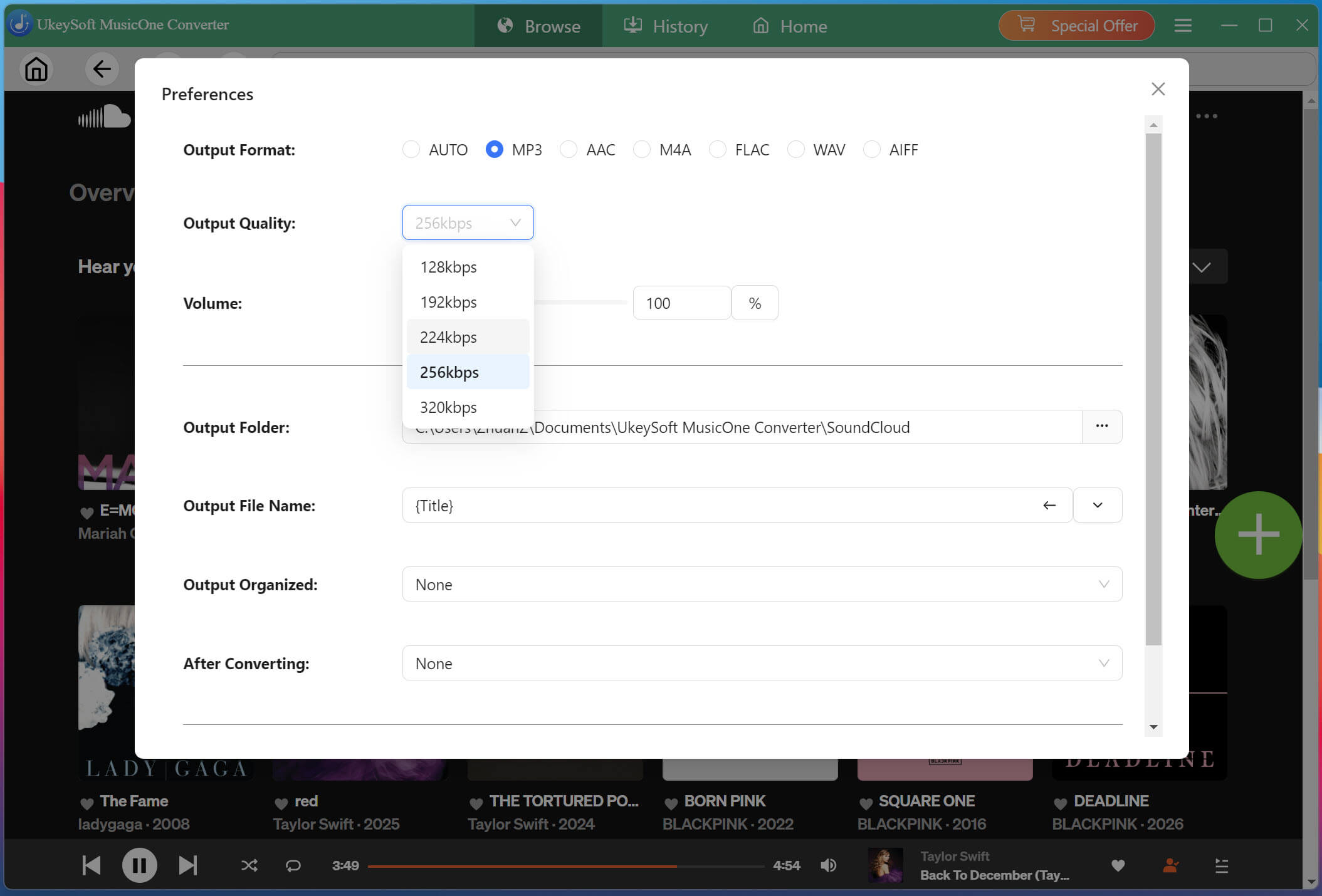
Before downloading, navigate to the settings menu by clicking the three-line icon in the upper right corner, then select "Preferences." Select MP3 as the format, then choose 320kbps output quality. You can also customize other audio parameters if needed.
Browse and Add Playlists or Albums
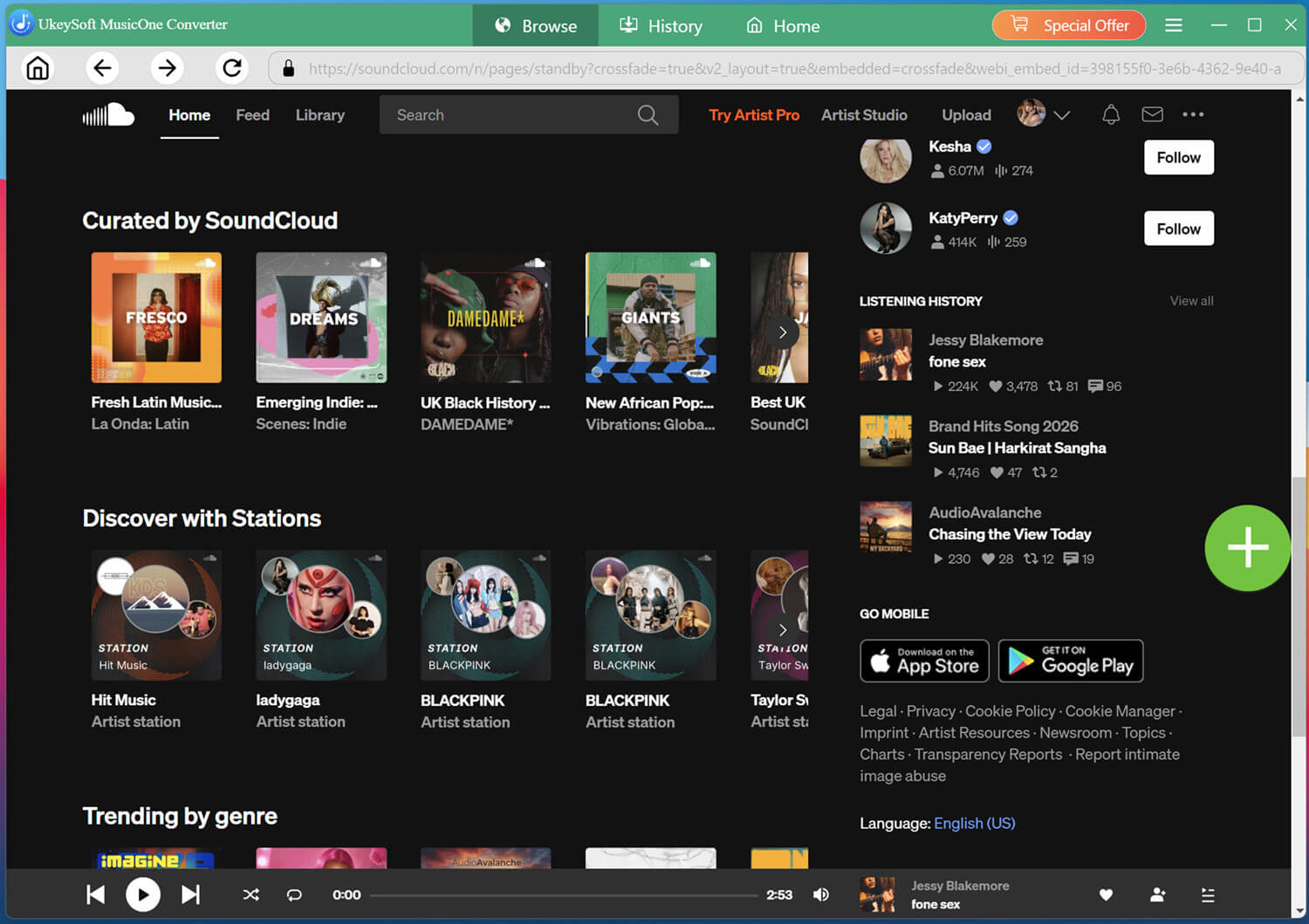
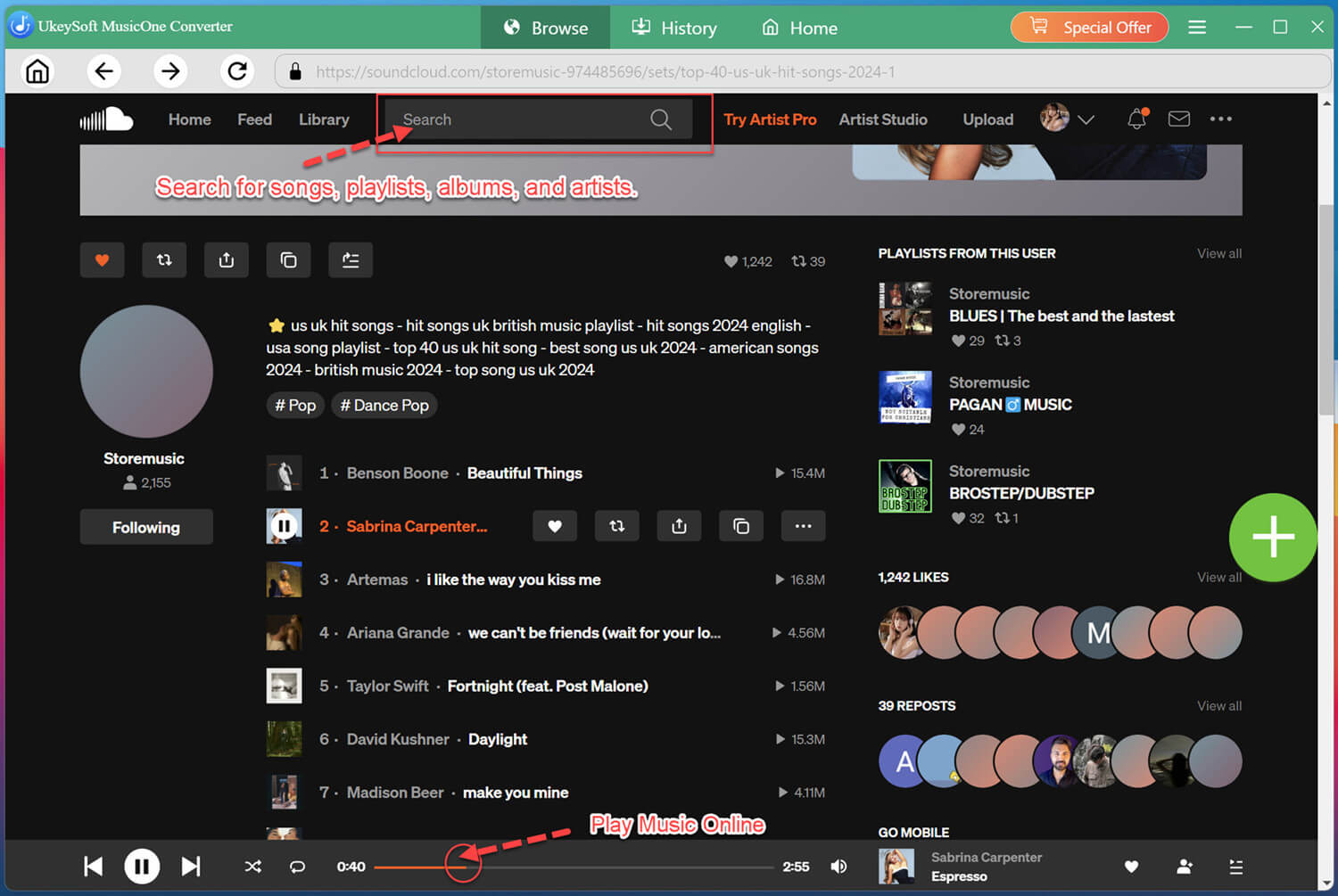
Within the built-in web player, browse or search for the music you wish to download. You can search by keywords, artist or album name.
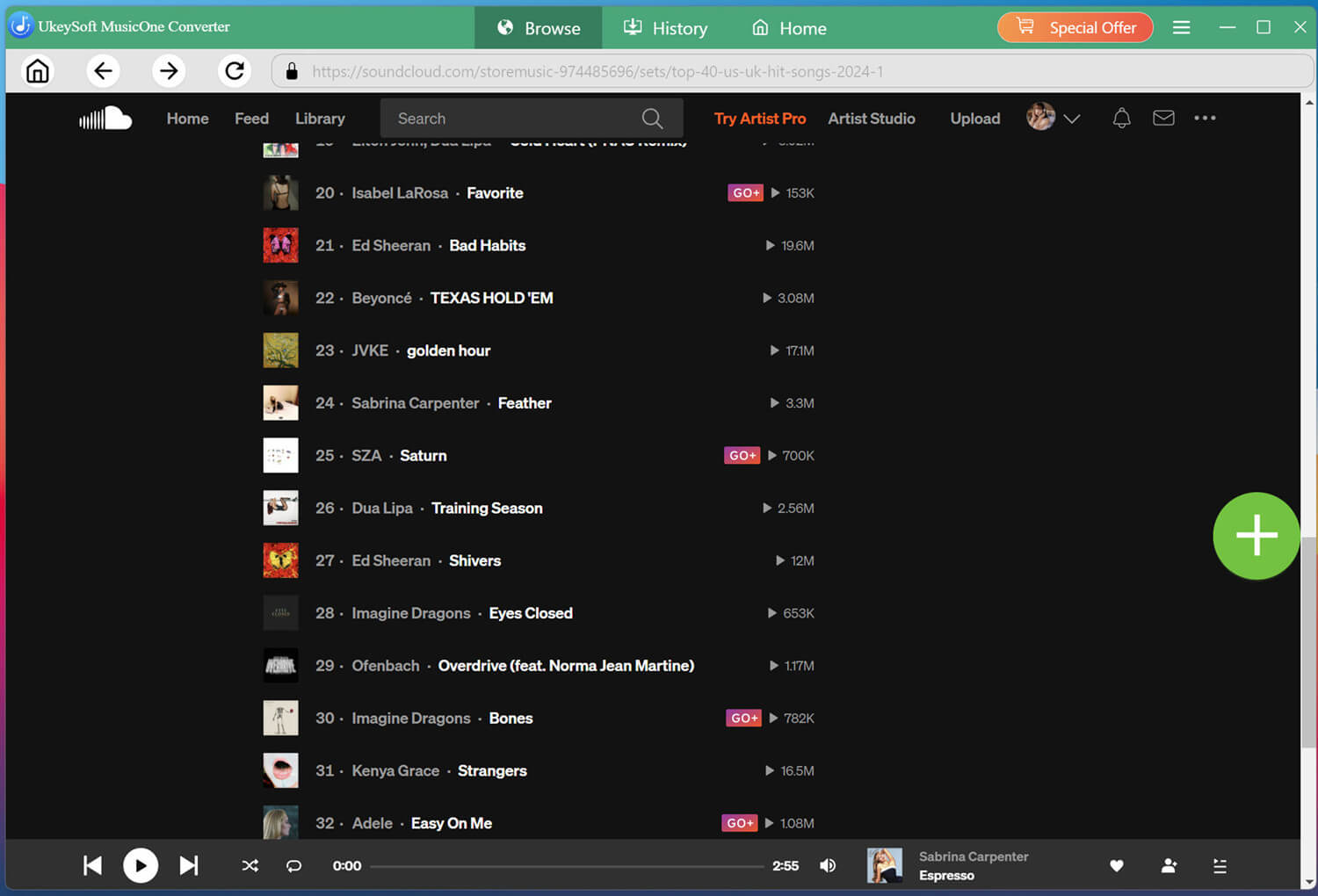
When you find a playlist, album, or individual track, open it, and click the "+" icon to add it to the conversion list on the right side of the interface.
Select the SoundCloud Songs You Want
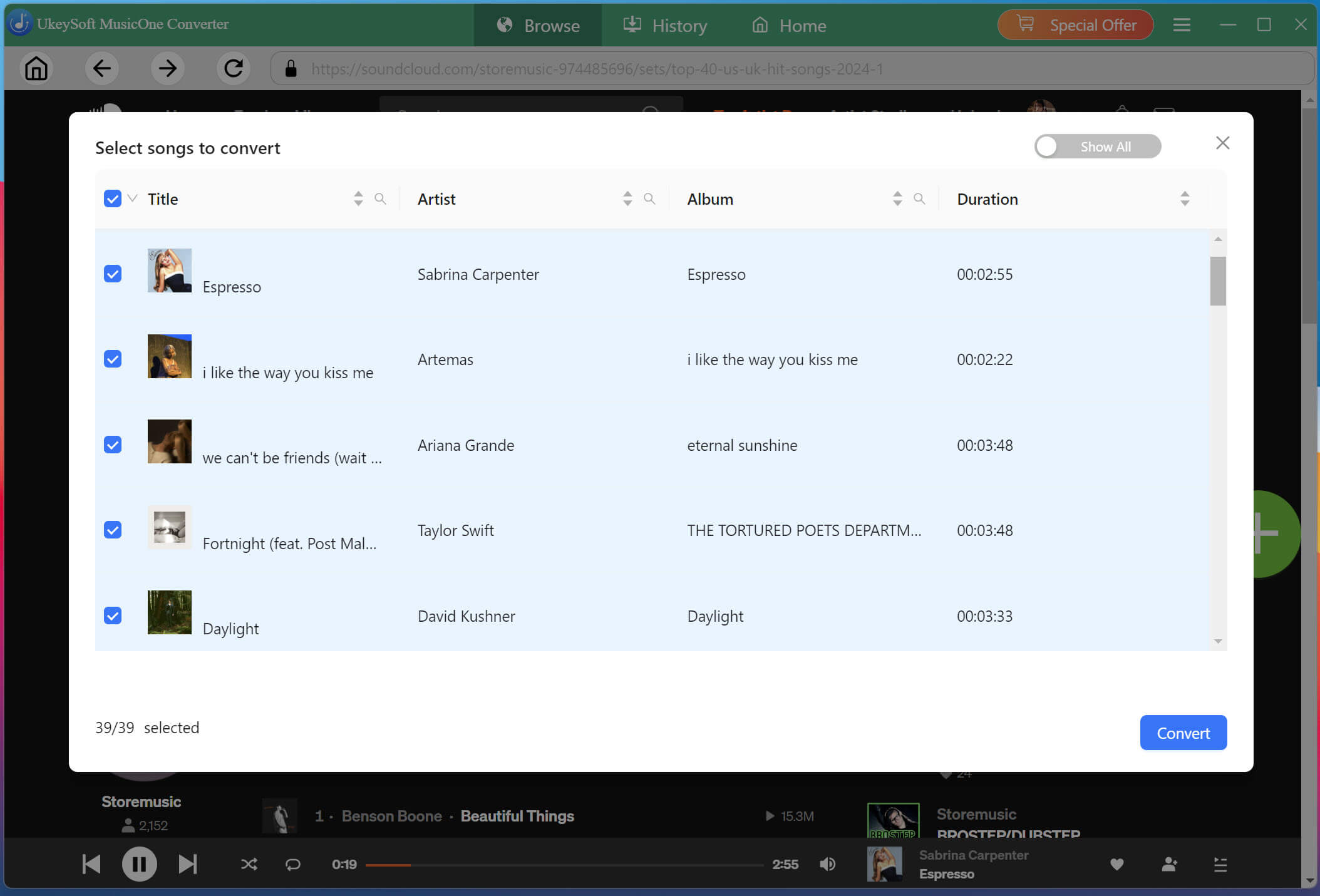
Review the tracks in the list and select the individual songs you want to save. You can choose multiple tracks at once or select an entire playlist or album for batch conversion.
Begin to Download SoundCloud Playlist to MP3
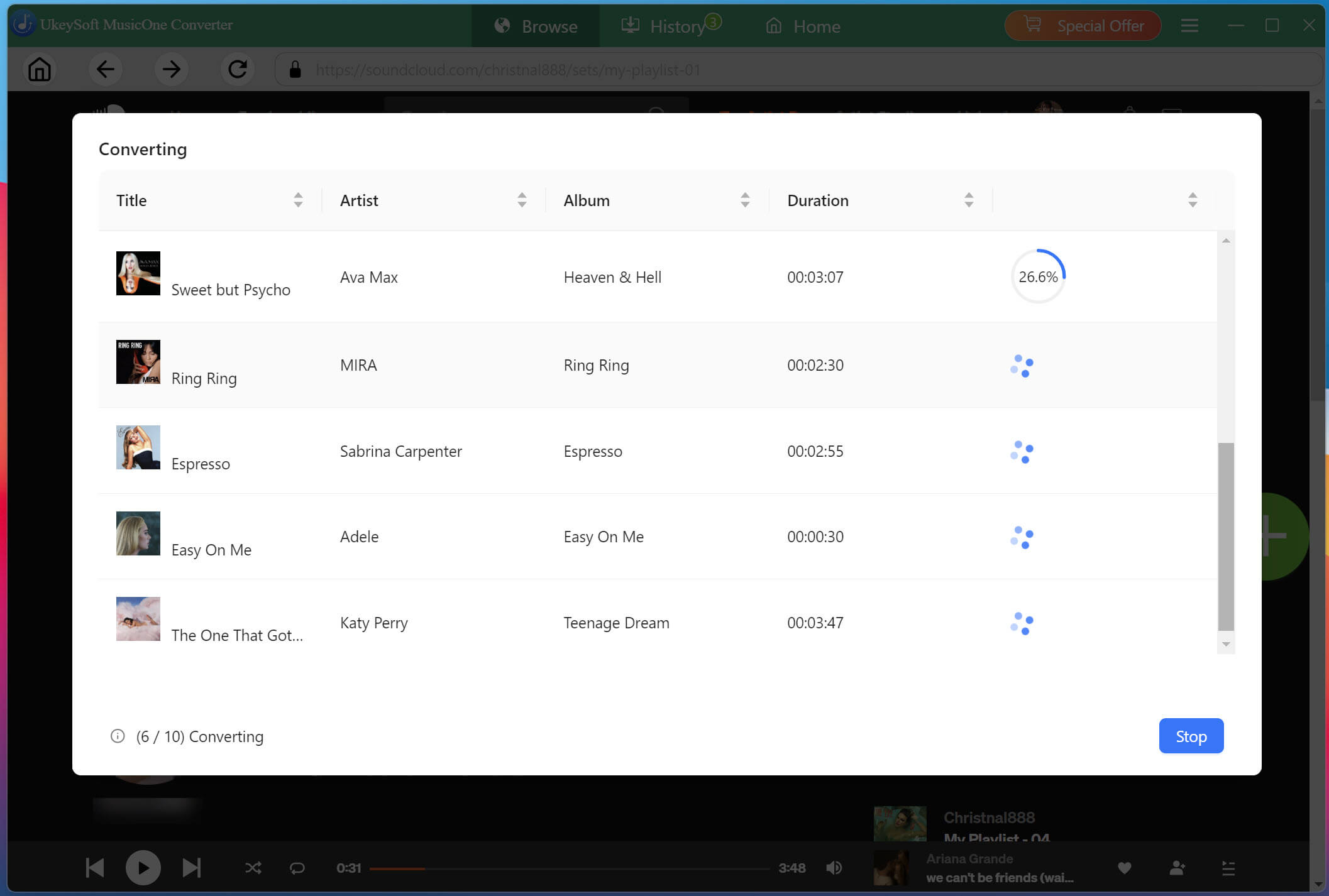
With your selections finalized, click the "Convert" button to start converting songs from SoundCloud to MP3 files. Thanks to the 16X conversion technology, even large playlists will be processed quickly.
Access Your Converted SoundCloud Songs
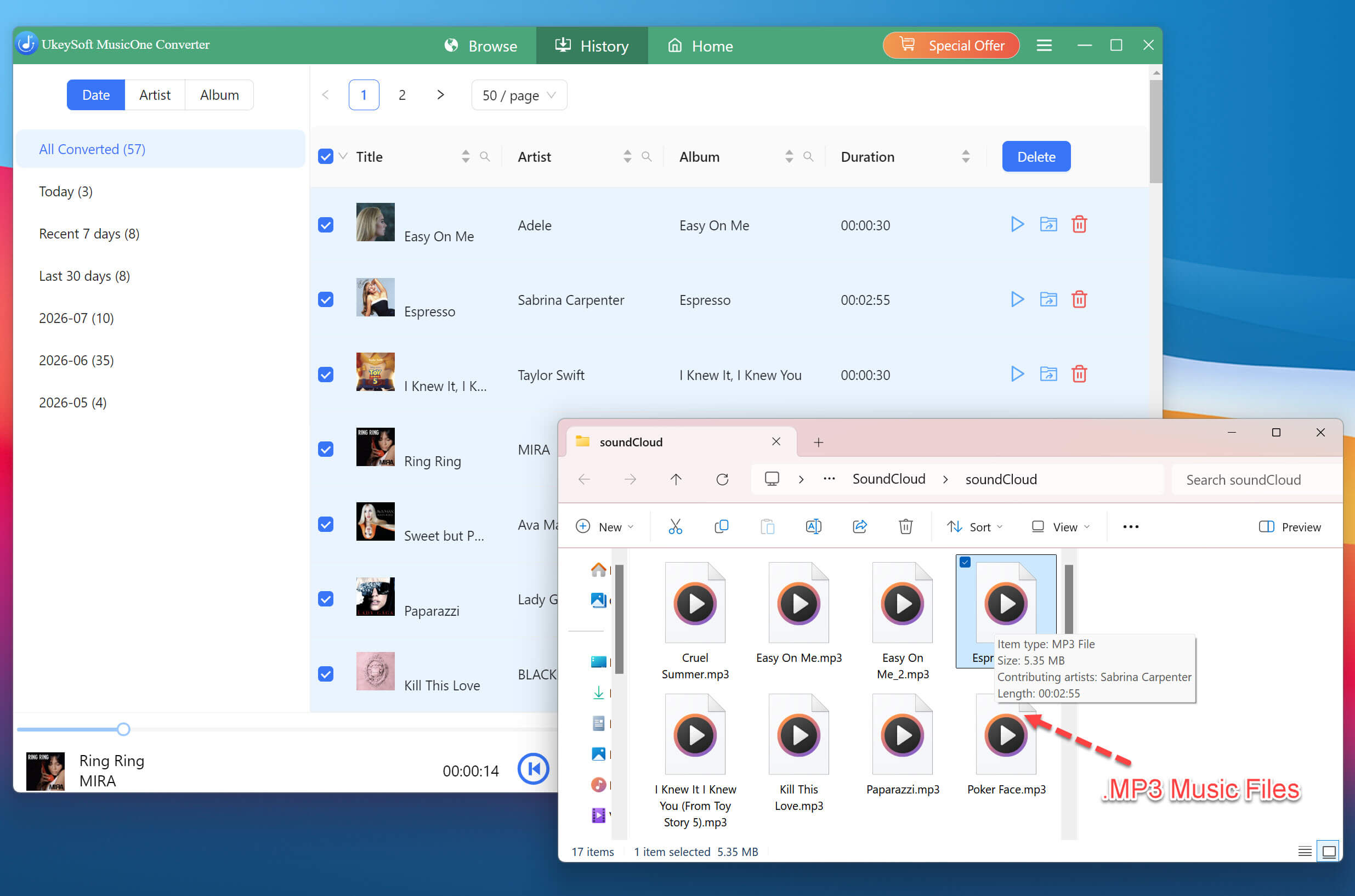
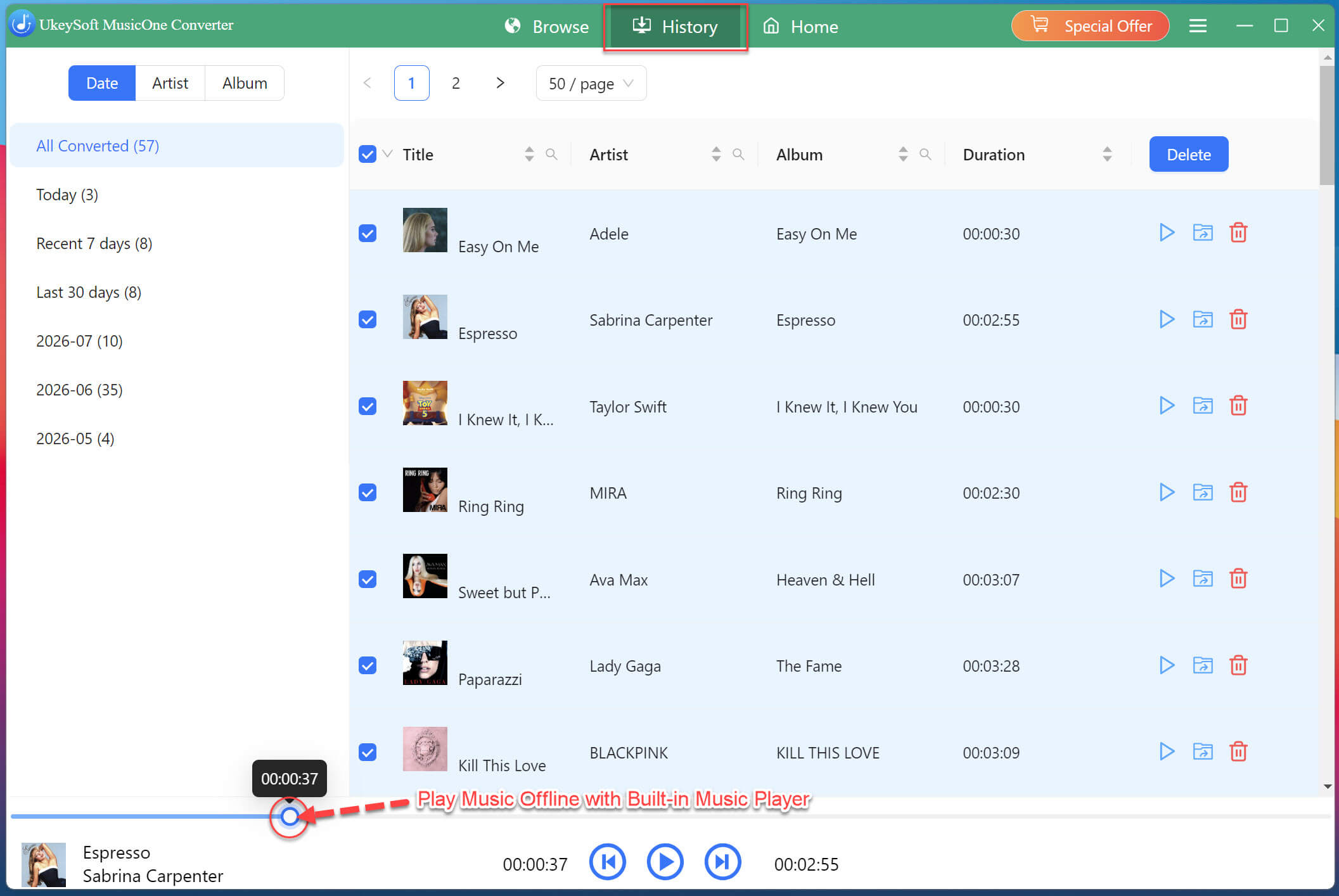
Once the conversion is complete, navigate to the "History" tab to view all successfully converted SoundCloud tracks. Click the folder icon next to any song to open its location on your computer. Your SoundCloud music is now ready for offline playback on any device or player!
Also, you may use the software's built-in music player to preview and play your newly converted SoundCloud music.
✅ Pros
● Supports multiple audio formats.
● Up to 320kbps MP3 and lossless FLAC/WAV output.
● Batch download entire playlists in minutes.
● Full ID3 tag preservation.
● Works with free SoundCloud accounts.
● Built-in web player simplifies the workflow.
● No ads, 100% clean and safe.
❌ Cons
● Desktop only (no mobile app).
● Requires desktop software installation.
● Full functionality requires a paid license.
Way 3. Download Playlist from SoundCloud for Free Online
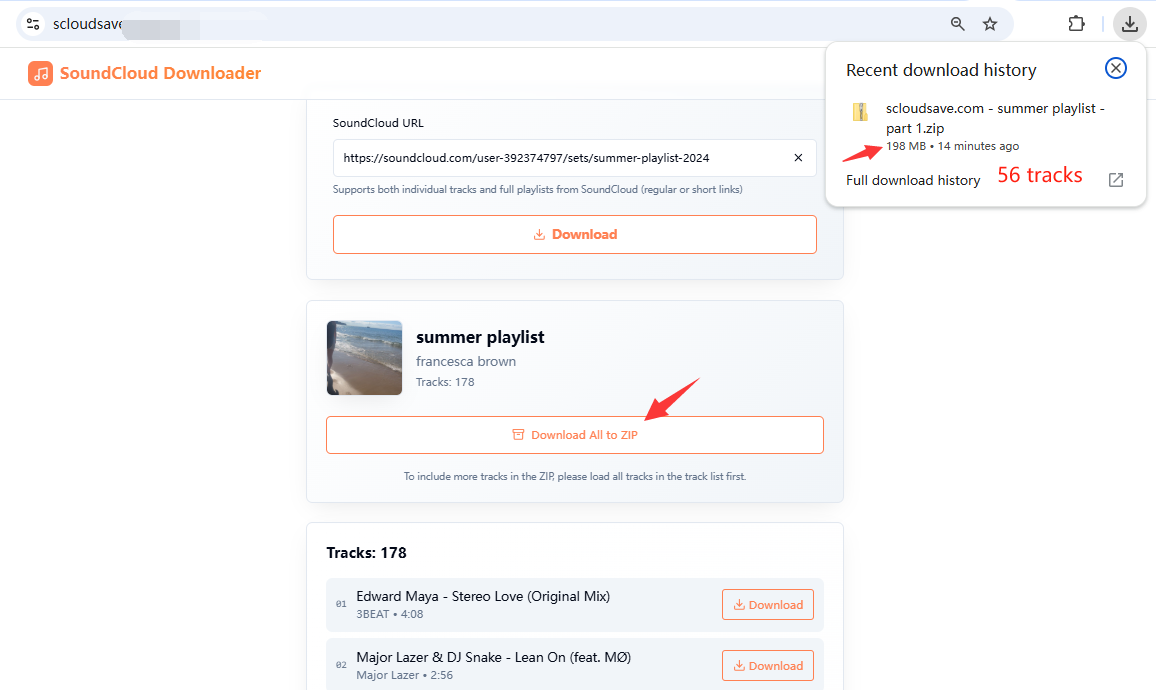
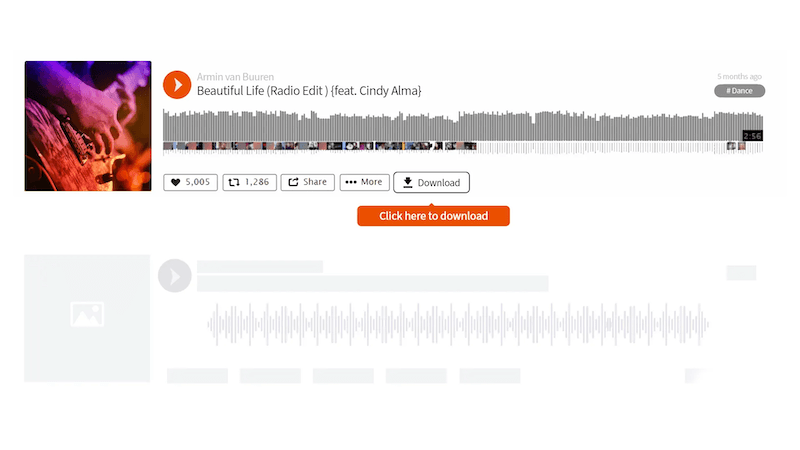
For those who want to download SoundCloud playlists without installing any software or app, using a free online SoundCloud Playlist downloader is a good option. ScloudSave is a web-based SoundCloud Playlist downloaders work directly in your browser. However, this online tool doesn't save each SoundCloud track as a separate MP3 file. Instead, it packages an entire SoundCloud playlist into a ZIP file with one click.
The workflow is straightforward: copy the SoundCloud playlist URL, paste it into the online tool's input field, and click the Download button.
The catch? Whether ScloudSave or other online tools often offer limited control over output format and audio quality, typically providing only 128kbps MP3 files. And these tools allows only up to 50 tracks per playlist at a time. For larger playlists, a reliable desktop SoundCloud Playlist downloader is a more practical choice.
✅ Pros
● Completely free to use.
● No software installation.
● Works on many desktop and mobile browsers.
● Quick for single-track or small playlist downloads.
❌ Cons
● Ads and redirects can be distracting.
● Output quality often limited to 128kbps MP3.
● No batch download for full playlists.
● Limited metadata preservation.
Way 4. Download a SoundCloud Playlist to MP3 via Browser Extension
In addition to online tools and desktop software, you may also use a browser extension to save SoundCloud playlists. Addoncrop Soundcloud Music Downloader extension is such a popular extension available for Chrome that adds download capabilities directly to the SoundCloud interface. It allows you to download a SoundCloud playlist to MP3 at 128kbps standard quality, and get full ID3-tagged files with embedded cover art.
Follow the steps below to download a SoundCloud playlist to MP3 with Addoncrop extension:
Step 2. Open SoundCloud and sign in to your account. Navigate to the playlist you want to save.
Step 3. Look for the download controls added by the extension, and click it.
Step 4. Start the download and wait for the SoundCloud music files to be saved.
✅ Pros
● Free to use.
● Convenient browser integration.
● No separate downloader website.
● No SoundCloud Go+ subscription required.
● One-click downloads directly on SoundCloud.
❌ Cons
● Limited to 10 tracks per batch.
● Output quality and format options vary.
● Compatibility issues with some browsers.
● Extensions may stop working after website changes.
Way 5. Download Entire SoundCloud Playlists with a GitHub Tool
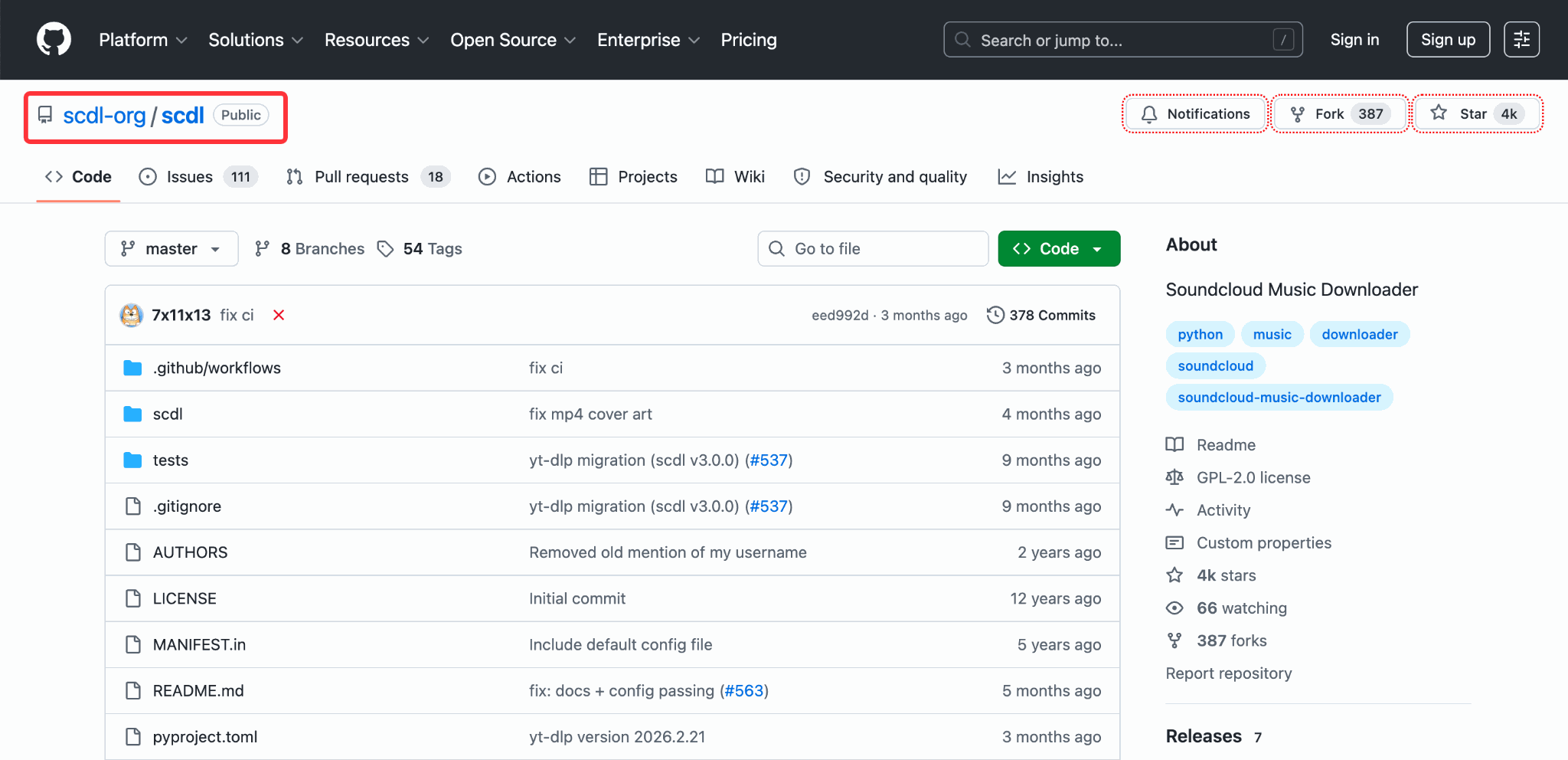
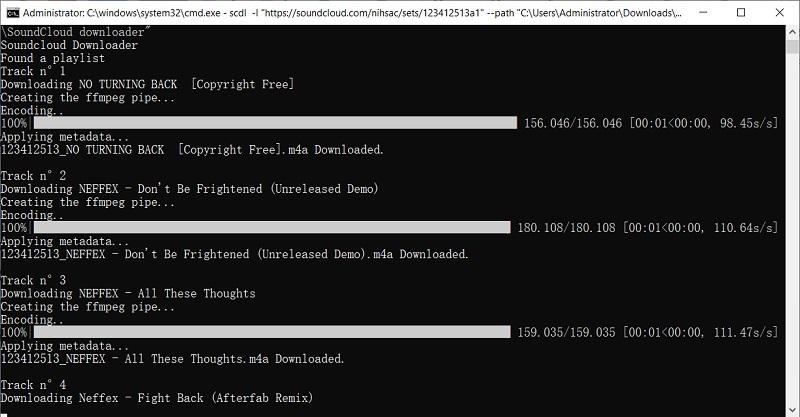
For tech-savvy users, scdl offers powerful functionality for downloading entire SoundCloud playlists for free. It supports playlist downloading, metadata, download archives, synchronization, and customized file naming. You can get this open-source SoundCloud downloader on GitHub. However, its Python-based setup and yt-dlp commands require some technical knowledge, so it may be too complicated for beginners. Please refer to above simple methods.
How to Download a SoundCloud Playlist with a GitHub Tool
Step 1. First, install Python on your computer. Then install FFmpeg and make sure it is added to your system PATH. Both are required by the current scdl installation.
Step 2. Open the GitHub page and get the scdl SoundCloud downloader. Follow its installation instructions for Windows, macOS, or Linux.
Step 3. Open Command Prompt on Windows or Terminal on Mac/Linux and install scdl via pip: pip install scdl.
Step 4. Open SoundCloud in your browser and find the playlist you want to download. Copy its URL. A typical playlist URL contains /sets/. In Command Prompt or Terminal, enter the command, for example:
● Troubleshooting may require technical knowledge.
● Commands and compatibility can change over time.
Way 6. Record SoundCloud Playlists as MP3 with Screen Recorder
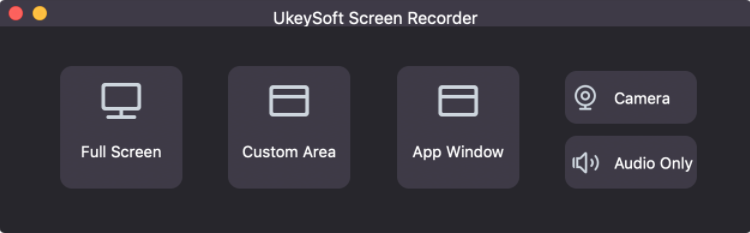
Another approach is to record SoundCloud playlist playback instead of directly downloading the playlist. UkeySoft Screen Recorder is a reliable tool that captures system audio with high quality, allowing you to save the recording as an MP3, AAC, and M4A file. Even better, it lets you record music on popular streaming music platforms, including SoundCloud, Apple Music, Spotify, YouTube Music, Amazon Music and more.
However, recording an entire playlist takes approximately as long as playing it, so it is much slower than a dedicated SoundCloud playlist downloader.
How to Record a SoundCloud Playlist on Mac
Step 1. Install and launch UkeySoft Screen Recorder on your Windows PC or Mac.
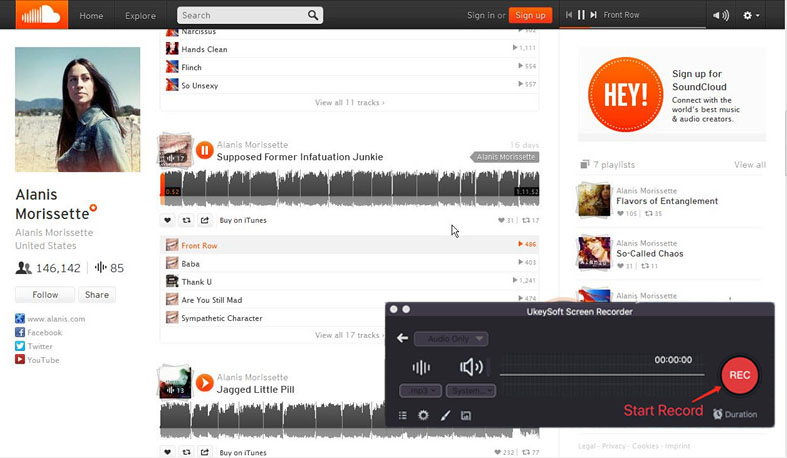
Step 2. For Mac users, select "Audio Only", while Windows users should pick "Record Audio" option.
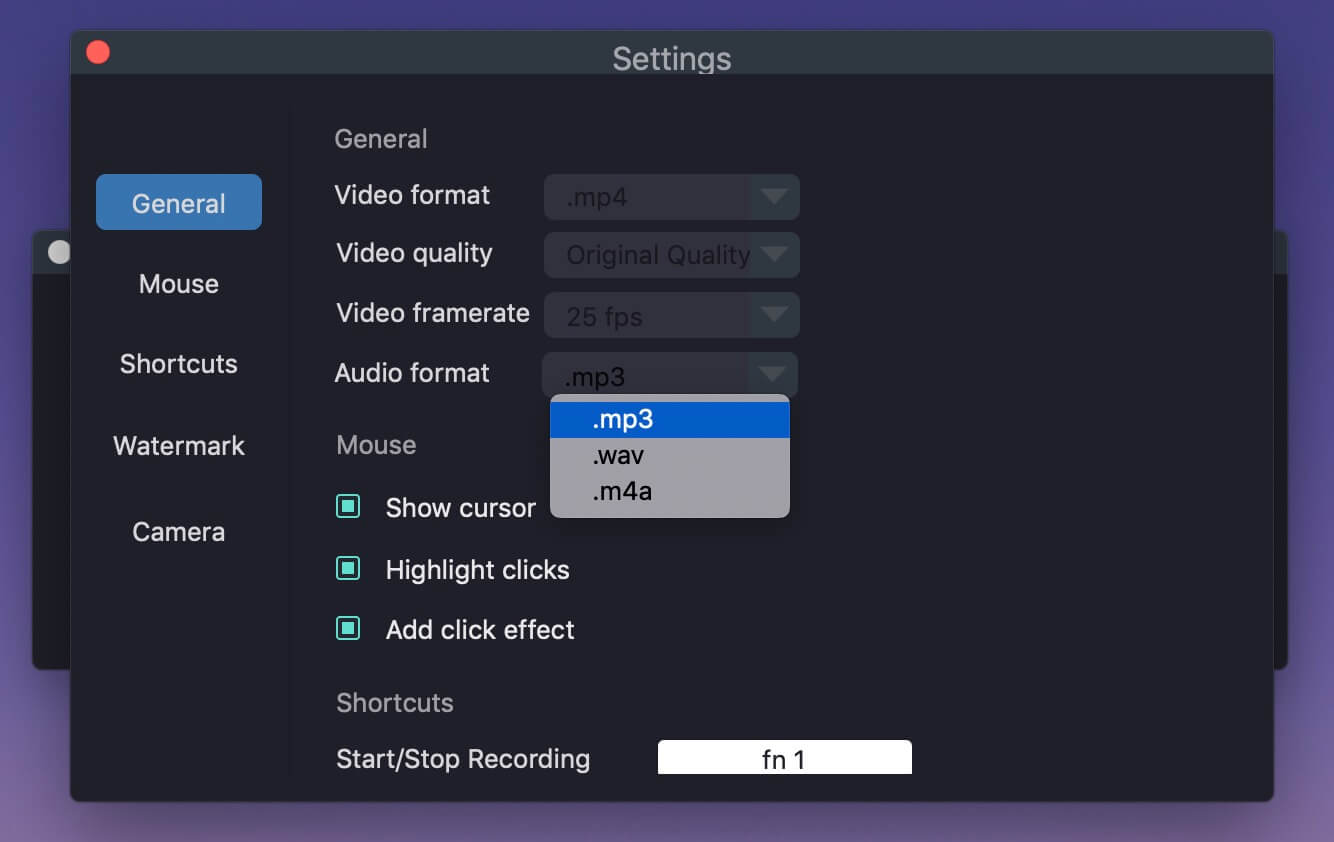
Step 3. Select "System Sound", and configure audio settings like output format, output quality, etc.
Step 4. Open SoundCloud in your browser, navigate to the playlist, and begin playback.
Step 5. Click the "REC" button in UkeySoft to start recording. The software will capture all music output in real-time. Stop the recording when the playlist finishes.
✅ Pros
● Works when direct downloading is unavailable.
● Captures any audio playing on your computer.
● Supports Windows and Mac.
● MP3 and other output formats.
● No need for SoundCloud Go+ subscription.
❌ Cons
● Real-time recording is slow.
● You need to play the entire playlist.
● You may need to manually edit ID 3 metadata.
● Output quality depends on recording settings.
● Not as convenient as batch downloading.
Conclusion
There are several ways to download SoundCloud playlists for offline listening, but each method is designed for a different purpose. For SoundCloud paid subscribers, the official mobile app offers the most straightforward method. But the official downloads are locked in the mobile app and tied to subscription.
For users who want more flexibility and convenience, downloading SoundCloud playlists is a better choice. From desktop SoundCloud Playlist downloader, free online tool, browser extension, to GitHub tools, you can easily download and save SoundCloud playlists and enjoy them anywhere. Among them, UkeySoft SoundCloud Music Converter stands out with its professional-grade quality, batch downloading, and reliable performance.
Ready to start downloading your favorite SoundCloud playlists? Try UkeySoft's free trial today!
Justin Sabrina has always had great enthusiasm for writing, programming and web development. He likes writing about software and technology, his works are featured on some tech blogs or forums like Tom's Hardware, CNET, etc.
 English
 Arabic
 Chinese (Simplified)
 Chinese (Traditional)
 Croatian
 Czech
Czech Danish
 Dutch
Dutch Estonian
 Finnish
 French
 German
 Greek
Greek Hebrew
 Hindi
Hindi Hungarian
 Indonesian
 Italian
 Japanese
 Kazakh
 Korean
 Malay
Malay Norwegian
 Polish
 Portuguese
 Romanian
 Russian
 Slovenian
 Spanish
 Swedish
 Thai
Thai Turkish
 Ukrainian
 Vietnamese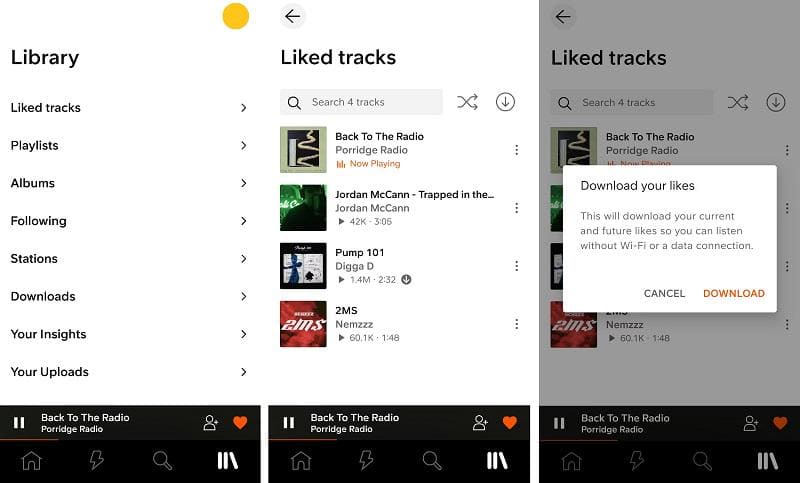








Comments are off!