-- Discover the best way to convert SoundCloud tracks, playlists and albums to WAV lossless here. Enjoy, use, edit your WAV SoundCloud music files freely!
To convert SoundCloud to WAV, you have three methods:
1️⃣ Try direct download first under the song page in official website.
2️⃣ Or, use an online SoundCloud to WAV converter for single tracks.
3️⃣ For lossless quality and batch conversion, use UkeySoft SoundCloud Music Converter: log in, set output to WAV in Preferences, add your playlist, and hit Convert.
Many SoundCloud users are looking to convert SoundCloud to WAV for music production, DJ software, audio editing, or offline playback. Does SoundCloud support WAV files? The answer is YES! You can upload .wav files directly to SoundCloud. Meanwhile, you may also download SoundCloud tracks in WAV format when the uploaders and artists allow direct downloads!
However, not all SoundCloud tracks offer direct downloads. Most tracks require a Go or Go+ subscription for offline listening, but these tracks lock in the app and cannot be exported as WAV audio files. Luckily, you can convert SoundCloud music to WAV by using professional SoundCloud to WAV Converters on your desktop. This guide covers three methods that actually work. Keep reading.
Method 1. Download SoundCloud Music in WAV Directly
As mentioned above, some SoundCloud uploaders and artists allow direct downloads of their tracks from the official website without any subscription. If the artist has enabled this option, you can download SoundCloud music to computer in WAV, AAC, MP3 or other formats. The output format depends on the original music file.
Now, let's go through the steps to download songs from SoundCloud to WAV.
Go to SoundCloud.com in your web browser and log in to your account.
Find the song you want to save and open the track page.
Click "More" and look for "Download file" option. If the button is available, click it to save the track to your computer.
Tips: If the output is MP3, AAC, or other formats, you will need to convert SoundCloud songs to WAV using a free online converter tool.
Method 2. Convert SoundCloud Songs to WAV for Free
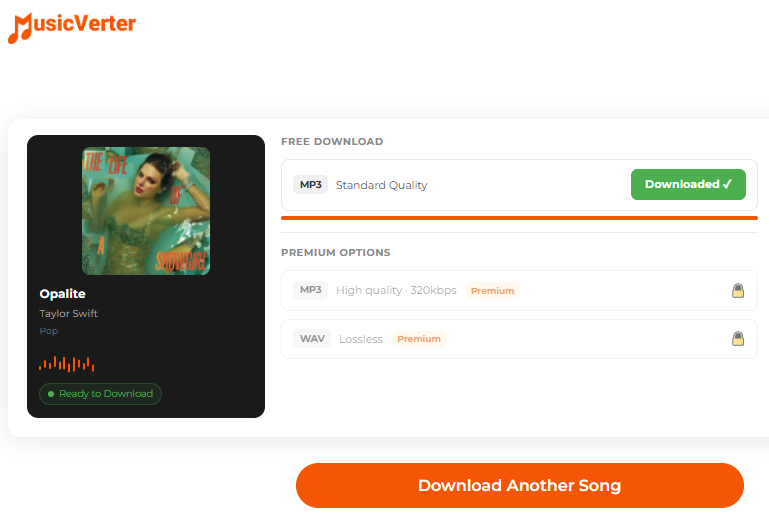
If you only need to convert a single track and do not want to install software, an online SoundCloud to WAV converter like MusicVerter is a good option. It works directly in your browser without registration: paste a SoundCloud link, select your output format, and download the converted file. It is free to use and requires no account,
However, this online tool is not completely free. It only offers a few free song conversions. Under the free plan, users cannot customize the output quality settings for the tracks. To convert an entire SoundCloud playlist to WAV with high quality, you'll need to upgrade to a paid membership.
For a single song, it is fine. Follow below steps to have a try:
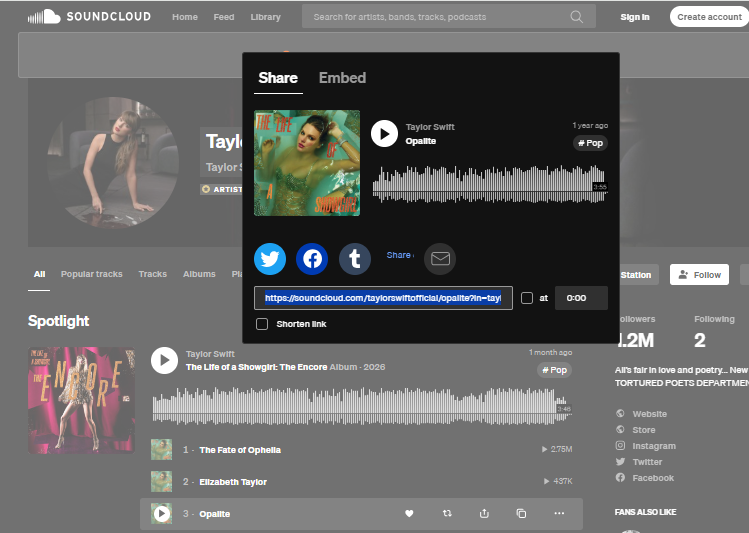
Open SoundCloud in your browser and find the song you want. Click the "Share" button and copy the link.
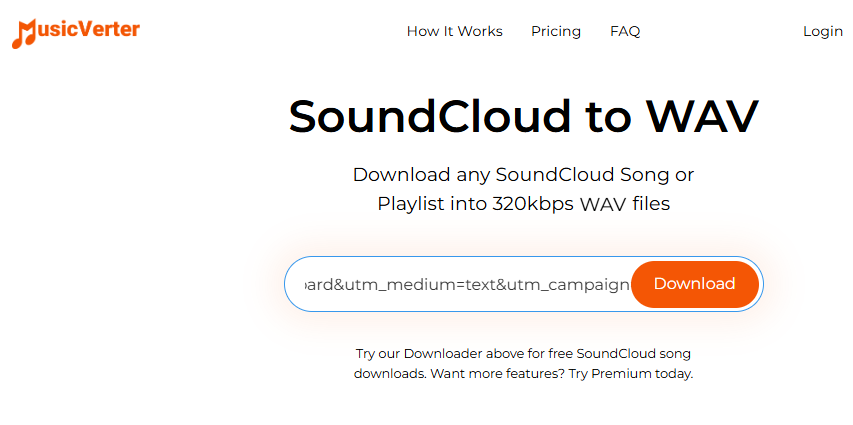
Visit the MusicVerter website in your browser and locate its SoundCloud to WAV conversion tool.
Paste the copied track URL into the input field. Hit "Download" button.
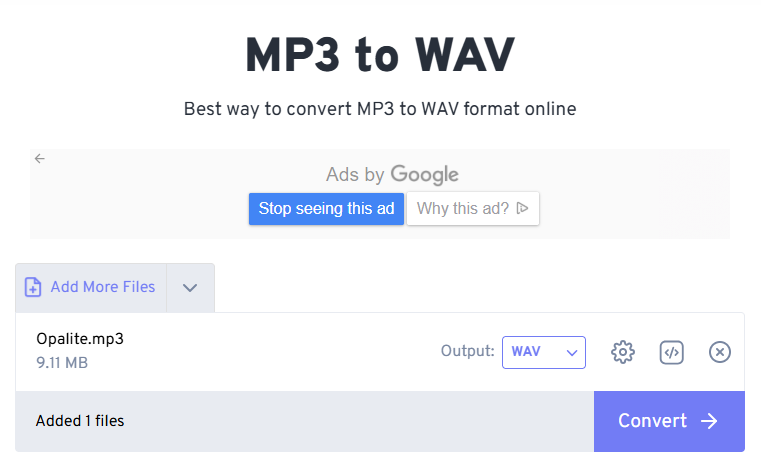
If you don't have a Premium in MusicVerter, you can first convert SoundCloud song to MP3 for free, then convert the MP3 file into WAV with online audio converter tool.
Method 3. Batch-Convert SoundCloud Playlists and Albums to WAV
If you want a stable and lossless SoundCloud WAV conversion process with full playlist support, a dedicated desktop software like UkeySoft SoundCloud Music Converter is the best ideal.
It supports all SoundCloud accounts, including SoundCloud Free, free trial, Go, and Go+. With this powerful tool, you can easily download SoundCloud tracks, playlists, and albums to computer. It can batch convert SoundCloud music to lossless WAV, FLAC, AIFF, 320kbps MP3, 640kbps AAC and M4A, so you enjoy them offline anytime, without the SoundCloud app.
Key Features of UkeySoft SoundCloud Music Converter
Convert SoundCloud music to WAV, FLAC, MP3, AAC, M4A, AIFF.
Exports SoundCloud tracks as uncompressed WAV files.
Batch download entire SoundCloud playlists, albums, and liked tracks.
Up to 16X faster conversion speed, saving hours on large library.
Keeps ID3 tags like cover, artwork, and track numbers intact.
Built-in web player for direct SoundCloud login and conversion.
Built-in music manager to classify output songs easily.
Works for SoundCloud Free, Go, and Go+ accounts.
Simple Steps to Convert SoundCloud Playlists to WAV Losslessly
Log In Account in UkeySoft
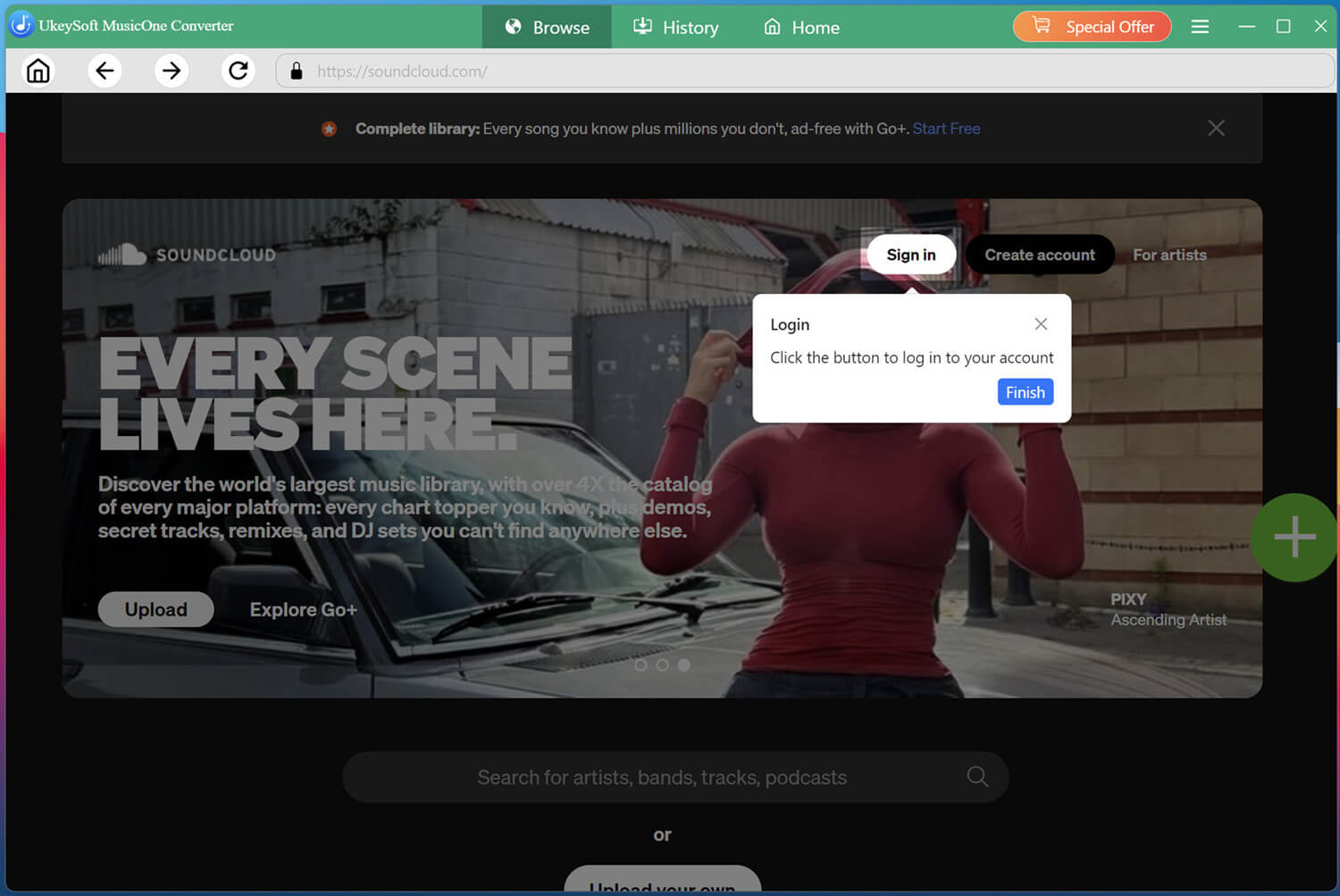
Download, install, and launch UkeySoft SoundCloud Music Converter on your Windows or Mac computer. Select the SoundCloud platform and log in with your SoundCloud free account.
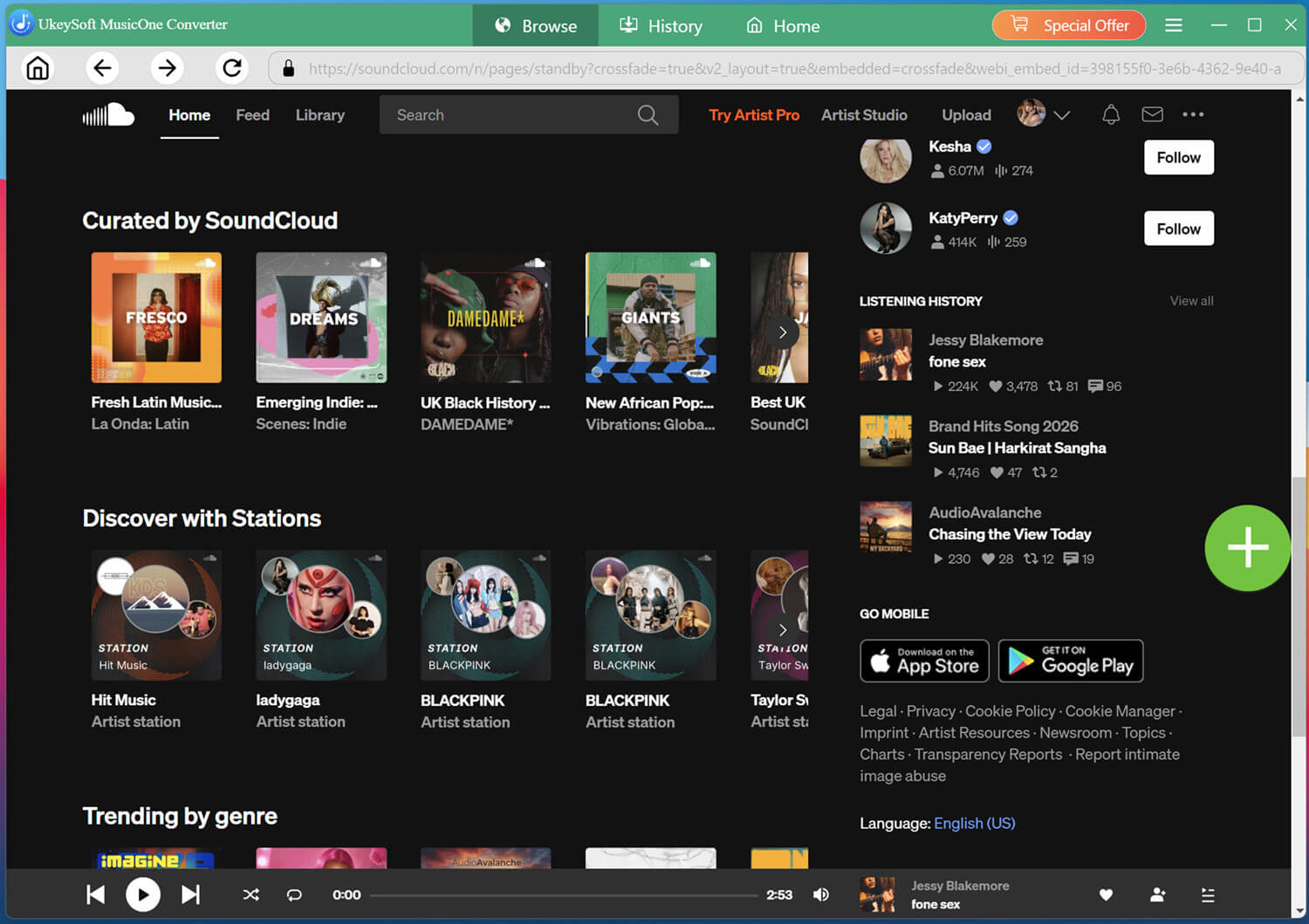
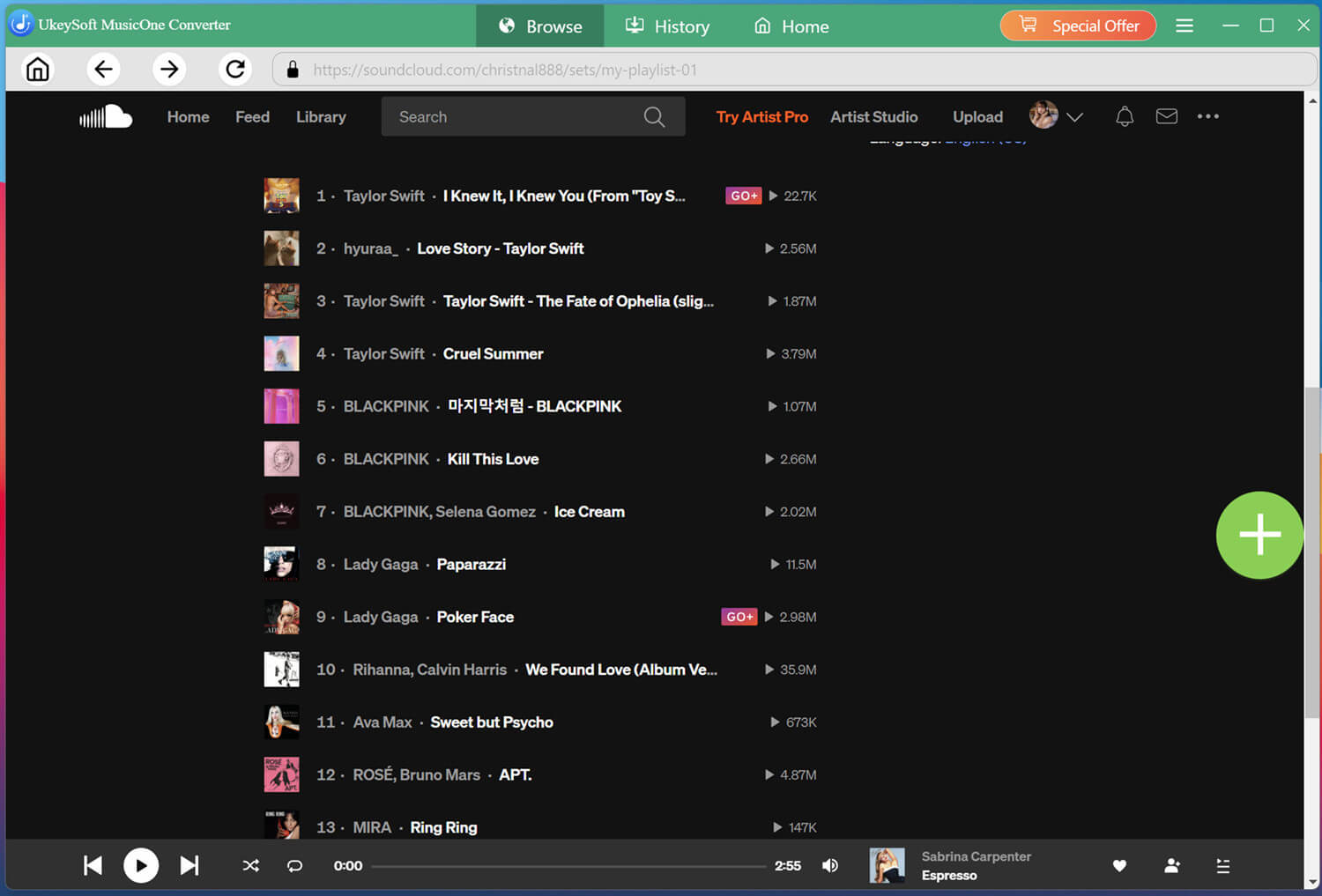
The built-in web player will load your library and playlists automatically. You can browse, access, stream, and search for any song online.
Customize the Output Settings
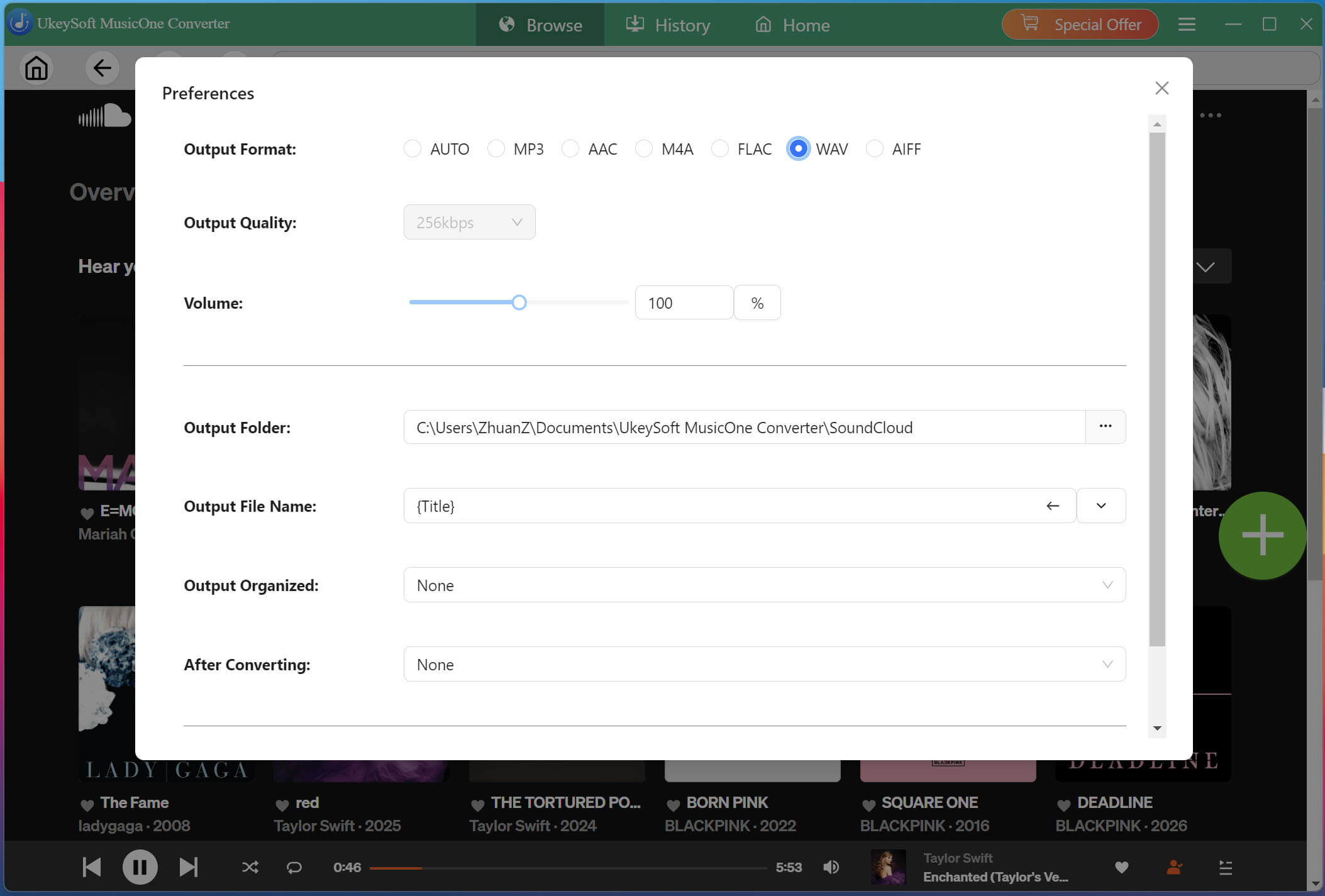
Click the "Menu" button, then navigate to "Preferences". Here you can adjust the output format and quality settings. Select WAV as your format for maximum compatibility across devices.
Click "Menu" and select "Preferences" (or click the Settings gear icon on Mac version). In the output settings panel, change the format from "Auto" to WAV. You can also set the output folder and confirm that ID3 tags will be preserved in the output music files.
Open and Add a Playlist or Album
Browse your library or search for a specific playlist or album. When you find what you want, open it and click the "+" button to add the entire collection to the conversion list.
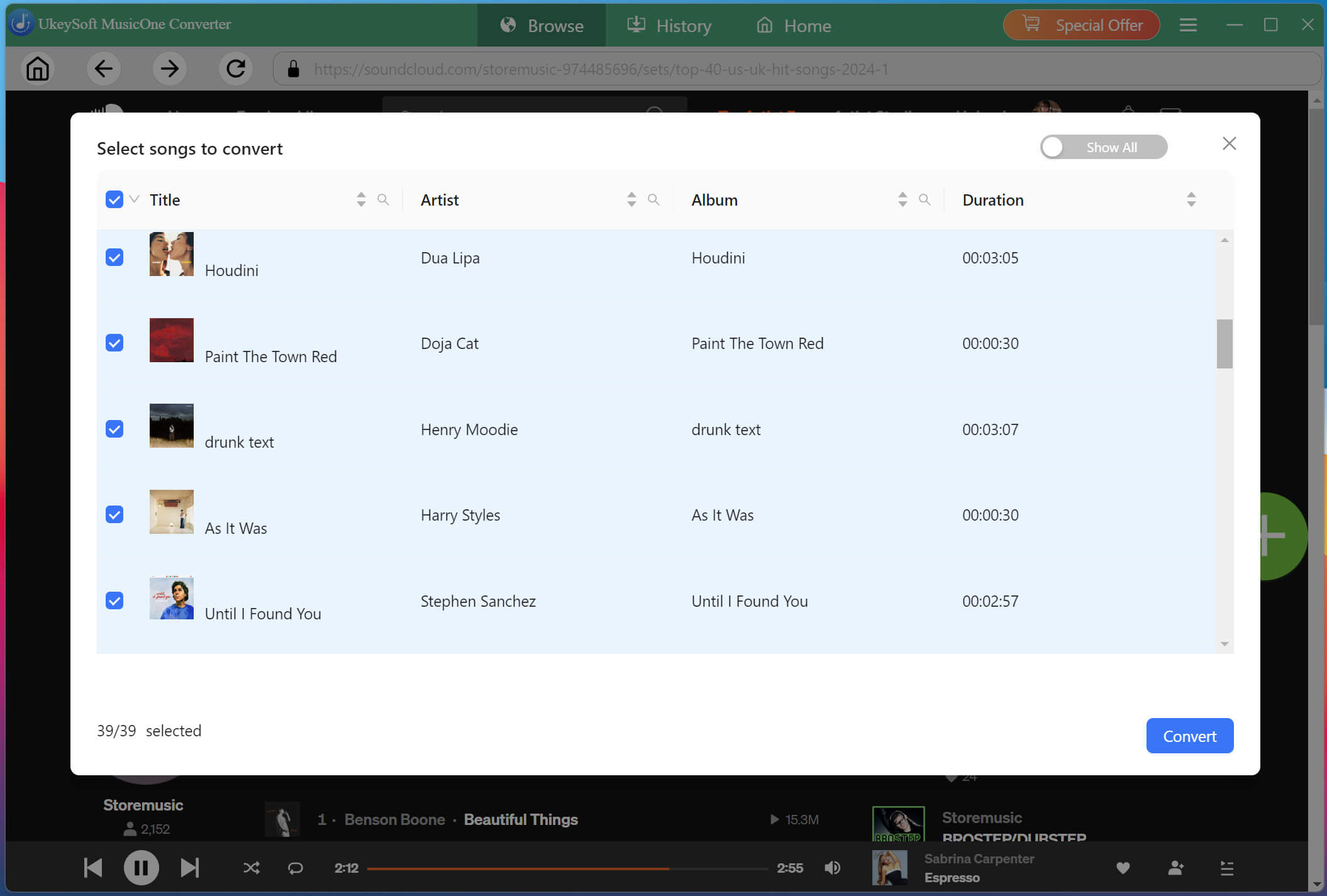
UkeySoft will parse the contents and display all tracks in a pop-up window. All songs are selected by default, but you can manually uncheck any tracks you do not want to convert.
Start SoundCloud Songs to WAV Conversion
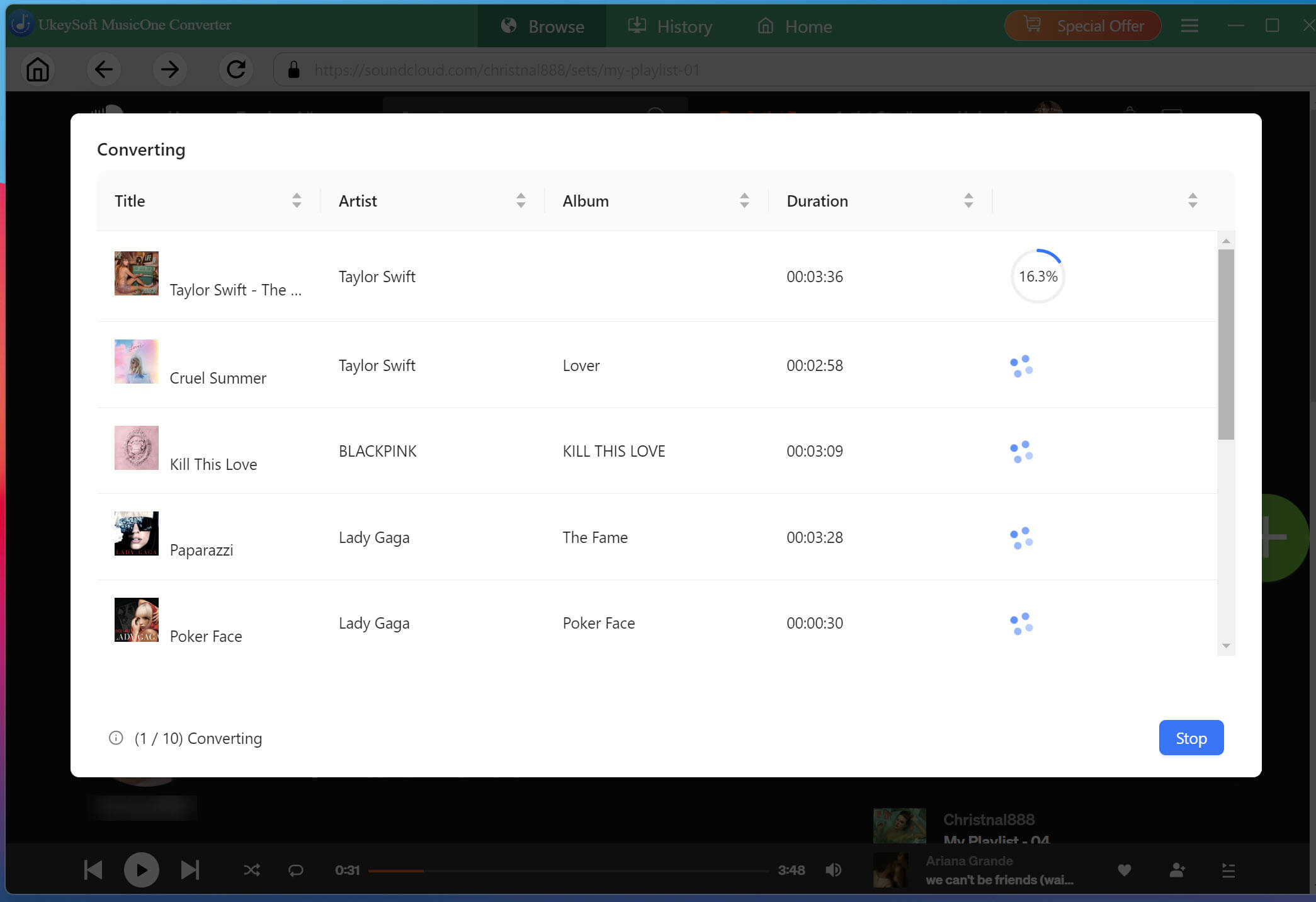
Click the "Convert" button to start the process. UkeySoft SoundCloud Music Converter will download and convert each SoundCloud track to lossless WAV at high speed. Do not use the SoundCloud web player or official app during the process.
Locate Converted SoundCloud Songs
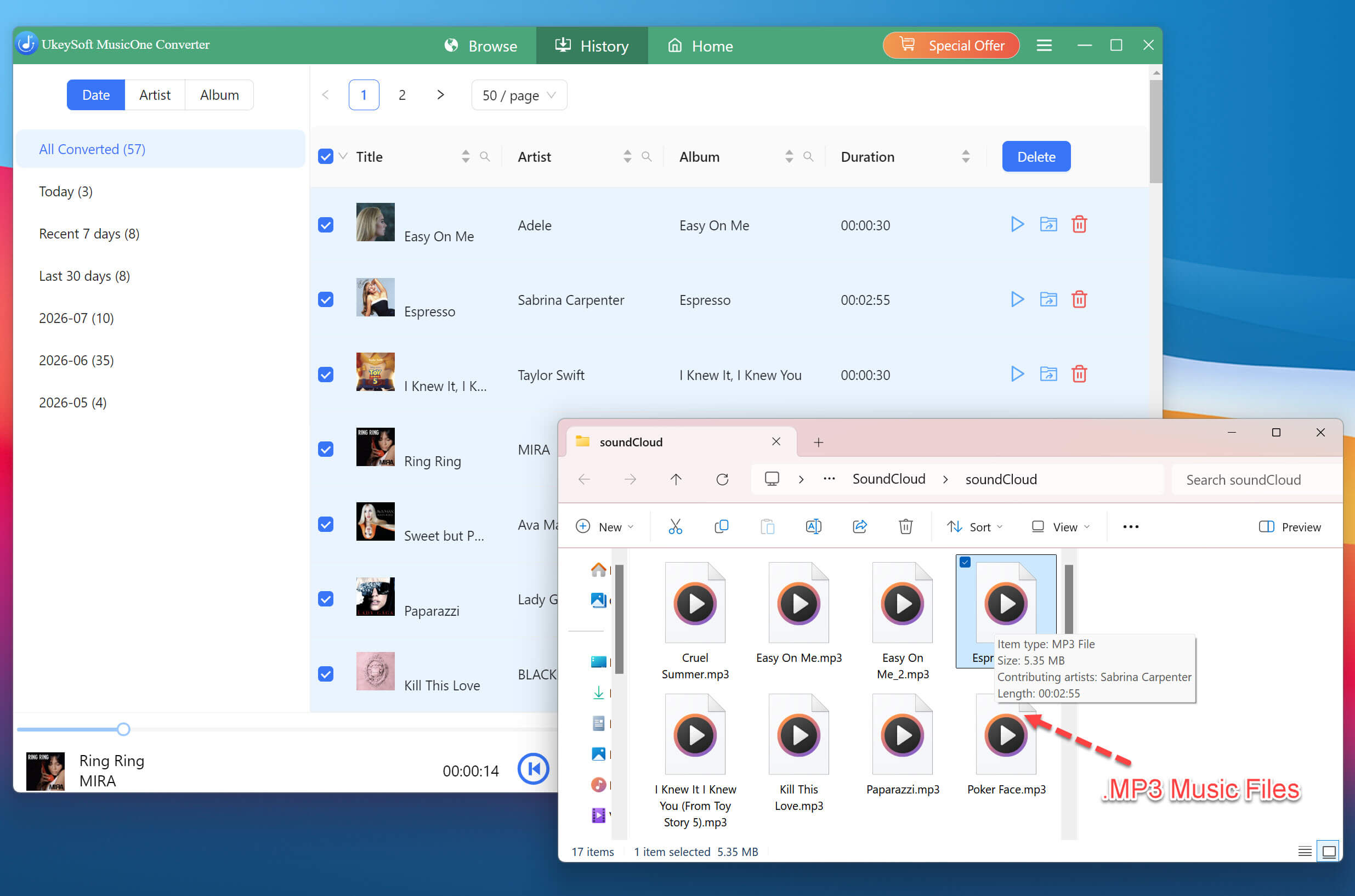
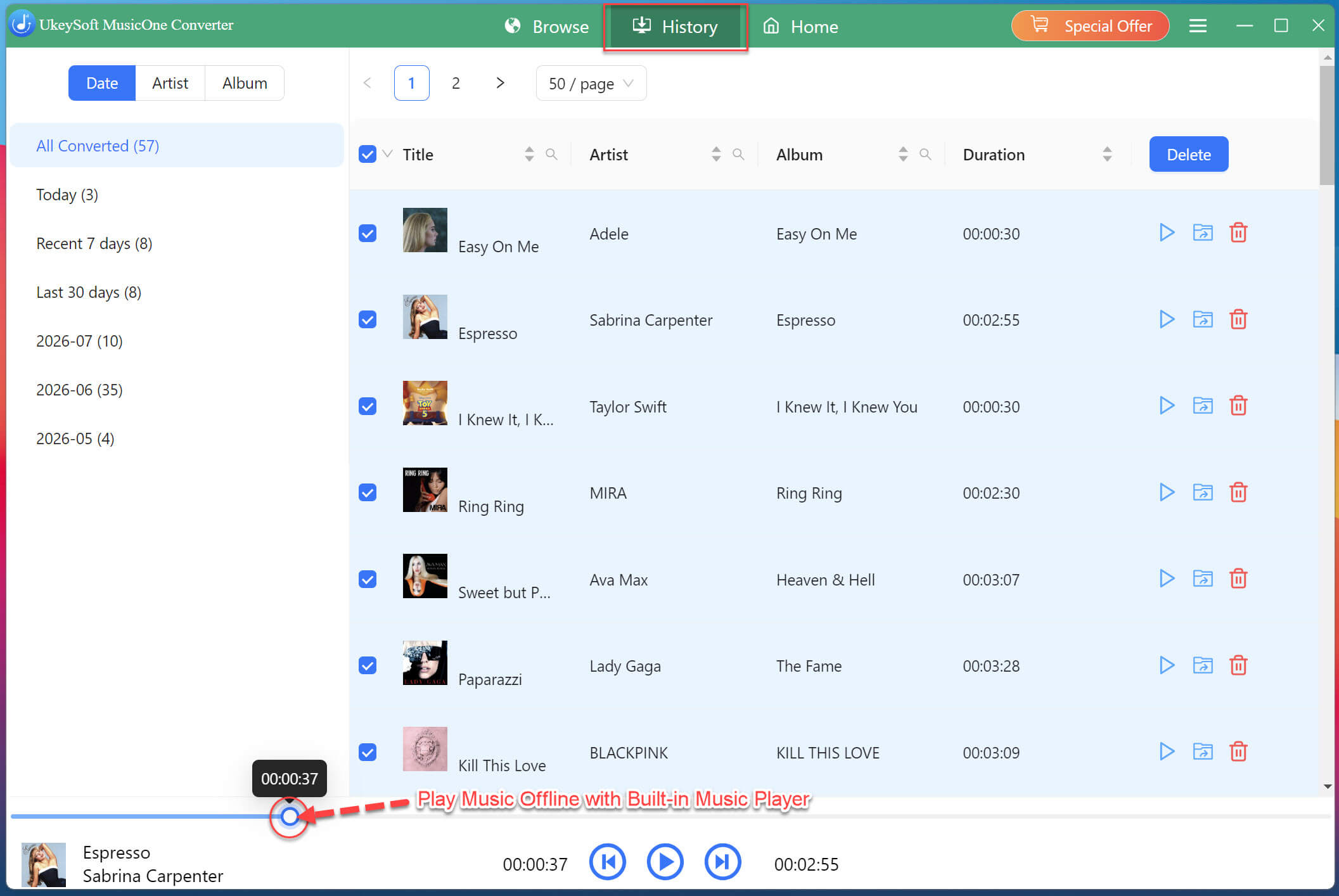
Once the conversion finishes, click the "History" tab to view your converted SoundCloud music. Click the folder icon next to any track to open its location on your computer. You can now open a WAV SoundCloud music file in a compatible media player or audio editor to verify playback.
By the way, UkeySoft SoundCloud Music Converter comes with a free built-in music player, you can hit on the Play button next to any song title to enjoy it directly!
There are several ways to convert SoundCloud to WAV, and the best option depends on the track's download settings and your workflow. Direct downloads are ideal when artists provide WAV files, and online SoundCloud to WAV converters can be convenient for basic individual music tracks conversions. If you want to convert SoundCloud to WAV reliably and efficiently, professional desktop software - UkeySoft SoundCloud Music Converter is the best option. It consistently delivers lossless WAV SoundCloud music files, with batch support and ID3 tag preservation to keep your library organized. Start with the free trial, and you will see how simple it is to convert your SoundCloud library to WAV on your own terms.
Justin Sabrina has always had great enthusiasm for writing, programming and web development. He likes writing about software and technology, his works are featured on some tech blogs or forums like Tom's Hardware, CNET, etc.
 English
 Arabic
 Chinese (Simplified)
 Chinese (Traditional)
 Croatian
 Czech
Czech Danish
 Dutch
Dutch Estonian
 Finnish
 French
 German
 Greek
Greek Hebrew
 Hindi
Hindi Hungarian
 Indonesian
 Italian
 Japanese
 Kazakh
 Korean
 Malay
Malay Norwegian
 Polish
 Portuguese
 Romanian
 Russian
 Slovenian
 Spanish
 Swedish
 Thai
Thai Turkish
 Ukrainian
 Vietnamese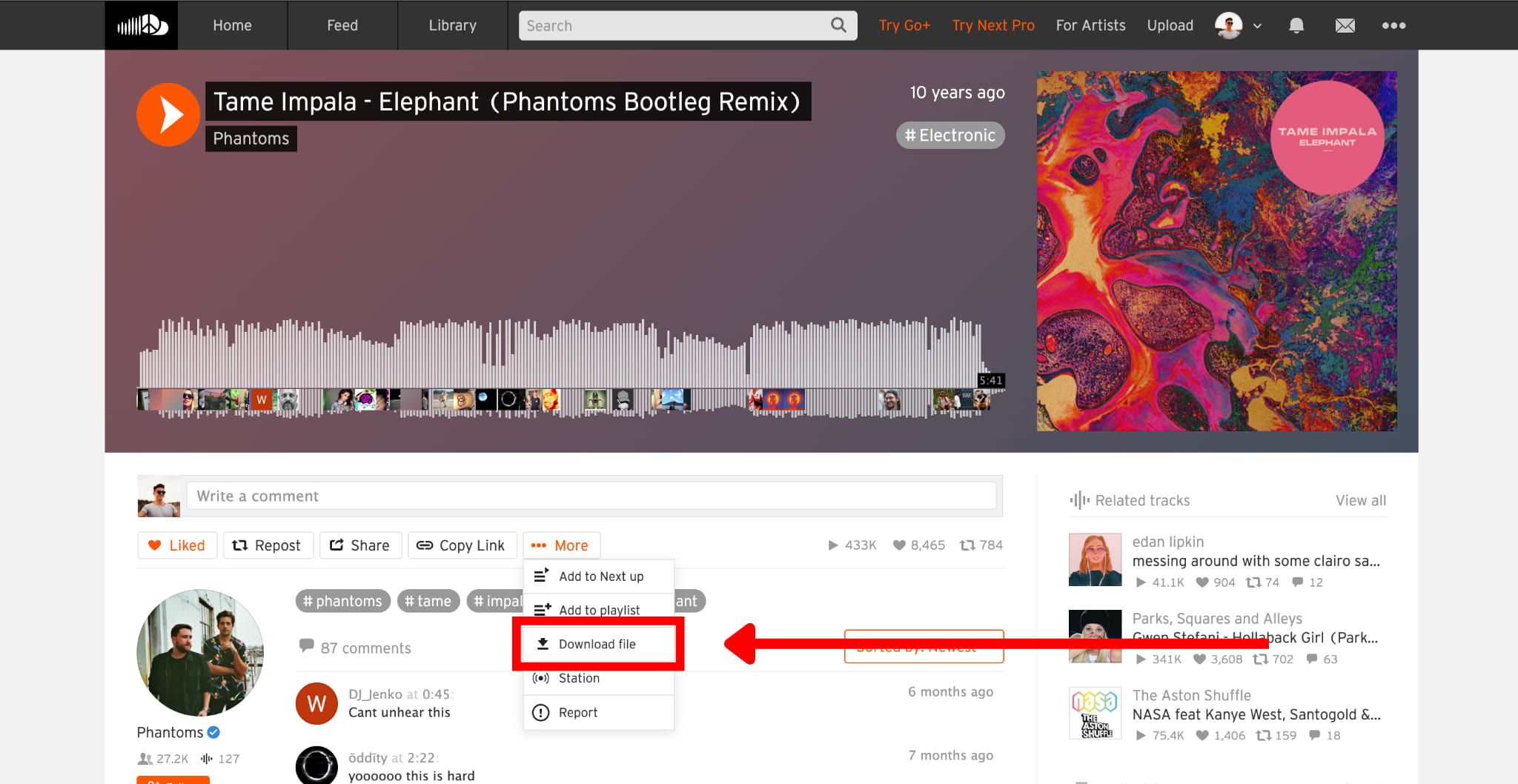








Comments are off!