Looking for a way to download SoundCloud music to AIFF format? This article will introduce a professional SoundCloud to AIFF converter that can help you convert SoundCloud music to AIFF in batches with lossless audio quality.
AIFF (Audio Interchange File Format) is an uncompressed audio format that preserves high-quality audio data. You may be wondering if you can directly download music from SoundCloud to AIFF format for high-fidelity offline playback or lossless audio storage. Unfortunately, the answer is negative. SoundCloud music only allows downloads for Go and Go Plus subscribers, and even then, the downloaded tracks are just cached data that can't be used outside the SoundCloud app.
Although some artists or uploaders have enabled the free download option, the output format is usually stored in MP3, M4A, or WAV, depending on the uploader's settings. So what;s the solution? Don't worry, you can ask help from third-party SoundCloud to AIFF converter tools. In this article, we'll introduce a reliable SoundCloud music converter to help you convert SoundCloud music to AIFF with lossless audio quality. Let's get started!
Tool Required: UkeySoft SoundCloud Music Converter
To save SoundCloud music to AIFF format, UkeySoft SoundCloud Music Converter is our top pick. Compatible on both Windows and Mac, the software has embedded with the official SoundCloud web player to simplify and speed up the download process. It can download and convert music tracks, entire playlists and albums from SoundCloud to AIFF or other popular audio formats like MP3, FLAC, AAC, WAV, or M4A. It works for both Free and paid SoundCloud users, so you do not need a Go or Go+ subscription to build your local AIFF library!
Main Features of UkeySoft SoundCloud Music Converter:
Download music from SoundCloud Free and Go/Go+ accounts to PC/Mac.
Convert SoundCloud tracks to AIFF, MP3, FLAC, WAV, M4A, AAC.
Save SoundCloud music to computer with lossless audio quality.
Download multiple SoundCloud tracks, playlists, and albums simultaneously.
Preserve ID3 tags like titles, artists, albums, and cover artwork intact.
Export SoundCloud music files to computer folder at 16X ultra-fast speed.
Built-in Web Player to browse, search, and select music directly.
Classify output SoundCloud songs by artist, album or date.
Step-by-Step: Download SoundCloud Music to AIFF with UkeySoft
Log In to SoundCloud Account in UkeySoft
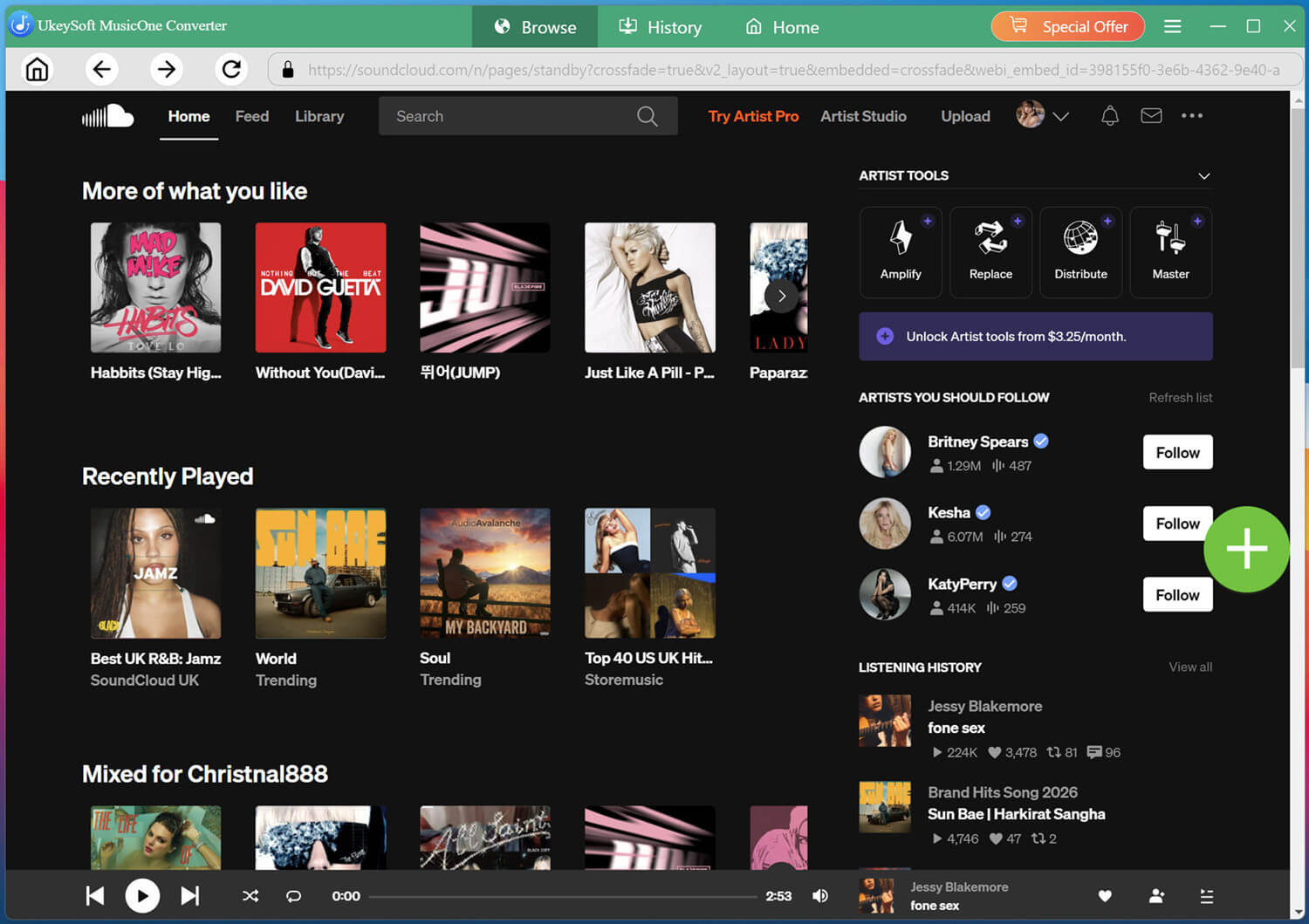
Install and launch UkeySoft SoundCloud Music Converter on your computer and sign in to your SoundCloud account through the built-in player.
Logging in allows the software to access your available SoundCloud music and playlists.
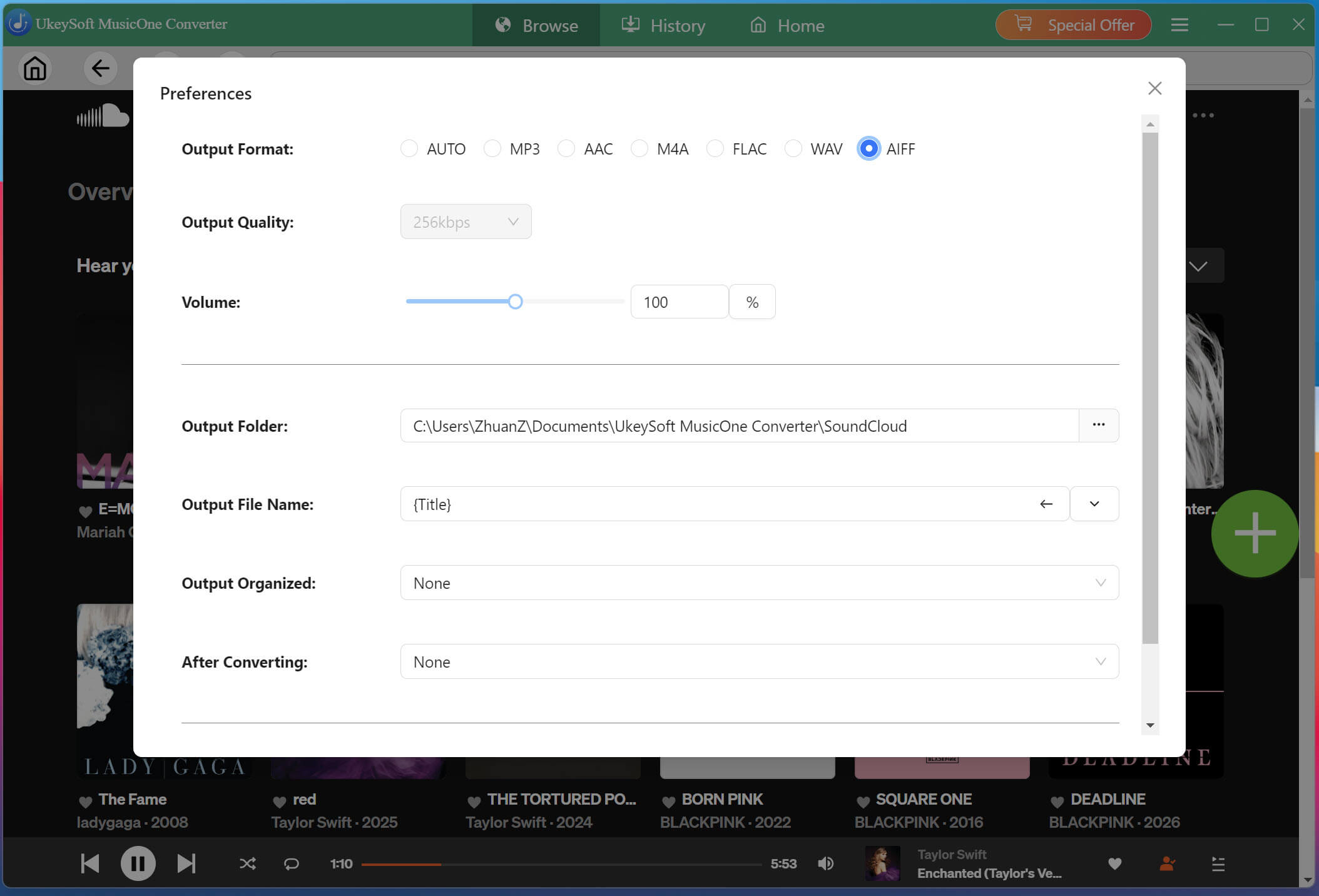
Configure the Output Settings
Click Menu, then select Preferences to configure your output format as AIFF, adjust the audio quality (320kbps), select the output folder, and configure other download preferences.
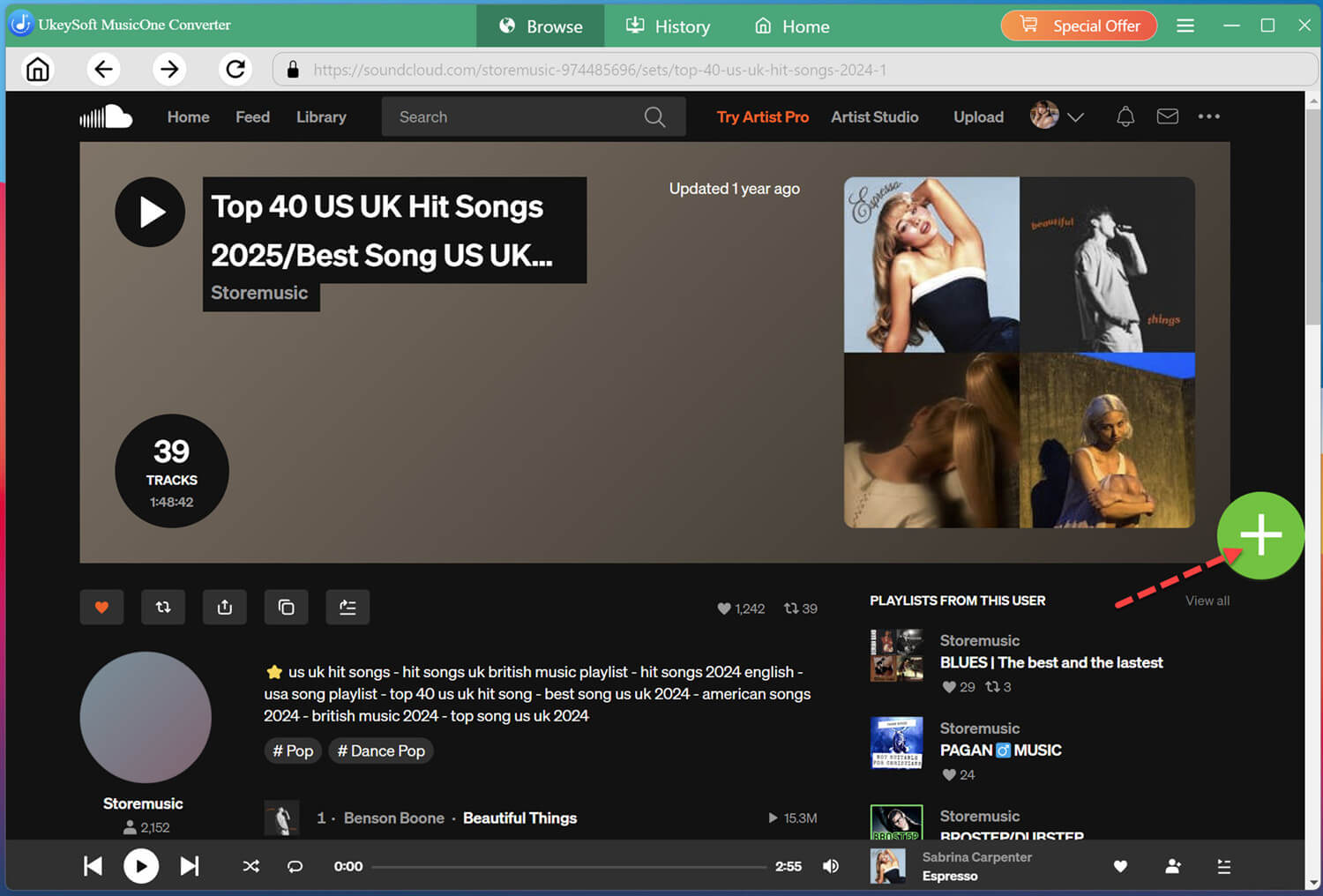
Browse, Open, and Add Music
Use the built-in SoundCloud player to search for the song, playlist, album, or podcast you want to download. Open the desired content such as a hot playlist and click the "+" icon to load it.
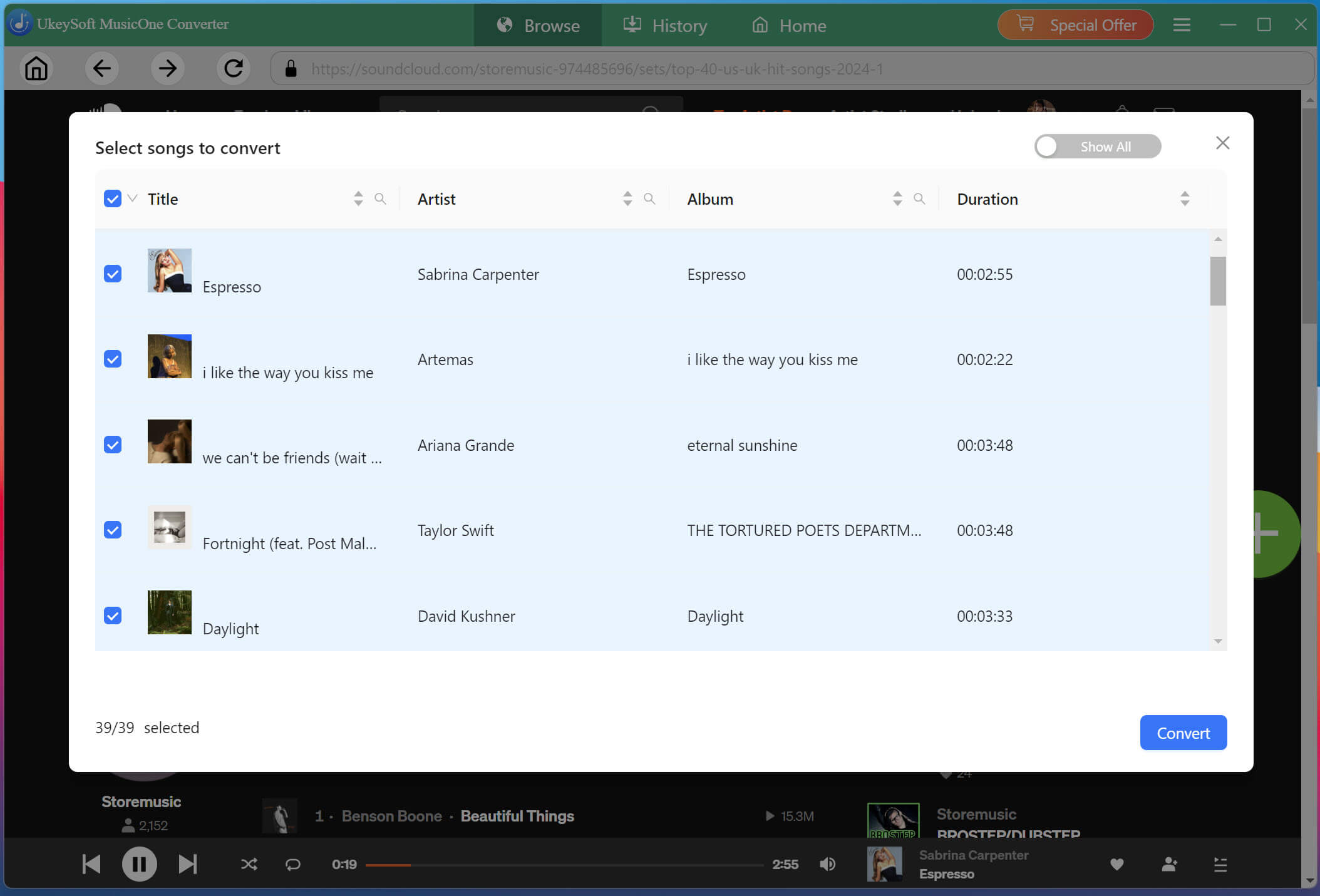
UkeySoft will display the available tracks in the selected playlist or album. Check the songs you want to save, or select multiple tracks at once for batch downloading.
Start Downloading SoundCloud Songs to AIFF
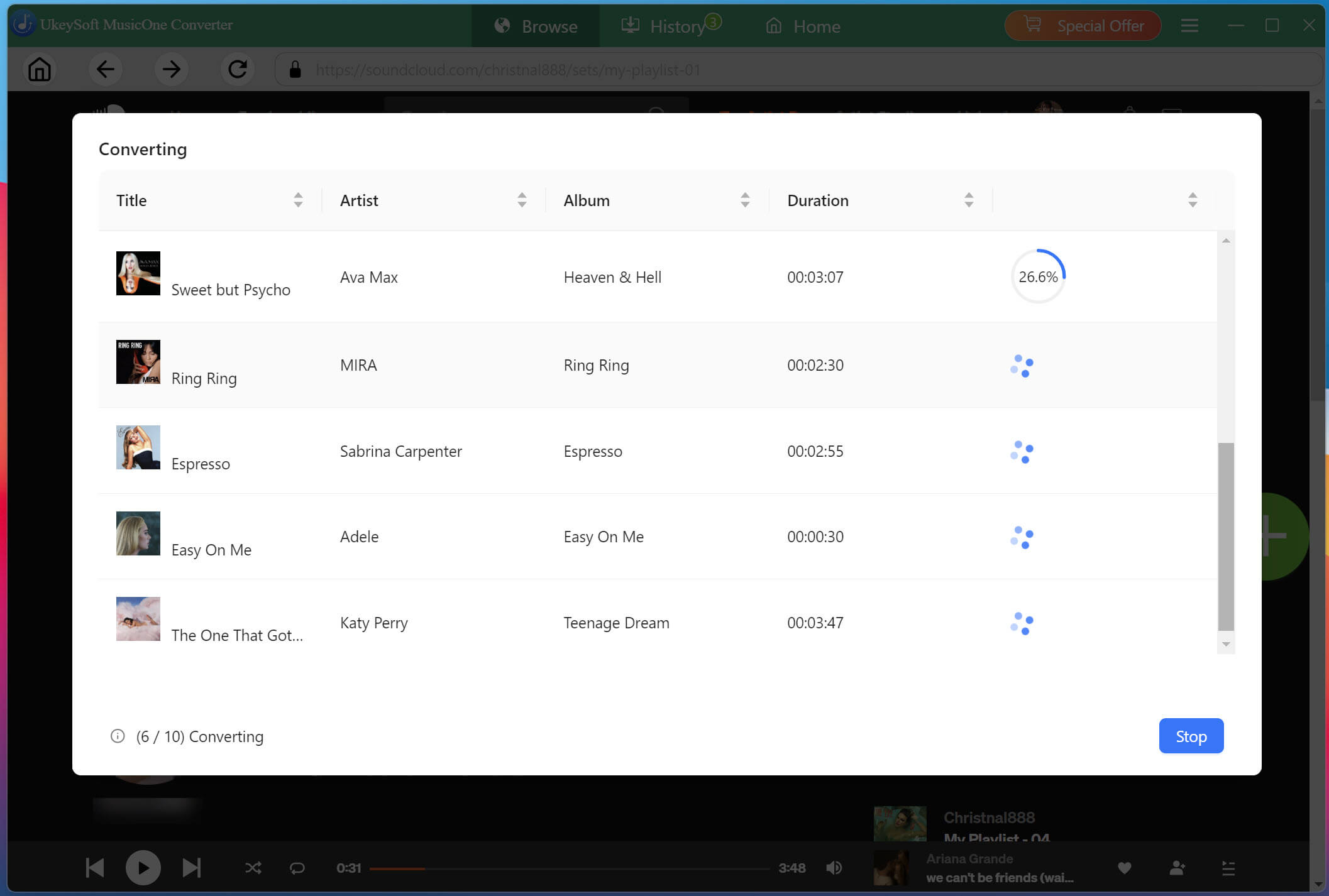
If ready, click "Convert" button to start the process. UkeySoft will download and convert all selected SoundCloud tracks simultaneously to AIFF or other formats at 16X faster speeds with lossless audio quality.
Get the Downloaded SoundCloud Songs
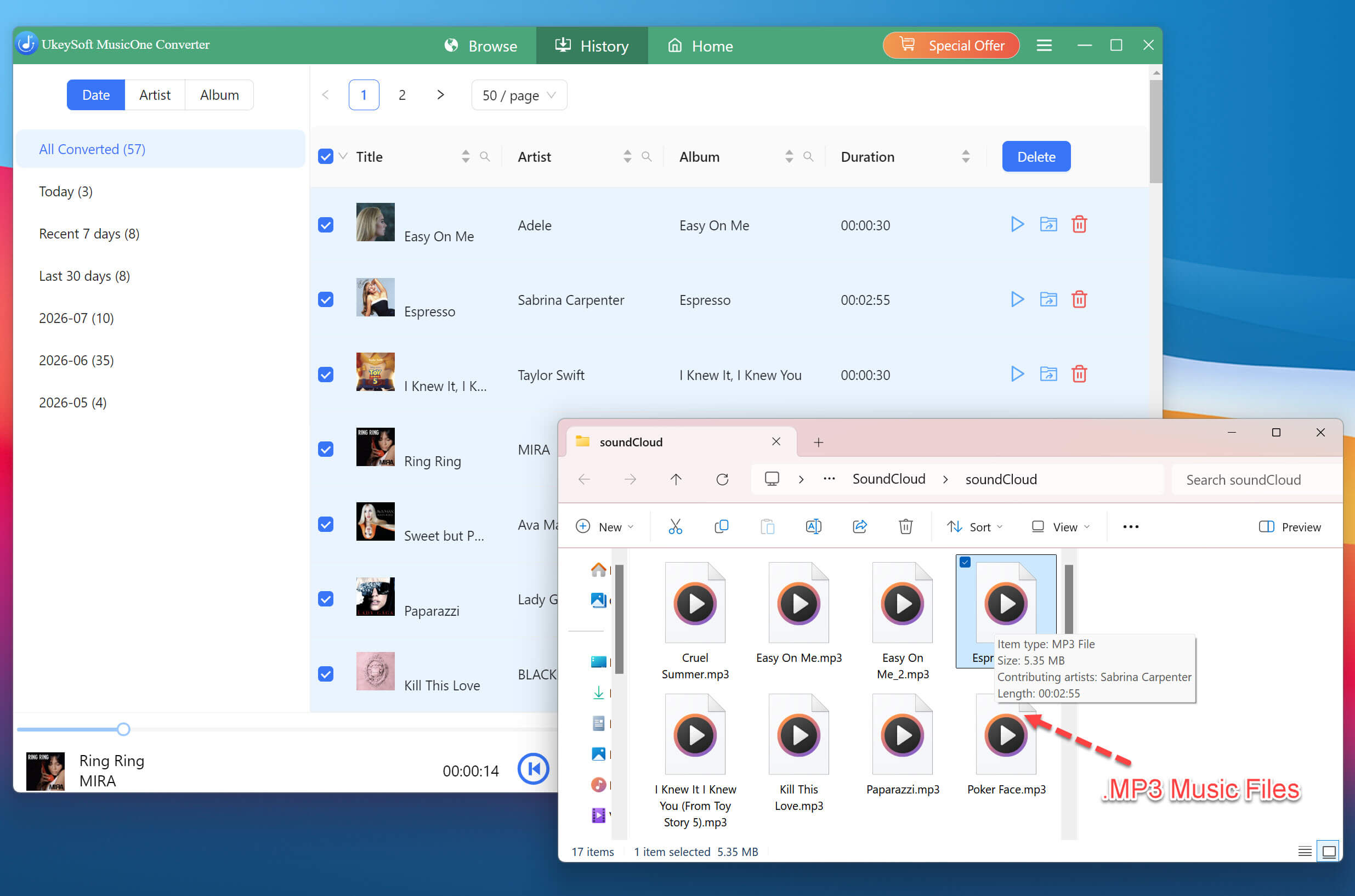
Once conversion completes, navigate to the "History" section and click the folder icon. You can then find your downloaded SoundCloud tracks, along with their preserved metadata where available.
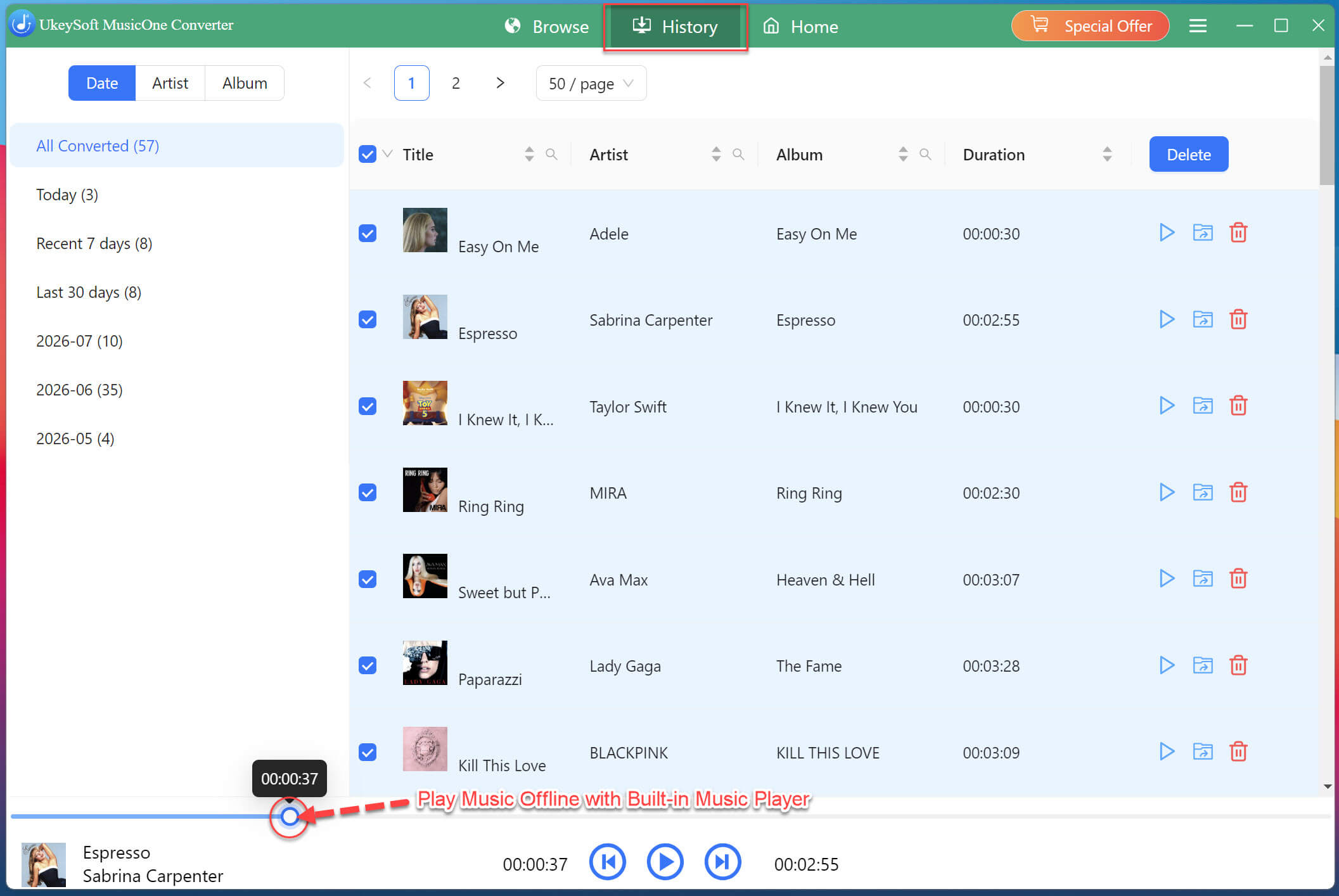
By the way, you may also use UkeySoft's built-in music player to play these high-quality SoundCloud music on your computer directly.
How to Play Downloaded AIFF SoundCloud Music?
The AIFF audio format is compatible with many popular desktop, mobile, and hardware media players, including:
Windows Media Player
VLC Media Player
Apple Music / iTunes
QuickTime Player
Winamp
foobar2000
AIMP
After downloading SoundCloud music to AIFF files, you can import and play the AIFF files on above supported media players. Meanwhile, you may transfer these AIFF SoundCloud music to your iPhone and Android for offline listening using the VLC app!
Conclusion
In short, to download SoundCloud to AIFF, the key is to choose the right tool. According to our tests, UkeySoft SoundCloud Music Converter stands out as the top recommendation. It features a built-in SoundCloud web player, customizable output settings, and batch processing for handling multiple tracks or entire playlists/albums. Only in a few clicks, you can get the AIFF SoundCloud music you want in high quality output. Try it today for an easy and efficient SoundCloud to AIFF conversion!
Justin Sabrina has always had great enthusiasm for writing, programming and web development. He likes writing about software and technology, his works are featured on some tech blogs or forums like Tom's Hardware, CNET, etc.

 English
 Arabic
 Chinese (Simplified)
 Chinese (Traditional)
 Croatian
 Czech
Czech Danish
 Dutch
Dutch Estonian
 Finnish
 French
 German
 Greek
Greek Hebrew
 Hindi
Hindi Hungarian
 Indonesian
 Italian
 Japanese
 Kazakh
 Korean
 Malay
Malay Norwegian
 Polish
 Portuguese
 Romanian
 Russian
 Slovenian
 Spanish
 Swedish
 Thai
Thai Turkish
 Ukrainian
 Vietnamese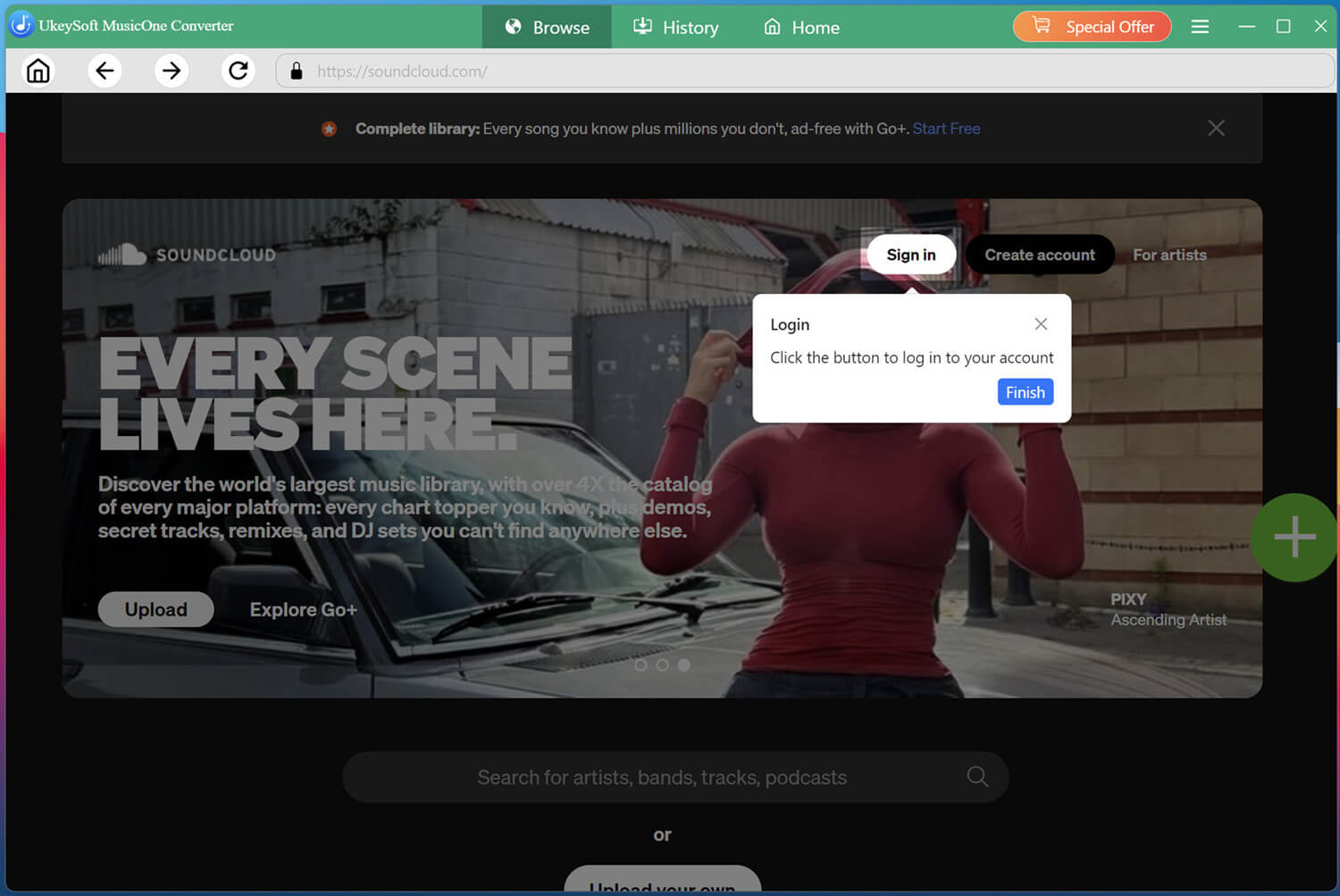








Comments are off!