Q:"Can I download songs on SoundCloud without a subscription?"
A: Yes! Officially, if you want to listen to SoundCloud offline, SoundCloud's answer is simple: pay for a Go or Go+ subscription. The good news is that you don't always need a SoundCloud premium subscription (such as SoundCloud Go or Go+) to download songs. If the creator has allowed downloads for their track, you can download it directly from your web browser with a free account. In addition, you can download SoundCloud music without Go/Go+ account, by using a third-party SoundCloud Music Downloader, or online tool. Keep reading to explore the detailed information!
Method 1. Using SoundCloud's Official Free Download Button
Some artists on SoundCloud choose to enable free downloads for their tracks. When this option is available, you can download SoundCloud music without Go/Go+ subscription account. Keep in mind, though, that the format and quality of the downloaded file (MP3, AAC, WAV, and so on) are determined entirely by the uploader and cannot be customized. This method also only lets you save individual tracks - not entire playlists or albums.
Open the SoundCloud website in your browser and log in to your free account.
Search for the song you want to download, and open the track's playback page.
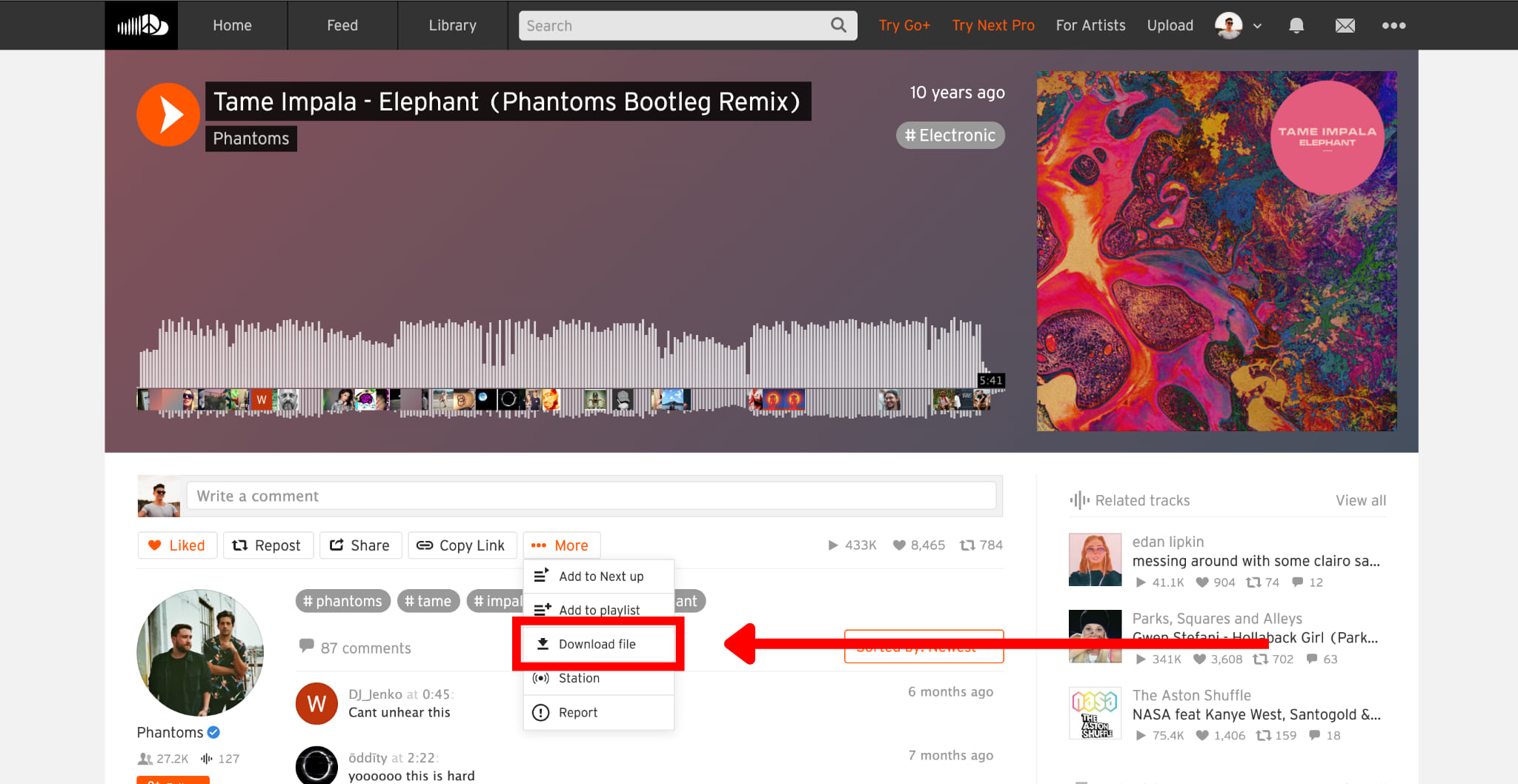
Look for the More button (three dots) below the waveform, and click it.
If the artist has enabled free downloads, you'll see a "Download file" option. Click it to save the SoundCloud track to your computer for free.
Once the download is complete, open your computer's Downloads folder to locate the saved music file. You can now play it using local media players.
✅ Pros
● Completely free and fully official.
● Downloads directly from the artist's original upload.
● No need to install any extra app or software.
❌ Cons
● Many popular songs don't have download option.
● You must save each track individually.
● You cannot freely customize the output settings.
Method 2. Use a Professional Third-Party SoundCloud Music Downloader
To download entire SoundCloud playlists or large music collections, a professional SoundCloud music downloader is the best solution. Here we highly recommend the UkeySoft SoundCloud Music Converter.
UkeySoft SoundCloud Music Converter is a viable option for SoundCloud free and paid users. Instead of relying on browser parsing, UkeySoft embeds a SoundCloud web player directly inside the software, allowing to unlock your music library with simple clicks. It can download tracks, playlists, albums, and podcasts from SoundCloud and saves them in MP3, WAV, FLAC, AAC, M4A, or AIFF formats with lossless output quality. Even with a free SoundCloud account, you can still download SoundCloud music as high-quality 320kbps MP3 files for premium listening experience! The software also supports batch conversion and keeps your offline library organized with complete artist and album metadata.
How to Download SoundCloud Music without Go/Go+ Account Using UkeySoft
Log in to UkeySoft SoundCloud Music Converter
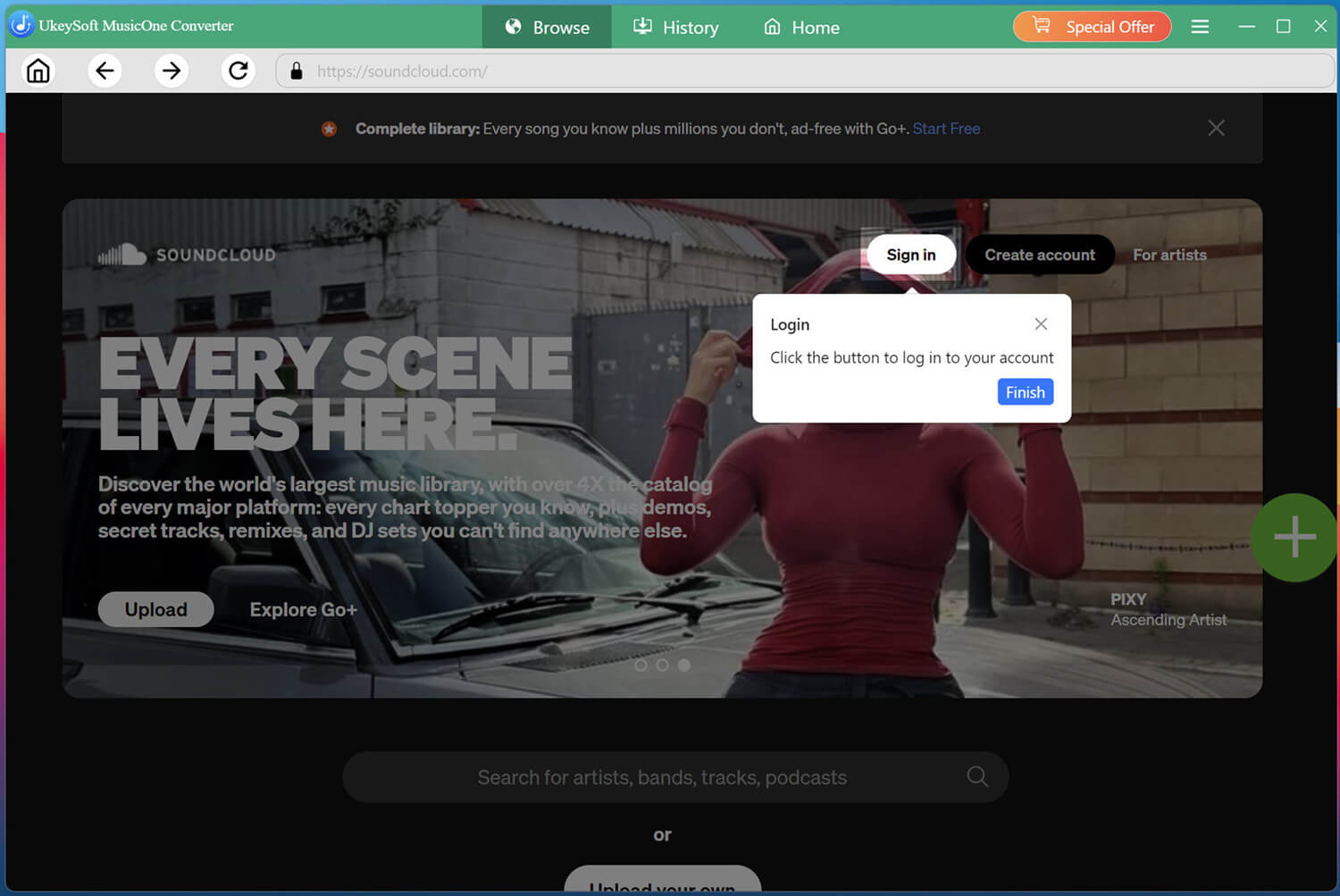
Download and launch UkeySoft SoundCloud Music Converter on your computer. On the home screen, select “SoundCloud” and sign in with your free SoundCloud account through the built-in web player.
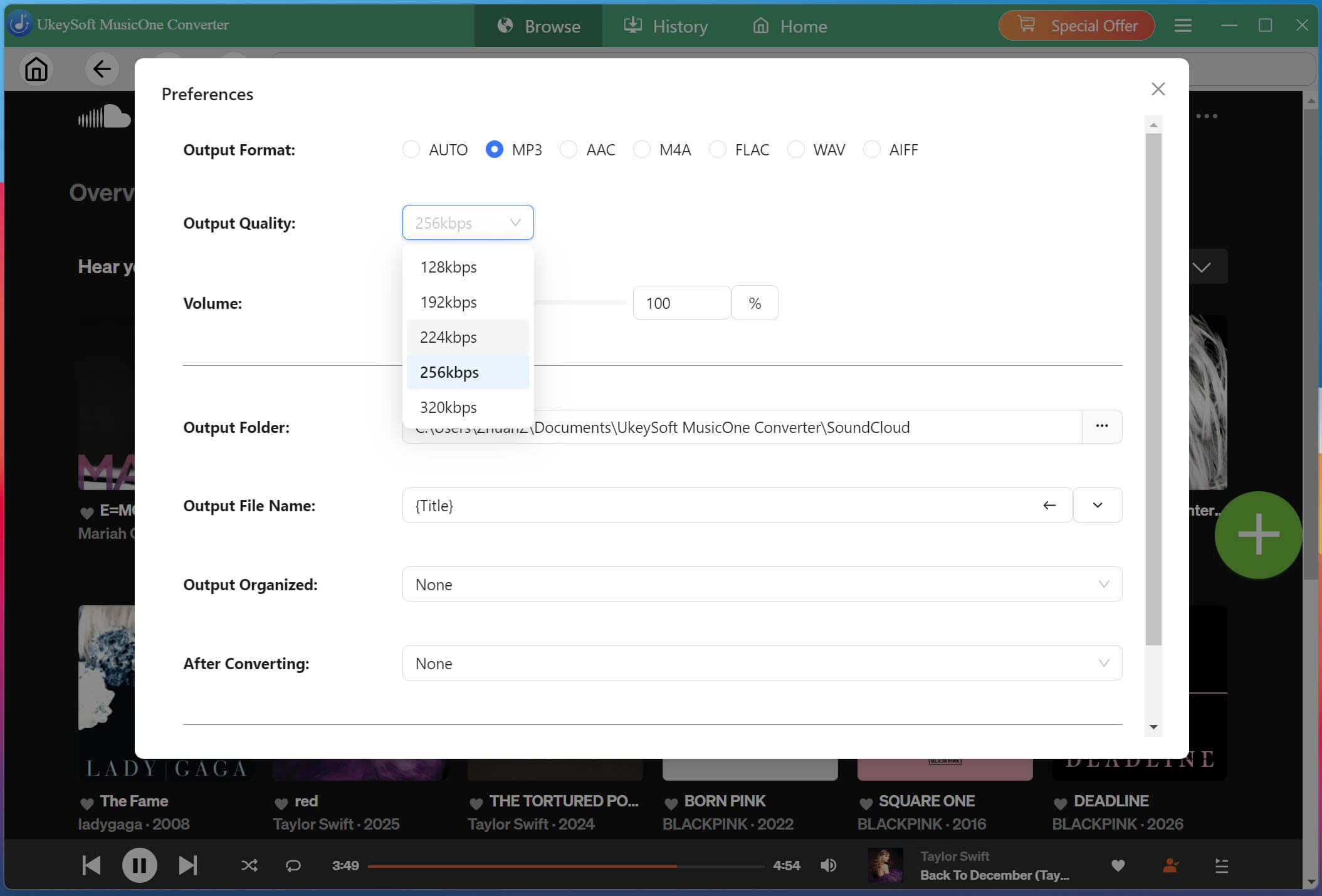
Change the Output Settings
Click the Menu icon and select Preferences. Here you can choose your output format (MP3 is recommended for universal compatibility), adjust the bitrate up to 320kbps, and set your preferred output folder, output file name, etc.
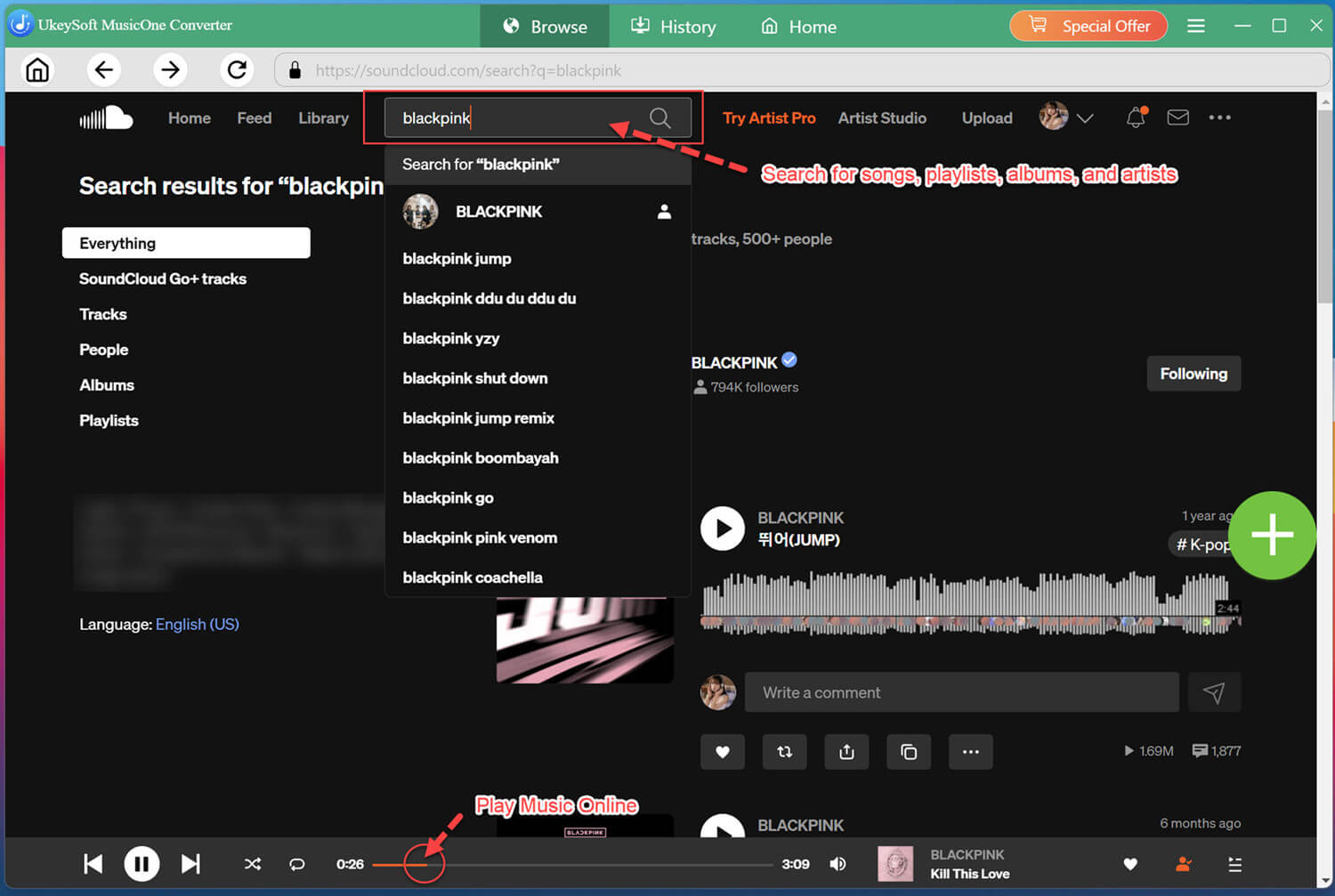
Browse, Open, Add SoundCloud Songs
Return to the built-in SoundCloud web player, browse the library to find any music you like. For example, here we enter BLACKPINK in the search bar.
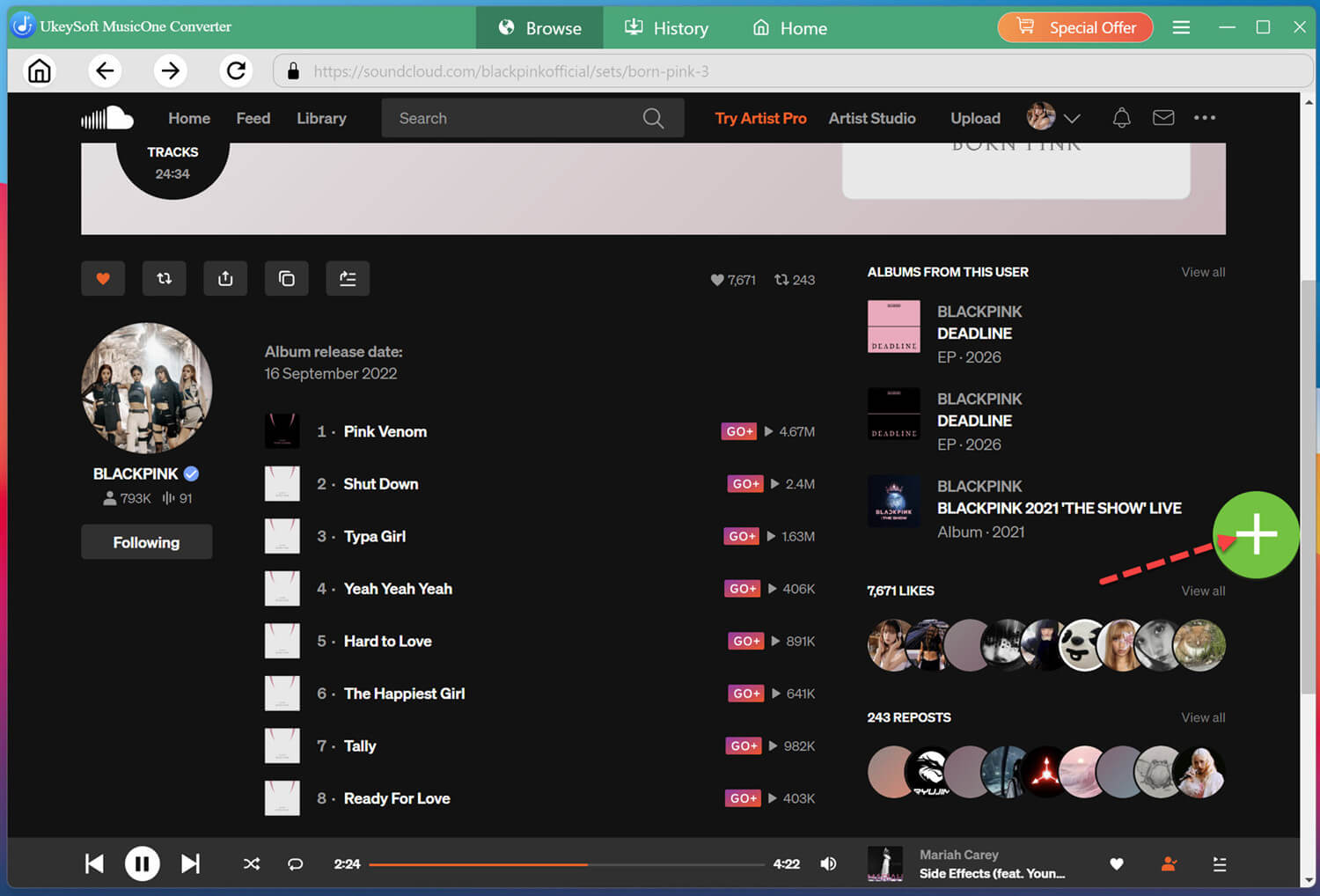
Open the album page to view all available tracks. To add the entire album into the conversion list, please click the "+" button on the right side of the interface.
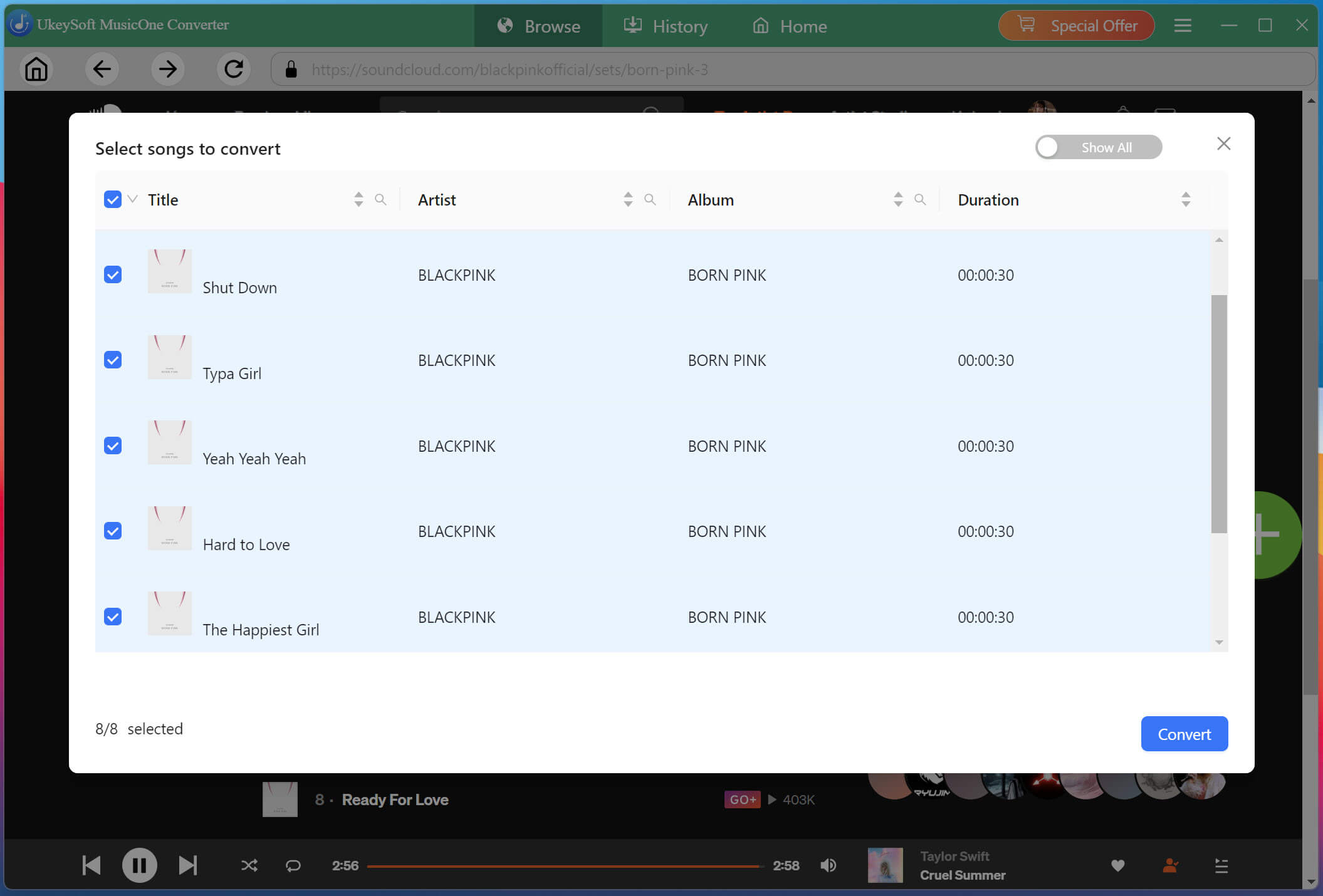
Select Desired SoundCloud Songs
A track selection window will appear. Select the songs you want to save, or choose multiple eligible tracks to download them together.
Start to Download SoundCloud Songs to 320Kbps MP3s
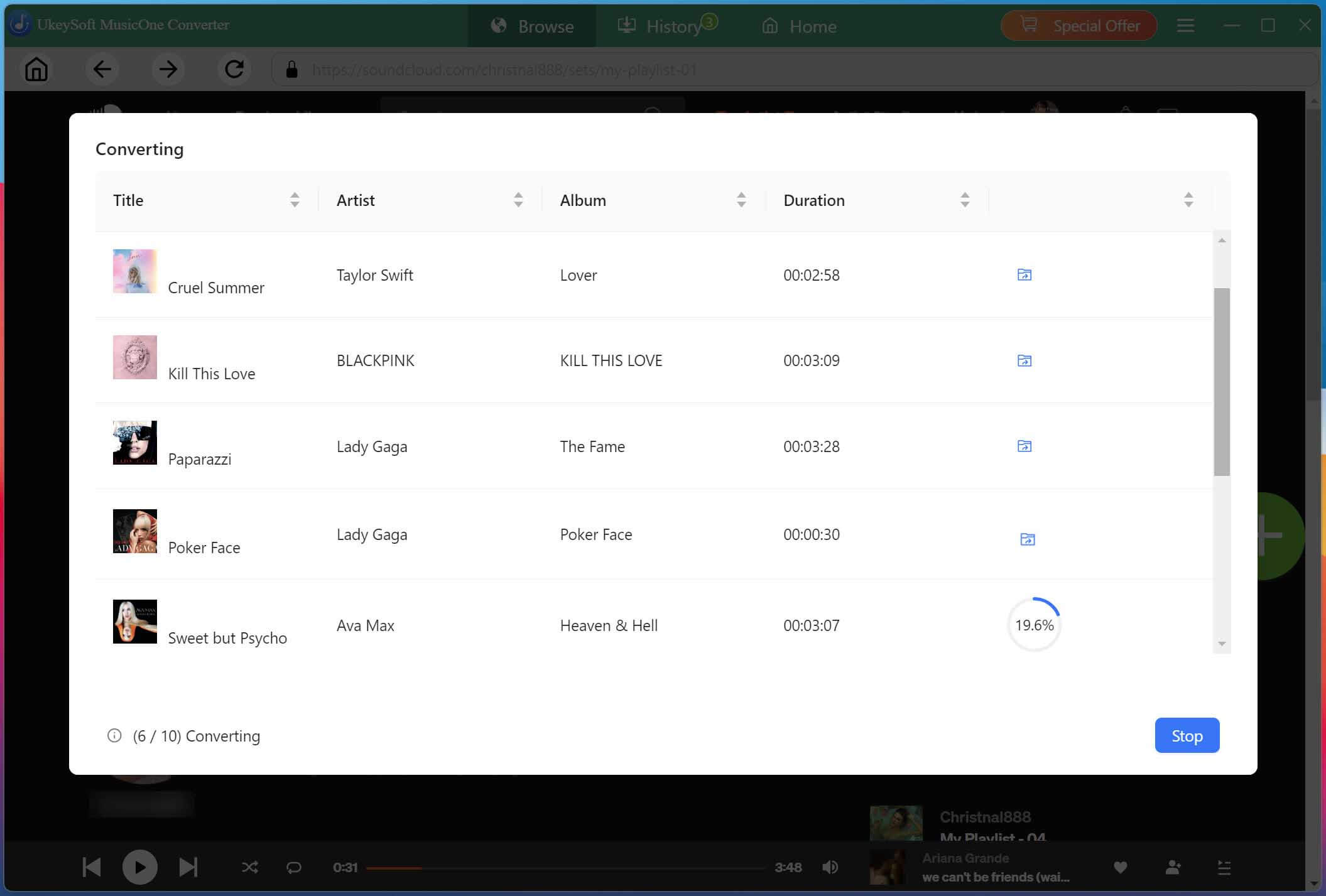
After selecting your favorite songs, simply hit on the "Convert" button to start the download and conversion process. The software will process all selected SoundCloud tracks automatically.
Get Downloaded SoundCloud Songs
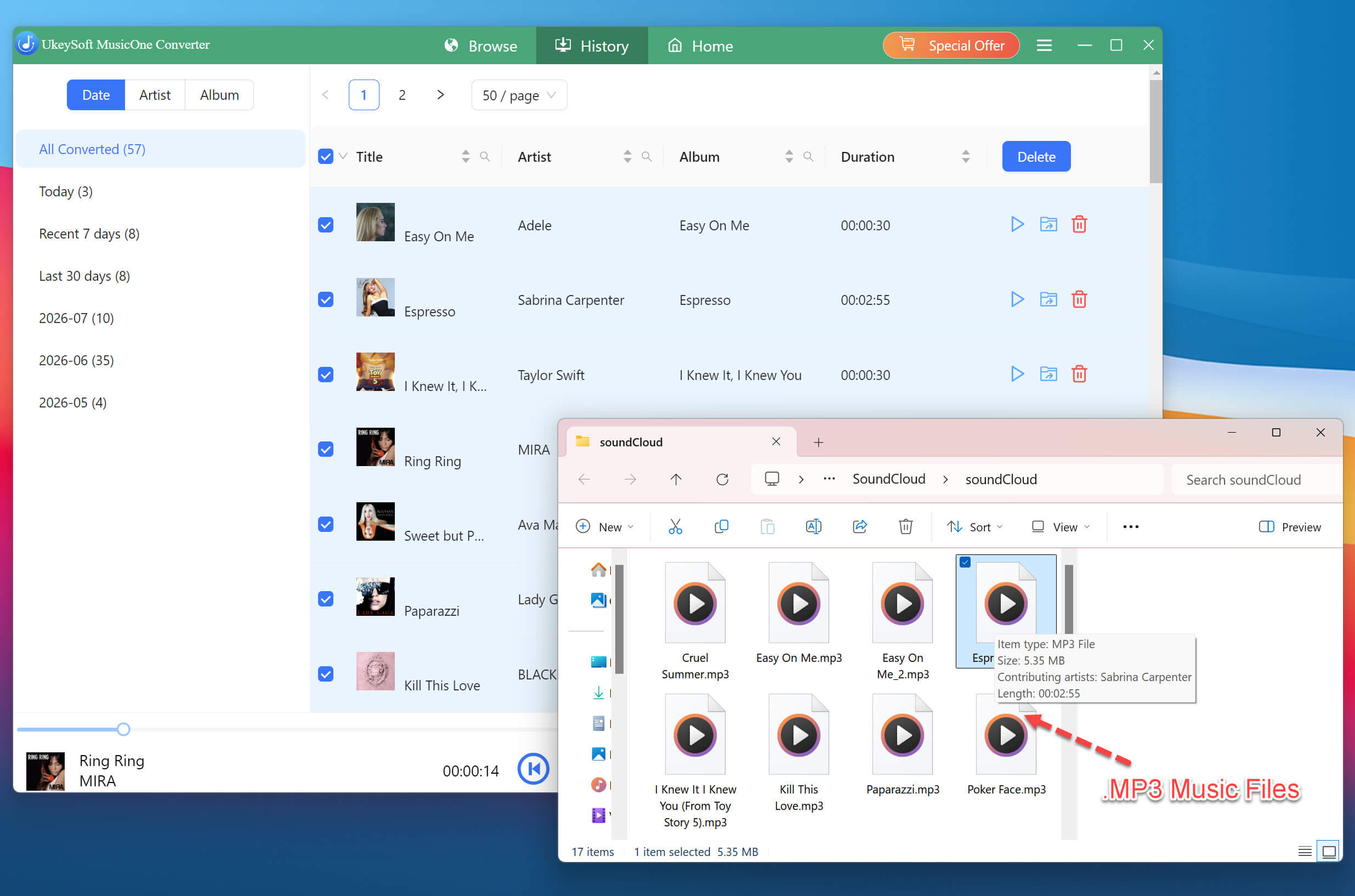
Once the conversion finishes, click the output folder icon or navigate to the "History" section to access your downloaded SoundCloud music files. Your SoundCloud music files are now saved on your computer for offline playback.
✅ Pros
● Supports downloading all music content from SoundCloud.
● Works with a free SoundCloud account without requiring Go or Go+.
● Offers flexible audio output settings and multiple formats.
● Preserves original ID3 tags and cover artwork.
● Provides a convenient way to manage downloaded music locally.
❌ Cons
● Limited features in the free trial version.
● Full downloading features require a paid license.
● Requires downloading and installing desktop software.
Method 3. Use a Free Online SoundCloud Downloader Service
For a single track, online SoundCloud to MP3 downloaders such as KlickAud offer a convenient way to download SoundCloud music in your browser without Go/Go+ account. This web-based tool generally doesn't require software installation or account registration. You simply copy a SoundCloud track URL, paste it into the downloader, and generate an MP3 audio file.
However, whether or other online services, they are filled with pop-ups and ads, and the audio quality is only 128kbps. Moreover, it is limited to individual tracks. For large playlists and lossless output, the desktop software UkeySoft SoundClound Music Converter may be more convenient because it supports batch downloads and 320kbps MP3 outputs.
Here's how to download SoundCloud with free account using online service.
Open SoundCloud and find the track you want to download. Click the "Share" button and copy the track's public URL.
Navigate to a free online SoundCloud downloader such as KlickAud in your browser.
Paste the copied URL into the input field on the downloader page, and click "Convert" button.
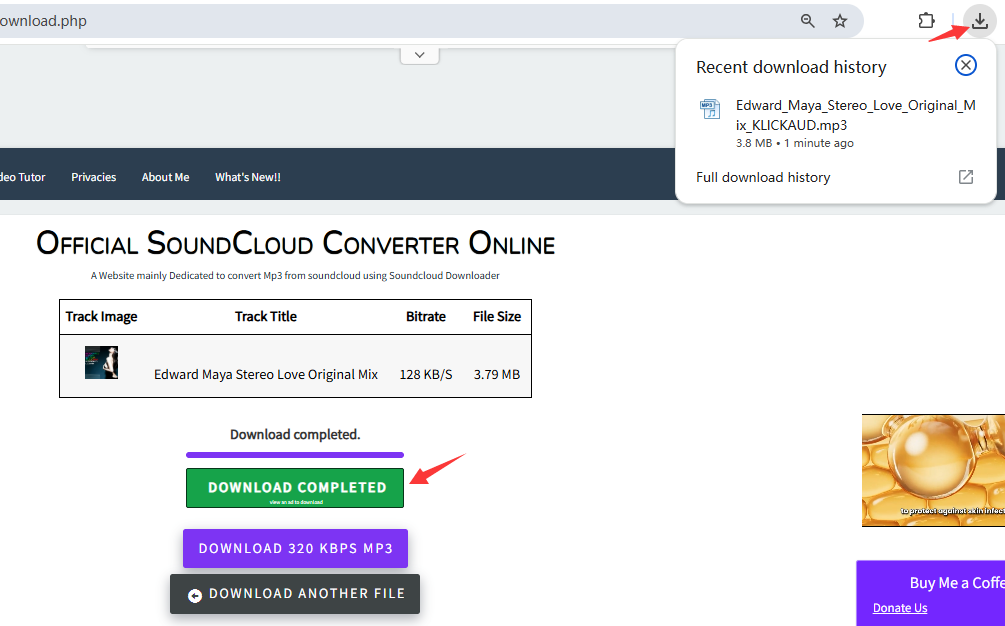
The service will process the link and generate a download option. Click "DOWNLOAD THE SONG" button to save the music file to your computer.
✅ Pros
● Completely free to use.
● No software installation required.
● Works on any device with a web browser.
❌ Cons
● Pop-ups and intrusive ads.
● Lossy output quality, typically only 128kbps.
● No batch downloading or playlist support.
Conclusion
You don't need a SoundCloud Go or Go+ subscription to enjoy your favorite tracks offline. If an artist has enabled downloads, you can directly download the track from offical website for free. Online tools can handle the occasional single track, but the low bitrate and ad-supported page make them less than ideal. For large music collections and high-quaity downloads, UkeySoft SoundCloud Music Converter is probably the best option you can count on. Its impressive features lets you download high-quality songs, albums, and playlists from SoundCloud on your computer without subscribing to SoundCloud Go/Go+ Account. Click the button below to start listening to SoundCloud offline for free!
Justin Sabrina has always had great enthusiasm for writing, programming and web development. He likes writing about software and technology, his works are featured on some tech blogs or forums like Tom's Hardware, CNET, etc.
 English
 Arabic
 Chinese (Simplified)
 Chinese (Traditional)
 Croatian
 Czech
 Danish
 Dutch
 Estonian
 Finnish
 French
 German
 Greek
 Hebrew
 Hindi
 Hungarian
 Indonesian
 Italian
 Japanese
 Kazakh
 Korean
 Malay
 Norwegian
 Polish
 Portuguese
 Romanian
 Russian
 Slovenian
 Spanish
 Swedish
 Thai
 Turkish
 Ukrainian
 Vietnamese










Comments are off!