By
ChesterUpdated on July 24, 2026
Summary
Want to know how to play Spotify on Nuvo Player? In this post, we'll guide you through two methods to stream Spotify music on Nuvo Player - one for Spotify Premium users and one for Free users. Whether you prefer the official method or need an alternative way to enjoy your favorite tracks without restrictions, we've got you covered.
"Is Nuvo Player compatible with Spotify?" Yes! Nuvo Player Portfolio supports streaming from Spotify, Pandora, TuneIn, Rhapsody, Last.fm, and SiriusXM. It delivers high-quality sound throughout your home and can be easily controlled with the Nuvo Player app on your mobile device. In this article, we'll walk you through two ways to play Spotify on Nuvo Player - one using a Spotify Premium account and another without a Premium subscription. Let's dive into the details!"
CONTENTS
Part 1. How to Play Spotify on Nuvo Player with Premium
Although Spotify is integrated with Nuvo Player, a Spotify Premium account is required to stream music. You'll also need both the Nuvo Player app and the Spotify app installed on your mobile device. If you're a Spotify Premium subscriber and have everything set up, follow these steps to add Spotify to Nuvo Player and start streaming your favorite music.
Steps to Add Spotify to Nuvo Player:
Step 1.
Open the Nuvo Player app on your mobile device.
Step 2.
Tap the Settings icon.
Step 3.
Select Music Services, then tap Add Service.
Step 4.
Choose Spotify and log in to your Spotify Premium account.
Step 5.
Once connected, browse and play Spotify music on your Nuvo Player.
Part 2. How to Play Spotify on Nuvo Player without Premium[Best]
With a Spotify Premium account, you can easily follow the steps above to play Spotify on Nuvo Player. However, if you're using a Spotify Free account, the method in Part 1 won't work. Additionally, some users experience connection issues with Spotify on Nuvo Player.
To solve this, we'll introduce the best way for both Spotify Free and Premium users to play Spotify music on Nuvo Player. This requires a third-party tool, as Spotify songs are protected and cannot be directly played on other platforms like Nuvo Player.
Tool Required - UkeySoft Spotify Music Converter
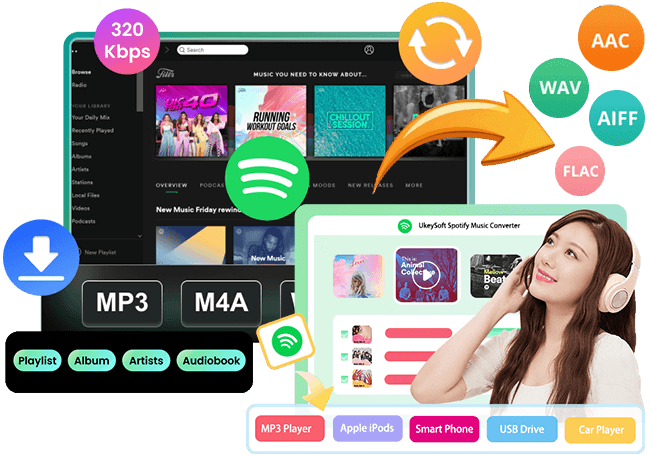
UkeySoft Spotify Music Converter allows you to remove protection from Spotify tracks and save them as standard audio files on your computer. It supports downloading Spotify tracks/playlists/albums to MP3, M4A, AAC, FLAC, WAV, and AIFF formats, making Spotify music playable on various devices, including Nuvo Player. Plus, this tool preserves the original audio quality of Spotify tracks and lets you customize output settings like bit rate and sample rate. Moreover, UkeySoft is equipped with built-in web player, you can browse, download and play music within the app, there is no need to install the official Spotify app or extra apps. Once the conversion is complete, you'll have standard audio files that can be added to Nuvo Player without Spotify Premium!
UkeySoft Spotify Music Converter
- Bypass limitations from Spotify easily.
- Download Spotify music to MP3, M4A, AAC, FLAC, WAV, AIFF.
- Retain original audio quality and ID3 metadata.
- Convert music from Spotify at 10X conversion speed in batch.
- Built-in Spotify web player, no need Spotify app.
- Play Spotify music on Nuvo and any other device and player.
- Compatible with Windows & Mac.
Tutorial: How to Download Spotify Music for Nuvo Player without Premium
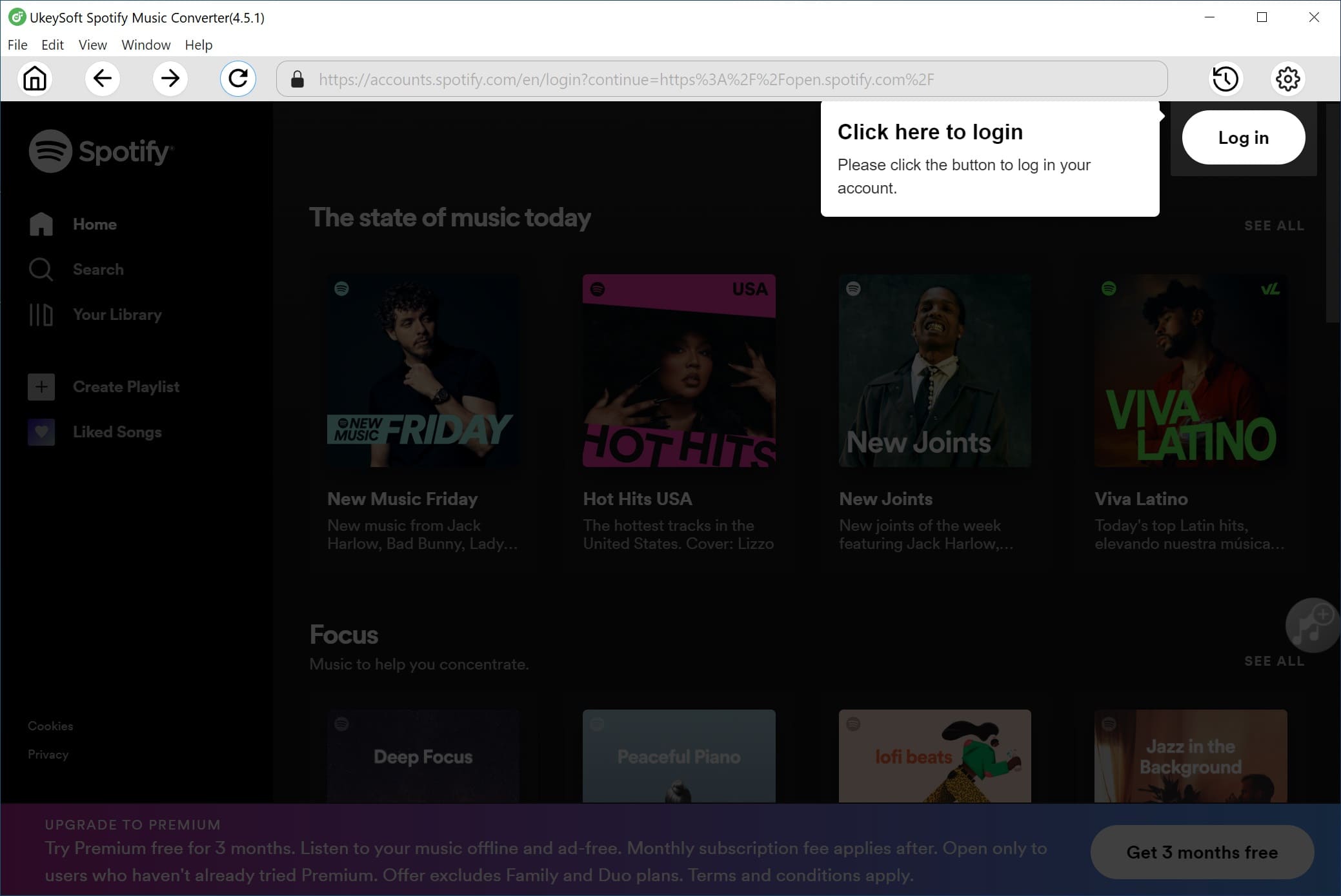
Step 1. Install and Launch Spotify Converter
Download and install UkeySoft Spotify Music Converter on your Windows or Mac computer. Once installed, open the program and log in to your Spotify account.
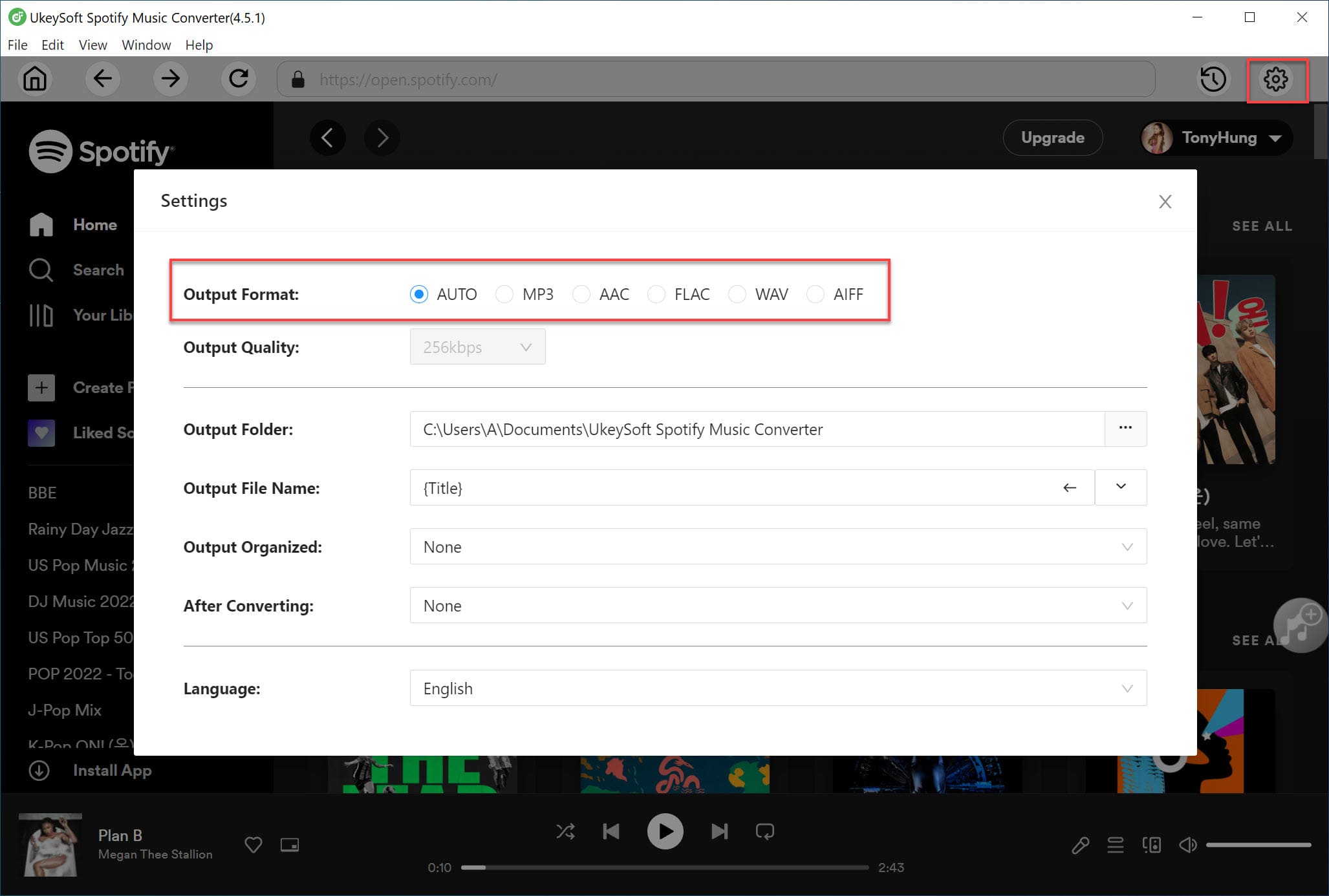
Step 2. Choose an Output Format
Click the Settings icon in the top-right corner. You can select from MP3, M4A, WAV, FLAC, AIFF, or AAC. For the best compatibility with Nuvo Player, MP3 is recommended.
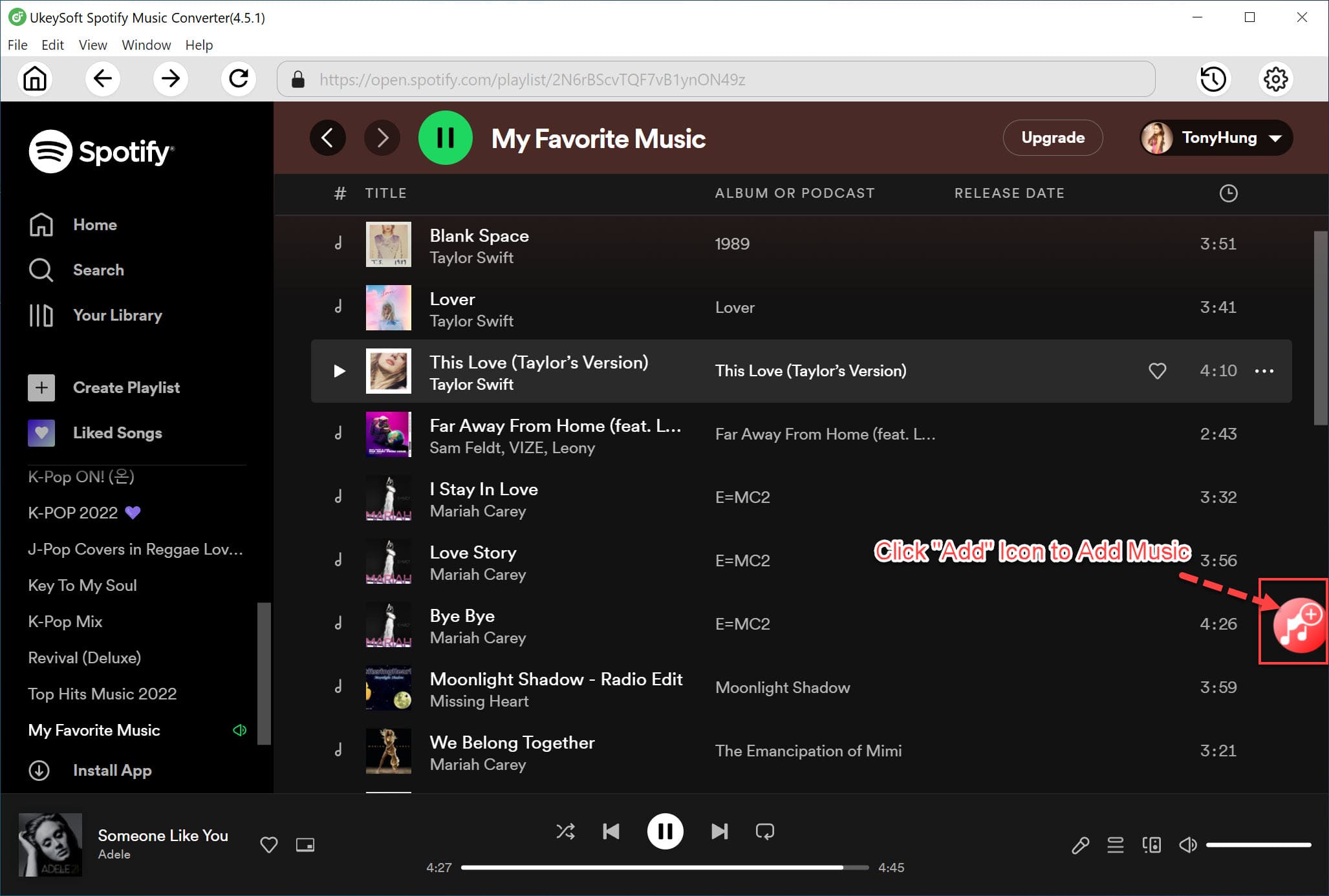
Step 3. Add Spotify Songs, Albums, or Playlists
Browse and select the playlist or album you want to convert. Click the "+" icon, and UkeySoft will automatically analyze and add all tracks to the conversion list.
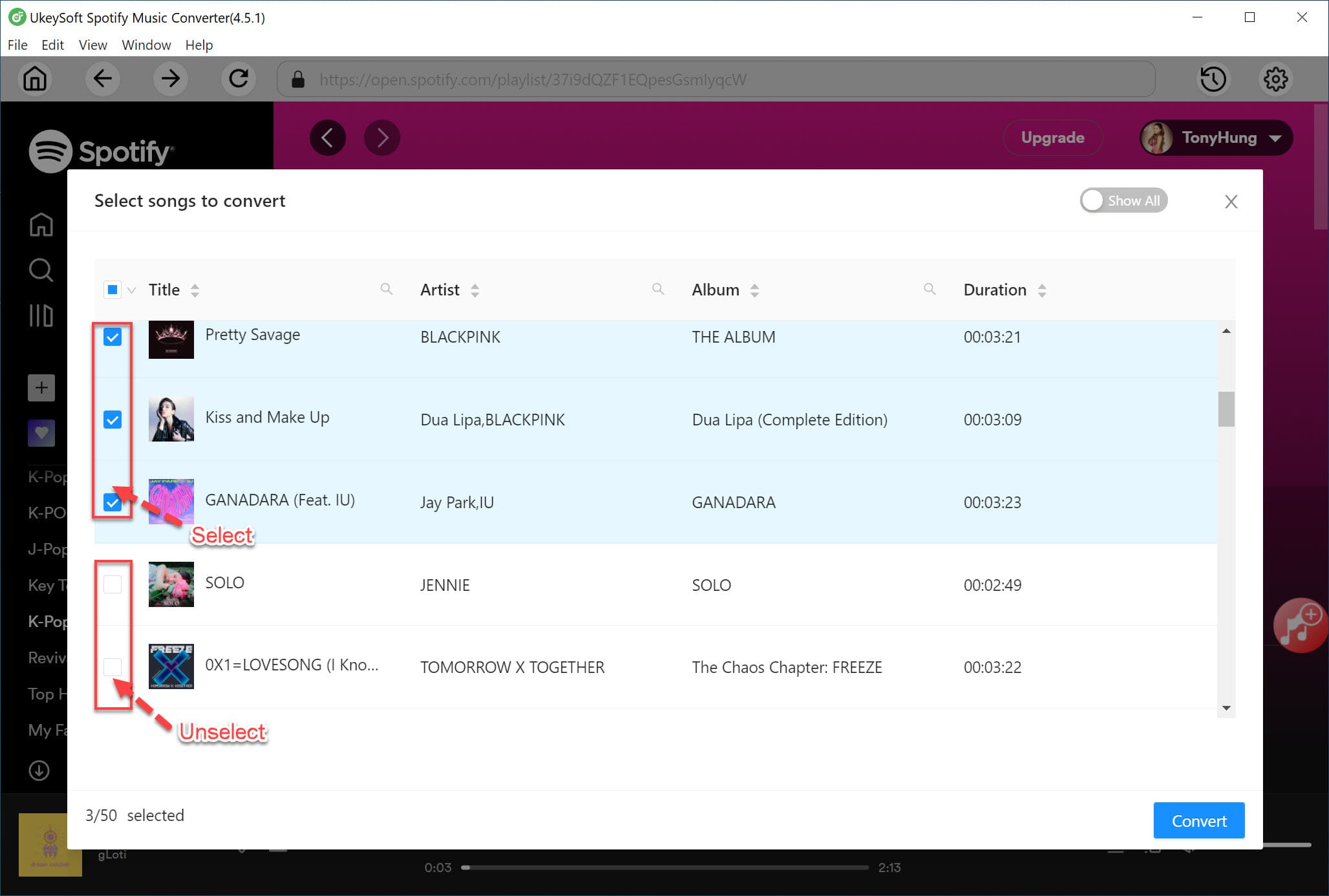
Step 4. Select Songs for Conversion
By default, all tracks in the list are selected. If you want to exclude certain songs, simply uncheck them before proceeding.
Step 5. Convert Spotify Music to MP3
Click the "Convert" button to begin converting your selected Spotify songs. The process runs at 10X faster speed, ensuring quick conversion.
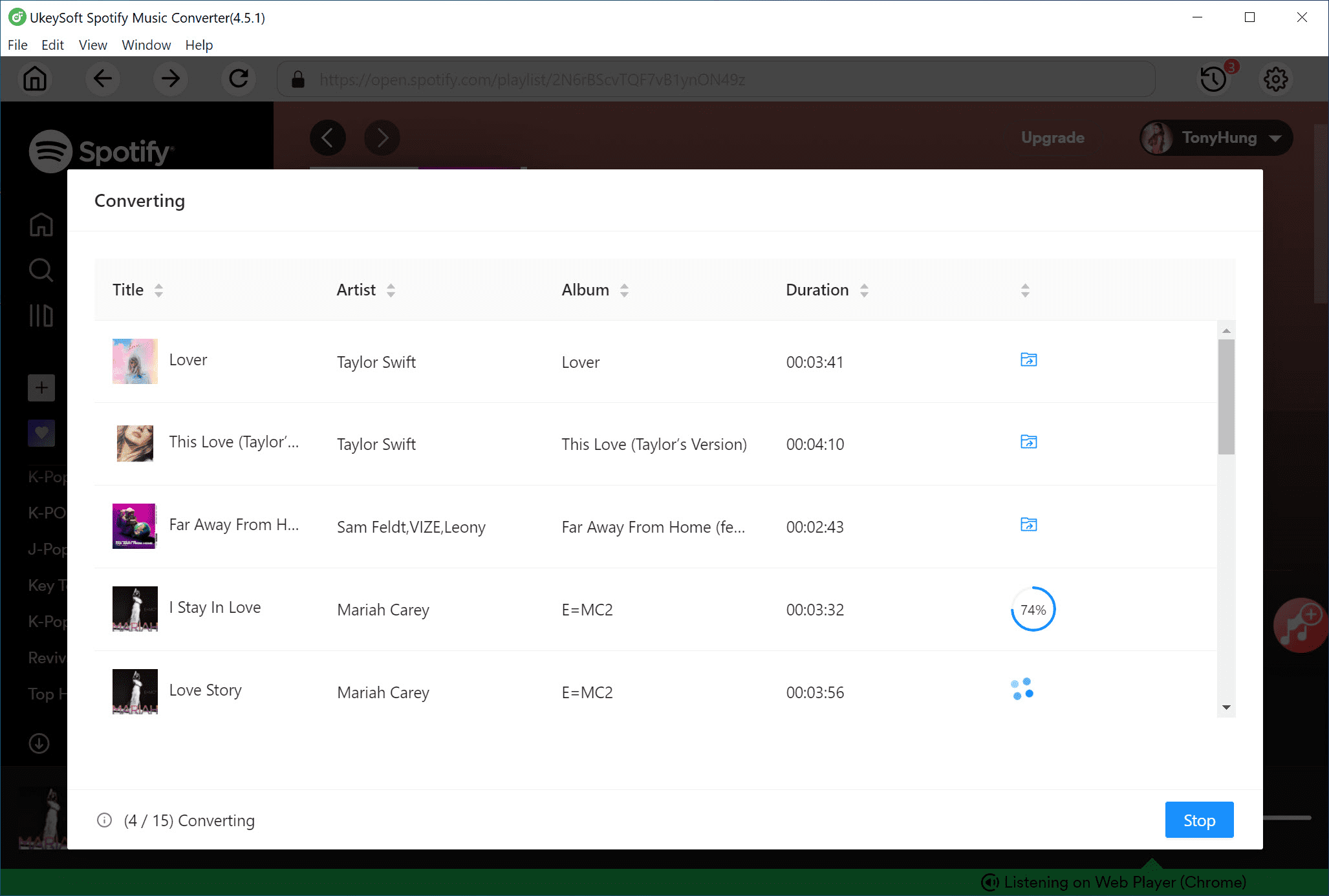
Step 6. Access Your Converted Spotify Songs
Once the conversion is complete, click "Output Folder" to locate the MP3 files on your computer.
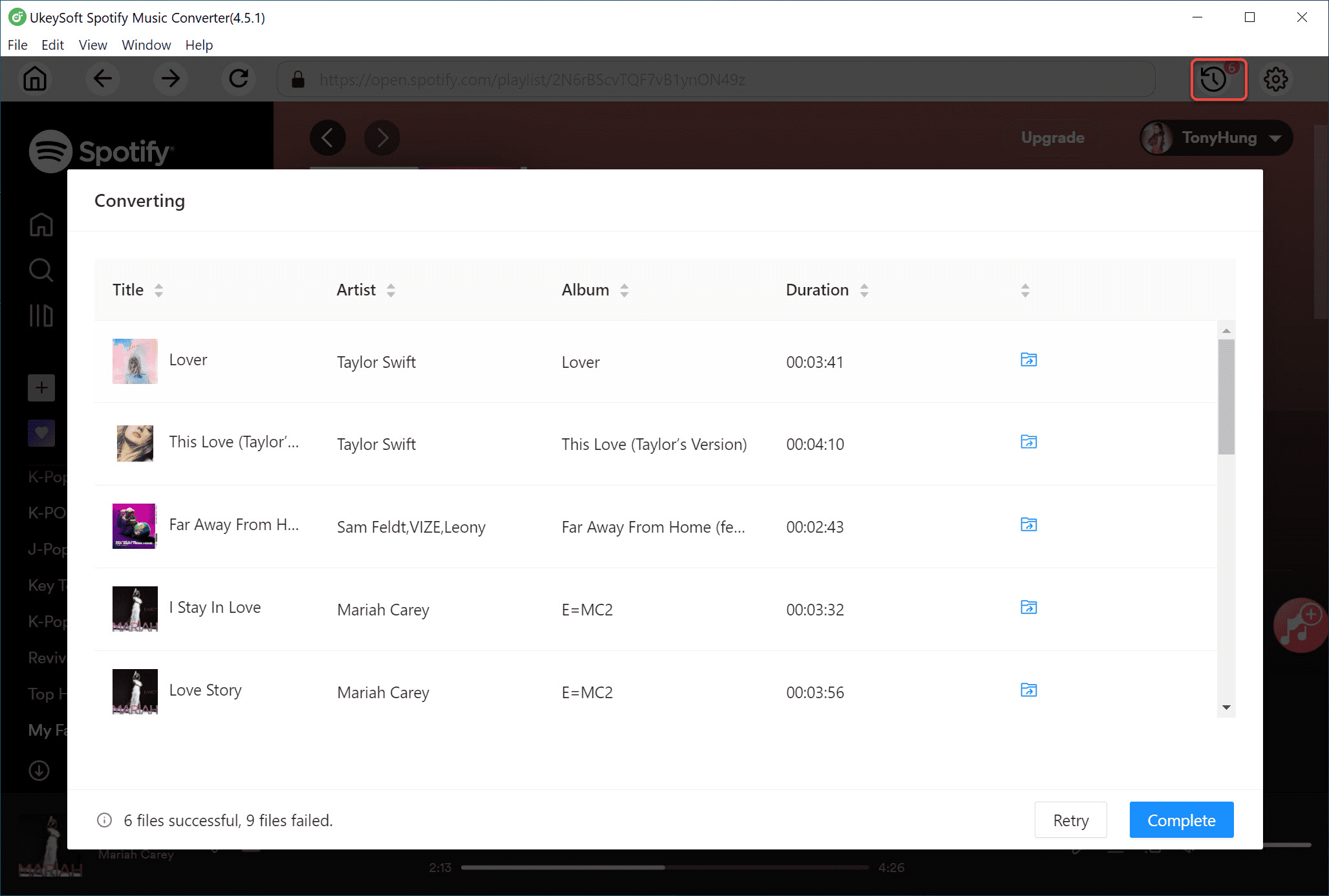
Step 7. Transfer Spotify Music to Nuvo Player
To play your converted Spotify tracks on Nuvo Player, connect your mobile device (with the Nuvo Player app) to your computer. Then, transfer the downloaded Spotify files to your device. Once synced, you can enjoy Spotify on Nuvo Player, even without a Spotify Premium subscription!
Part 3. Troubleshooting: Nuvo Player Not Connecting to Spotify
Some users have reported difficulties connecting their Nuvo system to Spotify. This can happen due to various reasons, such as outdated firmware, network issues, or incorrect Spotify login details. If you're facing problems with Nuvo Spotify not working, don't worry - here are some troubleshooting steps to help you get things back on track.
Troubleshooting Steps:
✅ Check your internet connection - Ensure your network is stable and functioning properly, as a weak connection can prevent Spotify from working.
✅ Verify your Spotify account - Make sure your Spotify Premium subscription is active. Try logging out and back in to refresh the connection.
✅ Update your Nuvo firmware - Check if your Nuvo system is running the latest firmware. You can find updates on the Nuvo website or through the app.
✅ Restart your Nuvo system - Turn your Nuvo device off and on to resolve any temporary glitches.
✅ Contact Nuvo support - If the issue persists, reach out to Nuvo customer support for further assistance. They can guide you through additional troubleshooting steps.
Conclusion
Whether you have a Spotify Free or Spotify Premium account, you can set up Spotify on Nuvo Player by following this guide.
- For Spotify Premium users: Follow the steps in Part 1 to stream Spotify directly on Nuvo Player.
- For Spotify Free users: Check out Part 2 to enjoy Spotify on Nuvo Player without restrictions.
To do this, you'll need UkeySoft Spotify Music Converter, which allows you to download Spotify songs as local files. Once converted, you can listen to Spotify offline and play your favorite music anywhere without needing a Premium subscription!
Tip: System Requirements:
Windows 7 or later on 64bit required
Play Spotify on Nuvo Player

Spotify Music Converter

Chester has always had great enthusiasm for writing, programming and web development. He likes writing about software and technology, his works are featured on some tech blogs or forums like Tom's Hardware, CNET, etc.
 English
 Arabic
 Chinese (Simplified)
 Chinese (Traditional)
 Croatian
 Czech
Czech Danish
 Dutch
Dutch Estonian
 Finnish
 French
 German
 Greek
Greek Hebrew
 Hindi
Hindi Hungarian
 Indonesian
 Italian
 Japanese
 Kazakh
 Korean
 Malay
Malay Norwegian
 Polish
 Portuguese
 Romanian
 Russian
 Slovenian
 Spanish
 Swedish
 Thai
Thai Turkish
 Ukrainian
 Vietnamese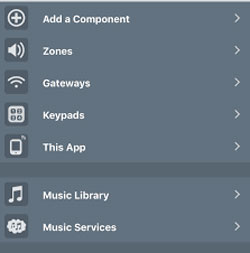










Comments are off!