By
ChesterUpdated on July 24, 2026
Summary
Want to kno how to play Amazon Music on Bluetooth speaker? In this guide, you will learn how to play Amazon Music offline with or without a subscription. So that you will be able to enjoy your favourite songs on any Bluetooth speaker anytime without limits.
Music streaming apps have completely changed how we listen to music. In the past, buying albums or songs and transferring them to an iPod or music player was a tedious task. Now, apps like Amazon Music give you instant access to almost any song or album for a small monthly fee.
While many of us use Amazon Music with headphones, what if you want to play music out loud at home or share it with others? Bluetooth speakers are the perfect solution. They connect wirelessly to your phone or other Bluetooth devices, making it easy to enjoy music without dealing with messy cables. In this article, we’ll show you how to play Amazon Prime Music on Bluetooth speakers.
CONTENTS
Part 1. Playing Amazon Music on a Bluetooth Speaker with a Subscription
If you want to play Amazon Prime Music on Bluetooth speakers, you'll need a device such as a smartphone, tablet, or computer with the Amazon Music app installed, a Bluetooth connection, and, of course, Bluetooth-compatible speakers.
1. Pair Your Device with Bluetooth Speakers
The first step is to pair your device with the speakers, which is a quick and easy process:
Step 1.
Turn on Bluetooth on your device and search for available devices.
Step 2.
Activate the pairing mode on your speakers so they become discoverable. Each speaker has a specific button to enable pairing—check the user manual for instructions.
Step 3.
Select your speakers from the list of devices on your device. Once connected, your speakers will typically confirm the pairing with a voice prompt like "paired."
2. Open the Amazon Music App
Your smartphone or tablet can serve as your Amazon Music player if you have an active Amazon Music subscription and an internet connection.
Step 1.
Open the Amazon Music app on your device.
Step 2.
If your Bluetooth speakers are paired correctly, the app will automatically use them as the audio output. If not, tap the output icon in the app and manually select your speakers as the playback device.
Now you're ready to enjoy your favorite tunes on your Bluetooth speakers!
Part 2. How to Amazon Music Offline on a Bluetooth Speaker
What if you're offline or don’t have an Amazon Music subscription? Don’t worry, there’s still a way to stream Amazon Prime Music to Bluetooth speakers or stereos. All you need is a reliable third-party tool - UkeySoft Amazon Music Converter.
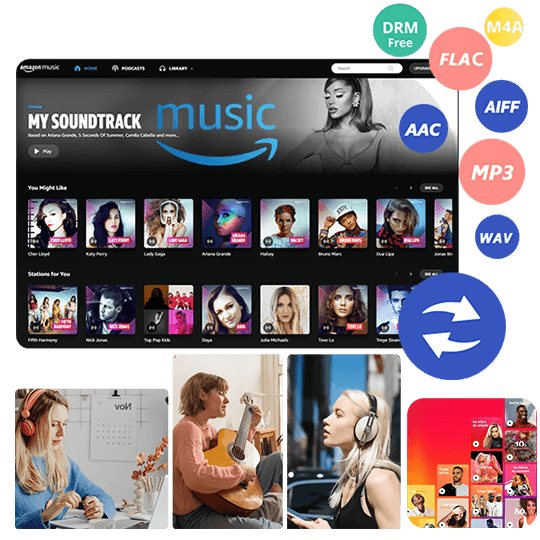
UkeySoft Amazon Music Converter lets you download and save Amazon Music directly to your device, allowing you to enjoy your favorite tracks offline or even after your subscription ends. This versatile software can convert Amazon Music to MP3, M4A, AAC, FLAC, WAV, and AIFF at 10X speed. Once converted, you can easily transfer the songs to other devices and play them through Bluetooth speakers or any other setup effortlessly.
In addition to its speed, UkeySoft ensures the original audio quality is preserved and retains full ID3 tags, making it easy to organize your library. Plus, with its built-in Amazon Music web player, you can browse, download, and play music directly within the app, there is no need to install the Amazon Music app.
Below, we’ll highlight the key features of UkeySoft Amazon Music Converter and provide a simple tutorial to help you use it to stream Amazon Music on Bluetooth speakers.
UkeySoft Amazon Music Converter
- Download songs from Amazon Music Prime/Unlimited/HD Music.
- Convert Amazon Music to MP3, M4A, AAC, FLAC, WAV, AIFF.
- Retain lossless audio quality and ID3 tags.
- Download Amazon Music at 10X fast speed in batch.
- Play Amazon Music on Bluetooth speakers.
- Built-in Amazon Music web player, no need Amazon Music app.
- Work smoothly on Windows and Mac.
Guide: How to Convert Amazon Music for Bluetooth Speaker
Here's how to use UkeySoft Amazon Music Converter to convert Amazon Music into local audio files and play Amazon Prime Music offline on a Bluetooth speaker. To get started, download and install UkeySoft Amazon Music Converter for Mac or Windows on your computer.
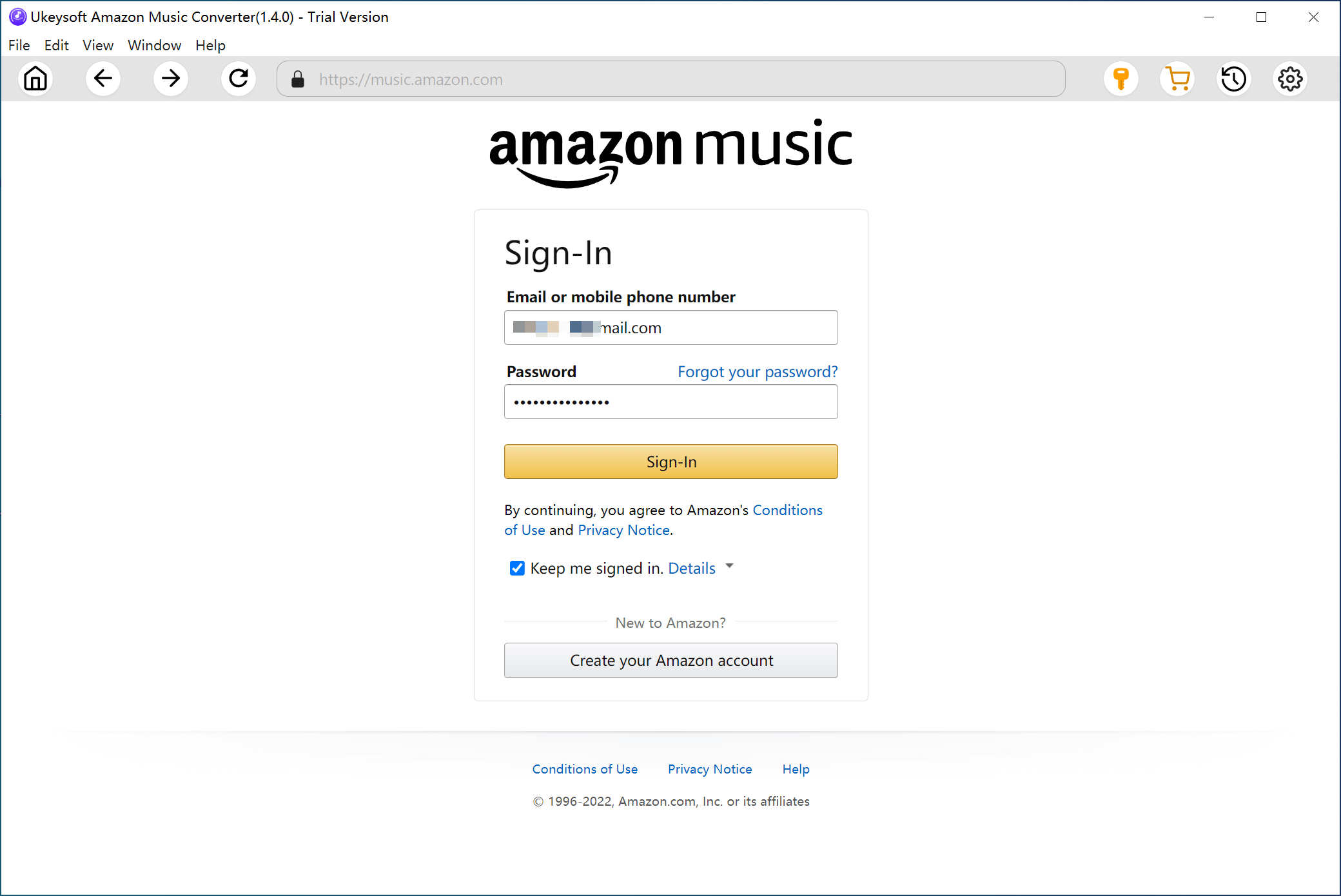
Step 1. Log In to Your Amazon Account
Launch UkeySoft Amazon Music Converter on your computer and sign in to your Amazon Music account.
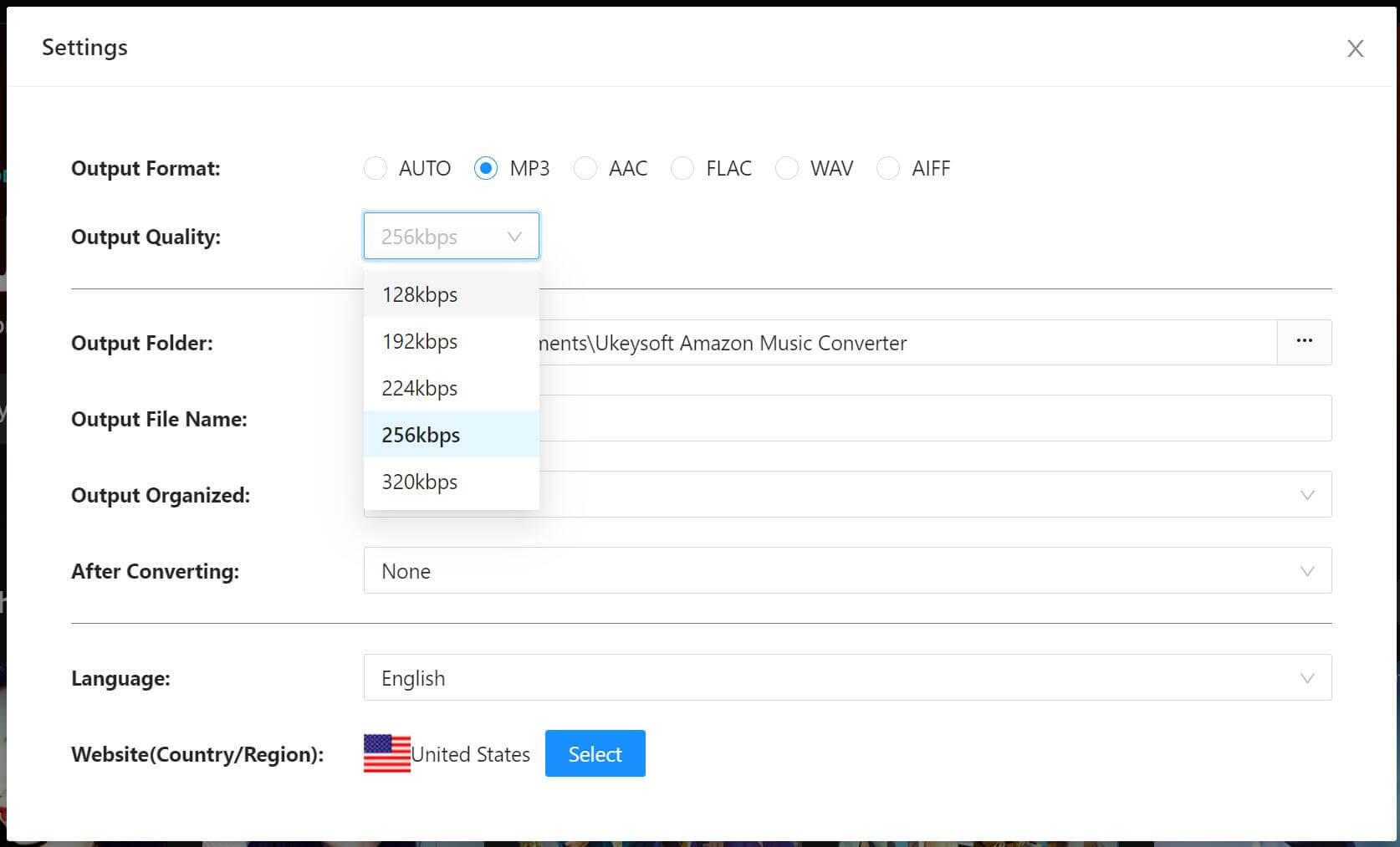
Step 2. Adjust Output Settings
Click the Settings icon in the top-right corner to open the settings window. Here, you can choose the output format (MP3, AIFF, M4A, AAC, FLAC, WAV), set the output folder, adjust the audio quality (256kbps, 192kbps, 128kbps), and customize other parameters.
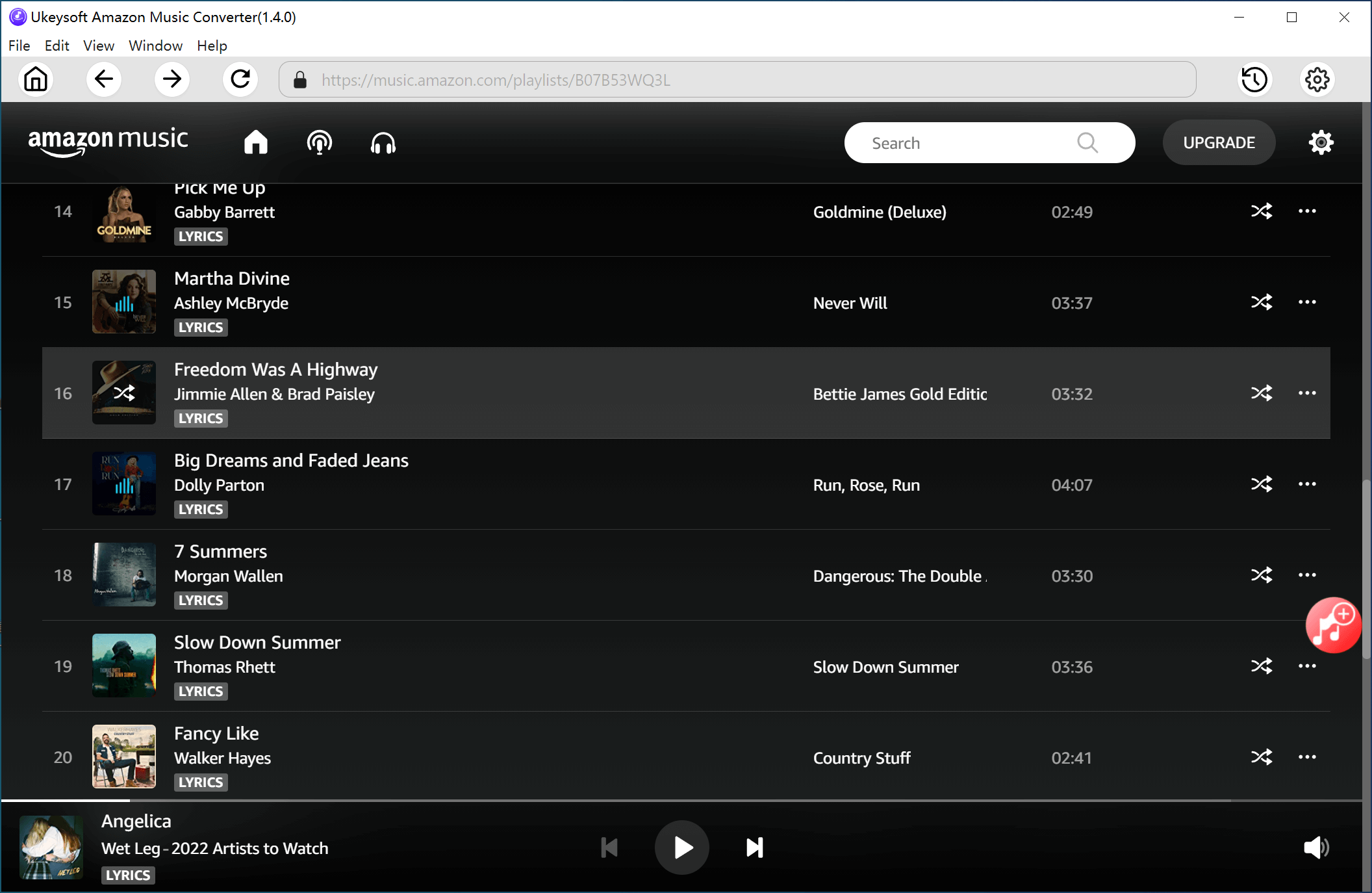
Step 3. Add Amazon Tracks/Playlists/Alums
Open an album/playlist in Amazon Music and click the red Add icon on the right. This will immediately add all the tracks to the list.
Select the songs you wish to convert.
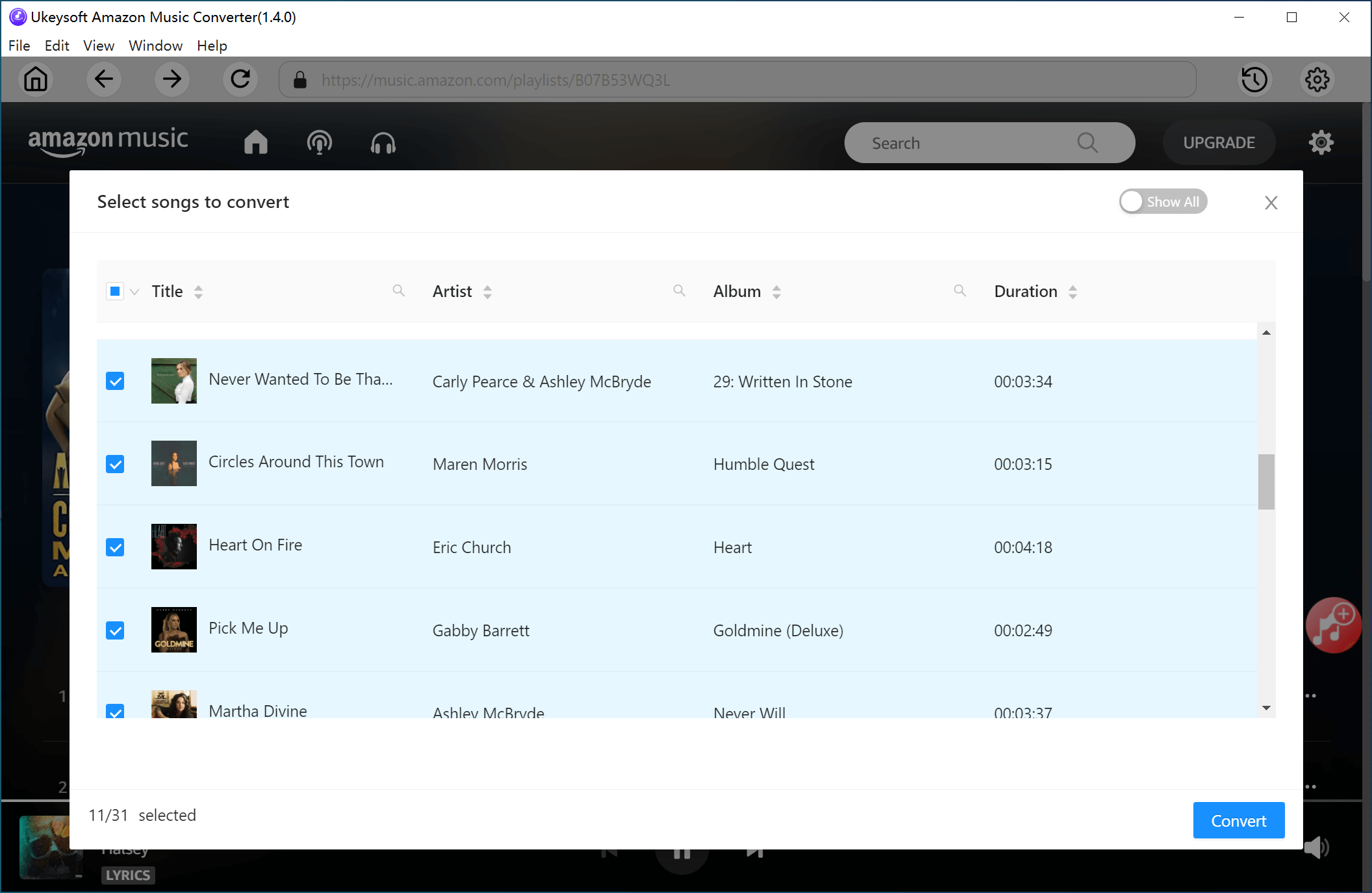
Step 4. Start Converting Amazon Music
Click the Convert button to begin downloading and converting the selected Amazon tracks into the output format you set earlier.
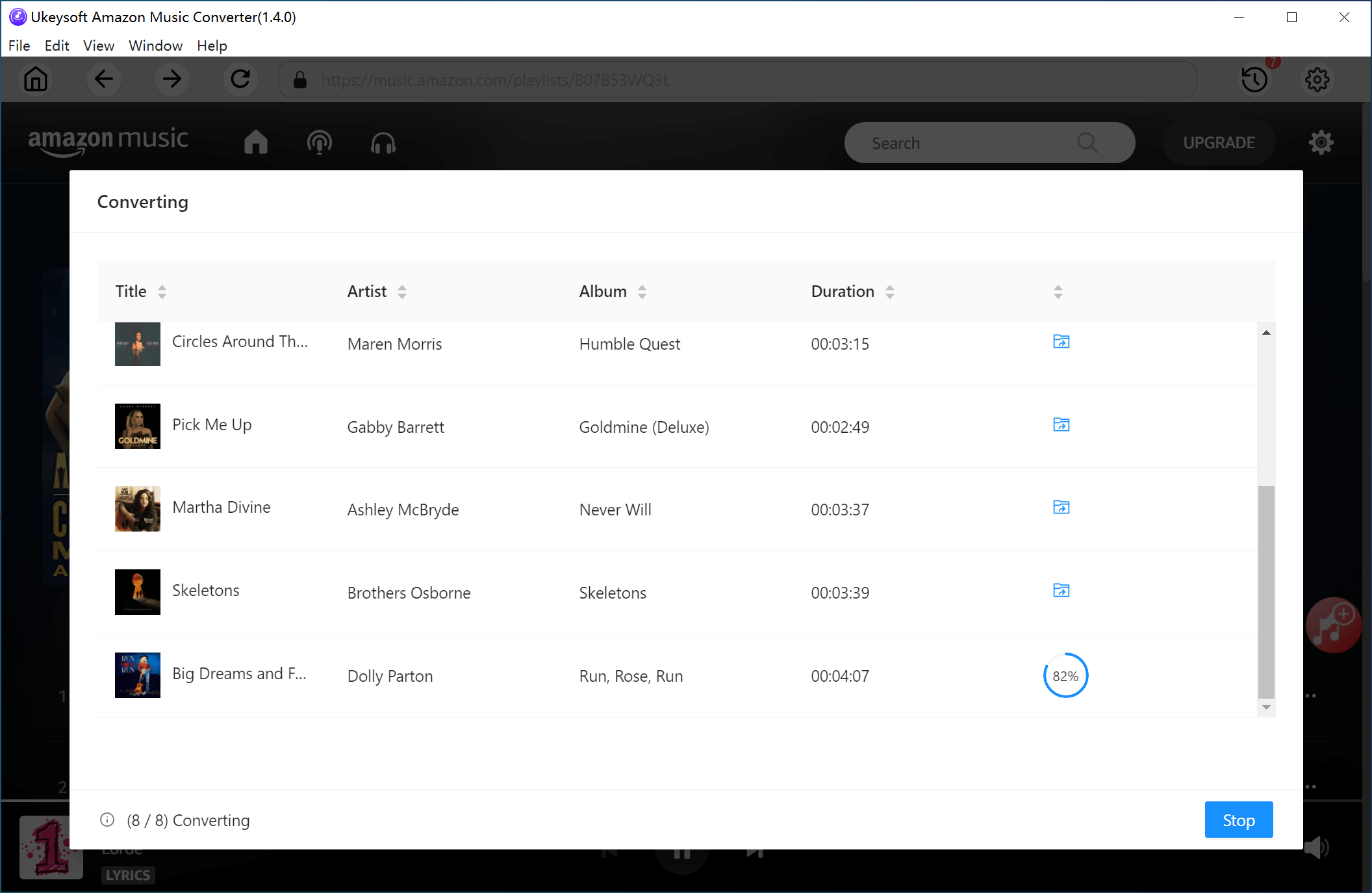
Step 5. Access Your Converted Files
Once the conversion is complete, click the blue output folder icon to access your converted files. They will be saved as MP3, M4A, AIFF, AAC, FLAC, or WAV files on your computer.
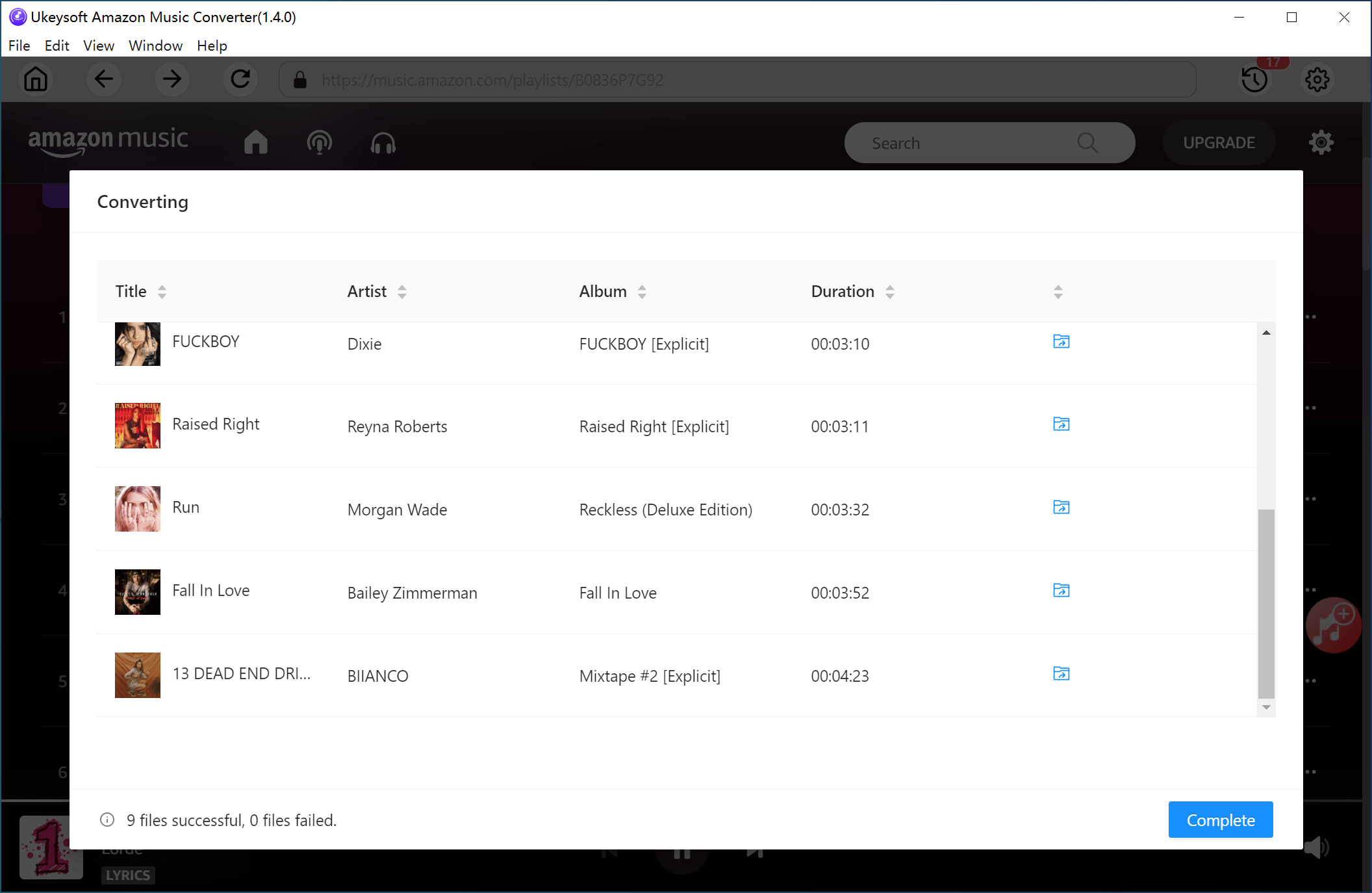
Step 6. Play Amazon Music on a Bluetooth Speaker Offline
Now you're ready to enjoy your music offline on a Bluetooth speaker:
On Your Computer: Turn on Bluetooth, pair it with your Bluetooth speaker, and start streaming the converted Amazon Music tracks.
On Your Mobile Device: Transfer the converted files from your computer to your smartphone or tablet. Then, enable Bluetooth on your device, pair it with the Bluetooth speaker, and enjoy your music without needing an internet connection.
Conclusion
Finally, you've learned how to play Amazon Music on a Bluetooth speaker, even without an Amazon Music subscription. If you have an Amazon Prime Music subscription, you can effortlessly stream music on your Bluetooth speaker. However, if you're using a free Amazon Music account and want to enjoy music offline, UkeySoft Amazon Music Converter is the perfect solution. This powerful tool allows you to connect Amazon Music to a Bluetooth speaker offline and also lets you stream your music on any other device or player with ease.
Tip: System Requirements:
Windows 7 or later on 64bit required
Play Amazon Music on Bluetooth Speaker

Chester has always had great enthusiasm for writing, programming and web development. He likes writing about software and technology, his works are featured on some tech blogs or forums like Tom's Hardware, CNET, etc.
 English
 Arabic
 Chinese (Simplified)
 Chinese (Traditional)
 Croatian
 Czech
Czech Danish
 Dutch
Dutch Estonian
 Finnish
 French
 German
 Greek
Greek Hebrew
 Hindi
Hindi Hungarian
 Indonesian
 Italian
 Japanese
 Kazakh
 Korean
 Malay
Malay Norwegian
 Polish
 Portuguese
 Romanian
 Russian
 Slovenian
 Spanish
 Swedish
 Thai
Thai Turkish
 Ukrainian
 Vietnamese








Comments are off!