There is a big change on Amazon Prime Music users. To fix Shuffle-Only Mode for Amazon Music Prime, you have four main options:
1️⃣ Upgrade to Amazon Music Unlimited.
2️⃣ Use All-Access Playlists.
3️⃣ Reverte to an older version of the Amazon Music app.
4️⃣ Download music with UkeySoft Amazon Music Converter and export them as local MP3 files. (All users)
Amazon Music is an underrated Prime membership benefit, offering a variety of membership features without extra payment or subscription fee. The new changes of Amazon Prime Music is not a user-friendly experience. Most Prime Music content is now available primarily in Shuffle Mode, limiting on-demand playback, while offline downloads are restricted mainly to eligible All-Access Playlists and Music Unlimited subscribers.
This post will highlight the latest Amazon Prime Music changes, and show you how to fix Amazon Prime Music shuffle only and download music from Amazon Prime Music for free. Let's dive in!
Before trying to fix shuffle mode on Amazon Prime Music, it is important to understand what changed with Amazon Prime Music on July 2, 2026.
Amazon has expanded the Prime Music catalog from about 2 million songs to more than 100 million songs, the same as Amazon Music Unlimited.
Prime members also get access to a selection of ad-free podcasts and Amazon Music-exclusive shows at no additional cost.
Most artists, albums, and regular playlists are available only in Shuffle Mode, so Prime members can cannot freely select and play individual songs.
Prime members can select individual songs from eligible All-Access Playlists, play them on demand, skip without the usual restrictions, and download these playlists for offline listening.
For regular Prime Music content, offline downloads are no longer available; downloading individual songs, albums, and playlists requires Amazon Music Unlimited.
On Echo devices, even All-Access Playlists are played in shuffle mode.
Part 2. How to Fix Amazon Prime Music Shuffle Only and Download Songs
Let's explore four proven methods to fix shuffle-only mode for Amazon Music and regain the ability to download songs from Amazon Prime Music!
Solution 1. Download Amazon Music to PC/Mac as MP3 Files (All Users)
Whether you want to download Amazon Music without Unlimited subscription, or expect to play Amazon Music freely with other players, you may consider using a third-party Amazon Music downloader tool.
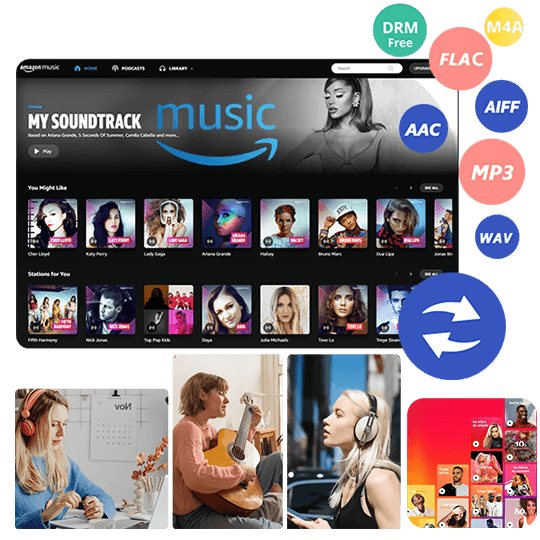
UkeySoft Amazon Music Converter supports all types of users, including Amazon Music Free, Prime Music, and Music Unlimited users. It allows you to download songs, albums, playlists, and podcasts from Amazon Music without the App. Plus, it can convert Amazon Music tracks to MP3, M4A, FLAC, WAV, AAC, or AIFF formats with lossless audio quality. Thus, you can save Amazon Music tracks locally, transfer and listen to Amazon Music on MP3 player, USB drive, car stereo, smart device, or another music player in the way you like!
No subscription required, no shuffle mode, no internet connection needed!
How to Download Amazon Music to MP3 to Play Anywhere?
Run UkeySoft and Log in Amazon Account
Install and launch UkeySoft Amazon Music Converter on your Windows PC or Mac computer, or laptop. Log in to your Amazon Music account inside the software. It supports Amazon Music Free, Prime Music and Music Unlimited account.
Customize Output Settings
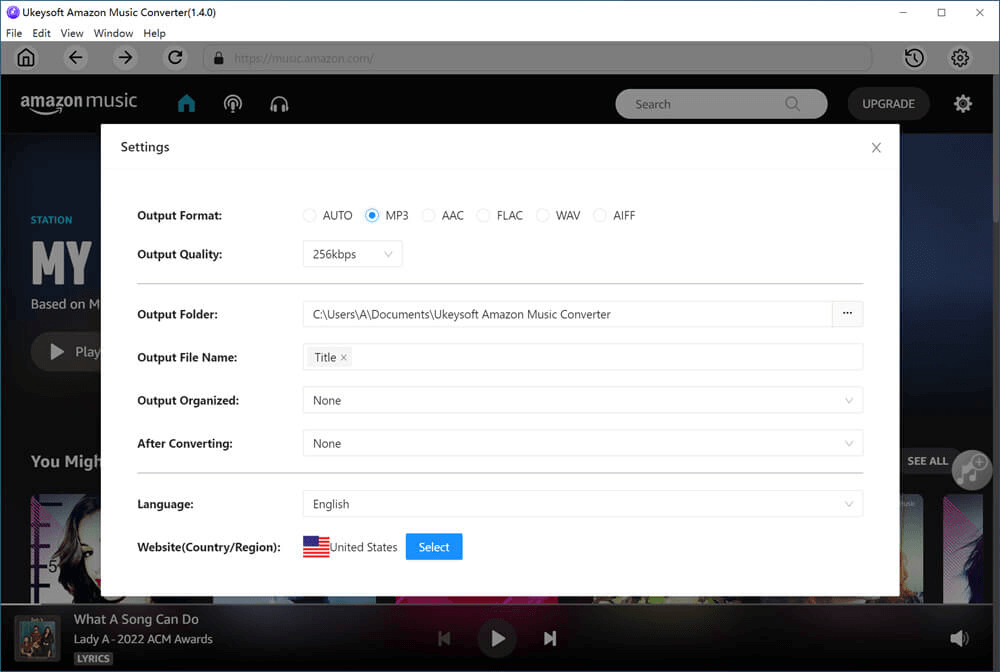
Move to the "Menu" icon and click "Preferences" to open the output settings window. And select MP3 as the output format, and 320kbps output quality. You can also select M4A, FLAC, WAV, AAC, or AIFF if another format better suits your device. Plus, you can adjust output folder, output file name, and other available settings.
Add Desired Songs/Playlists/Albums
Search for the artist, album, playlist, or song you want to save. Select the desired music and add it to the conversion list by clicking the "+" icon.
Once added the songs successfully, select the Amazon songs. For unwanted ones, you can uncheck the box.
Download Amazon Music to MP3
Click the "Convert" button to begin. UkeySoft will start to download and convert your selected Amazon Music tracks into MP3 files while keeping full ID3 tags.
Find Output Amazon Music MP3 Files
Once conversion is complete, you can go to "History" section, play these Amazon songs with the built-in music player and control the playback at will! This ensures you can permanently stop Amazon Music from shuffling!
To locate the MP3 files on your computer, please click the "Blue Folder" icon next to the song title. Then you can transfer them to compatible personal devices or media players.
Solution 2. Upgrade to Amazon Music Unlimited
Another official way to stop Amazon Music from shuffling is to upgrade to Amazon Music Unlimited plan. This premium tier removes all playback restrictions and gives you full control over your listening experience. For example, you can skip ads, select individual songs, albums, and playlists and enjoy on-demand playback. Better still, you are able to download Amazon Music to listen to offline, and access to HD, Ultra HD, and Spatial Audio!
Here's a detailed comparison of Amazon Prime Music and Amazon Music Unlimited:
Feature
Amazon Prime Music
Amazon Music Unlimited
Music Catalog
100+ million songs
100 million songs
Music Quality
Standard quality
HD, Ultra HD, Spatial Audio, Dolby Atmos
Play On-Demand
❌ Mainly All-Access Playlists
✅ Full on-demand playback
Offline Downloads
❌ (except All-Access playlists)
✅ Unlimited offline downloads
Ads
✅ Ads included
❌ Ad-free
Price
Included with Prime ($14.99/month or $139/year)
$11.99/month for Prime members
$12.99/month for non-Prime customers
If you do not want to pay for Music Unlimited, you do have a partial solution to fix shuffle mode on Amazon Music Prime and download certain content.
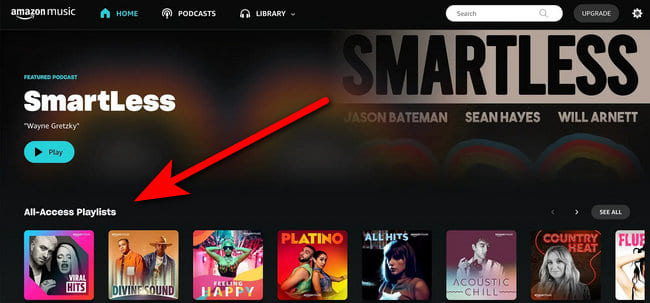
Amazon currently provides Prime members with a selection of 15 All-Access Playlists. These playlists are personalized based on listening activity and can be played on demand without the normal skip restrictions. What's more, it also allows Prime members to download All-Access Playlists for offline listening in the Amazon Music app.
Here's the how to access All-Access Playlists:
Launch the Amazon Music app on your Android phone, iPhone, tablet, or computer and sign in with your Prime account.
Go to the Home page or your Library and look for "All-Access Playlists".
Open the playlist and play the song on demand mode.
For a smooth ad-free listening experience, you may download the song or the entire playlist. Find the Download icon and click it.
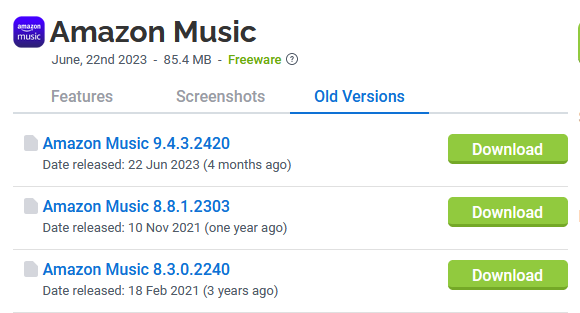
Solution 4. Download the Older Version of Amazon Music App
To get Amazon Prime Music out of shuffle mode and download Amazon songs, another trick is to return to the older version of Amazon Music desktop app. Some users have reported that the older version of Amazon Music app allows to play music on-demand and download songs for offline listening just like before. Why not have a try?
Windows users can get the old version of Amazon Music app from this Link.
Mac users can get the old version of Amazon Music app from this Link.
Part 3. How to Turn On/Off Shuffle on Amazon Music [Officially]
Currently, only Amazon Music Unlimited members can freely turn on or off Shuffle Mode, while Prime members can only turn shuffle on or off within specified All-Access Playlists. Here's how the shuffle controls work on different platforms:
Turn On/Off Shuffle for Desktop
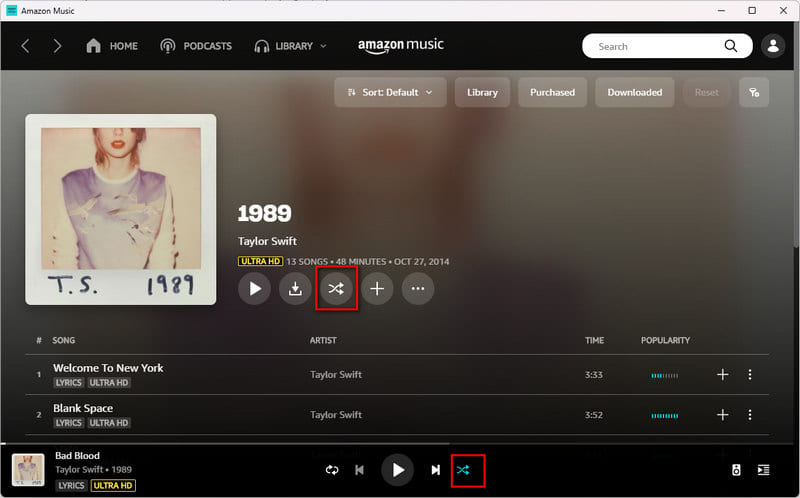
The Amazon Music desktop app and web player provide playback controls near the bottom of the player.
Open the Amazon Music desktop app or web player, and log into your account.
Start playing a song, album, or playlist.
Look for the Shuffle icon in the Now Playing bar at the bottom of the screen, or next to the Download icon.
Click the icon to toggle shuffle on or off.
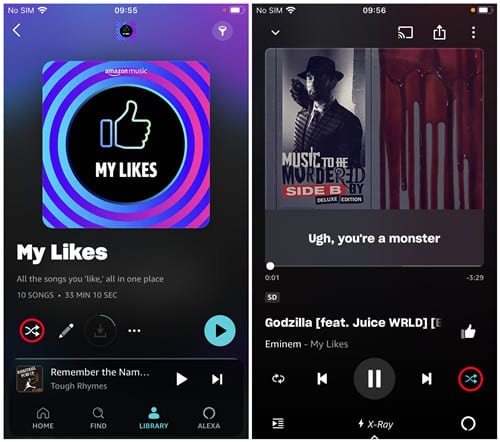
Turn On/Off Shuffle for Mobile
Open the Amazon Music app on your iOS or Android device.
Search for a song, album, or playlist, and start playback.
Tap the mini-player at the bottom to open the Now Playing screen.
Locate the Shuffle icon among the playback controls.
Tap the shuffle icon to enable or disable it.
Turn On/Off Shuffle for Echo
As mentioned earlier, All-Access playlists play in shuffle mode only on Echo. So this section is only available for Amazon Music Unlimited subscrbers, you can controll the playback through Alexa. Make sure your Echo device is connected to a stable Wi-Fi.
You can try saying: "Alexa, turn off shuffle for Amazon Music." or "Alexa, stop shuffling."
"Alexa, turn on shuffle for Amazon Music." or "Alexa, shuffle my Amazon Music."
Note: Switching shuffle off does not remove the Prime Music subscription restrictions. If the selected artist, album, or playlist is limited to shuffle playback, you still cannot control the playback even if the shuffle button itself is disabled.
Part 4. FAQs about Amazon Music Shuffle Mode
Why does Amazon Music Only Let Me Shuffle?
Currently, most Prime Music catalog content plays in shuffle mode. The on-demand playback feature is now exclusive to Amazon Music Unlimited since July 2, 2026.
Why is Amazon Music Not Letting Me Download?
As of July 2, 2026, Amazon removed the offline download feature for Prime Music members. Instead, Amazon currently states that Prime members can download All-Access Playlists only. To download any song, playlist, or album from Amazon Music, you need to upgrade to Amazon Music Unlimited or use a third-party tool like UkeySoft Amazon Music Converter.
My Amazon Music App is Stuck on Shuffle Mode. What Can I Do?
First, determine whether you are dealing with shuffle playback or Prime Music's shuffle-only restriction.
If the shuffle icon is simply enabled, open the Now Playing screen and turn shuffle off. For more details, refer to Part 3.
If shuffle remains the default behavior after you disable the icon, try below options.
● Close and reopen the Amazon Music app.
● Sign out and sign back in.
● Update the app to the latest official version.
● Check your current Amazon Music subscription.
● Try the same content on another supported device.
● Try playing an All-Access Playlist.
● Upgrade to Amazon Music Unlimited if you need unrestricted on-demand playback.
Part 5. Final Words
Above, we've explained the new changes on Amazon Prime Music in 2026 and how to fix the Amazon Music shuffle problem. Amazon Prime members can use a limited selection of All-Access Playlists for on-demand and offline listening.
To download Amazon Prime Music and enjoy them offline without restrictions, UkeySoft Amazon Music Converter is a good option worth considering. It works for all Amazon Music tiers - Free, Prime, and Unlimited, and lets you download Amazon Music tracks, albums, playlists, and podcasts to MP3, FLAC, or other formats. This way, you can play your favorite Amazon Music on any device or player anywhere, anytime, without restrictions.
Justin Sabrina has always had great enthusiasm for writing, programming and web development. He likes writing about software and technology, his works are featured on some tech blogs or forums like Tom's Hardware, CNET, etc.
 English
 Arabic
 Chinese (Simplified)
 Chinese (Traditional)
 Croatian
 Czech
Czech Danish
 Dutch
Dutch Estonian
 Finnish
 French
 German
 Greek
Greek Hebrew
 Hindi
Hindi Hungarian
 Indonesian
 Italian
 Japanese
 Kazakh
 Korean
 Malay
Malay Norwegian
 Polish
 Portuguese
 Romanian
 Russian
 Slovenian
 Spanish
 Swedish
 Thai
Thai Turkish
 Ukrainian
 Vietnamese










Comments are off!