Q:"Can I get songs from SoundCloud onto the iPod?"
A: Generally, SoundCloud is built for streaming, you need a stable Internet connection to access it library. However, the iPod Nano, iPod Shuffle, iPod Classic, and older iPod Touch do not have Wi-Fi or internet hardware. So you cannot stream music directly from SoundCloud to your iPod.
On the other hand, even with a SoundCloud Go or Go+ subscription, offline downloads remain locked within the SoundCloud app and cannot be copied to an iPod. Luckily, the iPod devices support MP3, AAC, or M4A audio formats, so you can rely on a third-party SoundCloud music converter to get SoundCloud songs onto an iPod. Keep reading, we'll show you a complete guide on how to convert SoundCloud music to MP3 and put them on any iPod for offline playback .
Tool Required: UkeySoft SoundCloud Music Converter
As mentioned above, to import SoundCloud songs to iPod, you need to convert SoundCloud music to MP3, AAC, or M4A, which is compatible with all iPod models. Here we highly recommend the UkeySoft SoundCloud Music Converter.
UkeySoft SoundCloud Music Converter is a desktop tool with a built-in SoundCloud web player that simplifies the music download process. It can download tracks, playlists, and albums from SoundCloud and convert them to DRM-free formats. It supports supports MP3, M4A, AAC, FLAC, WAV, and AIFF formats, which are compatible with most devices and players, including Apple iPods. The software preserves ID3 tags and original audio quality, so your downloaded music retains artist, album, and artwork data.
Process 1. Convert SoundCloud Songs to AAC/M4A/MP3 for iPod
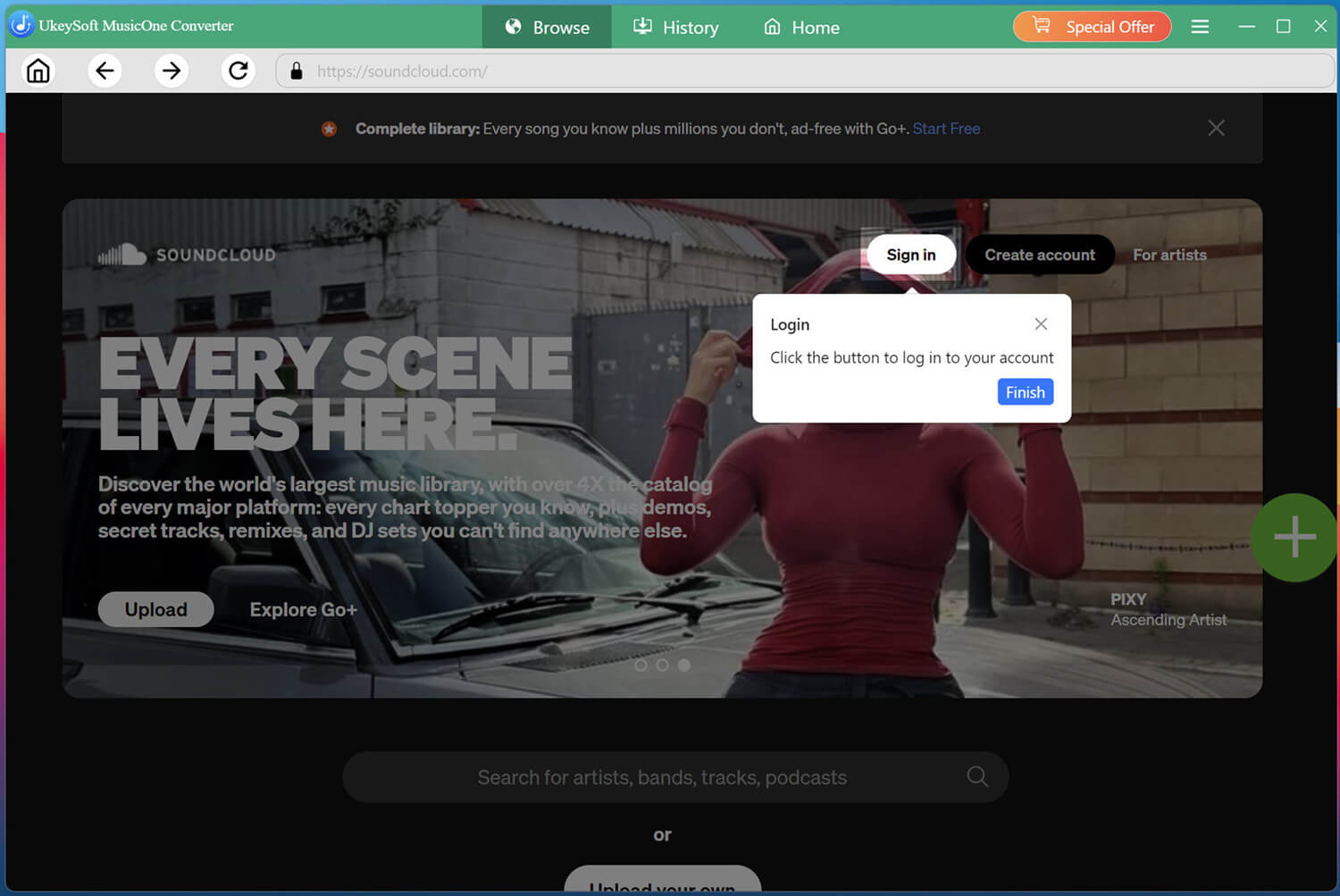
Open UkeySoft SoundCloud Music Converter
Download and install UkeySoft MusicOne Converter on your Windows or Mac computer. Launch the program and follow its on-screen instructions. And click SoundCloud to access the SoundCloud music converter.
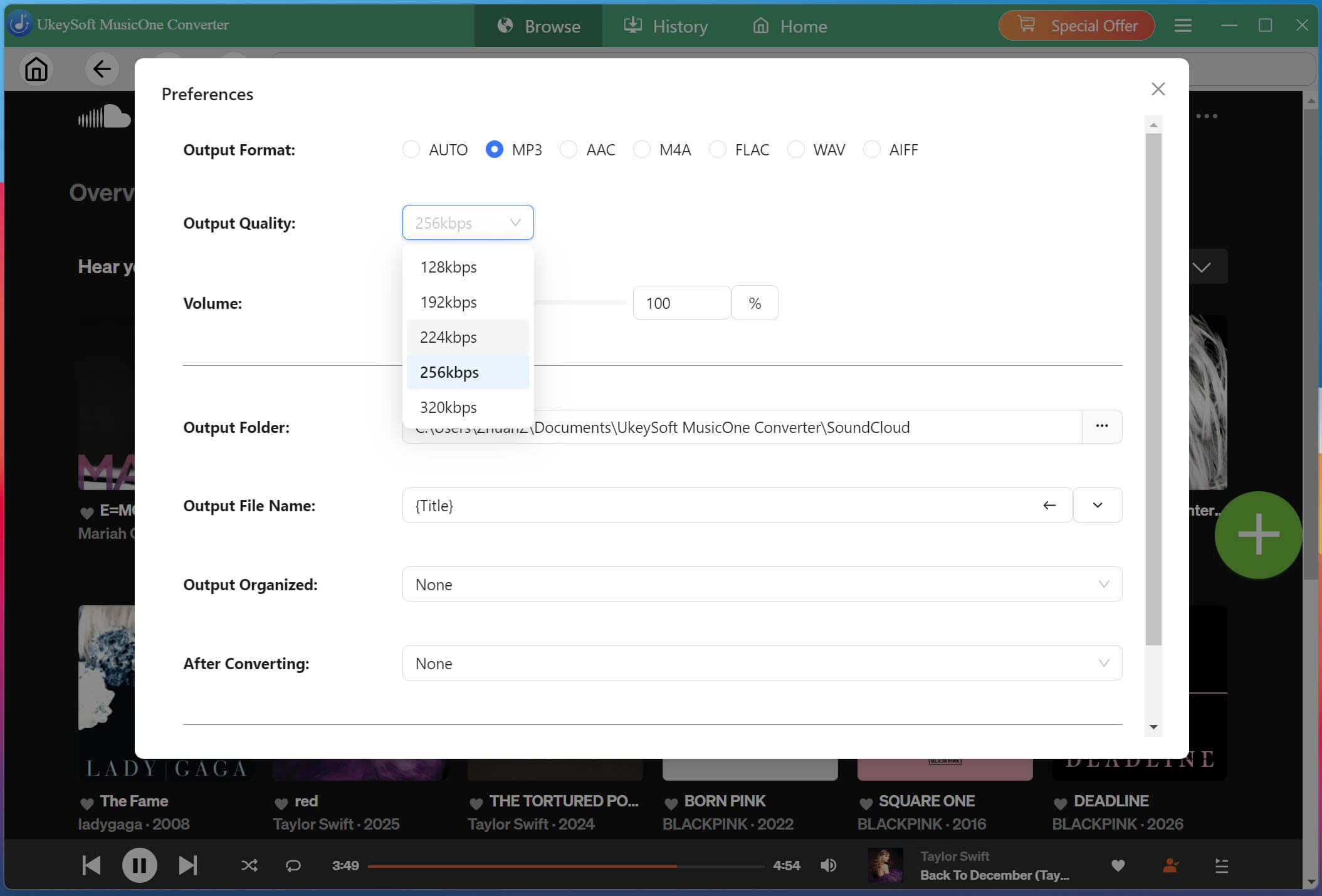
Modify the Output Settings for iPod
Click "Menu" in the upper-right corner and select "Preferences". Open the output settings and choose MP3, M4A, or AAC as the output format if available. You can also adjust the audio quality and output folder to organize your downloaded music.
Browse and Add SoundCloud Songs
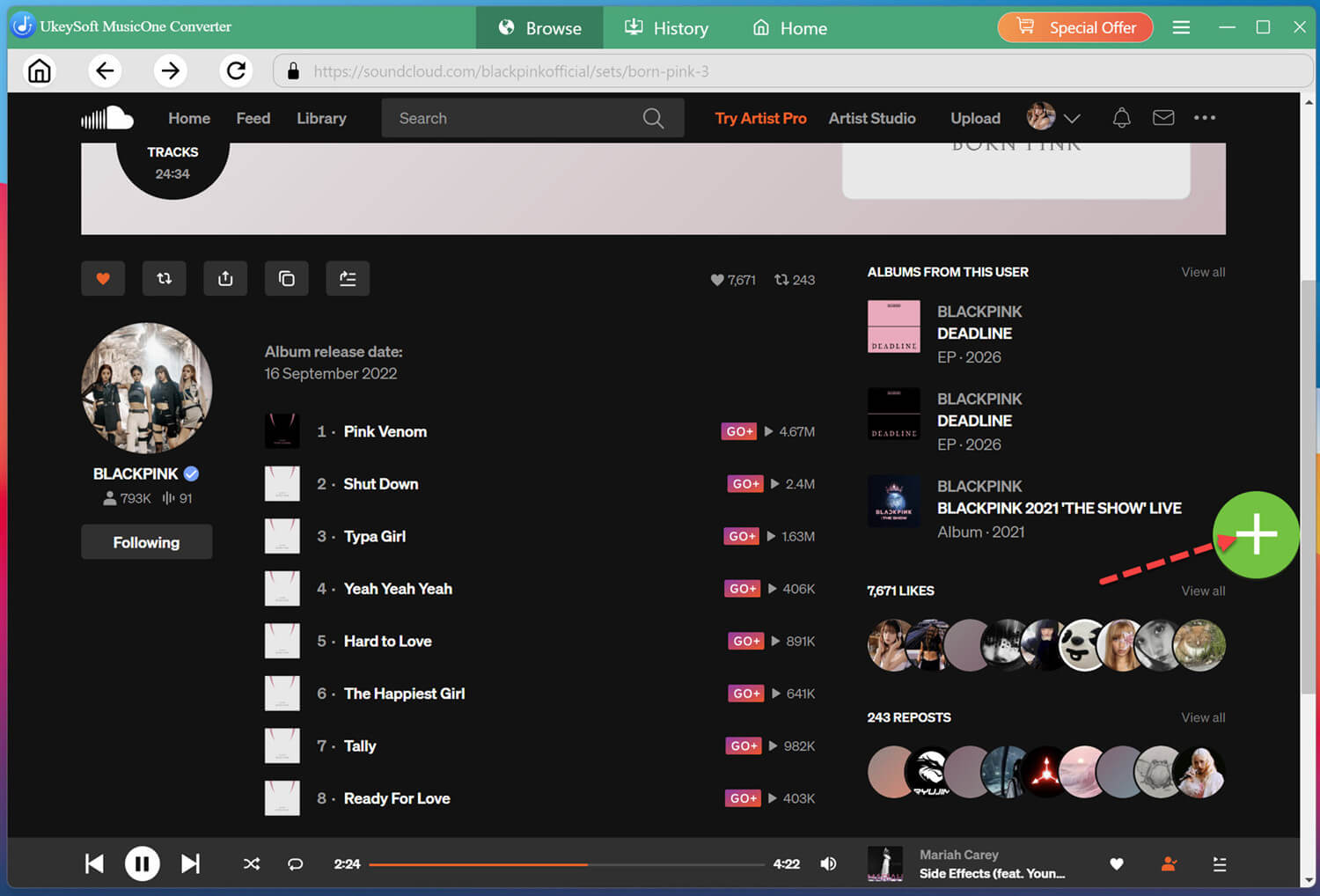
On the home page, browse the library to find any music you like. For example, here you can search for BLACKPINK's BORN PINK album or another album, then open its music page, click the "+" button to add the songs.
Select Target SoundCloud Songs
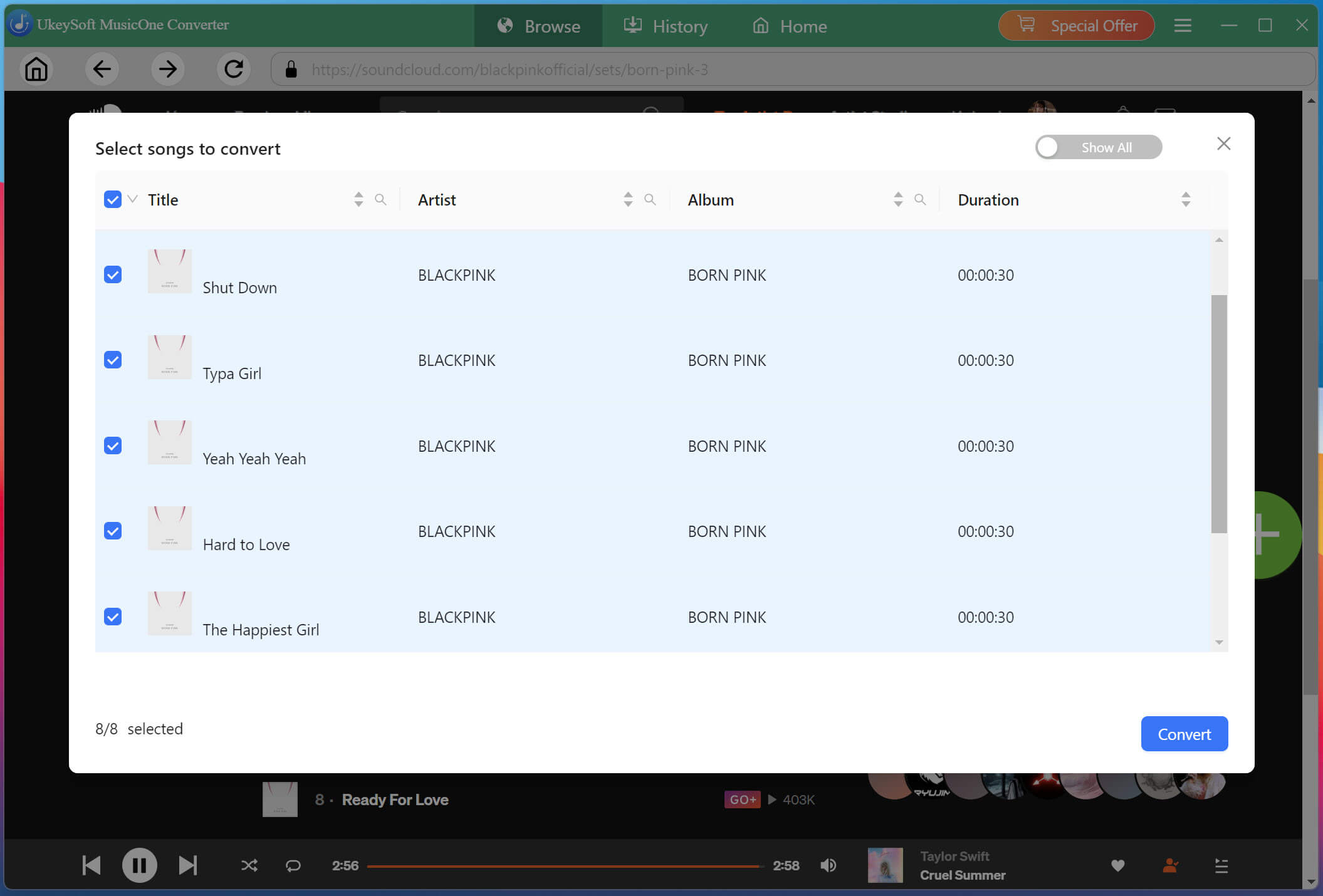
Check the boxes next to the tracks you want to convert. You can select individual songs, entire playlists, or full albums.
Start to Convert SoundCloud Songs to MP3/AAC/M4A
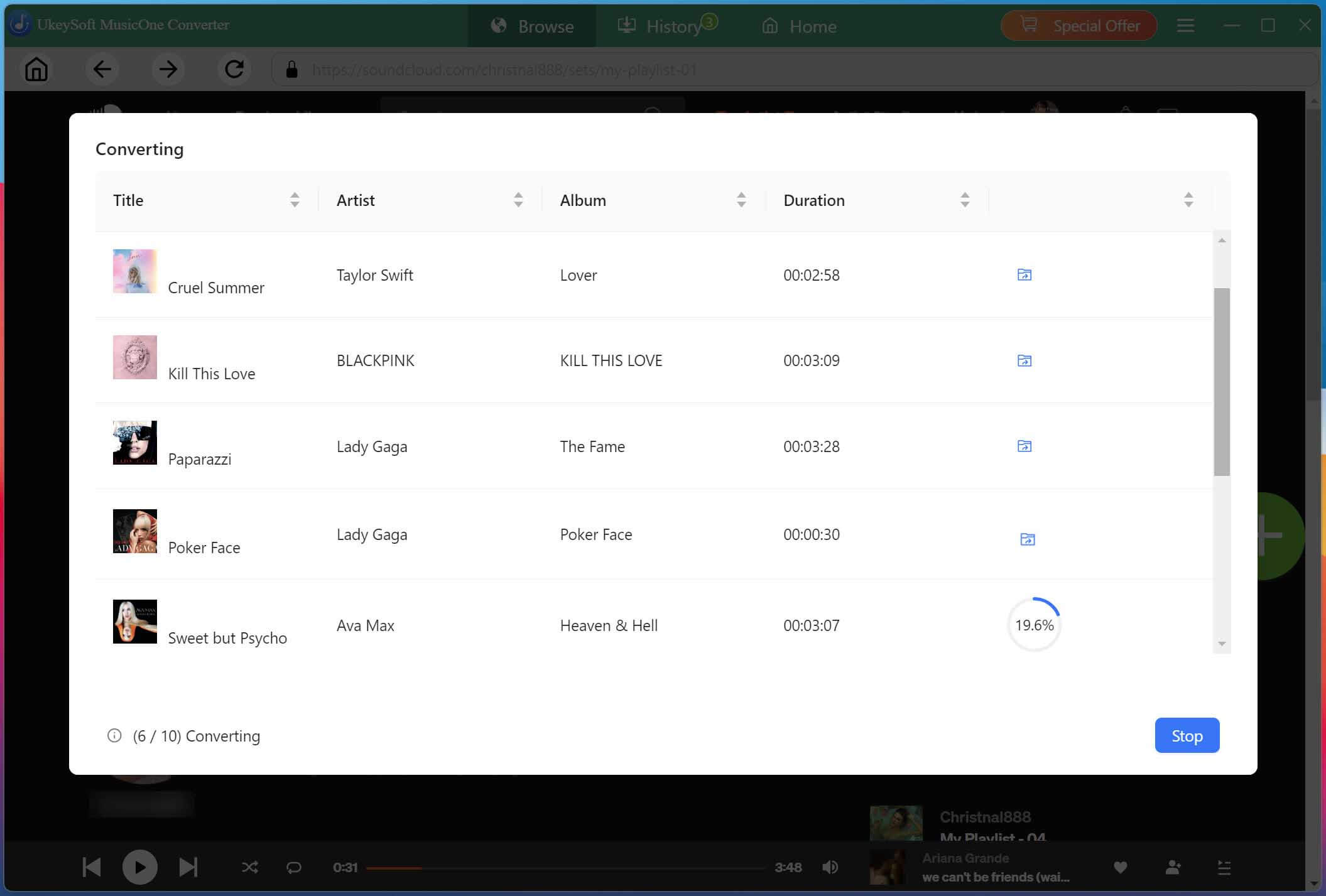
Click the "Convert" button to start the process. The software will download and convert the selected tracks at 16X high speed, saving them to your designated output folder.
Get Converted SoundCloud Songs
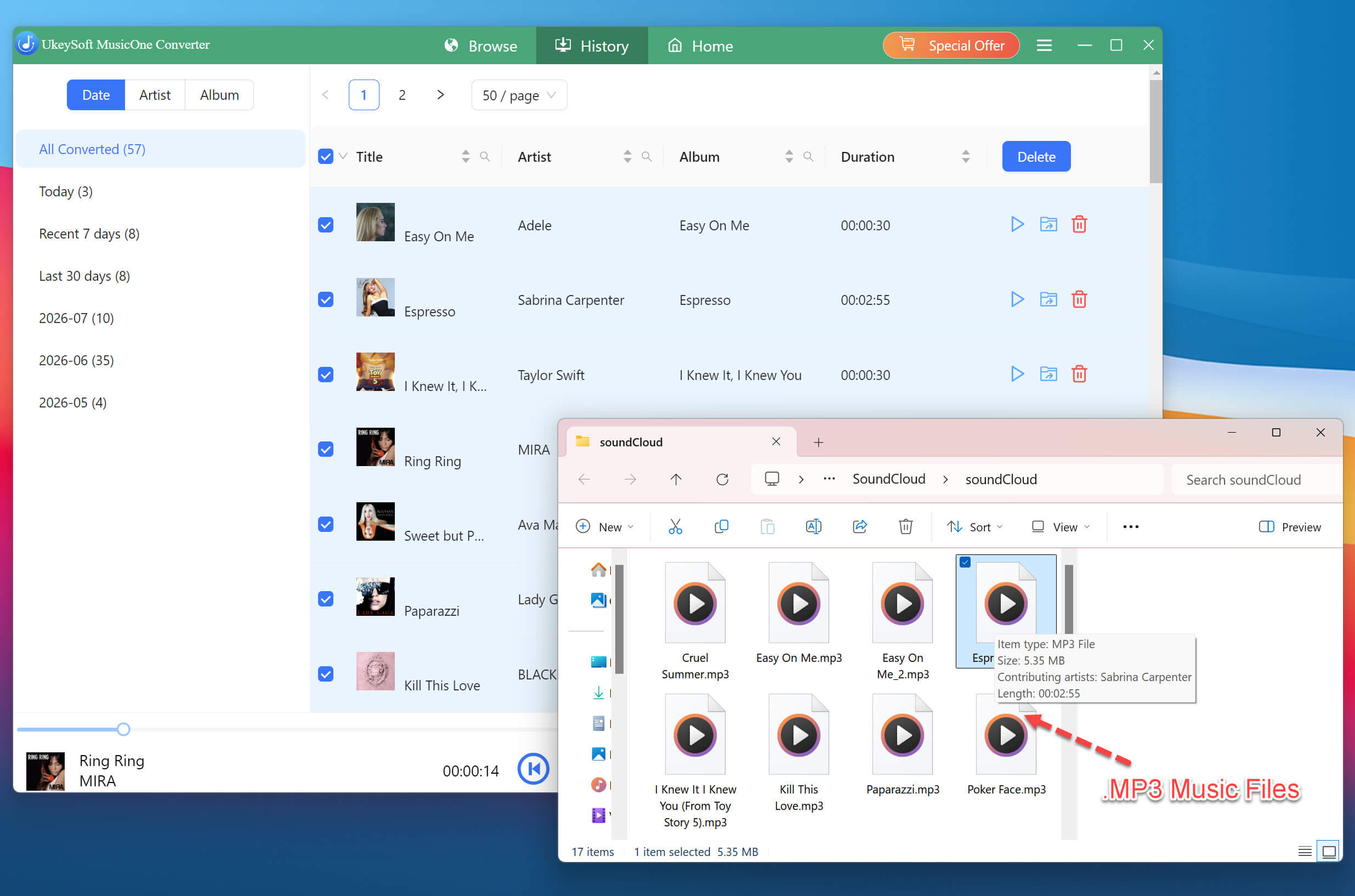
Once conversion finishes, go to the "History" section and open the output folder to get the output SoundCloud music files. As you can see, their titles and artist information are displayed correctly.
Process 2. Put SoundCloud Songs on iPod Nano/Shuffle/Classic/Touch
Now that you have compatible SoundCloud music files, you can then use iTunes to transfer them to your iPod. The process is quite easy, please follow below steps:
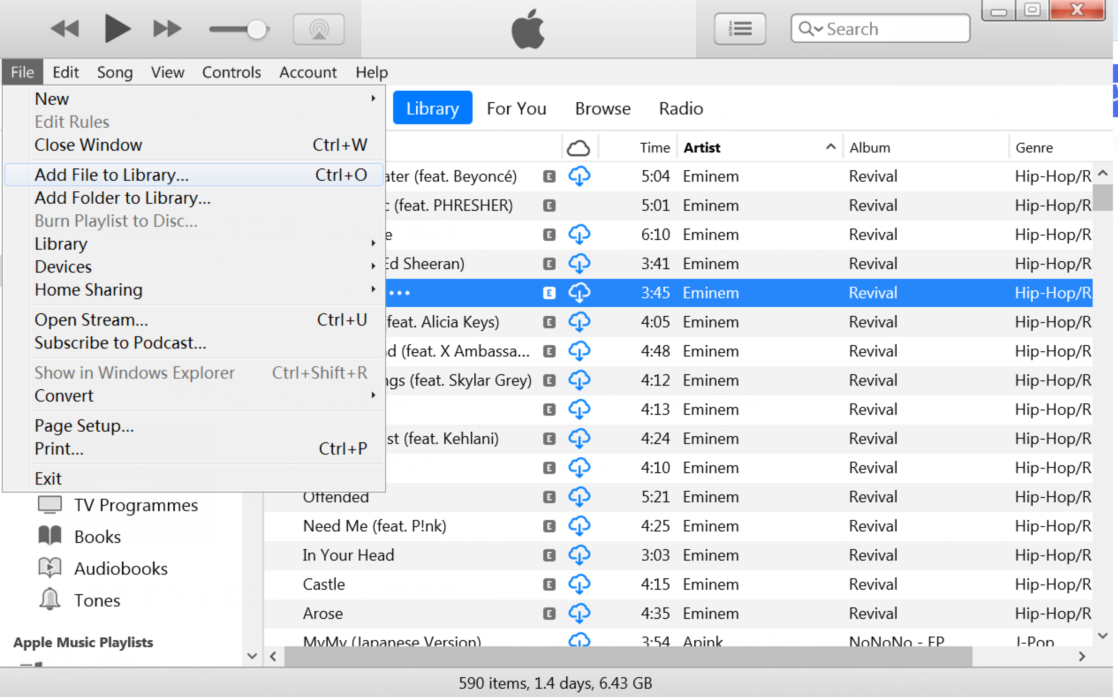
Launch iTunes. Add the converted SoundCloud files to your iTunes library by dragging them into the iTunes window or using "File" > "Add File to Library".
Tips: For macOS Catalina or later, please use the Music app and Finder.
Connect your iPod Nano, iPod Classic, iPod Shuffle, or iPod Touch to your computer using its USB cable.
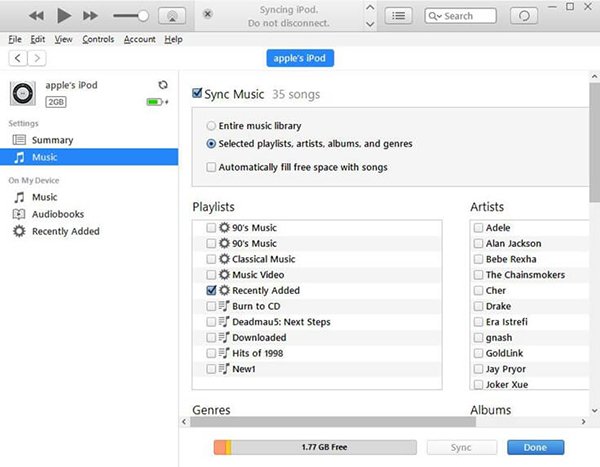
In iTunes or Music app, click the iPod icon to access its device settings.
Select Music in the sidebar and check the box for "Sync Music."
Choose "Entire music library" if you want to transfer all imported music, or select "Selected playlists, artists, albums, and genres" to transfer specific songs.
Select the SoundCloud tracks or playlists you added to iTunes.
Click "Apply" to start transferring the selected music. Wait for the synchronization process to finish before disconnecting your iPod.
Afterwards, you can play SoundCloud music on iPod Nano, iPod Classic, iPod Shuffle, and iPod Touch without network and SoundCloud app!
Final Words
To sum up, older iPod models, such as the iPod Nano, iPod Classic, iPod Shuffle, and iPod Touch cannot install the SoundCloud app. To put SoundCloud songs on iPod, you need to remove streaming restrictions and convert SoundCloud songs to MP4, AAC, or M4A files. With the help of UkeySoft SoundCloud Music Converter, you can easily build a permanent offline SoundCloud music library, and copy your SoundCloud music files to any iPod, MP3 player, and portable device for offline listening!
Justin Sabrina has always had great enthusiasm for writing, programming and web development. He likes writing about software and technology, his works are featured on some tech blogs or forums like Tom's Hardware, CNET, etc.
 English
 Arabic
 Chinese (Simplified)
 Chinese (Traditional)
 Croatian
 Czech
 Danish
 Dutch
 Estonian
 Finnish
 French
 German
 Greek
 Hebrew
 Hindi
 Hungarian
 Indonesian
 Italian
 Japanese
 Kazakh
 Korean
 Malay
 Norwegian
 Polish
 Portuguese
 Romanian
 Russian
 Slovenian
 Spanish
 Swedish
 Thai
 Turkish
 Ukrainian
 Vietnamese









Comments are off!