By
Justin SabrinaUpdated on July 24, 2026
Summary
Listen to Taylor Swift - Lover songs MP3 free online. In this page we will guide you how to download Taylor Swift’s Lover album to MP3 from Apple Music, Spotify and other popular music platforms for offline listening and collection.
Quick Overview:
To get Taylor Swift Lover Album MP3 download, you can turn to a third-party MP3 music downloader such as UkeySoft All-in-One Music Converter. With it, both Free and Premium users are able to download Taylor Swift Lover Album to MP3 from Apple Music, Spotify and other popular music platforms.
Here are the steps to download Taylor Swift Lover Album to MP3 with UkeySoft:
Step 1. Run the software and log in to your Apple Music account.
Step 2. Click "Gear" to customize your output settings and choose MP3 format.
Step 3. Search and open Taylor Swift Lover album, select all songs and click "Convert" button.
Taylor Swift's seventh studio album "Lover" is ready. With Lover being released on August 23, 2019, it's sure that the album in its full self might just hit us all up soon. Is it possible to Download Taylor Swift Lover Album to MP3? Besides, the official singles "Me!" (featuring Brendon Urie of Panic! at the Disco) and "You Need to Calm Down", and promotional single "The Archer" are recorded in Swift’s seventh studio album - “Lover”. Many fans can’t wait for hearing her new songs, now, you can access to Taylor Swift’s new album on Apple Music and Spotify, as well as other streaming music platform, such as YouTube Music, Google Play Music, Amazon Music, Tidal, Deezer, etc. Now follow our steps below to learn how to download Taylor Swift’s “Lover” album from Apple Music and Spotify to MP3 with 320kbps & Lyrics kept.
CONTENTS
Related news: The "Lover" album is the most pre-added by a female artist on Apple Music, Taylor Swift’s new single "Me!" made the biggest single-week jump on the Billboard Hot 100 in history.
2019, Swift has already released three singles: "Me!", "You Need to Calm Down", and "The Archer". All of them are available in iTunes Apple Music and Spotify. You can play theses song on Apple Music app, iTunes application and Spotify app online. With Spotify Free, you can listen to Swift’s new songs on Spotify online; For Spotify Premium users and Apple Music subscriber, you can download Taylor Swift’s “Lover” albums and new songs for offline listening, but the songs you get are DRM protected and you can only play on MP3 player or other unauthorized device.
Both Spotify and Apple Music is a streaming music platform, all streaming music added a DRM (Digital Rights Management) protection. That's to say, you don’t really own these songs even you have purchased or downloaded, because the DRM protection, when the subscription ends, you can’t play the downloaded songs. All in all, subscribers can't download Apple Music and Spotify songs/playlist/albums to plain MP3 format for listening on some MP3 player.
To download these songs in “Lover” from Apple Music and Spotiry to MP3 format for streaming on more devices, you can use UkeySoft Apple Music Converter and UkeySoft Spotify Music Converter. Let’s show you how to download and convert Apple Music to MP3 format, and how to download and convert Spotify songs, playlist, albums to plain MP3 format.
News
Taylor Swift returned in full force with her 12th studio album "The Life of a Showgirl", officially released on October 3, 2025. The album delivers 12 standout tracks and is now streaming on major platforms including Spotify, Apple Music, and Amazon Music. For fans who prefer offline listening without limitations, UkeySoft All-in-One Music Converter provides an easy solution to download The Life of a Showgirl album and songs to MP3, letting you keep your favorite tracks forever and enjoy ultimate offline ad-free playback experience.
Part 1: Download Taylor Swift’s Album “Lover” to MP3 from Apple Music
UkeySoft Apple Music Converter is a well-known tool for removing DRM from Apple Music and downloading tracks, such as Taylor Swift's Lover album, in MP3 and other popular formats like M4A, AAC, FLAC, WAV, and AIFF. It ensures original audio quality and retains ID3 tags during the conversion process. With this tool, you can effortlessly download songs from Taylor Swift's Lover album as MP3 files and enjoy them on any device without limitations. Additionally, the converter features a built-in Apple Music web player, enabling you to search, browse, download, and play songs directly within the tool, there is no need for the official Apple Music app or additional software.
UkeySoft Apple Music Converter
- Remove DRM from Apple Music and output to MP3 format.
- Convert Apple Music songs to MP3, M4A, AAC, FLAC, WAV, AFIFF.
- Convert Apple Music at 10X faster speed with lossless quality in batch.
- Preserve all original ID3 tags such as artwork, name, album, artist.
- Play Apple Music tracks on any device freely.
- Built-in Apple Music web player, no need to install any app.
- Enjoy free lifetime update & technical support.
- Compatible with Windows & Mac.
Guide: How to Download Taylor Swift’s Album “Lover” to MP3 on Apple Music
Step 1. Open UkeySoft Apple Music Converter
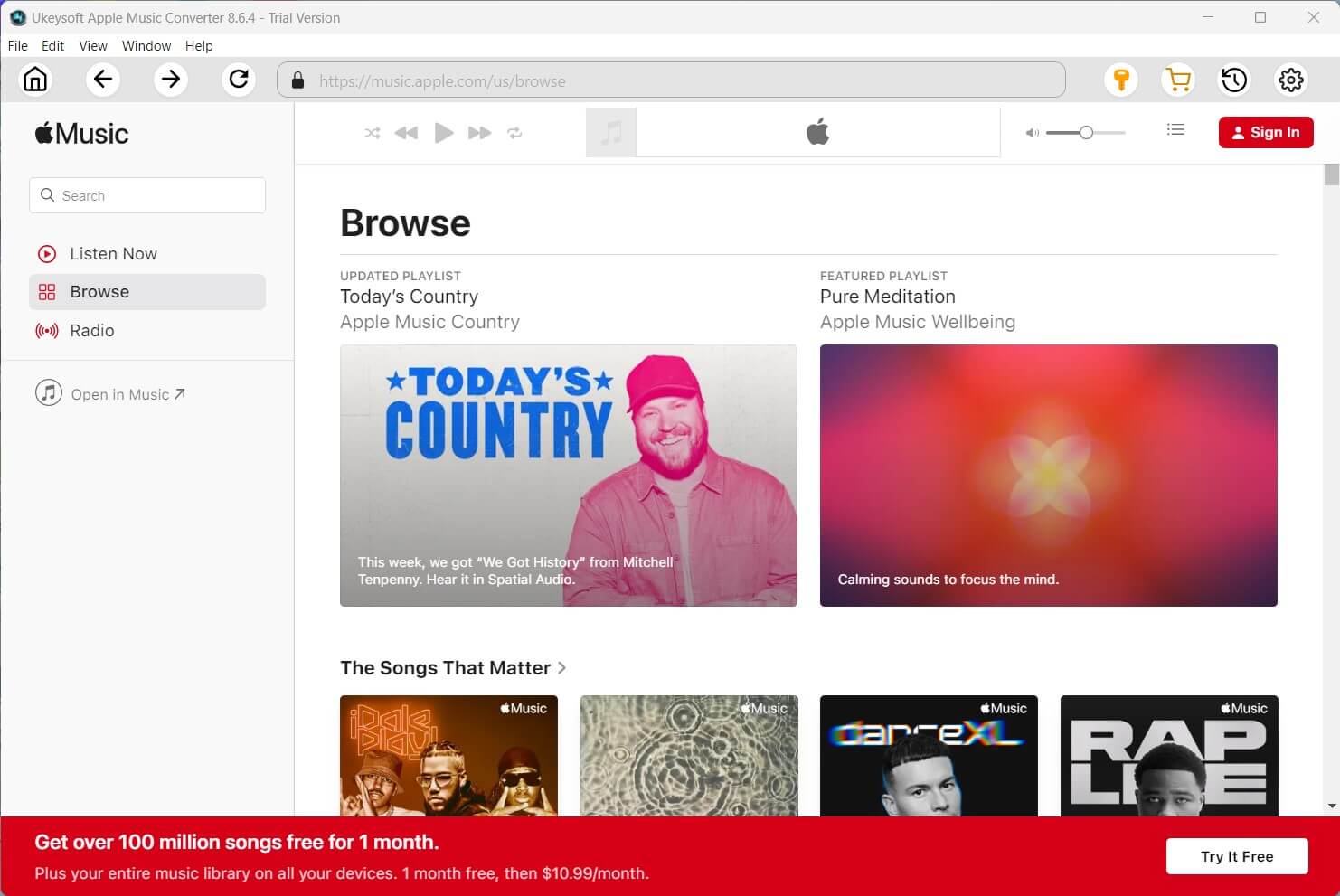
Install and launch UkeySoft Apple Music Converter on your computer. Once opened, you’ll notice a built-in web player integrated into the program.
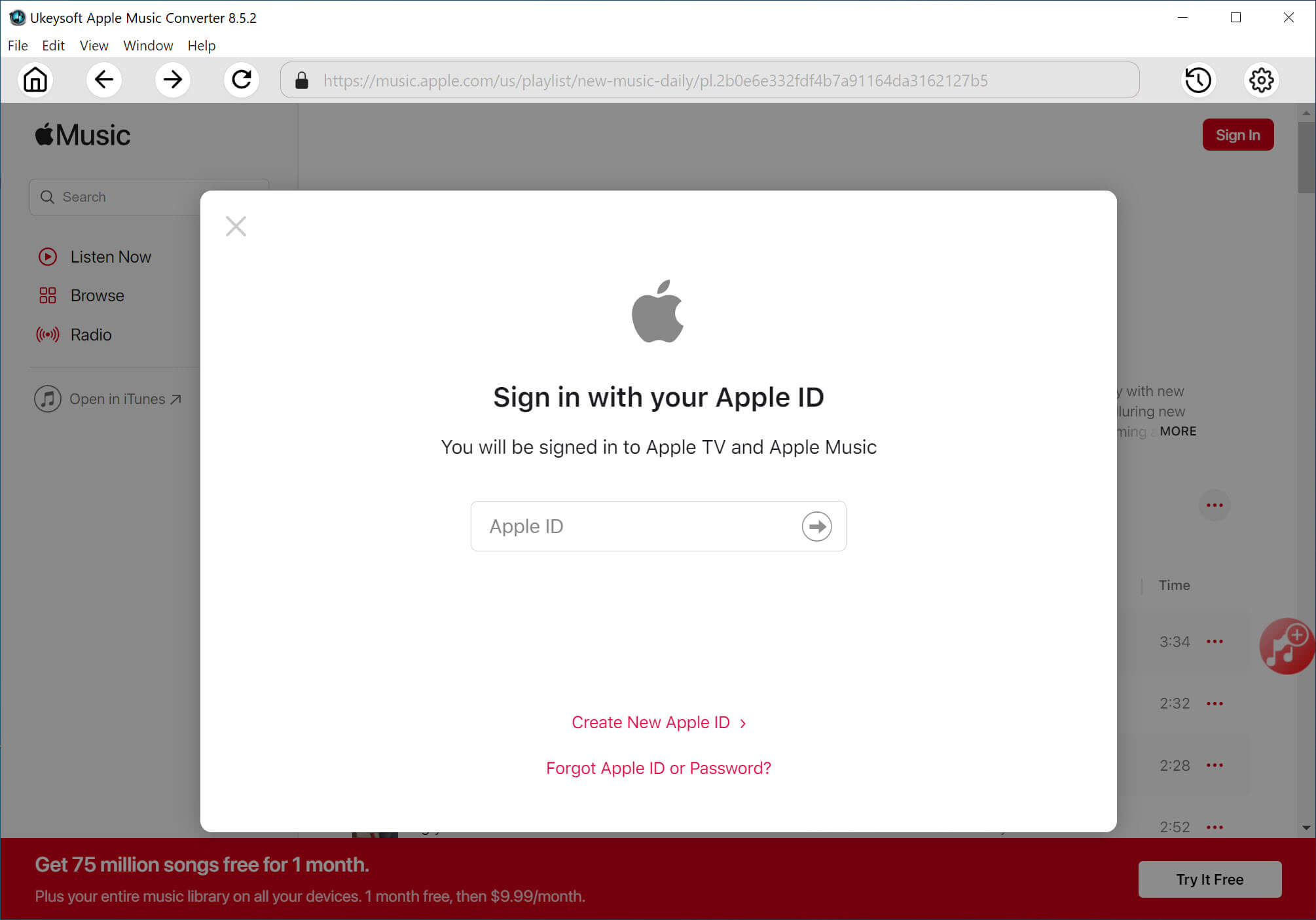
Follow the on-screen instructions to log in using your Apple ID (ensure the account has an active Apple Music subscription).
Step 2. Select the Output Format
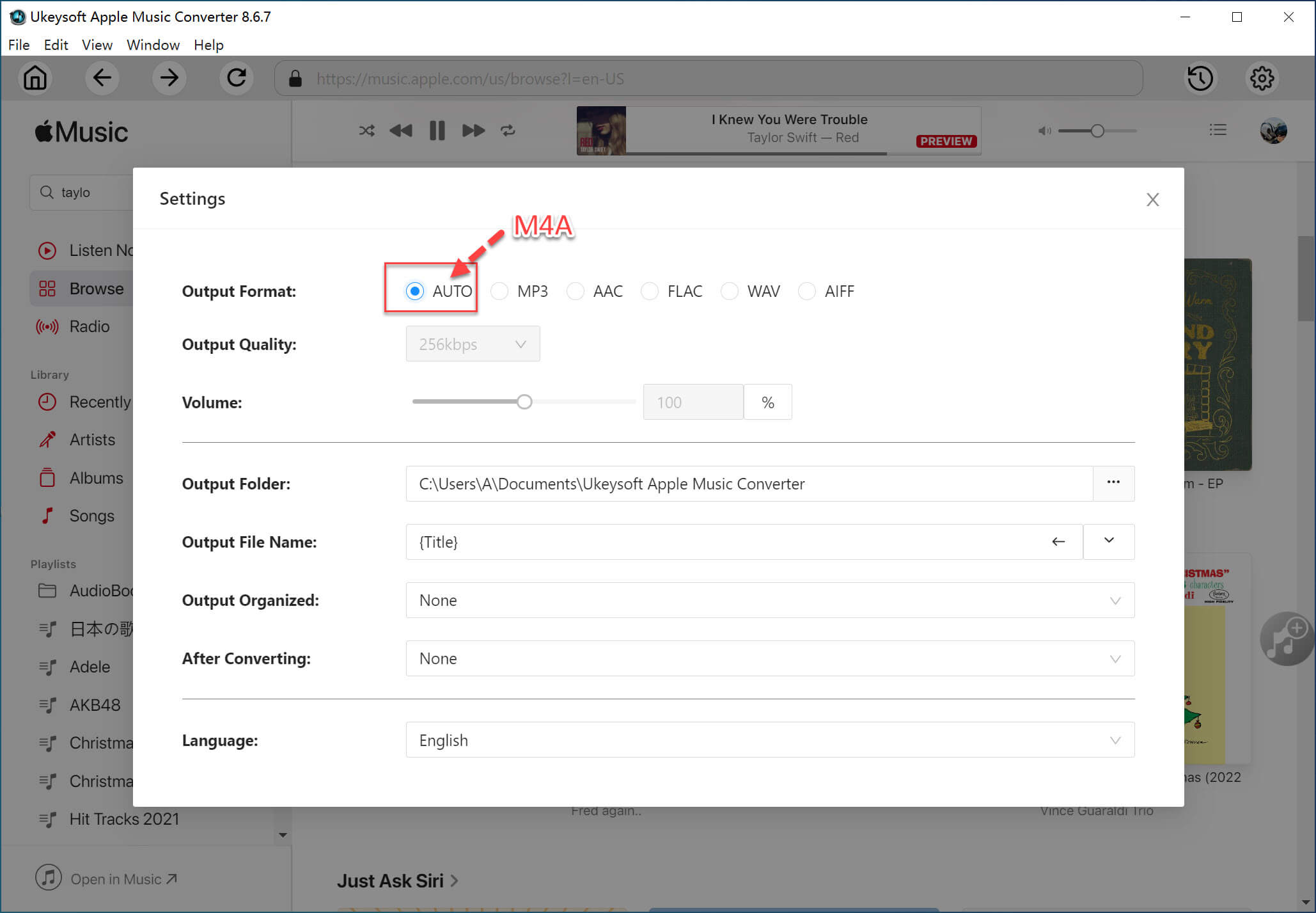
Click the "Gear" icon to open the settings menu. In the settings window, choose MP3 as the output format and adjust other audio parameters to suit your preferences.
Step 3. Search and Add Apple Music Tracks
Use the search function to find the Apple Music albums or tracks you want to download, such as Taylor Swift’s Lover album. Click the "Add to List" button to include all the tracks from the album in your download list.
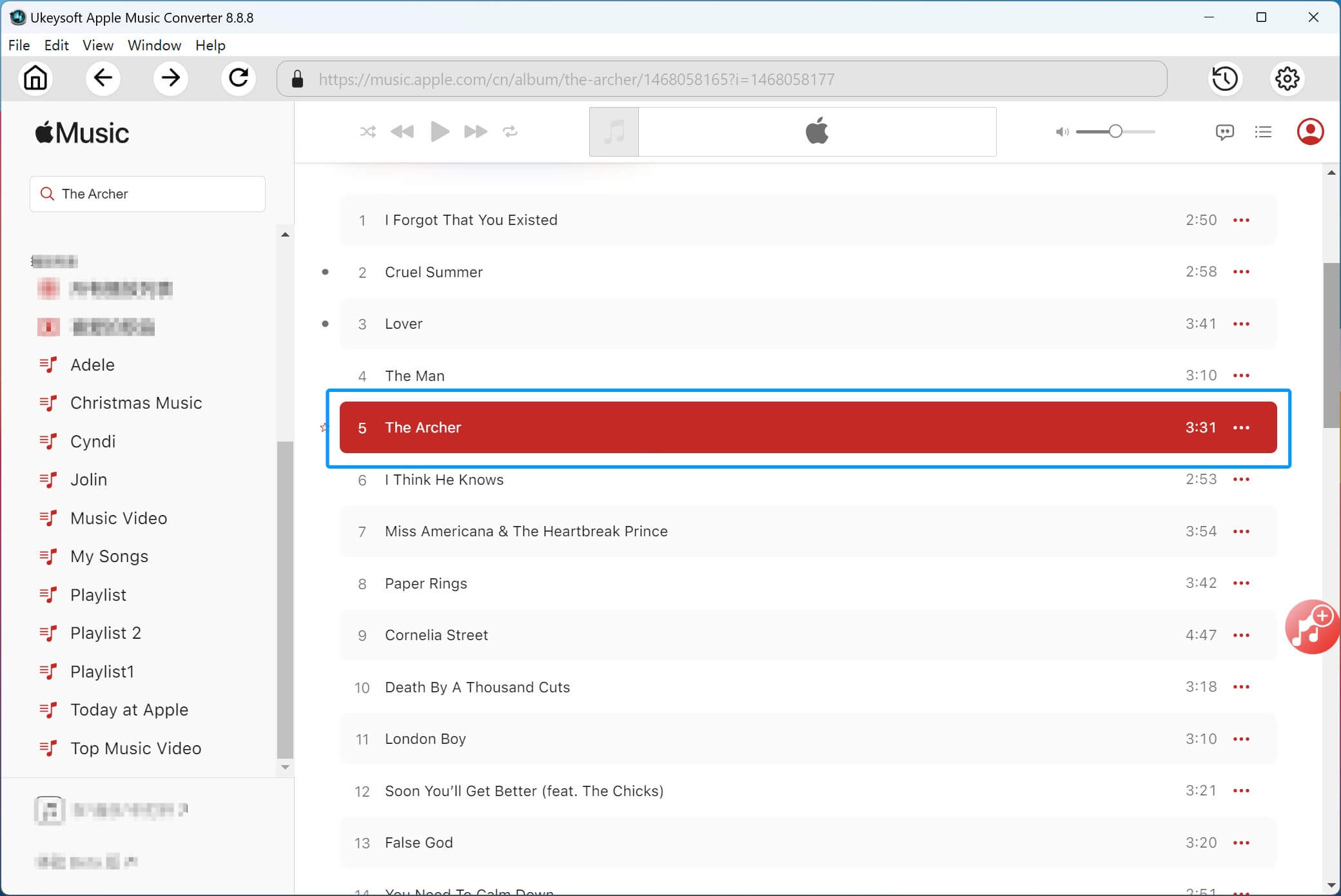
By default, all songs in the album or playlist will be selected. Deselect any tracks you don’t want to download.

Step 4. Convert Apple Music to MP3
After finalizing your settings, click the "Convert" button to start the conversion process. The program will download and convert Apple Music tracks to MP3 format at up to 10X speed.

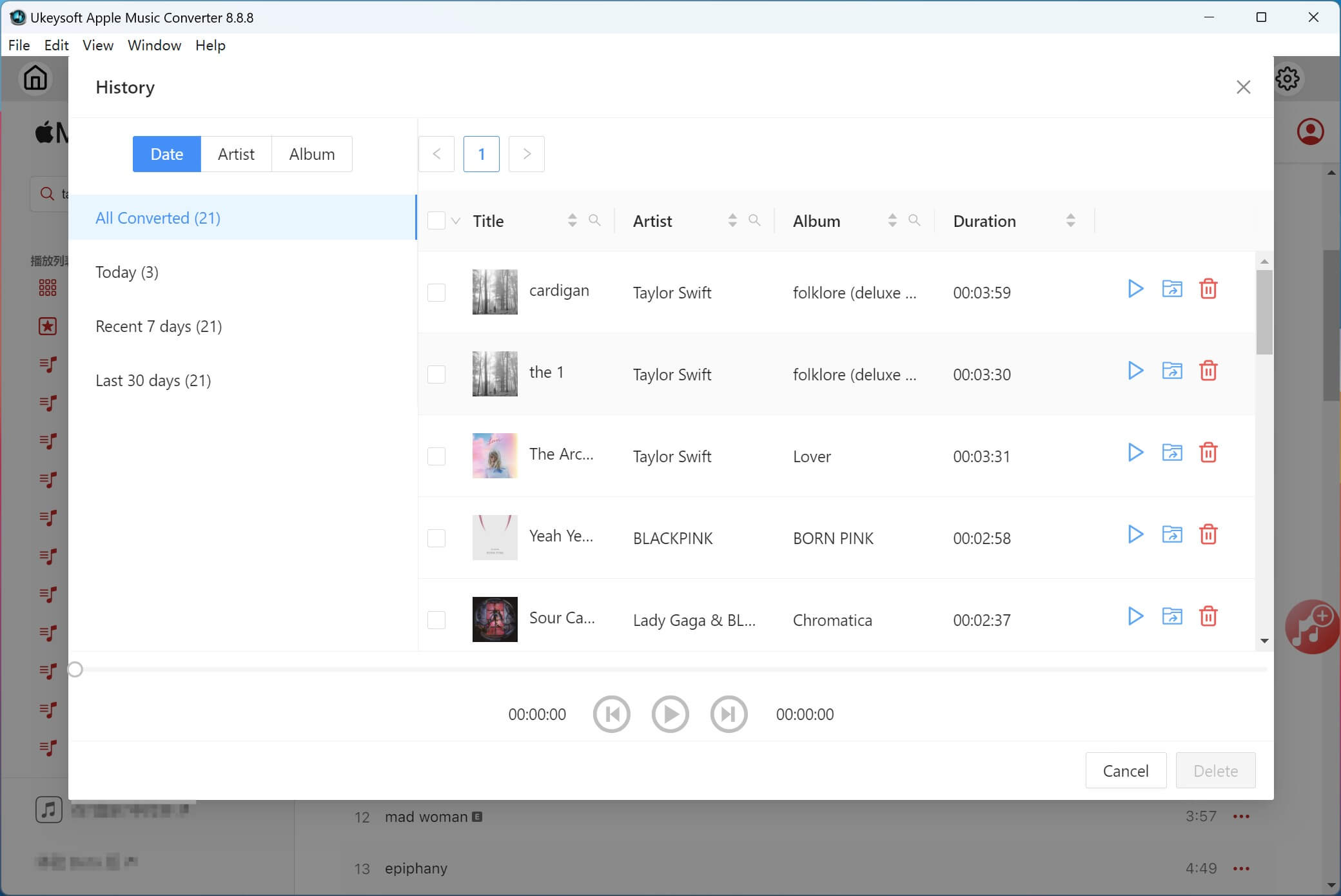
Once the conversion is complete, you’ll see a blue "output folder" icon next to each converted song. Click “Open Output File” to access your DRM-free Apple Music tracks in MP3 format.
Part 2: Download Taylor Swift’s Album “Lover” to MP3 from Spotify
UkeySoft Spotify Music Converter is a versatile and professional solution for downloading and converting DRM-protected Spotify songs, playlists, and albums into popular audio formats like MP3, M4A, AAC, FLAC, WAV, and AIFF. By removing Spotify's DRM restrictions, this tool allows users to enjoy Spotify music offline on any device without limitations. Whether you are a free or premium Spotify user, UkeySoft makes it simple to download and convert tracks, such as Taylor Swift's Lover album, into MP3 format effortlessly.
Moreover, the converter maintains original audio quality and retains key metadata, including ID3 tags such as title, artist, album, and artwork, throughout the process. Its intuitive interface and support for batch downloads make UkeySoft Spotify Music Converter an excellent choice for building a personal library of Spotify songs free from DRM constraints.
UkeySoft Spotify Music Converter
- Remove DRM from Spotify music.
- Support downloading Spotify music with Free or Premium account.
- Convert Spotify songs/playlists/albums to MP3, M4A, AAC, FLAC, WAV or AIFF.
- Download Spotify music in 320kbps high-quality.
- Retain 100% lossless quality and ID3 tags.
- Batch download Spotify songs at 10X faster speed.
- Play Spotify music on any device offline.
- Keep Spotify music forever even subscription ends.
- Works on both Windows & Mac.
Guide: How to Download Taylor Swift’s Album “Lover” to MP3 on Spotify
Step 1. Open UkeySoft Spotify Music Converter and Log in to Your Spotify Account
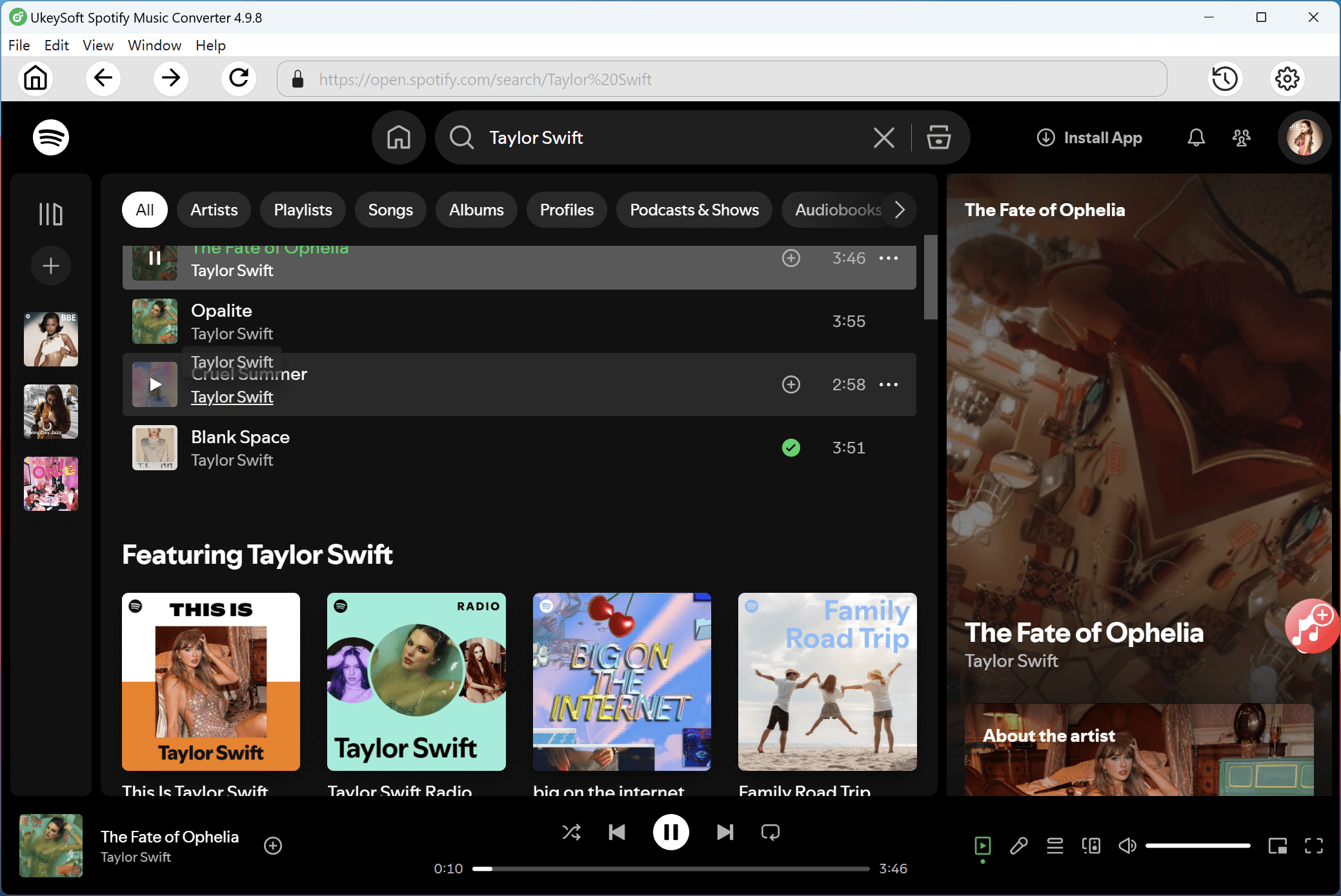
UkeySoft Spotify Music Converter is compatible with both Windows and Mac. Download and install the appropriate version for your computer. After installation, launch the program and log in to your Spotify account.
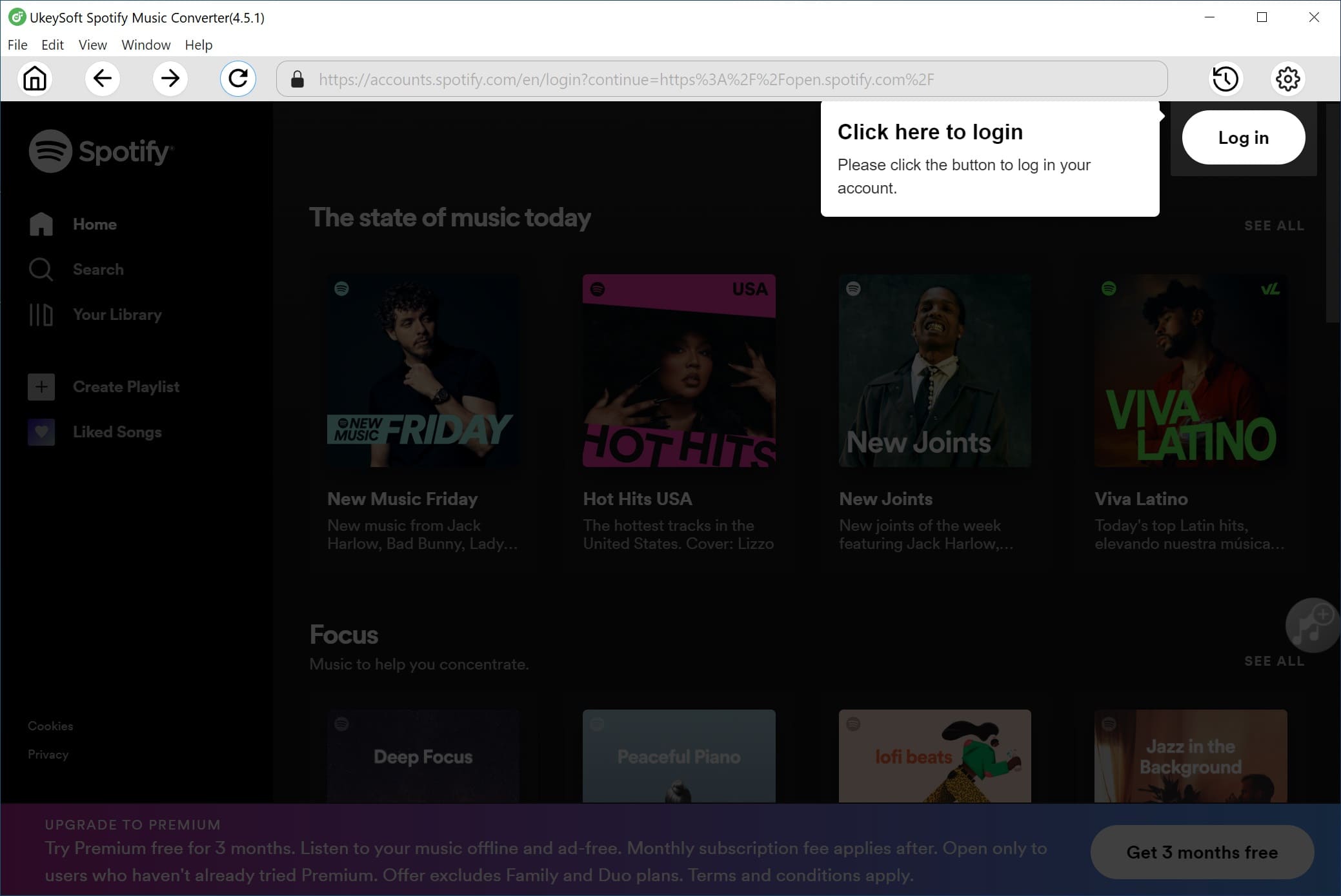
Whether you have a Spotify Free or Premium account, simply log in your account on the converter.
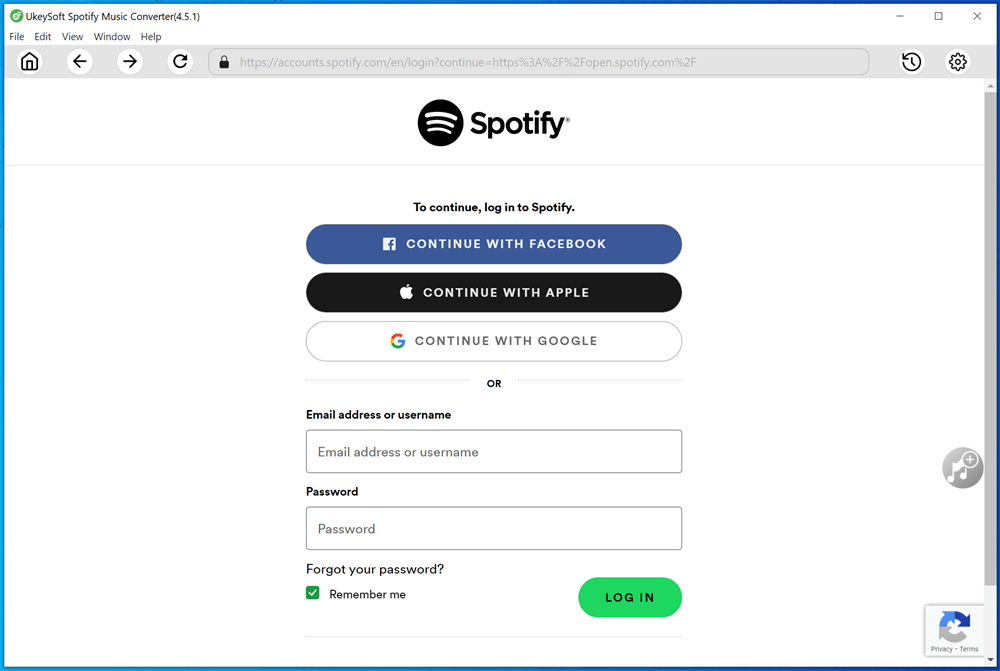
Once logged in, you’ll be able to browse or search for the songs, albums, and playlists you wish to download
Step 2. Set Output Format to MP3
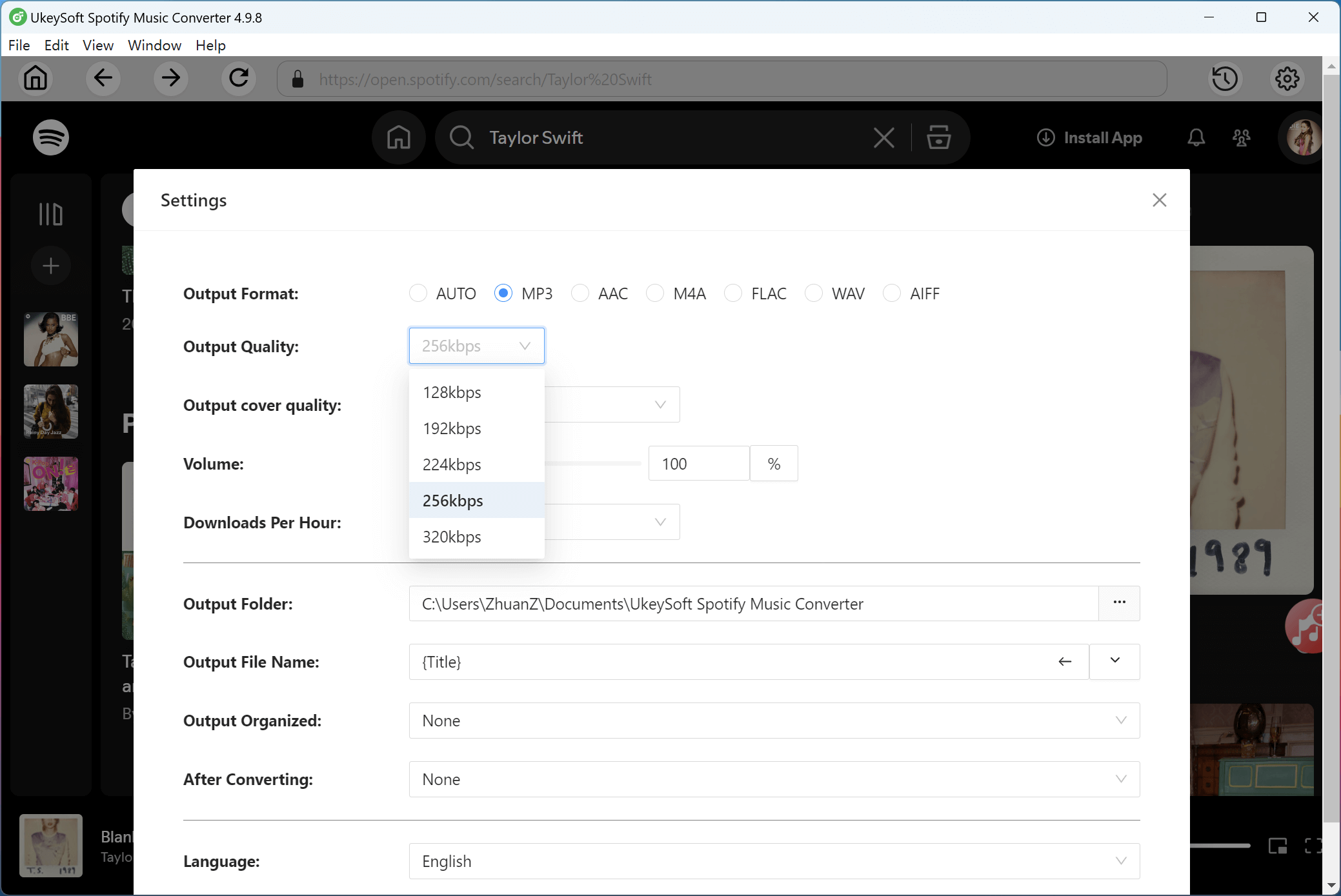
Click the "Settings" icon in the upper-right corner of the interface. Here, you can select MP3 as the output format and adjust additional parameters such as audio quality, bit rate, and the output file path to suit your preferences.
Step 3. Add Spotify Songs, Albums, or Playlists
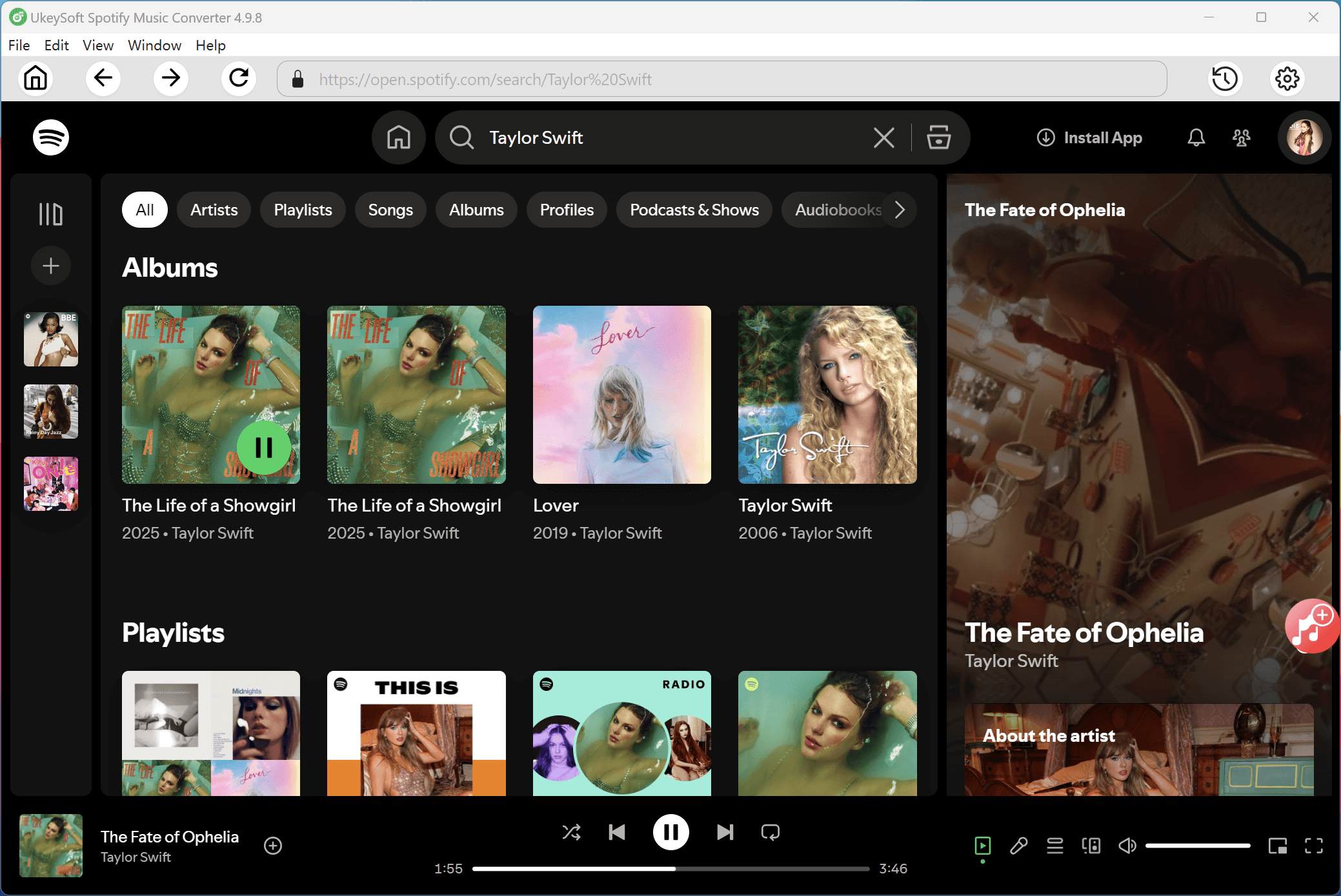
Use the built-in Spotify web player to browse and open the album or playlist you want to convert, such as Taylor Swift’s Lover album. Click the "+" icon to add all the tracks from the album to the pending list.
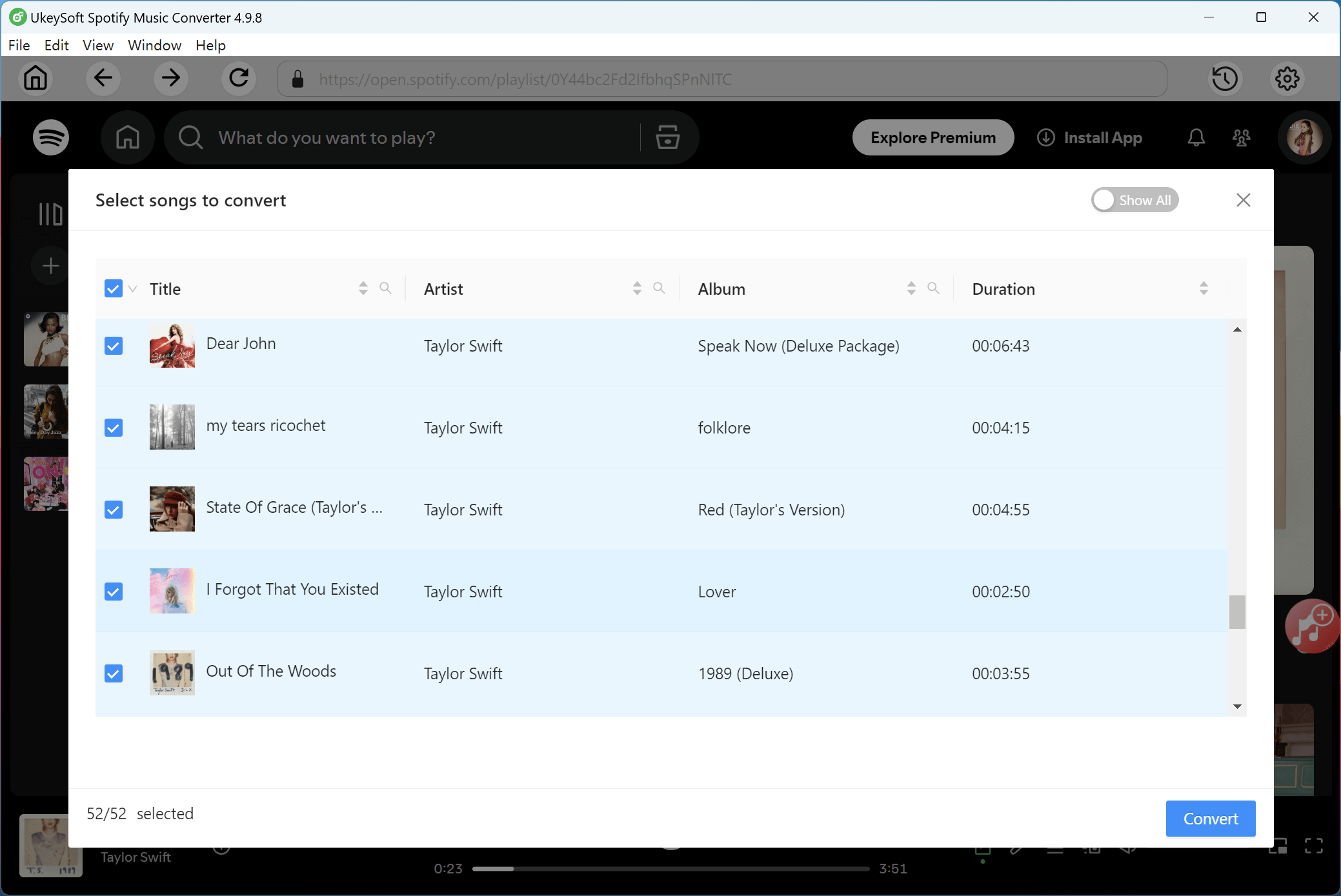
From the "Pending Converting" list, select the songs you want to download. By default, all tracks are selected, but you can deselect any you don’t want to convert.
Step 4. Start Converting Spotify Songs to MP3
Click the "Convert" button to begin converting the selected Spotify tracks to MP3 format. The program supports conversion speeds of up to 10X, ensuring a fast and efficient process.
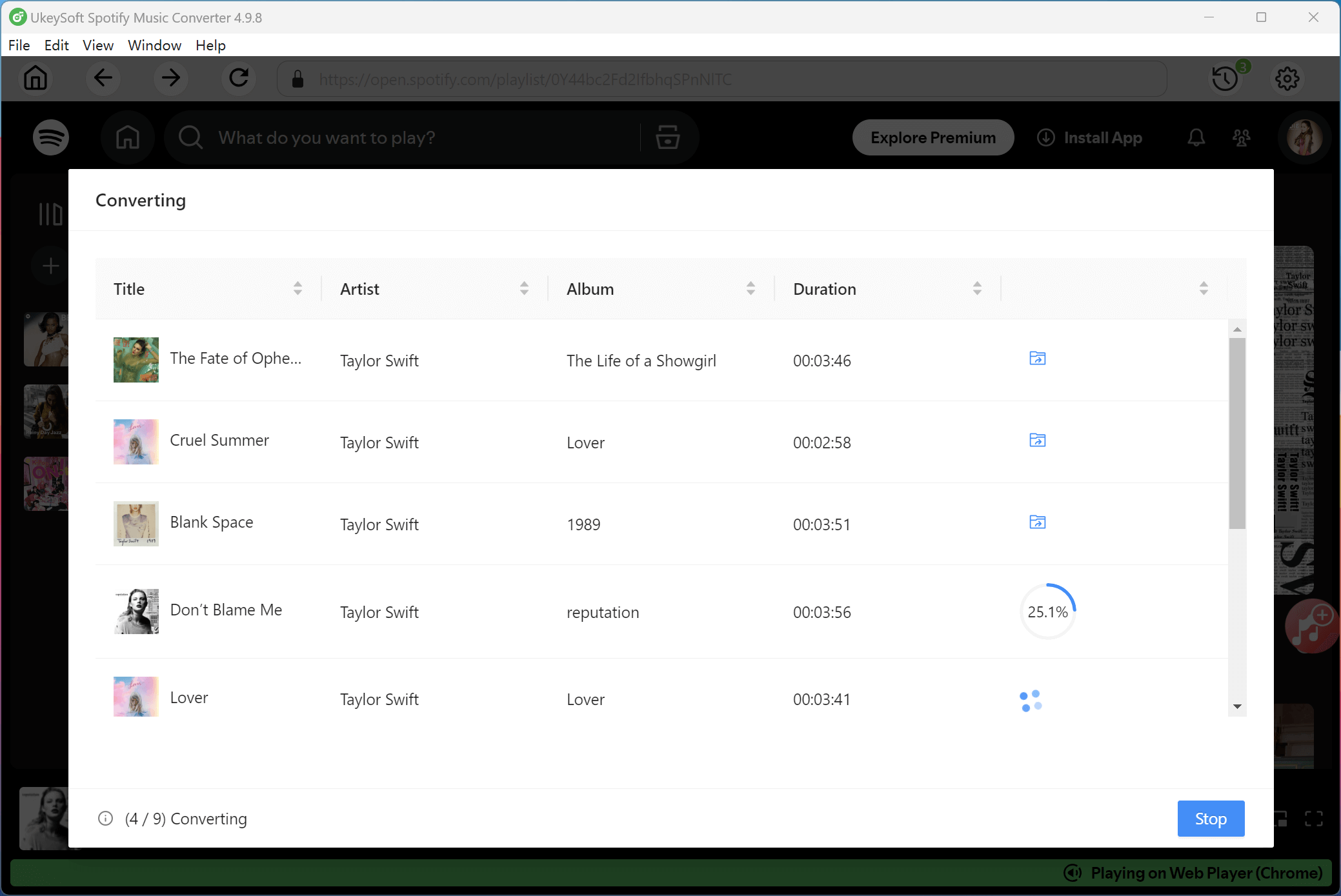
Step 5. View Your Converted MP3 Songs
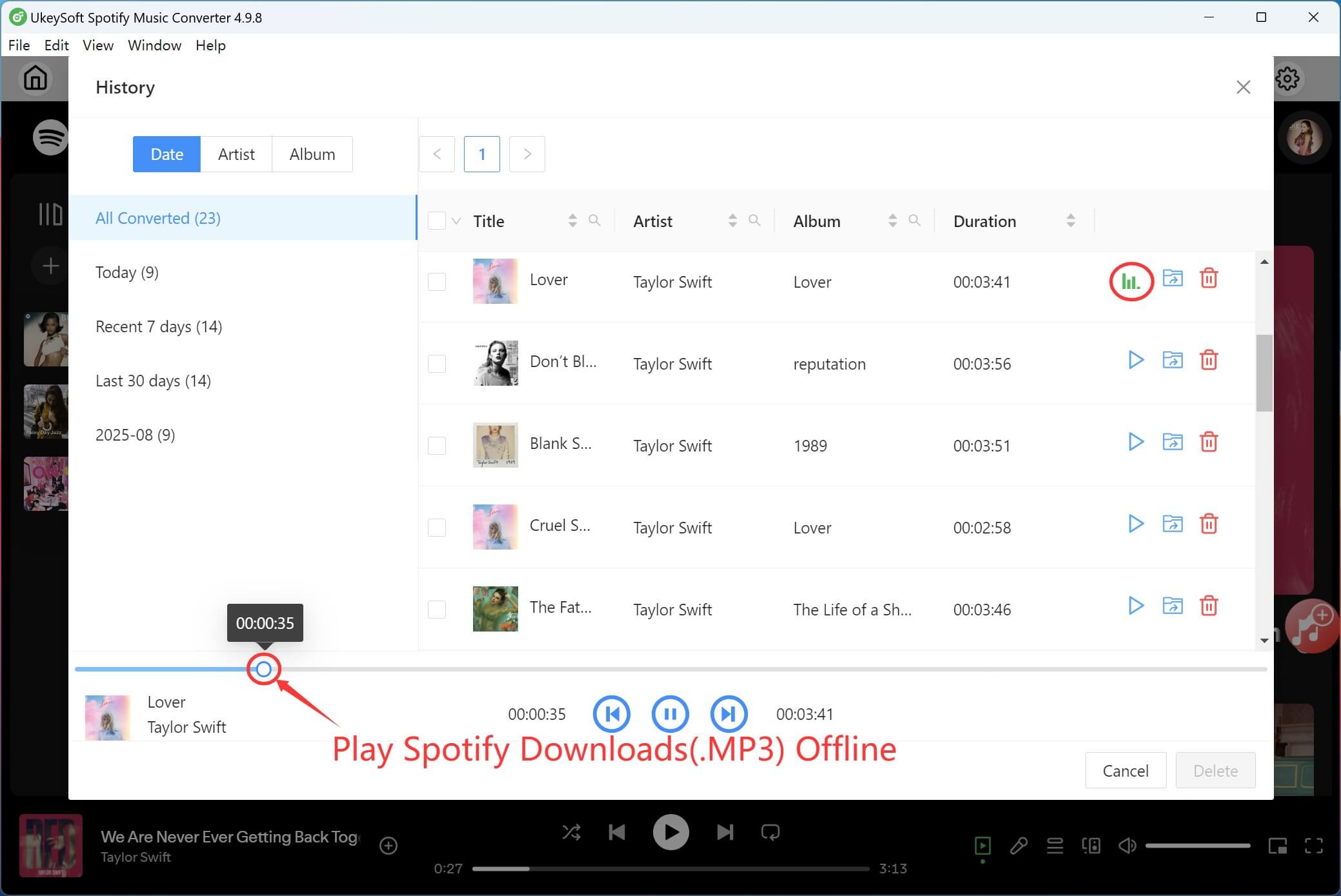
Once the conversion is complete, you can click the "Clock" icon to view the history. Listen to the "Lover" with the built-in music player, and sort out out songs by date, album, or artist!
Click the blue "Output Folder" button to open the folder containing your DRM-free Spotify songs in MP3 format.
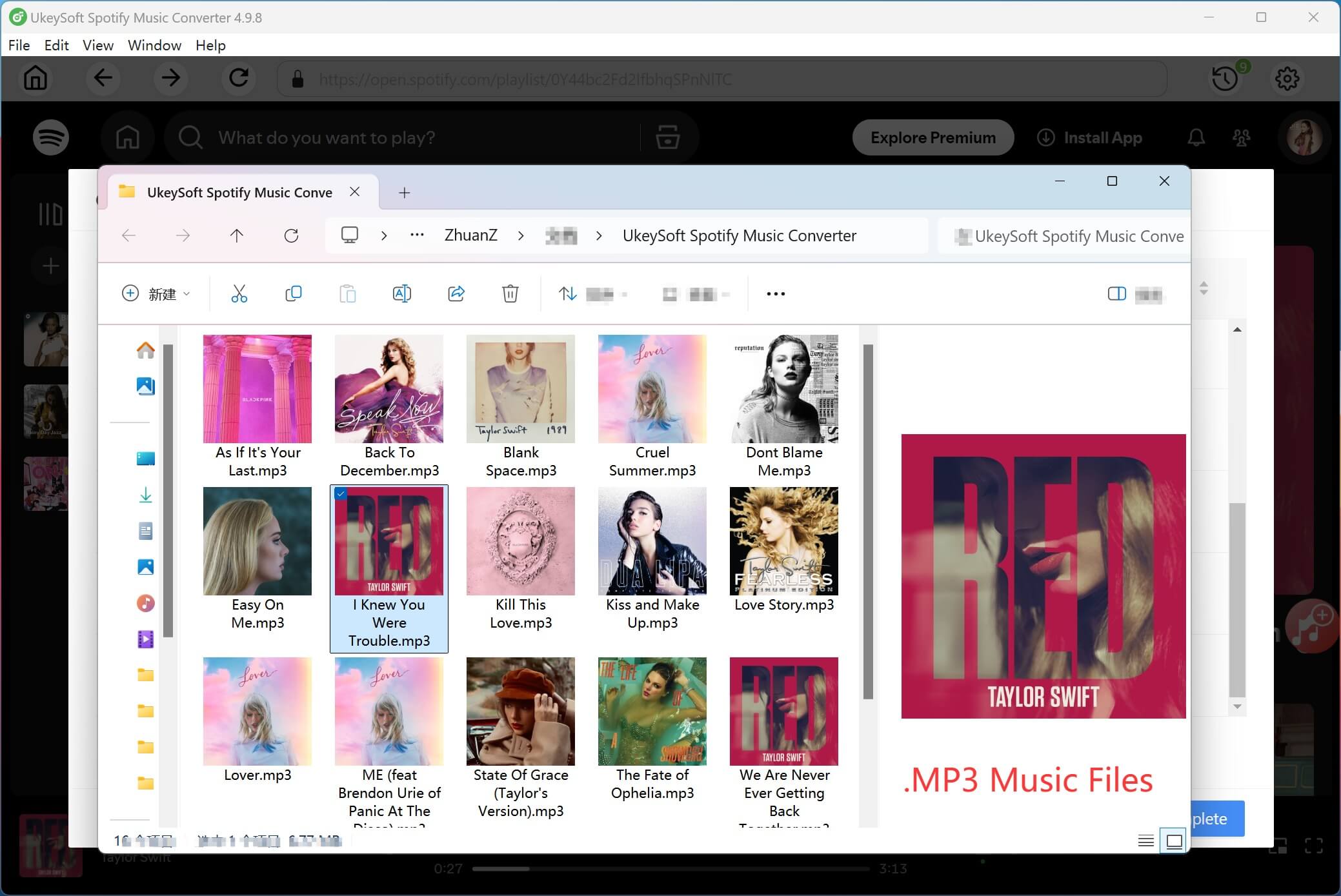
Now, you can enjoy your Spotify music offline without needing the Spotify app. You can also transfer the converted songs to any device, such as an MP3 player, iPhone, Android phone, PSP, or other portable devices.
Tip: How to Transfer Taylor Swift Album from Spotify to Apple Music?
Apple Music allows you to create new playlists to enjoy your favorite music, but you cannot import playlists directly from Spotify. As mentioned above, Spotify Music also adds a DRM (Digital Rights Management) layer to its streaming music. If you need to transfer Taylor Swift's Lover album to Apple Music, UkeySoft Spotify Music Converter can help you remove DRM from Spotify music using Mac or Windows-based computer, so you can access Spotify songs on various devices. Besides, it allows batch conversion and supports to adjust output quality and conversion speed. Using UkeySoft Spotify Music Converter, you can download Spotify album as MP3 on your computer and then transfer the album from Spotify Music to Apple Music. Now you can easily get a digital copy of a Spotify music album.
Conclusion
Taylor Swift's Lover album is a must-have, and saving it offline in MP3 format lets fans enjoy her music anytime, anywhere, without limits. UkeySoft Apple Music Converter and UkeySoft Spotify Music Converter makes it easy to download and convert “Lover” tracks to MP3 with high-quality sound and preserved metadata. Whether you're traveling, saving data, or listening on different devices, UkeySoft ensures you always have your favorite songs ready. Download UkeySoft today and enjoy Taylor Swift’s album wherever you go!
Tip: System Requirements:
Windows 7 or later on 64bit required
Taylor Swift Lover MP3 Download

Justin Sabrina has always had great enthusiasm for writing, programming and web development. He likes writing about software and technology, his works are featured on some tech blogs or forums like Tom's Hardware, CNET, etc.
 English
 Arabic
 Chinese (Simplified)
 Chinese (Traditional)
 Croatian
 Czech
Czech Danish
 Dutch
Dutch Estonian
 Finnish
 French
 German
 Greek
Greek Hebrew
 Hindi
Hindi Hungarian
 Indonesian
 Italian
 Japanese
 Kazakh
 Korean
 Malay
Malay Norwegian
 Polish
 Portuguese
 Romanian
 Russian
 Slovenian
 Spanish
 Swedish
 Thai
Thai Turkish
 Ukrainian
 Vietnamese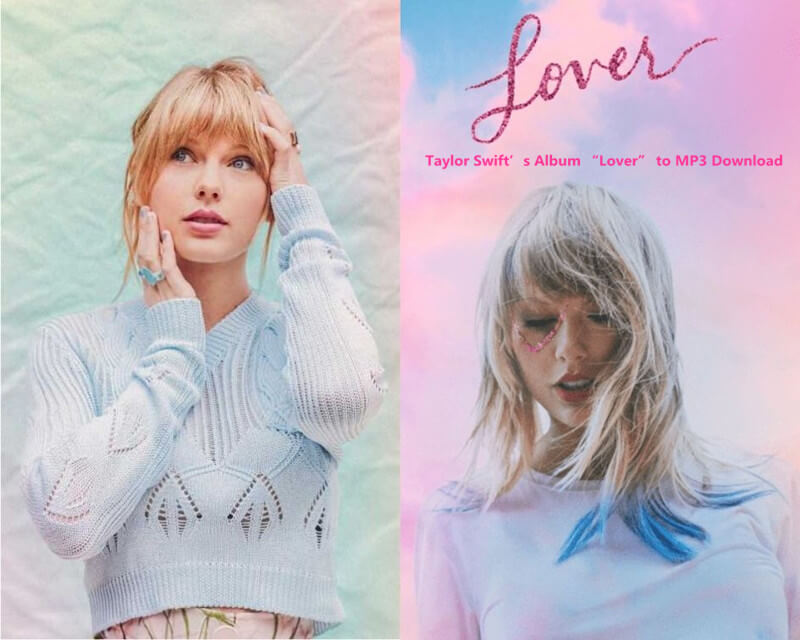










No comment yet. Say something...