By
ChesterUpdated on July 24, 2026
Summary
Want to play Amazon Music on your Yamaha receiver? You're in the right spot! In this guide, we'll show you two simple ways to stream Amazon Music to your receiver. Whether you prefer a wireless method or offline listening, we've got easy instructions to help you enjoy your music hassle-free!
With the rise of high-end receivers, experiencing studio-quality sound and seamless multi-room stereo or surround sound at home has never been easier. Among these, Yamaha receivers stand out, delivering an exceptional music experience with their advanced audio technology.
When it comes to music, Amazon Music is a top choice for audiophiles worldwide. If you're wondering whether you can play Amazon Music on a Yamaha receiver, the good news is that Amazon integrates smoothly with Yamaha's system. In this guide, we'll show you two simple ways to stream Amazon Music to your Yamaha receiver for the best listening experience.
CONTENTS
Part 1. Stream Amazon Music to Yamaha Receiver Using MusicCast Controller
The MusicCast Controller works with various Yamaha devices like receivers, speakers, and soundbars, making it easy to set up a wireless audio system at home. If you have an Amazon Prime or Music Unlimited subscription, you can use MusicCast to control Amazon Music directly from your phone.
Here's how to connect Amazon Music to MusicCast:
Step 1.
Connect your receiver and phone to the same WiFi network.
Step 2.
Download and install the MusicCast app from the App Store.
Step 3.
Open the app, select Amazon Music from the Sources menu, and log into your Amazon account.
Step 4.
Pick a playlist, and it will stream through your Yamaha receiver.
Once connected, you can enjoy effortless control and high-quality sound.
Part 2. Best Solution to Play Amazon Music Offline on Yamaha Receiver[Hot]
Streaming music directly from your phone to a Yamaha receiver can drain your battery quickly. Plus, keeping your downloaded tracks available requires a continuous subscription to Amazon Music. A better alternative is to download Amazon songs to a USB drive and play them offline through your receiver. Since Amazon doesn't offer a direct download option, you'll need a reliable Amazon Music converter.
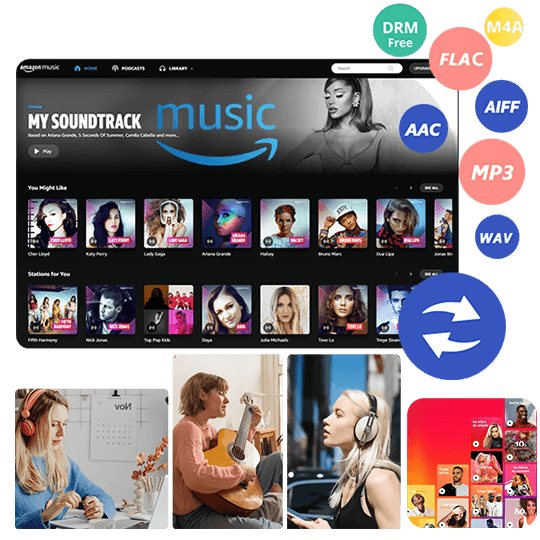
UkeySoft Amazon Music Converter is a powerful tool that lets you download and convert Amazon songs/playlists/albums to MP3, M4A, AAC, FLAC, WAV, and AIFF. With its advanced technology, you can save an unlimited number of songs in lossless quality while preserving original ID3 tags. Whether you use Amazon Music Prime or HD, UkeySoft ensures high-quality downloads. Best of all, you don't need an Amazon Music subscription or app to transfer and play Amazon Music on your Yamaha receiver and other devices offline.
UkeySoft Amazon Music Converter
- Download songs from Amazon Music Prime/Unlimited/HD.
- Convert Amazon Music to MP3 M4A, AAC, FLAC, WAV, AIFF.
- Retain output audio quality and ID3 tags.
- Convert Amazon Music at 10X fast speed in batch.
- Play Amazon Music on Yamaha receiver offline.
- Built-in Amazon Music web player, no need Amazon Music app.
- Works on both Windows and Mac.
Guide: How to Download Amazon Music for Yamaha Receiver
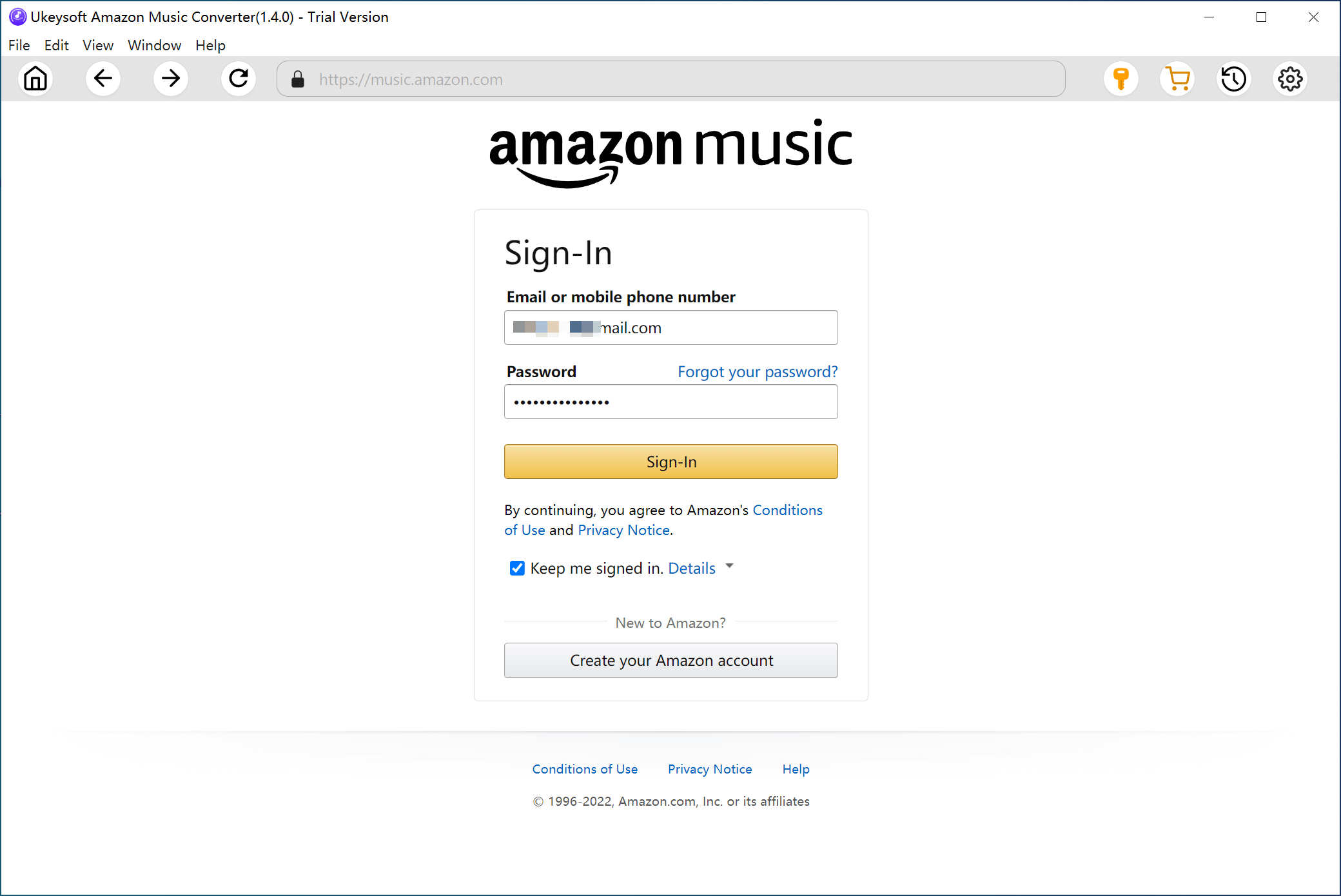
Step 1. Sign in to Your Amazon Account
Install and launch UKeySoft Amazon Music Converter on your Windows computer. Then, log in to your Amazon Music account.
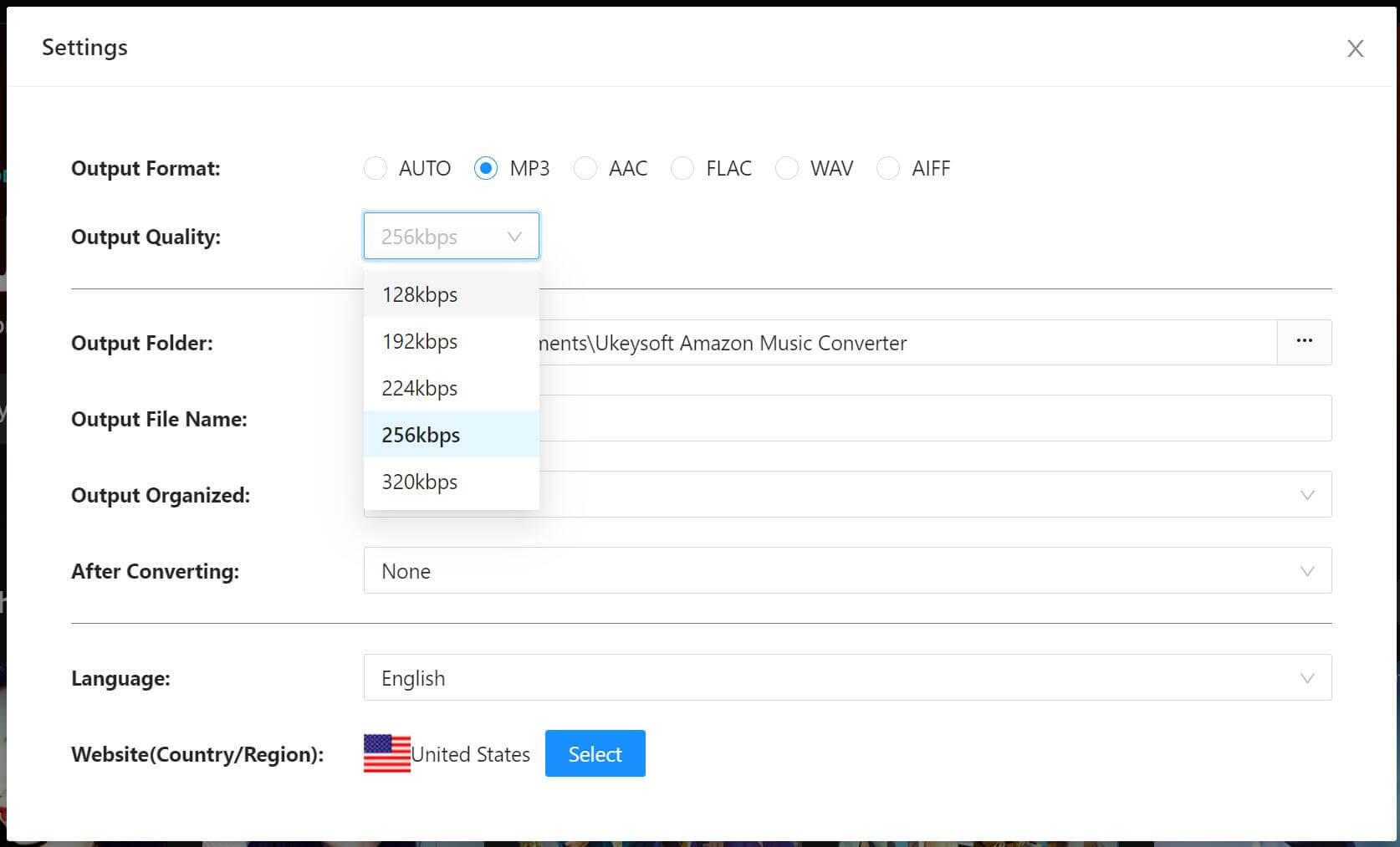
Step 2. Adjust Output Settings
Click the "Settings" icon in the top right corner. In the pop-up window, choose your preferred output format (MP3, AIFF, M4A, AAC, FLAC, WAV), file path, and quality settings (256kbps, 192kbps, 128kbps). For the best compatibility with your Yamaha receiver, MP3 is recommended.
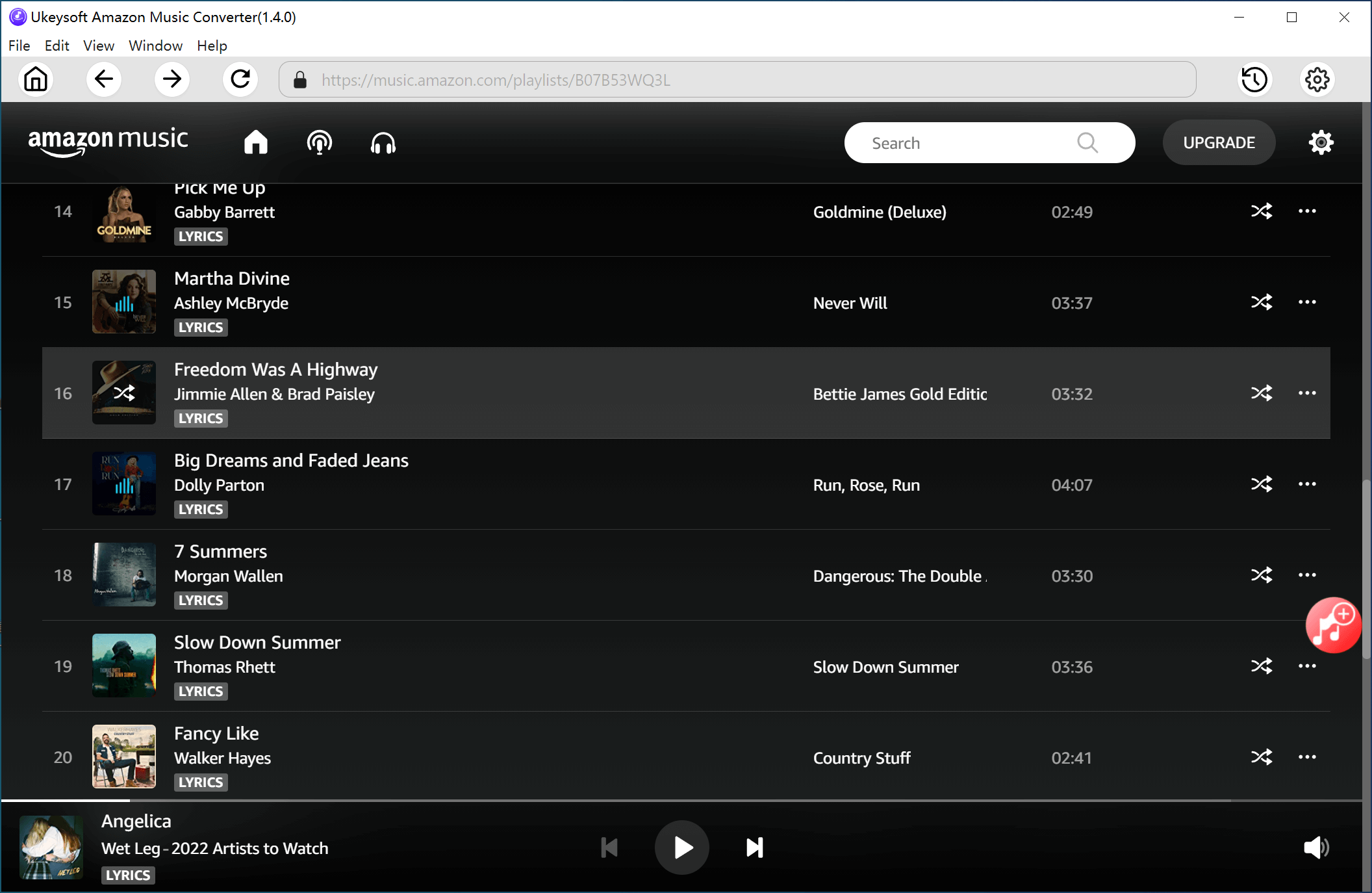
Step 3. Add Amazon Music Tracks
Open an album, artist, or podcast on Amazon Music. Click the red "Add" icon on the right side of the program, and all available tracks will be listed. The software automatically detects and avoids adding duplicate songs.
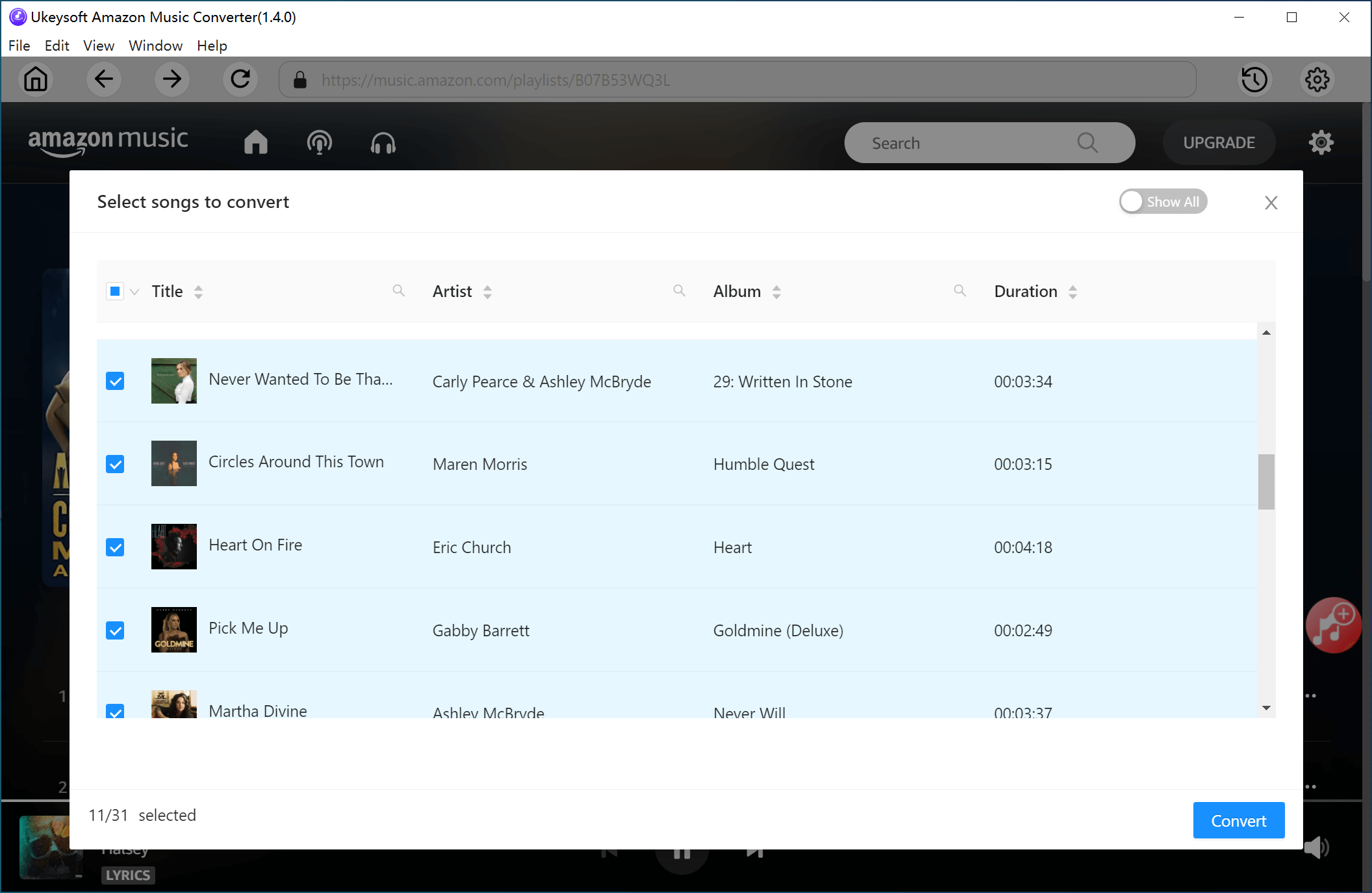
Step 4. Select Tracks for Conversion
Review the listed songs and select the ones you want to convert.
Step 5. Start to Convert Amazon Music to MP3
Click the "Convert" button to start downloading and converting your selected Amazon Music tracks to MP3 format.
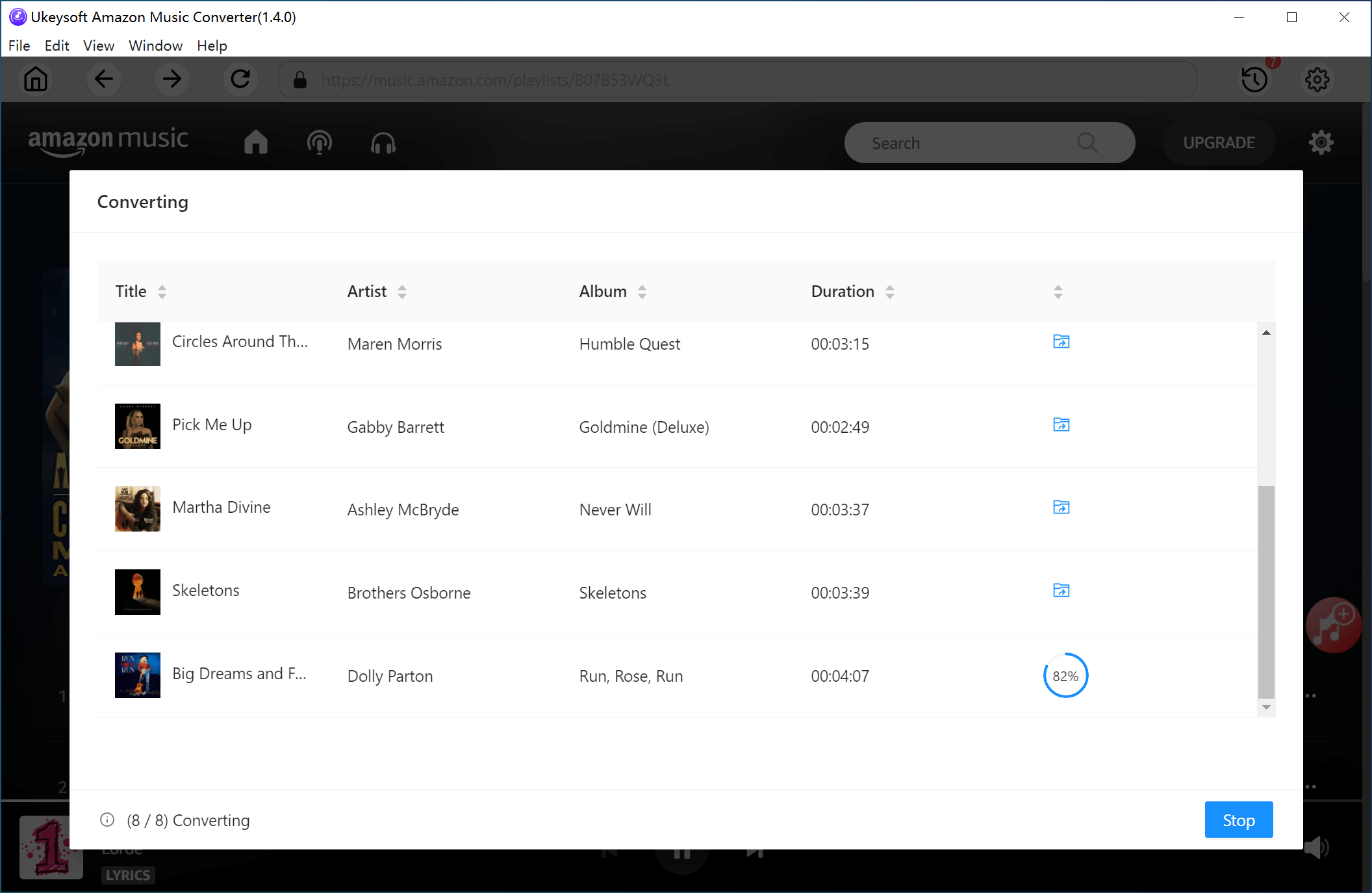
Step 6. Access Converted Files
Once the conversion is complete, click the blue output folder icon to open the saved MP3 files on your computer.
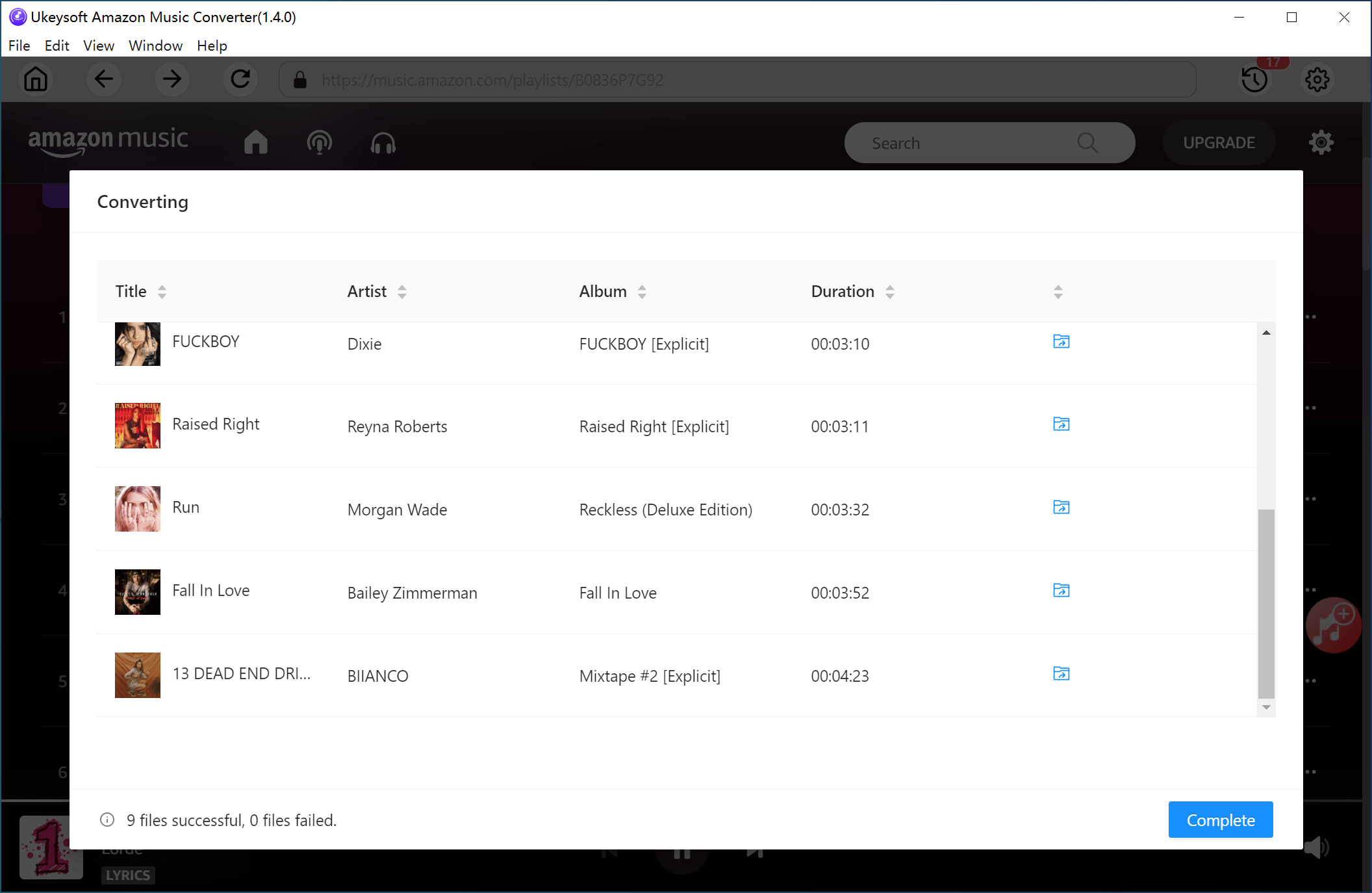
Step 7. Transfer and Play Amazon Music on Yamaha Receiver
1) Copy the converted Amazon Music files to a USB drive and insert it into your Yamaha receiver.
2) Use your Yamaha remote to select USB as the input source, which will display the USB menu.
3) Navigate to your Amazon Music folder and start playing your favorite tracks on the Yamaha receiver.
Part 3. FAQs about Yamaha Receiver Amazon Music
Q1. Does Yamaha Support Amazon Music?
Yes, Yamaha has expanded the compatibility of its latest MusicCast-enabled devices to support various streaming services. Currently, Yamaha receivers work with popular platforms like Amazon Music, Deezer, Spotify, and Tidal.
Q2. Can I Play Amazon Music on MusicCast?
Absolutely! Using the MusicCast app, you can easily stream Amazon Music to any MusicCast-compatible device, including Yamaha receivers.
Q3. Is MusicCast Exclusive to Yamaha?
Yes, MusicCast is designed specifically for Yamaha products. It allows you to share music across compatible Yamaha devices, such as home theater receivers, stereo receivers, wireless speakers, and soundbars. However, it does not support non-Yamaha devices.
Conclusion
In summary, this guide covers the two best methods to play Amazon Music on a Yamaha receiver. For the best experience, using UkeySoft Amazon Music Converter is highly recommended, as it allows you to stream Amazon Music offline without limitations. Now, sit back and enjoy your favorite tunes at home!
Tip: System Requirements:
Windows 7 or later on 64bit required

Chester has always had great enthusiasm for writing, programming and web development. He likes writing about software and technology, his works are featured on some tech blogs or forums like Tom's Hardware, CNET, etc.
 English
 Arabic
 Chinese (Simplified)
 Chinese (Traditional)
 Croatian
 Czech
Czech Danish
 Dutch
Dutch Estonian
 Finnish
 French
 German
 Greek
Greek Hebrew
 Hindi
Hindi Hungarian
 Indonesian
 Italian
 Japanese
 Kazakh
 Korean
 Malay
Malay Norwegian
 Polish
 Portuguese
 Romanian
 Russian
 Slovenian
 Spanish
 Swedish
 Thai
Thai Turkish
 Ukrainian
 Vietnamese








Comments are off!